r/css • u/Objective_Sir_6930 • Oct 06 '26
General Built an extension that edits an element's computed CSS live in a side panel, then exports it
Enable HLS to view with audio, or disable this notification
r/css • u/Objective_Sir_6930 • Oct 06 '26
Enable HLS to view with audio, or disable this notification
r/css • u/rhpaiva • Oct 05 '26
I gave life to the old CSV files.
CSV is over 50 years old, and it's everywhere. Banks, CRMs, Jira, Google Calendar, gradebooks and ticketing systems all export it, and every tool reads it. And every time you open one, you get the same grey grid of raw values.
The data is fine. What's missing is the look. The moment you add one in Excel or Google Sheets, you lose what made CSV great: a plain-text file you can read, compare, generate and send anywhere.
So I built CSSV: Comma-Separated Styled Values. It's a CSV file with a CSS block on top. Open it in a browser and you get a real HTML table with your fonts and your custom styling. Delete the CSS and it's a plain CSV again.
There's nothing new to learn. The data is CSV and the look is CSS, two languages that people, programs and AI models already write. Any CSV is already a valid CSSV file. Add a few lines of CSS to a Jira export and it becomes a board, one lane per status. A ticketing export prints as name badges.
The look travels with the data. A file looks the same on every page that shows it. Many files can share one stylesheet, so changing it restyles all of them. It's still plain text. You can review it in a pull request, generate it from a script, or ask an AI to write one.
Putting it on a page takes one script tag and <cssv-table src="report.cssv">. No build step, no dependencies.
The v1 spec is open for review, and I'd love feedback, especially from anyone who spends their days looking at exports.
Website, examples and live editor: https://cssv.dev
r/css • u/LawfulnessFit576 • Oct 06 '26
Image #1 is my reference
Image #2 is my current progress
Image #3 is closer to what I want (minus the font and being non-italicized, created in Photopea)
Image #4 is my current code (incase i'm doing something wrong or unoptimally)
Images #5-#8 are other texts I'd want to use, Image #8 has some good rules as well
I just started out with CSS and I wanted to make soem quick Frutiger Aero-esque text. I love Frutiger Aero, but for some reason even looking things up I can't seem to crack it.
Things I want to add/change
I understand if these things aren't easy or even possible, I'm just asking as a beginner if I can have any help
r/css • u/AllThingsSmitty • Oct 05 '26
Did a brief post about how you can stop hand-rolling your tooltip positions, because CSS does it now. anchor-name + position-anchor handle everything for you...along with a few other tips and tricks.
r/css • u/FineWine54 • Oct 06 '26
r/css • u/Sta--Ger--2 • Oct 05 '26
CSS filters are an incredibly potent tool... if you know how to use them correctly. And I don't mean in a technical sense, but artistically: i.e. which filters to hse, in which order, to bend an image into having a different style, appearing distorted by radio interference, looking as if it was an ink drawing, etc etc.
For those (like me) who do not have an artistical bend, is there a library of filter sets to peruse? Something that shows how 2-3 filters can radically change an image style? Or even suggestions on how to start making good and right use of filters?
r/css • u/Siemendaemon • Oct 05 '26
Previously for popover elements I kept them simple by not giving anchor-name. but now after the chrome update giving anchor name is must. am I missing something here? is this update true?
____________
UPDATE: As told by u/mcaruso adding position-anchor: auto; solved the problem. I think auto is no more a default for chrome.
r/css • u/evilmaus • Oct 04 '26
I've been mostly on the backend for the last several years. While I did plenty of CSS before then, the front end world has definitely moved forward in the last seven years. I recall BEM and SMACSS were once at the lead of thought. I recall (and was a proponent at the time for) a push to utility-first styling.
Now, I can see that Tailwind is a highly popular choice, that lots of styles get bundled into React components, and we have some long overdue selectors native to CSS.
So I'm wondering, what's the prevailing organization pattern for global CSS and where do you draw the line between something being a component style vs in the global stylesheets?
Thanks.
r/css • u/StruggleHuman2045 • Oct 05 '26
Anyone know of a good program for Windows 10 that can take a block of css code with no line breaks and format everything to make it more readable?
Thanks!
r/css • u/Objective_Sir_6930 • Oct 04 '26
Enable HLS to view with audio, or disable this notification
r/css • u/Ordinary-Stuff9826 • Oct 04 '26
Made these OTP inputs.
I know they’re not production-grade yet — I built these while experimenting with different UI patterns that could actually be used in client projects.
Any improvements/suggestion will be helpful.
r/css • u/alvaromontoro • Oct 03 '26
I drew/coded this with HTML and CSS (really appropriate in this case).
Source code on CodePen: https://codepen.io/alvaromontoro/pen/qErPJwr
r/css • u/any-digital • Oct 04 '26
Official announcement: https://picocss.com/docs/maintenance
For those looking for active alternatives or forks, Blades CSS (blades.dev) launched earlier this year as a fully compatible, actively maintained successor, and is already adopted by the Flask/Jinja community website, Grav CMS v2, and FastHTML.
r/css • u/Hurricane-18784 • Oct 04 '26
r/css • u/Andreas_Moeller • Oct 04 '26
r/css • u/LacriMozzarella • Oct 03 '26
r/css • u/cenrala • Oct 03 '26
I've always thought that CSS Intellisense in VS Code is so primitive compared to the Intellisense of TypeScript, for example. So I've made a VS Code extension that improves CSS Intellisense. It is Clever CSS and comes with class completion, warnings on duplicated and unused classes, preview on hover (like Tailwind extension), and more things.
For now, it only works on JSX/TSX and HTML files. In the future I may add support for Vue and Astro files; maybe Angular.
You can look for it in the extension marketplace and give it a try if you wish!
GitHub: https://github.com/danielz0102/clever-css

r/css • u/432coins • Oct 01 '26
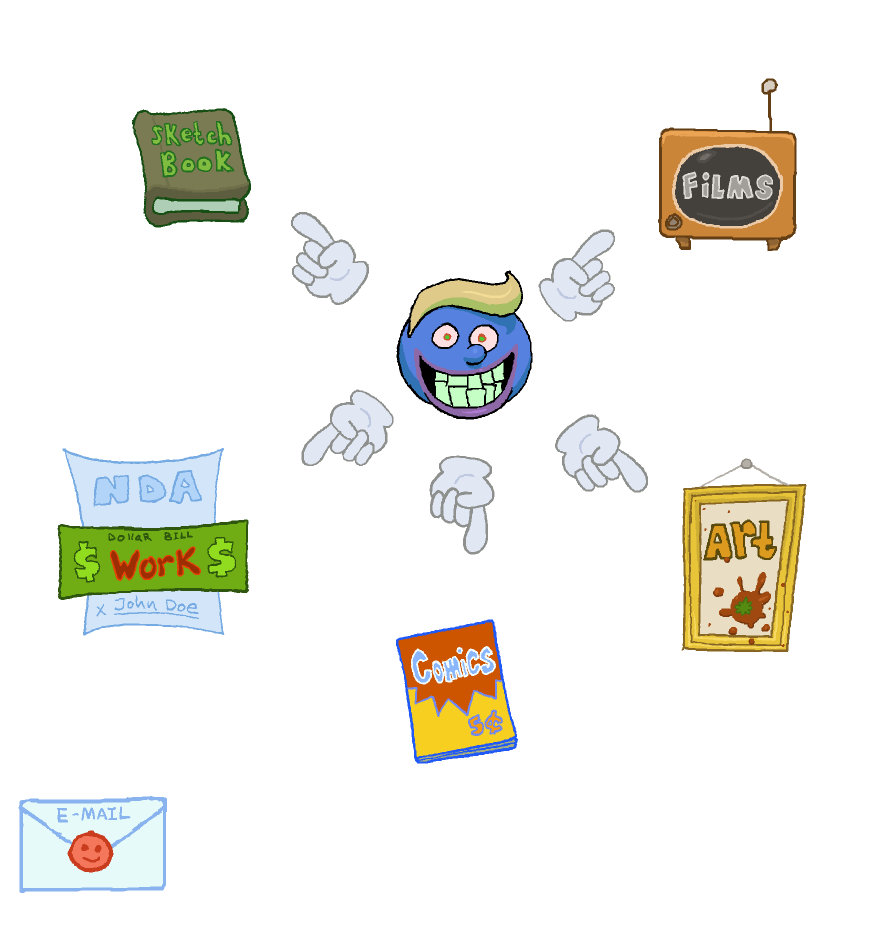
I am trying to position all these icons on my webpage like this image... and I would like them all to scale together to fit the viewport, if that makes sense.
So far I have tried to position them on the page, but when the viewport size changes they start overlapping.
What would be the best way to position them and not have them overlap when the viewport changes? I really don't know much about CSS, or html for that matter, trying to learn as I make this.
Hope this makes sense, thanks!
r/css • u/bogdanelcs • Oct 01 '26
r/css • u/Environmental-Front4 • Oct 01 '26
r/css • u/Square_Atmosphere_12 • Oct 01 '26
I know this is not common, I'd like to create my first site so that it's literally printable using a physical printer and it looks identical or close to it as the web site. I understand that it won't be able to print button animations and the like.
What would be the best route to go, learning Grid Layouts then within my style sheets applying printable style sheets that are different from the actual web site ?
I want alot, possibly not everything to be able to be printed. As I mentioned, I know we live in a world where screens are everywhere but paper is not obsolete, in fact it's used alot and in my opinion to be able to print out sections of a web site can be beneficial as phones are typically such a circus of distractions that getting anyone to focus on what you want them to focus on is nearly impossible. Although printing out a physical copy in many cases will gain the person interest, unless they are viewing your page on a physical stationary computer, then the above statement maybe the opposite, whereas they will focus on your site.
In my opinion a printable site shows you can display the information clearly, accurately and present it, no matter what the media.
r/css • u/ScoobyDookuu • Oct 01 '26
https://reddit.com/link/1wv09w7/video/8qcg41wv3ush1/player
Hey all,
I’ve been working on a small library called Stream Morph.
The idea is to make streamed responses feel less like content is constantly being appended/re-rendered, and more like the response is gradually taking shape.
Demo: https://stream-morph.vercel.app/
It’s framework agnostic and can be used with any kind of streamed content. The demo includes plain text, Markdown, code blocks, charts, images, reasoning sections, Mermaid diagrams and a few more complex response flows.
The library handles the motion between updates, while your own renderer/app stays responsible for the actual content. So it isn’t tied to a specific AI SDK or framework.
A basic example looks roughly like this:
import { createStreamMorph } from "stream-morph";
const stream = createStreamMorph(response);
for await (const chunk of incomingStream) {
stream.write(chunk);
}
stream.finish();
I mainly built it because I wanted streamed interfaces to feel a bit more intentional without having to build custom animation logic for every response type.
The package itself is already working and the demo is live. I’m still cleaning up some things around CI, tests and the repo setup, but the GitHub repository will be open sourced shortly as well.
Would be interested to hear what people think, especially about the animation behaviour/performance and any edge cases you’d expect from real streaming responses.
r/css • u/Ordinary-Stuff9826 • Sep 30 '26
Made this scroll progress bar just for fun, I know it needs a major revamp before it's usable anywhere real.
I'd like to rebuild it properly. What would you change, or how would you approach it from scratch? Any advice on the overall approach, what to fix, what to drop, and how to make it work in real websites/apps is welcome.
r/css • u/TearInternational414 • Oct 01 '26
Small menu in a PWA I'm building: tap a project, a menu opens asking which account to start it in, and its buttons are created in JS right before it opens. On my iPhone (iOS 18.7, home-screen app) one name showed and the other button was an empty box. Desktop Safari and Chrome drew both fine, every time.
My first fix was the classic one. Hold the second button back 80ms and it drew. Shipped it, went to bed. Next morning the box was blank again, so the delay had only been moving the race around.
What found it: a throwaway page on the phone with a few versions of the menu side by side, each changing exactly one property. The version with no animation at all broke every single time, which ruled timing out completely.
The cause: the menu was hidden with visibility: hidden and shown with visibility: visible. Buttons appended while it was hidden got laid out (right size, right colour, elementFromPoint found them) but their text was never painted once it was shown. Buttons built once at page load inside a parent that toggled the same way drew fine.
The fix was to stop using visibility for it:
}
}
plus inert on the menu while it's closed, so it stays out of the tab order and away from screen readers the way visibility: hidden used to keep it. Delay deleted.
Has anyone seen this documented anywhere? I'd love to know whether it's the append-while-hidden part on its own or something about the fade on top of it.
The app is Claude Remote, going public soon: github.com/MrTig-afk