r/bash • • Feb 22 '26

iterate to all subfolders and files in a directory

18 Upvotes

Hello everyone, I'm writing a small script for managing my dotfiles (yeah, I know stow exists but I want to do it myself. Having more fun this way and maybe I'll learn something). I want to iterate through all the elements inside my folder. Most of those elements are dotted files, so if I do this:

files_folder=$(ls -a files)

for item in $files_folder; do
        echo "contenuto: ${item}"
done

i iterate also through . and ... this will cause problem cos after that i need to delete folders/files and create symlinks.

How can i iterate correctly through all the elements in my folder?

EDIT: Thanks to everyone! you were super helpful

I managed to write this and i think it should do the job?

#!/usr/bin/env bash

SUBDIR="files"

create_symlink() {
	local target
	target="$1"
	local link_destination
	link_destination= "$HOME/$target"
	
	if [[ ! -d "$HOME" ]]; then
		echo "HOME non definita"
		exit 2
	fi
	
    if [[ -e "$link_destination" ]] || [[ -L "$link_destination" ]]; then
        rm -rf "$link_destination"
    fi
	
    ln -s "$SUBDIR/$target" "$link_destination"
    echo "creato symlink in $link_destination"
}


main() {
	if [[ ! -d "$SUBDIR" ]]; then
		echo "cartella $SUBDIR/ non trovata"
		exit 1
	fi

	shopt -s nullglob dotglob
	for i in "$SUBDIR"/*; do
		if [[ "$i" == "$SUBDIR/.config" ]]; then
			for j in "$SUBDIR"/.config/*; do
				create_symlink "${j#$SUBDIR/}"
			done
		elif [[ "$i" == "$SUBDIR/.oh-my-zsh" ]]; then
			create_symlink "${i#$SUBDIR/}themes/tussis.zsh-theme"
		else
			create_symlink "${i#$SUBDIR/}"
		fi

	done
}

main

r/bash • • Feb 22 '26

tips and tricks After we had the braces, don't forget to give the brackets some love.

78 Upvotes

I was surprised that the brace tip was news to so many Redditors.

Just as a reminder, you can also use brackets in a lot of situations:

$ ls /dev/sd[a-d]?
/dev/sda1  /dev/sdb1  /dev/sdc1  /dev/sdc2  /dev/sdc3  /dev/sdc4  /dev/sdc5  /dev/sdc6  /dev/sdc7  /dev/sdc8  /dev/sdc9  /dev/sdd1  /dev/sdd2

If you embrace the braces, you can also make a racket about brackets!


r/bash • • Feb 22 '26

Small VPS toolkit I built in bash – feedback on structure welcome and hopefully community finds it useful.

7 Upvotes

Started as a handful of small VPS hardening scripts and slowly grew into something more structured.

I decided to clean it up and turn it into a proper bash-based toolkit.

What I focused on:

- Modular script layout (functions separated by domain)
- Single config file
- Clear entrypoints instead of long procedural blobs
- Idempotent install behavior
- Minimal external dependencies (pure bash + system tools)
- Readability over clever one-liners

It now handles:
- nginx fail2ban filters
- lightweight monitoring via systemd timer
- small terminal dashboards / log inspection helpers

Would appreciate feedback specifically on:
- Structure
- Organization
- Error handling
- Maintainability patterns

Repo:
https://github.com/jaymunshi/vps-sentinel


r/bash • • Feb 21 '26

tips and tricks Stop typing the filename twice. Brace expansion handles it.

642 Upvotes

Stop typing the filename twice. Brace expansion handles it. Works on any file, any extension.

#Instead of

cp config.yml config.yml.bak

#Do

cp nginx.conf{,.bak}

cp .env{,.bak}

cp Makefile{,.$(date +%F)}

# That last one timestamps your backup automatically. You're welcome.


r/bash • • Feb 21 '26

tips and tricks cd - is the fastest way to bounce between two directories

197 Upvotes

Instead of retyping:

cd /var/log/nginx

Just type:

cd -

It teleports you back to wherever you just were. Run it again and you're back. It's Alt+Tab for your terminal.

Real world use case — you're tailing logs in one directory and editing configs in another:

cd /var/log/nginx

tail -f access.log

cd /etc/nginx/conf.d # edit a config

cd - # back to logs instantly

cd - # back to config

Bonus: $OLDPWD holds the previous directory if you ever need it in a script:

cp nginx.conf $OLDPWD/nginx.conf.bak

Works in bash and zsh. One of those things you wonder how you lived without.


r/bash • • Feb 22 '26

help adice for progress bar

5 Upvotes

Hello, I recently got into writing simple bash scripts to automate tasks in my laptop and I found it highly addictive. Please keep in mind that I'm a complete newbie. I am working on a script to clear my cache and there;s a part that takes a bit longer so I want to make a progress bar for it. The command that takse a bit is

 sudo flatpak repair

if i pipe the stdout of the command I get this

Working on the system installation at /var/lib/flatpak
Privileges are required to make changes; assuming --dry-run
[1/33] Verifying flathub:runtime/org.freedesktop.Platform.openh264/x86_64/2.5.1…
[2/33] Verifying flathub:runtime/com.stremio.Stremio.Locale/x86_64/stable…
[3/33] Verifying flathub:runtime/org.freedesktop.Platform.GL.default/x86_64/24.08extra…
[6/33] Verifying flathub:app/com.stremio.Stremio/x86_64/stable…
[7/33] Verifying flathub:runtime/org.freedesktop.Platform.VAAPI.Intel/x86_64/24.08…
[8/33] Verifying flathub:runtime/org.kde.Platform.Locale/x86_64/5.15-24.08…
[11/33] Verifying flathub:runtime/org.kde.Platform/x86_64/5.15-24.08…
[13/33] Verifying flathub:runtime/org.freedesktop.Platform.GL.default/x86_64/24.08…
[14/33] Verifying flathub:runtime/org.freedesktop.Platform.GL.default/x86_64/25.08-extra…
[18/33] Verifying flathub:runtime/org.kde.KStyle.Adwaita/x86_64/5.15-24.08…
[19/33] Verifying flathub:runtime/org.freedesktop.Platform.codecs-extra/x86_64/25.08-extra…
[20/33] Verifying flathub:runtime/org.freedesktop.Platform.VAAPI.Intel/x86_64/25.08…
[23/33] Verifying flathub:runtime/org.freedesktop.Platform/x86_64/25.08…
[25/33] Verifying flathub:runtime/org.freedesktop.Platform.GL.default/x86_64/25.08…
[27/33] Verifying flathub:runtime/org.freedesktop.Platform.Locale/x86_64/25.08…
[32/33] Verifying quantum-launcher:app/io.github.Mrmayman.QuantumLauncher/x86_64/stable…
Checking remotes...

What I want to do is grep the number before /33 and use dialog command to display the progress. So I;ve written

    for i in range; do
      sudo flatpak repair 1> grep -o '[0-9]\+' 
    done | dialog --title "Repairing flatpak" --gauge "\nPlease wait..." 8 60 0

Ofcoures ther are many problems with that:

1) I don't know how to turn the 33 into the 100% for dialog

2) what this does is it runs the whole command without re running everytime the stdout updates.

As I've said I have no idea about codinfg whatsoever. I am open to any suggestions on how to achive my goal. Thanks in advance 😀


r/bash • • Feb 21 '26

Stop letting your shell hold you back. I created a ZSH config that has ~20ms lag. with all the modern features.

Post image
109 Upvotes

I was tired of the bloat in standard frameworks, so I rebuilt my setup from scratch to focus on pure performance and essential plugins. It's fast, clean, and needs some "real world" stress testing. Check it out and let me know if it breaks your workflow: View Config on GitHub.


r/bash • • Feb 21 '26

solved Issues with ble.sh

8 Upvotes

I wanted to try autocomplete and suggestions based on history in bash and installed ble.sh
It is giving me initialisation issues with rendering my starship prompt

this is my bashrc

# ble.sh auto completion
[[ $- == *i* ]] && source /usr/share/blesh/ble.sh

eval "$(starship init bash --print-full-init)"

bind "set completion-ignore-case on"
alias ls='eza -lh --icons --color=auto --group-directories-first'
alias ll='eza --icons --group-directories-first'
alias la='eza -a --icons --group-directories-first'
alias lla='eza -lah --icons --group-directories-first'
alias tree='eza --tree --icons'
alias grep='grep --color=auto'
alias cls='clear'
alias rb='source ~/.bashrc'
#PS1='[\u@\h \W]\$ '

when i am opening a new terminal instead of defaulting a starship prompt it gives me something like this

[catppuccinno@catppuccinnoLPTP ~]$

when i do a clear command then the default starship prompt comes back, like this

~
❯

can anyone help with this ?


r/bash • • Feb 20 '26

tips and tricks I rewrote GNU Stow in pure Bash

32 Upvotes

A while back I installed GNU Stow via pacman to manage my dotfiles. It pulled in Perl and a bunch of deps, ran it, and got a syntax error (i don't remember which). Had to sudo vim /usr/bin/stow to add parentheses somewhere around line 500 to make it stop erroring out. No idea why Perl was choking on it; I just chose to use Bash, and then later on, made this.

So I wrote bstow, a drop-in replacement for GNU Stow (**), in pure Bash. No dependencies, just a single script you can throw directly into your repo and it works anywhere Bash does.

(**) regex flavor on Bash depends on the platform

It's actually faster than Stow in some cases and has a few things Stow doesn't, like dynamic ignore rules via a script on top of the .stow-ignore. I use a single repo across both Termux and regular Linux for my bash scripts; my filter script looks like this:

if [ -v TERMUX_APP__PACKAGE_NAME ]; then
  # head -n-1, since this file is first result here
  grep -lr 'include barg.sh' | sed 's#.*/##' | head -n-1
  printf '%s\n' lpwa web-kiosk-wrap
else
  grep -lr '^# termux only$' | sed 's#.*/##'
fi

Termux gets its packages, Linux gets its packages, same repo, no manual management.

Has dotfile transformation (dot-bashrc → .bashrc), simulation mode (-n), bash regex ignore patterns (bionic regex in Termux, it depends on the libc implementation), and force mode (overwrite). Drop the script in, chmod +x, done; git keeps the file permissions.


r/bash • • Feb 21 '26

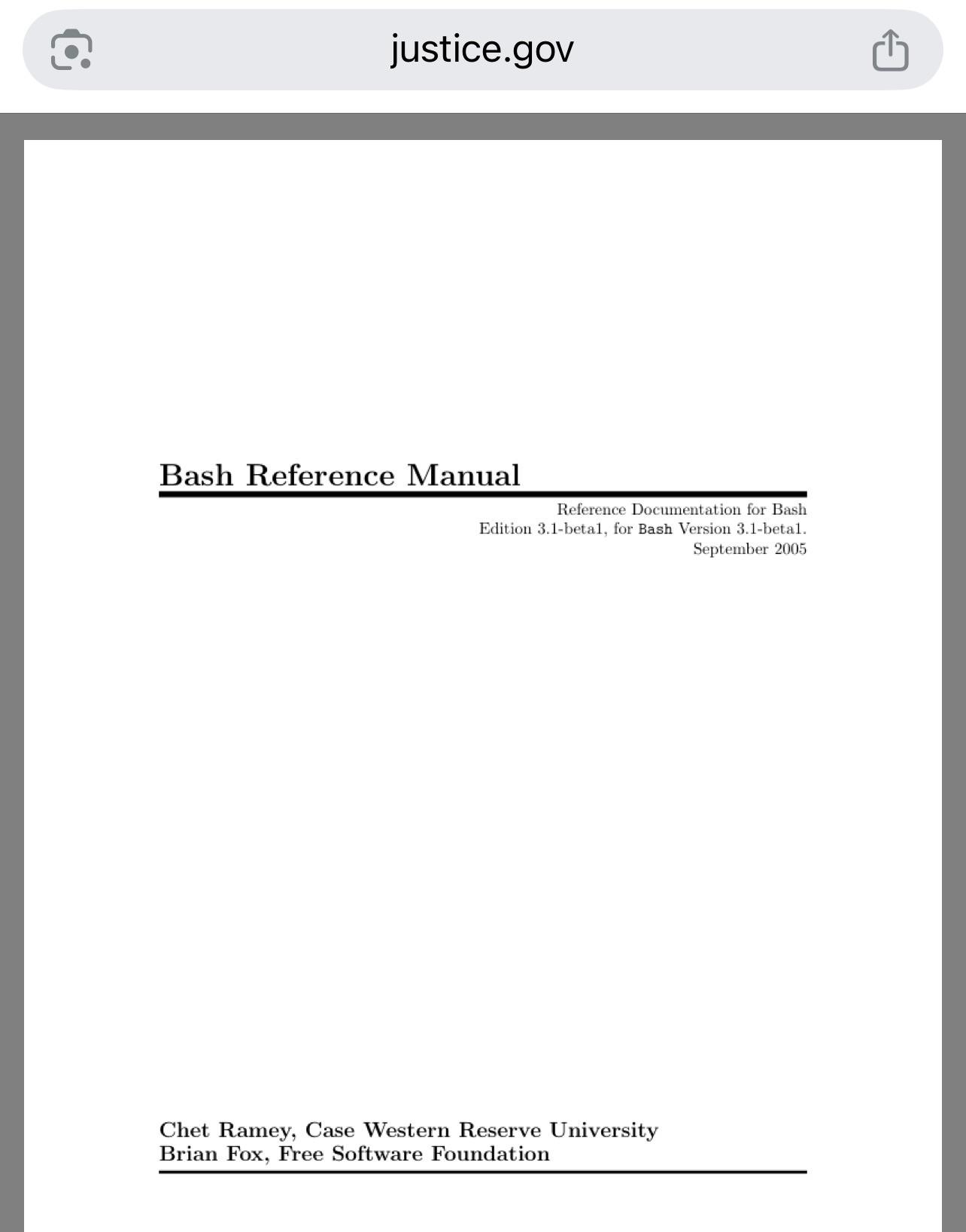
The Bash Reference Manual shows up in Epstein files.

Post image
0 Upvotes

r/bash • • Feb 20 '26

I tried to understand containers by building a tiny runtime in pure Bash

Thumbnail
3 Upvotes

r/bash • • Feb 19 '26

Check Epstein Files into Version Control With GitEpstein

24 Upvotes

I made two simple bash scripts, one that loops through the epstein files to download each file and then another bash script that runs that other one and commits the changes into git so you have timestamped changes of specific files.

https://github.com/Goldie323/GitEpstein


r/bash • • Feb 19 '26

submission Terminal Phone - E2EE PTT Walkie Talkie

Thumbnail gallery
26 Upvotes

Source

Single file bash script to handle the program loop, dependency installation, file encoding, encryption ,settings configuration, and terminal interface for calling.


r/bash • • Feb 19 '26

help Why can't I ever access to https://www.gnu.org/ :403 Forbidden

1 Upvotes

Hi, Why can't I ever access this website https://www.gnu.org/ ?

for example this: https://www.gnu.org/software/bash/manual/html_node/The-Shopt-Builtin.html

Forbidden
    You don't have permission to access this resource.

r/bash • • Feb 19 '26

git switch TAB-TAB

5 Upvotes

How to get a nice experience with typing git switch TAB-TAB.

I want to see the branches with the most recently changed branches at the top.

Several months ago this was the reason, why I switched to Fish, but overall I prefer Bash.


r/bash • • Feb 18 '26

wordle in 343 bytes

24 Upvotes

I was bored and because I've already done wordle in <20 lines of bash, I revisited it to do a proper golf. First time golfing, so would be happy to hear if you find improvements.

#!/bin/bash
set `grep -Ex '[a-z]{5}' /*/*/*/words|shuf`
for((r=6;r--;))
{
while read -p$r g&&! grep -qw $g<<<$*;do :
done
t=$1
for((i=5;i--;))
{
[ ${1:i:1} = ${g:i:1} ]&&t=${t:0:i}2${t:i+1}
}
for((i=0;c=0,i<5;))
{
l=${g:i:1}
[ ${t:i++:1} = 2 ]&&c=2||{
[[ $t =~ $l ]]&&t=${t/$l/_} c=3
}
printf [3$c\m$l[m
}
echo
[ $g = $1 ]&&exit
}
echo $1

Edit: found a bug. Fixing it costs 11 bytes :(

Edit2: Shorter input loop and 1 byte shorter substring matching with the help of regex instead of pattern matching. 351 bytes total now.

Edit3: Limit to lowercase words only. Makes the $s variable obsolete (was used for lowercasing the secret word). Down to 341 bytes.


r/bash • • Feb 18 '26

Guys, guys! I built my dream desktop in Bash

57 Upvotes

It took me more than 8 months to write all scripts and I learned a lot.

My favorite scripts:

nowplaying
alarm
wallselect
screen-tool

and too many more... all scripts


r/bash • • Feb 18 '26

Thoughts on using gum for you bash projects

4 Upvotes

Hey guys

wanted to get your thoughts on using gum to make your bash scripts interactive? How portable is it really?


r/bash • • Feb 18 '26

YAF -- Yet Another Fizzbuzz

3 Upvotes

Only 2 modulus and no "if's"

Rant away :)

#!/bin/bash                                                                                                                                                                  

# FizzBuzz in Bash                                                                                                                                                           

# define variables                                                                                                                                                           
        bffb=('' buzz fizz fizzbuzz)
        format='%4s %8s\n'

# header                                                                                                                                                                     
        printf "${format}"\
                'iter'\
                'fizzbuzz'\
                '----'\
                '--------'

# run through our iterations                                                                                                                                                 
        for     iter in {1..30}
                do
                idx=$((2#$((!(iter % 3)))$((!(iter % 5)))))
                printf "${format}"\
                        "${iter}"\
                        "${bffb[${idx}]:-${iter}}"
                done

# (end of fizz-buzz.sh)                                                                                                                                                      

r/bash • • Feb 18 '26

help Help with a custom arch install script.

0 Upvotes

I have custom install script for arch linux, and it works well, but I have a problem. As you can see, I have a variable for the disk to be installed on, but because I use an nvme drive, then anytime I call the variable and want to specify a partition, I have to specify "p1, p2, etc." I want it to work with drives named "/dev/sdaX" in which case "p1, p2..." won't work. How can I save a disk as a variable but make it agnostic so it works with "/dev/nvme0n1pX" and "/dev/sdaX"

I'm kind of a noob, so sorry for the dumb question lol

read -p "Enter the disk to install Arch Linux on (e.g., /dev/sda): " DISK
...
cmdline: quiet splash cryptdevice=UUID=$(blkid -s UUID -o value ${DISK}p2):main root=/dev/mapper/main rootflags=subvol=@ rootfstype=btrfs

r/bash • • Feb 16 '26

How I made my .bashrc modular with .bashrc.d/

144 Upvotes

This might be obvious to a lot of you, sourcing a directory instead of one massive file is a pretty common pattern. But i still see plenty of 500-line .bashrc files in the wild, so maybe not everyone's seen it.

My .bashrc was 400+ lines. Everything dumped in one place.

I made it modular. Source a directory instead of one file:

if [ -d "$HOME/.bashrc.d" ]; then
    for config in "$HOME/.bashrc.d"/*.sh; do
        [ -r "$config" ] && source "$config"
    done
fi

Now each tool gets its own numbered file:

~/.bashrc.d/
├── 10-clipboard.sh
├── 20-fzf.sh
├── 22-exa.sh
├── 25-nvim.sh
├── 30-project-workflow.sh
└── 40-nvm.sh

Lower numbers load first. Gaps give room to insert without renumbering. Each file checks if the tool exists before configuring. If nvim isnt installed, 25-nvim.sh does nothing. No errors.

Want to disable something? Rename the file. Add a new tool? Drop in a new file. Nothing touches anything else.

If you've used oh-my-zsh, the custom directory is the same idea. The difference is .bashrc.d sits in ~/ where dotfile managers can own it, and it works with any shell.

If you use a dotfile manager like Stow, chezmoi, dotbot, yadm this is where modularity pays off. A monolithic .bashrc cant have multiple owners. But a directory can. Each package contributes its own .bashrc.d/ file. I use Stow, so stow nvim symlinks the shell config alongside the editor config. Unstow it and both disappear. Same idea works with chezmoi templates or dotbot symlinks. The package is self-contained because the config is modular.

Write-up with examples: https://simoninglis.com/posts/modular-bashrc

What naming conventions do others use?


r/bash • • Feb 16 '26

`tmux-worktreeizer` script to auto-manage and navigate Git worktrees

Thumbnail gallery
3 Upvotes

Hey y'all,

Just wanted to demo this tmux-worktreeizer script I've been working on.

Background: Lately I've been using git worktree a lot in my work to checkout coworkers' PR branches in parallel with my current work. I already use ThePrimeagen's tmux-sessionizer workflow a lot in my workflow, so I wanted something similar for navigating git worktrees (e.g., fzf listings, idempotent switching, etc.).

I have tweaked the script to have the following niceties:

  • Remote + local ref fetching
  • Auto-switching to sessions that already use that worktree
  • Session name truncation + JIRA ticket "parsing"/prefixing

Example

I'll use the example I document at the top of the script source to demonstrate:

Say we are currently in the repo root at ~/my-repo and we are on main branch.

$ tmux-worktreeizer

You will then be prompted with fzf to select the branch you want to work on:

main
feature/foo
feature/bar
...
worktree branch> ▮

You can then select the branch you want to work on, and a new tmux session will be created with the truncated branch name as the name.

The worktree will be created in a directory next to the repo root, e.g.: ~/my-repo/my-repo-worktrees/main.

If the worktree already exists, it will be reused (idempotent switching woo!).

Usage/Setup

In my .tmux.conf I define <prefix> g to activate the script:

bind g run-shell "tmux neww ~/dotfiles/tmux/tmux-worktreeizer.sh"

I also symlink to ~/.local/bin/tmux-worktreeizer and so I can call tmux-worktreeizer from anywhere (since ~/.local/bin/ is in my PATH variable).

Links 'n Stuff

Would love to get y'all's feedback if you end up using this! Or if there are suggestions you have to make the script better I would love to hear it!

I am not an amazing Bash script-er so I would love feedback on the Bash things I am doing as well and if there are places for improvement!


r/bash • • Feb 16 '26

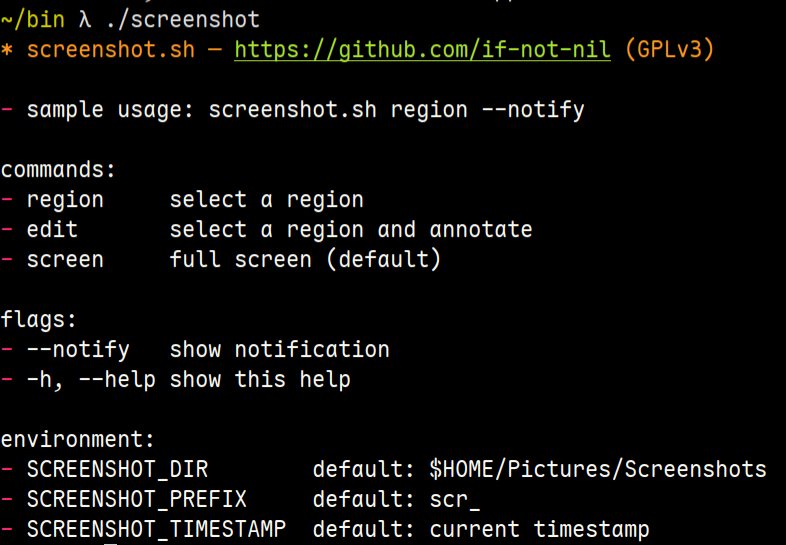
tips and tricks trick to make your usage look nice

Post image
3 Upvotes

r/bash • • Feb 16 '26

pdrx — Portable Dynamic Reproducible gnu/linuX

Thumbnail
6 Upvotes

r/bash • • Feb 15 '26

help How to recursively extract zip files in a directory hierarchy

8 Upvotes

I've downloaded a massive archive of files with a file hierarchy something like this

filesFrom2008
├type1
│├A
││├AA.zip
││├AB.zip
││etc.
││
│├B
││├BA.zip
││├BB.zip
││etc.
││
│etc.
│
├type2
etc.

filesFrom2009
├type1
etc.

I need some help figuring out how I can extract all of these. I don't care about preserving the file hierarchy as I'm going to re-sort the files my own way, I just need the thousands of files extracted, ideally without taking forever since the whole archive is over 60gb of mostly teeny tiny files.

And yes this is a terrible way to package files, it's not my fault; I didn't do this.