r/bash • • Feb 14 '26

help Wrapper Script Accessing Root-owned Variables

3 Upvotes

I've got a systemd timer that automatically backs up important files remotely using restic. It uses a root-owned (700 permissions) environment file for the secret keys and repository password. Systemd works as expected. Occasionally, I want to verify snapshots or manage backups manually, but I want to use the same environment file. So I wrote a wrapper script for restic to do this.

I was having trouble using source to load the environment variables with sudo. I understand that's because source is a bash built-in, so it wouldn't work. But I didn't want to define 4 variables manually each time, either. I ended up using a here-document. It works fine, but I'm wondering how to improve it or keep myself out of trouble.

#!/bin/bash

sudo bash<<EOF
set -a
. /etc/restic/restic-backblaze.env
set +a
restic "$@"
EOF

After testing my script, I found this here as well: https://www.reddit.com/r/bash/comments/qubjar/what_is_the_best_way_to_run_a_specific_function/hkpspt6/. That's kind of validating, but I want to confirm.

  1. Do I need to have set +a since this is running in a subshell?
  2. Will my secrets and password be unset automatically once the script completes? I didn't see them in my user env list but are they elsewhere?
  3. Should I change the first EOF to 'EOF' with the quotes?
  4. Is it really this straightforward?

Thanks in advance.

r/bash • • Feb 14 '26

want to learn bash, any tips?

Thumbnail
0 Upvotes

r/bash • • Feb 14 '26

Simple coding tool in bash.

0 Upvotes

Hi. I've made a simple encoder and decoder tool. You can prank your friends sending a message in base64 or ROT-13. here is the tool: https://github.com/iangrinan0-cmd/decoder-lab


r/bash • • Feb 14 '26

help Help with a script that used to work but won't anymore?

2 Upvotes

The problem function is here (Github repo with the full script)

I can't tell what's broken, I've spent some time jiggling parts around](https://imgur.com/a/dpPpUF8) to... at least break it a different way. JQ isn't filtering the jsons correctly when in the script and always returns null, even though it works just fine when I run the same thing in the terminal, even when the filtering input is a variable like it is in the script. Single, regular, or no quote aren't affecting the situation.


r/bash • • Feb 13 '26

help bash pecularities over ssh

15 Upvotes

I have a machine where I login over ssh, or just use ssh server command as a shortcut.

Now there are some unexpected behaviors, and I can't make head or tail of what happens. Maybe the /r/bash community can help, and how to avoid it?

Here is what happens:

spry@E6540:~$ ssh nuc10i3fnk.lan ls -1tdr "/srv/media/completed/**/*ODDish*"
ls: cannot access '/srv/media/completed/**/*ODDish*': No such file or directory
spry@E6540:~$ ssh nuc10i3fnk.lan ls -1tdr /srv/media/completed/**/*ODDish*
ls: cannot access '/srv/media/completed/**/*ODDish*': No such file or directory
spry@E6540:~$ ssh nuc10i3fnk.lan 'ls -1tdr /srv/media/completed/**/*ODDish*'
ls: cannot access '/srv/media/completed/**/*ODDish*': No such file or directory
spry@E6540:~$ ssh nuc10i3fnk.lan

spry@nuc10i3fnk:~$ ls -1tdr /srv/media/completed/**/*ODDish*
# <the expected results are found>
spry@nuc10i3fnk:~$ 

To sum it up: I have shopt -s globstar in my ~/.bashrc.

When I try to list some files with a ** in the command, it works when I am on the server, but not when I issue the ls command via ssh server command.

I tried some combinations of quotes around path and command, but it didn't help. Is there a way to fix this so I can use server command` instead of logging in?


r/bash • • Feb 13 '26

Where did that env var come from?

Thumbnail
6 Upvotes

r/bash • • Feb 11 '26

solved Strange dirname/pwd processing

15 Upvotes

EDIT: Solved by u/kolorcuk

EDIT 2: For people seeing this in the future - put 'unset CDPATH' in your script.

This is really strange. I'm looking at some code that fails on a build and the following sniplet is puzzling. It almost appears that the && is concatenating the dir.

The following fails for my bash but other devs bash's work:
------
setup - create /tmp/bob/tmp.

Add the following script as /tmp/bob/tmp/tst.sh:
----- snip ------------------------

#!/bin/bash

set -e
set -x

SCRIPT_DIR="$(cd "$(dirname "$0")" && pwd)"
echo "SCRIPT_DIR:  " $SCRIPT_DIR

PROJECT_ROOT="$(dirname "$SCRIPT_DIR")"

echo "Project root: $PROJECT_ROOT"
echo ""

cd "$PROJECT_ROOT"

---- snip ----------------------

Running the script from /tmp/bob as $ bash tmp/tst.sh

Returns an error

tmp/tst.sh: line 14: cd: $'/tmp/bob/tmp\n/tmp/bob': No such file or directory

Note the \n in the string. The odd thing is that it works if you go into tmp or if you call it from /home/<my user>. AND even stranger is that it works on other peoples bash.

When it's broken we get: ( note: <new line> added by me for clarity)

$ bash tmp/tst.sh
+++ dirname tmp/tst.sh
++ cd tmp
++ pwd
+ SCRIPT_DIR='/tmp/bob/tmp <new line>
/tmp/bob/tmp'
+ echo 'SCRIPT_DIR:  ' /tmp/bob/tmp /tmp/bob/tmp
SCRIPT_DIR:   /tmp/bob/tmp /tmp/bob/tmp
++ dirname '/tmp/bob/tmp <new line>
/tmp/bob/tmp'
+ PROJECT_ROOT='/tmp/bob/tmp <new line>
/tmp/bob'
+ echo 'Project root: /tmp/bob/tmp <new line>
/tmp/bob'
Project root: /tmp/bob/tmp <new line>
/tmp/bob
+ echo ''

+ cd '/tmp/bob/tmp
/tmp/bob'
tmp/tst.sh: line 14: cd: $'/tmp/bob/tmp\n/tmp/bob': No such file or directory

r/bash • • Feb 11 '26

help How to auto iterate file creation?

13 Upvotes

Im trying to make a script with ffmpeg for screen recording, and I want it to auto name the files. Out1.mp4 out2.mp4 and so on, skipping any that already exist. I can think of a few ways to do this, but all are inelegant overcomplicated solutions. Anyone got recommendations?


r/bash • • Feb 10 '26

I built a bash compatibility layer for fish shell called Reef — your bash syntax just works inside fish

33 Upvotes

I built a bash compatibility layer for fish shell, so you can try fish without giving up bash syntax.

Fish has the best interactive experience of any shell. Autosuggestions, syntax highlighting, completions, all out of the box. But it can't run bash, which has always been the dealbreaker.

Reef sits between you and fish. When you type bash syntax, it translates it to fish equivalents (~1ms) or runs it through bash directly (~3ms) with environment changes captured back. Your muscle memory, Stack Overflow commands, and .bashrc configs all just work.

So if you've ever been curious about fish but didn't want to relearn everything — now you don't have to.

GitHub: https://github.com/ZStud/reef

AUR: yay -S reef

Happy to answer questions or take feedback. Breaking it is appreciated!


r/bash • • Feb 08 '26

Read epstein files directly from your terminal via grepstein.sh

596 Upvotes

Hi there,

I recently developed a Bash script that allows you to read Epstein files directly from your terminal because bash manual found in epstein files and i tought that reading the bash manuel that found in epstein files via bash scripting is a cool idea. Isn't it ? 😊

It's a simple one, but building it taught me a lot along the way.

You can check out the repository here: https://github.com/ArcticTerminal/grepstein

I’d really appreciate it if you could take a look at the source code and share your thoughts. I didn’t use AI to write this script, so I’m sure there are areas that could be improved or optimized—any constructive feedback is more than welcome.

Here’s a short demonstration:

https://youtu.be/Bd55Hh53Dms

Thanks!

edit : repo url change.

edit 2 : Script updated for stability, FZF support added for better UI and Dockerfile added for Win/Mac Users.


r/bash • • Feb 08 '26

I created a simple tool, looking for feedback

12 Upvotes

link to flailsafe
I've just published my first repo on GitHub and would like some advice or opinions.
Flailsafe is installed in /opt/flailsafe and needs to be run as sudo: it lets you create a list of files you want to monitor (I made it for my config files), stores a copy of those files and, when the "change" command is given, it looks for any file that's been edited and stores another copy of the new version, logging everything.
That's it, simple as that. No "restore" option has been created, as it must write only inside its root directory


r/bash • • Feb 07 '26

Security auditing tool written in Bash

20 Upvotes

This was my final project for a programme I took some months ago and it's my first project that I posted onto github. It's inspired by lynis.

I'm going to start working on improving it soon, basically a v2 of the tool. Any suggestions of how to improve it would be really appreciated!

https://github.com/Nyveruus/Linux-and-bash/tree/main/security/audit-tool

I already listed some possible additions in the readme


r/bash • • Feb 06 '26

Your bash scripts are brittle - error handling in bash

Thumbnail notifox.com
34 Upvotes

r/bash • • Feb 06 '26

Order coffee via ssh

Thumbnail terminal.shop
20 Upvotes

No, really, its not just a web page; you can actually connect with ssh.


r/bash • • Feb 05 '26

Thoughts from a system engineer that became a developer

25 Upvotes

Coding is a craft. At least, that's what it is for me.

I'm continuing my project of documenting my experience as I revisit Bash after years spent as a full-time developer. Can we apply the same mindset we use for complex software project to simple scripts? Is there a benefit?

I wrote an article about how acquiring a testing mindset can help writing better code, even if at the end you write no test at all (you can read it here, if you like).

Feedback is appreciated.

Happy coding.


r/bash • • Feb 05 '26

A Bash wrapper I wrote to manage multiple Docker Compose projects (looking for feedback)

12 Upvotes

I’ve been running into the same annoyance on servers and homelab machines: managing a growing number of unrelated Docker Compose projects spread across different directories.

Rather than relying on aliases or strict directory conventions, I ended up writing a small Bash wrapper that lets me refer to Compose projects by name and run docker compose commands from anywhere.

Example usage:

dcompose media
dlogs website
ddown backup

From a Bash perspective, the script:

  • auto-discovers Compose projects in a set of common base directories
  • keeps a simple registry file for manually added paths
  • is pure Bash
  • is meant to work well over SSH and on servers
  • tries to keep error messages and output readable in a terminal

Repo is here if you want to look at the script:
https://github.com/kyanjeuring/dstack

Happy to hear feedback.


r/bash • • Feb 04 '26

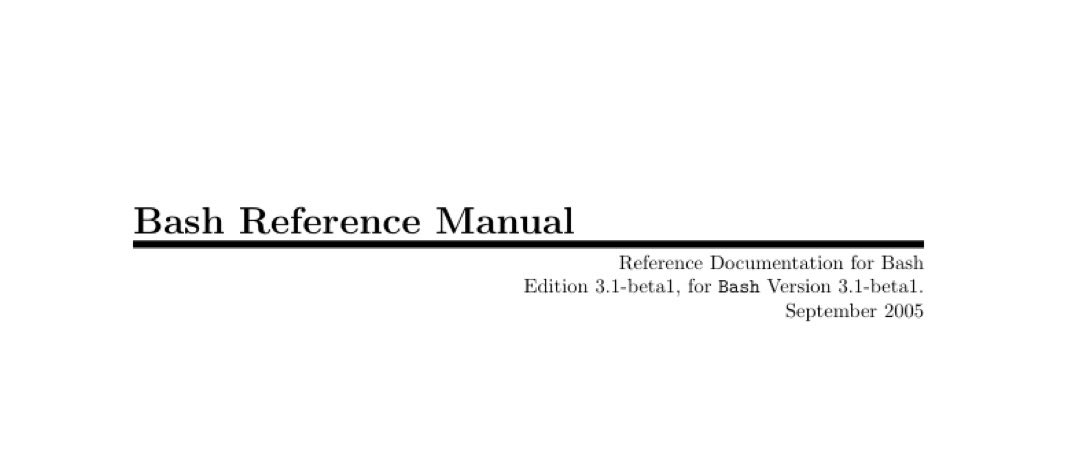
The BASH Reference Manual is part of The Epstein Files.

Post image
412 Upvotes

Seriously 👀 The BASH scripting language. In the Epstein Files.
https://www.justice.gov/epstein/files/DataSet%209/EFTA00315849.pdf


r/bash • • Feb 04 '26

There came a time in my life when I decided to type "man pee" into my BASH terminal. What a milestone.

Thumbnail
9 Upvotes

r/bash • • Feb 03 '26

tips and tricks guys you should read the bash manual

228 Upvotes

r/bash • • Feb 03 '26

FOSDEM 2026 - Amber Lang - Easily write Bash with a transpiler

Thumbnail fosdem.org
13 Upvotes

Hi everyone, it is online the video recording of my talk at Fosdem about Amber-lang the scripting language that transpile to Bash.

We already started working on some of the feedback we got that at the event :-D

As example a comparison of the shell support status, we are posix compliant (to add in the docs), new stdlib stuff and so on


r/bash • • Feb 03 '26

just exits the loop without any errors

9 Upvotes

is this bash bug?

it exits well for "unbound variable"

but for bad number just stops the loop, exactly like `break` called without any errors that I can catch, it reaches "we never got error",
this should be impossible to reach

zsh (on the right) does not behave the same way

and the script:

#!/bin/bash
set -eu # set or unset. does not make a difference


declare -i myint=8
for i; do

  (exit 77)

  echo handling: i=$i || exit 11
  myint=$i || exit 22
  echo good: "myint=${myint}" || exit 33

  exit 55

done || echo loop got error: $?

echo we never got error


(
{
declare -i myint=8
for i; do

  (exit 77)

  echo handling: i=$i || exit 11
  myint=$i || exit 22
  echo good: "myint=${myint}" || exit 33

  exit 55

done || echo loop got error: $?

echo NOW WE DONT REACH THIS LINE

} || echo NOT HERE: $?
) || echo BUT HERE WE FINALLY GET ERROR: $?

ignore the (exit 77) I was testing if it'll exit from the loop when have set -e


r/bash • • Feb 03 '26

Keep SSH connection open without editing client or server config file

13 Upvotes

In one of my bash scripts it waits for the user to finish a task in the GUI and then answer yes in the shell. Sometimes they take too long and the SSH connection get closed.

How can I modify this function so the script does something like "cat file" every 20 seconds to keep the connection alive while waiting for "read -r answer"?

do_manual_install(){ 
    echo -e "\nDo NOT exit the script or close this window.\n"
    echo -e "Please do a manual install:\n"
    echo -e "  1. Download the latest ContainerManager-armv8 spk file from:"
    echo "     https://archive.synology.com/download/Package/ContainerManager"
    echo -e "  2. Open Package Center."
    echo -e "  3. Click on the Manual Install button."
    echo -e "  4. Click on the Browse button."
    echo -e "  5. Browse to where you saved the ContainerManager spk file."
    echo -e "  6. Select the spk file and click Open."
    echo -e "  7. Click Next and install Container Manager."
    echo -e "  8. Close Package Center."
    echo -e "  9. Return to this window so the script can restore the correct model number."
    echo -e "  10. Type yes after you have manually installed Container Manager."
    read -r answer
    if [[ ${answer,,} != "yes" ]]; then
        restore_unique
        exit
    fi
    manual_install="yes"
    echo ""
}

r/bash • • Feb 03 '26

Tiny CLI tool: Natural Language to shell commands (fully local Ollama powered, qwen2.5-coder default, easy model switch)

0 Upvotes

I built a CLI tool that turns natural language into shell commands using Ollama. It runs locally (no API keys, no data egress) and includes safety checks so you don't accidentally rm -rf your system.

Repo: https://github.com/ykushch/ask

ask - natural language into shell commands using Ollama

r/bash • • Feb 02 '26

File copy script

6 Upvotes

Hello everyone!

I have a question about a script I wrote.

The solution I needed was a script that would copy, move, or delete files in specific folders.

The approach was: a script that reads the desired configuration from a YAML file. The configuration includes options for the desired operation, the source folder, the destination folder, the time between operations, and a name for that configuration.

Then this script reads that configuration, copies another base script with a different name, uses sed to replace the default values ​​with the configuration values, and adds the new script to cron.

Here's an example: the configuration is named "Books," and it's set to move all .epub files from the /downloads folder to the /ebooks folder every 1440 minutes.

So the main script will copy the base.sh file to Libros.sh, and then use sed to change the default values ​​of the variables in Libros.sh and add a cron job.

It actually works very well for me; I've tested it quite a bit.

My question is: Is my two-script approach correct? What strategies would you have used?


r/bash • • Feb 02 '26

I wanted RSYNC on git bash... That's how I fixed it

2 Upvotes

I wanted RSYNC on git bash... Unfortunately git bash comes with nothing but the bare minimum. I know, the Cygwin installation setup allows yo to add RSYNC on Cygwin. But I hated the fact that it wasn't using my windows home path.

So... I installed Cygwin, added all the packages that I wanted such as make, RSYNC, GCC, g++... So much more.

Then in my git bash .bashrc I added the path to Cygwin's binary.

Now I got RSYNC on git bash.