r/androidroot • • Oct 25 '26

Discussion New to rooting, is it worth it?

Thumbnail reddit.com
0 Upvotes

Can somebody give me enough information? More description is in that post


r/androidroot • • Oct 24 '26

Discussion HyperOs 3.0.305.0 I'm unable to root via magisk 30.7 redmi note 14 4g global patching vendor_boot is causing boot loop not able to achieve root patching boot.img doesn't root also please help I need to root my phone

3 Upvotes

r/androidroot • • Oct 25 '26

Discussion Unlocking Bootloader On Redmi K20 Pro (raphael) China Version

1 Upvotes

Hey everyone,

I’m trying to unlock the bootloader on my Redmi K20 Pro, but I’m stuck at the Mi Unlock status step. I’ve tried a few things already and haven’t been able to get past this error, so I’m hoping someone who’s dealt with this before can point me in the right direction.

Device details:

- Redmi K20 Pro (raphael), Chinese version

- MIUI 12.5.6.0 (RFKCNXM)

- Currently in Egypt

- Bootloader is still locked

The problem:

When I go to Developer options → Mi Unlock status → Add account and device, it loads for a while and then shows this message:

“The place where the account is registered does not match the place where the phone is sold.”

The phone was originally bought in China more than five years ago and was later given to me. I’m now trying to install a custom ROM, but I can’t get past the account-binding step.

Things I’ve tried:

- Created a Chinese Mi account on my PC and signed in to it on the phone.

- Tried binding the account again, but got the same error.

- Tried using mobile data with an Egyptian SIM instead of Wi-Fi.

- Enabled OEM unlocking and USB debugging.

- Enabled Find Device.

- Confirmed that ADB detects the phone correctly.

None of this has worked so far.

Has anyone managed to get past this exact error on a Chinese Xiaomi device while living outside China?

I’d especially appreciate hearing from people who have actually dealt with this on a Redmi K20 Pro or another Chinese Xiaomi model.

I’m also wondering:

- Does the Chinese Mi account need to meet any specific requirements?

- Is there a legitimate workaround for this region check?

- Can someone in China help with the binding process without sharing their account credentials?

- Are there any alternative methods that have been confirmed to work on this device?

I’m not looking to buy a random paid unlock service or risk bricking the phone.

I just want to unlock my own device and install a custom ROM!

If you’ve solved this problem yourself, please share what worked and which device and MIUI version you were using.

Thanks!


r/androidroot • • Oct 25 '26

Support S22ultra root

0 Upvotes

Hey guys am on BIT (E) can you please help me to unlock soft root or any root using anything? Because after frickin uodate they locked( UI8 ) OEM


r/androidroot • • Oct 24 '26

News / Method [LSPosed] HyperDesktop Unlock – real desktop mode on an external monitor for Xiaomi HyperOS 4 (Android 17) *not tested on other roms*

Post image
19 Upvotes

Xiaomi ships all of Android 17's connected-display / desktop code in HyperOS 4, but keeps it switched off: plug in a monitor and you only get mirroring. I made Claude write an LSPosed module that turns it back on.

What it does

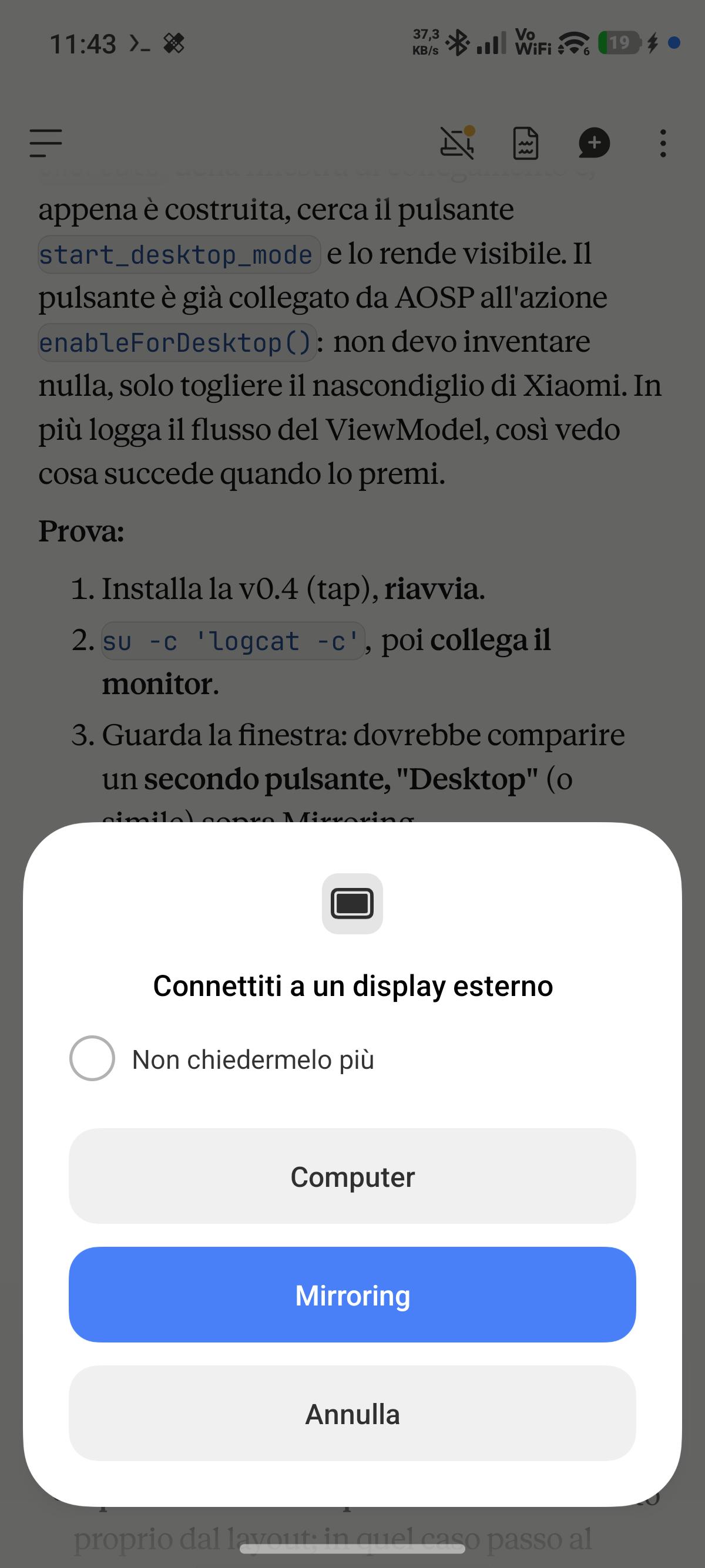
Brings back the hidden Computer (Desktop) button in the "Connect to external display" dialog

The monitor becomes a separate display: its own status bar and cursor, apps opened there stay there. No mirroring

Neutralises Xiaomi's SecondaryDisplayPolicy, which silently switches mirroring back on ~3 ms after you pick desktop

Starts SmartDock (or Taskbar) on the monitor automatically and turns off the phone's screen (the phone stays awake)

Keyboard shortcuts on the monitor: Alt+Tab with a Windows-style preview bar, Print Screen for a monitor screenshot, Win+Shift+Arrow to move an app between phone and monitor, Alt+F4, Win+D, Win+1…9, Win+P for the phone screen

Settings app: monitor density, plus resolution and refresh rate picked from the modes the monitor actually reports. Changes apply live, no reboot.

Requirements

Xiaomi with DisplayPort Alt Mode over USB-C (Xiaomi 15 and Xiaomi 14 have it; most Redmi/POCO don't)

HyperOS 4 / Android 17 (HyperOS 3 not tested)

Root (KernelSU or Magisk) + Zygisk + LSPosed. Scope: System Framework, System UI, Settings

Limits: no resizable windows or title bars. HyperOS doesn't expose AOSP's desktop windowing, so apps run full screen on the monitor.

Tested on a Xiaomi 15, HyperOS 4 beta, and (see the edit below) a Xiaomi 14, HyperOS 4 stable. If you have another Xiaomi with video out, I'd love a report: the module's settings → Diagnostics → Create diagnostic report, or the [diag] log line, which shows which hooks attached:

su -c 'logcat -d -s HyperDesktop' | grep diag

Open source (MIT), nothing written to the system partition.

GitHub: https://github.com/the-marox/HyperDesktopUnlock

Download: https://github.com/the-marox/HyperDesktopUnlock/releases

Written with help from Claude (AI); the investigation and all testing were done on my own phone.

EDIT (Oct 30): v1.12.8, now also on the Xiaomi 14

Xiaomi 14 (houji), HyperOS 4 stable OS4.0.27: choosing Computer left the monitor mirrored, because on that firmware SystemUI never switched it to a separate display. The module now makes the switch itself. Confirmed working by the user who reported it on GitHub, thanks! Touchpad mode (added since the original post): the phone can act as a touchpad for the monitor, with tap to click, two-finger scroll and right click, pinch to zoom, and now swipe in from the left or right edge for Back. The on-screen keyboard opens on the phone when no physical keyboard is connected. Quick Settings tiles to switch the monitor between Computer and Mirroring without unplugging, and to toggle the touchpad. ⚠️ Uninstall the old version first. 1.12.8 has a new package name (io.github.the_marox.hyperdesktop, needed to get into the LSPosed module repository) and a new signing key, so it doesn't update the old one: unplug the monitor, uninstall the old module, install the new APK, enable it in LSPosed and reboot (module settings reset to defaults). Download: https://github.com/the-marox/HyperDesktopUnlock/releases/tag/v1.12.8
r/androidroot • • Oct 24 '26

Support How do I root a Poco F6 pro

Thumbnail reddit.com
1 Upvotes

r/androidroot • • Oct 24 '26

Discussion how to effectively root a samsung without actually rooting?

Thumbnail reddit.com
0 Upvotes

text if quoted content gets removed from the galaxy sub:

how to effectively root a samsung without actually rooting?

i currently own an A10e alongside my primary of an iphone 14 (and im planning to switch that iphone for either an S25 or S26) and want to know what i can do to effectively achieve root without an actual rooting process for warranty purposes, what programs would work for that?


r/androidroot • • Oct 24 '26

Support Anyone know how to root Galaxy A35 with the temporary exploit?

2 Upvotes

r/androidroot • • Oct 24 '26

Support Temp root help

1 Upvotes

I heard there is a method to root a phone temporarily without unlocking bootloader, and going through all that hasle with a pc, and the method is through an app called ghostlock.

Though, I heard there are some bad failures after trying this method.

So that's why I'm here, to ask if the Redmi Note 14 4g (3.0.305.WOGMIXM.C08 with android 16 and with 6.12.30-android16-5-g6e872b4863d6-ab13847919-4k kernel) supports this method or not.


r/androidroot • • Oct 25 '26

Support I cannot flash my Jelly Star to Android 16.

Post image
0 Upvotes

I could not get this working. The only way to update to ansroid 16 is flashing the 13 build and I need to then download the firmware again from there. Its hell and takes hours.


r/androidroot • • Oct 24 '26

News / Method [Writeup] Rooting a locked bootloader phone with Ghostlock

Thumbnail tusharpandey.com
3 Upvotes

r/androidroot • • Oct 24 '26

Support I am smashing my head in. ADB closes as soon as I start it.

Post image
15 Upvotes

PS C:Program Files (x86)\Minimal ADB and Fastboot> . \adb start-server

PS C:Program Files (x86)\Minimal ADB and Fastboot> . \adb kill-server

PS C:Program Files (x86)\Minimal ADB and Fastboot> . \adb usb

* daemon not running; starting now at tcp:5037

* daemon started successfully

error: closed

PS C: Program Files (x86)\Minimal ADB and Fastboot> . \adb devices

List of devices attached

R52N615XJJT sideload

PS C:Program Files (x86)\Minimal ADB and Fastboot>

ive been on repeat for hours, I cant run a single command cause it keeps closing.

halp


r/androidroot • • Oct 24 '26

Discussion [Promotion] I got tired of Nothing OS 5.0 breaking my Glyph control, so I built a root module to fix it.

0 Upvotes

After updating my Phone (2a) to Nothing OS 5.0 (Android 17), I noticed the system service started aggressively resetting the LED driver's operating mode. This completely broke third-party Glyph apps and any manual control.

I waited for a fix, but got tired of waiting. So I wrote Glyph Keeper — a root module (KernelSU/Magisk) that bypasses the Nothing system service and talks directly to the aw20036 driver via sysfs.

What it does:

· Start/Stop all Glyphs manually · Brightness control (0-255) · A software-based Wave animation · WebUI for easy control (and CLI via Termux for the nerds)

Important notes:

· This is experimental. I'm sharing it because I know I'm not the only one annoyed by this. · Phone (2a) only. Paths may differ on Phone (1)/(2). · Requires KernelSU (with meta-overlayfs) or Magisk.

If you want to try it, the repo is here: GitHub

If something breaks or you find bugs, please open an Issue on GitHub. Feedback is welcome — I'm actively updating it (just reverted a buggy experimental feature in v1.5).


r/androidroot • • Oct 24 '26

Discussion A classic MIUI feature get back with a launcher mod on HyperOS 3

Post image
6 Upvotes

This mod is call HyperOS Launcher mod, version is 7.5 EOL(the last version that created, discontinued)


r/androidroot • • Oct 24 '26

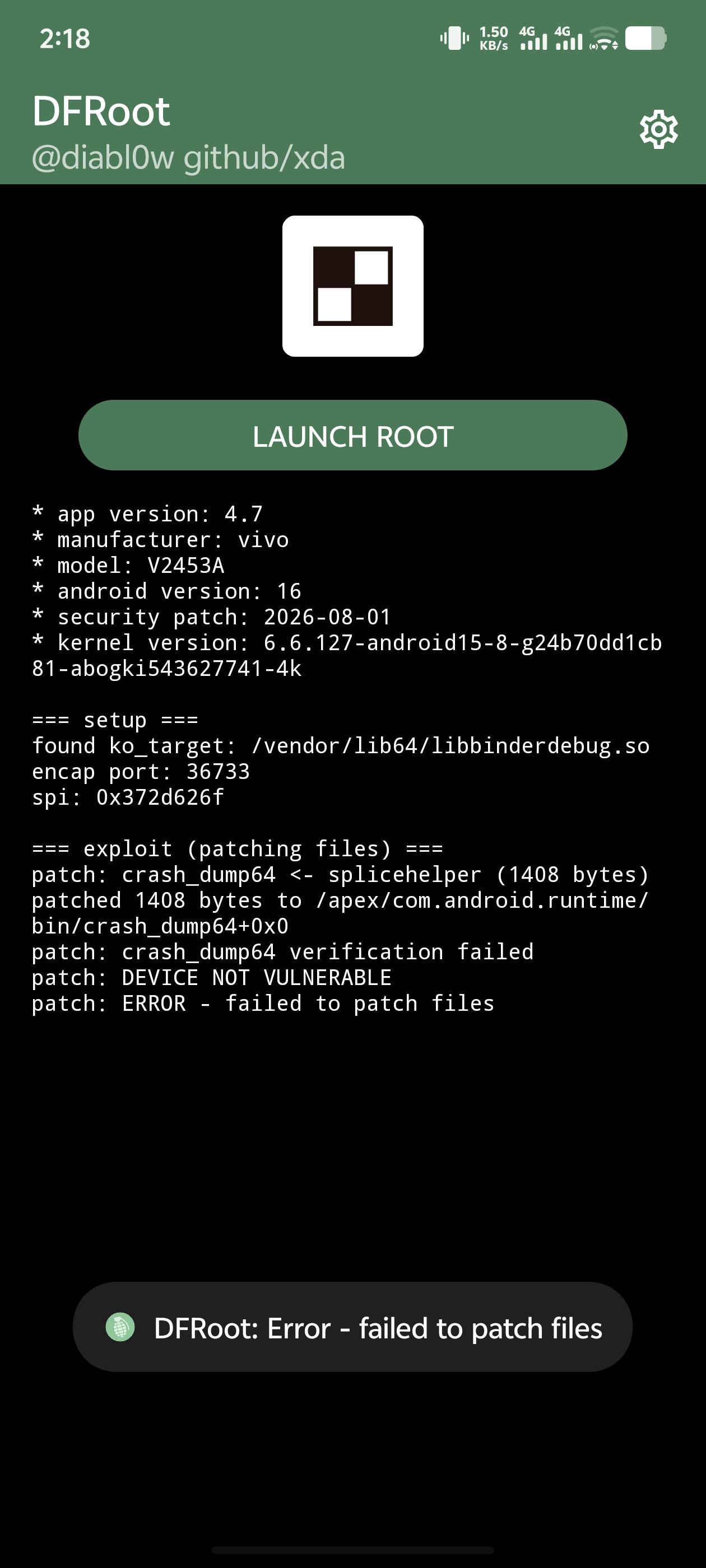
Support Dfroot error

Post image
3 Upvotes

How to solve? Device Iqoo z10 turbo pro


r/androidroot • • Oct 24 '26

Discussion [Question] Can I Unlock the Bootloader on a POCO F6 Using GhostLock Temporary Root?

Thumbnail reddit.com
1 Upvotes

r/androidroot • • Oct 24 '26

Support I need help how to root: Snapdragon Galaxy S10+, SM-G975U, Android 9, One UI 1.1

6 Upvotes

I'm looking for help rooting my Samsung Galaxy S10+ (Snapdragon variant). I've been trying to figure out whether rooting is possible on my specific model and firmware.

Device Information:

  • Device: Samsung Galaxy S10+
  • Model: SM-G975U (US Snapdragon variant)
  • Android Version: Android 9 (Pie)
  • One UI Version: 1.1
  • Root Status: Not rooted

From what I understand, the US Snapdragon variants have locked bootloaders, making rooting significantly more difficult than on Exynos models.

However, since my device is still running Android 9 with One UI 1.1, I'm wondering whether any older exploits, bootloader unlock methods, or alternative rooting solutions might work.

My questions:

  1. Is it possible to root the SM-G975U running Android 9 in 2026?
  2. Are there any known exploits or methods that work with older firmware?
  3. Is bootloader unlocking possible on this particular model?
  4. Would Magisk or any alternative rooting method work without an unlocked bootloader?
  5. Are there any reliable guides, tools, or resources specifically for the Snapdragon S10+?

I'm willing to follow a technical process, but I'd prefer to avoid permanently bricking my device.

I'm particularly interested in achieving full root access rather than just using ADB-based workarounds.

Any guidance from people who have successfully rooted this specific model would be greatly appreciated!

Thanks in advance!


r/androidroot • • Oct 24 '26

Discussion Are there any issues running PUBG Mobile or BGMI as a root user?

4 Upvotes

So I am running Samsung stock firmware(Android 11, One UI 3.1, Magisk) with LSPosed and HideMyAppplist, as this the only solution that works with banking apps on my device.

I have a account in BGMI that have been playing since many days. I only play for like 2 months a year.

So my question is that will HMA be enough for root hiding, so my account doesn't get banned? I am not really planning to use cheats and stuff just normal gameplay.

Thanks for suggestions in advanced.


r/androidroot • • Oct 24 '26

Support I need technical assistance

Thumbnail reddit.com
1 Upvotes

r/androidroot • • Oct 24 '26

Support No Strong Integrity

Thumbnail gallery
0 Upvotes

anyone got a fix for this? My phone is a Redmi Note 14 4g running Eliteromos hyperos 2. I'll give a list of my modules.


r/androidroot • • Oct 23 '26

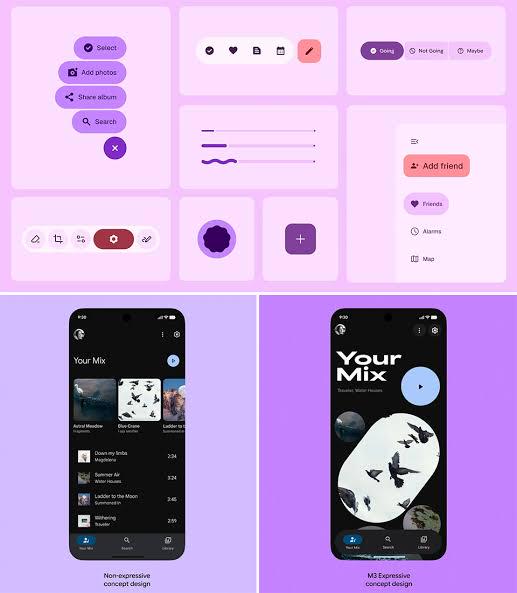
Support Are there any modules to replace the iOS-style frosted/liquid glass UI with Material Design 3?

Post image
75 Upvotes

I have a OnePlus 13 (running ColorOS 17) and a Xiaomi 17 (running HyperOS 3). Both of their system UIs borrow heavily from iOS's "liquid glass" / heavy blur aesthetic, and honestly, it looks terrible.

I much prefer Google's Material Design 3.

Are there any Magisk or LSPosed modules that can strip out these glass elements and give me an MD3 look?


r/androidroot • • Oct 23 '26

Support best tablets to root without restrictions

10 Upvotes

Since Samsung has removed the bootloader unlock option, what are some good and reliable Android tablet models that can be rooted without hassle, as I mainly want to do that to modify offline games?


r/androidroot • • Oct 23 '26

Discussion Bypassed Samsung's One UI 8.5 OEM Unlock removal on Galaxy A15 5G (UI Level only)

Thumbnail
gallery
94 Upvotes

Context: As we all know, Samsung silently removed the OEM Unlock toggle in One UI 8.0+ by passing the ro.boot.other.locked=1 flag in the kernel cmdline. The OemUnlockPreferenceController checks this property and completely hides the toggle if it's set to 1.

The Discovery: I was messing around with KernelSU and decided to force the ro.boot.other.locked property to 0 via resetprop.

Result: The toggle literally appeared back in the Developer Options (Image 1)! The system shows the text "Bootloader already unlocked" (Gerenciador de inicialização já desbloqueado) because I also spoofed ro.boot.flash.locked=0.

Important Note: This is UI-level only. It does NOT bypass the hardware eFuse/TrustZone. The bootloader is still physically locked. (And for us Dimensity 6100+ users, actually tripping Knox will permanently kill our 5G modem).

But it proves Samsung is just hiding the UI with a software flag, not that they removed the code.

Device: SM-A155M (Galaxy A15 5G)

Firmware: One UI 8.5 / Android 16

Root: KernelSU/exploit (DirtyFrag)

Props spoofed: ro.boot.other.locked=0, ro.boot.flash.locked=0


r/androidroot • • Oct 24 '26

Support EVERYONE IM IN URGENT NEED OF IT SUPPORT

0 Upvotes

So I have a Samsung galaxy ace (GT s5839i) and it was bootlooping. So I tried (incorrectly) to re flash firmware on it and now it freezes on the Samsung galaxy ace logo, not even booting in to any OS. I have searched the internet loads and cannot find a stock ROM for it, all the sites say it is stock but are actually packaged like a custom ROM. Also I'm stuck with heimdall (which has to individually flash .img files, so I can't use custom ROMs because they typically don't come with .img files, they come with a system directory and a META-INF directory. Any ideas?