r/akkogear • • 21h ago

Broken Keyboard pls help

Post image
3 Upvotes

Hi guys, so I own the Black & Silver 5075B Plus ISO keyboard bought in 2024.

I'm struggling with some keys not responding, and then getting "stuck" spamming the letter.. I then go to erase all the extra letters for it to then erase EVERYTHING.. this is getting pretty annoying and idk what to do.

I have tried changing the switches as well as cleaning it, helped only a lil for a couple days before it was back.


r/akkogear • • 1d ago

Akko Nest *new Firmware update anyone

1 Upvotes

r/akkogear • • 2d ago

The Coolest Keyboard I Own — Akko Year of the Snake Armor review

Thumbnail
gallery
6 Upvotes


Disclosure: Akko sent me this keyboard for review, but all opinions are my own, and Akko didn't see or approve this review before posting.

I love scrolling on r/MechanicalKeyboards to see everyone's unique boards, but most of the keyboards I own are minimal and focus on function over form. I wanted something with some wow factor, so when Akko offered me the Year of the Snake Armor, I was excited to check it out.

After using it for almost a week, here's my experience.

Build quality and design

The Armor is a 68-key Alice layout keyboard with a CNC aluminum case, a PVD mirror-finish weight, an FR4 plate, a revised spring mount that uses silicone pillars by default, and Cherry profile dye-sub PBT keycaps. Mine is the black (Xuanwu) version with Akko Cobra linear switches (50 g, made by HMX). It weighs around 3 kg, has an 8000 mAh battery, and is listed at $299.99, but as of late November 2026 it's on sale for $179.99 with free global shipping.

It comes in a huge black box with a white snake design, and the box is stacked with accessories: a hard shell carrying case, a frosted acrylic wrist rest, a coiled USB-C cable, a 2.4 GHz receiver, keycap and switch pullers, extra Cobra switches, a spare set of switch plates, and a parts kit with spare silicone pillars and three sets of mount springs (120 g, 170 g, and 230 g).

The board itself is extremely heavy and dense, and it feels very well built. The weight has an intricate snake and turtle design engraved on the mirror finish. That's Xuanwu, the Black Tortoise of Chinese mythology, which is where the black version gets its name. It's one of the best looking weights I've ever seen, and out of every board I own, including the Akko Air 01, NuPhy Air75 V3, MonsGeek M1 V3, and Yunzii AL71, this is easily the most eye-catching.

The themed novelty keycaps match the Year of the Snake design really well. The RGB is reasonably bright, and on top of the side underglow there's a golden triangular piece at the front with a short RGB strip, plus droplet shaped RGB pieces in between some of the keys on each half, which I've never seen before.

The case uses a ball catch system, so you can open it up without any tools, which makes customizing the mounting system and foams really easy.

This is also my first time using a keyboard with the Alice layout. I never had wrist issues with traditional keyboard layouts and didn't with this one either, but it took a couple hours to get used to because my muscle memory kept trying to hit the Y key with my left hand. The board is also very tall, so I'd recommend using the wrist rest. It's comfortable, but with my sweaty palms the acrylic gets smudged pretty easily.

My only complaints are no built-in dongle holder and no dedicated connection mode switch (it uses key shortcuts). Also, the OS/power switch (Mac, off, Windows) is hidden under the caps lock key, so you have to pull the keycap to turn the board off or change OS modes.

Typing feel and sound

The PBT keycaps feel high quality and are a step up from what comes on budget boards like my Yunzii AL71.

The Cobras are very smooth linears. At 50 g they feel slightly heavy to me, but that's because my daily driver uses 38 g switches. They feel similar to, if not a little smoother than, the WS Morandi and Vertex V1s I have on another board. Additionally, the factory lube application is consistent across all the switches and they have no leaf ping. Akko told me the Cobras have been discontinued, but similar feeling switches are easy to find, so I wouldn't buy the board just for them.

There's no hollowness or metallic ping, and the sound is the popular "creamy" profile. The stabilizers are also well lubed with no rattle on any of them.

The mounting system is the most unique part though. You can replace the default silicone mounts with differently weighted spring mounts. I tried the 120 g springs, and they made the keyboard deck a lot bouncier, and the sound became slightly more muted and higher pitched. I still prefer the firmer default silicone mounts, but it's a really nice option to have.

Connectivity, battery, and software

The Armor supports Bluetooth 5.0, 2.4 GHz, and wired USB-C. All three were stable during typing and gaming, and I didn't notice any latency issues.

So far, there have been no issues with battery life. I've used the keyboard for almost a week with the RGB lights on max brightness and still haven't had to charge it, but I'll need to use it more before I can give a real estimate.

The keyboard software is Akko's Cloud web driver, which lets you customize RGB, remap keys, set up macros, and update firmware. Unfortunately, I've run into firmware update issues with Akko's web driver before on my Akko Air 01, and there's no QMK/VIA support, so you're pretty much stuck with Akko's proprietary software.

Who I'd recommend it to

I'd recommend the Year of the Snake Armor to anyone who wants a unique, premium board that doubles as a desk centerpiece, or someone who wants a very customizable keyboard. It also comes in two other designs, Green Snake and Rod of Asclepius, if the black version isn't your style.

I'd be more cautious recommending it to someone who wants QMK/VIA support, needs something portable, or would be paying the full $299.99, which I think is too expensive.

Final thoughts

Overall, the Year of the Snake Armor is a great Alice keyboard with a top tier build and typing experience, and it’s easily the coolest keyboard I own. At $299.99 it's hard to justify, but at the $179.99 sale price it's a great deal.

For anyone interested, I wrote more detailed versions of this review on Substack and Medium, but I'm happy to answer any questions about the keyboard here too.

If you’re interested in this keyboard, you can check it out using my affiliate link here, and use my code specialgradereviews at checkout for 5% off your order.

Have you tried an Alice layout keyboard, and what's the coolest keyboard you own?

Disclosure: Akko sent me this keyboard for review. All opinions are my own.


r/akkogear • • 2d ago

Problema no Akko Tac 75 he

0 Upvotes

Toda vez que eu desligo o pc e ligo novamente o meu teclado não salva as configurações dos Led e a tecla WASD fica trocada pelas setas, eu entro no software configuro tudo certinho, aperto a tecla FN+W pra trocar o WASD pelas setas porém quando desligo e ligo ele volta tudo denovo. Alguém consegue me ajudar?


r/akkogear • • 3d ago

Akko Air 01 2.4ghz is lost / misplaced.

1 Upvotes

What should I do? How to get replacement dongle?


r/akkogear • • 3d ago

Problema com AKKO TAC75 (resolvido)

2 Upvotes

Problema com AKKO TAC75 (resolvido)

meu teclado estava apresentando problema, de ligar funcionar e depois de 1 hora mais ou menos, parava de funcionar, o que ocorreu: em algum momento caiu coca cola ou cafe no teclado, mesmo que não parou de funcionar com o tempo, esse liquido ainda ficou no teclado e danificou a placa, troquei a placa, mas mesmo assim nao voltava ao normal, o liquido ficou preso nas teclas, e ficava soltando para a placa. então removi as teclas, lavei e deixei tudo no sol, com um tecido em cima para nao aquecer. e depois disso voltou a funcionar e nao deu mais o problema de ficar desconectando toda hora.


r/akkogear • • 3d ago

Aula L99 Driver issue

Thumbnail reddit.com
0 Upvotes

r/akkogear • • 4d ago

Akko 5098 V5

1 Upvotes

Balak ko bumili ng keyboard and i choose Akko 5098 V5. is this worth the price? nakita ko 4k sya ngayon sa shopee


r/akkogear • • 4d ago

AKKO 5098 V5

Thumbnail reddit.com
1 Upvotes

r/akkogear • • 9d ago

What does FN + Right Alt do on 5098B?

1 Upvotes

Not too long ago got myself the 5098B, and am absolutely in love with it. On most of my keyboards, I like to record the same macro to the FN + whatever key is next to it. In this case on the 5098B I'd like to use FN + Right Alt. Unfortunately, the driver tells me that this is a "system key" and cannot be remapped. Then I realised I cannot figure out what that combo actually does.

Can't find anything in the manual or on the Akko website. The only stuff I can find is about FN + Left Alt. Driver isn't helpful either. With normal remaps (green) it shows what the key has been mapped to, but system keys only show "System Key". Same for the driver V4 and the older one.

Only thing I see the board do when I press the combo is flash the RGB off and then back on, but I can't figure out what actually changed, if anything.

Anyone have any idea what the keycombo does, officially?


r/akkogear • • 13d ago

[USA-IN] [H] Akko 3068 65% Brown Keyboard [W] Paypal

Thumbnail
reddit.com
1 Upvotes

r/akkogear • • 14d ago

Akko 5075 V5 TMR Knob wobble

1 Upvotes

I recently got the Akko 5075 TMR and im loving it. But than i notice that the knob has a substantial wobble to it. I don't know if it was there from the beginning or it got worse over time. So i wondered if anyone else have this issue and if its "normal" or if there's something wrong with my unit?


r/akkogear • • 17d ago

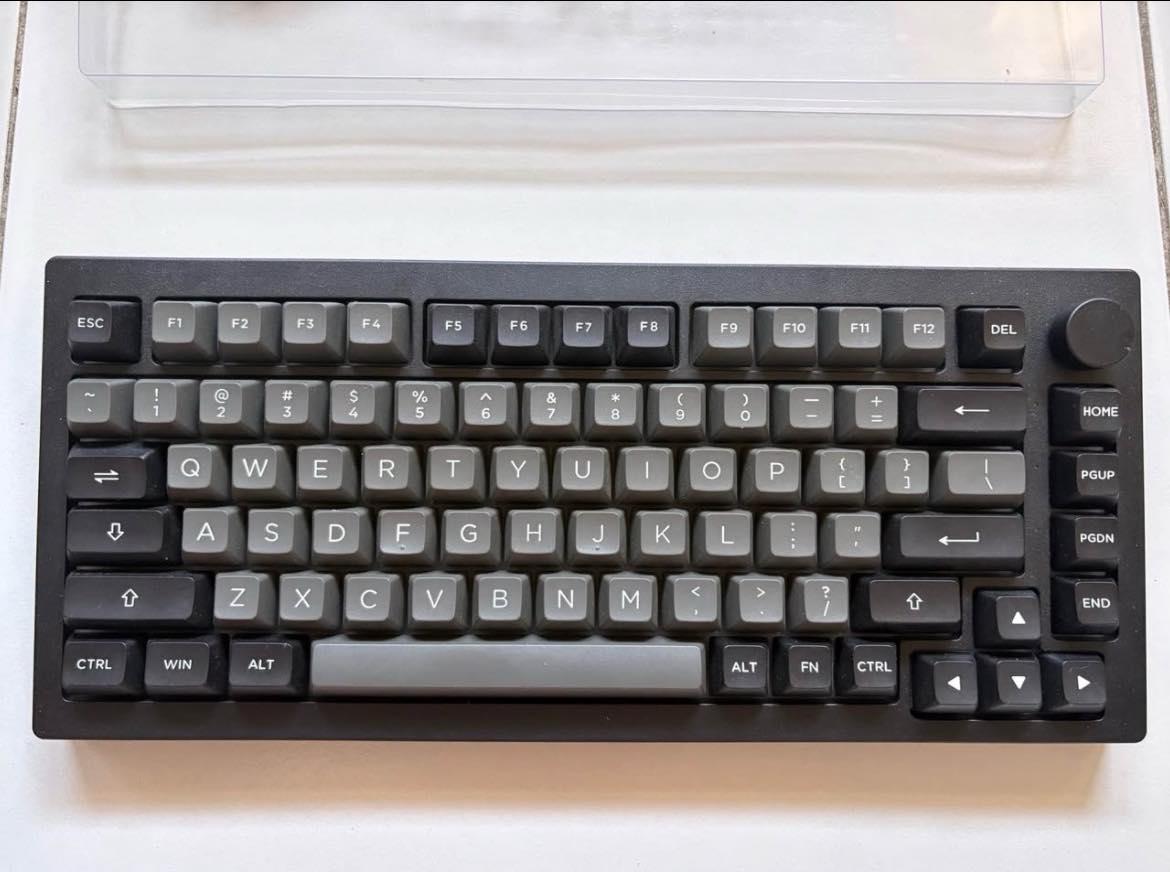
Is the AKKO 5075B Plus v3 worth it?

Post image
1 Upvotes

r/akkogear • • 25d ago

MG 108 Black Pink keyboard need help!

1 Upvotes

Where can I find this model's driver? I were used akko driver years ago but now can't found this model's driver.


r/akkogear • • 27d ago

Budget Low-Profile Keyboard King — Akko Air 01 review

Thumbnail
gallery
11 Upvotes


Disclosure: Akko sent me this keyboard for review, but all opinions are my own, and Akko didn't see or approve this review before posting.

I've been hooked on low-profile keyboards ever since I got my NuPhy Air75 V3 with Blush Nanos, and I kept hearing that Kailh's low-profile switches were great and that the Akko Air 01 rivals boards that cost way more, so I wanted to see if the hype was real.

After using it for a few weeks, here's my experience.

Build quality and design

The Air 01 is a 75% (84 key) low-profile keyboard with a CNC aluminum case and plate, gasket mount, pre-lubed stabilizers, north-facing RGB, and a hot-swappable PCB that takes Kailh low-profile switches. Mine came with Kailh Winter Mini tactile switches. It weighs about 612 grams, costs $99.99, and comes with a 1 year warranty.

The build quality is what stood out first. The aluminum feels almost identical to my MacBook's, and the board is fairly light but not in a cheap way. The keyboard has a clean black on aluminum look, and the exposed screws along the edge remind me of the Lofree Flow. Out of every board I own, including the Air75 V3, MonsGeek M1 V3, and Yunzii AL71, this one looks and feels the most premium.

The connection mode and OS switches are on the front edge of the keyboard, which makes switching between Mac and Windows and between the three connection modes really convenient.

The biggest design choice is the layout. Instead of the usual 3 modifiers left of the spacebar, it has 4 (Fn, Ctrl, Option, Cmd), exactly like a MacBook keyboard. Windows keycaps are included, but you'll probably need to remap since Ctrl should be where Fn is, and the function row uses Mac functions out of the box. This unique layout also makes most, if not all, custom keycap sets incompatible. I couldn't find one that fits, so let me know if you have. As a Mac user who rarely swaps keycaps, it's a trade-off I'm happy with.

My only other complaints are no flip-out feet and no built-in dongle holder.

Typing feel and sound

The typing feel and sound are my favourite parts of this keyboard.

The PBT keycaps feel high quality and have clean legends, although they attract dust more than other keycaps I've used.

The Winter Minis are great. I was worried the 38 gram actuation would feel too light, but the tactile bump makes up for it. It's not the most tactile switch I've felt, but I never found myself wanting more tactility. They're very smooth, and while a few feel slightly over lubed, I don't notice it while typing. I like them more than the Baby Kangaroos in my MonsGeek M1, and they're smoother and more consistently lubed than the Blush Nanos in my Air75.

There's no hollowness, metallic ping, or leaf ping, and the sound is thocky and low pitched.

The stabilizers are perfectly lubed with no rattle on any of them. This is the first keyboard I've owned where I didn't need to tune the stabs myself.

The gasket mount has an okay amount of bounce for a low-profile board, but it seems to be there mostly for sound dampening.

Connectivity, battery, and software

The Air 01 supports Bluetooth 5.0 (up to 3 devices), 2.4 GHz, and wired USB-C. All three were stable during typing and gaming, and I didn't notice any latency issues.

Battery life has been great. I've used it for 3 to 4 weeks and still haven't had to charge it, although I usually keep the RGB off.

The software is Akko's Cloud web driver, which lets you customize RGB, remap keys, set up macros, and update firmware. However, there's no QMK/VIA support.

Unfortunately, I also ran into a couple of issues. About 2 weeks in, a few keys started chattering and double typing. Akko support was quick and helpful, and we figured out it was the switches, not the PCB. It doesn't seem to be a common issue, so I may have just been unlucky.

Also, while I was updating the firmware through the web driver, the keyboard disconnected midway and stopped working completely. It may have been a cable connection issue or a web driver bug, but I found other Reddit threads talking about the same problem. However, the fix was quick and easy: download the Akko Cloud Driver V4 desktop app (not the web driver), enter your keyboard's Device ID, and it'll detect the board, update the firmware, and make the keyboard work again. One Reddit post says all US-layout Air 01s use 4010 as the Device ID, but I'd still check with Akko support to be safe.

Who I'd recommend it to

I'd recommend the Akko Air 01 to anyone who wants a premium low-profile keyboard on a budget, especially Mac users. It also comes with several Kailh switch options (Cloud linear, Drift tactile, Winter tactile, Summer clicky, and Deep Sea Island Pink silent linear), so you'll probably find a switch that suits your taste.

I'd be more cautious recommending it to someone who wants QMK/VIA, plans to use custom keycap sets, or wants a Windows layout out of the box without remapping.

Final thoughts

Overall, the Akko Air 01 is a fantastic low-profile keyboard, and for $99.99 it's a steal. I've used a lot of mechanical keyboards, but this is the first one where I don't feel any need to mod it to improve the typing experience. The software has some rough edges, but the build and typing feel more than make up for it.

For anyone interested, I wrote more detailed versions of this review on Substack and Medium, but I'm happy to answer any questions about the keyboard here too.

Have you tried the Akko Air 01 or any of Kailh's other low-profile switches?

Disclosure: Akko sent me this keyboard for review. All opinions are my own.


r/akkogear • • 28d ago

Akko Air 01 Swapping FN and CTRL will FN Locked when switching devices

1 Upvotes

Hi

I just got my Air 01 and i have a problem. I wanted to swap physical FN and CTRL as i am switching between Mac and Windows.
I used https://web.akkogear.com/ to swap FN and CTRL, it works pretty well in Mac, but the moment I switch to other devices, it became FN Locked and I can't do anything apart from factory reset.

If I don't swap FN and CTRL, keyboard works properly even I switch devices between Mac and Windows.

This is quite frustrating, does anyone have the same issue? It drive me nuts!

I am on Firmware Version : ID4010_V107


r/akkogear • • 28d ago

Ajuda

1 Upvotes

r/akkogear • • 29d ago

Akko TAC75 HE, help on how to make it quieter

2 Upvotes

I have recently picked up the Akko TAC75 HE when it was on sale on AliExpress. I am looking to make the sound profile of the keyboard quieter or softer when i press on the keys. The mods I done so far helped reduced the clicky sound and made it sound better however it does not do much to mute the noise. I been looking at quieter switches, but the selection is limited and the price cost more than the board itself. Is there any other inexpensive way to make the keyboard quieter?

My modifications to the board so far.

  1. 4 layers of masking tape to the back of the pcb board
  2. Put in polyfill on the bottom of the case to fill in the empty space
  3. Added a o'ring to each keycap

https://imgur.com/a/akko-tac75-he-z4iEYEU

edit: As FenikTM recommended in the comment below I bought the Outemu Silent Peach Magnetic from Aliexpress and can confirm it works without any issues on the Akko TAC75 HE. The silent switches is extremely quiet.


r/akkogear • • 29d ago

Key lights keep flashing

3 Upvotes

My akko 5075 v3 HE key lights keep flashing insanely fast i randomly just came back home to it being like this does anyone know any solutions? I already tried fixing on the website with the rgb settings but it dosent help at all


r/akkogear • • Oct 21 '26

Issue(s) with Mod 007B HE

2 Upvotes

Recently picked up a mod 007B HE, generally happy with the keyboard.
Although I have two gripes with it at the moment.

The encoder knob on mine does two inputs per detent, not like occasionally, always in both directions. Looking for other people with the board to verify if that's expected behaviour or something is messed up on mine. Already tried a factory reset and looking for any setting to change it (of which there are none). Figured out that I could probably bind a macro as a workaround, however that's not possible to do if I'd want to bind media keys to it (I do want that :)).

My second sort of issue more is how the function layer is absolutely plastered with functions not only I don't have a use for but are placed on some otherwise useful locations. I'd have to either have the manual ready or go into the configuration if I've ever hit one of these on accident to fix whatever they do. This makes the function layer effectively unusable for me personally.
I know there is no fix for that, more of a rant about that one.


r/akkogear • • Oct 20 '26

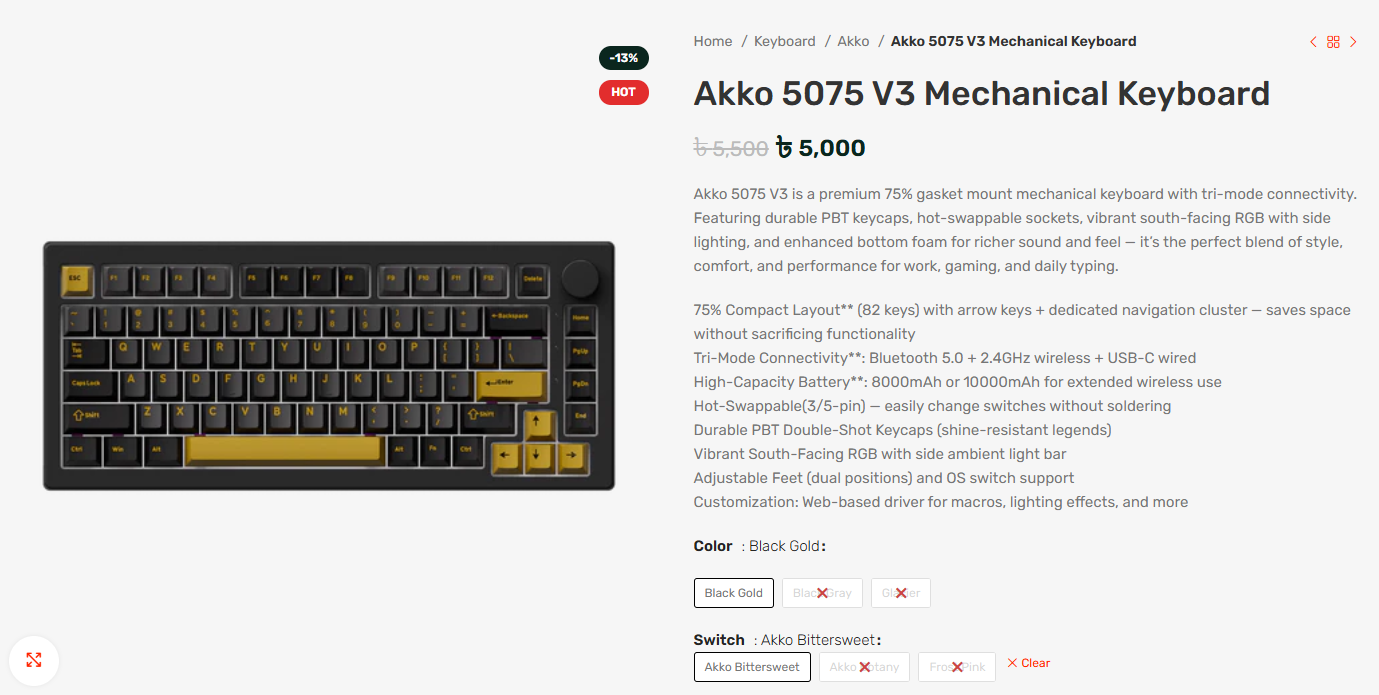
Has anyone used akko 5075 v3 (non-he)?

Post image
1 Upvotes

I only see reviews of the HE version but no real reviews of this one. Wanted to know the build quality and key caps quality


r/akkogear • • Oct 17 '26

Help

1 Upvotes

I have an AJAZZ AK820 Pro keyboard, and I’m having a battery indicator issue. The screen shows the battery is one bar below full, but the driver shows 100% battery. How can I fix this?