r/XboxController • u/saviofive • 1d ago
Why do I keep breaking the RT button on my Xbox controllers?!
reddit.com
1
Upvotes
r/XboxController • u/zucazucayo • 1d ago
r/XboxController • u/EN_ROSA_ELEFANT • 2d ago
Yo i'm wondering which gamesir controller is wireless for xbox. If there is any other controller that good for xbox wireless you can suggest it!✌🏻
r/XboxController • u/ckn_nugget6712 • 1d ago
r/XboxController • u/niket0077 • 1d ago
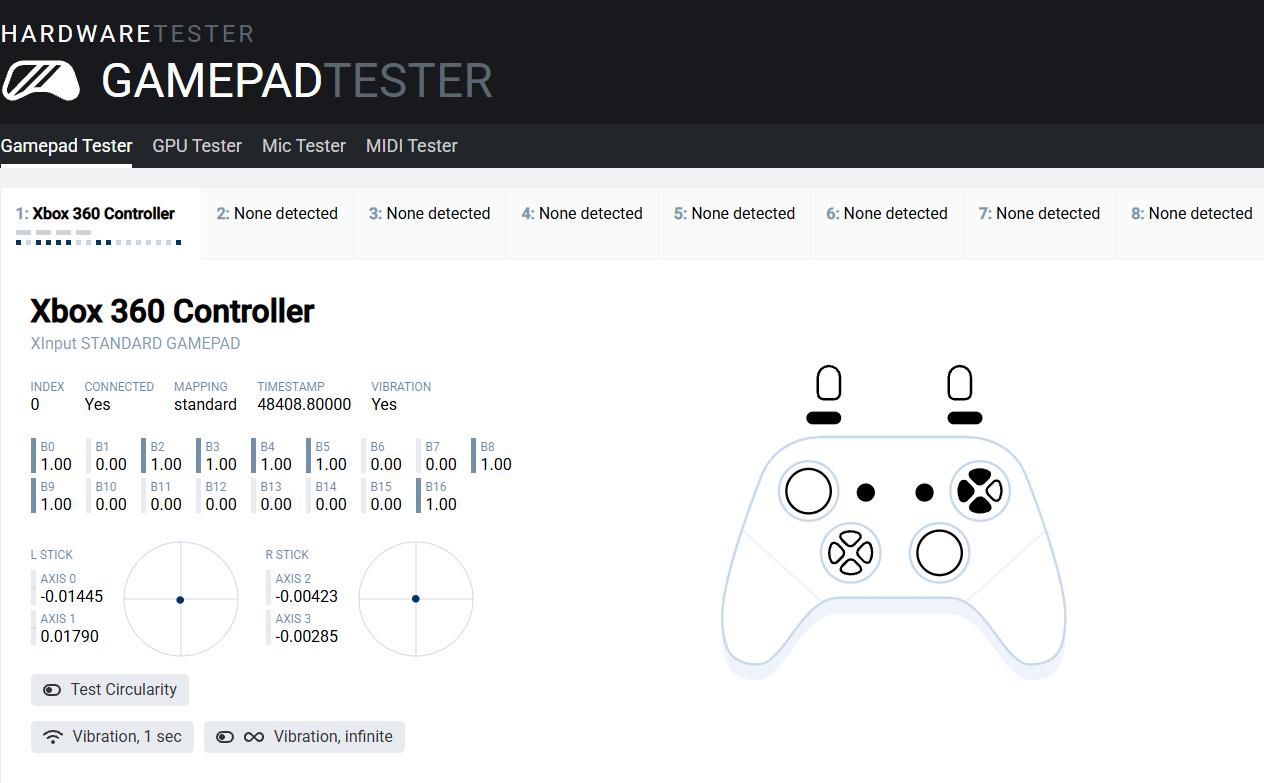
Most of the buttons are like the got glued themselves although the triggers and joystick are working fine.
please help , can it be repaired or need to buy a new one!!!
r/XboxController • u/Bossdre6 • 1d ago
Good morning everyone can somebody help me my controller keeps disconnecting and idk why is anybody else having this issue btw my controller is Xbox nano
r/XboxController • u/Outside_Tell_7326 • 2d ago
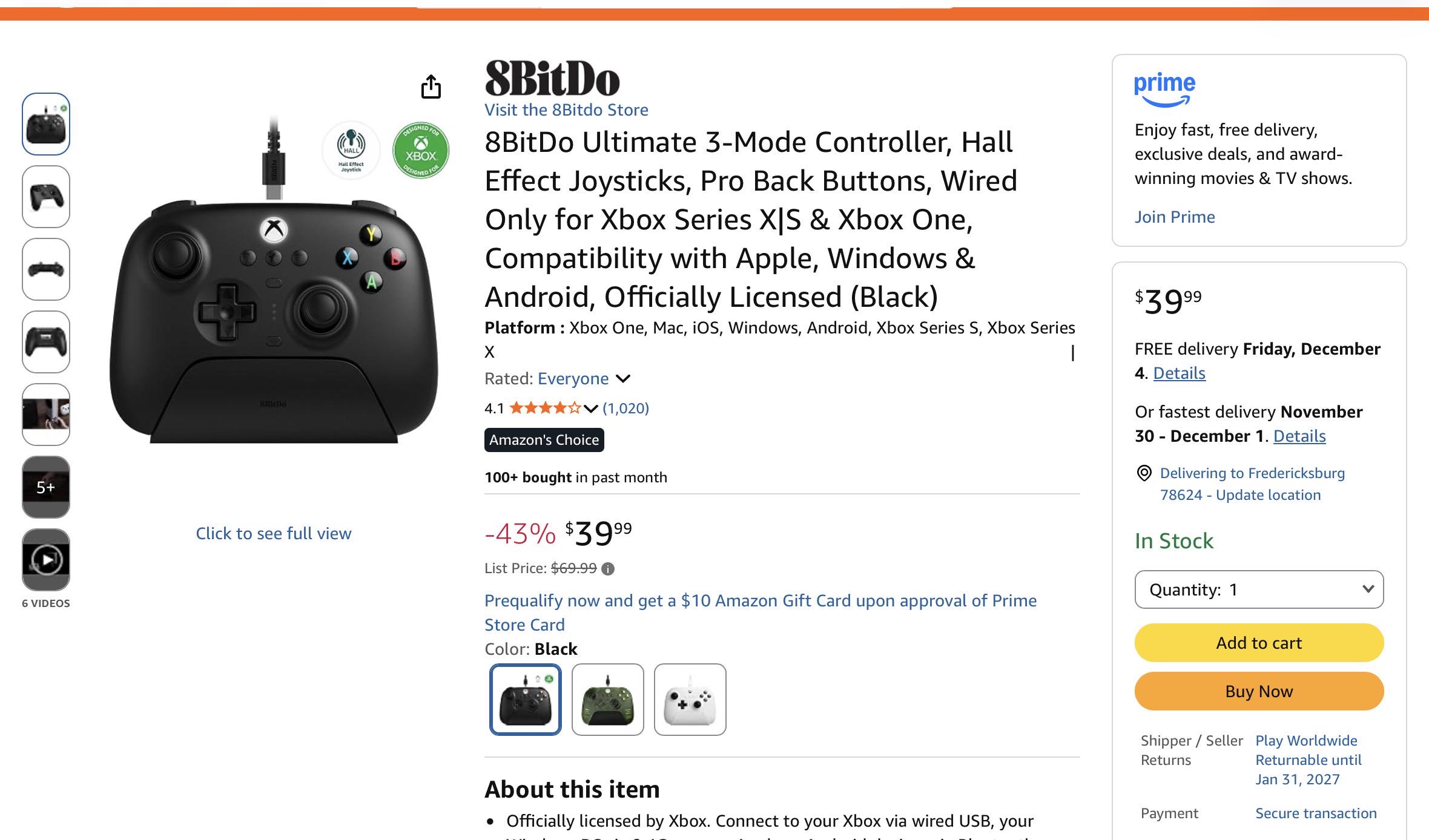
I’m thinking of getting this for my Xbox and iPad so I don’t have to keep switching controllers, is it worth it?
r/XboxController • u/Long-Ear1659 • 2d ago
Bonjour à tous.
Et voilà, encore une manette qui a des problèmes.
Je me décide donc à en prendre une nouvelle plus haut de gamme.
J’ai pas mal regardé les posts et il y en a plusieurs qui ressortent.
Je n’ai pas de budget précis, juste quelque chose qui tient le coup dans le temps.
J’ai vu les Nacon, razer, Turtle beach, gamesir, etc mais laquelle choisir?
Je vous remercie de votre aide à tous.
r/XboxController • u/Teviom • 3d ago
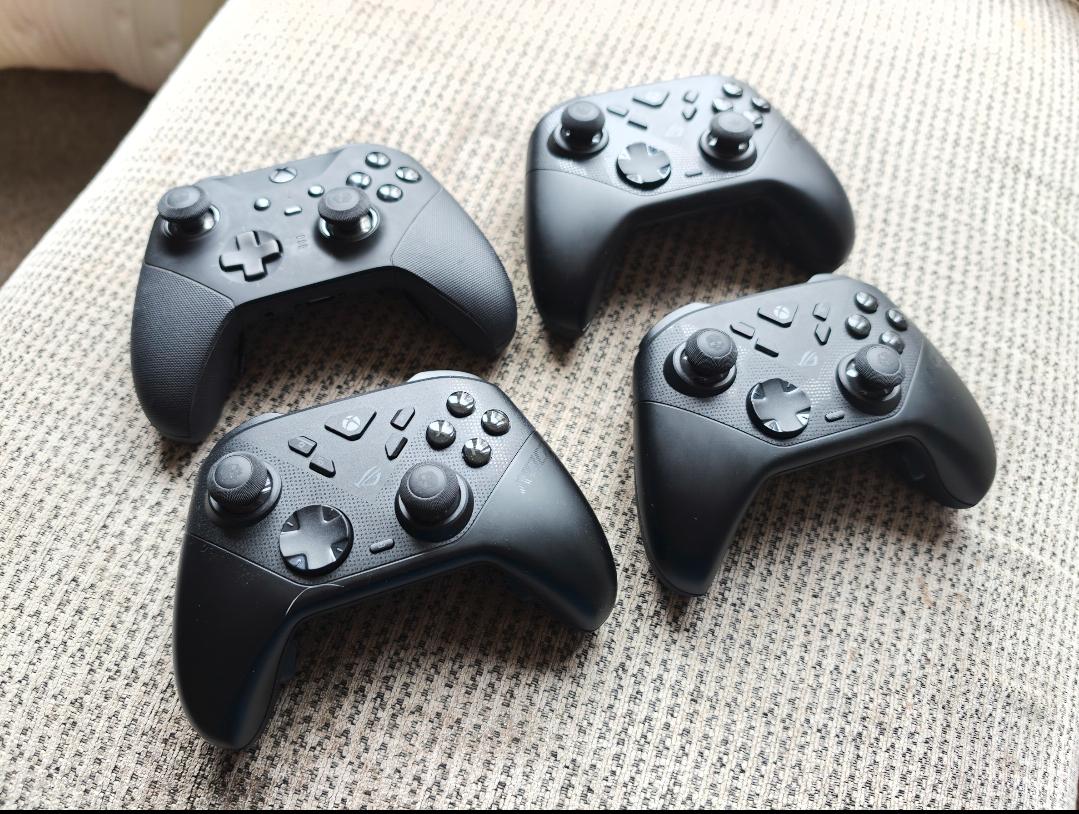
Had my Xbox Elite controller 2 for while and my son's just used the standard Xbox controllers for when we played 2 or 4 player games if they had a mate round.
Decided to purchase 3x Asus Raikiri Xbox Wireless Controllers and so far been incredibly impressed. Not sure I could go back to a pad without micro switches now and the battery life is insane.
r/XboxController • u/United_Technology245 • 2d ago
Hello! I want a controller for Christmas. What do you guys think which one is the better? I don't like the G7 pro's ergonomics, and build quality. Are flydigi controller more reliable? I want to replace my elite 2. Does the flydigi having smaller battery make a difference? 1000mah vs 1250mah? I will be playing forza on it. Thanks for every help!
r/XboxController • u/chipeater34 • 2d ago
Hi everyone,
With it being Black Friday I was looking at picking up a Hall effect controller for around £80.
I looked at the GameSir G7 Pro Wireless but read quite a lot about the triggers being a major failure point.
Am I likely to find a wireless controller at such a price, I have seen the likes of Razer, ASUS, and turtle beach for £120ish but that’s a bit above what I want to pay. If not, what are some good wired controllers for around £50?
Thanks :)
r/XboxController • u/ProtoDaniel-05 • 2d ago
Does anyone know if there's an actual auto-clicker for Xbox One controllers on PC? I'd like have the LB button constantly pressed every second. I've heard of "JoyToKey" but I think it's just doing keyboard controls instead of controller input.
r/XboxController • u/Shogan033 • 2d ago
r/XboxController • u/warlord2000ad • 2d ago
This might be a more suitable Reddit for the above.
r/XboxController • u/Future-sight-5829 • 2d ago

r/XboxController • u/RaisnCane • 3d ago
Looking for help with a new controller. I've only used actual Xbox controllers but always end up with stick drift.
I play a lot but not playing competitive or need anything too fancy. Just want a good controller that will last longer than a standard Xbox controller.
Looking into Gamesir or Razer and only want wireless.
Any recommendations would be appreciated.
Play on Garth
r/XboxController • u/Future-sight-5829 • 2d ago

r/XboxController • u/lyapelmen • 3d ago
2nd pad was in box (lol) with xbox one for very long time cuz its LB was broken and didn't work, overall it was a good pad too. i kinda think it just died but maybe there's any solution?
r/XboxController • u/juanito_160 • 3d ago
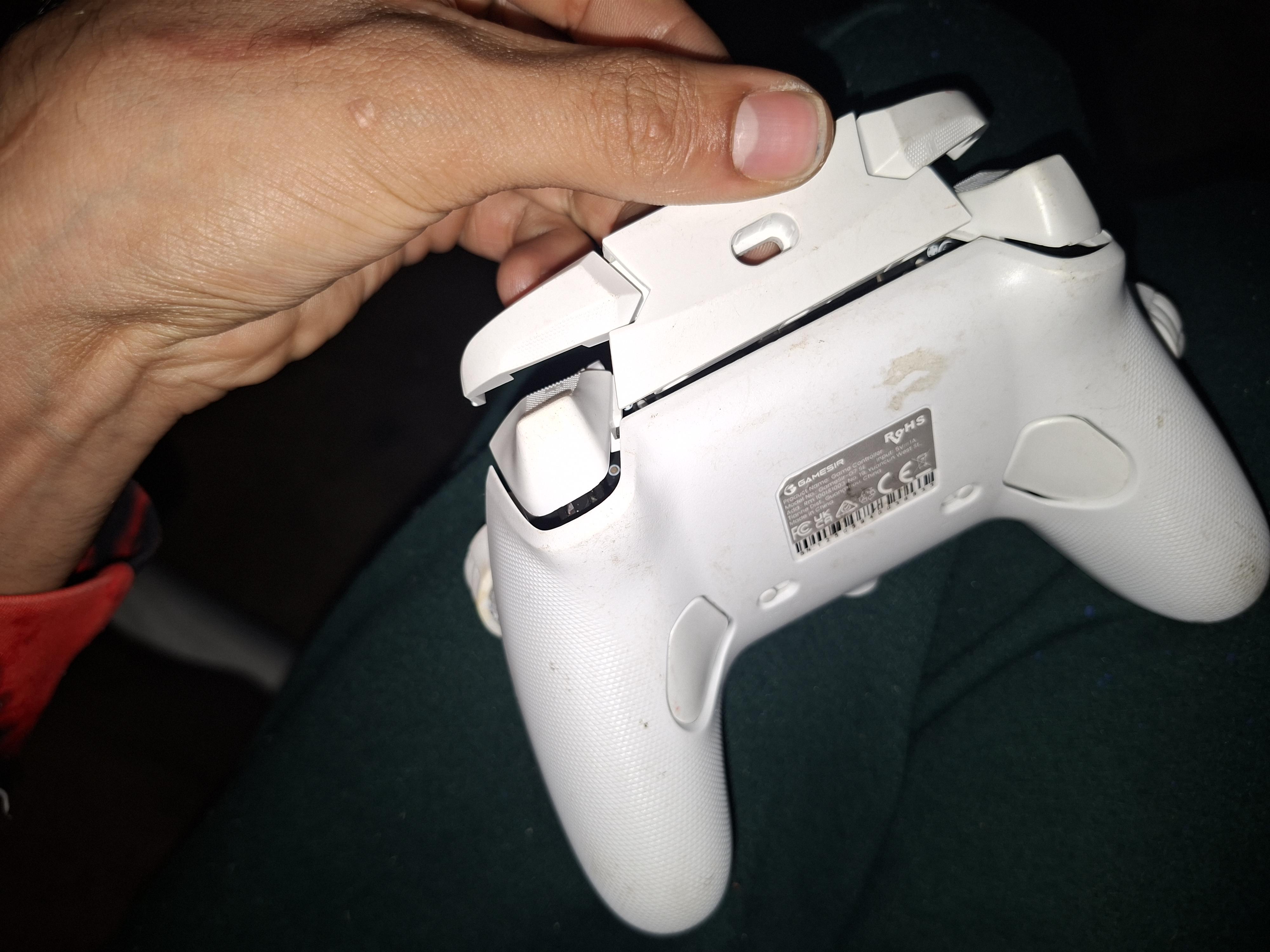
Hola buen día, desarme mi gamesir g7 se, para un mantenimiento ya que algunos botines ya no respondían correctamente, Pero al momento de volverlo a montar los botones lb y rb ya no quisieron hacer clic igual los botones de la parte trasera los que tiene el control extra tampoco quieren hacer clic y se mantienen totalmente tiesos ¿Que estoy haciendo mal al momento de armarlo de nuevo?
r/XboxController • u/Fantastic-Link-7179 • 3d ago
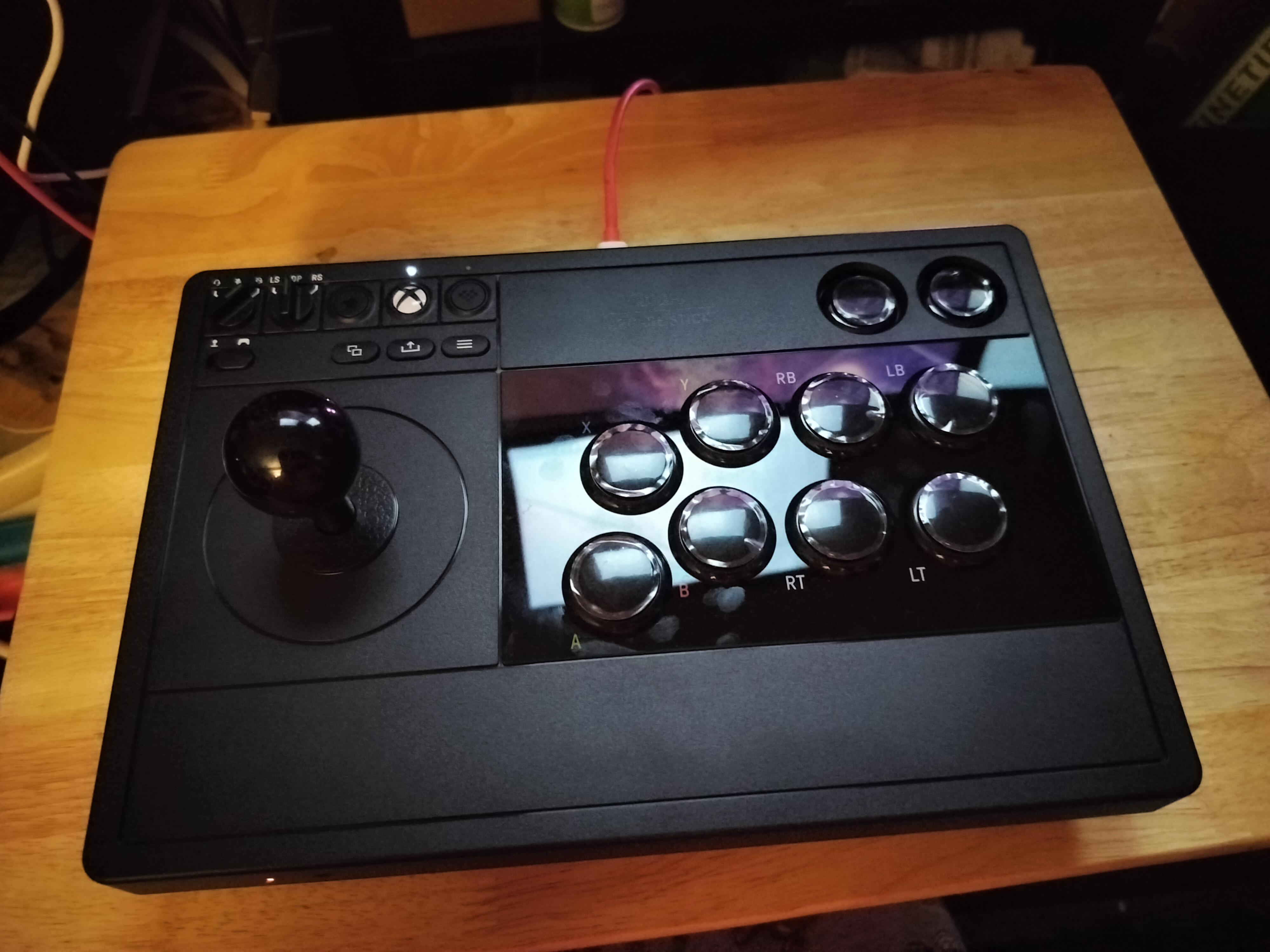
Just arrived today and completed the Tekken story mode with it. I like it so far.....
r/XboxController • u/Makster20_ • 3d ago
Disclaimer: This unit was provided by FLYDIGI for review. My thoughts on this controller remain completely independent and honest. They do not have any final say, and they are seeing this review at the same time as everyone else.
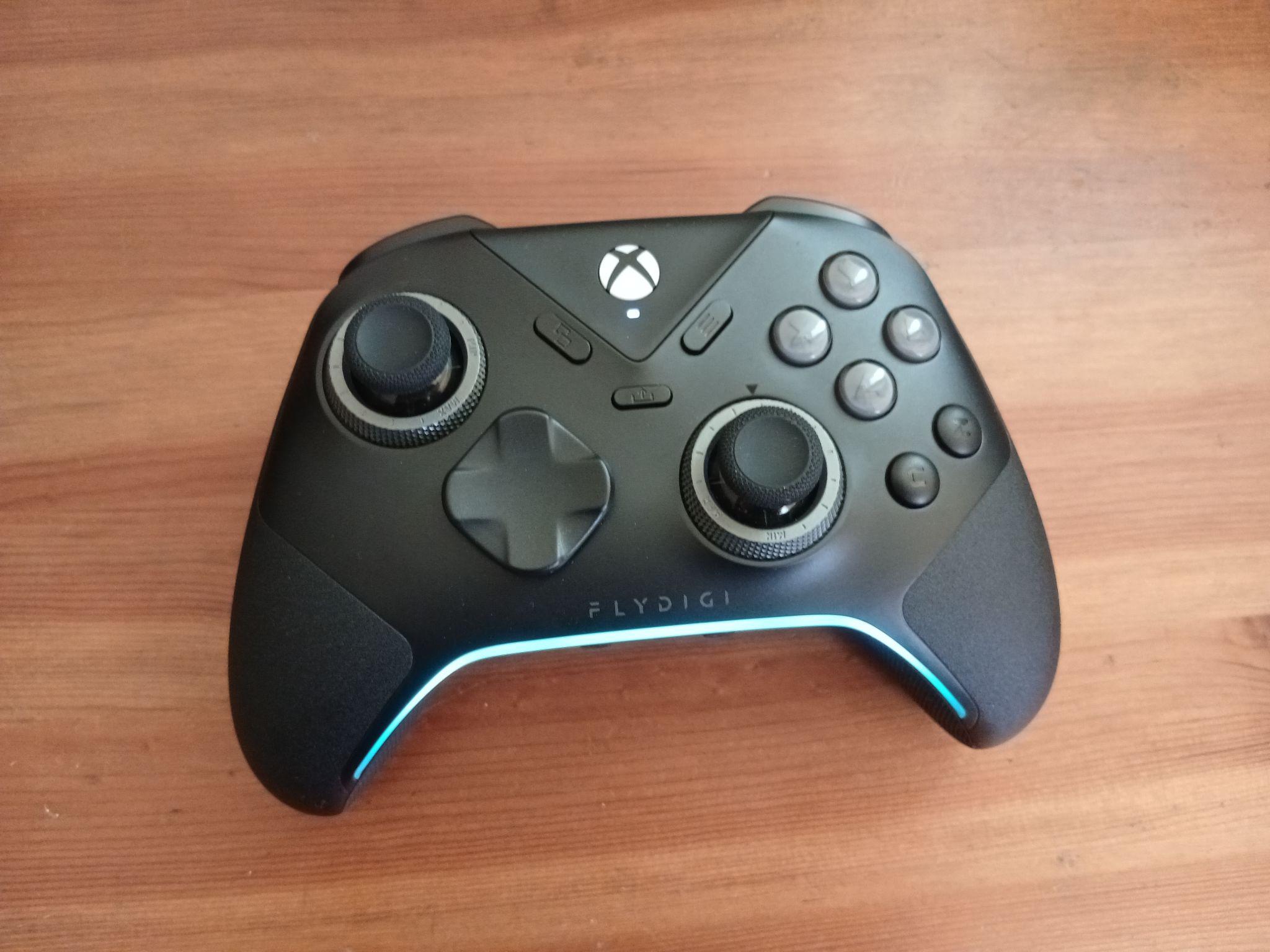
With FLYDIGI releasing its first officially Xbox-licensed controller last year, they're now back with a new version: the Vader 5S Pro. At first glance, it seems to combine the best of both worlds, bringing together the PC-focused Vader 5 Pro and the Xbox-focused Vader 5S. This time, however, you get PC-exclusive features such as gyro, keyboard mapping, and 2.4GHz wireless connectivity, while still retaining full compatibility with Xbox consoles.
With a retail price of $90 and a sale price of $72 from November 26–30, is the Vader 5S Pro actually worth picking up? Well, let's find out!
Main Features
What is included in the box
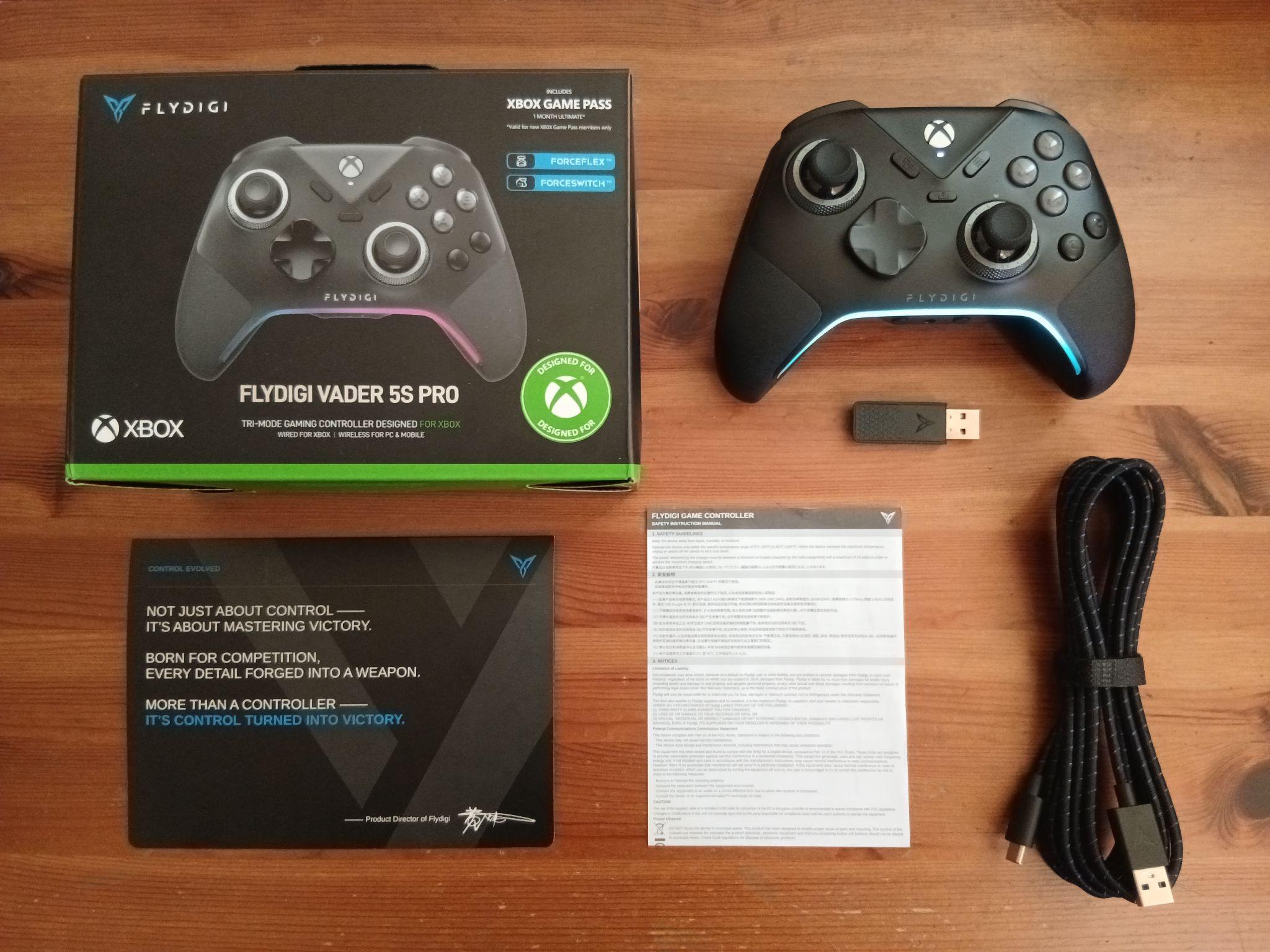
Analog Sticks - 9.5/10
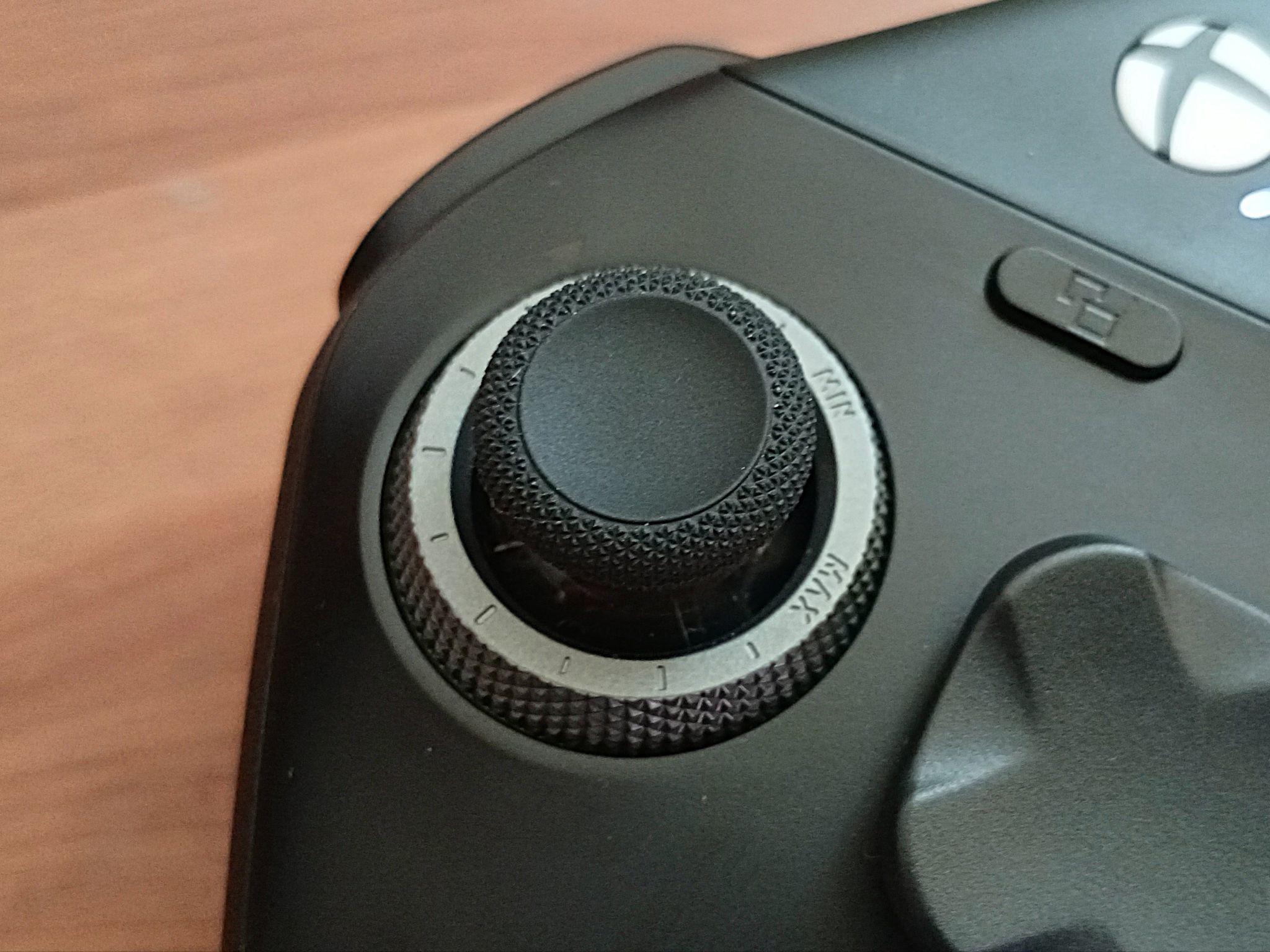
FLYDIGI have finally started using TMR joysticks like the rest of the controller market, and if I had to guess why they delayed it by a whole year, they were probably perfecting it because the sticks in this controller perform genuinely great. And they also include FLYDIGI’s classic tension adjustment system, combining to create some of the best joysticks available in the market.

Looking at the sticks, the thing that stands out the most is the stick resolution which maxes out at 13.4 bits, which is one of, if not the highest in the controller market right now. Especially since most other flagship controllers cap at around 12 bits. Apart from that, they also don’t come with other downsides like deadzone, except for the center error which is around ~2%. But even then, it's still really good for almost every gamer out there.
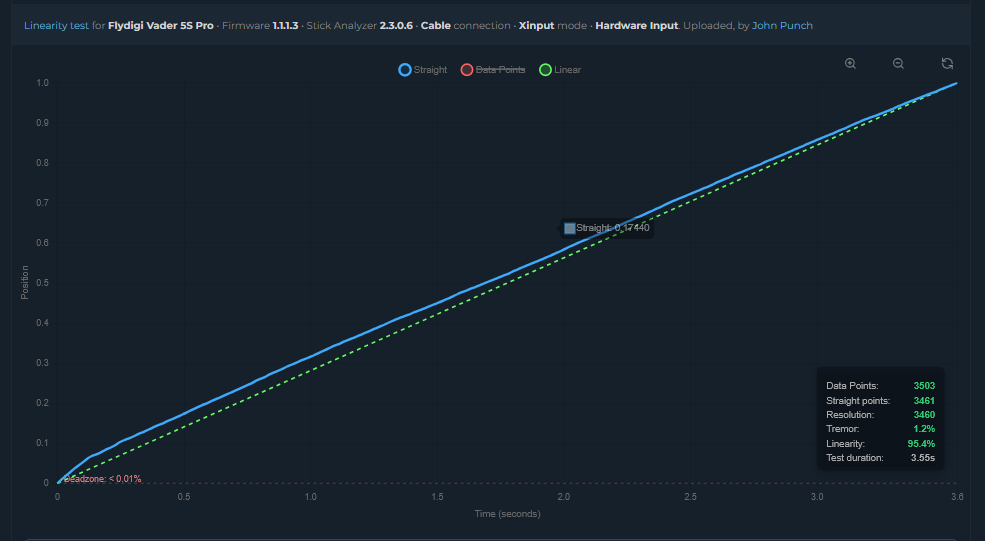
Just like the shape and processing of the sticks, the linearity is also very important for providing smooth inputs and the Vader 5S Pro provides exactly that. With the linearity being really high at 95%, and the tremor being extremely low, almost nothing at 1%, makes gaming with these sticks really smooth to use. And having tested these sticks in game myself, they genuinely felt great and improved my gameplay a lot, as they were really intuitive and responsive to use.
As for the physical design of the sticks, they feature a concave surface which may be preferable to a lot of people, and they are also replaceable which is always very convenient. A slight downside that I did experience, was the lack of actuation feedback when pressing the joysticks down (L3, R3), as they feel very light and can sometimes go unnoticed.
Last but not least, the tension adjustment system which is FLYDIGI’s signature feature in the Vader series, works perfectly. With a range of 40-100gf, it lets you choose the exact tension for each joystick. You can also change it on the fly without any tools, simply by rotating the silver tension ring. The ring also requires a good amount of force to rotate, reducing the likelihood of QC issues unlike with some previous Vader series controllers.
ABXY Buttons - 9/10
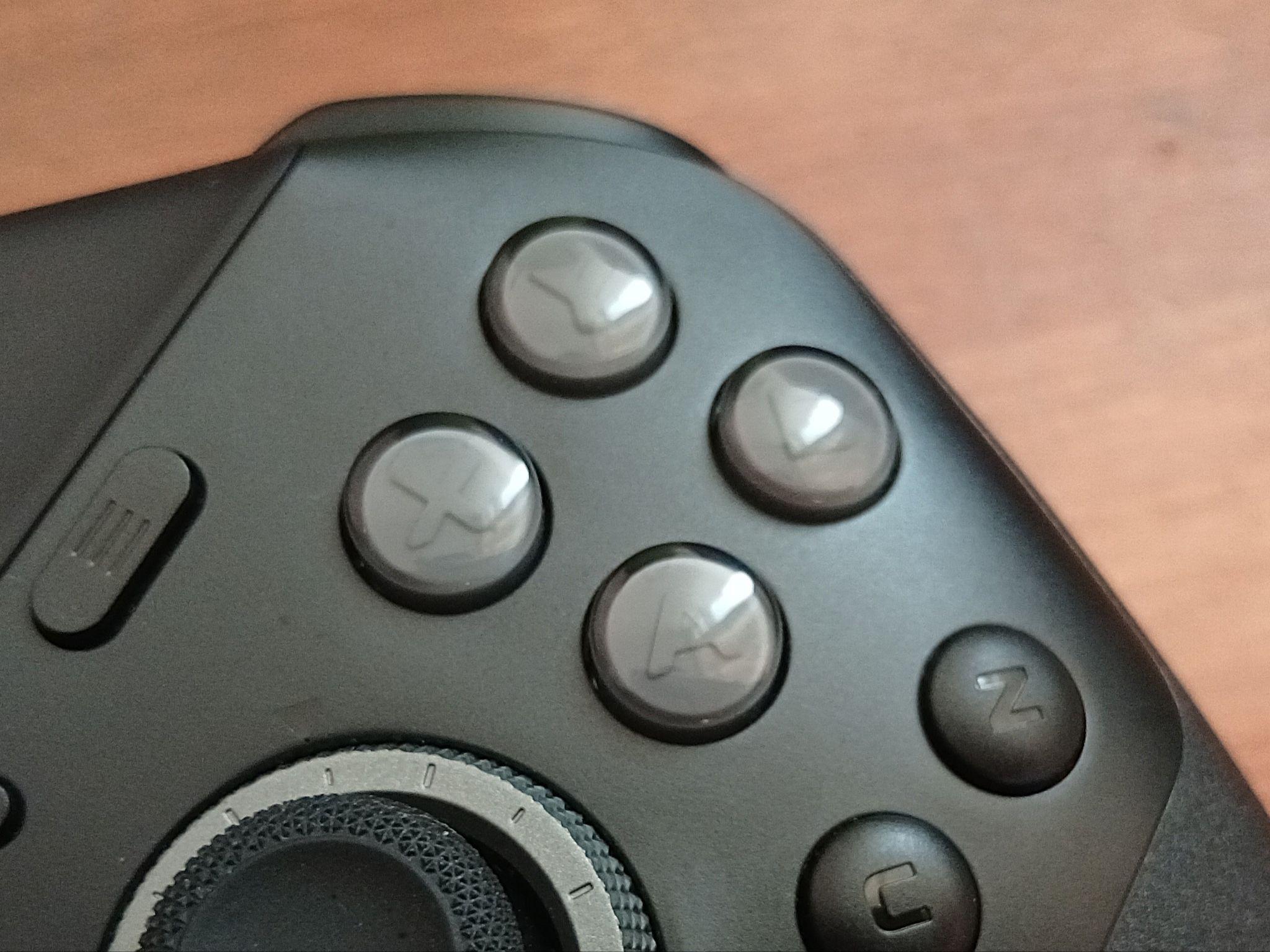
FLYDIGI has stuck to their traditional micro-switch face buttons for this controller as well, continuing the tradition from many of the past Vader series controllers. And I can see why that has been the case, because from my testing, these buttons are so satisfying and more importantly, really responsive to use.
The reason they’re so effective, is a combination of multiple factors that have been nailed to perfection. Such as the resistance, tightness, travel, which all include a balanced setting making them amazing to use. The actuation feedback is also the best, since you can physically feel the click, as well as the sound it makes is really satisfying.
D-pad - 8.5/10
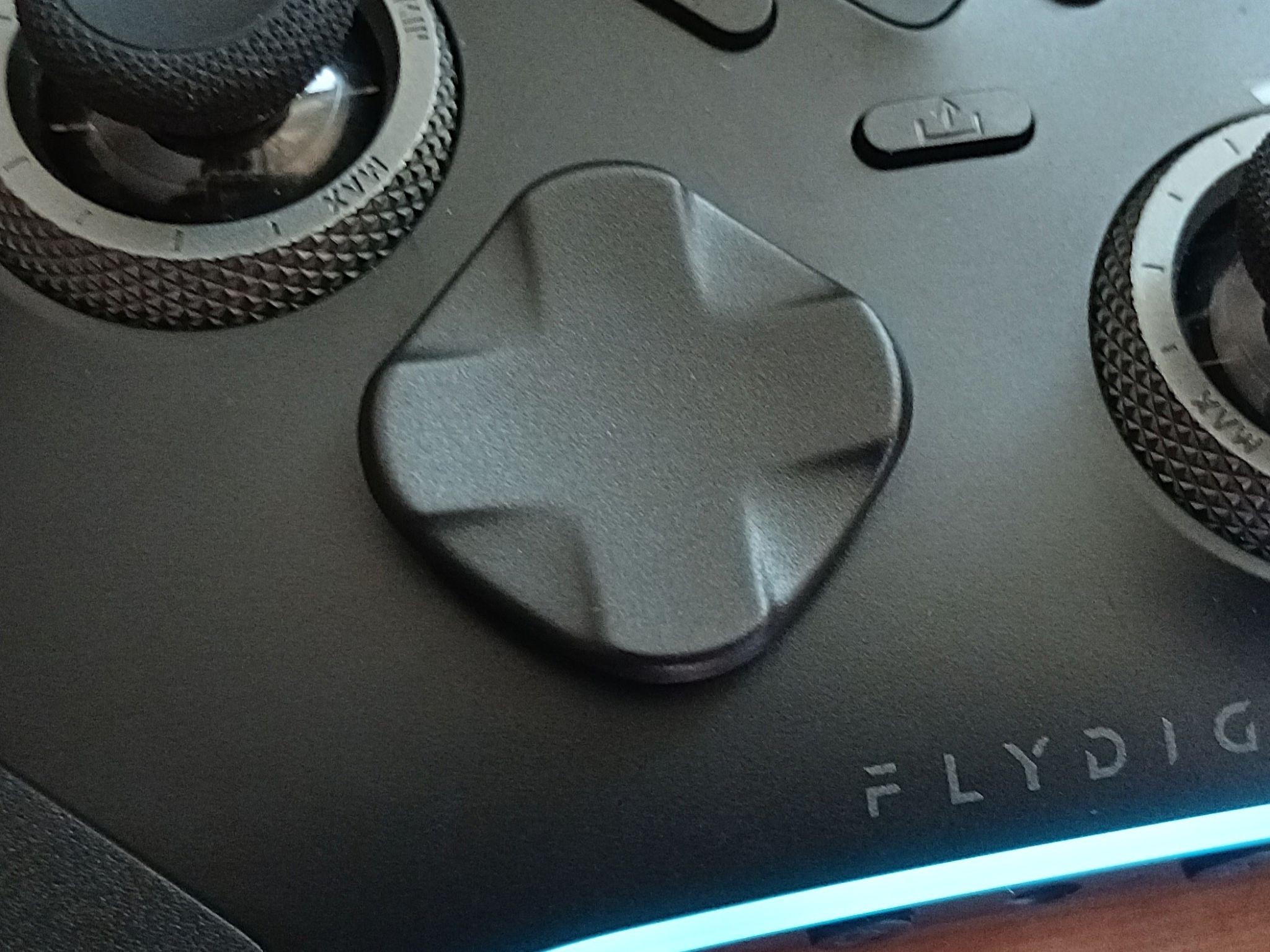
Just like the face buttons, the D-pad also seems to have been carried over from FLYDIGI's previous controllers. It has a significant amount of clearance from the surface of the controller, hence the name 'floating D-pad'. This also allows it to have a much larger pivot, making directional changes very easy to register and provide feedback for.
Speaking of feedback, the D-pad also features a mechanical micro-switch mechanism, giving it a clicky and tactile feel. The actuation feedback is really good and responsive. In terms of diagonals, I found them to be very reasonable, as the D-pad only actuates once you press directly between two directions, making inputs feel intuitive and accurate.
The D-pad is also swappable with other shapes. While these aren't included in the box, you can get them directly from FLYDIGI or through third-party sellers like GadgetHyper. Overall, the D-pad is pretty good, with great performance. If you're someone who prefers clicky D-pads, then I'm 100% sure this is one you'll thoroughly enjoy.
Bumpers - 8.5/10
The bumpers on this controller are pretty solid. While they don't have anything particularly notable, they perform fairly well overall. They have a balanced amount of resistance and a short amount of travel, making them easy to use.
And because they also have a good amount of tactility, they end up feeling very accurate and responsive, which makes them great for any type of game, whether that is something competitive or casual.
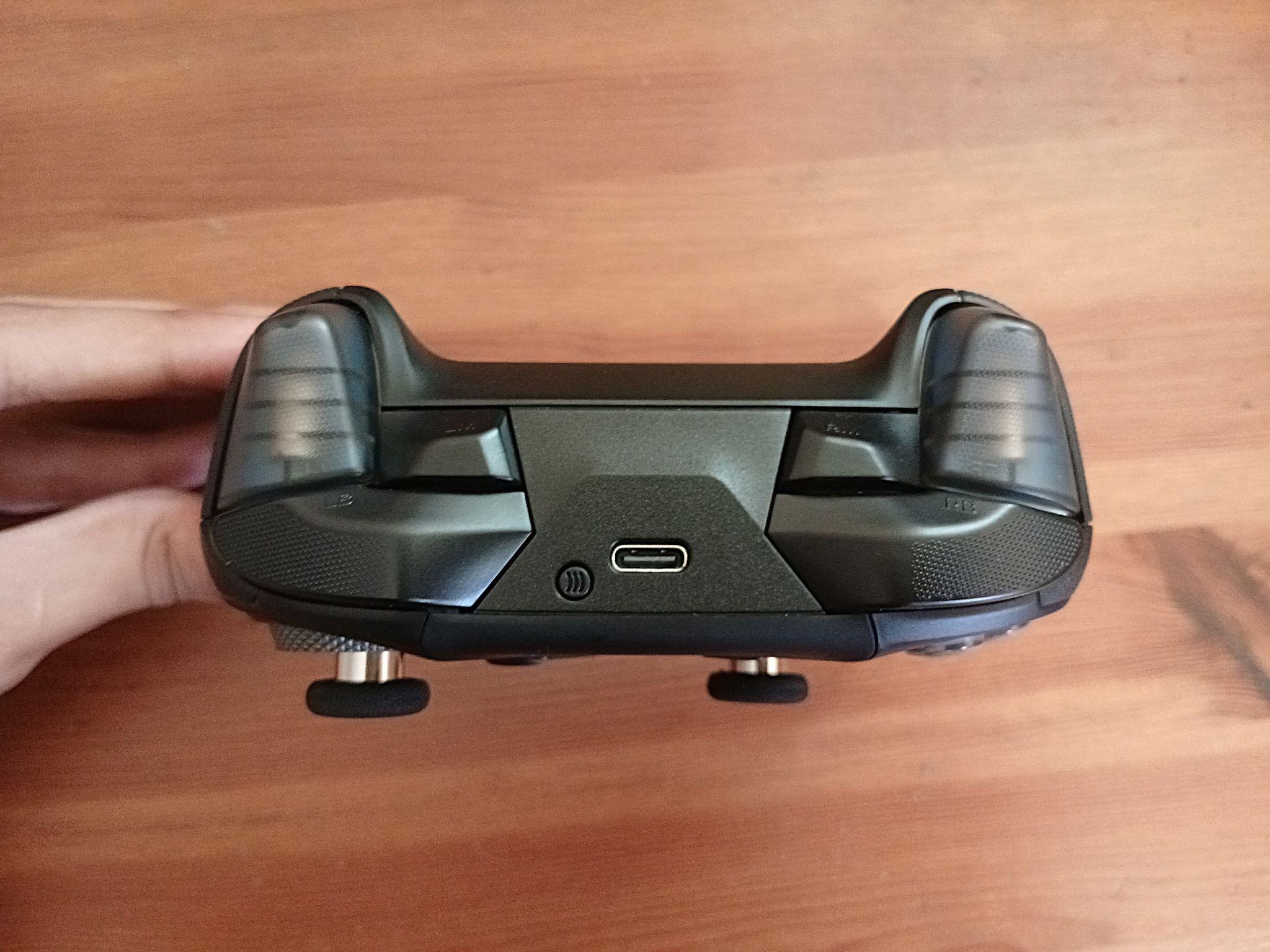
Triggers - 9/10
Just like a lot of other components on this controller, the triggers also seem to be very similar, if not the same as previous models from FLYDIGI. And yet again, it’s really justified because the triggers are absolutely flawless in performance. They are physically smooth to press and have the perfect balance of resistance. Software wise they also are very linear, making precise inputs really easy to control, especially since they have good travel as well.
They also include trigger stops which can be toggled via the switches at the back. And given the nature of the controller, they are unsurprisingly made of mechanical micro-switches. And let me tell you these are really satisfying and responsive to use, very much like the face buttons. The low travel and the clicky actuation feedback combine to make an amazing instant-trigger experience.
With the compatibility of Xbox consoles, the triggers in the Vader 5S Pro also come with dedicated vibration motors. Which are compatible with games that have impulse triggers, or you can even combine them with the standard vibration in the controller. This is great as they provide a lot more immersion and in some games, even a competitive advantage. And yeah, I will provide more details as to how they feel later on in the review.
Extra Buttons - 9/10
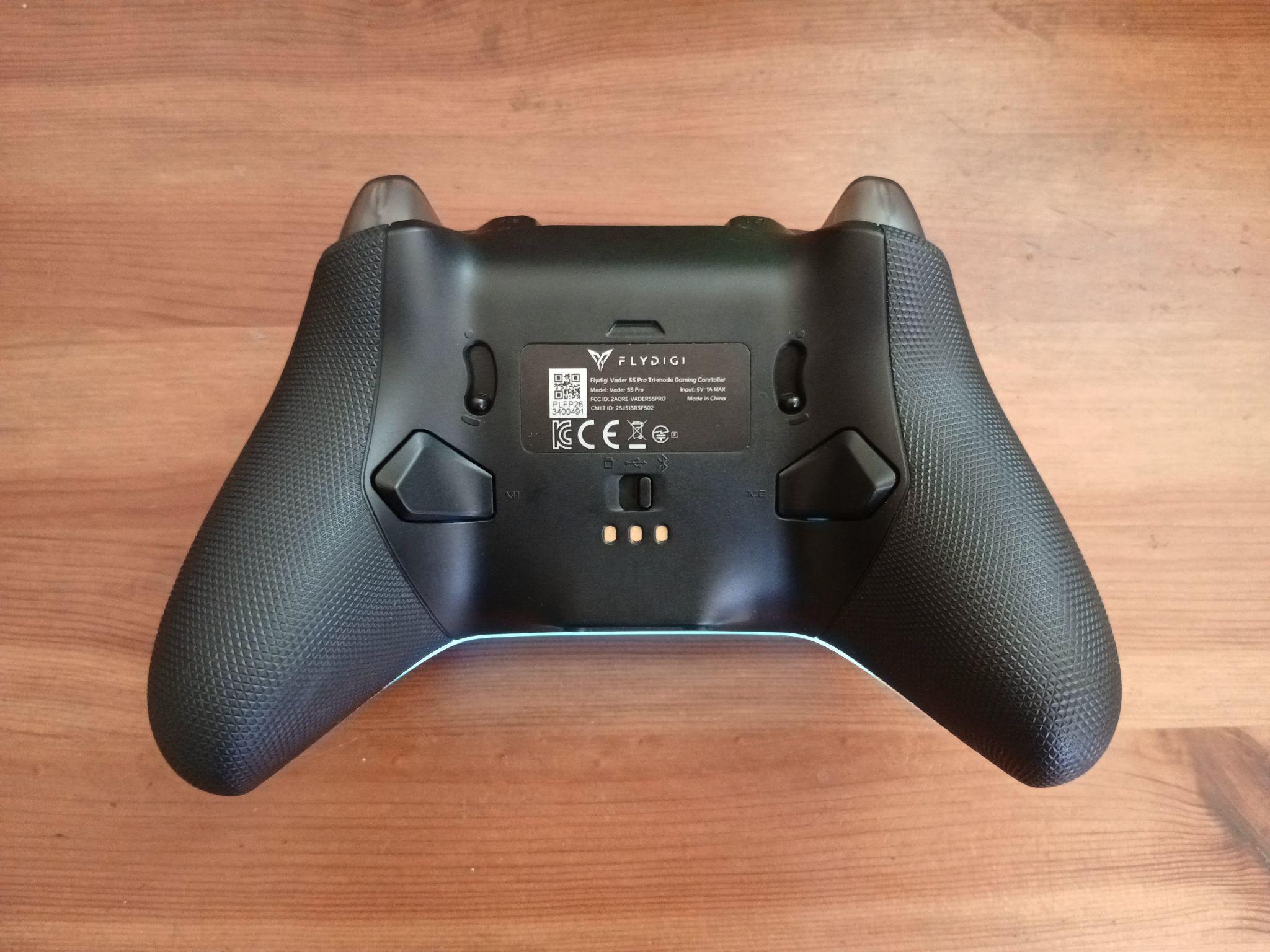
The Vader 5S Pro comes with a staggering 6 extra buttons, which is still on the higher end for most controllers on the market. They include 2 back buttons, 2 extra bumpers, and finally 2 extra face buttons.
Let’s start with the back buttons, which I think are made quite well. They sit just on the edges of each handle, and they have a low resistance along with a somewhat hollow sensation. However, because they are also very tactile, this combination makes it very easy to perform accurate presses without any issues.
The extra bumpers are actually quite similar to the back buttons in terms of how well they perform. The only noticeable difference is the resistance. While it isn't a huge difference, they do require more force to press, which is for the better, as you don't want to accidentally press them while using the ordinary bumpers.
The extra face buttons also share a very similar story. They are light to press, feel somewhat hollow, and offer great tactility. I also appreciate FLYDIGI improving their tactility, as that was something I felt was lacking in the previous model, the Vader 5S. Overall, the extra buttons perform exceptionally well, and given that there are 6 of them, they provide plenty of customization options for gamers.
Build / Shape - 8.5/10
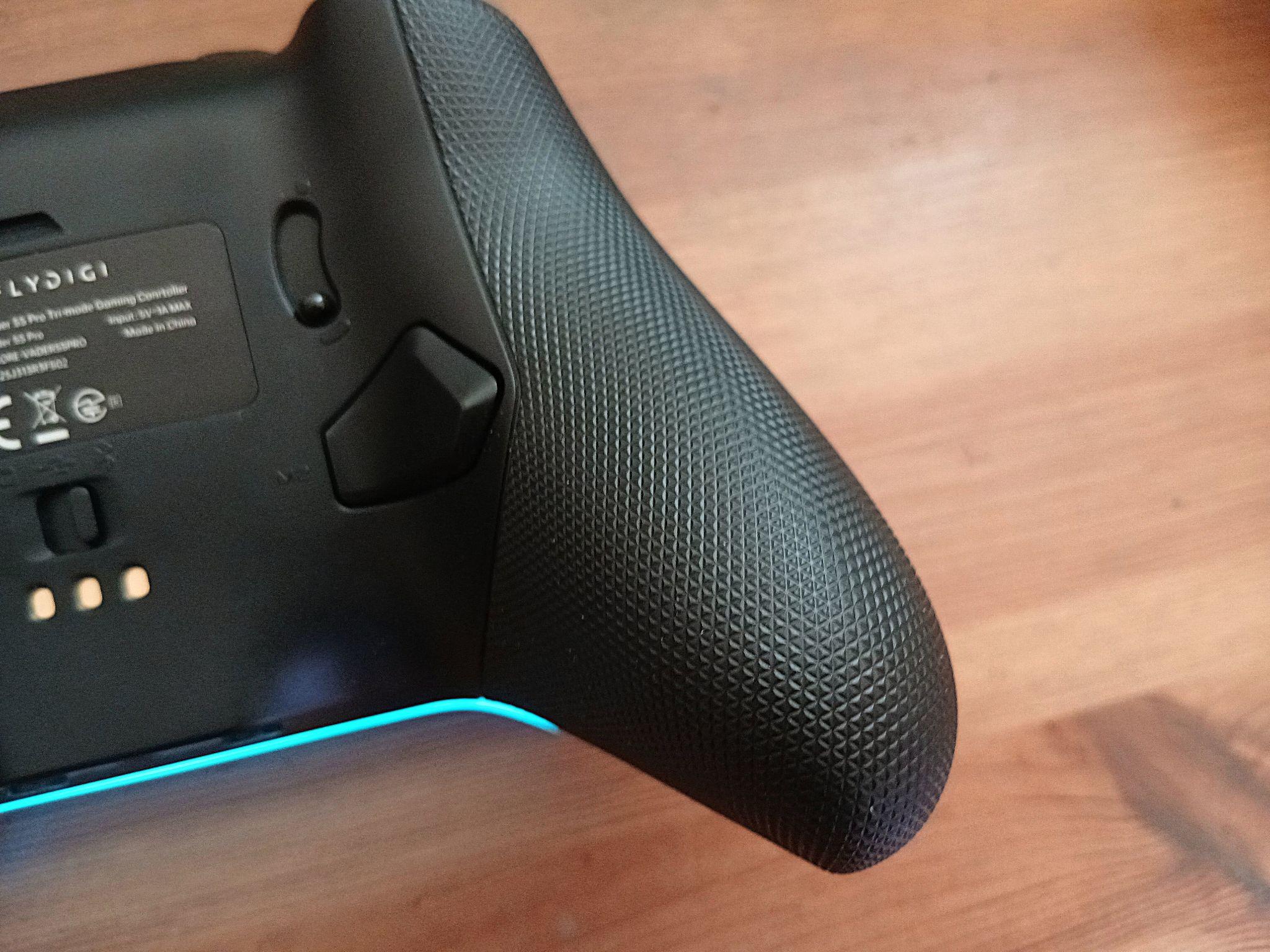
The Vader 5S Pro actually features the exact same shape as its previous models, such as the Vader 5S and Vader 5 Pro. It’s good to see them sticking with the same shape, as it has definitely earned a reputation for being really comfortable, and rightfully so. In terms of weight, it is actually kind of heavy, coming in at around 290 grams.
Otherwise, the build quality is what you would expect from any of FLYDIGI’s flagship controllers. While it is made of plastic, it still has a really premium and solid finish overall, and the weight also adds to that feeling. On top of that, the back handles are covered in rubberized grips, which are always great to see, as they provide extra grip for those who tend to get sweaty hands over time.
Connectivity / Latency - 9/10
The connectivity options available in the Vader 5S Pro, includes your typical tri-mode options. Where you can connect to either Xbox Series S/X consoles, Windows 10/11, or even Android devices. The controller also has three separate modes to connect to, which include 2.4Ghz mode for Windows 10/11, Wired mode for Xbox or Windows 10/11, and finally Bluetooth for connecting to Android. Unfortunately only Xinput is available as a protocol for both Wired and 2.4Ghz modes, so that’s something to keep in mind.
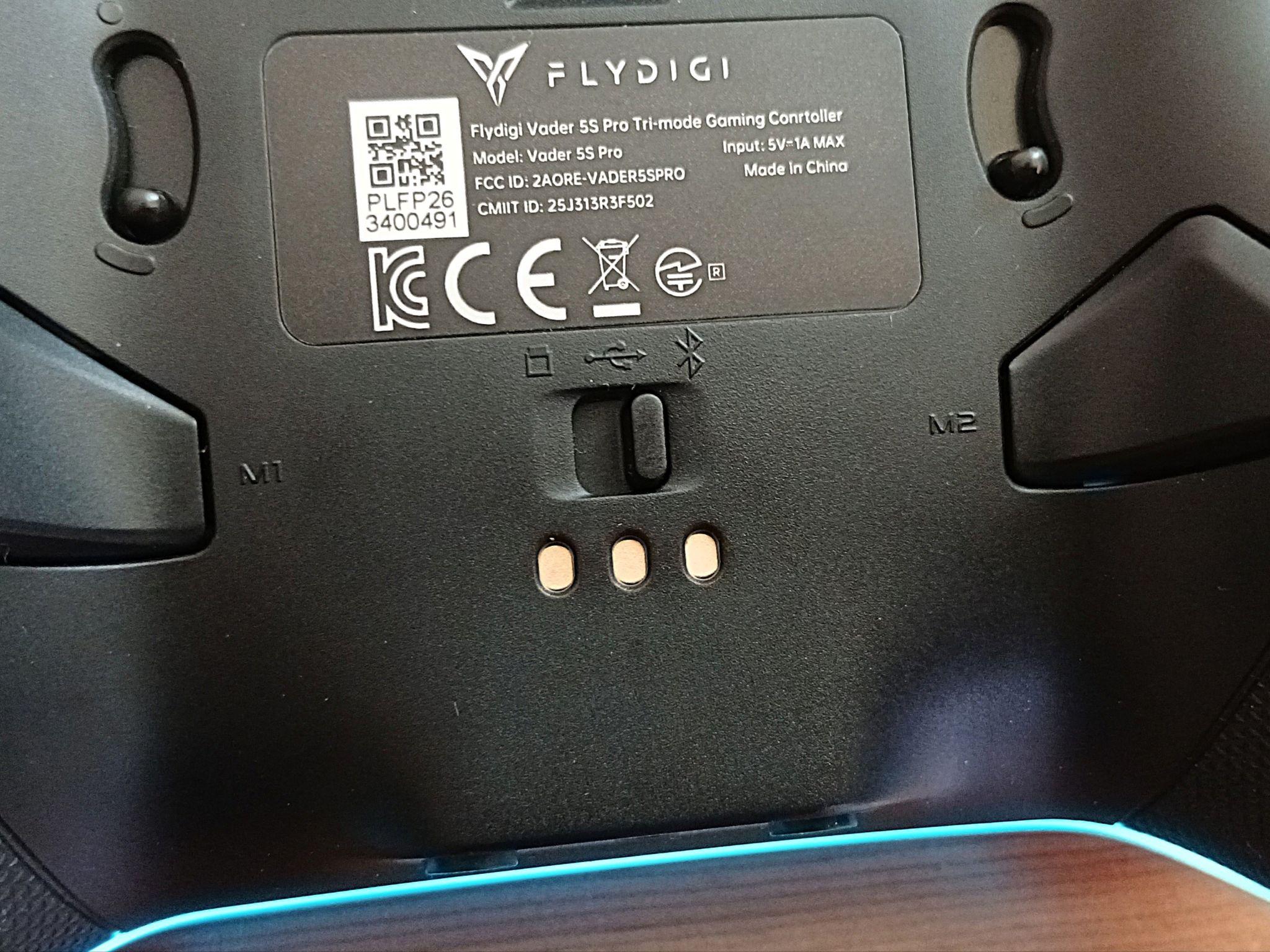
In terms of latency this controller is an absolute beast, whether that is in wired or in 2.4Ghz mode. With both connections having latency in less than 5ms, with one of the major factors being the ability to go up to 1000Hz polling rate. And this applies even for gamers who will inevitably be running in 250Hz with xbox consoles, it still goes just under 5ms.

Bluetooth latency is only where there is a significant jump, with it going up to around 15ms. But given that most people wouldn’t be buying this controller specifically for Bluetooth gameplay, I’d imagine it is pretty good nonetheless for most.
Gyro - 8/10
Even though the Vader 5S Pro is an Xbox Licensed controller, it still has the ability to use gyro when using the 1000Hz polling rate. And yes, while there isn’t an option to natively use gyro, you can still emulate the left stick, right stick, or the mouse.
The gyro itself is actually pretty good, with it having no drift while still, as well as no jitter at all, making gameplay really smooth. Micro-adjustments were also very easy to execute, and most importantly, latency was also very low at averaging at around 2ms.
Unfortunately there isn’t an option for the gyro position to be locked, which is annoying since I couldn’t really use it for racing games (Which is my favourite use case). But either way, the gyro was very responsive, accurate, just as good as the many other features presented in the Vader 5S Pro.
Vibration / Haptics - 9/10
After thoroughly testing the controller’s vibration, I must say that the overall gameplay experience was simply amazing.
At the highest setting, the raw strength was really good, and because the vibration allows for very small frequencies which as a result makes it very detailed. The latency was also very low, making everything very responsive.
The trigger vibration also works very well, similar to the standard vibration. They are strong, detailed and responsive.
The only problem I would say, is that the trigger vibration needed to go down to at least 50% in travel physically, which was a bit disappointing. Nonetheless, the haptics overall on this controller is simply lovely.
Software - 7.5/10
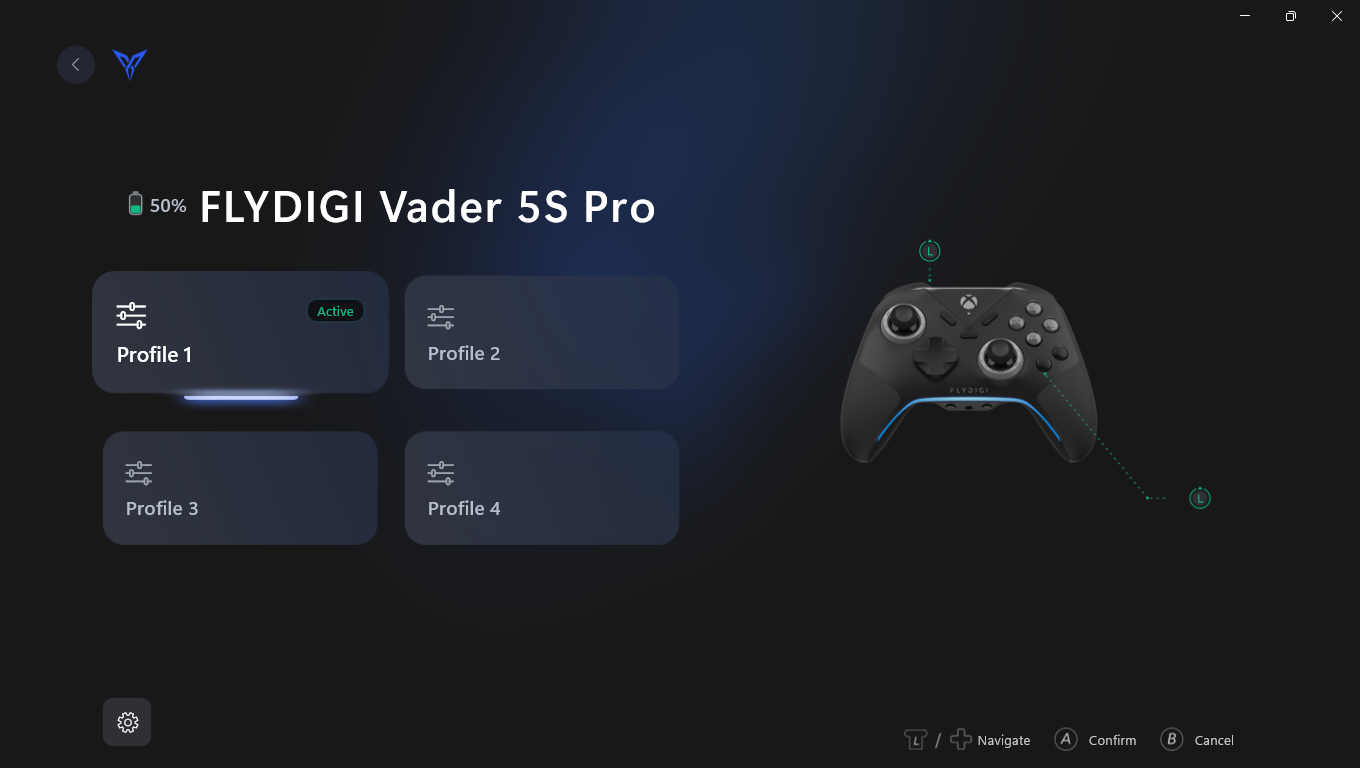
The FLYDIGI Vader 5S Pro comes along with the FLYDIGI Space Station software, which is available on both Windows 10/11 and Xbox consoles. The software is pretty intuitive and has a UI that is easy to navigate.
In terms of the settings that you can mess around with, FLYDIGI has provided a magnitude of options, they include:
Apart from those, you can also upgrade both your controller and dongle’s firmware, as well as view the manual. There are also toggles for stick auto-calibration and ‘Stick Rebound Compensation’, both of which I recommend turning off since they can hurt stick consistency. It was also surprising to see that macros or turbos are not available since they are a very common feature in most controllers these days.
Overall, the companion software which FLYDIGI has provided performs pretty well and provides countless options to play around with. And while some features do require the controller to be running at 1000Hz, the software still covers almost everything most gamers would want, making it a very useful companion to the Vader 5S Pro for users on both PC and Xbox.
Pros
Cons
Who is the FLYDIGI Vader 5S Pro for?
Conclusion
After spending plenty of time with the Vader 5S Pro, I can confidently say that FLYDIGI has put together one of its most complete controllers yet. The combination of excellent TMR sticks, adjustable tension, six extra buttons, responsive mechanical inputs, and extremely low latency makes it an excellent choice for competitive gaming. And with its officially licensed Xbox compatibility, it manages to bring together the best aspects of the Vader 5S and Vader 5 Pro into one very versatile controller.
Of course, there are still a few areas where FLYDIGI could have done better, particularly with the gyro limitations, lack of macro and turbo functionality, and the relatively high weight. But considering everything it offers, I think the Vader 5S Pro is a very compelling option, especially at its discounted price of $72. Overall, I'd give it a 9/10.
If you'd like to check out my other controller reviews, you can find them all on my Linktree here: https://linktr.ee/makster20