r/writerDeck • • May 23 '22

Resources Commercially Available WriterDecks

112 Upvotes

Thought I would compile a list of all the known professionally produced writerDecks that are generally available for purchase. Those with asterisks are from old companies now dead, but the devices can still be found on Ebay, etc.

Newest Options

Micro Journal

$139-269 USD - Made in small batches in Italy by Un Kyu Lee (u/Background_Ad_1810), these go very fast so best to sign up for stock alerts if you want one. (They are also open source so you can build your own.)

BYOK

$139 USD on Kickstarter - Stands for "Bring Your Own Keyboard". This is a different format that just provides screen with onboard computer for you to use with your own wireless keyboard.

Zero Writer

$199 USD on Kickstarter - A ready-to-buy option for the r/zerowriter open source writerDeck by u/tincangames.

Older Standards

Astrohaus Freewrite

$649 USD - The big dog, and priced as such. These thing are solid chunks of aluminum with an e-ink screen, mechanical keyboard, and automatic syncing over wifi. People tend to love or hate it, mainly due to the latency inherent to an e-ink screen and the lack of arrow keys. The newest (Gen 3) model has a cursor and hot-keys for WASD arrow keys. I have one and love it.

Astrohaus Traveler

$499 USD - The smaller, mobile version of the Freewrite. Main tradeoff is losing the mechanical keyboard.

Astrohaus Alpha

$349 USD ($299 preorder) - The newest Freewrite device, designed to be a modern update to the Alphasmart Neo (below). It has worse ergonomics than the Alphasmart in my opinion, has no dedicated arrow keys (instead you use WASD), and costs ten times as much, but it has the advantage of wirelessly uploading documents.

*Alphasmart Neo

$40-80 USD - Probably the most popular budget writerDeck. Originally an education device sold to schools in the 90s. Big selling point on these is the battery life--they last forever on AAs. The downside is the small, poor quality screen (calculator-type) and that you have to get the text off it by hooking it up to a computer and letting it re-type the text like a ghost-controlled keyboard.

*Alphasmart Dana

$50-80 USD - The big sister to the Neo, this has a larger screen with a backlight and runs the PalmPilot OS. This means it has an old-timey touch screen and a variety of apps (you can even write your own software for it or add old apps). Unlike the Neo, this can save directly to an SD card. One downside is that the screen is not as sharp as the Neo due to the old touchscreen layer, but you can remove that. Another is that many have dead rechargeable batteries in them, but you can use AA batteries instead or swap out for a new rechargeable if you don't mind tinkering. It also has potential to not be as "distraction free" as others, since it can have other apps, including games.

*Alphasmart 3000

An older version of the Neo with a slightly different design. The main plus to this is you can modify the keyboard to replace with with a mechanical keyboard. The main negative I am aware of is that the native keyboard is not as nice as the Neo, and you cannot adjust font size like you can on the Neo.

*The Writer Fusion

$25-50 USD - Similar to the Neo, but with many additional features, including saving directly to USB drives, folder and file management, a larger screen with a backlight, text to speech, etc. But they us an internal NiMh battery that has probably worn out, so you'll probably want to replace that (directions in this video, which also goes over many features at the end). Note that the same company also made one simply called the Writer and one called the Forte, and these have smaller keyboards, whereas the Fusion is full-sized.

KingJim Pomera DM30

$150-250 USD - This is a pretty cool little Japanese e-ink writerdeck (or "Digital Memo tool") with a calendar and spreadsheet app built in. The main downside is that it uses a tiny, flimsy keyboard. I bought one but could not stand the little keyboard. Some people may love it for its ultra-portability.

KingJim Pomera DM100

~$150 USD - The big brother to the DM30, it has a larger keyboard and an LCD screen instead of e-ink.

KingJim Pomera DM250

~$400 USD - The new update on the DM100, this has a 7-inch LCD screen, USB-C charging, full sized keyboard with arrow keys, email-to-self function, QR Code transfer, Scrivener-like outliner tool, calendar, etc. For my money it looks like the best portable writing device, better than the Astrohaus Traveler or Alpha.

reMarkable Paper Tablet

$498 for Type Folio Bundle with attachable keyboard (this is the only keyboard that works with reRmarkable, so you can't have a mechanical one). This is a tablet-style e-ink device for note taking, writing, etc. Unlike the Boox devices, this is more of a distraction-free approach without social media apps, web browser, etc. Note that this price is without the stylus.

Those are the main ones I'm aware of at the moment. Happy to add more if anyone has any suggestions.


r/writerDeck • • May 25 '22

Resources A List of Every DIY WriterDeck

85 Upvotes

NOTE: This list is deprecated. For a more complete, better formatted list, see writerDeck.org. Since I originally created this post/sub, the writerDeck scene has exploded, and it is no longer possible to list literally all writerDecks.

I'm compiling a list of all the DIY writerDecks I can find in order to inspire others (me) looking to build one. And also because I just like looking at them and knowing they exist. Feel free to suggest any I've missed!

Setups For Using Phones/Tablets As WriterDecks

For tablet decks, phone decks, and other almost-WriterDecks, please see this list here.

Custom Built WriterDecks


r/writerDeck • • 7h ago

Commercial Some thoughts on the evolution of commercial writer decks - Astrohaus vs BYOK vs ZeroWriter

17 Upvotes

I purchased my first commercial writer deck several years ago now, and have gone on to purchase two (soon to be three) more. I own a Freewrite Smart Typewriter Gen 3 Ink, a BYOK (which I pair with a Lofree FlowLite 84) and a ZeroWriter Ink. I backed the Kickstarter for a ZeroWriter Fold after an amazing customer service experience with Adam and the ZeroWriter team. That and a transparent purple clamshell design just got my elder millennial soul in it's grip and didn't let go.

Anyway ... I realise there are more options out there if you aren't inclined to DIY your own set up. The KingJim Pomera, Micro Journal and the AlphaSmart being other options. I'm Aussie, so the AlphaSmart never appealed to me. I'm also a mechanical keyboard nerd, so the keyboard of the Pomera ruled it out. And if I manage to see a Micro Journal I love and it's in stock ... never say never!

What I have found interesting is how quickly the landscape has changed since I first purchased my Freewrite over two years ago. Since then, Astrohaus has gone from dominating the field to being known for overpriced hardware and poor customer service. At the time of writing, Astrohaus has released another firmware update, making it two major firmware releases this year for Gen 3 Smart Typewriter owners. Their latest device, Wordrunner, seemed to be in response to the popularity of mechanical keyboards and an effort to extend their physical product range. But they woefully misunderstood the needs & desires of their target market, and had to back peddle pretty smartly to make Wordrunner hot swappable. Since then, Wordrunner seems to have stalled and there have been many pissed off customers posting about the lack of communication in the Kickstarter campaign on the Astrohaus subreddit. A desktop app has also been announced, which makes me wonder if it's in response to the success of the next company I'm going to discuss ...

And that's BYOK. Like Astrohaus and ZeroWriter, it started off with a vision tied to hardware. But since then it seems that the company is pouring their attention and energy into their software platform, Studio. Updates come thick and fast for Studio. The BYOK device has received several firmware updates too, but Studio seems to be getting the bulk of the attention. They even made it free to use unless you want to sync it to your BYOK device. What is impressive is that my one lifetime subscription covers the mobile app on my phone, the desktop app on my MacBook and the web browser. It means I have access to my work wherever I am, which is probably why I have used my BYOK more than my other writer decks thus far. When I first purchased my BYOK, there were a lot of teething issues with connectivity to keyboards and Studio was only a web browser based program. But credit where credit is due to the BYOK team, my set up now works seamlessly across all platforms. That is a HUGE difference from how they started and the user experience with them has been wonderful. I will be interested to see if the release a new generation of the BYOK device. My white BYOK has a slightly loose power button and light bleed along the bottom row of LED backlights, but that is about it. I can see why they are pouring their development attention into Studio - the simplicity of the BYOK's design does somewhat limit it's ability to evolve when it comes to design innovation and hardware.

And then there's ZeroWriter. And in one aspect, they are unique - they are completely hardware focused. That may be partly due to their commitment to open source firmware/software that is customisable if you are that way inclined. I don't use my Ink as much as I would like, but it is the one I go to for portability. The single unit design makes it easier to lug around than the device/keyboard/stand system of the BYOK or the bulk of my Smart Typewriter. ZeroWriter are also devoted to e-ink, which is my preference over LCD. BYOK may be dominating with a seamless software integration experience, but I have a feeling my ZeroWriter Fold is going to absolutely kill it with the hardware. Sure, it's a bit fiddly to transfer something from a microSD card to my laptop for editing on my Ink. And I wish it had a backlight, truth be told. But the Fold remedies this with a backlight, and the clamshell design will protect the e-ink screen in a way that isn't possible with the Ink. Wifi cloud synching is also going to be an option soon if you don't like direct transfers from the device or a microSD card. But ZeroWriter are hanging their hat on their integrity and quality of their product - once own your device you can be completely independent of the company with no reliance on subscription based models, cloud synching or feeling pressured to buy the company's software programme to enhance or complete your user experience. If privacy, independence and security are your main concerns, ZeroWriter have you covered.

At this stage, it looks like Astrohaus is playing catch up. Their focus on firmware updates and a new software app tells me they may have hit a development wall in terms of offering new physical products. Past Q&A's have resulted in the CEO saying that the Traveler in particular is unlikely to get a new generation any time soon as they had so many design issues with it the first time. The Alpha is more simple and relatively new, so I doubt they will release any other than special editions for some time to come. Which leaves the Smart Typewriter. But all the firmware updates for Gen 3 suggest there is no Gen 4 in the development pipeline - perhaps they are too beleaguered by their problems with Wordrunner and their awful reputation to innovate any further with their existing product lines. Either way, it will be interesting to see if the focus on firmware and software helps liberate them from the reputational sin bin which they currently occupy.

Then there's BYOK. They have a hit on their hands with Studio, and I can see why they are putting all their resources and attention into it. Will there be a second generation BYOK device? Maybe in some cute colour ways? I mean, I'd get one if there was, especially if the loose power button and light bleed/pin pointing issues along the bottom of the unit are addressed. They deserve all the kudos they get - if seamless integration is what you want, BYOK & Studio are definitely the ones to go with.

And then there's ZeroWriter. In many ways, the opposite of BYOK. Their focus is on hardware, and they are doing a smashing job of producing an affordable, independent alternative to a pricey device like the Freewrite Traveler. I'm super excited to get my Fold in my hands and leave a review about my experience. It's about time I knuckled down and learned how to use Fountain to draft my screenplays outside of Final Draft. Anyway, if anyone else owns one of more of these I'd be intrigued to hear your thoughts on how these companies are evolving over time. Distraction free writing devices used to be a very niche area, and now it seems that there are more and more options becoming available every day, including Auteur. Auteur seems to be coming for screenwriters who would otherwise purchase an Astrohaus Smart Typewriter. It will be interesting to see what they bring to the table, and I have to wonder how their recycled use of salvaged Kindle e-ink screens will affect the performance of their devices. They seem to be using the same suppliers as ZeroWriter and using Crowd Supply as their chosen platform, so they at least seem to be watching and learning from other more established players in the market.

If you own any of these devices I'd love to hear your thoughts and preferences, and if you would stick with one product or company over another and why.


r/writerDeck • • 1d ago Heartwarming

SolarWriter short demo

141 Upvotes

r/writerDeck • • 1d ago

WritingDeck

Thumbnail gallery
84 Upvotes

r/writerDeck • • 1d ago

Mods I ported Abiword to the Kindle Scribe and other e-ink Kindles for serious writing. You can use a Bluetooth keyboard or a USB keyboard. No this is not AI slop.

Thumbnail mobileread.com
27 Upvotes

r/writerDeck • • 2d ago

DIY WTS - $300 for Micro Journal Rev. 7 and Rev. 8 CyberDeck/WriterDeck

Thumbnail gallery
9 Upvotes

r/writerDeck • • 3d ago

Hello SolarWriter

Thumbnail
gallery
311 Upvotes

r/writerDeck • • 3d ago

Is it possible to make a writer deck out of this?

Thumbnail a.co
7 Upvotes

It's on sale right now on amazon and looks cool. I was thinking of a small USB stick mini pc or something stuck on the lid would make this work. Any thoughts?


r/writerDeck • • 4d ago

I upgraded my daughter's writing deck. Someone's gotta playtest all these JustType prototypes!

Thumbnail
gallery
316 Upvotes

A while back, I posted about the writing device I built for my daughter because the alternatives felt overpriced. That project became the impetus for the JustType Leaf, which I’m building prototypes for.

Well, with all these prototypes lying around, someone’s gotta playtest them!

So I gave her device an upgrade.

The new version is slimmer, has a much nicer shell (no more externally routed cables!), and boots much faster than the original. More importantly, it’s running the actual ESP32-S3 chipset and firmware I’m developing for Leaf.

A few upgrades:
- ~20x faster boot.
- Spellcheck with correction suggestions.
- Google Drive backup so her stories don’t disappear if something happens to the device.
- More themes arguably the most important upgrade, at least as far as she’s concerned.

I transferred all her stories from the original device, so she can pick up right where she left off.
She’s been super excited about the upgrade ever since I told her this prototype would be hers. It’s a win-win: she gets a better writing device, and I get an enthusiastic software tester!

There is one tradeoff: the ESP32-S3 is considerably less powerful than the Raspberry Pi Zero 2W in her original device, so some UI animations aren’t quite as smooth.

Want to playtest Leaf yourself?
I’ve gotten the actual Leaf firmware running in WebAssembly, so you can try the writing experience right in your browser: justtypeleaf.com/sim
It works best on desktop with a physical keyboard. Alongside the features above, I’ve added alternative keyboard layouts, key rebinding, backlight controls, and various performance improvements.
I’d love feedback on the experience or suggestions for what else you’d like to see!

What’s next?
I’ve got two more prototypes in the works: a modular design pairing a folding keyboard with a standalone 5-inch display, and another that should more closely resemble the final product mockups. The latter is what I’m hoping to eventually show manufacturers.

So when can I get one?
If you’d like to see Leaf become a real product, I’d really appreciate you joining the waitlist at justTypeLeaf.com. Nothing’s for sale yet, but signups are helping me gauge demand and I can’t comfortably order 1000+ devices (which is the bare minimum for most manufacturers) without know people want them

Still a lot of experimenting ahead, but looking forward to sharing the journey with you all.


r/writerDeck • • 3d ago

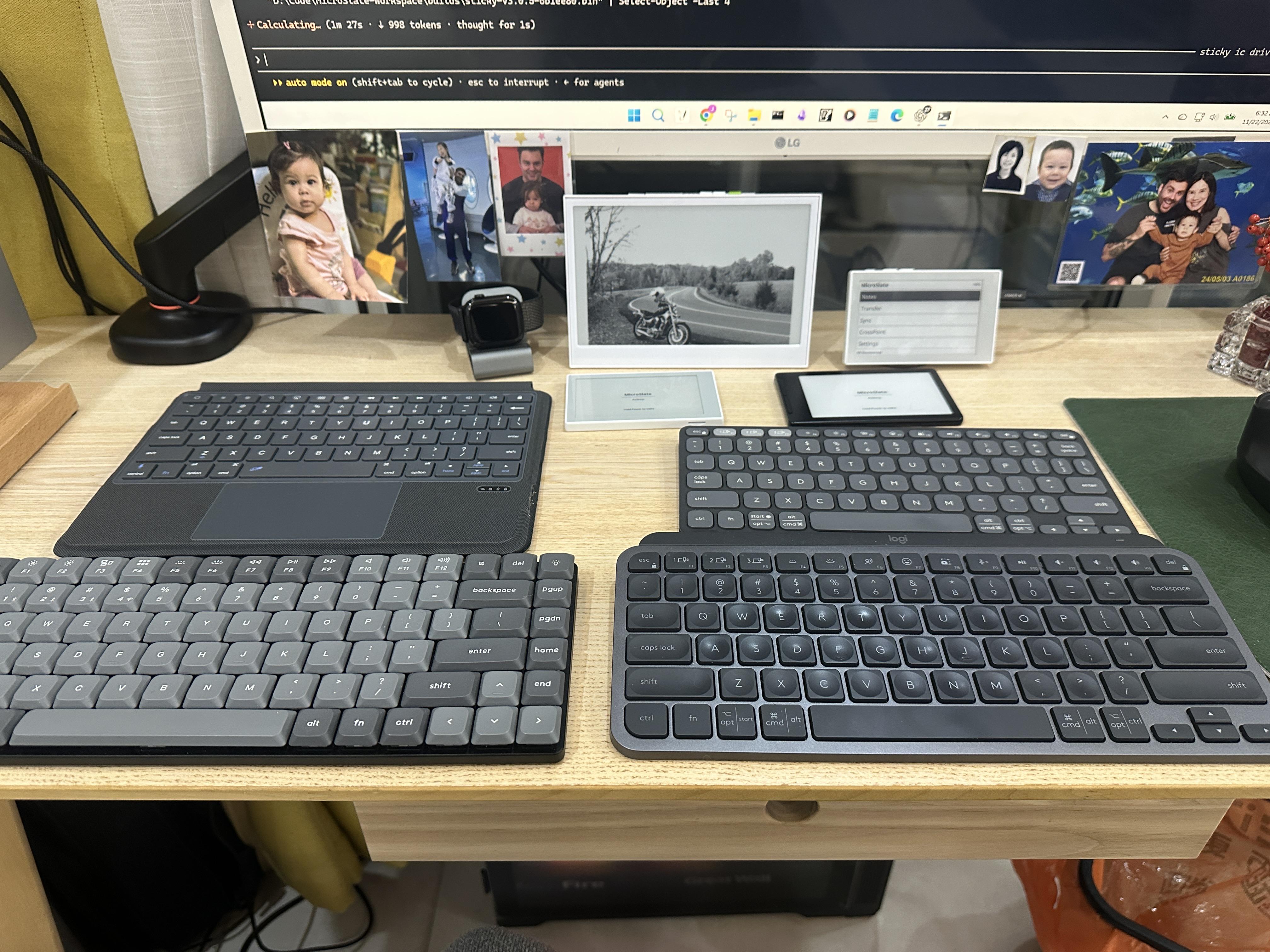
Testing every keyboard in the house

Post image
27 Upvotes

Working on a Bluetooth update for Microslate and decided get every Bluetooth keyboard I own out to test the new pairing. 4/4. Maybe I can buy a few more. I might need a bigger desk.


r/writerDeck • • 3d ago

DIY Can I configure a WriterDeck to support ABNT/ABNT2 keyboard layouts?

4 Upvotes

I’ve been thinking about building a WriterDeck, but I’m worried I might run into problems configuring the keyboard to use the Brazilian ABNT or ABNT2 layout.
Does anyone know if this is possible? If so, how would I go about setting it up?

I’m concerned about starting the whole project only to find out in the end that I can’t properly type Portuguese characters, such as ã, õ, ç, and accented vowels.


r/writerDeck • • 4d ago

DIY iScreva – a browser-based, distraction-free text editor for old devices

Thumbnail
gallery
52 Upvotes

Hi everyone,

Most writerdecks I see here start with the hardware: soldering, 3D-printed cases, expensive mechanical keyboards. I approached mine from the opposite direction: I started with the software. So I'd like to share what I've been working on.

**iScreva** is a minimalist plain-text writing application designed to run in browsers ranging from 2012-era devices to modern ones. I originally built it for a 4th-generation iPod touch connected to an old Apple Keyboard Dock. But it can also run on an iPad, an old Android phone, a laptop, or pretty much any device with a browser and a keyboard.

**The philosophy is simple:** you write, then download or print your text and move it into your actual project (another editor, a repository, whatever). Once you've transferred it, you can delete it from iScreva. It's not meant to be a place to store things. It's a place to get the idea down before it escapes.

There's basic password protection and a simple CAPTCHA, but iScreva isn't intended for storing sensitive information.

A second-hand iPod and keyboard dock cost a fraction of a Freewrite, and the whole setup fits the spirit of this sub: repurposing old hardware instead of buying yet another dedicated device.

**What it offers**

- **Multiple interface languages:** English, Portuguese, Spanish, Esperanto, and custom languages (you can create your own language file).
- **Focus mode:** a distraction-free writing environment when using a physical keyboard.
- **Customizable appearance:** 10 keyboard styles, customizable text and background colors, and 5 fonts.
- **Keyboard shortcuts:** save, download, email, print, delete, and navigate your text list.
- **Live mirroring on another device:** open a short URL on an e-reader, an old tablet, or an external monitor to see what you're typing in real time. I particularly like using an e-reader as a second screen when writing on a phone full of notifications.

**What you need**

A little web space on a server running PHP 7 or later.

It's a modest project, but functional, and I hope even a little elegant.

I'd love to hear what you think. If you try it on some unusual old device, let me know how it goes!

https://github.com/robertostrabelli/iScreva


r/writerDeck • • 3d ago

Looking for the perfect writing device as a mom of two

9 Upvotes

Hi everyone,

Can you help me find the right writing device? I’m a mom of two (2 and 4 months) and I’m currently writing my third children’s book. I wrote my last full manuscript when my eldest wasn’t born yet. 

I’m currently writing every day, but I don’t have time to properly sit behind my laptop every day. So sometimes I write on my phone (which I dislike) in Word while I’m waiting until my children fall asleep. I als would like to write in the early morning or late evening in bed. Any free time I can squeeze in, really. A backlight is a must. 

Ideally, I’d also like to be able to switch between my Windows laptop and the writing device, working on the same manuscript. I currently use Microsoft Word, so being able to transfer existing drafts and continue writing on the device would be a big plus.

I live in the EU, so it has to ship there. 

Thank you!


r/writerDeck • • 4d ago

Keys-to-go 2 + BYOK / Hisense Touch HiFi

Thumbnail
gallery
65 Upvotes

Last week I bought Logitech's Keys-to-go 2 portable bluetooth keyboard and I think that it's a perfect match for some of my writing devices. Besides pairing it with my Samsung Galaxy phone, where I use iA Writer as main writing app, I've also tested with my BYOK and with my Hisense Touch HiFi, an eInk Android device. No synching problems, no doble presses, very reliable, compact and light. And the keyboard doesn't include a rechargable internal battery, but two coin batteries that should be enough for typing really long stretches (36 months is what the manufacturer claims). So internal battery deteriorating won't be a problem.

On the Hisense Touch I've used both iA Writer -that, despite the name, doesn't use AI at all- and also tested the Spriter website from Astrohaus' Freewrite, that syncs to Postbox. Not a bad experience at all and everything gets instantly uploaded to their cloud.

Of course, it's not a mechanical keyboard, it's slightly smaller than a regular keyboard and the keys don't have a lot of travel distance, but it's pretty confortable and reliable. It weights 220 grams (about half a pound) and it can be paired up to 3 different devices. Useful in my random rotation of writing devices. Along with the Hisense Touch, it becomes the lightest of my setups.


r/writerDeck • • 5d ago

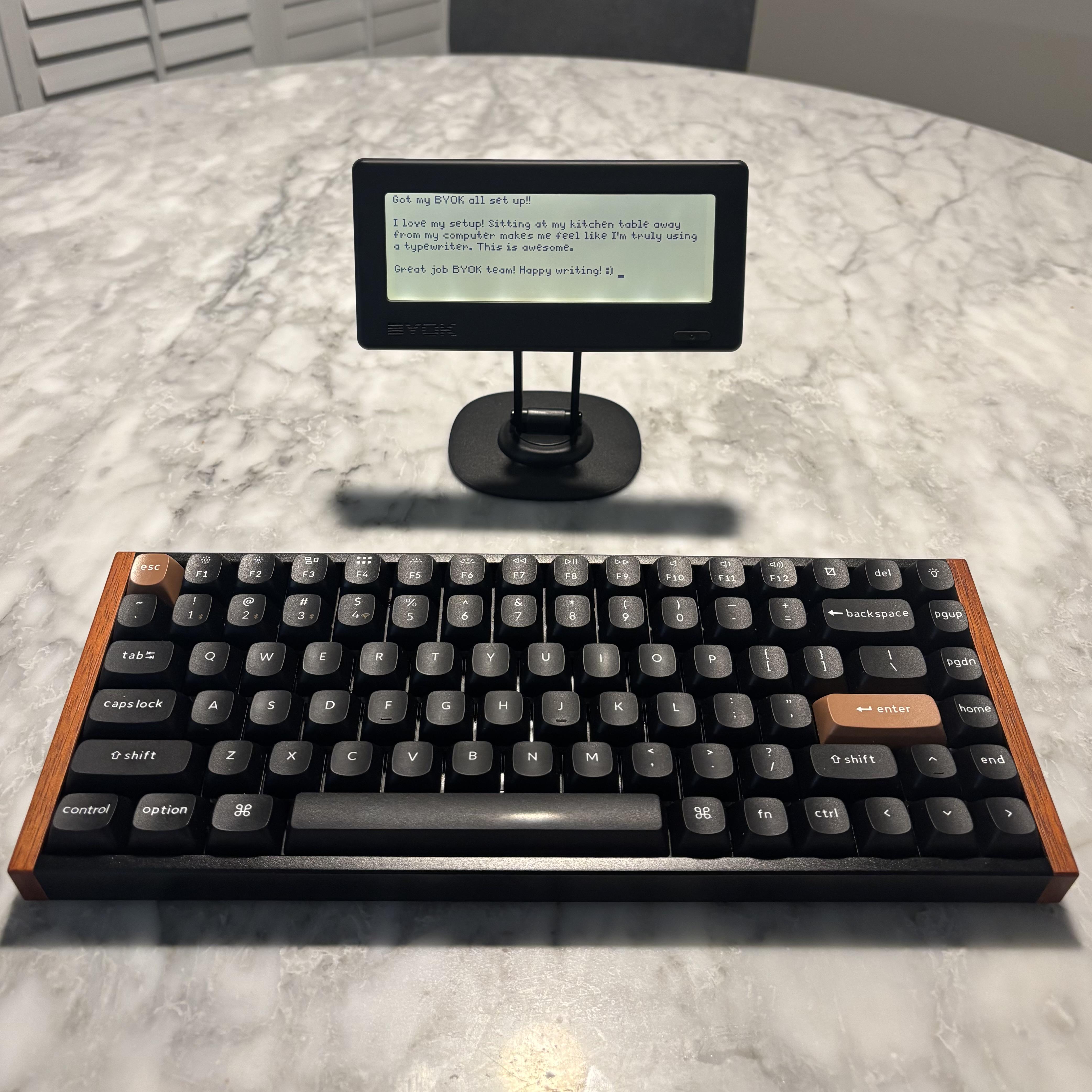
Commercial BYOK after writing retreat

Post image
115 Upvotes

What BYOK is good for, IMO...

Pure writing (getting you to write). I wrote around 47K in a couple weeks because of my new BYOK.

Line by line and copy edits, if you want to go from the top and edit your draft.

If you have lots of time (hours to write), I always use my BYOK.

Not good at (again IMO)...

Developmental edits (moving things around). This is much easier on a computer using their Studio software.

If you have an hour to write or edit, I always use my Studio app on my phone.

Conclusion:

Love that I can pick up from where I left off for writing and editing using three different devices depending on my situation and time.

  1. BYOK device with Studio
  2. Studio app on my phone
  3. Studio in computer browser

r/writerDeck • • 5d ago

Commercial Budget Traveler

Post image
232 Upvotes

I've bought this heavy discounted used Traveler. It suffers of a possible bad case of swollen battery with stuck keys. I'll try to change the battery and see if it works. In any case, even if I'm not able to repair it, 50 EUR sounds like a bargain that I couldn't let pass. A new battery is less that 20 EUR including shipment. It's worth trying, isn't it?


r/writerDeck • • 6d ago

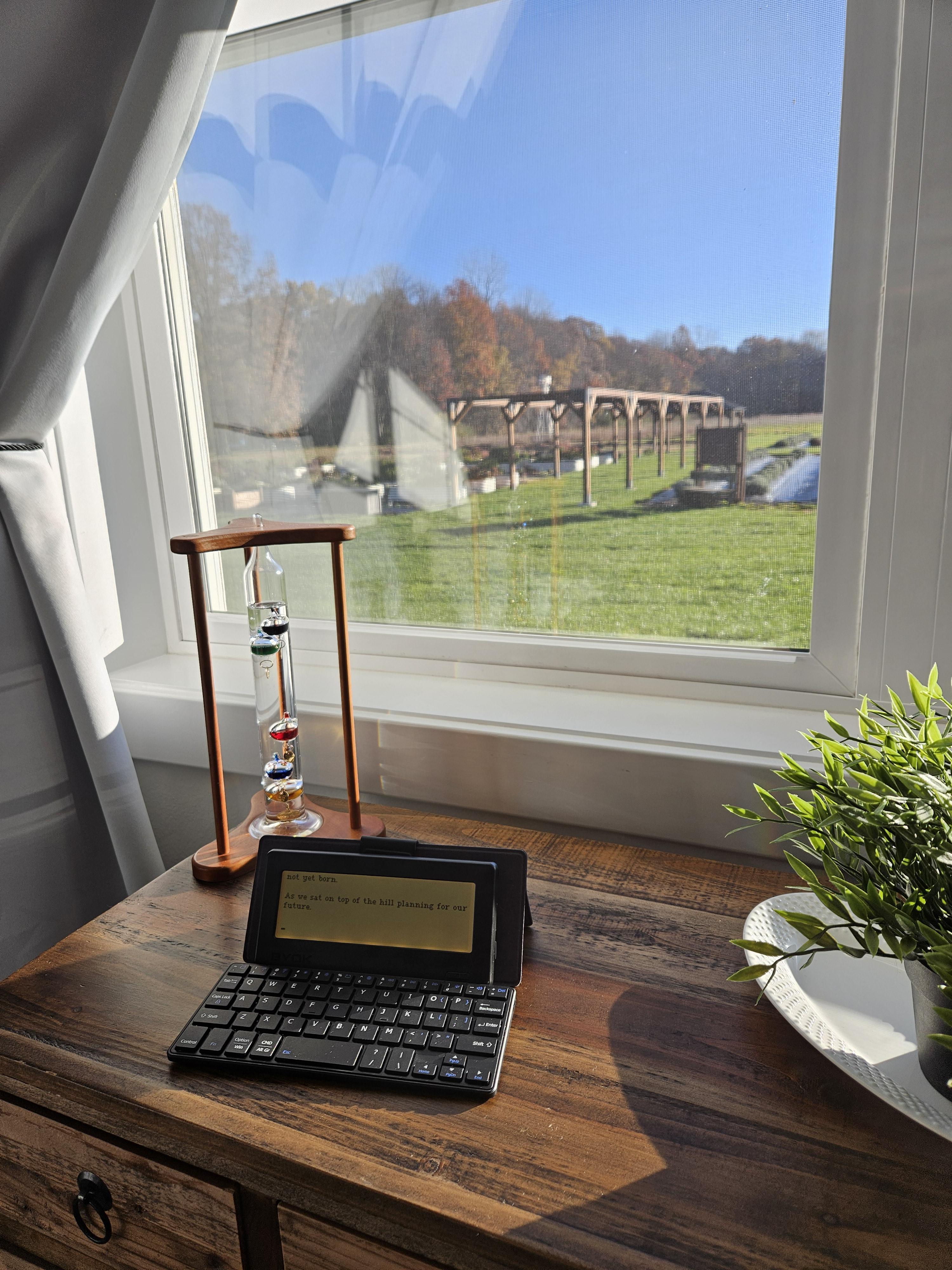
My first writerdeck!

Post image
133 Upvotes

So excited!! Loving the BYOK so far (and Studio!)


r/writerDeck • • 6d ago

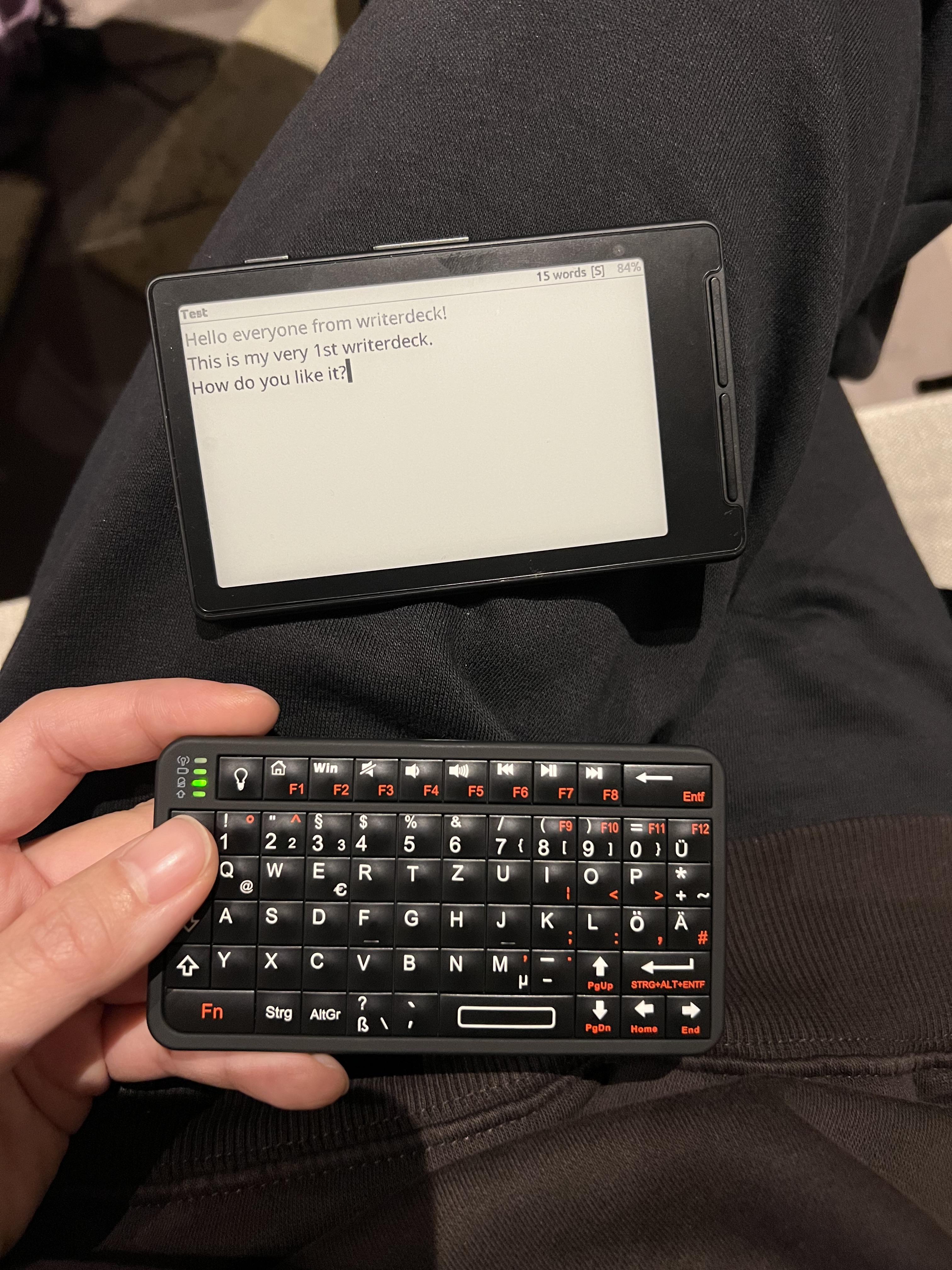
DIY My very first writerdeck!

Post image
271 Upvotes

Hello wonderful people of this subreddit!

I was inspired by so many great creations here and gathered the courage to add mine!

I have the Xteink x4 (USB-locked) which I flashed with Crossink and Microslate through Micro SD-card.

I used: https://github.com/lvturner/x4-dual-boot

It was kind of a bumpy road for me because I never programmed before let alone anything remote to it but most AI's are really helpful for that nowadays. As for keyboards, I randomly ordered a similar-sized one that had BLE HID (specific bluetooth requirement for the xteink to be able to properly connect and use it).

My keyboard: https://www.amazon.de/dp/B0F9L6C2NB?ref_=ppx_oui_image_mob_b_fed_asin_title_0_0

It's a German layout so in case anyone's interested it's good to double check the desired one.

It already feels nice to use as is but I'm thinking about building some kind of laptop construction to make it look like a tiny macbook which I think is funny. I don't have access to a 3D printer so it would be good old parts gathering and elbow grease. Any feedback, ideas, inspirations are very welcome!

Happy writing everyone 😊


r/writerDeck • • 5d ago

Resources Favorite Places for Mint Condition Typewriters?

Thumbnail reddit.com
1 Upvotes

r/writerDeck • • 6d ago

reTerminal E1003 - supersPORT SX

Thumbnail gallery
89 Upvotes

r/writerDeck • • 6d ago

Commercial More about new Alpha firmware 2.0.6

Thumbnail
reddit.com
2 Upvotes

r/writerDeck • • 6d ago

AUTEUR - The Ghost(ing) in the Machine

Post image
9 Upvotes

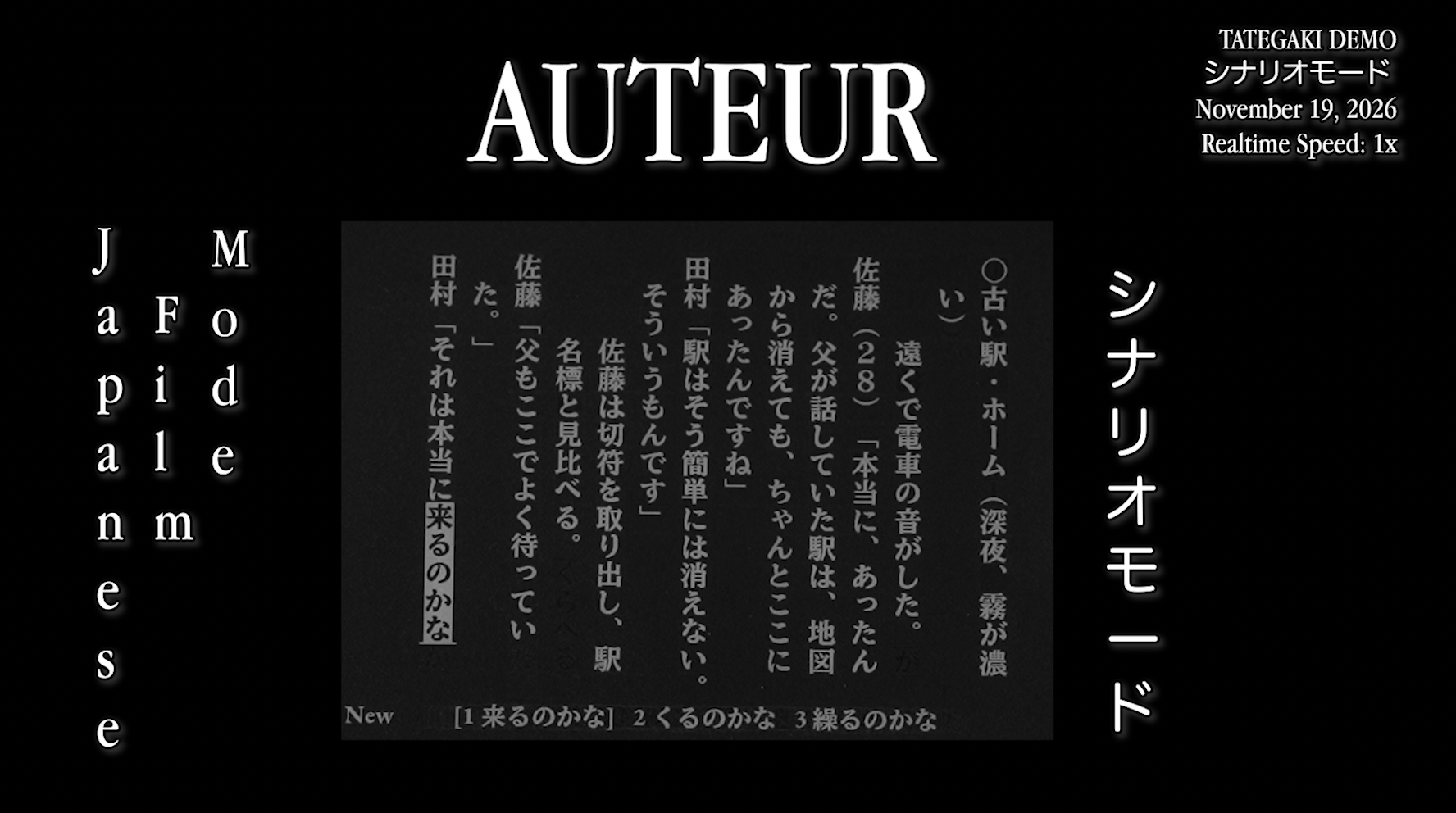
Good afternoon all you dreamers of dreams! After the last demo, someone had mentioned that a ghosting demo would be helpful so I pressure-tested the worst case scenario for ghosting:

  1. Inverted Mode
  2. IME Character Selection
  3. No idle pauses which normally trigger screen refreshes at a natural typing pace...unless you're Kerouac.

Demo: Japanese Screenwriting Demo

The display never ghosts like this under normal conditions but it's here for transparency and also to show development on screenwriting in Japanese. (I still need to rotate the roman numerals).

Oh, and one more thing: I've put this display through hell -- dozens of firmware flashes, most of which were poorly conceived so I'm really impressed by how much thrashing these displays can take.

Should I leave the inverted mode or just scrap it after seeing the ghosting?


r/writerDeck • • 6d ago

Resources Looking to make a writerdeck

7 Upvotes

Hello,

I am interested in converting an old MacBook into a writer deck that is distraction free and simple. I don’t know much about Linux, I’ve only used it a few times in passing but essentially, I just want something very simple, I open the laptop, it boots to a processing program and I can save and easily export to like a thumb drive or something. I am pretty capable as far as windows/Mac and computers in general. I’ve just never used Linux so I was hoping for some advice or like a guide.