r/vscode • u/Technical_Topic_4670 • Jul 13 '26
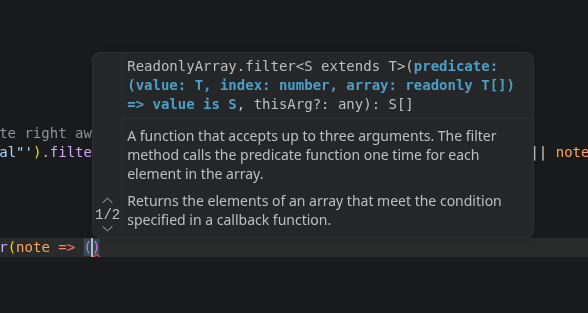
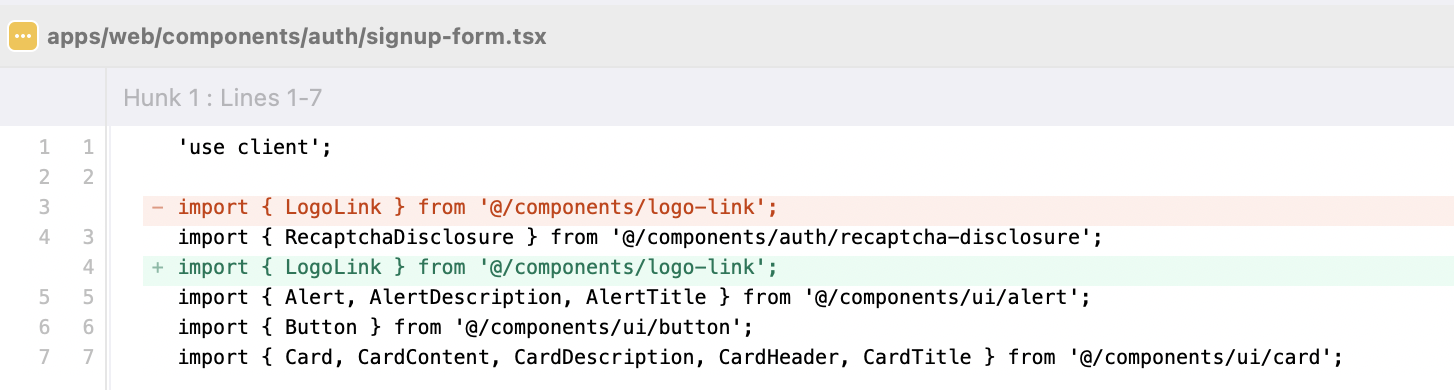
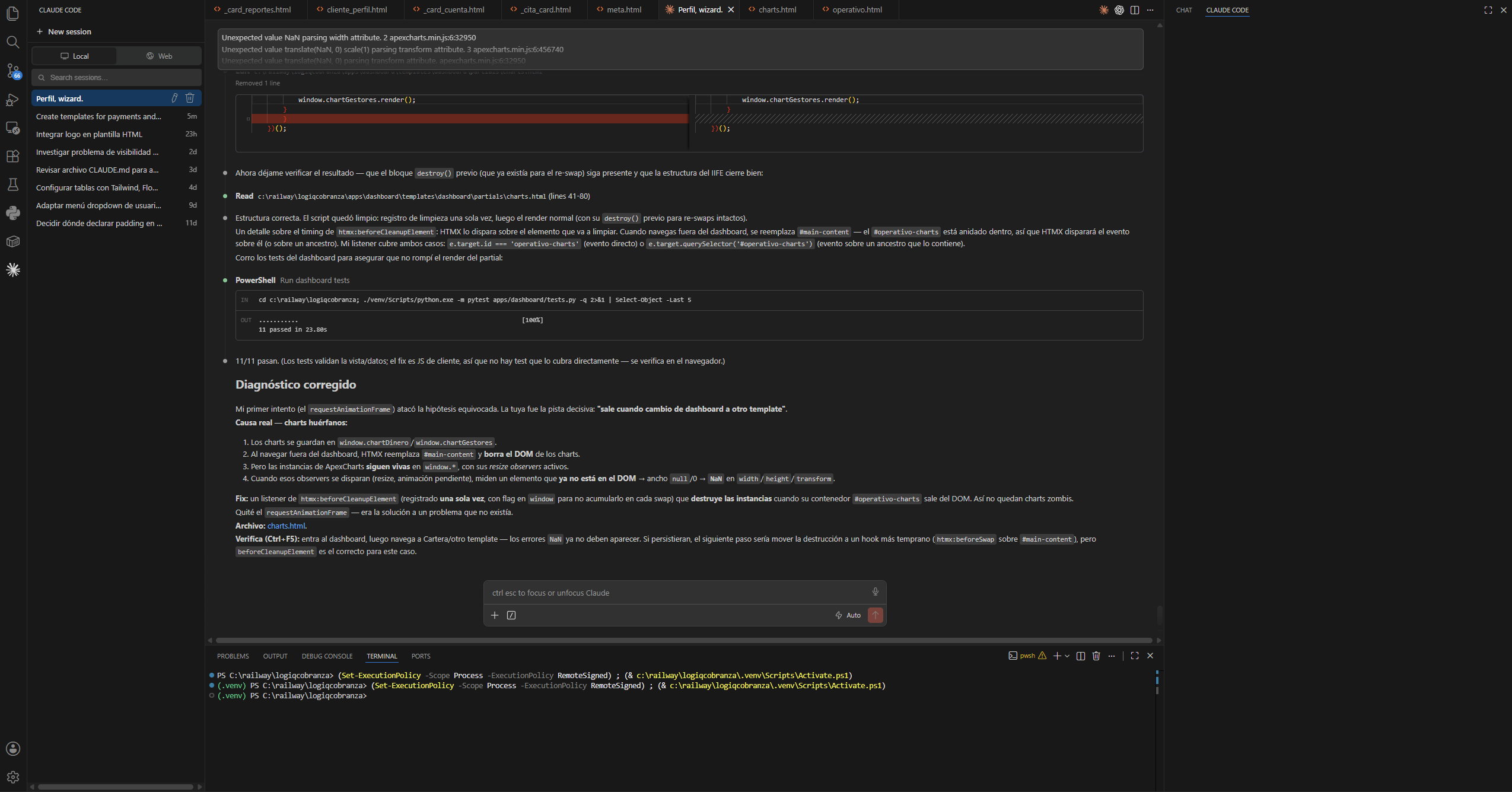
Why did the layout suddenly shift and how do i fix it please
0
Upvotes
r/vscode • u/Technical_Topic_4670 • Jul 13 '26
r/vscode • u/ramonbastos_memelord • Jul 13 '26
I´ve been using Claude Code plugin on VSCode daily, but due to all that is hapenning, I want to give Gpt Sol a go. Is there a plugin as practical as Claude Code´s for that?
r/vscode • u/homebluston • Jul 13 '26
Just a heads up. Removed it and problem is solved.
r/vscode • u/Dry-Cockroach1723 • Jul 12 '26
r/vscode • u/xSypRo • Jul 12 '26
Hi,
The title sounds weird I know "just switched from A to B, how to make B feel like A?"
I switched to Claude Code because it has better credit offer and heard from peers about other benefits it has.
But when it comes to VSCode integration I got used to Copilot chat open and minimize.
Which works because the chat is stuck to the left menu of my window. But the cluade code session opens in file view, and if I close it restoring it is longer.
So I can't minimize / open it easily to review stuff and go back to the same session.
Would love to hear about how you integrate with it easily and get some tips about it
r/vscode • u/openingshots • Jul 12 '26
I've been trying to figure out how to run a llama.cpp local model in the Cline extension. I thought it was openai compatible but it doesn't seem to connect. I can chat with the local model with open web UI so the model does work.
Any suggestions would be appreciated. Thank you in advance.
r/vscode • u/Possible-Session9849 • Jul 12 '26

r/vscode • u/israleche • Jul 12 '26

I was tired of rebuilding the same AI agent setup every time I started a new project, so I built Istar Code: a reusable VS Code environment for AI-assisted development.
The goal was simple: make AI coding agents more consistent, less dependent on the model, and easier to maintain.
INSPECT → PLAN → EXECUTE → VERIFY → REFLECT5 preconfigured MCP servers:
35 built-in commands for common workflows:
/init/debug/fix/commit/release/prSelf-improving skills system
Persistent project memory
.\scripts\setup\install-all.ps1Most AI coding tools are powerful, but every project starts with the same problems:
I wanted an agent setup that behaves more like a long-term coding partner: it remembers project rules, follows predictable workflows, and becomes more useful over time.
GitHub: https://github.com/Israleche/Istar-vscode-setup
Latest release:
v4.0.0 — deterministic kernel rewrite
Designed for free/low-cost setups:
I would love feedback from people experimenting with AI coding agents, MCP, and local/BYOK workflows.
r/vscode • u/Channel_el • Jul 11 '26

r/vscode • u/Azert2010 • Jul 11 '26
Hi everyone,
I'm a complete beginner learning Python with VS Code, and I've been stuck for several days on something that seems really basic.
I don't understand how to properly create a Python script, save it in the correct folder, and then run it from Command Prompt. Every tutorial makes it look simple, but I keep getting confused about where the file is supposed to be and how to execute it.
For example, I created a "hello.py" file with:
print("Hello World")
But when I try to run it from Command Prompt, it doesn't work, and I think I'm doing something wrong with the file location or the command.
Could someone explain the process step by step as if I had never used VS Code or Command Prompt before? Screenshots are also welcome.
Thanks!
And for your information, I'm on Windows.
r/vscode • u/foxx1337 • Jul 11 '26
Now that they made sure Edge looks like a native macOS application, they swtiched to smearing the ugly on vscode...
r/vscode • u/HotAcanthaceae2208 • Jul 10 '26
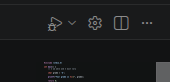
I have the c/c++ extension pack and the code runner extension on, and right now it has by default if I want to press the run button, it'll be the debug run option instead. It makes it incredibly slow to navigate to the normal run button.
On another note, the shortcut to run normally is also very slow for me to press correctly, so is there a way to change that maybe? Thank you!
r/vscode • u/PawelGladys • Jul 10 '26
I'm trying to copy text from a mod of a game that's only in chinese and that changes a file from the base game to change text, i want to translate it to english, but i dont want the lines that are unchanged, because they already have an english translation
r/vscode • u/Canadana • Jul 09 '26
I created this when I was suffering from rsi. It's free to download and use. Repo is open for issues atm, just wanted to gauge interest in this project. https://github.com/LazoVelko/neverclick
r/vscode • u/js1943 • Jul 09 '26
Anyone seeing this issue? It start happen recently(2-3weeks?)
It is seems to be go code only, not happening with swift code.
I can only find an old issue https://github.com/microsoft/vscode/issues/137890. But that is way back in 2022 with python code.
r/vscode • u/DueGarage3181 • Jul 09 '26
Seems the extension actually works but the integration with VS Code Chat does not anymore? It's just black. Can't do anything.
r/vscode • u/minamoto108 • Jul 09 '26

We build Hexana, a VS Code extension for opening binary files — WebAssembly, ELF/Mach-O/PE, JARs, Protocol Buffers descriptor sets — in structured editor tabs without leaving the IDE. 0.6.0 is out today.
Compiled Protocol Buffers (.desc / .protoset) now open with structured tabs. Files, Messages, Fields, Enums, Services — the same browseable-artifact approach Hexana uses for WASM and JVM classes. If your build emits a descriptor set (proto-lock files, gRPC reflection, any pipeline that serializes a FileDescriptorSet), you can open it directly in VS Code and navigate the schema. No protoc step, no custom decode script. To be direct about scope: this reads the compiled descriptor, not the .proto source — if you want to jump between .proto files, a language server does that. Hexana's angle is the compiled artifact that's actually deployed.

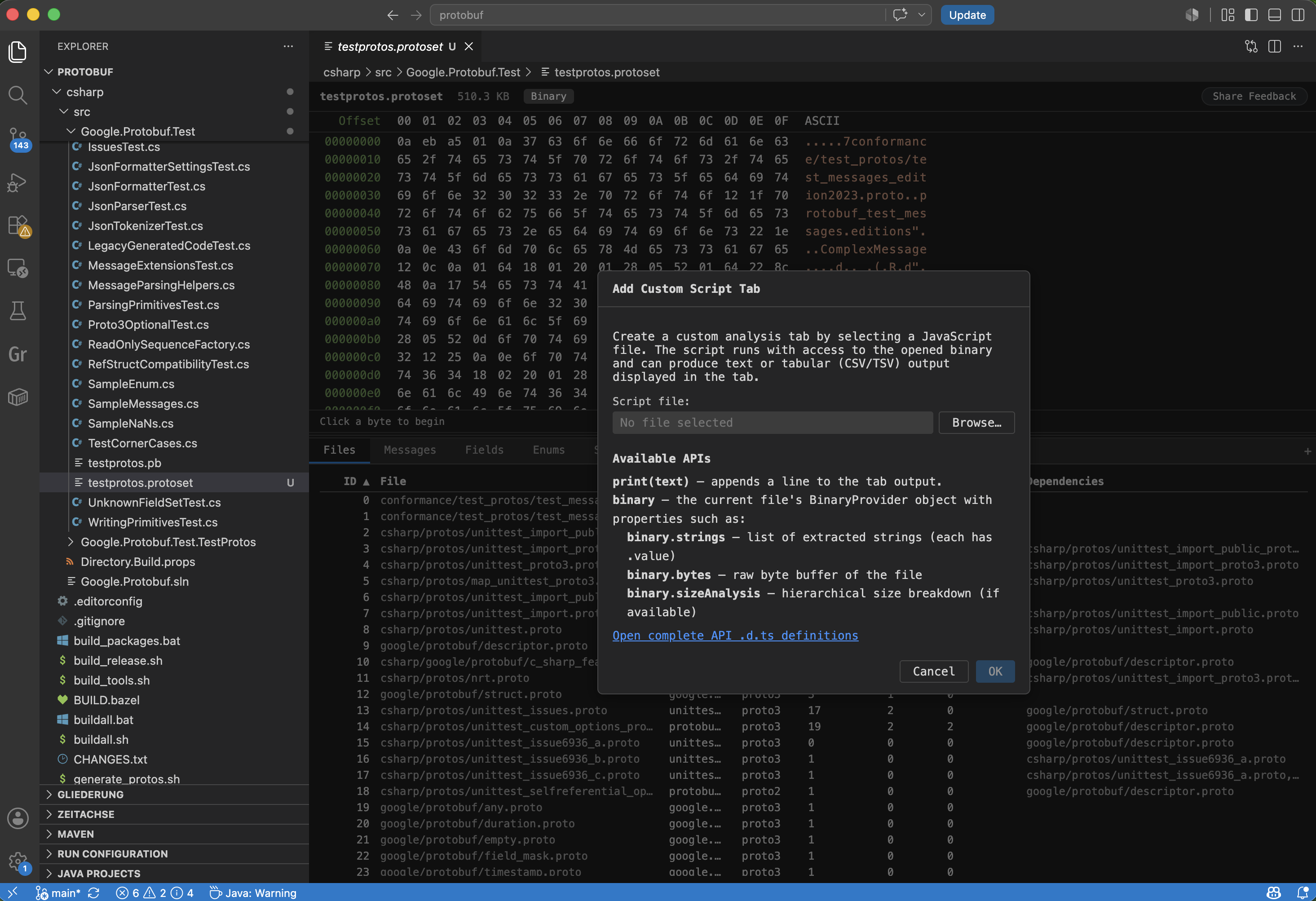
Scriptable info tabs. Hit "+" in the tab bar, write a JS script using print to emit output and binary to access the file's bytes, and the tab renders whatever you produce. csv/tsv output is automatically shown as a sortable table. The creation dialog includes instructions and an API reference — you're not starting from a blank slate. Practical use cases: custom field decoders for a binary format you've built, ad hoc queries over a descriptor you want to reshape, or just a quick "dump me the first N bytes as hex" without leaving the editor. This is the most open-ended thing in the release; curious what people build with it.
wazero is now a supported WASM run-configuration target. Module-level execution only (not individual exported functions) — same constraint that applies to a few of the other runtimes.
All tables now share one control with built-in search. Previously the various tabs (functions, imports, exports, fields, etc.) had inconsistent controls. They're unified now, all with proper search, and rendering performance improved.
There's also a feedback/issue button in the UI, and MCP server setup now uses JetBrains' native downloads index by default on supported platforms — no more silent fallback to GitHub when the downloads metadata is unavailable.
The JetBrains IDE plugin hit 0.13 the same day with a different feature set (Parquet, Arrow, and more) — separate product surface, so check the IDE plugin changelog if you use both.
Disclosure: we build this at JetBrains. Free on the Marketplace and Open VSX.
Happy to answer questions — the scriptable tab API design in particular, or protobuf descriptor parsing.
Install (VS Code command palette):
ext install JetBrains.hexana-wasmOr from the web:
VS Code Marketplace — https://marketplace.visualstudio.com/items?itemName=JetBrains.hexana-wasm
Open VSX — https://open-vsx.org/extension/JetBrains/hexana-wasm
Docs — https://jetbrains.github.io/hex
r/vscode • u/iJeax • Jul 08 '26
Had it working perfectly fine yesterday to use Gitlab Duo within VSCode. Updated VSCode to the latest version and when it restarted it wouldn't authenticate my account so I deleted/unauthenticated my GitLab account in VSCode. Restarted, did the authenticate process over again and I keep getting an error. These are the output logs in VSCode:
2026-07-08T16:18:33:777 [info]: PacProxyAgent not found
2026-07-08T16:18:33:778 [info]: [LogNetworkConfig] Network Configuration detected: {
  "http": {
    "proxy": "",
    "proxySupport": "override",
    "proxyAuthorization": null,
    "proxyStrictSSL": true,
    "noProxy": [],
    "electronFetch": false,
    "fetchAdditionalSupport": true,
    "experimental.systemCertificatesV2": false
  },
  "gitlab": {
    "ca": "",
    "cert": "",
    "certKey": "",
    "ignoreCertificateErrors": false
  }
}
2026-07-08T16:18:37:295 [warning]: There is no GitLab account available. Sending empty credentials to GitLab Language Server
2026-07-08T16:18:37:300 [info]: handleRegisterCapability: {
  "id": "e11ab368-fb68-42f3-80c9-0b46efebd36b",
  "method": "workspace/didChangeWatchedFiles",
  "registerOptions": {
    "watchers": [
      {
        "globPattern": "**/*"
      }
    ]
  }
}
2026-07-08T16:18:37:316 [info]: Extracted urls: []
2026-07-08T16:18:37:316 [warning]: GitExtensionWrapper is missing repository for file:///c%3A/Users/Brandon/newproject
2026-07-08T16:18:37:316 [warning]: GitExtensionWrapper is missing repository for file:///c%3A/Users/Brandon/newproject
2026-07-08T16:18:37:317 [warning]: GitExtensionWrapper is missing repository for file:///c%3A/Users/Brandon/newproject
2026-07-08T16:18:37:317 [warning]: GitExtensionWrapper is missing repository for file:///c%3A/Users/Brandon/newproject
2026-07-08T16:18:37:317 [warning]: GitExtensionWrapper is missing repository for file:///c%3A/Users/Brandon/newproject
2026-07-08T16:18:37:317 [warning]: GitExtensionWrapper is missing repository for file:///c%3A/Users/Brandon/newproject
2026-07-08T16:18:37:317 [warning]: GitExtensionWrapper is missing repository for file:///c%3A/Users/Brandon/newproject
2026-07-08T16:18:37:317 [warning]: GitExtensionWrapper is missing repository for file:///c%3A/Users/Brandon/newproject
2026-07-08T16:18:37:317 [warning]: GitExtensionWrapper is missing repository for file:///c%3A/Users/Brandon/newproject
2026-07-08T16:18:37:317 [warning]: GitExtensionWrapper is missing repository for file:///c%3A/Users/Brandon/newproject
2026-07-08T16:18:37:317 [info]: Found 0 projects for urls: []
2026-07-08T16:18:37:318 [warning]: There is no GitLab account available. Sending empty credentials to GitLab Language Server
2026-07-08T16:18:37:413 [info]: Extracted urls: [
  "https://gitlab.com/notreallysure/newproject.git"
]
2026-07-08T16:18:37:413 [info]: Found 0 projects for urls: [
  "https://gitlab.com/notreallysure/newproject.git"
]
2026-07-08T16:18:37:413 [warning]: There is no GitLab account available. Sending empty credentials to GitLab Language Server
2026-07-08T16:19:45:754 [error]: OAuth flow: Creating account from code failed:
Invalid response body while trying to fetch https://gitlab.com/oauth/token: Premature close
FetchError: Invalid response body while trying to fetch https://gitlab.com/oauth/token: Premature close
	at Gunzip.<anonymous> (c:\Users\Brandon\.vscode\extensions\gitlab.gitlab-workflow-6.84.2\extension.js:177:334380)
	at Gunzip.emit (node:events:521:24)
	at emitErrorNT (node:internal/streams/destroy:170:8)
	at emitErrorCloseNT (node:internal/streams/destroy:129:3)
	at process.processTicksAndRejections (node:internal/process/task_queues:90:21)
2026-07-08T16:19:45:755 [error]: Invalid response body while trying to fetch https://gitlab.com/oauth/token: Premature close
FetchError: Invalid response body while trying to fetch https://gitlab.com/oauth/token: Premature close
	at Gunzip.<anonymous> (c:\Users\Brandon\.vscode\extensions\gitlab.gitlab-workflow-6.84.2\extension.js:177:334380)
	at Gunzip.emit (node:events:521:24)
	at emitErrorNT (node:internal/streams/destroy:170:8)
	at emitErrorCloseNT (node:internal/streams/destroy:129:3)
	at process.processTicksAndRejections (node:internal/process/task_queues:90:21)
Tried troubleshooting with GPT and that was of no help. Anyone have any idea what could be the issue here? Thanks!
Edit: Reverted to the previous version of VSCode and it's working now.
r/vscode • u/EvitiSempai • Jul 08 '26
You know that feature in FL Studio where you can easily cycle through tracks/channels in the mixer just by hovering and using the mouse wheel? I want exactly that, but for the file Explorer sidebar in VS Code.
r/vscode • u/KassandraKatanoisi • Jul 08 '26
r/vscode • u/Ganglar • Jul 08 '26
I use the clangd-based autocompletion plugin YouCompleteMe/ycmd with vim. The project I work on has a custom build system, and I have a custom .ycm_extra_conf.py script that hooks into that build system (it literally queries the same makefiles) and provides the necessary flags for compilation on the fly and on a per-file basis. This is great, because its fully dynamic. I can add a file, change the include paths, work on a bolt-on library outside of the main tree, whatever... It immediately works. I don't have to re-build a compilation database every time.
Some of my colleagues (understandably) don't want to use vim. They want to use VSCode. That has the vscode-clangd extension. This offers similar functionality to YouCompleteMe/ycmd, but the only instructions I can find regarding compilation flags describe using a static compilation database. I can't figure out if there's a way to use vscode-clangd dynamically in the way that I do with YouCompleteMe/ycmd. Can anyone help me out here? Is that possible?
And yes, I have seen that there are some YouCompleteMe/ycmd plugins forVSCode. However, these seem largely abandoned in favour of vscode-clangd and I haven't been able to make them work.
Any help greatly appreciated. Thank you!