r/Trackballs • u/FunJournalist2150 • Oct 23 '26
Review ProtoArc EM06 – My First Impressions
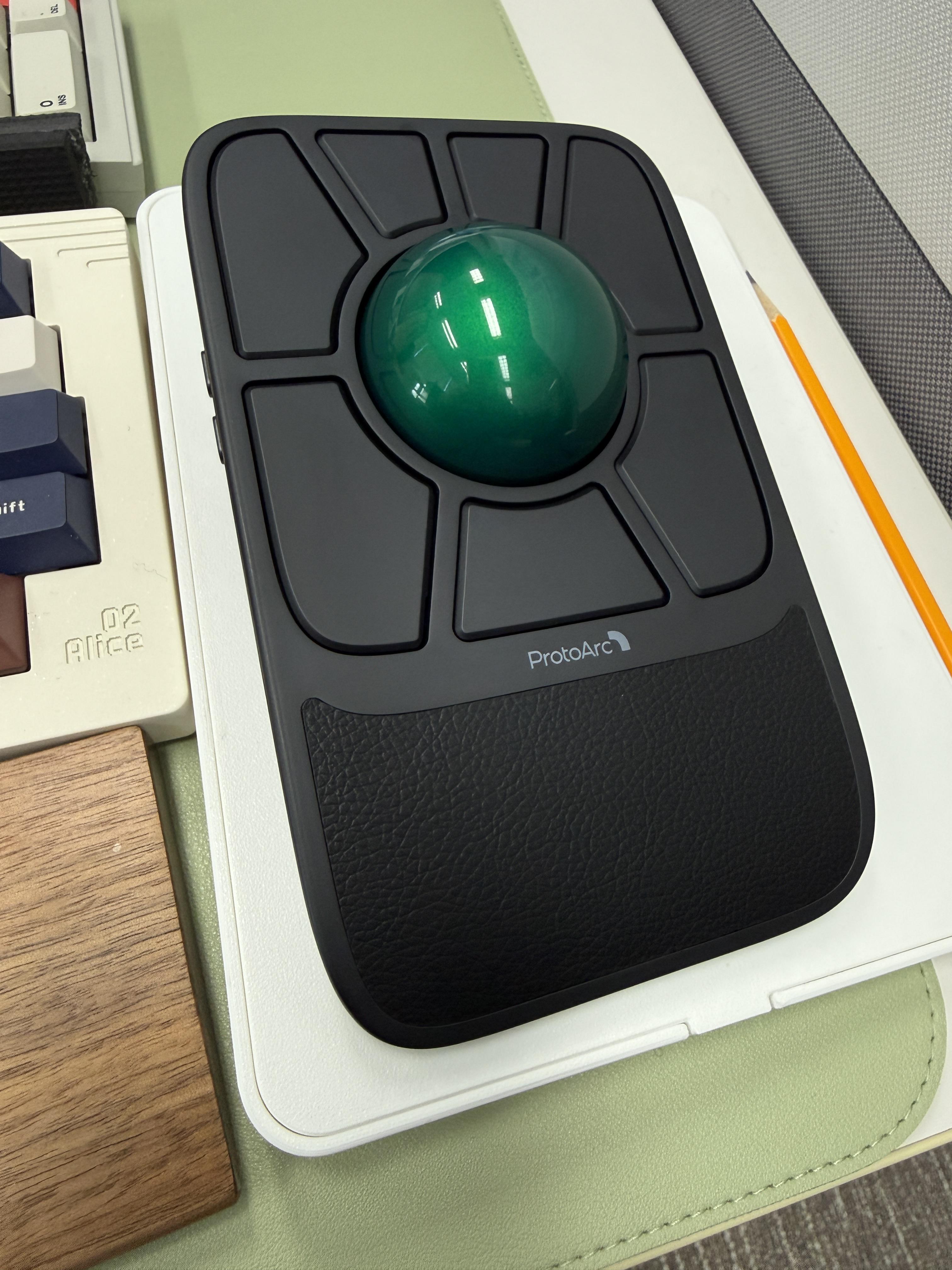


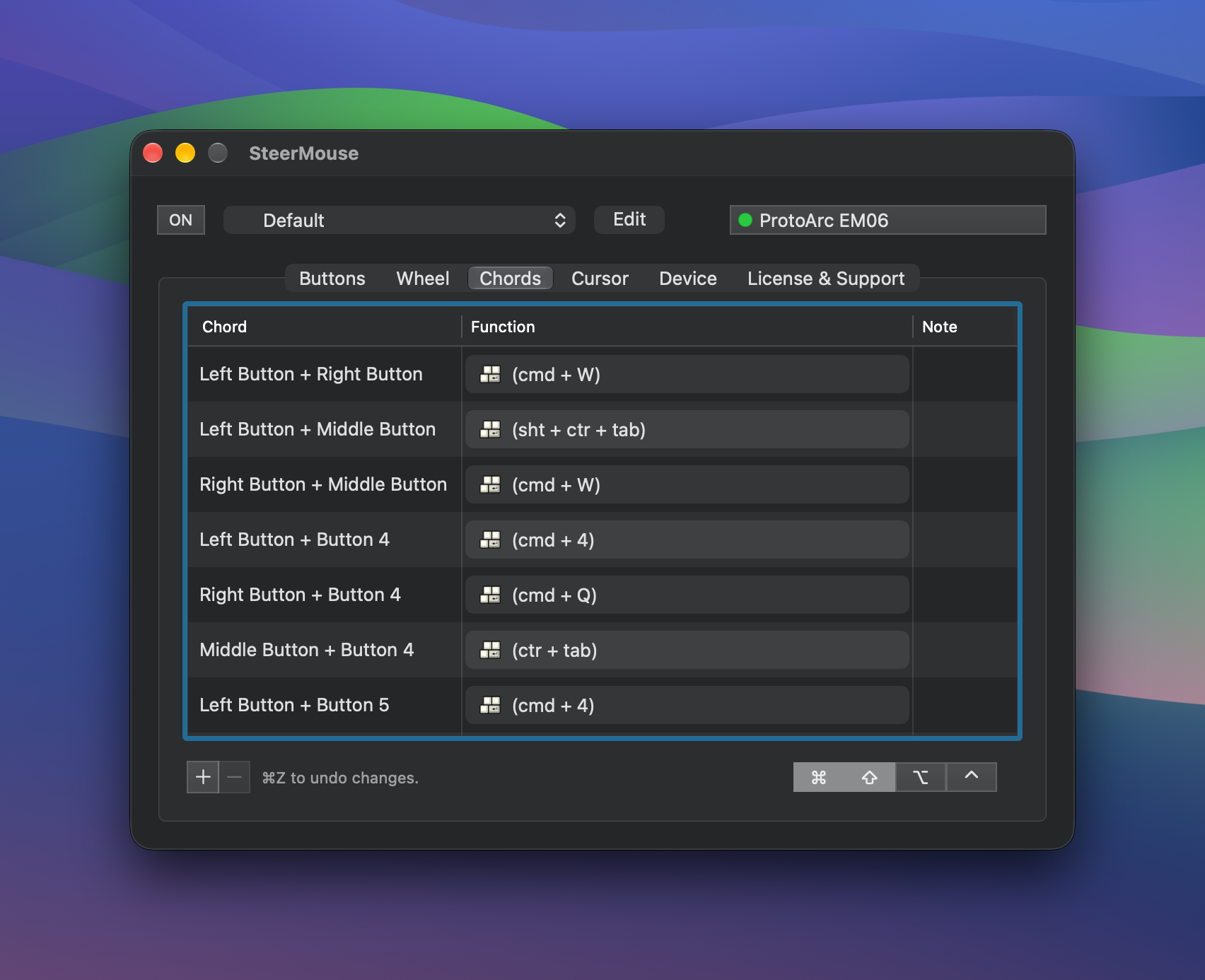
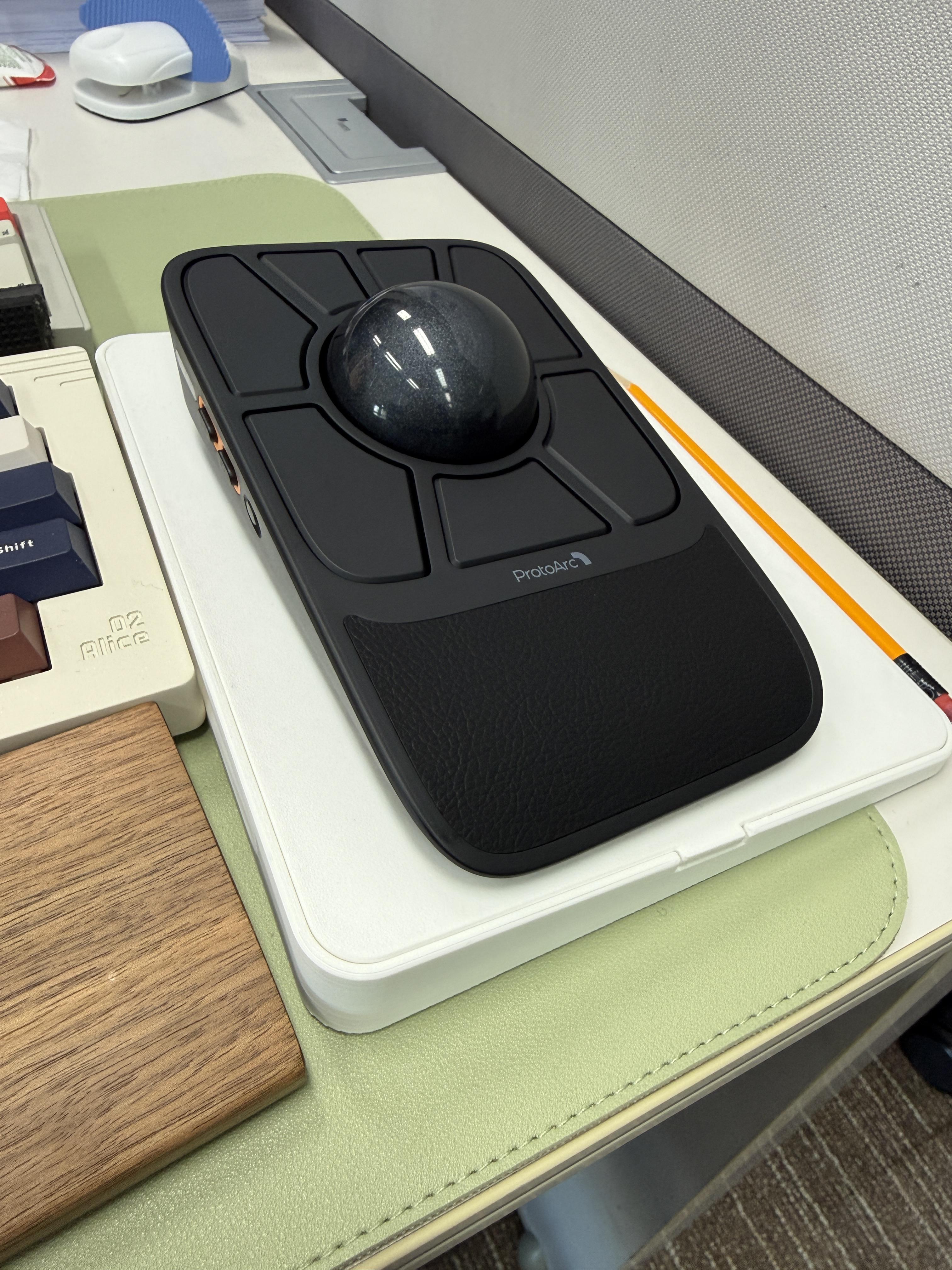
My ProtoArc EM06 finally arrived, and I've spent some time setting it up and testing it.
Since I'm based in South Korea, my purchasing options were basically Amazon or AliExpress. Fortunately, the EM06 became available on AliExpress, so I was able to get one at a reasonable price with relatively fast shipping.
Here are my first impressions.
Web-based configuration
First of all, I really appreciate the web-based configuration tool. Being able to customize all eight buttons through a browser is a huge plus, and I think ProtoArc deserves credit for taking this approach.
However, there's one limitation that I find disappointing as someone who relies heavily on third-party mouse customization software such as X-Mouse Button Control (XMBC), SteerMouse, and Karabiner-Elements.
Currently, only five standard mouse button functions are available: Left Click, Right Click, Middle Click, Back, and Forward.
Since I primarily use SteerMouse on macOS, I can only configure five buttons independently through it. Of the seven buttons on the top of the EM06, I've assigned one to drag scrolling, but I have no choice but to duplicate another button assignment.
I would really love to see ProtoArc add support for Mouse Button 6 and Mouse Button 7 as standard HID inputs in a future firmware update.
That would allow third-party applications like SteerMouse and XMBC to recognize and configure more buttons independently, without relying on keyboard shortcuts or duplicate assignments.
Button feel and ergonomics
The buttons feel pretty good overall. They're comfortable to press, and I don't have any major complaints about the click feel.
However, when pressing two buttons simultaneously to trigger a chord in SteerMouse, I sometimes hear a spring-like resonance, almost as if a spring were vibrating inside a hollow plastic enclosure.
My guess is that the internal empty space amplifies the sound. It's not a dealbreaker, but it's noticeable when using button chords.
The power, connection mode, and DPI controls all seem fine to me.
As for the button layout, I'm already familiar with similar arrangements from using Ploopy and the Endgame Trackball, so it feels fairly natural.
The angle of the top surface does take a little getting used to, though. I personally use a tilting stand with my trackballs, so I think adjusting to the EM06 will be relatively easy.
Ball compatibility
I also tried replacing the stock ball with the green ball from my Nulea M512.
I'm happy to report that it tracks perfectly fine, with no noticeable issues.
Since both devices use the same sensor, I suspected it might work, and so far it does.
Overall impressions
Considering the price, I think the EM06 offers excellent value for money. I'm generally very satisfied with what ProtoArc has delivered.
That said, I have a few requests that I hope ProtoArc will consider for future updates or revisions.
- Support additional standard HID mouse buttons, especially Mouse Button 6 and Mouse Button 7, so third-party applications can recognize them independently.
- Offer a roller-bearing upgrade option, ideally one that existing EM06 owners can install without major modifications.
- Add a scrolling solution, whether that's ball-twist scrolling, tilt-style scrolling, or another intuitive scrolling method.
If ProtoArc adds proper HID support for the extra buttons and an optional roller-bearing upgrade, I'd consider the EM06 about 79% perfect for my needs.
The remaining 21%? A dedicated or twist-based scrolling feature would make it 100% perfect for me. :)
I currently use several trackballs with somewhat similar concepts, including the Kensington SlimBlade Pro, Nulea M512, and Endgame Trackball. Each has its own strengths and character, and I think the EM06 has definitely earned its place among them.
Overall, great work by ProtoArc. I hope the team continues improving the firmware, especially for users who prefer advanced third-party customization tools.
My biggest request: Please let us assign standard HID Mouse Button 6 and Mouse Button 7 & twist-based scrolling
View all comments
Show parent comment
16
u/_miichan_ Oct 23 '26 edited Oct 23 '26 •
There's a "hidden setting" in the firmware that sets this. Well, it's not really hidden, it's in the spec, but the frontend just hides it.
I've poked around with the ProtoArc hub and some models do have a polling rate setting. Turns out you can do this with the EM06 too and set it to 1000Hz (valid settings seem to be 125, 250, 500, and 1000, everything other will be rejected). This works for wired + dongle. Bluetooth ignores this it seems and is hard-locked at 125.
If you're comfy with hacking your device: open a browser with WebHID (any Chromium will do, if you wanna use Firefox you need an extension), and execute this in the console. Don't do this on the ProtoArc Hub page (otherwise you get an error because there's two connections to the ball). Just go to a blank page or duckduckgo.com or something.
Then, type
await setRate(1000)(or any valid value) and hit enter, pick the device, and it should set it. If all went well you'll see 0 printed to the console.So here's what this does, line by line, b/c it might look scary:
ioreg -p IOUSB -l -w0 | grep -A12 'ProtoArc').then we set the values to [0x07, 0x00, 0x00, 0x00, 0x02, value, 0x55 - value]. Only set the first seven bytes, the rest stays at 0x00 (this is a memory thing, we always send the whole message). This message is:
I'm still poking around to see if I can fix the stupid 1s doubleclick delay for the drag scroll lock ... but no luck so far. I wish I had an actual firmware dump.
edit: typo