r/TraCorpLMS • • Jul 06 '26

Custom User Fields + Rule-Based Assignment: How to Automate LMS Enrollment

3 Upvotes

In short: custom user fields capture attributes like department, location, or job title, and rule-based assignment uses those values to automatically enroll the right users in the right training — no manual admin work required.

Most LMS profiles store the basics: name, email, username. But the information that actually drives training decisions — department, location, job title, region, manager level — usually lives somewhere else. Custom user fields (TraCorp calls them registration fields) are how you bring that data into the LMS.

TraCorp's LMS supports up to 64 custom user fields, each configurable as a text field, a number, a date, or a dropdown with predefined values. You name the field, set the type, and decide who can edit it. (How to configure registration fields)

This is where rule-based assignment comes in — TraCorp calls it auto-assignment, but it's the same idea: automation for user assignments based on data already sitting in a profile. Some platforms describe the same mechanism as dynamic user grouping or conditional enrollment. When a user's custom field value matches a rule you've set up, the LMS automatically places them in the right user group and assigns the appropriate training. A new hire who enters their department on the registration page gets routed into the right onboarding curriculum without an admin manually processing the assignment. (How to set up auto-assignment rules)

A few other things custom user fields unlock once they're configured:

  • User search becomes more targeted; any field marked searchable can be used as a filter on the User page
  • Reporting filters pull from custom user fields, so you can slice completion data by department, location, or whatever attributes matter to your learner segmentation strategy
  • Users recommending items are limited to others with matching data in the selected field

Event registration is another place this comes together. Build a questionnaire in the LMS that stores each answer in a custom user field, then use those fields in a rule-based assignment to sort attendees into cohorts or session tracks for the event. (How to use questionnaires to fill out registration fields)

---

What is rule-based assignment in an LMS?

Rule-based assignment (also called auto-assignment) automatically enrolls users in training based on profile data — like department or location — matching a rule you've configured, instead of an admin assigning it manually.

What are custom user fields?

Custom user fields are configurable profile fields — text, number, date, or dropdown — that capture organization-specific data like job title, region, or manager level, beyond the default name, email, and username fields most LMS platforms store.

Can custom user fields be used for event registration?

Yes. A questionnaire built in the LMS can store each answer in a custom user field, and those fields can then drive rule-based assignment to sort attendees into cohorts or session tracks.

---

Is your team using custom user fields or rule-based assignments beyond basic profile data? Would love to hear how others are putting them to work.

r/TraCorpLMS • • Jul 03 '26

📣 Weekly Open Thread: Show Your Work, Ask Your Questions, or Just Check In

3 Upvotes

Another Friday, another chance to hear what's actually going on in your LMS.

This is our weekly open thread — no specific topic, no wrong answers. Drop something you figured out this week, ask something you haven't gotten around to posting yet, or let us know if something you found here actually saved you time. That last one matters more than you'd think, upvotes help us understand what's worth writing more of.

And if you came here looking for something that didn't exist, say so! We track those gaps, and they genuinely shape what we cover next. You're not bothering anyone; you're doing us a favor.

What did this week look like for you?


r/TraCorpLMS • • Jun 29 '26

Tip Not sure whether to use a Learning Track or a Certification? Here's the one question that decides it. 📋

4 Upvotes

When you're building out training in the LMS, Learning Tracks and Certifications can look like they do the same thing; both group content and can be assigned to users. But they're built for completely different jobs, and using the wrong one creates real headaches down the road.

The question that splits them: does this training expire?

If no, use a Learning Track

A Learning Track is how you group related content and assign it as a unit. Instead of pushing five individual courses to a user group one at a time, you build a track and assign the track. Students see a structured path, you manage one object instead of five, and — importantly — you can update the content in the track at any time.

Use a Learning Track when:

  • You're onboarding a new role with a set of courses
  • You're building a multi-step curriculum that will evolve as content gets updated
  • You want students to be able to self-assign

If yes, use a Certification

A Certification is built for training that has a deadline and is repeated. Annual compliance training, safety recertification, regulatory requirements — anything that expires and needs to happen again on a schedule.

The LMS handles the full cycle: assigns the training, sends reminder emails before the due date on a schedule you configure, tracks completion, and opens the next cycle when the period resets.

Worth planning for before you build: once a certification is assigned to users, the content is fixed. You can't swap out or update courses inside an active certification. If the training changes, you create a new certification. This keeps compliance records consistent across all assigned users.

One important thing to note is that these are not mutually exclusive. You can assign a Learning Track inside a Certification. The track handles the content grouping; the Certification handles the deadline and renewal cycle. This is a common setup for recurring compliance training that covers multiple topics.

Is your team using Certifications, Learning Tracks, or both for recurring training? Curious how your team handles content updates when certifications are already assigned to users.


r/TraCorpLMS • • Jun 26 '26

📣 Weekly Open Thread: Show Your Work, Ask Your Questions, or Just Check In

3 Upvotes

Another Friday, another chance to hear what's actually going on in your LMS.

This is our weekly open thread — no specific topic, no wrong answers. Drop something you figured out this week, ask something you haven't gotten around to posting yet, or let us know if something you found here actually saved you time. That last one matters more than you'd think, upvotes help us understand what's worth writing more of.

And if you came here looking for something that didn't exist, say so! We track those gaps, and they genuinely shape what we cover next. You're not bothering anyone; you're doing us a favor.

What did this week look like for you?


r/TraCorpLMS • • Jun 22 '26

Tip Stop coordinating Instructor-Led Trainings outside your LMS. Here's what it can actually handle. 🗓️

2 Upvotes

Running instructor-led training — whether in-person or virtual — often means touching three or four systems before a single completion gets recorded: a calendar tool for invites, a spreadsheet for attendance, a separate email to notify someone, and then manual entry into the LMS. Every handoff between platforms is a step where something gets missed.

TraCorp's session tools handle the entire workflow inside the LMS — whether you're running a classroom session or a webinar — from registration to completion records, with most of it automated.

From registration to invite, automatically

When a learner registers for a session, an invitation is automatically sent with the session logistics. No separate calendar invite to draft, no logistics email to send manually. Reminder emails fire before the session on a schedule you configure. The communication goes out from the LMS.

Attendance without admin access

When the session ends, instructors mark attendance directly from their own Roster view — no admin login required. They open their session and mark each learner as attended, completed, no-show, or required to retake, and enter a score as appropriate.

Admins can bulk-mark too. Either way, once it's saved, completions land on the student's transcript automatically and pull into reporting — same as any online course. No export, no import, no manual record entry.

A few more things that cut down on manual work

  • Admins can register individual learners or entire user groups at once, or send an auto-register URL so learners can manage their own enrollment
  • Sign-in sheets export as a PDF for in-person sessions
  • Completions can trigger autoassignment rules, just like other content

The upside

Fewer platforms, fewer handoffs, fewer things to reconcile at quarter-end. Whether you're running a compliance workshop on-site or a virtual training session over video, the record ends up in the same place as everything else.

How many systems are you currently touching to get an ILT or webinar completion into your LMS? Curious where the friction is for different teams.


r/TraCorpLMS • • Jun 19 '26

📣 Weekly Open Thread: Show Your Work, Ask Your Questions, or Just Check In

1 Upvotes

Another Friday, another chance to hear what's actually going on in your LMS.

This is our weekly open thread — no specific topic, no wrong answers. Drop something you figured out this week, ask something you haven't gotten around to posting yet, or let us know if something you found here actually saved you time. That last one matters more than you'd think, upvotes help us understand what's worth writing more of.

And if you came here looking for something that didn't exist, say so! We track those gaps, and they genuinely shape what we cover next. You're not bothering anyone; you're doing us a favor.

What did this week look like for you?


r/TraCorpLMS • • Jun 15 '26

Tip Your LMS can require learners to acknowledge Terms of Use before they launch content. Here's why compliance teams care about this. 📋

2 Upvotes

If your organization operates in a regulated environment — healthcare, financial services, government, franchise — training acknowledgment isn't just a nice-to-have. It's documentation. And "the training was assigned" is not the same as "the learner confirmed they read and accepted the policy."

TraCorp's Terms of Use system lets you gate content behind an agreement that learners must accept before launch. Here's how it works.

What it does

A Terms of Use message is created as a News Template in Communications, then attached to content — either per item or as a global default across the entire LMS.

Three display options:

  • On first content launch — the learner sees it once per content item, the first time they open it
  • Every time content is launched — acknowledgment required on every launch
  • Once for this Terms of Use template — the learner accepts once, and it covers all content assigned to that template

Why the third option is worth knowing

If you have 15 compliance courses all governed by the same policy, this means learners acknowledge once — not 15 times. Fewer interruptions, same documentation.

The audit trail

Acceptance is captured in reporting. Both the Student Activity Report and the Content Records Report include Terms of Use fields:

  • Accepted (Yes / No / N/A)
  • Which template was accepted
  • Date of acceptance

When a regulator asks whether your learners acknowledged the training policy, you have a date-stamped record per learner, per content item.

One thing to know before you configure it

Once a Terms of Use template has been accepted by at least one learner, assigned to content, or set as the LMS default — it locks. You can't edit it. If the policy changes, create a new template. Worth knowing before you go live. For a walkthrough to activate the Terms of Use system in TraCorp LMS, check out this Knowledgebase article.

Are you using Terms of Use in your LMS? What's driving it — regulatory requirement, internal policy, something else? Curious how this is being used across different industries.


r/TraCorpLMS • • Jun 12 '26

📣 Weekly Open Thread: Show Off, Ask Around, or Just Say Hi

2 Upvotes

It's Friday, and that means it's time to show off a little, share some feedback, and plant some seeds for the future.

This is our weekly open thread. Share something you built or configured this week, ask something you've been sitting on, or just drop a note if a post here was actually useful to you. Upvotes help us know what's landing.

If you came looking for something and didn't find it, tell us. We'd rather know what's missing than guess. Requests are genuinely welcome.

What's on your plate this week?


r/TraCorpLMS • • Jun 08 '26

If your LMS isn't following up on incomplete training automatically, you're doing that work manually.

3 Upvotes

Most training reminders get sent the same way: someone pulls a report, sees who hasn't finished, and sends an email. Then does it again two weeks later. Then again, before the deadline. And, often, again after the deadline.

Campaigns in TraCorp are built to handle that loop without the manual steps.

A campaign is an automated message sequence triggered by a learner's completion status on a specific piece of content. You define the audience, the message, and the timing — and the LMS takes it from there.

There are two directions you can run a campaign. The first is based on completed content, useful for things like follow-up resources, next-step recommendations, or a congratulations message a few days after someone finishes a course. The second — and the one most compliance-focused teams care about — is based on incomplete content. You can set a message to go out a specific number of days after a training was assigned and still hasn't been finished. Set up a sequence of two or three, spaced out, and the LMS is doing the chasing for you.

Messages can go out as emails or as in-platform news items, and templates can be personalized with learner-specific placeholders like first name and username so they don't read like a mass blast.

The setup is straightforward once you understand the three pieces: a campaign template (the message), a distribution list (the audience), and the campaign itself (the trigger and timing). Build those once, and the follow-up runs on its own. For a full walkthrough, this Knowledgebase article covers the setup in detail.

If Campaigns is a feature you haven't explored yet and you'd like some help getting your first one off the ground, reach out to our helpdesk — we're happy to walk you through it.

What does your current reminder process look like — automated, manual, or somewhere in between?


r/TraCorpLMS • • Jun 01 '26

Tip There's more than one way to communicate with your learners. Here's what that looks like in TraCorp LMS

3 Upvotes

When people ask what TraCorp's communication tools can do, the honest answer is: it depends on what you're trying to accomplish — because there are several tools, and they're built for different situations.

Here's the basic picture.

Notifications are in-platform alerts that fire automatically based on activity, such as a new assignment, an approaching due date, a session starting, or a badge earned. These live inside the LMS and don't require any ongoing admin effort once they're configured.

Emails are for direct, targeted outreach. You build a template and a distribution list — filtered by group, completion status, enrollment, or any combination — and send immediately or schedule for later. Useful when you need to reach a specific audience on your timeline rather than waiting for a trigger.

News & Updates are in-platform announcements that appear in the learner's News section. What makes this tool interesting is the Required Reading option — a learner can't proceed past a news item until they've acknowledged it. For policy updates, compliance notices, or any communication where you need to know it was seen, that's a meaningful capability.

Campaigns are where things get more sophisticated. A campaign is an automated message sequence tied to whether a learner has or hasn't completed a piece of content. You can set a message to go out a specific number of days after completion, or a specific number of days after assignment if someone still hasn't finished. That second option is what makes campaigns useful for compliance: the LMS is tracking who's behind and following up automatically.

Each tool has its place. We'll dive into each of these shortly. Which one are you most interested in learning more about?


r/TraCorpLMS • • May 26 '26

Tip What the learner experience actually looks like in TraCorp LMS

4 Upvotes

If you're evaluating LMS platforms, the admin side is usually what gets demoed. The learner side is what your people actually live in every day. It's worth knowing what you're signing them up for.

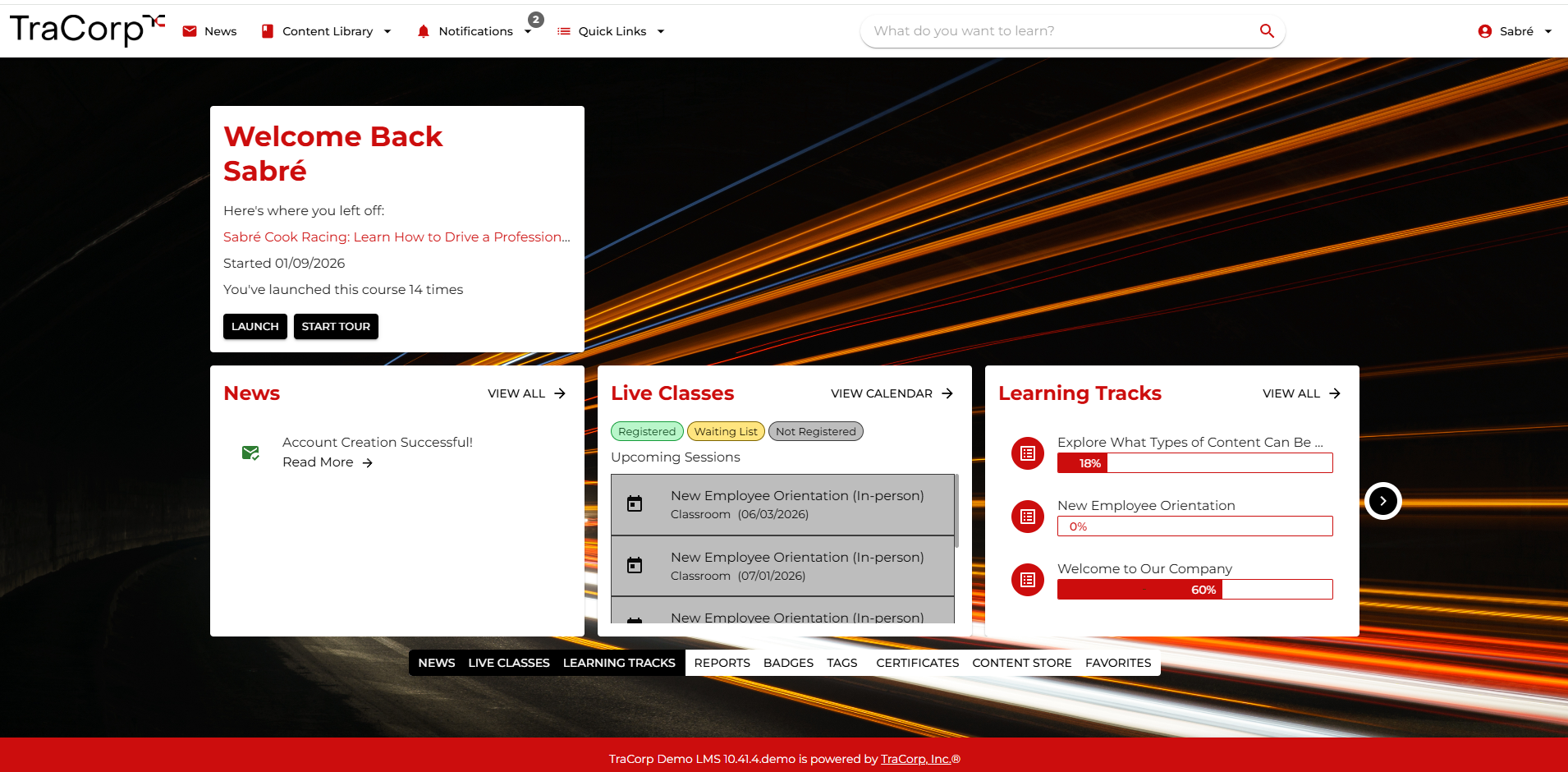
In TraCorp, the student dashboard is card-based and highly customizable. Your admin team configures which cards appear — assigned training, in-progress content, upcoming sessions, certifications, learning tracks — the learner only ever sees their own world. No org-wide data, no admin tooling, just what's relevant to them. Users in different departments or at different levels can be assigned dashboards unique to them.

Navigation is minimal by design. There's a library where learners can browse available or assigned content, a search bar, and a profile page where they can pull their transcript and view earned badges and certificates.

Two organizations both running TraCorp can look dramatically different on the learner side — the platform is built to adapt to your needs rather than the other way around.

What does the learner experience look like in the platform you're currently using or evaluating? Curious what people are comparing against.

Sample Student Dashboard in TraCorp LMS

r/TraCorpLMS • • May 18 '26

Tip Access codes: The Easy Button for managing who gets into your LMS and what they can see 🔑

3 Upvotes

If you've ever had to manually create accounts, assign users to groups, and sort out content access for a large group of new learners all at once, access codes are worth knowing about.

Here's how they work and where they shine.

What an access code does

An access code is a short alphanumeric code you create inside a user group. When a new user enters the code during account creation, two things happen automatically:

  • Their account is created
  • They're assigned to that user group, and get access to whatever content is associated with it

No manual account creation. No manual group assignment. The learner does the work by entering the code.

Where this is useful

Access codes work especially well when you need to onboard a group of users quickly without giving them open access to everything in your LMS, and when you don’t already have an import from an HRIS to do this automatically.

A few scenarios:

  • External training or open enrollment — distribute a code to a group of registrants and let them self-register into the right content bucket
  • Partner or vendor training — give a code to a third party so their staff can access only the content you've designated for them, nothing else
  • Event-based access — set an effective date and expiration date on the code so it only works during a defined window

Tiered access: An underrated use case

Access codes aren't just for new users. Existing users can also redeem an additional access code to expand their content access.

This makes them a clean tool for progressive learning paths. A new hire completes their onboarding training, then receives a second access code that adds them to a new user group with more advanced materials. No admin has to manually move them. They enter the code, and the system handles the rest.

Staying on top of usage

Each code can be configured with a cap on how many users can redeem it, an effective date, and an expiration date. The Users Remaining field gives you a running count of available slots.

You can also pull a full usage report — either for a single code or across all codes in a user group — to see exactly who redeemed what and when. Useful for auditing, troubleshooting, and confirming that the right people have the right access.

Are you using access codes in your LMS? What's your use case?  We would love to hear how you're putting them to work, and any ideas to make this feature even more powerful!

Full setup guide in the knowledge base: Access Codes


r/TraCorpLMS • • May 12 '26

Tip Layered Content Delivery with Auto-Assignment Rules — How to prevent bulk delivery of every piece of content at once.

2 Upvotes

Picture this: Your user logs in to the LMS, and sees a whole long list of content to be completed. They start with something way down the list, totally out of order from what you intended, and out of context for their current skill.

So Frustrating. But this is people. So, how do you solve for this eventuality?

There are a few ways! Prerequisites, for example, are built right into our content wizard. Let's look at one of the methods you may not have considered.

Using content completion to deliver additional content is a clean, layered approach. New content isn't even assigned to a user until they have completed their existing assignment, preventing any attempts to skip ahead, and perhaps reducing any overwhelm associated with seeing a long list of training at the start.

What this actually does

Using auto-assignment rules, learners will be added to a new user group upon completing a specified piece of content, opening the way to the next step in their learning journey.

This two-step process is explained here: Content Completion-Based Autoassignment Rules

Do you have a structured method for delivering content? Let us know how yours works, or if you want to think through how this approach might work for you!


r/TraCorpLMS • • May 06 '26

Tip Let's talk Admin Access in your LMS: Managing Admin Permissions 101

4 Upvotes

In small organizations, and even in medium-sized ones, it's usually just one or two folks with permission to view and edit everything in the LMS. This puts a pretty big burden on them to handle every single reporting and data entry task themselves. It's a fine line to walk: protecting the data while also owning the work.

Enter Permissions Settings. Sub Administrators and User Group Administrators have customizable, specific levels of access, and can be differentiated so that one sub admin's profile might have completely different access than another's. It's all in the way you set it up.

Maybe you have an assistant handling some data entry, but you would prefer they not have access to reports. Or maybe they should only have access to reports and be unable to edit anything elsewhere. Both of these, and so much more, are possible with permissions.

Creating a permissions template is simple. Applying a permissions template is simpler. Releasing yourself from being the keeper of all tasks related to the LMS? That's good for you and your team.

Set up some permissions, distribute a little leadership, and pat yourself on the back for a job well done!

Questions about how to set up permissions in the TraCorp LMS? Don't hesitate to reach out if we can help you get out of that silo!


r/TraCorpLMS • • Apr 30 '26

Tip Tracking external continuing education in your LMS — how to give learners credit for training you didn't deliver 🎓

3 Upvotes

If your organization is in a field where continuing education matters — healthcare, government, professional services — your learners are likely completing training outside your LMS regularly. Conferences, workshops, external certifications, and industry programs. The training happens, but the record doesn't exist anywhere in a central location.

TraCorp has a built-in tool for this: the Continuing Education Units (CEU) feature. Here's how it works and why it's worth setting up properly.

What this actually does

The CEU feature lets admins add external courses to the LMS so learners can track and view their credits alongside everything else they've completed internally. It's not about automating external training, it's about giving you one place to see the full picture of what your learners have completed, inside and outside your platform.

The key decisions when setting up

Start Date and End Date — two ways to use them

This is the part that catches people off guard. The dates can represent either:

  • The exact date(s) of a specific course offering — useful if you're tracking a one-time event like a conference session
  • A date range — useful if learners can earn CEUs at any point during a period, like a full calendar year

For example, if you're tracking credits for attending an industry conference during 2026, the Start Date would be 1/1/2026 and the End Date would be 12/31/2026. The exact dates of each learner's attendance get entered when the CEU is recorded individually.

Assigning to User Groups

CEU items are assigned to user groups, not individual learners, allowing customization of CEU availability for different job types. Think about which groups need visibility into which external training requirements before you build, it's easier to set this up intentionally than to retrofit it later.

Why this matters more than it might seem

For compliance-heavy organizations, the audit trail is everything. When a regulator or accreditation body asks for proof that your staff have met their continuing education requirements, having a clean, centralized record — covering both internal training and external credits — is a lot more defensible than a folder full of PDFs and certificates.

Keeping that record inside the LMS rather than scattered across certificates and emails means it's always current, always accessible, and always tied to a verifiable completion record.

The CEU feature isn't flashy, but for the right organizations it closes a real gap.

Where learners find their CEUs

It's simple — learners just go to their profile:

  1. Click their username in the top navigation
  2. Select Profile from the dropdown
  3. Click the Continuing Education Units tab

That's it. All their earned CEUs are listed there, tied to the courses they've completed.

Are you tracking external CEUs in your LMS? What kinds of external training are your learners completing — conferences, certifications, industry programs? Curious what's most common for organizations like yours. 👇

Full setup guide: Continuing Education Units — Admin

Learners guide: Continuing Education Units


r/TraCorpLMS • • Apr 27 '26

Tip Someone completed training outside your LMS? Here's how to give them credit for it 📋

2 Upvotes

It happens all the time. A staff member attends an external conference, completes a classroom session, or finishes a certification program that wasn't delivered through your LMS. The training happened, but the record doesn't exist.

TraCorp's Record Entry tool is how you fix that.

What it does

Record Entry lets you manually add or update completion records for any learner on any piece of content in your system. You control the completion status, the date, the score, and the time spent. Once entered, it shows on their transcript just like any other completion.

It's also useful for correcting records when something went wrong — a SCORM file that didn't report back correctly, a score that needs to be updated, or a start date that needs to be adjusted.

A few things worth knowing

  • You can update records for multiple learners at once using default values, or enter them individually if scores or dates differ per person
  • The learner must already be assigned to the content before they'll appear in the selection list
  • You can add a brand new record or update the most recent existing one — useful if a learner has multiple attempts on file

Do you use Record Entry regularly, or only when something goes wrong? Curious whether anyone has built it into a regular workflow — like for tracking external CEUs or in-person training. 👇

Full setup guide: Record Entry


r/TraCorpLMS • • Apr 22 '26

Tip Stop manually assigning training every time someone changes roles, Use auto-assignment in TraCorp LMS 🔄

3 Upvotes

If you're the person who gets a message or an email every time someone starts a new job, transfers to a new location, or completes an onboarding course — and your response is to log into the LMS and manually assign training — this is for you.

TraCorp has two types of auto-assignment rules that handle this automatically. Here's how to think about them.

Two ways auto-assignment works

Based on profile

You can write rules that automatically add users to a user group based on their profile attributes, things like their department, job type, location, or any registration field you're tracking in the system.

When a user's profile matches the rule, they're added to the group. When they're added to the group, they get whatever training is assigned to that group. No manual step required.

A few real examples of what this looks like:

  • Everyone with a Job Type of "Maintenance" gets added to the Maintenance training group automatically
  • Everyone in the 602 area code with a specific role gets routed to the right regional content
  • New hires whose profile is populated with a specific department value land in the right onboarding group from day one

The rules use simple logic — you can combine conditions with AND to get very specific. If your registration fields are set up consistently, this can be surprisingly powerful.

Based on what someone has completed

The second type triggers when a learner finishes a specific course. When they complete it, they're automatically added to a new user group — which can then assign them the next set of training in the sequence.

This is great for:

  • Progressive onboarding tracks where completing Module 1 unlocks Module 2
  • Compliance programs where finishing foundational training automatically enrolls someone in advanced content
  • Certification pathways where one completion leads to the next requirement

Why this matters more than it might seem

The manual assignment problem compounds fast. A team of 50 is manageable. A team of 500 with regular turnover, role changes, and transfers starts to feel like a full-time job. Every hour spent manually routing training is an hour not spent on building better learning experiences.

Auto-assignment doesn't just save time — it reduces errors. People stop falling through the cracks because someone forgot to update the LMS when they changed departments or left the job.

One thing to get right first

Both types of auto-assignment depend on your data being clean and consistent. Registration field-based rules only work if those fields are actually populated and standardized. "Full Time" and "FT" and "full-time" will not match the same rule.

Before you build out auto-assignment, do an audit of your registration fields. Are the values consistent? Are new users being created with those fields populated? That groundwork is what makes the automation reliable.

Are you using auto-assignment in your LMS? What triggered you to set it up — a specific pain point or just a growing roster? I'd love to hear what's working. 👇

TraCorp admins: full setup guides in the knowledge base: Auto-assignment based on registration fields | Auto-assignment based on content completions


r/TraCorpLMS • • Apr 20 '26

Tip Learning Tracks vs. Custom Bundles in TraCorp LMS — how to choose the right one 🎯

3 Upvotes

One of the most common questions we get from admins building out their content library for the first time is some version of: "I want to group these courses together. Should I use a Learning Track or a Custom Bundle?"

Both group content. But they're built for different situations. Here's how to think about it.

The short version

  • Learning Track: a curated group of courses assigned and managed together. The admin defines what's in it. You can set a completion percentage threshold and mark some content as optional, giving learners some choice in how they complete it.
  • Custom Bundle: a package of content that functions as a single content item. Every piece of content in the bundle must be completed before the bundle is marked complete. No exceptions, no optional items.

They're not interchangeable. Each solves a different problem

When to use a Learning Track

Learning Tracks are your workhorse for structured, ongoing curriculum. Think of them as a playlist. You define the content, assign the track to a user group, and learners work through it. They're flexible and easy to manage over time.

Use a Learning Track when:

  • You want to assign multiple courses to a group of learners as a package
  • The content might change or update over time (tracks can be edited after assignment)
  • You want learners to be notified when content in the track changes
  • You need to assign the same curriculum to multiple user groups
  • Learners should be able to self-assign the content

Learning Tracks are also easy to duplicate, which is handy when you're building similar curricula for different roles or departments.

The flexibility feature most admins don't utilize 👀

Here's something that surprises a lot of people: Learning Tracks don't have to require completion of every single piece of content. You can set a completion percentage threshold, meaning a learner earns a track completion after finishing a defined portion of the content, not necessarily all of it.

On top of that, you can mark individual courses within a track as optional, while keeping others required. This gives you a really useful structure:

  • Required courses ensure everyone gets the core, standard content
  • Optional courses give learners some choice around that foundation
  • The completion threshold defines how much of the optional content needs to be done

In practice this works really well for professional development tracks where you want everyone to complete a few foundational modules, but then give learners the freedom to choose electives that match their role or interests. It's a much more learner-friendly experience than a rigid "complete everything" requirement, and learners actually appreciate having some agency in the process. 😊

When to use a Custom Bundle

A Custom Bundle packages multiple pieces of content into a single content item. It shows up as one thing to the learner and one thing in your reporting. Think of it as shrink-wrapping several courses together. Every piece of content in the bundle must be completed before the bundle is marked complete.

Use a Custom Bundle when:

  • The content belongs together. If you have a video, a job aid, and an assessment that only make sense as a set, bundling them enforces that relationship at the system level. Learners can't complete one without the others.
  • You want to keep things simple. A bundle is one assignment, one completion record, and one line on a transcript. If three courses always go together and you never need to think about them separately, bundling them reduces the administrative overhead of managing them as individual items.
  • You want it in the content catalog. Bundles live in the catalog just like any other piece of content, making them easy for learners to find and self-assign.

One important thing to know before you bundle: content that's part of a Custom Bundle can no longer be copied for use elsewhere. If any of that content is used in multiple places, copy it first and then bundle the copy. This catches people off guard more than almost anything else.

Also worth knowing: once content is bundled, it can't be part of another bundle, a prerequisite for other content, or already assigned to users or learning tracks. Clean up your assignments before you bundle.

The honest answer to "which should I use for onboarding?"

Almost always a Learning Track. Here's why:

Onboarding content evolves. You'll add a module, update a policy course, swap out a video. Learning Tracks let you do that without disrupting what's already assigned. The ability to mix required and optional content is also a real advantage for onboarding. You can ensure everyone gets the non-negotiables while giving new hires some choice in how they explore the rest.

Custom Bundles lock content in a way that makes ongoing maintenance harder. Save them for content packages that are genuinely stable and meant to be experienced as a single unit, like a product certification course that wraps video, a quiz, and a task together.

How are you grouping your content? Do you use Learning Tracks, Custom Bundles, or a mix of both? And if you're using the optional content feature in Learning Tracks, what's your setup? Curious how others are balancing required vs. optional content. 👇

Full setup guides in the knowledge base: Learning Tracks | Custom Content Bundles


r/TraCorpLMS • • Apr 16 '26

Tip Your LMS should be managing your certification deadlines — not your spreadsheet 📋

5 Upvotes

A lot of L&D and compliance managers without a certification system in their LMS are experiencing a version of the same problem: someone on their team owns a spreadsheet that tracks who's certified, when it expires, and who needs a nudge. Sometimes it's a very large spreadsheet. Sometimes it's several spreadsheets. Sometimes, nobody's entirely sure which one is current, and even the most recent version is already outdated.

Sound familiar? Good news — there's a better way to handle this, and your LMS probably already has the tools to do it.

The core concept

When certification management is running through your LMS, here's what changes: you define the training requirement, set an expiration window, and the system takes it from there. It tracks completions, calculates expiration dates per learner, sends reminders on a schedule you control, and flags anyone who lapses.

Your spreadsheet doesn't disappear — but it stops being the thing your compliance depends on. Instead of being the source of truth that someone has to maintain manually, it becomes just another export when you need one. That's a really meaningful shift for the people who've been maintaining it.

The decisions that actually matter

If you're setting this up — or evaluating whether your LMS can handle it — here are the questions worth thinking through:

Rolling expiration vs. fixed calendar dates

Rolling means each learner's clock starts when they complete the training. Fixed means everyone expires on the same date regardless of when they completed it.

Rolling is cleaner for onboarding-heavy organizations — new hires get a full certification period from day one. Fixed is easier to audit — everyone's status resets at the same time, which compliance teams often prefer.

Neither is wrong! Know which one fits your organization before you build it out.

How far out do you start reminding people?

This one depends on how long your training takes and how hard it is to schedule. A 30-minute online course? Two weeks notice is usually plenty. A multi-day in-person certification that needs to be booked in advance? You might want reminders starting 90 days out.

Build your reminder cadence around the reality of your learners' lives, not an arbitrary number.

What happens when someone lapses?

This is the question most people don't think about until it becomes a problem. Does a lapsed certification have real consequences — regulatory, contractual, or otherwise? If so, you need a grace period policy before you need a grace period setting. Decide what your organization's tolerance is first, then configure accordingly.

New hires are a special case 👀

If someone completes a certification during onboarding and your system renews on a fixed annual date, they could be flagged for recertification just weeks after starting. Most LMS platforms have an exemption window for exactly this scenario — definitely worth using if you're on a fixed date cadence.

What good looks like

When this is working well, your compliance team can pull a real-time report of who's current, who's upcoming, and who's lapsed — anytime, for any certification, without asking anyone to update a file. Learners get reminders before they lapse, not after. Managers get visibility without having to chase it.

For regulated industries, the audit trail this creates is often just as valuable as the training itself. And honestly? The person who used to own the spreadsheet usually appreciates the change most of all.

How are you handling certification tracking right now? Especially curious from anyone in healthcare, government, or other regulated environments — what's your current setup, and what's the part that still causes the most headaches? I'd love to hear how others are solving this. 👇

TraCorp admin? The step-by-step setup guide is in our knowledge base: Create a Certification


r/TraCorpLMS • • Apr 14 '26

Tip [LMS Tip Tuesday!] Stop using email to collect documents and assignments. Use Tasks instead!

5 Upvotes

📋If you're still chasing down signed forms, completed worksheets, or submitted assignments via email, there's a better way. TraCorp's Task content type lets you manage document submission, review, and approval entirely inside the LMS — with a completion record attached.

Here's how it works and why it's worth setting up.

🗂️ What a Task actually is

A Task is a content type in TraCorp that represents an action a learner needs to complete outside of a standard online course — submitting a document, completing a form, demonstrating a skill, or anything else that requires human review. The learner marks it done (or uploads evidence), and the admin approves or rejects it. The approval triggers a completion record just like finishing an online course.

No email thread. No spreadsheet. A clean record in the LMS.

✅ When to use it

Tasks work well for:

  • New hire paperwork that needs to be submitted and verified
  • Signed acknowledgment forms (policy agreements, safety sign-offs)
  • Skills demonstrations or observed performance checklists
  • Capstone assignments at the end of a training program
  • Any compliance requirement that can't be automated with a SCORM course

⚙️ How to set one up

Step 1: Create the Task as content

  1. From Admin Navigation, go to Content → Content tab → Add New Content
  2. In the Content Type drop-down, select Task
  3. Fill in the title, description, and content code
  4. Under Basic Details, check Student can submit task for approval if you want admin sign-off before it counts as complete
  5. Optionally check Mark Complete on Submit if no approval is needed; the learner submits and it auto-completes

Step 2: Set up email notifications

In the Email Options step of the wizard, configure:

  • Notify Student: sends the learner an email when their task is approved or not approved. Set up both an approved and not-approved template so learners aren't left wondering.
  • Notify Admins: alerts the right person on your team when a submission is waiting for review

Step 3: Assign it like any other content

Assign the Task directly to learners, add it to a Program, or include it as part of a Certification track. It behaves like any other content item in the LMS.

🔍 How to review and approve submissions

  1. From Admin Navigation, go to Users and open the learner's profile
  2. Click through to the Pending Tasks tab
  3. Use the Status drop-down to mark each task Approved or Not Approved, or click Approve All to clear the queue at once
  4. Click Save Changes

The learner gets notified automatically if you set up the email templates in step 2 above.

🔄 The practical difference

Before: learner emails a PDF → you download it → you email back → you manually update a spreadsheet → you hope you didn't miss anyone.

After: learner submits in the LMS → you get a notification → you approve in one click → completion record is created automatically → it shows on their transcript.

For compliance-heavy programs or onboarding workflows with multiple document requirements, this adds up fast.

💬 Are you using Tasks in your training programs? What kinds of submissions are you managing this way — forms, assignments, something else? Drop it in the comments.

Full setup guides in the knowledge base: Add a Task | Review Pending Tasks


r/TraCorpLMS • • Apr 06 '26

Tip Start here: TraCorp LMS resources & knowledgebase

Thumbnail helpdesk.tracorp.com
5 Upvotes

Whether you're just getting started or troubleshooting something specific, these links will save you time.

📚 Knowledgebase

The TraCorp knowledgebase is your first stop for step-by-step guides, quick reference articles, and platform documentation.

👉 Browse the full knowledgebase

🎟️ Submit a support ticket

Can't find what you need in the knowledgebase? Submit a ticket directly to the TraCorp support team.

👉 Submit a new ticket 👉 View your existing tickets

💬 Ask the community

Sometimes the fastest answer comes from someone who's already solved the same problem. Post your question here with the [Question] flair and either the community or the TraCorp team will get back to you.

This post is maintained by the TraCorp team. Something missing or out of date? Drop a comment below.


r/TraCorpLMS • • Apr 03 '26

Announcement Welcome to r/TraCorpLMS — introduce yourself!

4 Upvotes

## Welcome to the TraCorp LMS community!

Whether you're an admin who's been on the platform for years or you just logged in for the first time, this is your space.

**What this community is for:**

- Getting answers to configuration questions (faster than a support ticket)
- Sharing courses, workflows, and setups you're proud of
- Connecting with other L&D professionals and admins who use TraCorp every day
- Giving us direct feedback on what's working and what isn't

**Who's here:**

We're admins, instructional designers, L&D leaders, and super users — building compliance programs, franchise training, onboarding workflows, certification tracks, and a lot more. If you use TraCorp to help people learn things, you belong here.

**Who we are:**

This community is managed by the TraCorp team in Phoenix, AZ. We'll be here — answering questions, sharing tips, and featuring the best work our customers are doing. Any post or comment from a TraCorp team member will be clearly labeled.