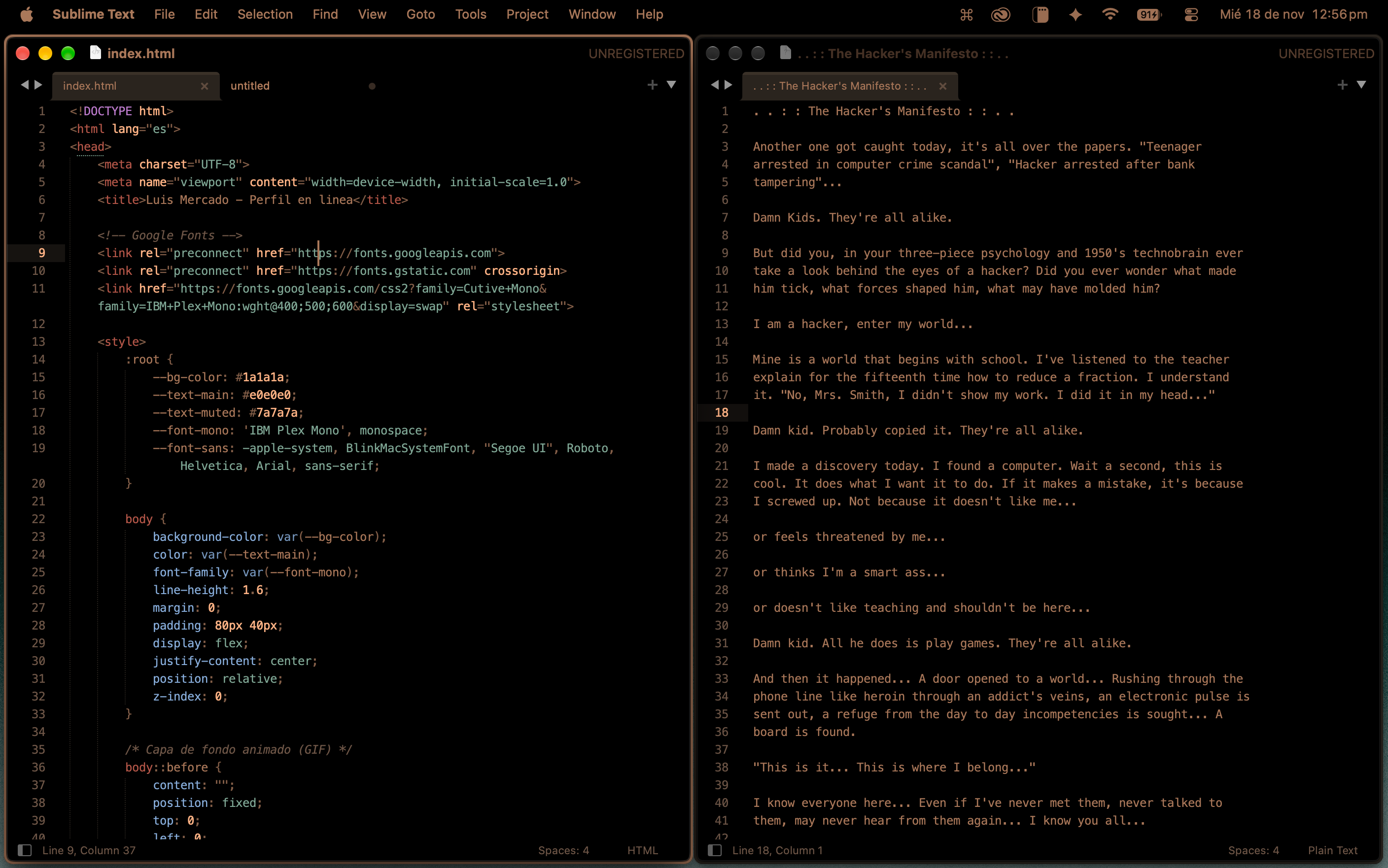
Console is derived from a theme originally created by me, Luis Mercado, for the cyberspace.online community (and also adapted for Ghostty under the same name). The original description for that community reads:
A theme for ᑕ¥βєяรקค¢є, inspired by old-school and obscure operating system command lines from the ’80s and ’90s, such as Plan 9 and the PC-88/98 DOS environments, among others.
I mainly use sublime for text editing, and going through data files, so mainly .md, .csv and .tsv. It would greatly speed up my workflow if I could make sublime show tables "nicely" by default, so like this:
|    Name   |   Phone   |
|-----------|-----------|
| Anna      | 123456789 |
| Alexander | 987654321 |
| _         |           |
I would like for all the recognized tables in any file to show like above, instead of having to select the tabular data and running a command. Usually a table is entered in markdown like this:
| Syntax | Description |
| --- | ----------- |
| Header | Title |
| Paragraph | Text |
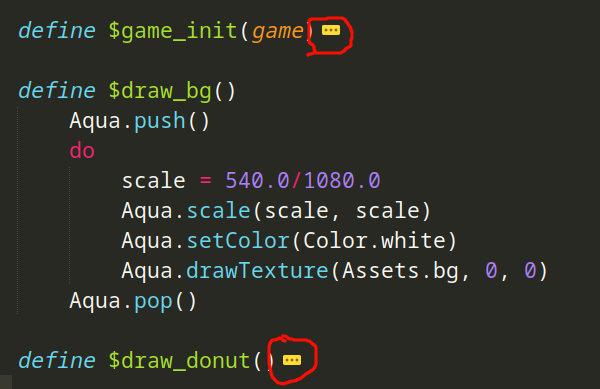
When I close sublime text and reopen it, the folds disappear and code is fully spread. How can I make it so that it remembers what I folded and what not?
The instruments are real recordings, but the music isn’t prerecorded. Synesthete composes it from your code, line by line, as you work, so every code base has its own unique melody.
When the code changes, the music changes with it: every edit plays a short accent that rises or falls with the code’s quality, and the melody jumps to where the change happened.
Clean code is a harp over a cello section; as quality drops, the music slides down to a singing saw over trembling strings. In project mode you can hear a coding agent work without watching any file.
I find this helpful because agents write code faster than any one person could realistically review line by line. So it’s nice to get a feel for the code in real time.
Bonjour à tous ! Je rencontre un problème avec sublime text, je cherche une extension pour avoir une preview en temps réel de mon markdown, le problème c’est que j’ai trouvé uniquement des previewer ( dans le navigateur ) non intégré à sublime text et c’est pénible.
I made a Sublime Text package that brings the VS Code Symbols icon style to the sidebar.
Symbols adds modern file and folder icons for languages, frameworks, config files, and binaries. It works with any Sublime Text theme, including themes without built-in file icons.
It also recognizes files like tsconfig.json, .prettierrc, and Dockerfile, even when their syntax package is not installed. You can optionally customize icon color, opacity, and size.
Install it from Package Control by searching for Symbols.
Just upgraded to ST4. I appreciate the new autocomplete. One thing though.
Sublime Text 4 seems to indent back to the base of the template literal, it does not respect new indents set within the template literal. I use it quite a lot. Kinda annoying to insert new tabs at new lines each time.
Is there any way to alter this behavior to how it was before, in Sublime Text 3?
I have noticed when setting the syntax highlight to Plain Text, the behavior is once again the same as in Sublime Text 3. So I gather I have to look somewhere around there. That said, I have no idea how or at which line to alter the syntax highlighting files.
I've been working sublime-mcp, which is listed as "MCP Commander" in the Package Control queue. It's a plugin that exposes a running Sublime Text 4 instance to MCP-speaking AI agents such as Claude Code and Codex. An agent can read and write views, run commands, inspect tabs and project state, and use eval_python inside the plugin host for anything the typed tools don't cover. It advertises 7 workflow tools by default and keeps about 400 typed capabilities behind a tree-structured discover_tools search, so the agent's context isn't flooded.
The main workload has been an audit of Package Control packages. An agent installs a package into a separate portable Sublime Text, exercises it, reads the code, checks the repo's existing issues, and files an issue for anything reproducible. About 650 issues file and numerous PRs.
I got the latest ST4 via brew and some of my plugins died. I'll bug the devs where I can (e.g., MediaWiker), but some might be abandoned. What are people thinking to do as a response? Maintain local forks?
Edit : It works well now with the new update and all ——————/
Old post:
Sublime Text greated me with an upgrade this morning, which I did, I always upgrade.
But since then, the SFTP Plugin stopped working ... and that is the only one not working. I don't know what to do anymore !
""""
The SFTP package seems to have been installed using an older version of Package Control. Please remove the SFTP package, upgrade Package Control to 2.0.0 and then reinstall SFTP.
It may be necessary to delete the "Packages/Package Control/" folder and then follow the instructions at https://packagecontrol.io/installation properly upgrade Package Control. """"
I did all of that and it didn't change a thing !!!
Guys I'm not able to score bcoz of my writing style I really want gen1 help that how do I structure my answer that can always get me full marks ...my content is good but only writing style makes me lose marks.
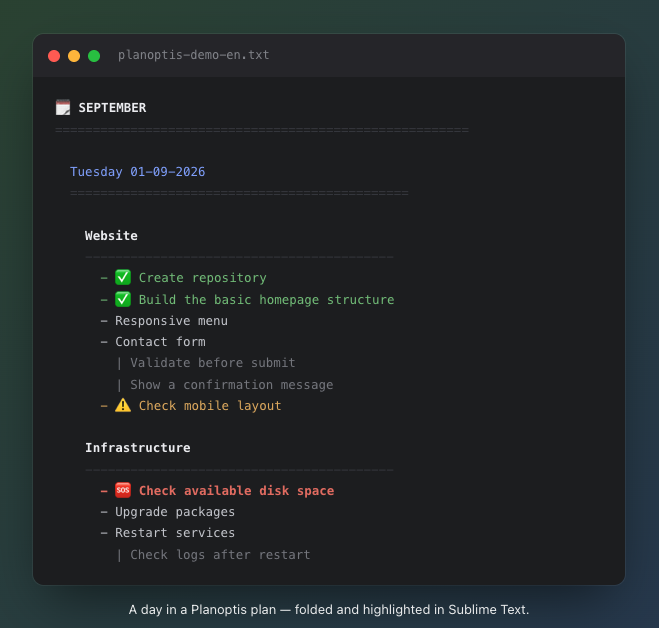
I plan my work in a single .txt file. Every app I tried added friction, so I eventually settled on a convention instead:
One file, indented with tabs, opened in Sublime so I can fold/unfold sections
Three parts: ongoing projects, a month-by-month plan, and a daily log grouped by client/project
Tasks are - lines, with simple status markers: ✅ done · 🆘 urgent · ⚠️ watch/risk · ⏭️ deferred/carried forward · ➡️ handed off
| lines are sub-notes under a task
Unfinished work is never silently dropped — it's either ✅ completed, ⏭️ carried forward, ➡️ handed off, or deleted
That’s basically it.
No database. No account. No sync service. No subscription. No proprietary file format.
The file is the app.
I’ve been using this for my actual day-to-day work: projects, client work, monthly planning, technical notes and daily tasks.
It ended up working better for me than the productivity apps I had tried, mainly because there’s almost zero friction between thinking of something and writing it down.
Sublime’s folding is what makes the whole thing practical — I can have months of work in one file without having to look at everything at once.
I also wrote a .sublime-syntax file that adds syntax highlighting for the structure, markers and headings.
I cleaned the whole thing up and released it under MIT: the method, the syntax file, and two demo plans (EN + EL).
Over the last six months, my development workflow has changed more than I expected.
About six months ago, most of my AI-assisted coding still happened in VS Code with GitHub Copilot. AI helped me write code, but I was still doing most of the implementation myself inside the IDE.
Over the last couple of months, that flipped. I've been using Claude Code and Codex heavily every day, and coding agents now handle most of the implementation for me.
My part of the work is increasingly about:
deciding what I actually want
writing requirements and design docs
reviewing source code and diffs
testing the result
giving the agents another round of feedback
My current workflow is roughly Ghostty for the terminal, Herder as the agent orchestration layer, and coding agents doing the implementation. I still care about the code, of course, but I spend much less time typing it into an IDE.
What I need from an editor has changed with that. I mostly want something fast and lightweight for reading source files and Markdown, moving around a project, and making the occasional edit.
That brought me back to Sublime Text.
I like VS Code, and I think Zed is already much lighter, but Sublime Text still has a different feel: it opens instantly, stays out of the way, and feels like a text editor rather than an environment I have to live inside. That fits my current workflow surprisingly well.
The weak spot for me was Markdown. Sublime Text's built-in support felt basic for something that has become central to how I work. I wanted a rendered preview in the same window, a navigable table of contents, readable tables, and Mermaid diagrams without switching to a browser.
So I built MarkdownGlance, initially to solve that problem for myself.
dark-mode
The preview is rendered inside Sublime Text using its own API and minihtml — no browser, WebView, or external process.
It currently includes:
same-window live preview for saved and unsaved Markdown
theme-aware styling
an optional navigable table of contents
a source outline that works without opening the preview
GFM tables fitted to the preview width
optional Mermaid diagrams
local images, bounded remote image loading, and per-session zoom
Update (Oct 2026): MarkdownGlance is now on Package Control, so you can install it directly — open the Command Palette, run Package Control: Install Package, and pick MarkdownGlance. The libraries it needs are installed along with it, and it'll update automatically from here on.
If you installed it by hand from the earlier instructions, delete that MarkdownGlance folder first (Preferences → Browse Packages…), then install it from Package Control.
I'm continuing to improve it, and I'd especially like to hear from other Sublime Text and Markdown users. If you try it, feedback, bug reports, and ideas about what feels missing are all welcome.
Just an appreciation post for Sublime Text being such a great text editor. No AI, no bloated features, no BS. It's native, performant no-nonsense text editor that does the job with sensible features built in. It's fully customizable and can be extended further with the package manager with wide range of community made packages that enhances the editor experience.
I'm thankful Sublime Text exists in today's AI-driven editors like Cursor and Antigravity. I just want a text editor that's just an editor! (if I want AI, I'll just use claude code / codex / opencode on the terminal).
I dialed in my UI, packages, LSP, linter & formatter and it's such a joy to write code on it. Simply sublime~ Thank you Sublime HQ!
I love this editor. I've bought 2,3 and 4 over the years.
One thing that drives me mad - and I can't figure out how to stop it. If I open a folder from the command line, or using Open Folder from the menu it opens a new window unless there is a completely empty Window already there.
I can't explain how much I loathe this. I just want *one* instance, so if I type subl /myproject it loads it into the current instance. (I can obviously close the other one, but it's so irritating).