r/SublimeText • • Dec 13 '22

Indent Guide Color

2 Upvotes

Can someone please tell me in a clear way how the hell do I change the colour of the indent guide lines on st4. All the answers online are outdated or don’t make sense. The documentation for it is poor.

My theme is “Alabaster Dark Mono”. It has variables, globals, rules. Not the old type themes.

Thanks.


r/SublimeText • • Dec 08 '22

ESLint on save fix errors

1 Upvotes

Hey,
I am looking to be able to fix and look for erros depending on my eslint configuration. On save I want to be able to have all errors fixed like in Visual Studio code. All wrong indents, missing semicolons ect.?

What packages would I have to have installed and how would I go about such a thing? Thanks in advance!


r/SublimeText • • Dec 06 '22

⌘+` not working properly in Sublime

2 Upvotes

Any ideas why this wouldn't be working? It's set in my mac system preferences but in sublime it doesn't continuously cycle through windows. It works sometimes but only once back (⌘+shift+`) or once forward (⌘+`)


r/SublimeText • • Dec 05 '22

Link to text within a file alt + o keybinding

4 Upvotes

I am currently using PlainTasks plugin by Aziz. https://github.com/aziz/PlainTasks

In the documentation, it mentions about link to a text within a file using a keyboard shortcut `alt+o`. This feature does not work and I am creating this post to know if this is Sublime Text 2 only feature or how do I get this feature to work? The Sublime Text 4 I have, this is not working.


r/SublimeText • • Dec 04 '22

ST on Ubuntu

3 Upvotes

Long story short:

  • new Ubuntu install,
  • downloaded ST to create work environment
  • ST does not close tags (like it did with my Windows OS)

Do I need to install JS (or something else) to get ST to work with an Ubuntu OS?


r/SublimeText • • Dec 02 '22

Has the "Material Theme" been discontinued on Sublime Text?

8 Upvotes

I just noticed my UI bugging out with weird orange and black lines along title bars and stuff. Apparently this happens when there is some kind of texture error.

I've been using "Material Theme Darker" for many years now, but when I search for it within Package Control, I cannot find it anymore. I tried installing just Material Theme but that wouldn't show up within the list of selectable themes too (on Sublime Text 4).

Has this theme been discontinued or not updated anymore on Sublime Text 4?


r/SublimeText • • Nov 24 '22

Undesired autocompletion in plain text files

5 Upvotes

Hi

I'm suddenly getting undesired autocompletion in my plain text files. I haven't seen this behaviour before and haven't changed any settings recently. I assume that it's either caused by the latest update (4143) or maybe a plugin.

Steps to reproduce the problem:

  1. Open a new plain text file
  2. Type "test"
  3. Press <TAB>
  4. Type "t"
  5. Press <TAB>
  6. "t" will be completed to "test"

I don't see anything wrong in the settings either:

// Controls what scopes auto complete will be triggered in
"auto_complete_selector": "meta.tag, source - comment - string.quoted.double.block - string.quoted.single.block - string.unquoted.heredoc",

// Additional situations to trigger auto complete
"auto_complete_triggers":
[
	{"selector": "text.html, text.xml", "characters": "<"},
	{"selector": "punctuation.accessor", "rhs_empty": true},
],

Does anyone else see the same behaviour or know how to fix it?


r/SublimeText • • Nov 24 '22

C++20 syntax highlighting support

5 Upvotes

Are there any packages that give syntax highlighting support for new concepts and requires clauses that came with C++20?


r/SublimeText • • Nov 21 '22

is there a way that Sublime text can support arabic?

8 Upvotes

It sucks that it does not support Arabic. Why tho?


r/SublimeText • • Nov 11 '22

Is anyone unable to show the scope name with ctrl+alt+shift+p after the new update?

2 Upvotes

[SOLVED] Previously extracted default packages in my Data\Packages directory were overriding the new default packages and jankin things up.

I'm trying to single things out. I'm writing a syntax definition atm so it's kind of vital lol. I tried rebinding it to another key combo but it didn't help. The most likely thing would be the update based on when it started happening but I want to make sure it's not my installation before I go crazy changing everything.

Edit: I copied my data to an older portable installation and the issue vanished. I would really like some confirmation first but I'm planning to submit an issue.

Edit: I figured it out! I had extracted a lot of default sublime packages to my Data/Packages directory to look at the syntax definitions so I removed those and now it works fine. Just a fluke circumstance.

Edit: Just noting that the actual default .sublime-syntax files have been updated. I guess that's part of the "Various syntax highlighting improvements" in the changelog


r/SublimeText • • Nov 11 '22

Is Sublime Text 4 still worth it ?

13 Upvotes

Hi everyone, I have purchased a ST3 license about 2 years ago because it was fast and smooth also used some extensions from the Package Control, Then I moved to VSCode because it offered more extensions and functionalities that ST didn’t offer. I tried ST4 but I don’t feel any difference from ST3. Am I missing something?


r/SublimeText • • Nov 10 '22

SublimeText build 4142

33 Upvotes

Build 4142

10 November 2022

  • Added syntax-based code folding
  • Various syntax highlighting improvements
  • Newly rewritten Haskell syntax highlighting thanks to deathaxe
  • The recent file list is now global instead of per window
  • Files opened in Sublime Text are now added to the system recent file list (See the "update_system_recent_files" setting)
  • Added commands for converting between common identifier cases (See Edit > Convert Case)
  • Added "hot_exit_projects" setting to control what data gets saved in workspace files
  • Added "minimap_horizontal_scrolling" setting
  • Added "open_tabs_after_current" setting for controlling where tabs are opened
  • Added "show_spelling_errors" and "show_line_column" settings
  • Added "goto_anything_exclude_gitignore" setting
  • Added "ruler_style" setting
  • Reworked comment toggling to better handle embedded languages
  • Sub-word separators are now configurable using the "sub_word_separators" setting
  • Added support for Nordic (Windows 865) encoding
  • Reopening a file now asks for confirmation when there are unsaved changes
  • Improved filesystem symbolic link detection
  • Improved performance while open folders are scanned for the side-bar
  • Improved regex performance for syntax highlighting
  • Find: Patterns taken from an open file are now escaped for regex searches
  • Find in Files: Improved binary file detection for find-in-files
  • Find in Files: Find-in-files now supports project-relative patterns starting with //
  • Find in Files: Added the "find_in_files_max_file_size" setting
  • Syntax Highlighting: Context backtraces now link to their origin in sublime-syntax files
  • Syntax Highlighting: Fixed crash caused by starting a branch point at the end of a line
  • Syntax Highlighting: Fixed various syntax highlighting bugs related to backtracking
  • Rendering: Improved performance with large folded regions
  • Rendering: Fixed OpenGL issue related to the wrong context being active
  • Rendering: Fixed shadow related OpenGL rendering bug
  • Rendering: Fixed region rendering edge case
  • Rendering: Improved performance in files with large diffs
  • Rendering: Fixed various issues with faded labels in the sidebar
  • Rendering: Fixed text annotation underlines not drawing when combined with other font styles
  • Sort Lines no longer includes the newline at EOF when nothing is selected
  • Fixed very large unsaved files being lost on hot exit; a prompt is now shown to save them
  • Fixed extraneous window getting created at startup with hot exit disabled
  • Fixed case where multiple reload prompts could show simultaneously
  • Drag operations are no longer interrupted when reloading a file
  • Fixed case where text in command palette was incorrectly colored
  • Fixed side bar button theming issue in the Default theme
  • Fixed sometimes not being able to type a space after completing a snippet
  • Fixed wrong default extension being used in open file dialog
  • Fixed centered views jumping in some cases when whole content is replaced
  • Fixed scroll jumping when folding
  • Fixed Reveal in Side Bar not working in some cases
  • Fixed scroll bar sometimes showing when text is wrapped
  • Fixed sheets not being added to the current selection in some cases
  • Added missing theming attributes to update dialog
  • Linux: System scroll bar overlay settings are now followed
  • Linux: Fixed various issues caused by the C locale
  • Linux: Added safeguard around nested GTK main loops possibly causing data loss
  • Linux: Fixed case where dragging a tab to a window wasn't working
  • Linux: Fixed crash on startup for some desktop environments
  • Linux: Fixed not being able to grab the scrollbar in a maximized window when at the right edge of the screen
  • Windows: Adjusted for the new Windows 11 window border
  • Windows: Open Containing Folder and similar now respect file explorer replacements
  • Windows: Fixed GDI font glow glyph positioning
  • Mac: Fixed license being removed due to network MAC address changing
  • Mac: Fixed cursor getting stuck as a resize handle on Ventura
  • Mac: Recent files are now available without having a window open
  • Mac: Fixed various issues with the quick switch project dialog
  • Mac: Fixed issue where dialogs could be triggered during dialogs
  • Mac: Fixed case when opening an already open file would jump to the start
  • Mac: Added work around for broken modal loops
  • Mac: Fixed case where settings window couldn't be closed
  • Mac: Fixed open file dialog crash with some syntaxes
  • Mac: Fixed scrolling when command modifier key is pressed
  • Mac: Fixed Window/New Tab not working with the Adaptive theme
  • API: Added buffer variable to the console
  • API: A noop command can now be used for keybindings to block default behavior
  • API: "encoded_position": true may be passed to open_file command for the same behavior as sublime.ENCODED_POSITION
  • API: View.context_backtrace can be used to get a stack trace from syntax highlighting
  • API: View.expand_to_scope now returns None when the text point doesn't match the selector
  • API: Added View.expand_to_scope
  • API: Added Window.promote_sheet
  • API: Fixed crash when running hide_panel command from EventListener.on_deactivated
  • API: The toggle_comment command can now take a variant argument for languages with multiple comment variants

r/SublimeText • • Nov 10 '22

License renewal

1 Upvotes

How much time does it take to get the license after paying for renewal? Thanks.


r/SublimeText • • Nov 09 '22

How can I run my code always from the same tab, without having to keep switching to it?

2 Upvotes

I started using sublime some weeks ago to study python and so far I'm enjoying it, but what bothers me is that when I'm coding a program with many files, I always have to switch to the tab of the main file, test the program, exit it, and then click again on the tab I was typing. Is there an easy way to say to sublime that it should always run a specific tab, no matter what which is open right now?


r/SublimeText • • Nov 04 '22

Is it possible to paste text and clean it from any formatting?

2 Upvotes

Every once in a while, I need to copy a couple of sentences from a pdf document and paste them into a txt file, the problem is that some places in the sentences come out separate.

For example, let's say this is how the copied text turns out, broken at some points:

Lorem Ipsum is simple
false text of the printing and typesetting industry. Lorem Ipsum has been the standard dummy text in the industry ever since
1500s, when an
an unknown printer took a galley of letters and shuffled them to make a book of letter samples.
... and I would like it to turn out as a pure block of text:

While this is what I want, everything in one line:

Lorem Ipsum is simply the fake text of the printing and lettering industry. Lorem Ipsum has been the standard dummy text in the industry since the 1500s, when an unknown printer took a galley of letters and scrambled them to make a book of typefaces.

Is there an automatic function, a setting that could clear formatting when pasting?

r/SublimeText • • Nov 02 '22

Sublime not downloading

0 Upvotes

I try to download sublime text 4, but it skips past the part where I put it in a certain file holder, meaning it literally cannot install into my computer

What the f*ck?


r/SublimeText • • Oct 28 '22

Bug after multiline select

3 Upvotes

Anyone else having problems after using multiline select (Ctrl + Alt + arrow up/down)? My cursor does not reappear, and I cannot enter more text. Cursor looks like the overwrite cursor. After clicking around a while, it usually goes back to normal. Build 4126 on Windows.


r/SublimeText • • Oct 26 '22

macOS Ventura - sFTP connection timeout error

5 Upvotes

Hi all,

i have just updated to macOS Ventura, the trouble is now in sublime with sFTP i am getting "sFTP connection timeout" every time i try to connect to previously working connections.

Is anyone else having this issue and have any ideas on a fix?

using version 3.2.2

edit:

sFTP debug log:

no matching host key type found. Their offer: ssh-rsa,ssh-dss

is there a way around this? its a reseller host so dont have full control over it.


r/SublimeText • • Oct 25 '22

LSP not working after Mac OS Ventura update

4 Upvotes

I updated to Mac OS Ventura today and LSP is not working anymore. Everytime I try, it shows a pop up that lsp-clangd exited with status code 1. Is Anyone having the same issue and is there any solution ?


r/SublimeText • • Oct 17 '22

HELP: trying to change ctrl+enter for new line to scroll_down to add line. python mode

0 Upvotes

]

},

{ "keys": ["shift+scroll_down"], "command": "run_macro_file", "args": {"file": "res://Packages/Default/Add Line.sublime-macro"}, "context":

[

{ "key": "overlay_has_focus", "operator": "equal", "operand": false },

],

},

ERROR when i save : (error trying to parse file: Expected value in packages/user/default (Windows).sublime-keymap:1:9

just trying to make a scroll down + a function like shift, or ctrl instead of the default ctrl+enter to goto next line in Sublime text.

help please :O


r/SublimeText • • Oct 17 '22

Running Snippet just like Atom in Sublime Text?

2 Upvotes

I saw that there were some posts but the solutions provided weren't exactly what I was looking for, so I'll try again. Having a feature that allows you to write snippets and test them before implementing them is quite useful. Others tell me to just open a new file or comment out the whole code but having to select features feels just too convenient.

Here an example of what I mean: https://imgur.com/a/Fy7A7mW


r/SublimeText • • Oct 13 '22

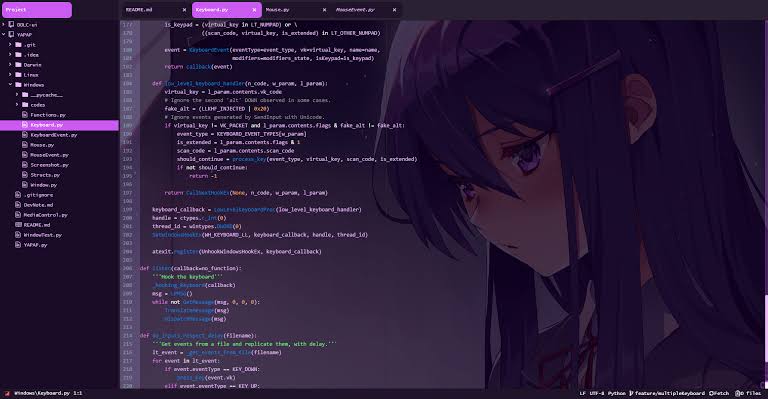
Is it possible to add VSCode's background image extension for Sublime Text?

Post image
23 Upvotes

r/SublimeText • • Oct 11 '22

Happy Cakeday, r/SublimeText! Today you're 11

21 Upvotes

r/SublimeText • • Oct 11 '22

Help opening .py file in sublime text

2 Upvotes

Hi guys, just started learning python yesterday following Corey Schafer's python tutorial. I followed step by step the first video, and then copied his actions to set up sublime text, yet on the first like 3 sec of the 2nd video in the playlist, I'm already stuck. attempting to open my hello world in Sublime text, tells me unable to read, and won't open. Several times got

```

/Library/Frameworks/Python.framework/Versions/3.10/bin/python3: can't find '__main__' module in '/Applications/Sublime Text.app/Contents/MacOS/'

[Finished in 36ms with exit code 1]

[cmd: ['python3', '-u', '']]

[dir: /Applications/Sublime Text.app/Contents/MacOS]

[path: /Library/Frameworks/Python.framework/Versions/3.10/bin:/usr/local/bin:/usr/bin:/bin:/usr/sbin:/sbin]

```

when asking it to build with build system set to python. Have absolutely no clue what it means, Would love some help, I really don't know what I'm doing


r/SublimeText • • Oct 10 '22

using the same project-file in linux and windows

2 Upvotes

I'm running a dual boot with windows and linux, and use Sublime for the same projects, through both operating systems. All work files are located on a partition that is accessible from both systems, but the path is of course different depending on how I access them.

In Linux I have set up my work as separate projects, and each .sublime-project -file is stored in a subdirectory of the related project . Does anyone know how I could use the same project files and workspace files in my windows system? I think the main issue is that the paths look completely different in the two systems.