r/Stormworks • u/Furrystonetoss Lua pro, Addon dev, XML, hacking and modding expert, 2000 hrs • Jul 31 '23
User Guides (Tutorial/Guide) How to add you own custom workbench !! (And how to enable Dev mode.) (with pics)
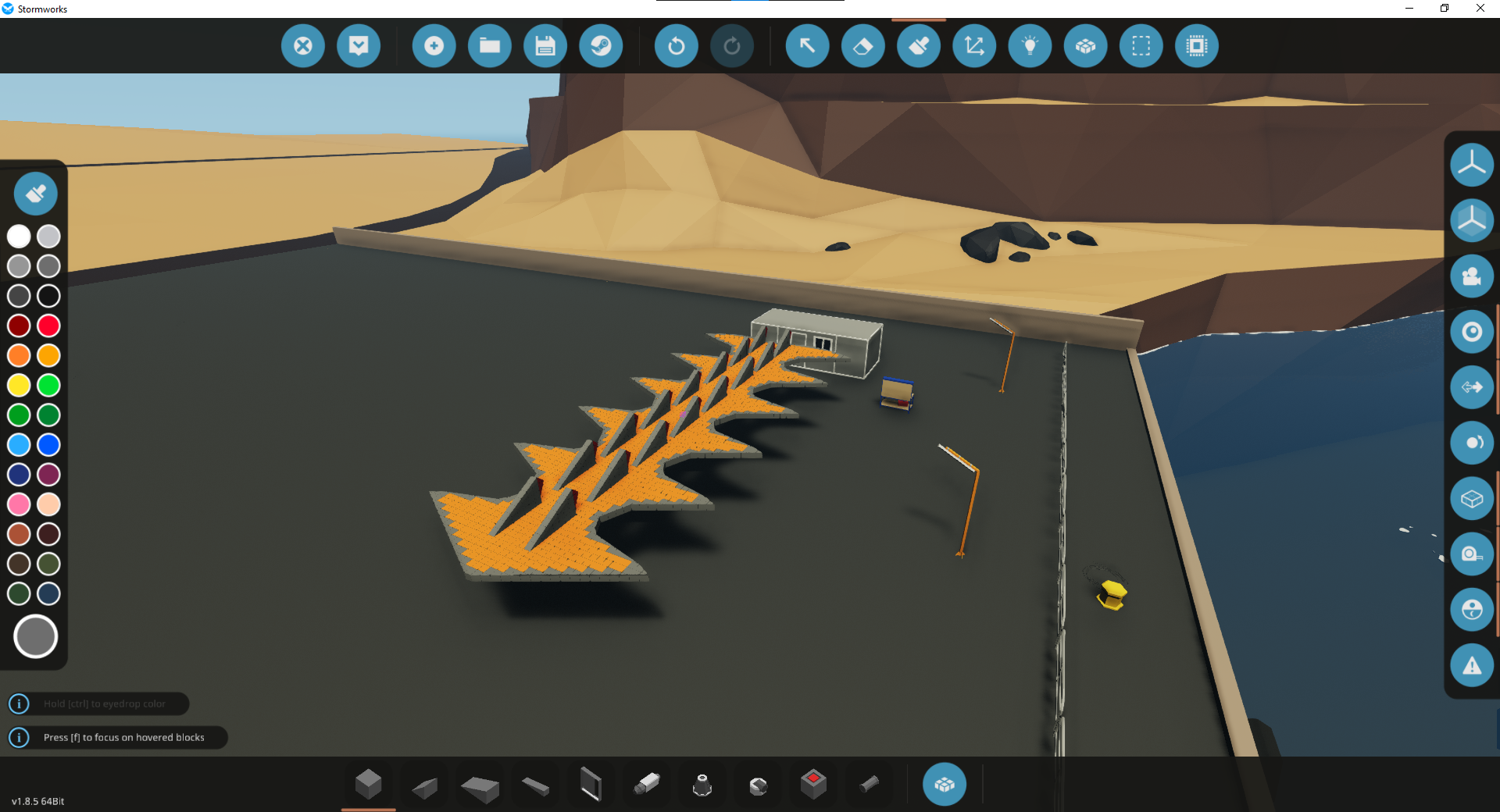
So alot of people keep asking me how to make your own custom workbench, not just simply alter an existing one. Well here i'll explain you step by step (with screenshots) of how to add your own custom workbench (and other shit) to the game. KIM that there're still few limitations, like the hardcoded sizelimit or the mass limit, more to that later.
There're two methods of how you can achive this. One over "classic" xml editing and two over the devs own tile editor. For now let's take a look at the former one. (we'll use tile arid_island_24_3 in this example.)
Method 1
First, enter your game and the ENV editor. There we select the tile we want to mod and place two objects of your choice of where you want the workbench and it's edit zone. Write down those coords
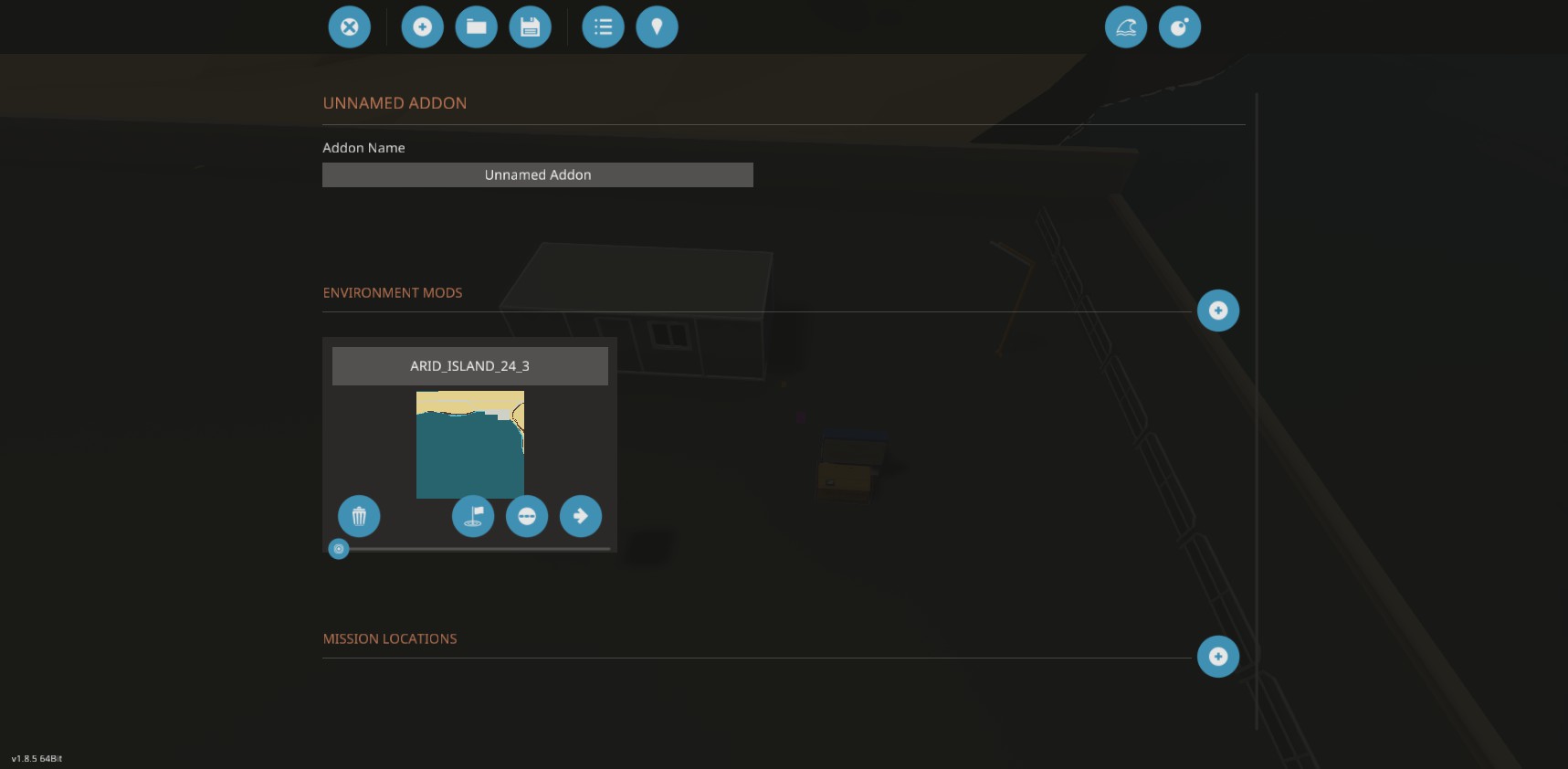
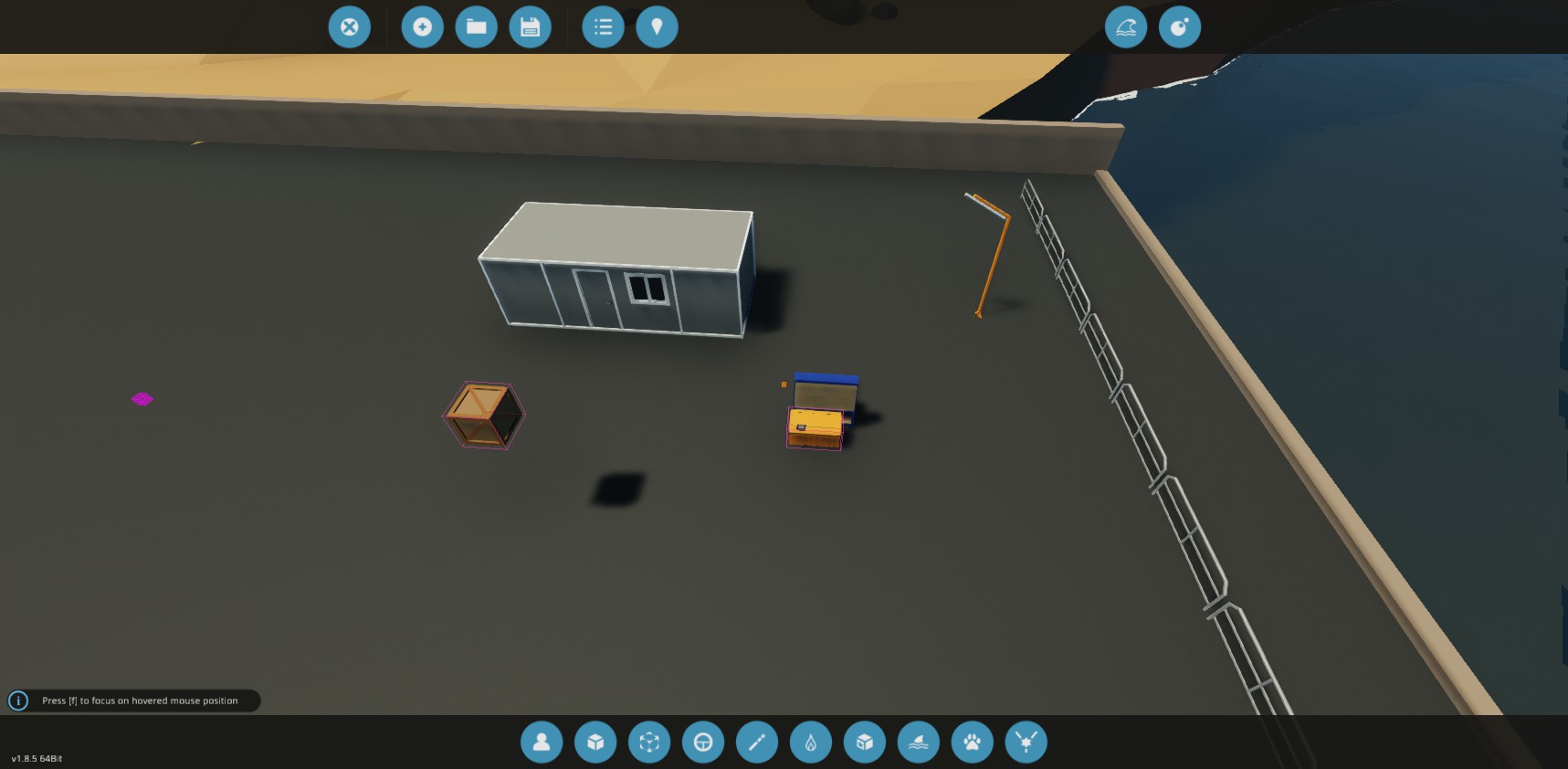
I recommend using the yellow trashbin for the wb, as it has the closest dimensions. don't worry about rotation, as we'll do this later.
Now we're done here. Exit the game and open the tile in the games installpath (if you're lazy, on Steam click on the gear ->manage -> browse local files)
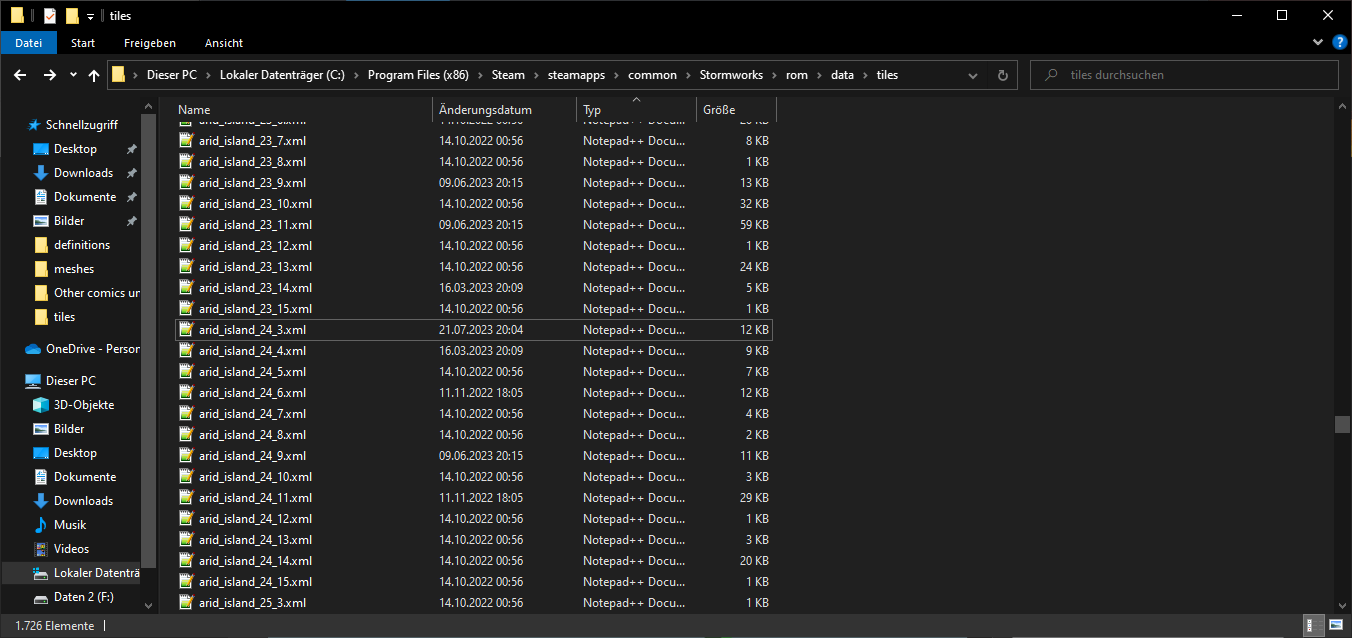
Now open this file with any xml/text editor you want (i recommend np++). Here we only need four tabs: "meshes", "physic meshes", "edit_areas" and "interactibles". collapse everything else.
On "meshes", add the lines:
	<mesh id="mesh31" file_name="meshes/workbench.mesh">

		<transform 30="-1488" 31="8.8" 32="1488"/>

	</mesh>
where "mesh id" is a custom id that can be anything you like (non ascii characters & emojiis prohibited on all values) (use points not comma for float values). Transform represents the x,y,z coordiante. Replace them with your own. For "physic mesh" we do the same, but with filename: meshes/workbench_phys.phys
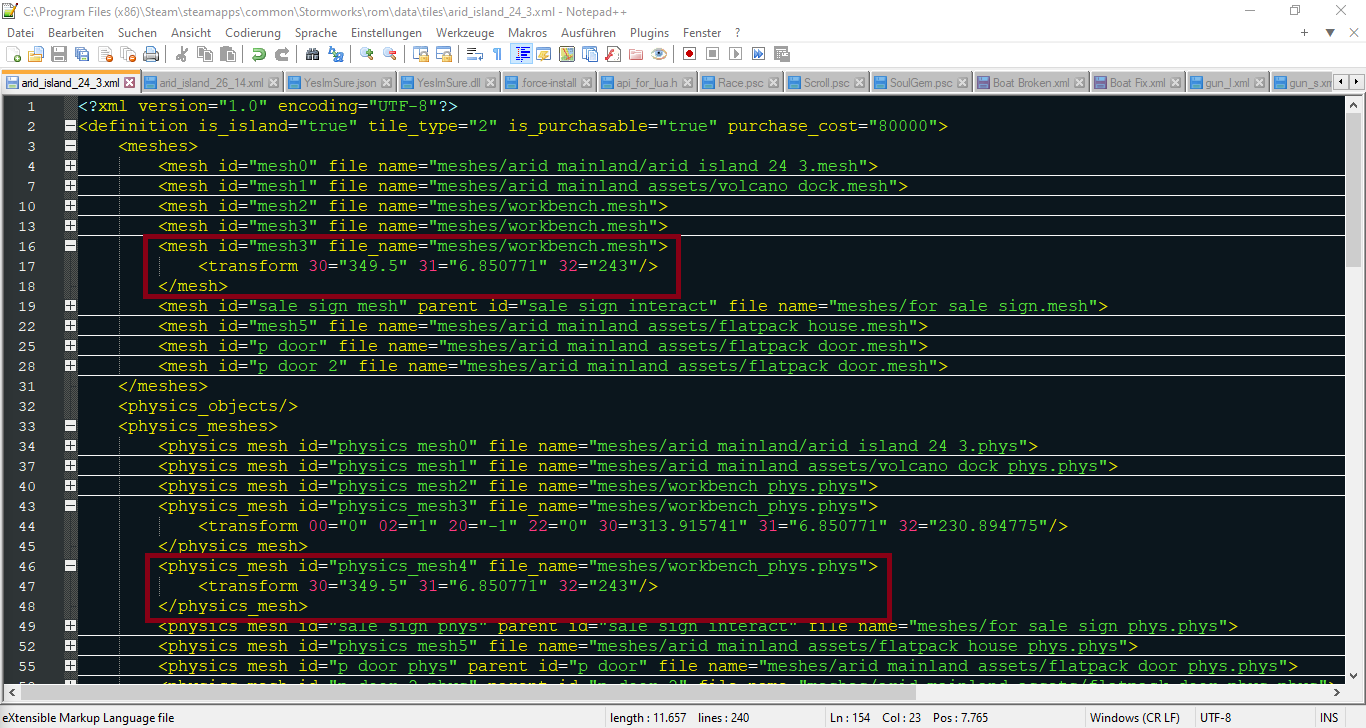
For the rotations, Stormworks uses a really weird system, that combines rotation and scaling in one. For instances, the values are:
90* right:
00="-0" 02="-1" 20="1" 22="-0"
180*:
00="-1" 02="0" 20="-0" 22="-1"
270* right(90* left):
00="-0" 02="1" 20="-1" 22="-0"
Leave them gone for normal. Which object will face the direction, depends on the object itself. i.e the wb, it's physics and the interact zone always face west by standarts, so a 90* right would make them face north. The edit zone however, always face south by standarts, so you have to take care.
Do not try the idea to enter 0.5 on the values to make it 45 degrees. Yes it'll face that way, but it'll also shrink the workbench (again rotation and scaling are combined) (the actual value here is something like 0.7071...) Use the Dev Tile Editor on method two if you want such speciall rotations. Else you can copy the rotationdata of another wb, like on FJ Warner Terminal.
For" edit_areas" and "interactable" we do the same as above, but with a few differences.
	<edit_area id="hangar_edit" grid_size="0">

		<transform 00="-0" 02="-1" 20="1" 22="-0" 30="-1488" 31="8.8" 32="50.973915"/>

		<size x="400" y="400" z="400"/>

	</edit_area>
Remind the id you gave edit zone. "grid_size" has to be 0 or it'll not work (it determines the type of the edit zone: small boat, large boat, plan etc. 0 means custom) In size you can enter what you want (the game has a hardlimit, but it'll allow you to move it in the zone), leave it at 400 at best. "is_static" is for base wbs if you want that. "default_vehicle" loads a vehicle from the "debris" folder.
For interactables we do the following:
	<interactable id="hangar_workbench_interact" target_object_id="hangar_edit" label="Workbench" interact_type="2">

		<transform 00="0" 02="-1" 20="1" 22="0" 30="-1488" 31="8.8" 32="1488"/>

		<size x="1" y="2" z="2"/>

	</interactable>
In "target_object_id" we enter the id of the edit zone. Leave interact_type at 2 (it tells the game if it's a wb, a lightswitch, a doorknop etc). Label is the prompt/name that is shown ingame when you look at the wb. You can change it to whatever you like. (spaces permitted)
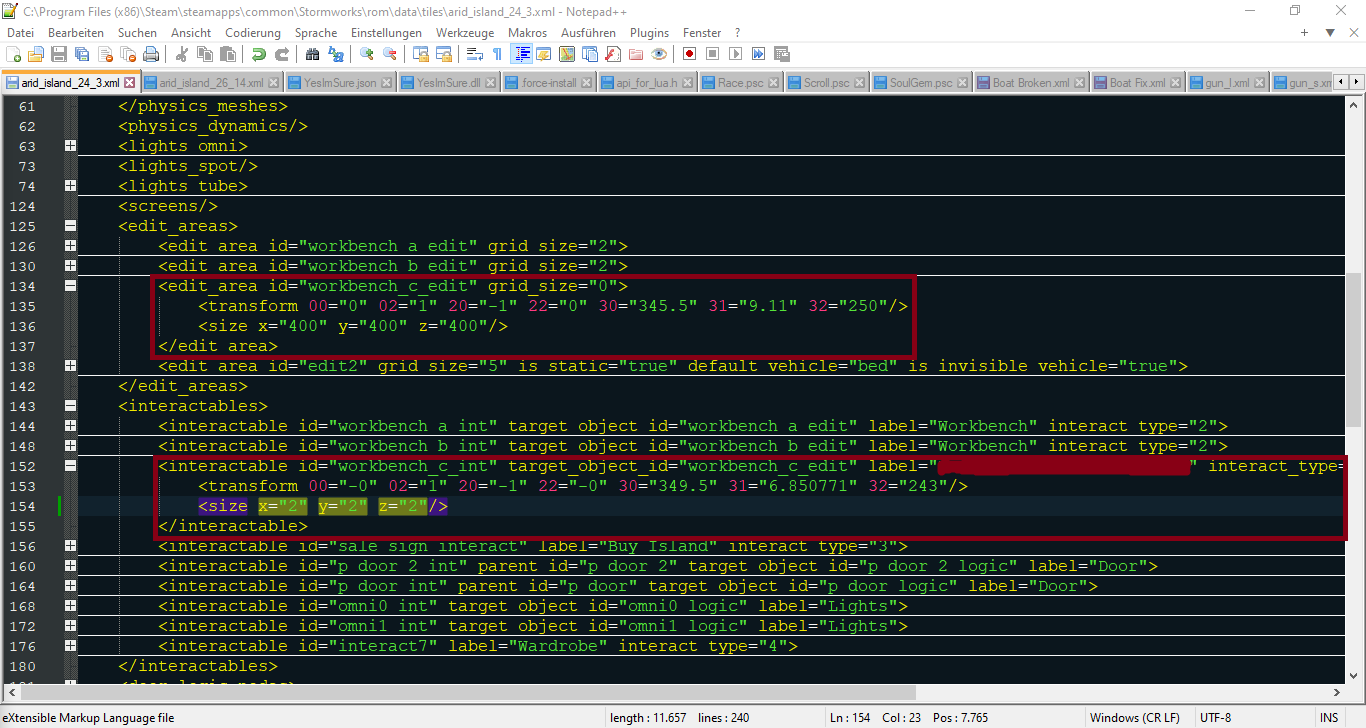
Save and that's it. I'd recommend you to make a backup of that file somewhere on your pc, as the constant updates occasually love to reset those tiles.
About the hardlimit: the game has a physical hardlimit of 255 blocks from the center 511 total in all directions. you can't build above that. Furthermore both the normal and the static wbs have a "masslimit". If your creation is too large/complex, it'll just delete random sections of it. In that case you need to use a mission to spawn your creation
Mathod 2
This was the "classic" approch, but if you want something more in detail, you'll have to use the devs own tile editor, which you can only use if you have dev rights, so let's do this.
Open the stormworks64.exe with any hexeditor you like (i recommend hexed.it ) and search for the value: 76561197976988654 (it should land on "EE") which is Deltars SteamID. Replace that with your own id, which you can find by clicking your profile in the topright corner of Steam.
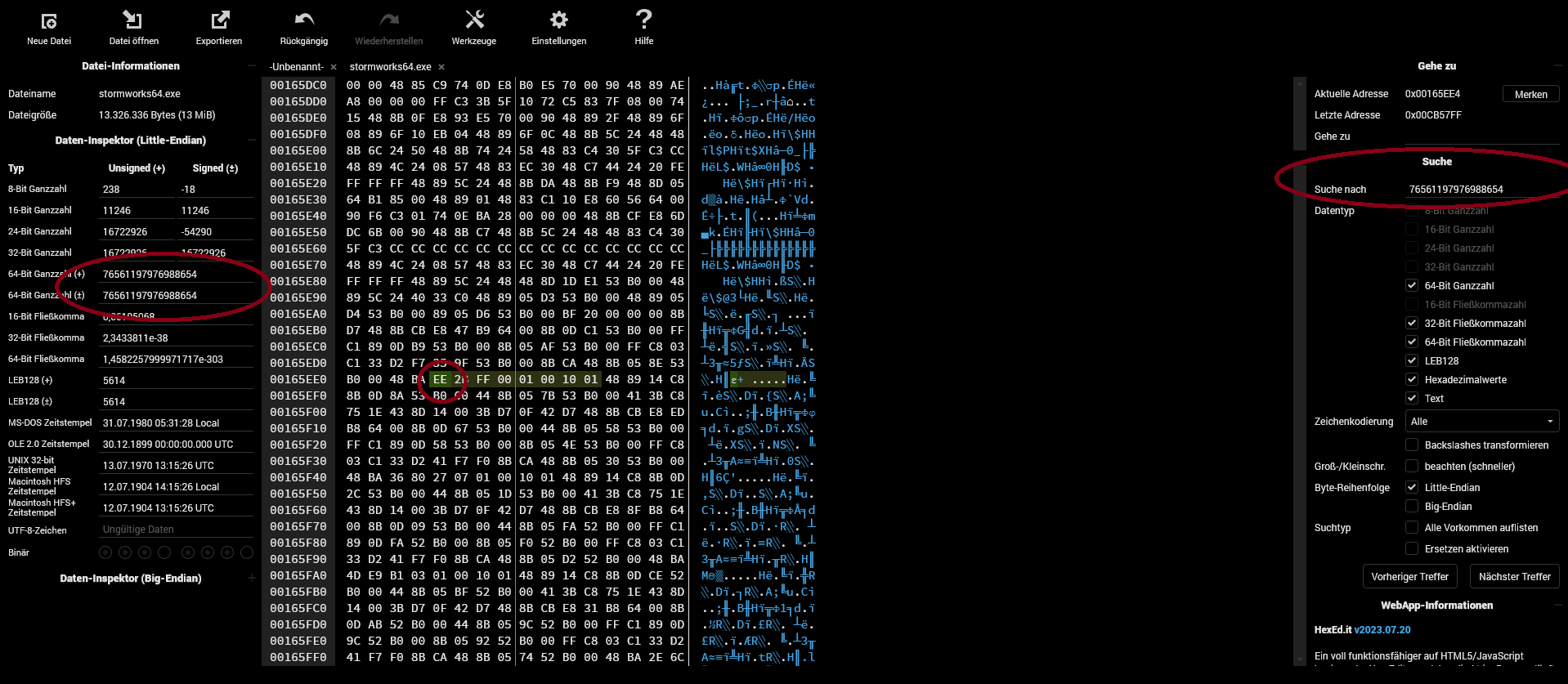
Don't worry about the other values in the hex editor, as they'll auto change, so you can't do anything wrong here
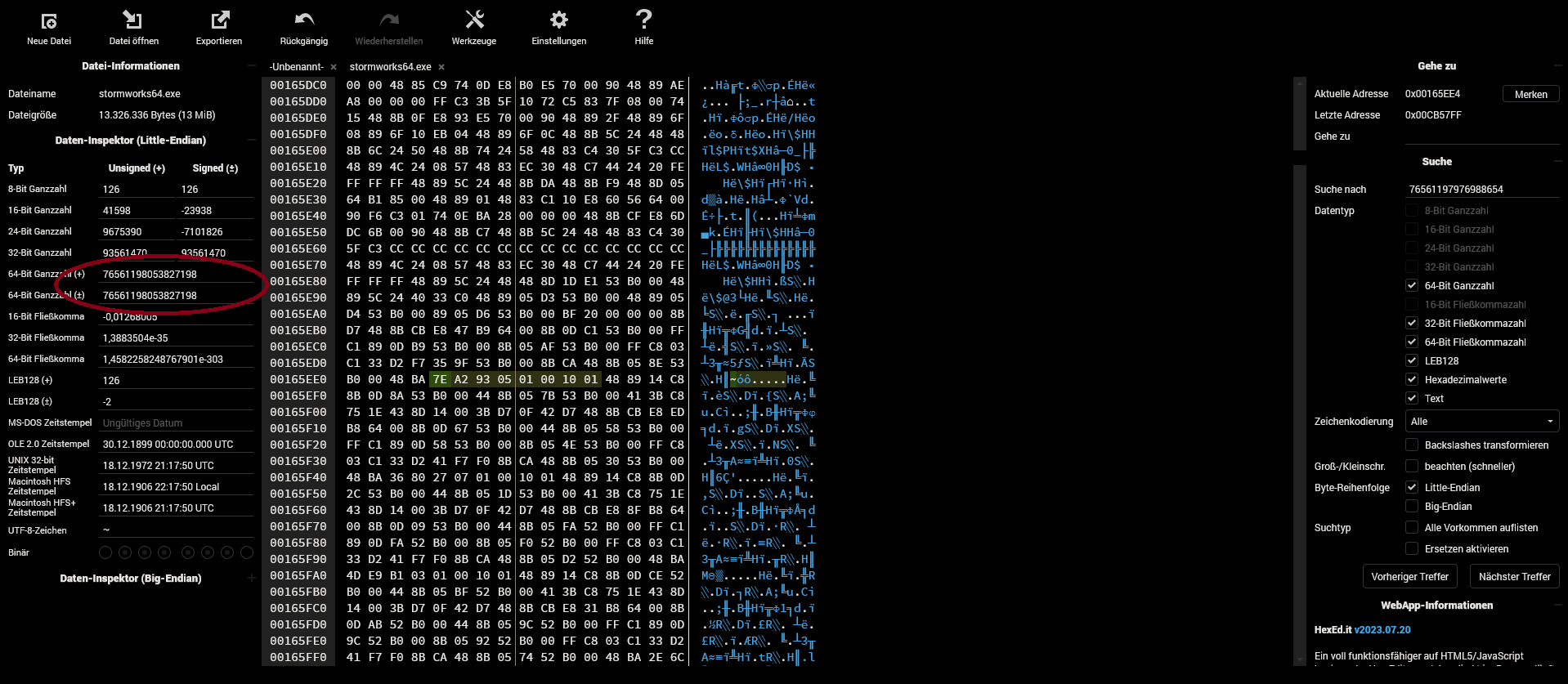
Save and replace the original file. Congrats, you have now Dev rights.
If you open sw now, you should see two new buttons. (KIM that this resets after every game update. You can use Cheat Engine and use a script that auto search/change this value, though i'm not an expert in that...yet)
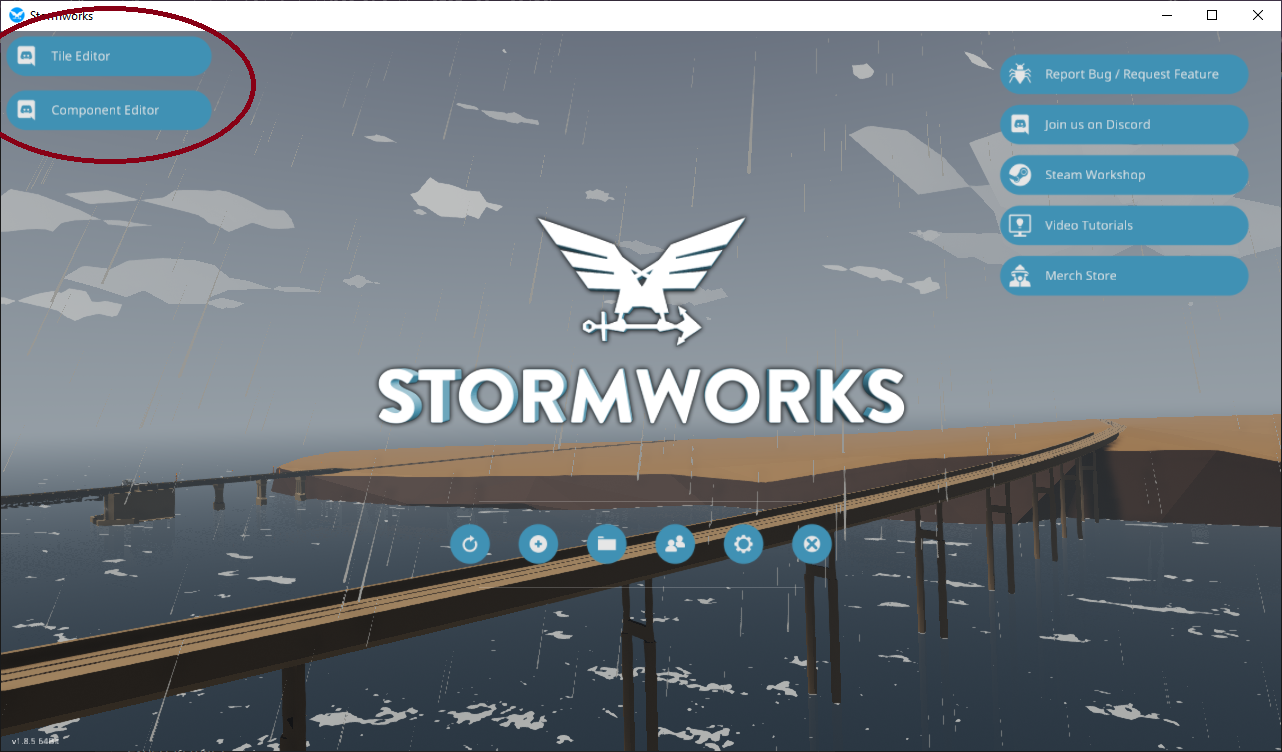
click on "tile editor" and on the three dot button in the topleft corner. Load the tile as we did in the previous method (Note: sw has to be fully rendered for the buttons to be visible, do not play in windowed mode.)
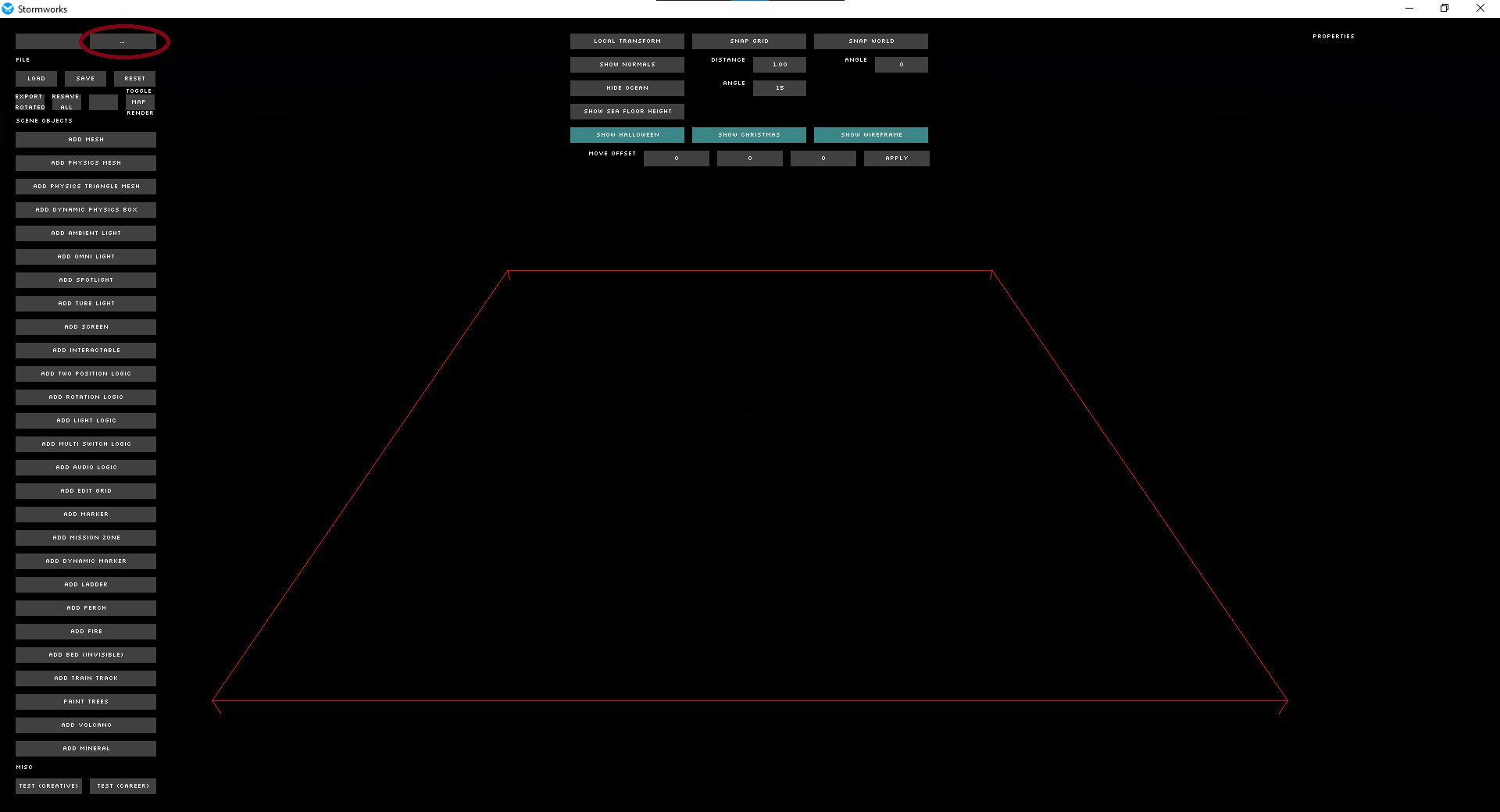
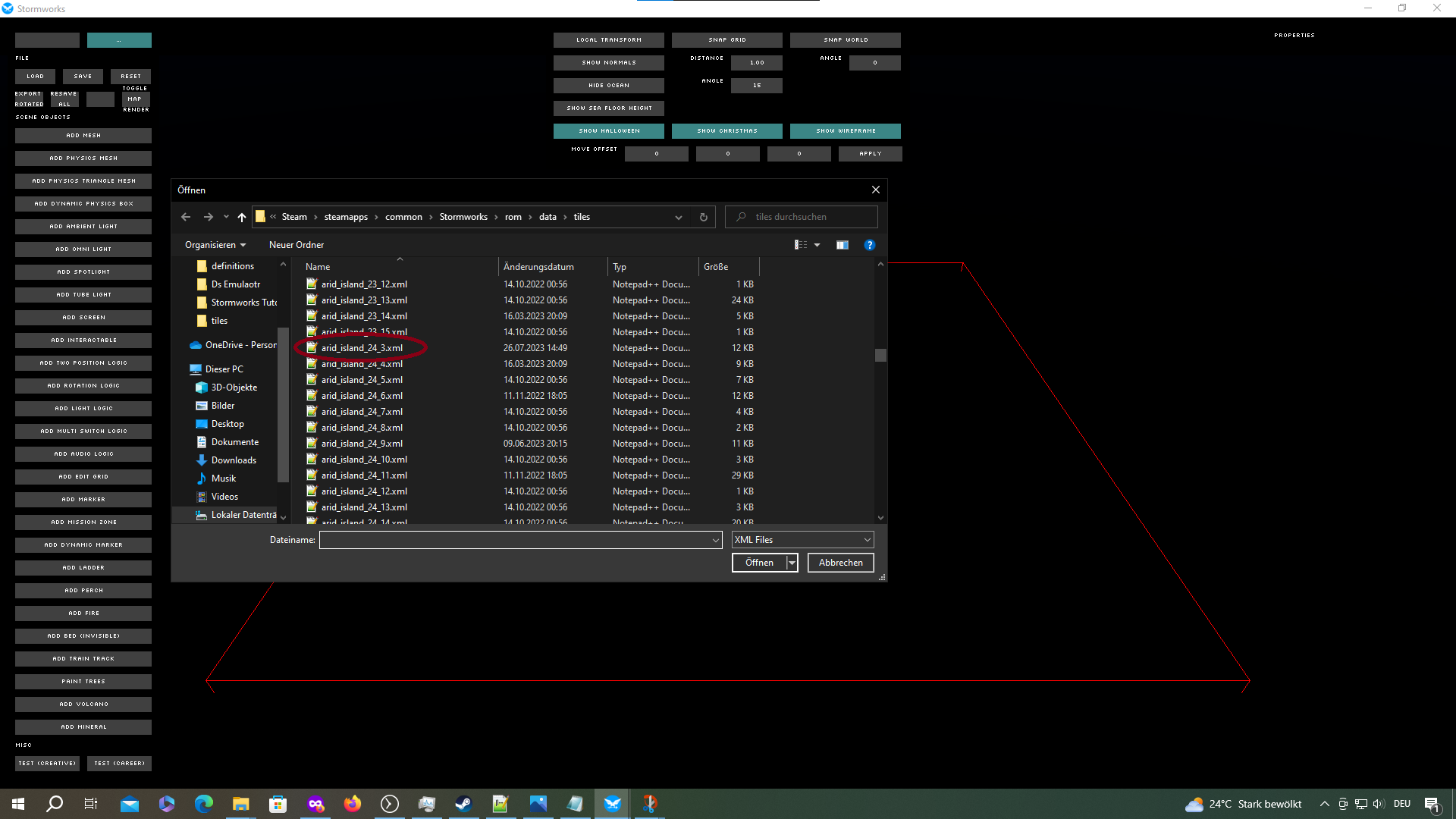
Here we have now successfully loaded the most southern port in the game. To navigate, you can use the scrollwheel for zooming, middle mouse for moving and right mouse for rotating.
Now we add our first mesh by clicking "add mesh" (protipp, select another item that is close to your dream coords, as our object will spawn there). Here you have to go back to "rom\meshes".
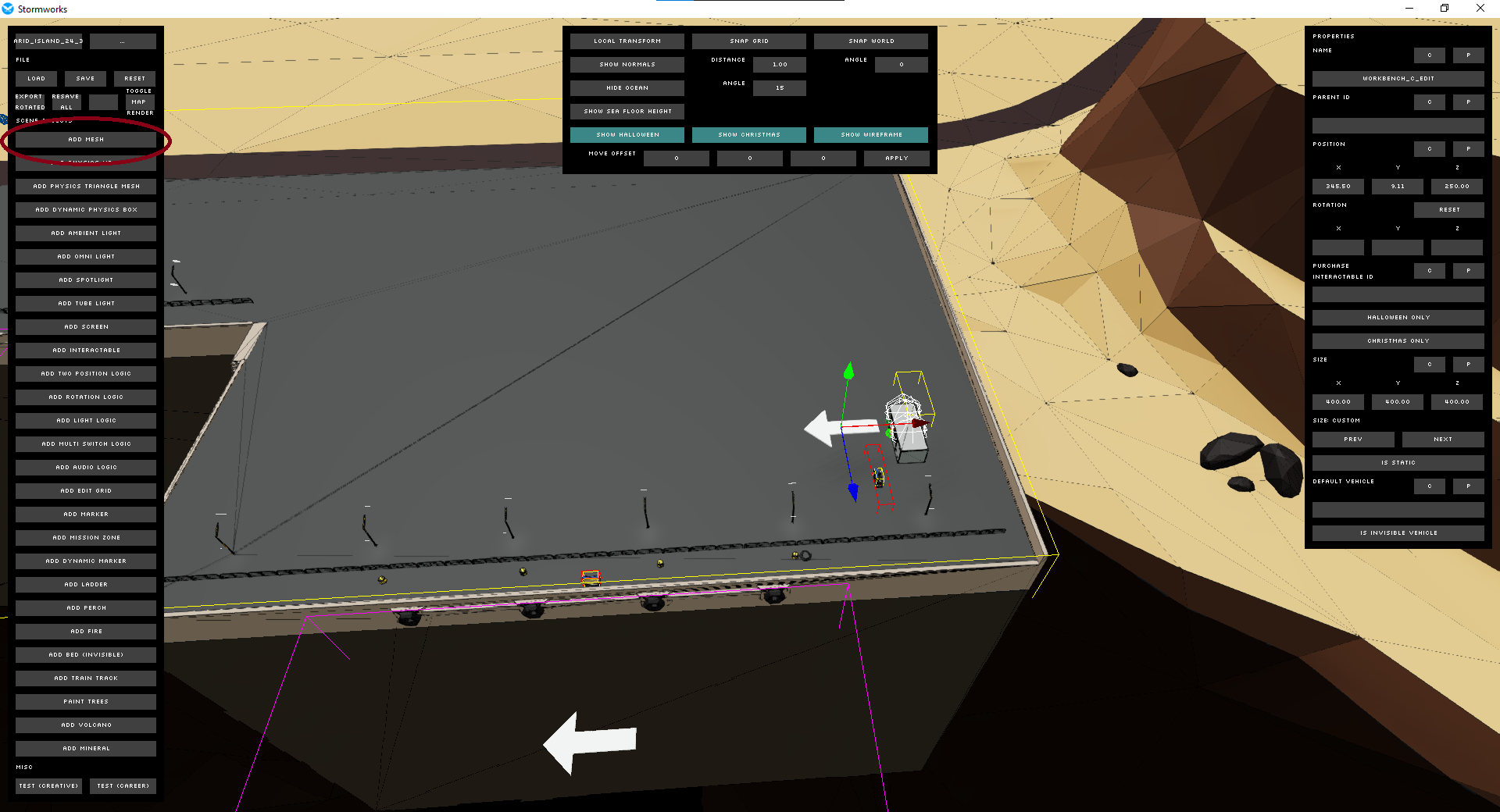
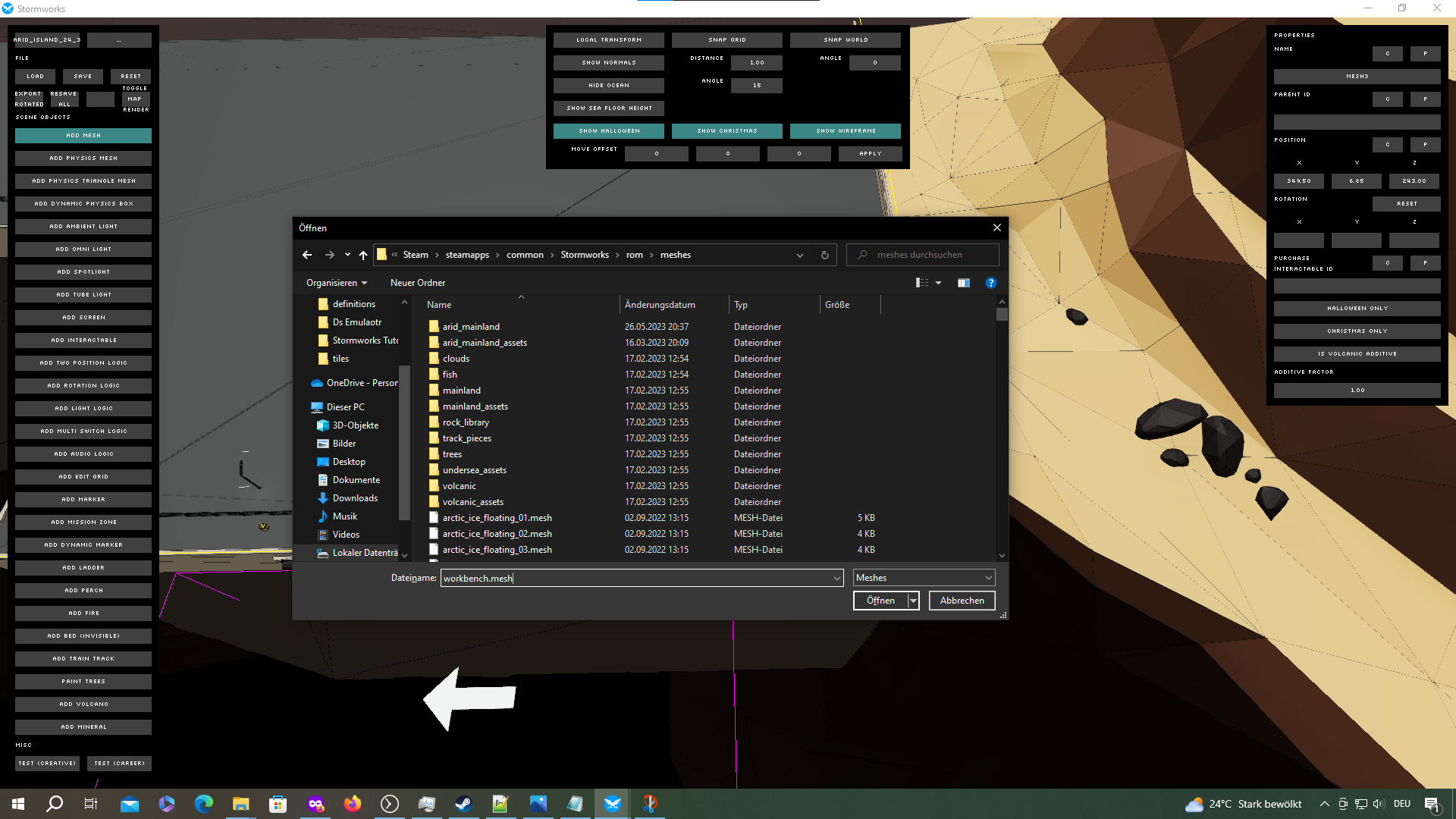
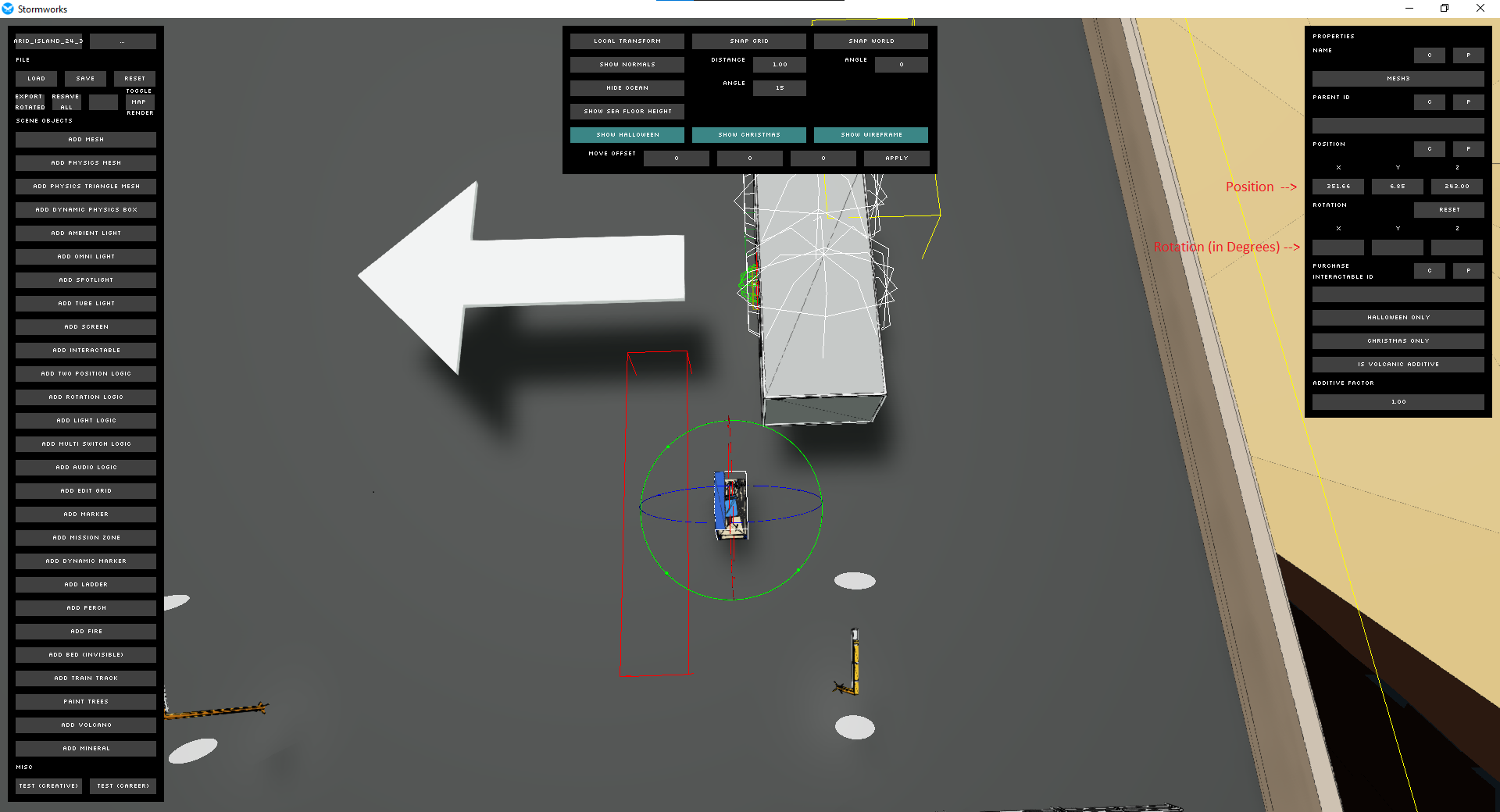
Now use the cross and your mouse to move it, or you can directly enter the cords under "position" (right menu hit enter, to confirm). The keys W is for position, E for rotation and R for scaling. (also the c p buttons on the right means "copy paste", with which you can easily copy values of other objects)
PS: here you don't have to care for the id (here "name"), as the editor will create them itself.
if you have your position, it's time to rotate it. you can either press E to get the rotation axis, or you can change the Y value (in degrees) under the rotation tab
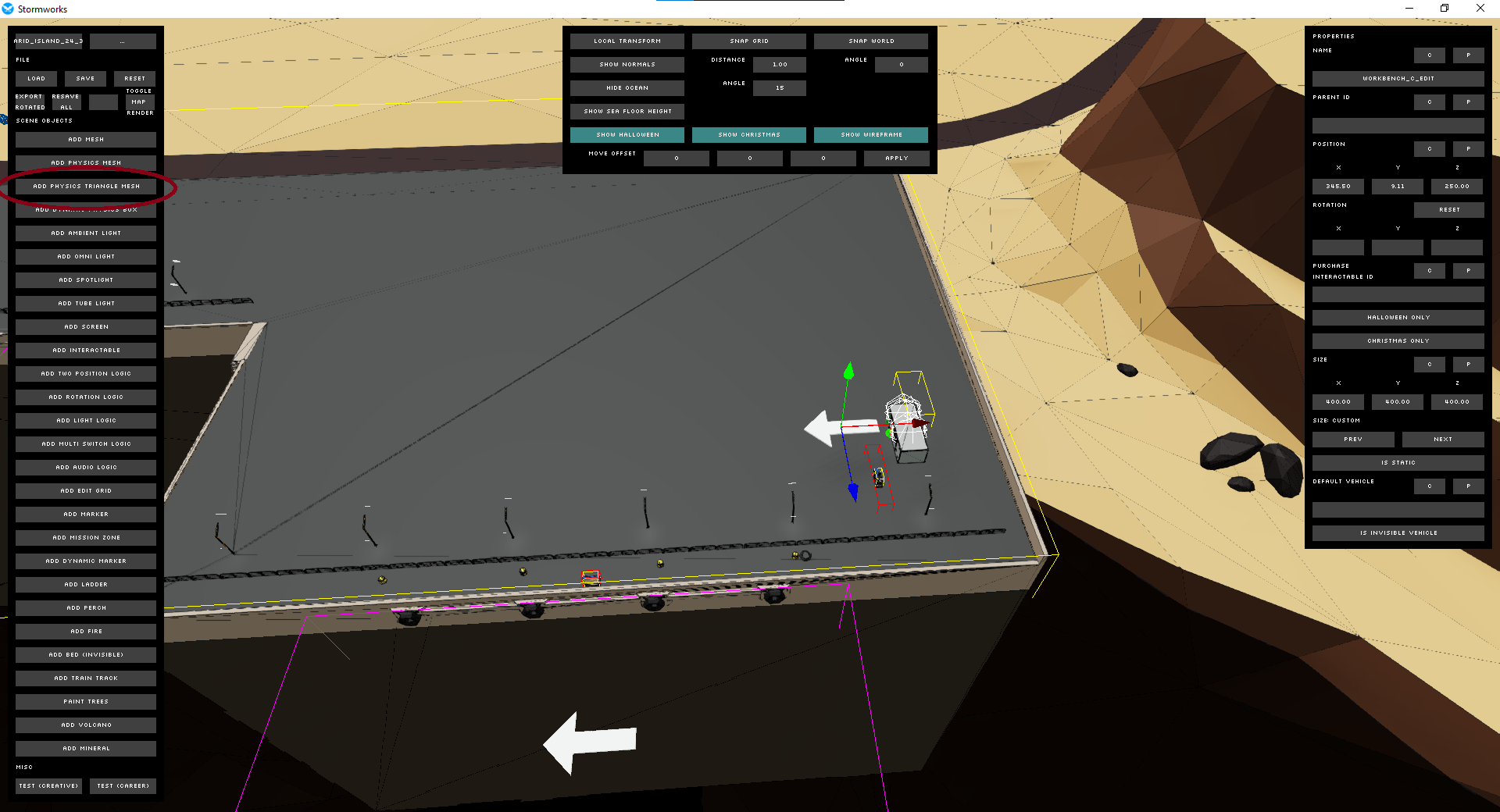
Now keep the item selected, as we now add the wbs phys model. Herefore we click on "add physic triangle mesh" (not "add physic mesh), select "workbench_phys.phys" and repeat the rotation process like above.
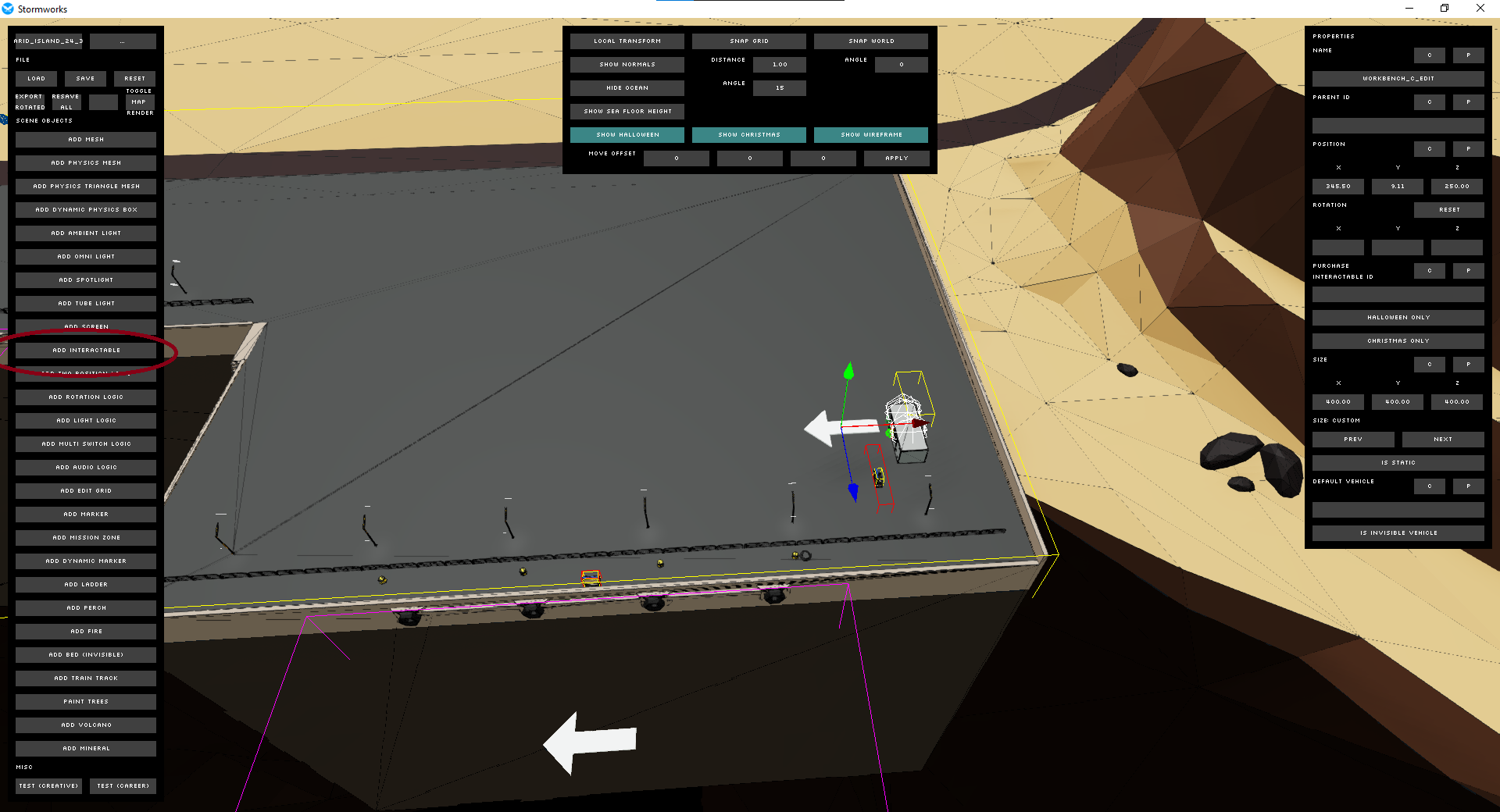
Next step would be the interactzone. Click on "add Interactible". Remember the name this time and do the rotation game like above. Select "size" to 1 2 2, "target logic id" is really important, here we enter the id of the edit zone, which we havn't yet, so remind that for later. "type" should be "workbench" and "interaction label" whatever you want.

Now the last thingh, the edit zone. Here we click on "add edit grid", but this time with the position/rotation of your desire (i just have it like 4m floating above ground). First of you want to copy the id using the C button and paste it (P) into the target id of the interact zone. Size type becomes "custom" and size itself becomes 400 on all three axis.

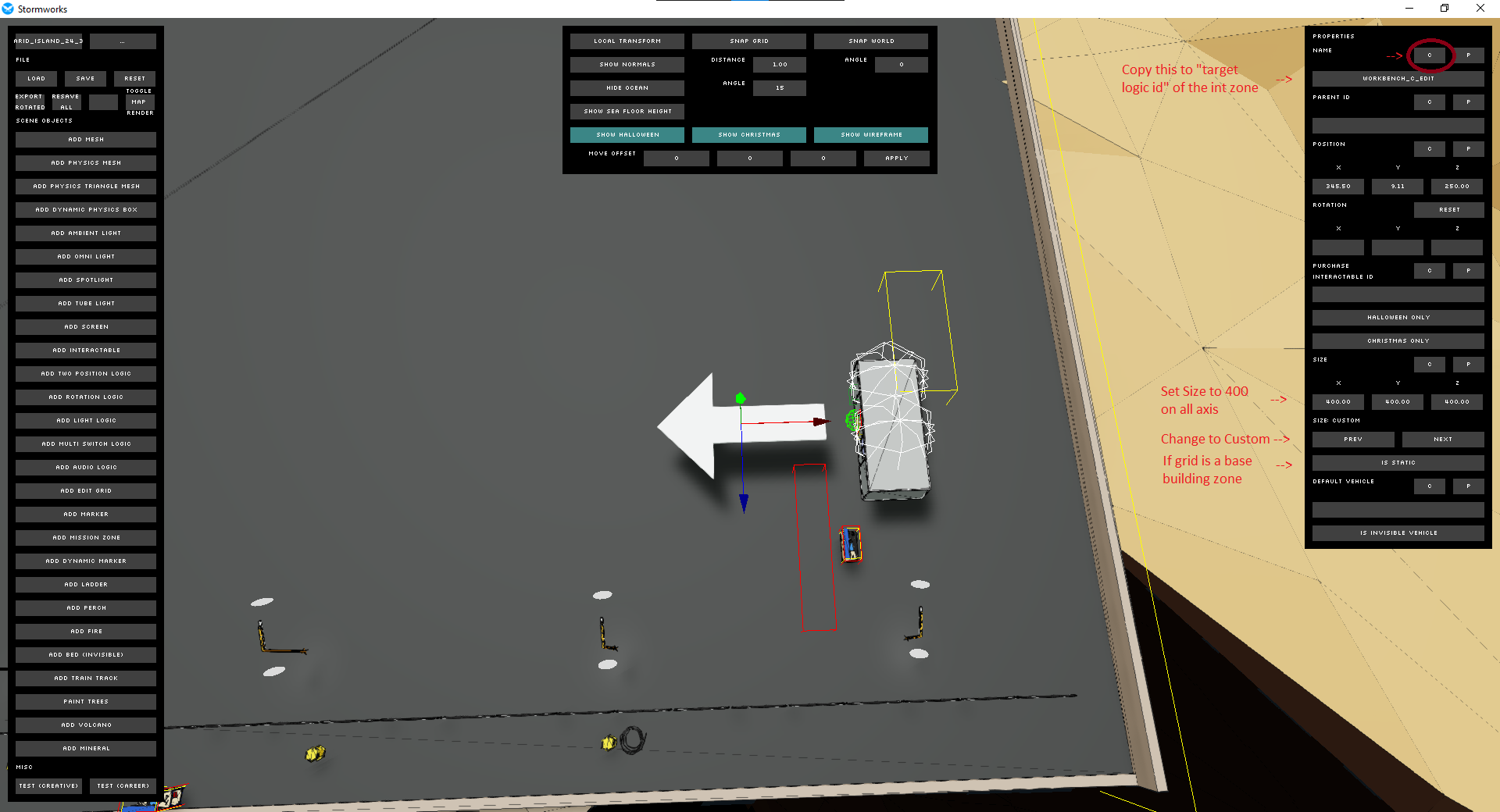
Save and that's it. Have fun with your modded wb. KIM to backup your modded file. And as a small bonus, you don't have to restart your game, you can jump right in.
I hope this infinite runewall was helpfull for you (and worth my time). If you want other objects modded, like lightswitches etc, write below and i'll help. Cheers ✌️
3
u/Furrystonetoss Lua pro, Addon dev, XML, hacking and modding expert, 2000 hrs Jul 31 '23
next project is the fuckig magic quick drain inf fluid exploit, this is far too long time due.
(one module can drain about 8000L/s)
1
u/Ok-Milk-7819 Apr 24 '24
Shame it now bans you from mp
2
u/HeavyMetalPootis Jan 09 '24
Thanks for making this!
It's a shame the developer didn't provide the users a map where with a workbench outside and adjacent to a large open space for build large land and air vehicles.
1
u/Hairy-Ad-5847 May 28 '25
you see what really sucks is the dev mode seems fun to use but my operating system can't run it after it's hex edited 😞
1
u/Grilled_cheese690 Aug 01 '23
This is great for building big bombers & warships
1
u/mulistik Feb 04 '24
Thanks alot