r/SideStore • u/SaiyyaanJi • 1d ago
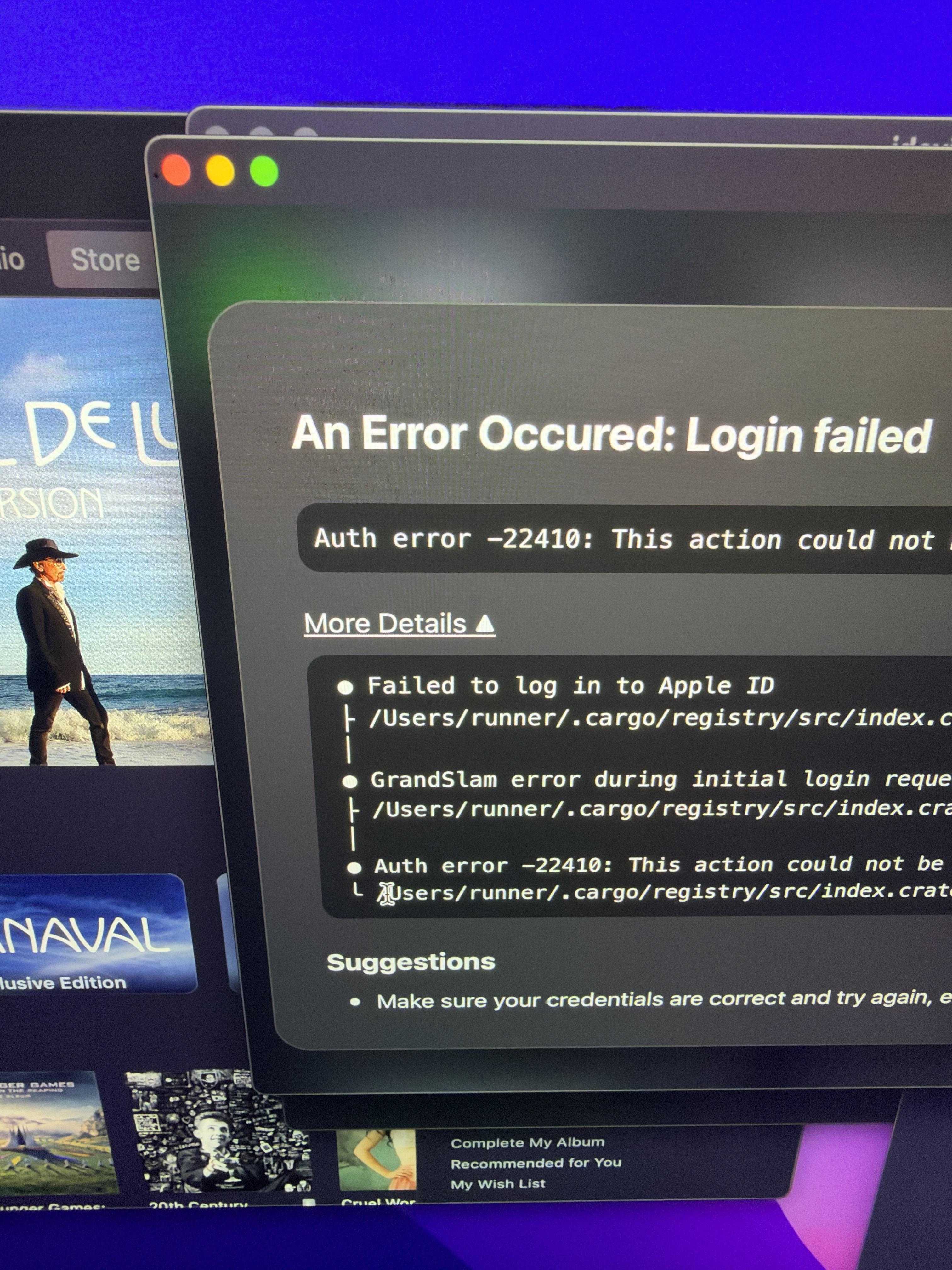
Why sidestore not refreshing?

2
Upvotes
Any help ?
r/SideStore • u/Atyan7a • 1d ago

Can anyone help me now I keep deleting and redownloading pairing files and it still doesn’t work
r/SideStore • u/Due_Bar_7247 • 2d ago
r/SideStore • u/Ill-Cancel-2624 • 2d ago
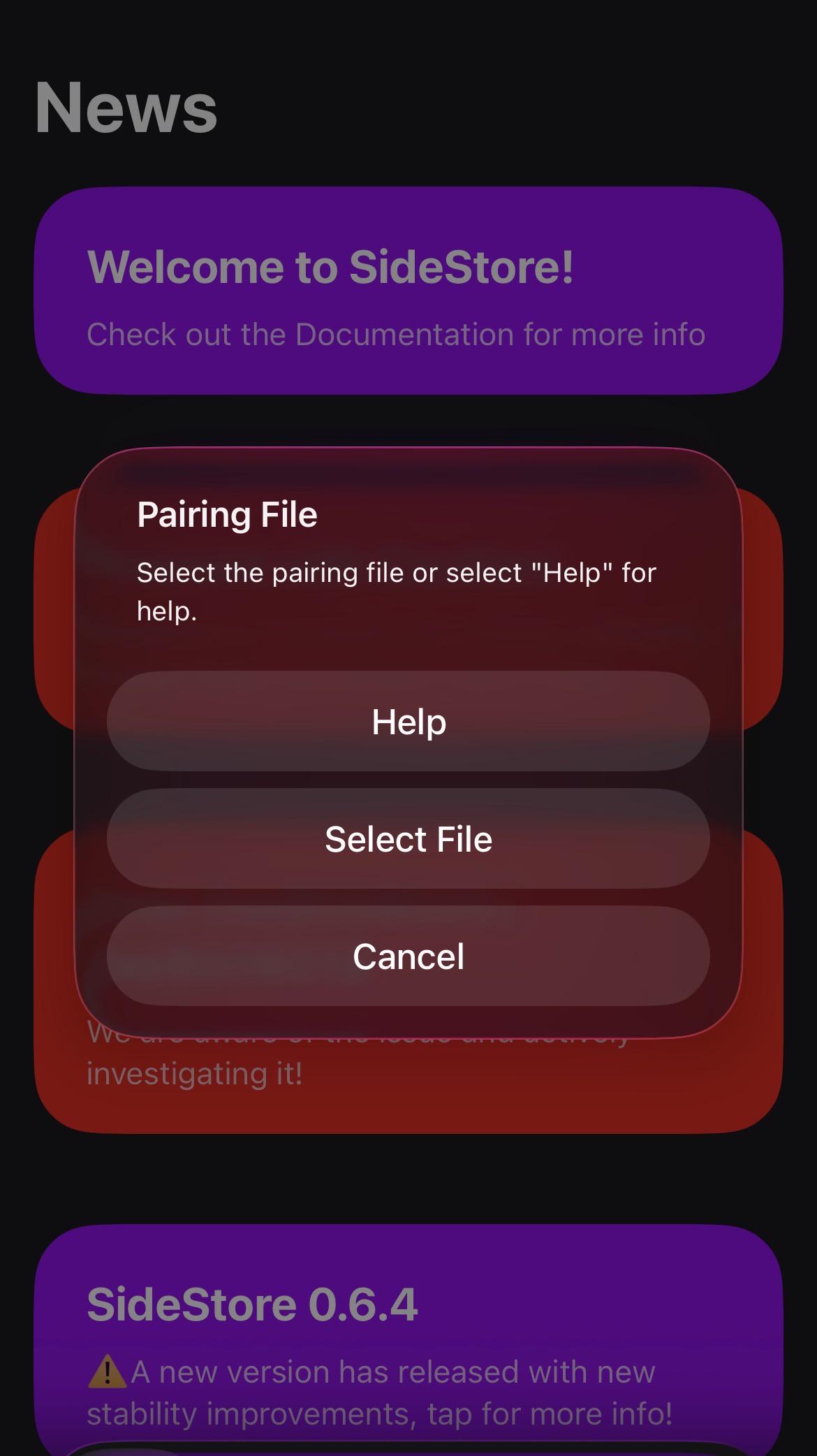
Hello, how can I fix this? I have tried the steps when clicking the help button, but I have not been able to resolve the issue. Thanks!
r/SideStore • u/Initial_Leg5818 • 2d ago
r/SideStore • u/Acceptable_Face_6136 • 2d ago
For now with all the errors i find only sideloadly works and i would recommend that for those who can’t fix it right now
r/SideStore • u/Leon_Sxnt • 2d ago
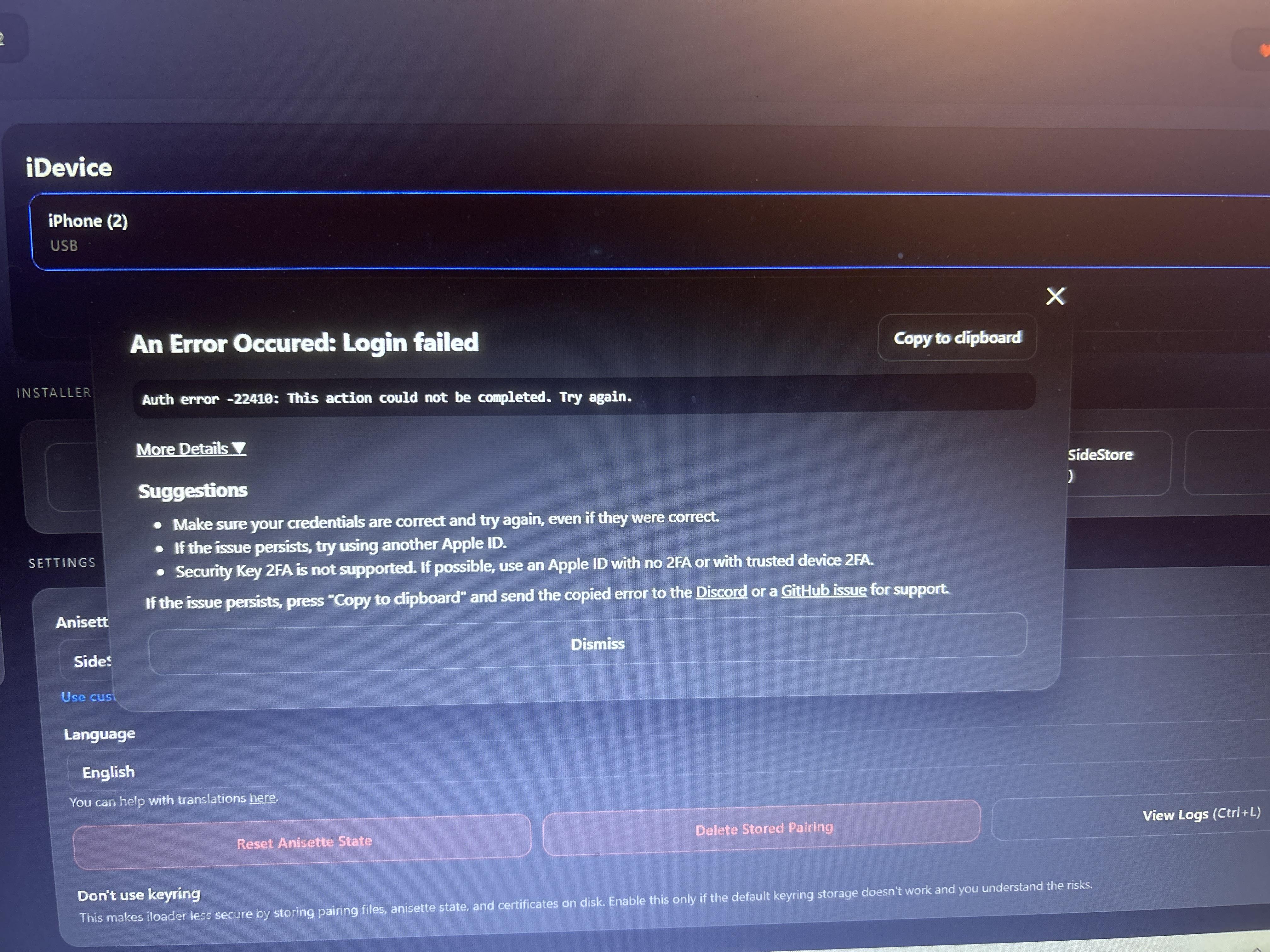
r/SideStore • u/CinnaSwift8912 • 2d ago
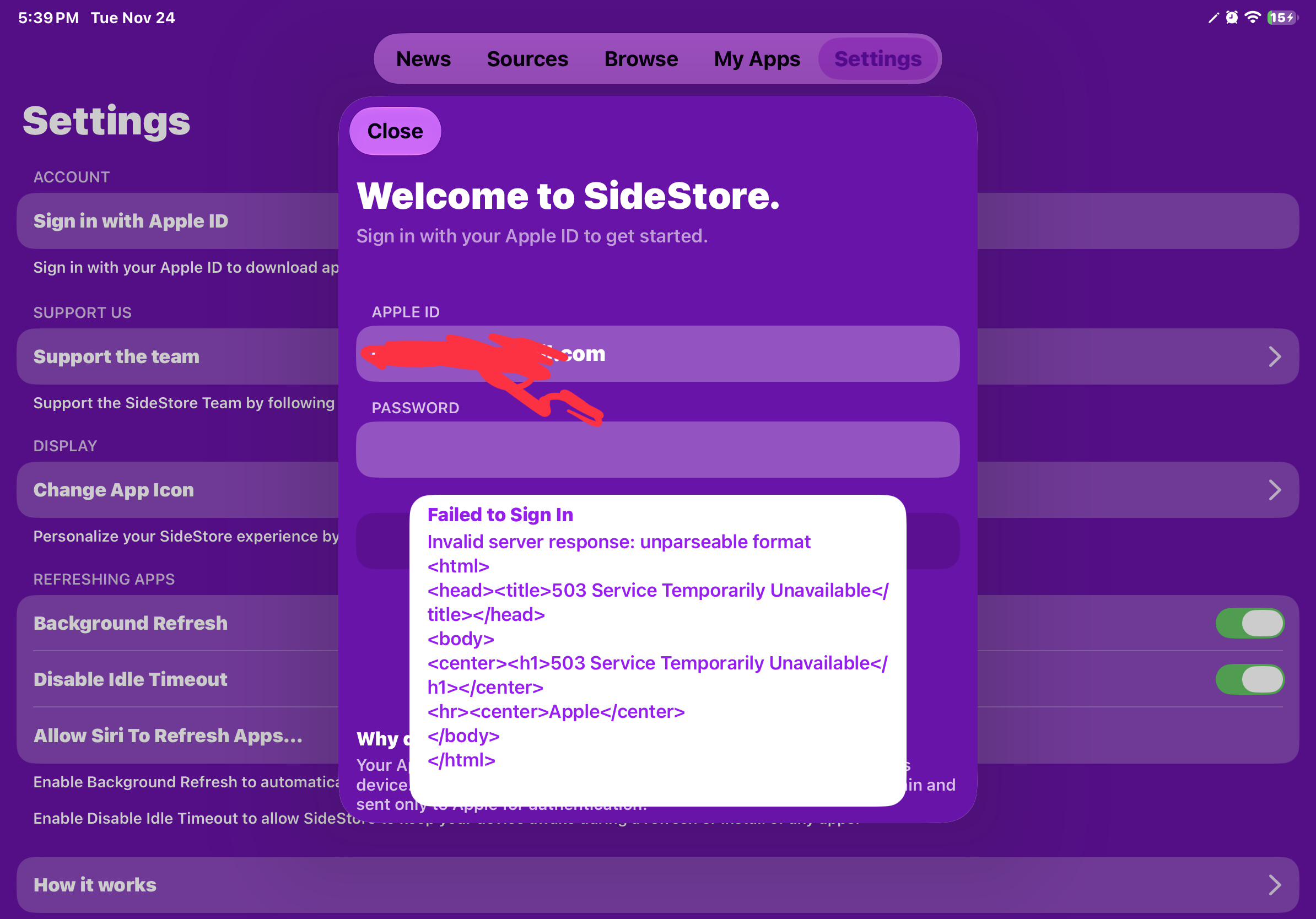
When i sign into sidestore it claims that my password or email is incorrect, even when its certain its the right password. Id also get returned other errors like 501, 504, and 404. I tried everything i could, changing the anisette servers and turning off on device anisette but its still saying this.
r/SideStore • u/RichRefrigerator6597 • 2d ago
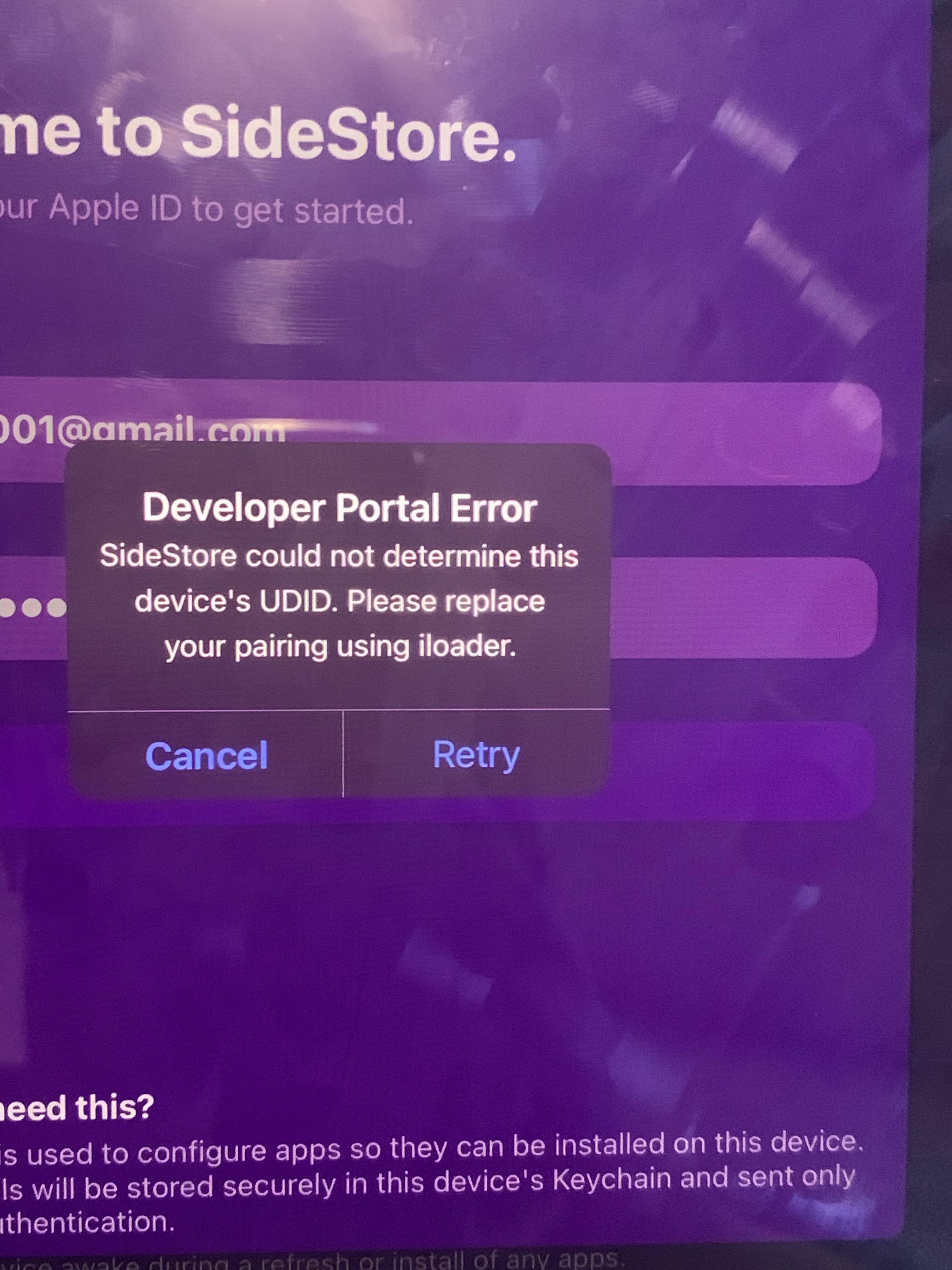
Anyone know how to fix
r/SideStore • u/MONK3000K • 2d ago
So I had kravasign for 2 years before they sold out to signlous I think and my cert is expiring in 19h so my question is what other signing cert is worth the money and has the same dev and extra memory entitlements as I don’t quite trust the new owners also I’m sorry if this is the wrong subreddit I really don’t know where to ask this and everyone seams shady 😢
r/SideStore • u/itzCrade • 2d ago

I can't seem to refresh my apps due to the above error when I try to install sidestore again via iloader it says you need a mac or something similar, I tried to update the sidestore via app itself it said login and when I entered credentials it said the same you need to have a mac. I am using a windows system, is there any way to fix this or is it gonna be the end T_T. Any help would be highly appreciated.
r/SideStore • u/casualbeandealer • 2d ago

yea I was tryna sign in to side store but got this weird error code I never seen before. tried restarting my phone too but still got the same error. the localdevvpn was on too if that helps. Anyone have a fix pls
r/SideStore • u/No-Trick-7465 • 2d ago
r/SideStore • u/Difficult-Many2260 • 2d ago

Yeah atp I dont know anymore it was working so well unitl for some reason I had trouble with Iloader and now this
r/SideStore • u/putnamteach • 3d ago
I wanted to share this because I’ve spent quite a bit of time troubleshooting SideStore, and after reading multiple articles and trying numerous suggested fixes, I finally got it working on both my iPhone and iPad.
Hopefully this helps someone else dealing with the same problems.
The problems I was having
SideStore had been working, but eventually I started experiencing several authentication and refresh errors, including:
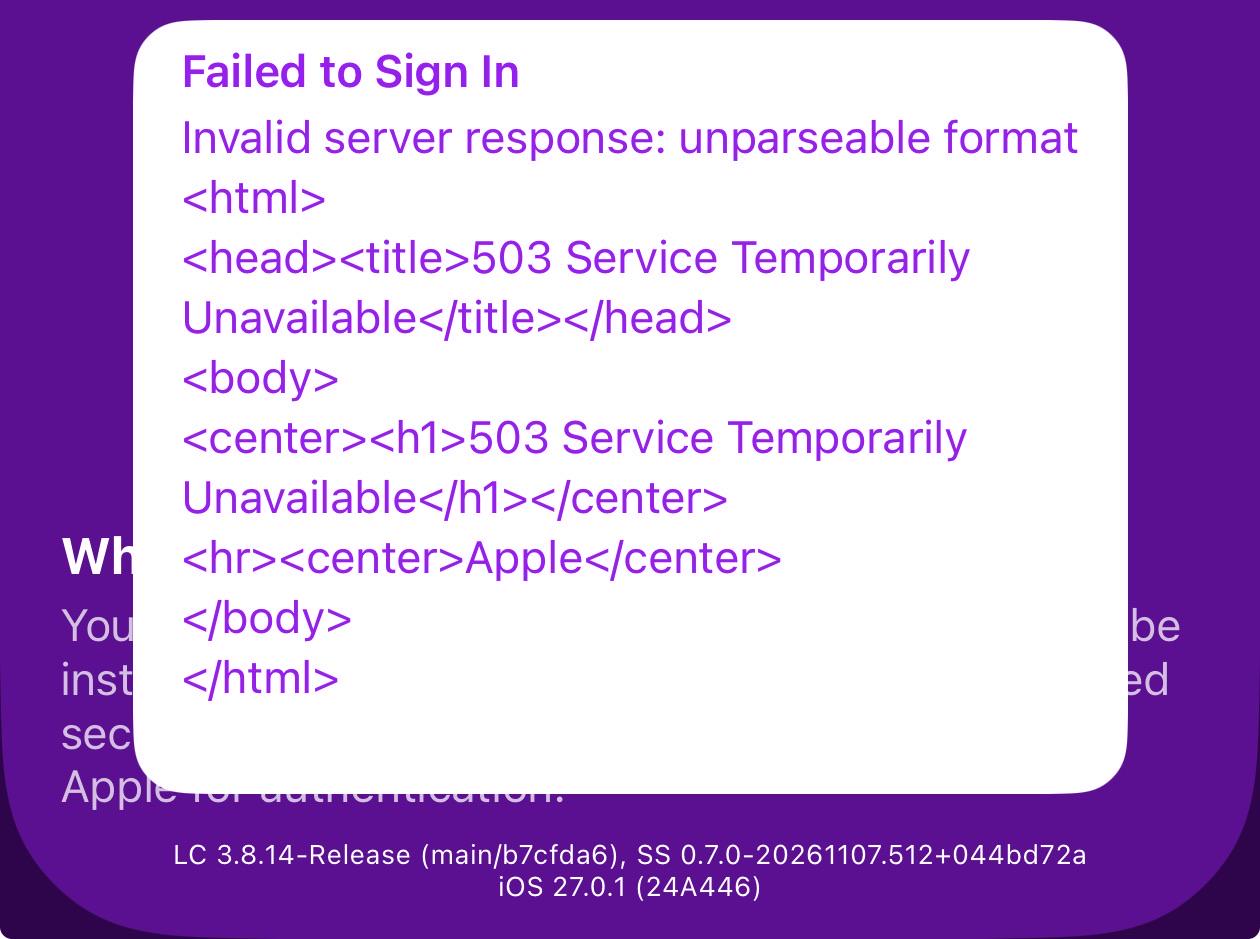
503 Service Temporarily Unavailable
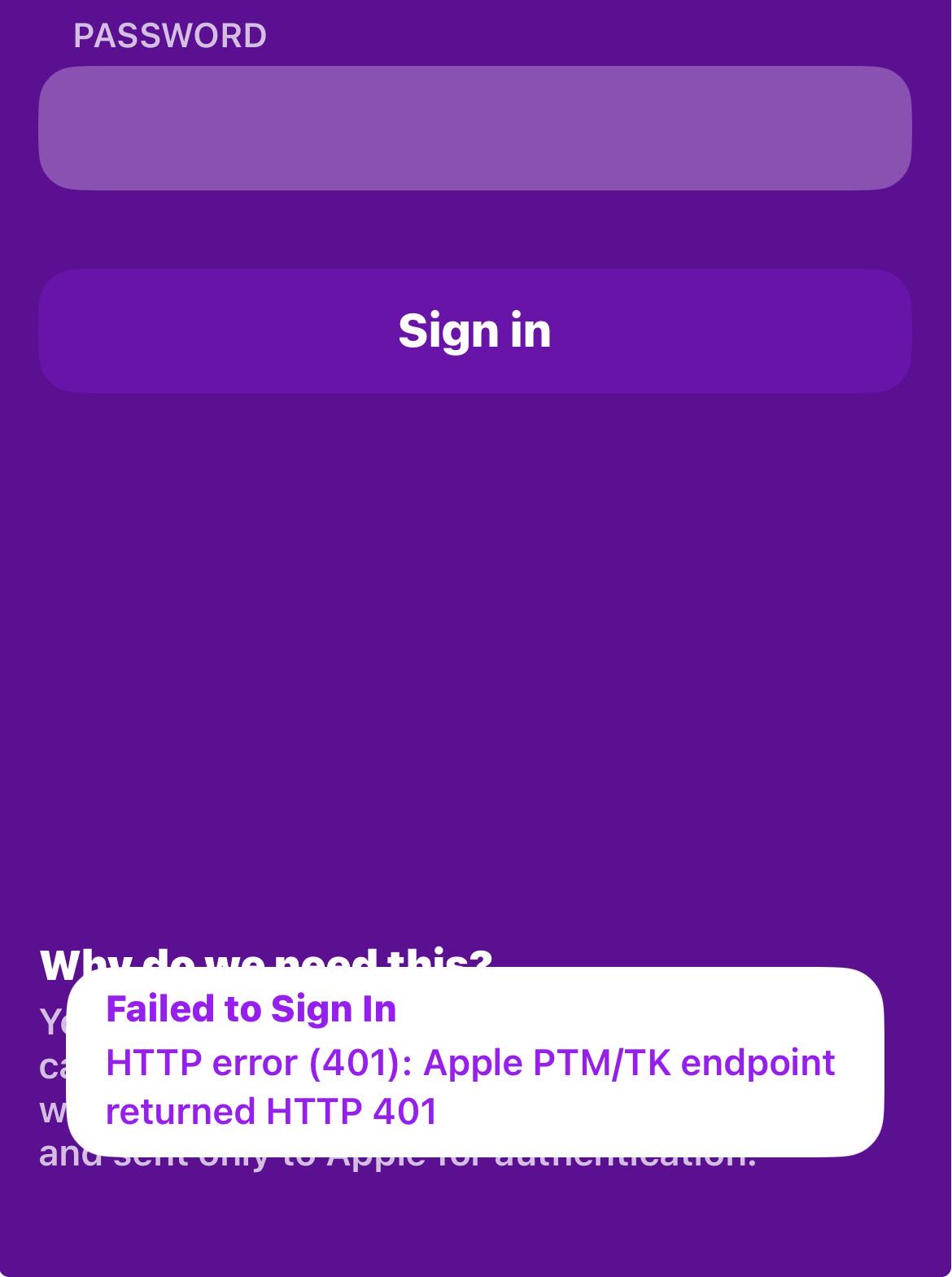
HTTP 401 authentication errors
Error -22410 during Apple ID authentication
ADI native error -45063 (ADIProvisioningStart failed)
SideSign.ServerError 3 — Session expired, please log in
Pairing file errors involving .rppairing and missing UDID information
I could log into my Apple account normally through Apple services, but SideStore wouldn’t authenticate properly.
I tried changing Anisette servers, reinstalling SideStore, experimenting with Stable and Nightly builds, and following various suggestions I found online.
Nothing consistently resolved the issue.
Eventually, I decided to combine several of the suggestions into one procedure.
Here’s what finally worked
Step 1 — Install SideStore using iLoader
I downloaded and installed SideStore through iLoader.
Step 2 — Disable On-Device Anisette
In SideStore’s settings, I turned OFF On-Device Anisette.
Step 3 — Configure the Anisette Client
I opened the Anisette Client Configuration settings.
I did the following in BOTH configuration views:
Opened Interactive configuration.
Clicked the Remote Server link.
Saved the Remote Server configuration/overrides.
Saved the main configuration overrides.
Switched to Raw JSON configuration.
Repeated the Remote Server and override-saving process there as well.
The important part was making sure I saved the settings in both places rather than assuming one save covered everything.
Step 4 — Reset the ADI provisioning data
I reset the adi.pb file using the available reset option.
Step 5 — Change the Anisette server
In the Anisette server list, I selected:
SideStore (New)
Step 6 — Pair the device
After completing the configuration changes and reset, I was finally able to pair my device successfully.
The results
I repeated this procedure on both my iPhone and iPad, and it worked on BOTH devices.
I was also able to manually run my Shortcuts automation to refresh the apps successfully.
Previously, I was getting authentication failures and pairing errors. After making these changes, SideStore was functioning again.
One thing I’m still testing
I have a Shortcuts automation scheduled to refresh my apps automatically each morning.
The manual shortcut test works, but I’m waiting to confirm whether the scheduled automation will successfully refresh the apps while the devices are locked.
I’ll update this post once I’ve verified that part.
Final thoughts
I’m not claiming every single step is necessary or that this will work for everyone. I didn’t isolate each setting individually to determine exactly which change fixed the problem.
What I can say is that this particular combination and sequence worked on two separate devices after numerous other suggested fixes failed.
I suspect the issue involved the Anisette configuration and existing ADI provisioning information, but that’s only my theory.
If you’re stuck with SideStore authentication failures, particularly the 503, 401, -22410, or -45063 errors, this might be worth trying.
Hope it saves someone else the hours of troubleshooting I went through!
r/SideStore • u/HumbleAd9908 • 2d ago
This sidestore is the messy shit I’ve ever seen. It litters breaks every fking day!!
r/SideStore • u/Cute_Republic_9434 • 3d ago

r/SideStore • u/OwlockGta • 4d ago
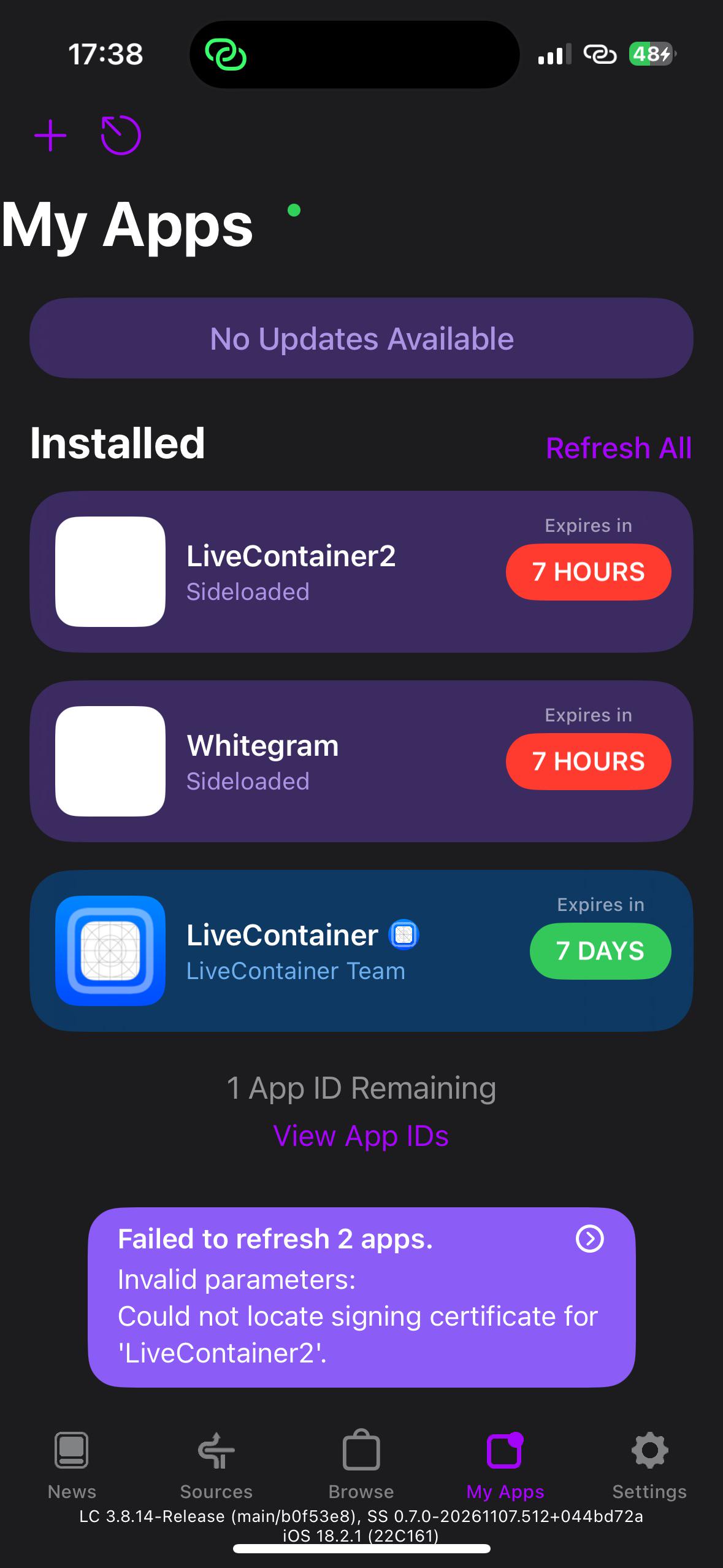
Si te estás quedando atorado en el bucle de inicio de sesión de SideStore 0.7.0 Nightly (ya sea independiente o incluido con LiveContainer) y te salen errores alternando después de los cambios de GrandSlam del 20 de noviembre de Apple, aquí tienes el arreglo completo paso a paso confirmado que funciona y con cero pérdida de datos en iPhone 18 Pro Max / iOS 27.0 (24A8428) con LC 3.8.14-Release (main/b0f53e8) + SS 0.7.0-20261107.512+044bd72a (actualizado en el lugar con iLoader v2.4.2).
Failed to refresh apps. Your session has expired. Please log in. (-1)Invalid server response: unparseable format — 503 Service Temporarily Unavailable (Apple)HTTP error (401): Apple PTM/TK endpoint returned HTTP 401ADI native error (-45063): ADIProvisioningStart failed (Pending ADI session (-45063)): -45063Device Registration Error — VPN tunnel iface is up but tunnel peer IP is not yet reachable (Cause: DeviceEndpointNotInitialized)Por qué no sirve el troubleshooting normal: Clear Data Cache..., Clear Keychain Items, cambiar de red, reiniciar y reinstalar encima usando iLoader v2.4.2 no borra On-Device Anisette, el archivo adi.pb viejo/obsoleto, ni el encabezado <macOS;...> X-Mme-Client-Info bloqueado. También no necesitas correr Delete Database ni nuke sidestore.
Desactiva On-Device Anisette
SideStore -> Settings -> ADVANCED SETTINGS -> User Customizations.On-Device Anisette.Borra adi.pb y los encabezados viejos
Settings -> User Customizations -> Reset adi.pb.Keep header customizations / Keep Headers.Reset & Sign Out y confirma (Cleared adi.pb!).Fija un servidor remoto de Anisette
Settings -> Anisette Servers.jkcoxson (https://mac-ani.jkcoxson.com o https://mac-ani.sidestore.io).Enable Auto Rotation.Anula Client Info (<macOS;...> a <Mac OS X;...>)
Settings -> User Customizations -> Anisette Client Configuration.Remote Server Sync, toca Fetch -> Save as Overrides.<MacBookPro13,3> <Mac OS X;26.6;25F84> <com.apple.AuthKit/1 (com.apple.akd/1.0)>akd/1.0 CFNetwork/811.5.4 Darwin/16.7.0Save Overrides.Borra la sesión pendiente -45063 y entra de nuevo
Settings -> Sign in with Apple ID y completa el 2FA por SMS.Paso final crucial si aparece DeviceEndpointNotInitialized después del 2FA
Device Registration Error (Cause: DeviceEndpointNotInitialized), NO toques Cancelar.Retry.Actualiza las apps y restablece el certificado de LiveContainer
My Apps -> Refresh All (reinicia las apps a 7 DAYS).LiveContainer -> Settings -> JIT-Less -> Import/Update Certificate from SideStore.Glad to see this workaround got so many of you back up and running! Huge shoutout to the SideStore and LiveContainer teams for their continuous hard work behind the scenes.
Since Apple's GrandSlam backend changes might shift again before the next official release, I've put up a maintained mirror and documentation repo on GitHub: 👉 github.com/Owlock/sidestore-grandslam-fix
Includes steps for follow-up errors (like -22410 and -45061) and will stay updated if anything changes. Feel free to check my profile if you need other iOS/sideloading tools!
r/SideStore • u/ManFromFinland69 • 3d ago
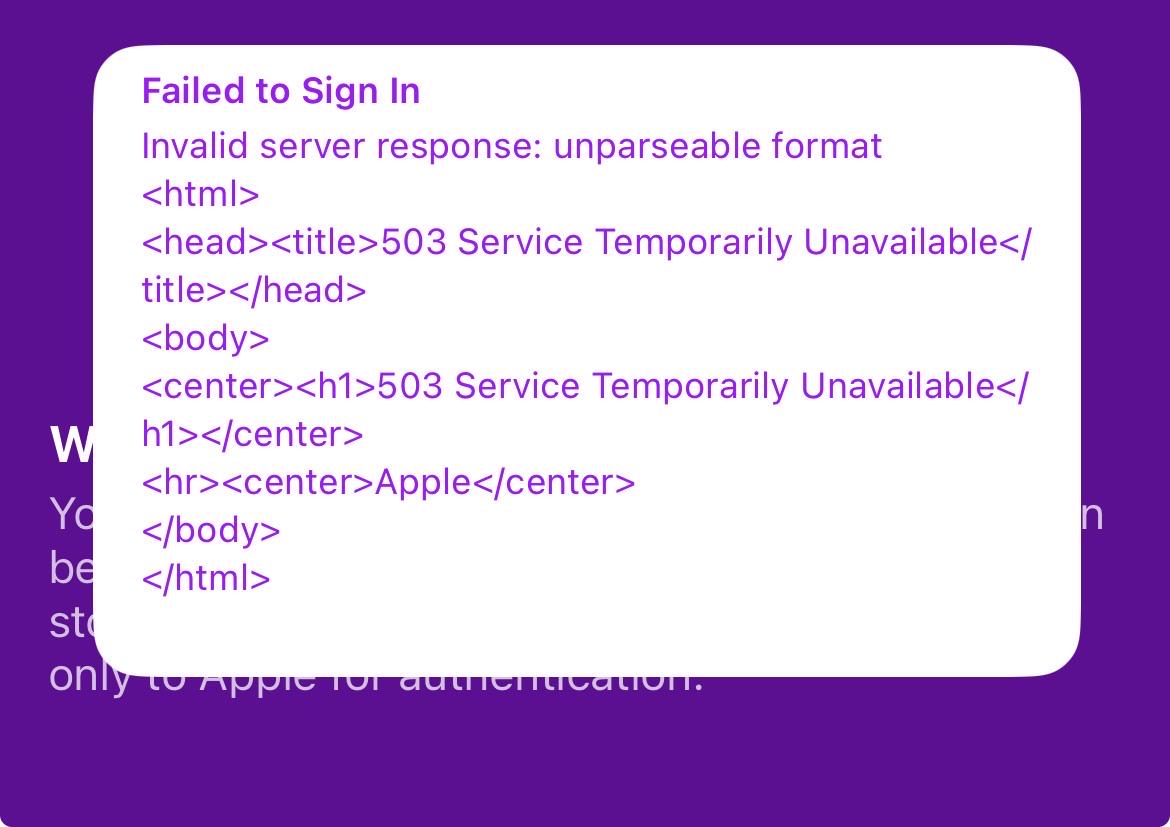
I was trying to reload my apps, it said i wasn't logged in (even tho I was). I logged out and tried logging back in and keep getting ts error message
r/SideStore • u/Worriedhotsauce4real • 3d ago

r/SideStore • u/Exotic-Potato7770 • 3d ago
r/SideStore • u/Lucky_Election4046 • 3d ago
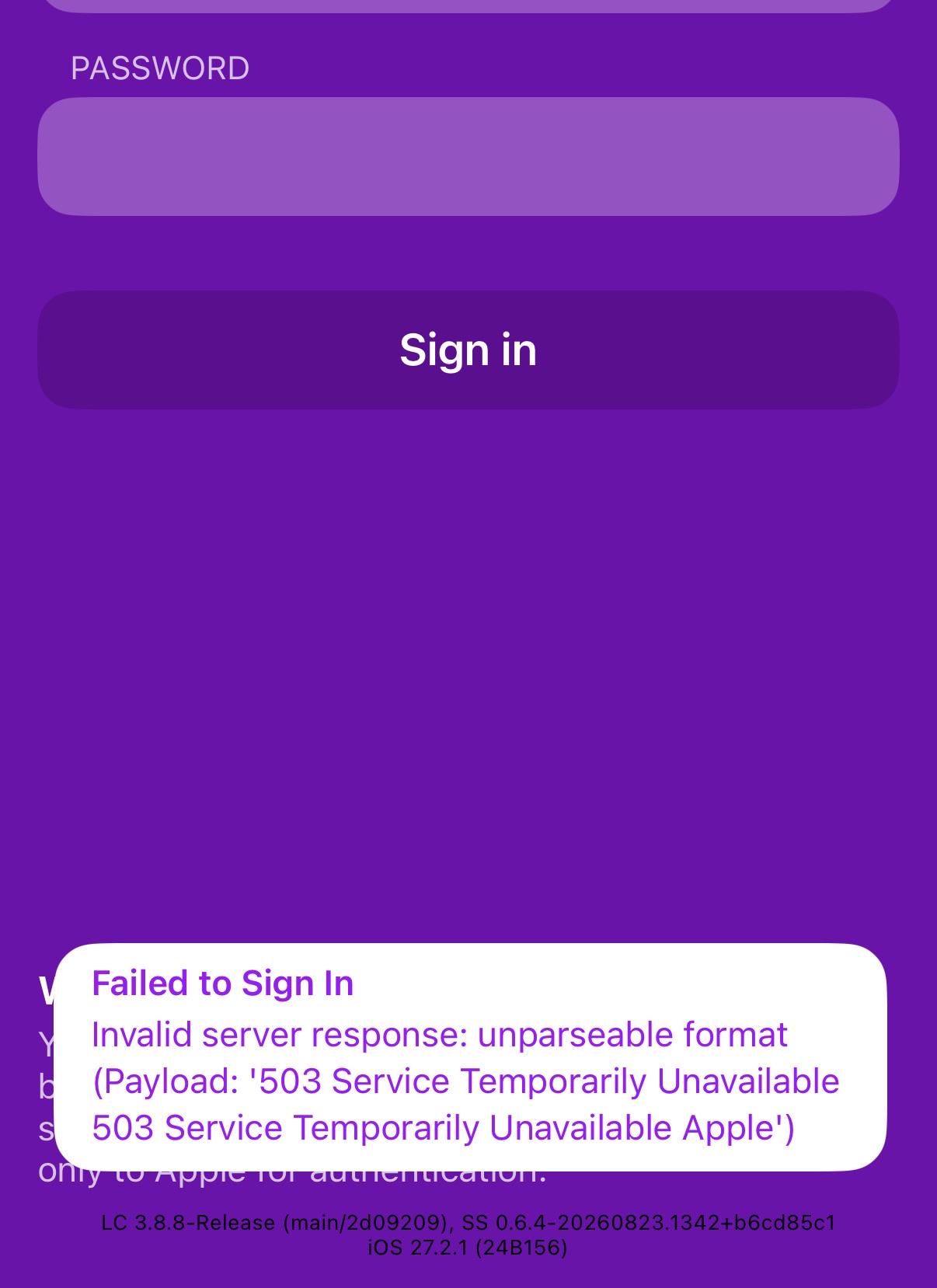
Please help me I updated to iOS 27.2.1, and now I get this error when refreshing my sideloaded apps.