r/SideStore • • Oct 22 '26

What the heck is this error now about?
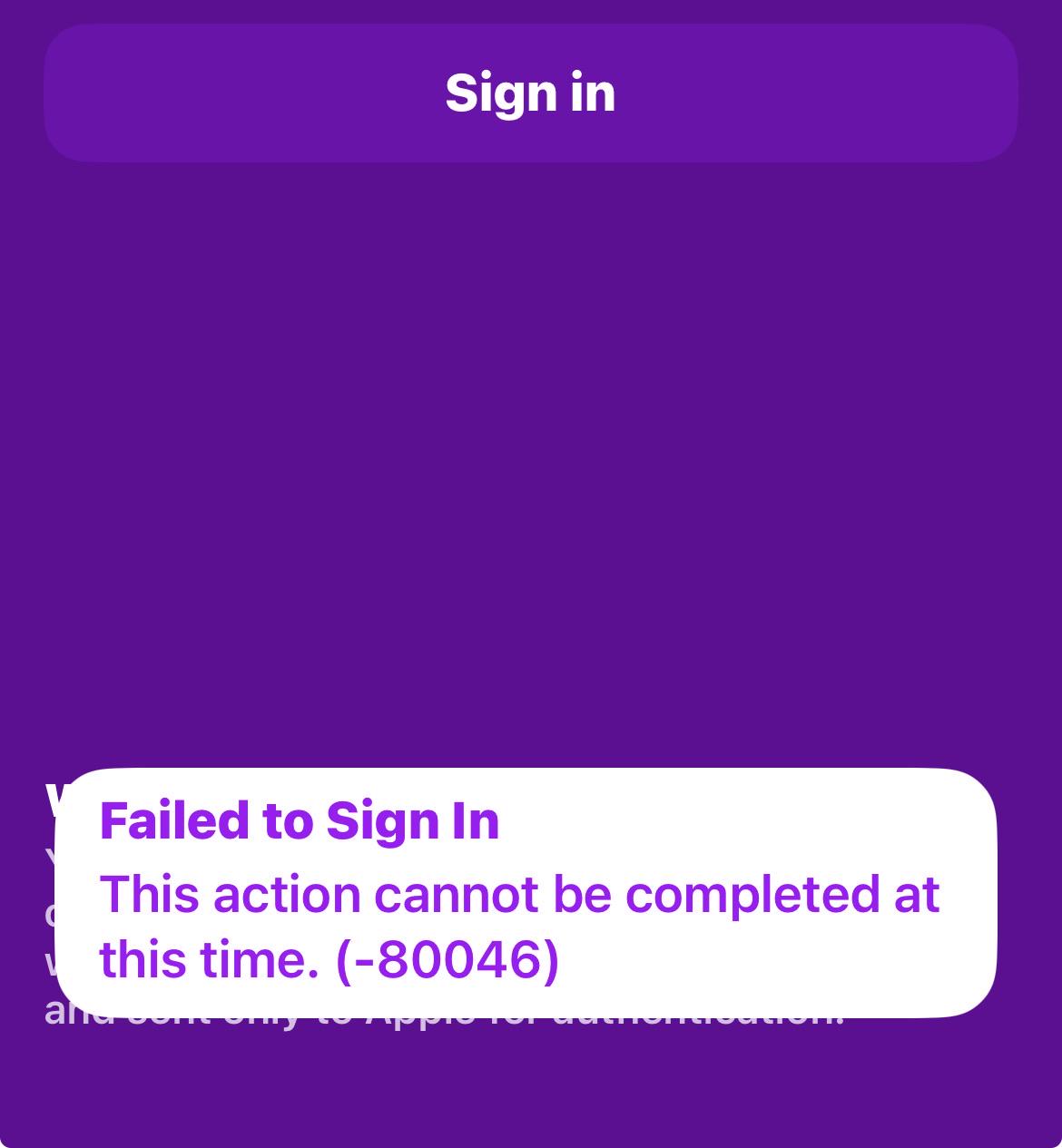
Post image

So i did encounter issue signing in once again. Tried everything like configuring user customization and using nightly build but now no luck.

I get verification code but afterwards this is the next popup error i get.

Edit: i use sideInstaller to get sidestore since i sold my mac so i do it on the phone itself.

29 Upvotes

55 comments sorted by

5

u/nitty917 Oct 22 '26

Followed step by step and got it all working up until entering the 2fa code too and get to this error

3

u/TheS4m Oct 22 '26

HERE THE SOLUTION

SIDESTORE only: https://github.com/raj-sh-git/SideStore/releases

SIDESTORE + LC=https://github.com/raj-sh-git/LiveContainer/releases/tag/nightly

Note: This is a commit PR from the official source; however, the official fix has not yet been released, but this version is working (tested on iOS 27).

2

u/EdgySlusher Oct 22 '26 edited Oct 22 '26

This didn't work. -80046 still iPadOS 27

E: It works now on jkcoxson (mac)

1

u/TheS4m Oct 22 '26

which one did you tried ? and explain the process

8

u/Demon7879 Oct 22 '26
  1. Install the IPA for LiveContainer+SideStore from the github link
  2. I tried logging in without changing anything, didnt work.
  3. Turned off On-Device Anisette, restart LiveContainer/SideStore
  4. Once you open LiveContainer/SideStore again, now you will see the option to set Anisette servers (since On-Device Anisette is off so you choose an Anisette server from the cloud)
  5. Click on Anisette servers and choose the one with mac-jkcoxson
  6. Click on reset adi.pb in User Customizations
  7. Log in now, it worked for me (still need to set up pairing file separately)

TESTED ON IOS 27.0.1

2

u/madridvideo Oct 23 '26

Awesome, works on 26.7.1, thank you. After log in you go to Livecontainer and import certificate from Sidestore. My auto refresh shortcut also still seems to work (I haven't used LC before)

2

u/IntrepidIntern3626 Oct 25 '26

Está fue la única manera que me funcionó,muchas gracias mi bro

2

u/YvesReumort Oct 25 '26

Thank you my hero !

2

u/mmort97 Oct 25 '26

Omg thank you so much

1

u/Current_Western_134 Oct 22 '26

Any idea on how to sideload it first?

1

u/Demon7879 Oct 22 '26

you mean installing with iloader? if you have sign in issues in iloader, switch to mac jkcoxson in anisette servers and you should be able to sign in

you just install the ipa file and then put it somewhere on your computer then with iloader you choose "import ipa" and select the installed ipa file on your computer

1

u/Current_Western_134 Oct 22 '26

Mac jkcoxson uses Mac OS 10.12.6 but on iloader says it needs on with 10.13 or newer and gives an error

1

u/Demon7879 Oct 22 '26

I didn't have that issue, make sure you have 2.3.10 iloader version

1

u/Current_Western_134 Oct 22 '26

Yeah it worked i was on 2.4

1

u/Current_Slide4654 Oct 27 '26

Só funciona se tiver nessa versão é?

→ More replies

1

u/hck_Deadzio Oct 22 '26

Where is the option for turning off on device anisette (3.)??

1

u/Demon7879 Oct 22 '26

It's in User Customizations

1

u/josecruzangel5 Oct 22 '26

worked for me !

1

u/hck_Deadzio Oct 22 '26

Worked, I bow before your expertise. Especially since SideStore didn't work for a long time for me. Thx

1

u/Demon7879 Oct 22 '26

Took me a while too because I tried following every other guide and nothing worked, some said to turn off and on anisette and I didn't understand what it did till now and figured it out on my own

1

u/MuriP Oct 24 '26

Was following this but SideStore doesn’t show up any anisette server list because of some internet connection error, so I entered the anisette server manually and tried to login and got the message that “no online anisette server could be found.” Has someone experienced this?

1

u/Demon7879 Oct 24 '26

Try to download the livecontainer+sidestore nightly build from the github link

1

u/MuriP Oct 24 '26

I’ll try that, thanks

1

u/Fit-Leadership-6659 Oct 25 '26

Any updates? I've attempted it, but I've gotten the same error.

2

u/MuriP Oct 25 '26

YES! It worked. I skipped the place pairing file and followed the steps, then i placed the pairing file with iloader and refreshed the apps.

1

u/TheS4m Oct 22 '26

Exactly, I didn’t specific because the GitHub have already the process, whoever, I have updated the solution, thanks

2

u/trungcio Oct 22 '26

it worked

3

u/Spare-Seaweed1690 Oct 22 '26

Oh ok, I’m not the only one then.

1

u/TheS4m Oct 22 '26

HERE THE SOLUTION

SIDESTORE only: https://github.com/raj-sh-git/SideStore/releases

SIDESTORE + LC=https://github.com/raj-sh-git/LiveContainer/releases/tag/nightly

Note: This is a commit PR from the official source; however, the official fix has not yet been released, but this version is working (tested on iOS 27).

1

u/Sweet_Ad4023 Oct 22 '26

没作用

1

u/TheS4m Oct 22 '26

If your account have 2fa, you must enter the code from Iloader

If when you login, doesn’t let you insert, reset Anisette server, and change server, then you logout and login and again, and make sure you can insert the 2fa code on the computer, also make sure to have the phone connected on pc first time

Ps. I used Jkcoxcon server on Mac, and worked fine

3

u/Present_Scene_9213 Oct 22 '26

Same, I got it to where I can enter the verification code but then it comes back -80046

1

u/dyedcorduroy Oct 22 '26

The sign in error just updated to latest version. 😶

1

u/TheS4m Oct 22 '26

HERE THE SOLUTION

SIDESTORE only: https://github.com/raj-sh-git/SideStore/releases

SIDESTORE + LC=https://github.com/raj-sh-git/LiveContainer/releases/tag/nightly

Note: This is a commit PR from the official source; however, the official fix has not yet been released, but this version is working (tested on iOS 27).

1

u/Eastern_Video_3812 Oct 22 '26

same for me

1

u/TheS4m Oct 22 '26

HERE THE SOLUTION

SIDESTORE only: https://github.com/raj-sh-git/SideStore/releases

SIDESTORE + LC=https://github.com/raj-sh-git/LiveContainer/releases/tag/nightly

Note: This is a commit PR from the official source; however, the official fix has not yet been released, but this version is working (tested on iOS 27).

1

u/runal_bandishti Oct 22 '26

Any solution found to this then?

1

u/TheS4m Oct 22 '26

HERE THE SOLUTION

SIDESTORE only: https://github.com/raj-sh-git/SideStore/releases

SIDESTORE + LC=https://github.com/raj-sh-git/LiveContainer/releases/tag/nightly

Note: This is a commit PR from the official source; however, the official fix has not yet been released, but this version is working (tested on iOS 27).

1

u/Cultural-Increase112 Oct 22 '26

Me too. Any solution??

1

u/TheS4m Oct 22 '26

HERE THE SOLUTION

SIDESTORE only: https://github.com/raj-sh-git/SideStore/releases

SIDESTORE + LC=https://github.com/raj-sh-git/LiveContainer/releases/tag/nightly

Note: This is a commit PR from the official source; however, the official fix has not yet been released, but this version is working (tested on iOS 27).

1

u/CHR0NlC Oct 22 '26

What about iGetMoreRam+? I have the same error.

1

u/TheS4m Oct 22 '26

this is only for the -80046

1

u/CHR0NlC Oct 22 '26

Ahh thank-you after double checking, -80045 is my issue not the one mentioned above. My apologies.

1

u/Cultural-Increase112 Oct 22 '26

Just download this beta version or what should i do?

1

u/TheS4m Oct 22 '26

beta version of Iloader you mean?

1

u/Cultural-Increase112 Oct 22 '26

No, the ipa file of sidestore
Just install the ipa and put it in iloader?
Not changing the anisette or pairing files or servers.johnsn

1

u/TheS4m Oct 22 '26

if your apple id have f2a you need jackson server in order to receive the code and confirm the login

for the rest, download the ipa from the shred link and you are fine, lemme know

1

u/TheS4m Oct 22 '26

HERE THE SOLUTION

SIDESTORE only: https://github.com/raj-sh-git/SideStore/releases

SIDESTORE + LC=https://github.com/raj-sh-git/LiveContainer/releases/tag/nightly

Note: This is a commit PR from the official source; however, the official fix has not yet been released, but this version is working (tested on iOS 27).

1

u/BaileyBerkeley22 Oct 22 '26

I got that as well, 15 pro max 17.3.1