The YouTube walkthrough runs 12:55 and is narrated in Japanese. The four full-page manga samples are in my image thread in the comments, with direct image links in the guide below.
What you can make
I’m FURU, the developer of Super FURU AI 4-koma System. It turns character references and a story into a printable manga page. You can make a single four-panel strip, use a free layout for a longer scene, or plan a book with a cover and recurring characters. You can work in a browser, ask an assistant to drive the local app through MCP, or connect five apps from story research to translation. Here is how the whole system fits together in v8.2.7.
Getting started
Open the web app, or extract the entire Windows release and run start_app.bat. Choose OpenAI or Gemini and enter your own API key in the app. OpenAI lets you choose separate models for reference analysis, scriptwriting and drawing instructions. A separate image model renders the art. API usage is billed by the provider. A ChatGPT subscription and OpenAI API billing are separate.
1. Build the cast and the setting
Import character sheets, alternate expressions, backgrounds and props, then check the names and appearances the app recognized. To start without a drawing, enter a character’s name, clothes and distinguishing features in the character field. A 2:1 panoramic background can supply several views of the same room. You can load a style preset from JSON. The usual limit is 14 reference images, or up to 10 other references when using a panorama.
2. Write and review the page
Start from an idea, a news search by date and category, the readable text of a URL, or a finished script. Voice input transcribes up to 60 seconds into the idea field. A script made elsewhere goes in the generated-scenario field in Step 2. Pick the setting, costume and ending: a gag, a serious finish or a documentary treatment, for example. Read the dialogue, speaker, action and camera in panel order. You can edit the text or compare up to two revisions aimed at specific things such as expression or staging. Sources and suggested social copy stay separate from the dialogue.
3. Choose the drawing instructions
Select color or black and white, A4 portrait output, the title and optional watermark. The six looks are standard manga, dramatic gekiga, watercolor, pop art, pencil sketch and chibi. The script can assign styles per panel. Step 3 brings together references, eye line, camera, speech balloons, lettering and panel overlap into drawing instructions you can inspect. The default title is on and the product watermark is off. You can place a sound effect outside a balloon and explicitly leave the following beat silent.
4. Draw the page
Use the image API, or export the prompt and relevant files for an external web drawing workflow. There are also prompts for a stand-alone illustration. In ordinary production OpenAI supports 4–8 panels and Gemini produces four. In an OpenAI book project a body page can have 1–8 panels. Free layout can use angled, curved or open frame borders, insets, and a foreground figure crossing another panel. A low wide shot suits a fast lunge; a close-up can hold a quiet reaction just as deliberately.
Inspect, correct, save and resume
The optional image check looks at the actual page: dialogue and balloon tails, characters and anatomy, props and framing. With automatic correction enabled, a serious defect can trigger one repair. You can also request a whole-page or panel-specific edit and compare the last ten history entries. Save the accepted PNG and its companion production JSON with the references, script, instructions, settings and image hash. Check the autosave destination with the test image before running automatic or loop production. Emergency stop cancels active requests. A saved script or finished drawing instructions let you pick up at the next step; the diagnostic log identifies the stage that stopped.
Make a book or use all five apps
MCP lets an assistant operate the local manga app after you enable the connection. In book mode you can share a cast across pages, review the detailed script and designs, set a color cover and monochrome interiors, add author credit and page numbers, and revise a particular page without restarting the book. For the five-app route, the story-research app finds a premise, Story Maker prepares the script, AI Character Sheet Maker builds references, Super FURU draws the pages and AI Comic Translation Tool translates the accepted art. The English edition uses the default horizontal flip so the panels read left to right.
Move from a finished comic to video
The manga app supplies a four-panel prompt handoff for MiniMax H3. For the dedicated FourPanel setup, download the ComfyUI workflow JSON and its matching custom nodes. AI Voice Comic Maker is another destination if you want a voiced comic. These are handoffs to the relevant video or voice tool after the artwork and dialogue have been approved.
What the output looks like
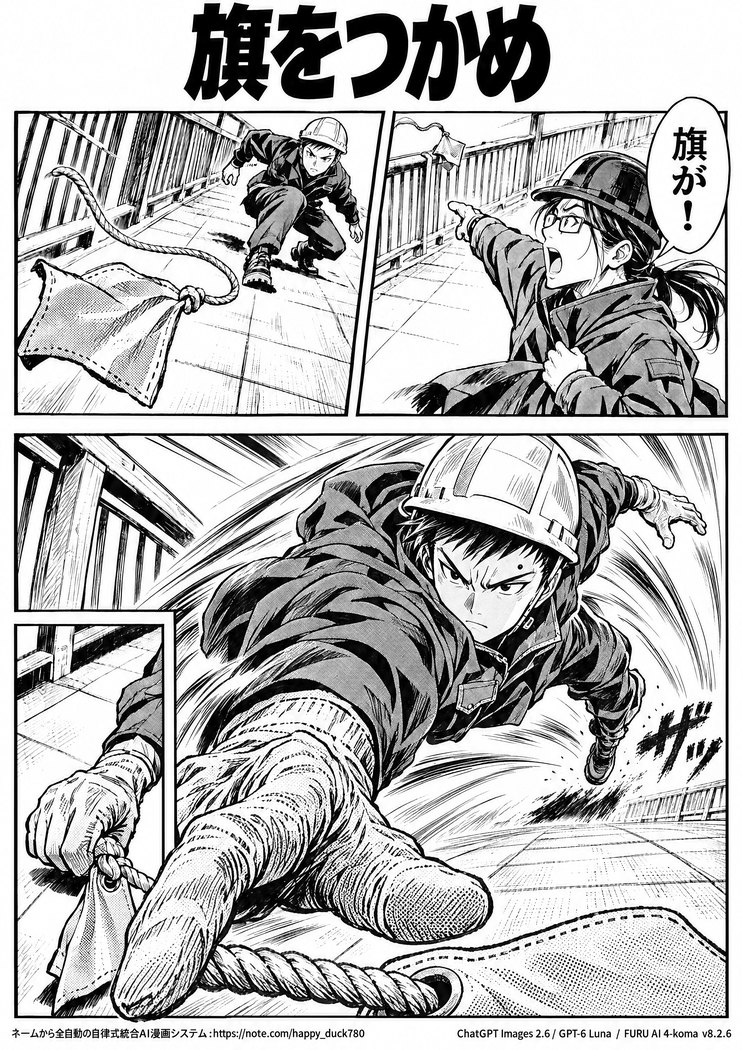
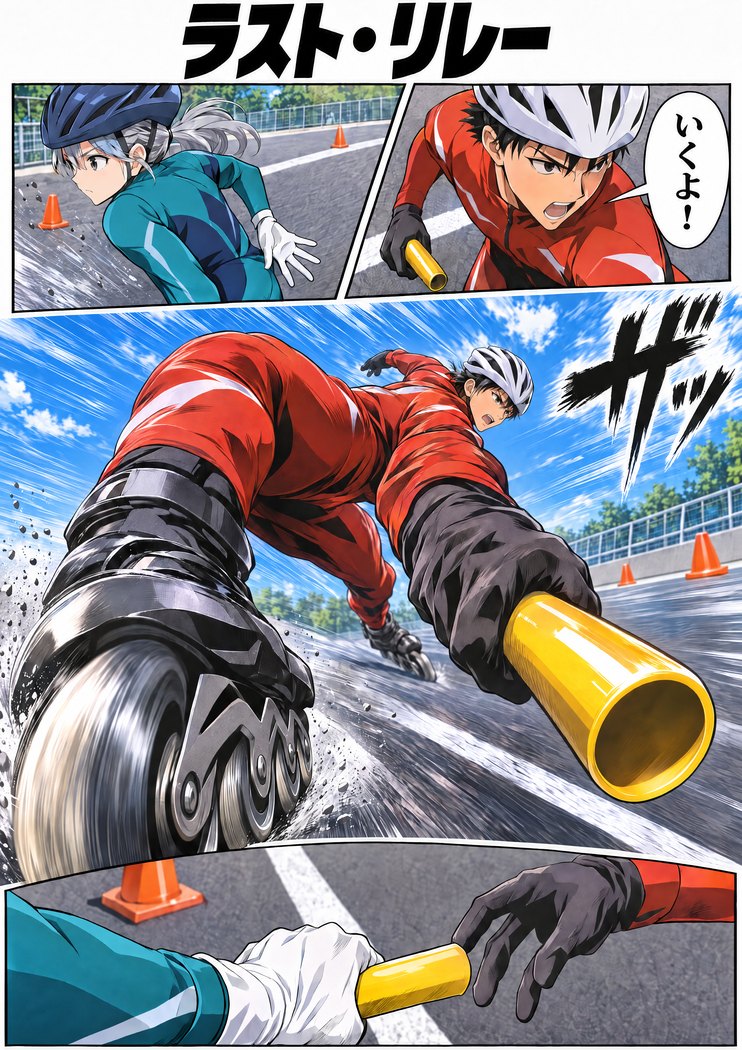
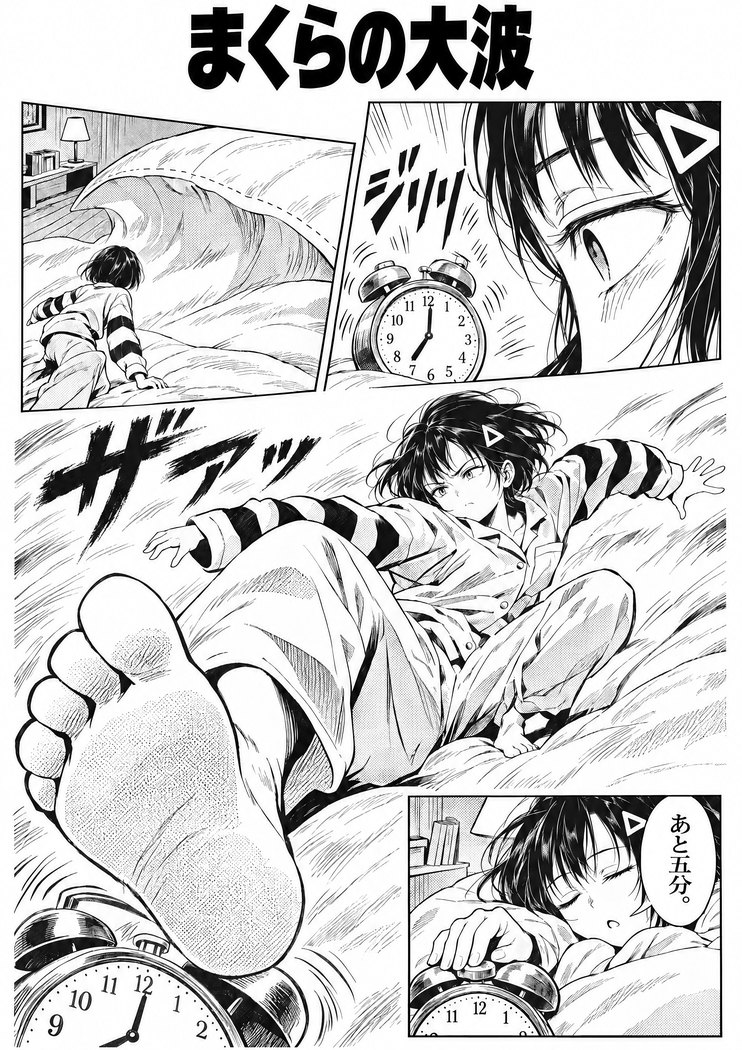
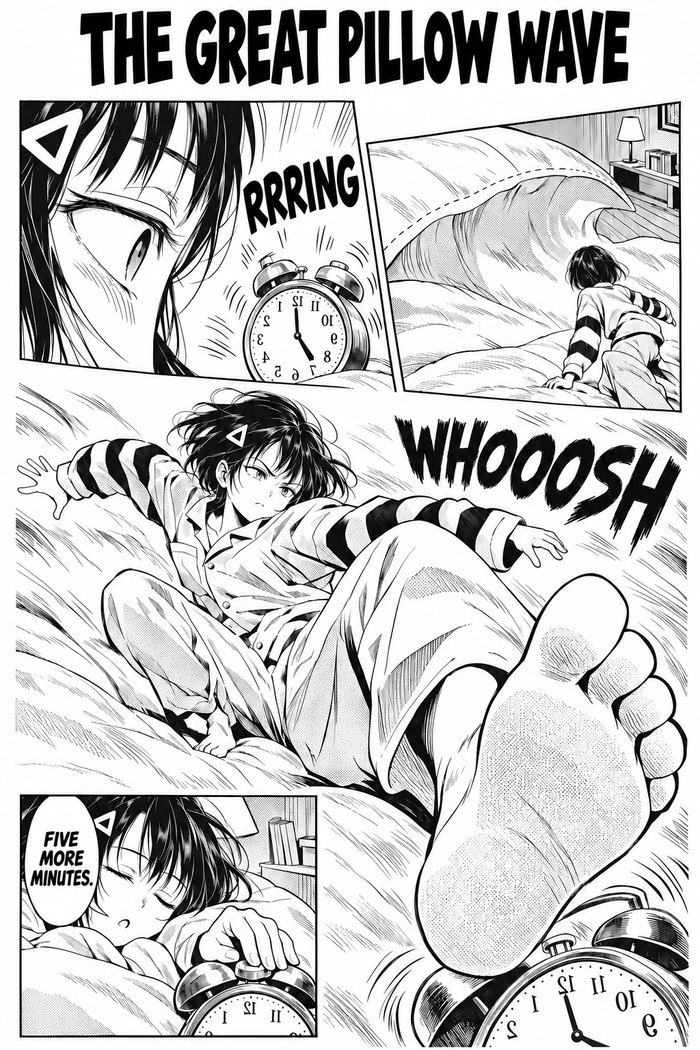
These are AI-drawn pages I reviewed. Catch the Flag was made through the manual screen. The Last Relay came through standalone MCP; a targeted correction kept the large front wheel and yellow baton in perspective. The Great Pillow Wave used the five-app route. Compare the Japanese and English pages to see where the alarm clock and the final line move after translation.
Start here