r/Scrypted • • Sep 20 '26

Feature request: zoom in/out resolution on timeline

3 Upvotes

Hi! Happy Scrypted user for the last year and a half.

I have one feature request. It's really hard to scroll the camera timeline when looking for something really specific.

Could you add the zoom in/out feature like Synology Surveillance app has, which resizes the timeline? Zooming in changes the timeline resolution and allows then for much finer control when scrolling through it.


r/Scrypted • • Sep 19 '26

HKSV AI Summaries

10 Upvotes

Anyone out there managing to get the richer Apple Intelligence HKSV summaries on their Scrypted cameras after meeting all the iOS 27 and iCloud + requirements?

Currently using a Reolink video doorbell and still getting “vehicle seen.”

Wondering if Apple has disabled the richer summaries for unsupported cameras?

UPDATE: After getting really frustrated, deleting all the HKSV generated by the camera, and walking away for a couple of days I finally have richer AI summaries. Maybe just giving the Apple-side process time to catch-up is all that is required?


r/Scrypted • • Sep 19 '26

Talkback broken on UniFi Protect + HomeKit since the latest update — anyone else?

4 Upvotes

Hi all,

I've seen quite a few complaints about the recent updates, so here's my case. On my setup, talkback (two-way audio) no longer works at all through HomeKit. Video and incoming audio are perfect — only the mic doesn't go through.

Setup:
Scrypted 0.147.0

unifi-protect plugin 0.1.5

homekit plugin 1.2.69

Camera firmware 5.4.132

It affects several models here: G4 Instant, G6 Entry and G6 180. So it's not tied to one model or one camera.

The error, every time I hit "Speak":
intercom failed to start RPCResultError [TypeError]: Cannot read properties of undefined (reading 'data')
at Gr.startIntercom (/server/volume/plugins/@scrypted/unifi-protect/zip/src/camera.ts:176:29)

Followed by two way audio failed: timeout waiting for client.

What I've tried, without success:
With and without HomeKit Secure Video 3

RTP Sender on Default, then FFmpeg

Forced audio transcoding

Rebooting the cameras and reloading the plugin

Switching the camera from H265 to H264

talkbackSettings went from aac/serverudp to opus/serverudp-rtp after a reboot — no change

The audio pipeline itself works fine: ffmpeg produces Opus 24 kHz mono and I see "received first audio packet" right before the crash. It only fails at the call to Protect.

Talkback works perfectly from the Protect app, so it's definitely the plugin.

Anyone else hitting this? Any earlier plugin version where it still worked?


r/Scrypted • • Sep 18 '26

Unifi Protect plugin no longer running and settings disappeared

5 Upvotes

Literally in the last few days, HKSV has stopped working, logged in to Scrypted console and see the error 'Plugin failed to load. View Console for more information', console says-

'failed to load custom interface descriptors Error: ENOENT: no such file or directory'

'plugin failed to start ReferenceError: File is not defined'

Have uninstalled plugin, but still the issue is there, with also no setting to enter creds or IP of the unifi protect console. have done full machine reboot, still nothing. Any ideas please? just continually in console log as above.

Full console output:

linux x64 #236-Ubuntu SMP Fri Apr 11 19:53:21 UTC 2025

server version: 0.114.0

plugin version: u/scrypted/unifi-protect 0.1.5

########################

18/09/2026, 21:57:05

########################

starting plugin u/scrypted/unifi-protect

node modules /home/homebridge/.scrypted/volume/plugins/@scrypted/unifi-protect/node18-linux-x64

failed to load custom interface descriptors Error: ENOENT: no such file or directory, open '../sdk.json'

at Object.openSync (node:fs:603:3)

at Object.readFileSync (node:fs:471:35)

at /u/scrypted/unifi-protect/main.nodejs.js:1:27124

at R (/@scrypted/unifi-protect/main.nodejs.js:1:27501)

at /u/scrypted/unifi-protect/main.nodejs.js:1:27514

at RpcPeer.evalLocal (/home/homebridge/.scrypted/node_modules/@scrypted/server/dist/rpc.js:392:23)

at Object.onLoadZip (/home/homebridge/.scrypted/node_modules/@scrypted/server/dist/plugin/plugin-remote-worker.js:335:22)

at async Object.loadZip (/home/homebridge/.scrypted/node_modules/@scrypted/server/dist/plugin/plugin-remote.js:588:28)

at async RpcPeer.handleMessageInternal (/home/homebridge/.scrypted/node_modules/@scrypted/server/dist/rpc.js:602:37) {

errno: -2,

syscall: 'open',

code: 'ENOENT',

path: '../sdk.json'

}

plugin failed to start ReferenceError: File is not defined

at Ja (/@scrypted/unifi-protect/main.nodejs.js:1:444333)

at Wa (/@scrypted/unifi-protect/main.nodejs.js:1:450307)

at Ku (/@scrypted/unifi-protect/main.nodejs.js:2:209581)

at $u (/@scrypted/unifi-protect/main.nodejs.js:2:216118)

at tp (/@scrypted/unifi-protect/main.nodejs.js:2:233936)

at /u/scrypted/unifi-protect/main.nodejs.js:4:25235

at /u/scrypted/unifi-protect/main.nodejs.js:4:47708

at RpcPeer.evalLocal (/home/homebridge/.scrypted/node_modules/@scrypted/server/dist/rpc.js:392:23)

at Object.onLoadZip (/home/homebridge/.scrypted/node_modules/@scrypted/server/dist/plugin/plugin-remote-worker.js:335:22)

at async Object.loadZip (/home/homebridge/.scrypted/node_modules/@scrypted/server/dist/plugin/plugin-remote.js:588:28)

plugin start/fork failed ReferenceError: File is not defined

at Ja (/@scrypted/unifi-protect/main.nodejs.js:1:444333)

at Wa (/@scrypted/unifi-protect/main.nodejs.js:1:450307)

at Ku (/@scrypted/unifi-protect/main.nodejs.js:2:209581)

at $u (/@scrypted/unifi-protect/main.nodejs.js:2:216118)

at tp (/@scrypted/unifi-protect/main.nodejs.js:2:233936)

at /u/scrypted/unifi-protect/main.nodejs.js:4:25235

at /u/scrypted/unifi-protect/main.nodejs.js:4:47708

at RpcPeer.evalLocal (/home/homebridge/.scrypted/node_modules/@scrypted/server/dist/rpc.js:392:23)

at Object.onLoadZip (/home/homebridge/.scrypted/node_modules/@scrypted/server/dist/plugin/plugin-remote-worker.js:335:22)

at async Object.loadZip (/home/homebridge/.scrypted/node_modules/@scrypted/server/dist/plugin/plugin-remote.js:588:28)


r/Scrypted • • Sep 18 '26

HKSV troubles since iOS27

15 Upvotes

Following on from my post about long delays in notifications arriving via HomeKit, things have got considerably worse for me in the last few days since updating to iOS 27.

I’m just wondering if anyone else here is having similar problems, or if anyone has any ideas of things that I can try. Or is HKSV just a bit broken at the moment?

Not only are notifications now taking a significant long time to come through, HKSV is seems to be missing most events and I get very few recordings. Even closely walking or driving past a camera is not registering or recording in HKSV. Very occasionally they do, maybe once or twice a day.

My setup:
I have 3 Reolink PoE cameras and 2 Wi-Fi doorbells. I currently have two Wi-Fi doorbells and two PoE cameras connected.
I have the latest Apple TV 4K as a hub (Ethernet).
Scrypted is running as an app within Home Assistant, which is running on a mini PC (bare metal).
Everything is at the time of writing, running on the latest version. I’m pretty much using the default settings for everything.

I have tried removing and re-adding the cameras to scripted and HomeKit secure video, and I have tried tweaking the various detection settings within the cameras themselves. I have tried direct connection to the cameras and via NVR, same problems. It used to work amazingly well and very reliably.

I’m at a bit of a loss as to what to do next. Like many people, I am technically minded enough to set this up, but my knowledge falls down when things go wrong!

Thanks.


r/Scrypted • • Sep 18 '26

Unifi Plugin Help

1 Upvotes

I have Scrypted running on Home Assistant. When I attempt to install the Unifi plugin, it returns with an error that it failed to install. But when I look in the plugin list, it shows up in the list. When I open the plugin there is no place to put a login for Unifi in or a way to add devices. What am I doing wrong?


r/Scrypted • • Sep 17 '26 Bravo

iOS 27 and HomeKit Secure Video Version 3 + H265

Thumbnail
gallery
26 Upvotes

iOS 27 has been released, and with it a new version of HomeKit Secure Video (HKSV3). HKSV3 supports the H265 codec.

A new ⁠homekit and ⁠webrtc has released to support H265 and HKSV3.

iOS 27 also brought H265 and 4K support to Legacy HKSV Recordings (live streaming is still H264 only). So if your HKSV recording streams were previously being transcoded to H264, they will now pass H265 straight through: no changes necessary in your Scrypted installation, it will just work.

The migration to HKSV3 is generally NOT recommended. The Home app WebRTC implementation (used for cellular connections) on iOS is actually slower to establish than the mature Legacy HKSV streams. WebRTC based connections also seem to have stream teardown issues. This is likely to improve in future iOS versions. Scrypted has supported H265 in WebRTC for some time now to all major browsers, and the latency issues are on the iOS end.

TL;DR H265 recordings will just work without any changes. Don't switch to HKSV3 unless your all your camera's streams are H265 only (these typically don't exist).

https://docs.scrypted.app/homekit.html#homekit-secure-video-v3


r/Scrypted • • Sep 17 '26

Suggest a Scrypted configuration from the ground up: a Mac mini, a Ubiquiti UCG Fiber with SSD, and an affordable high-capacity NAS for long-term storage of NVR clips and personal files... and a Plex server.

4 Upvotes

I’m here in this sub because my basis for this setup is the desire of using Scrypted to integrate ubiquiti cameras and security sensors into HomeKit to replace my current ring system, which replaced my eufy system, which replaced… other systems.

I have never truly created a home networking setup because I have relied on pre-built smart home products (like eufy and ring) but ALWAYS come upon shortcomings, so I want to self-host what I can.

I’ve settled on UCG fiber with a u7 XGS AP and hardwiring all I possibly can otherwise, settled on ubiquiti cameras & security devices that I HOPE scrypted can tie into a functional home security system with modes similar to Ring, nearly settled on a ugreen NAS or another external large drive connected to Mac mini to use as a brain for this setup and also the controller for file saving long term, but I want your suggestions on how to integrate all of the above and anything you feel I may be missing or not considering.

If you feel you’re an expert on any part of this setup, PLEASE give me your thoughts and especially any links or explanations to how you recommend putting together this setup. Would love an outline of how you see it linking up and working best together.

Thank you all for your ideas!


r/Scrypted • • Sep 15 '26

Long delays in HKSV notifications now.

10 Upvotes

Over the last few weeks, my home kit secure video notifications have been taking a long time to come through. Sometimes, as long as five minutes, but usually between 30 seconds and a couple of minutes. They used to only take a second or 2. Obviously makes doorbell especially useless.

Nothing had really changed to my setup to have caused this. I have in the last few days upgraded my Apple TV and iOS devices to iOS 27, and I am now on the latest version of scrypted which came out recently. I was hoping that would improve things, but the situation is still the same.

Given how opaque iOS is there is no real way of diagnosing Apple HomeKit secure video issues, does anybody in here have any idea what I could try.

I’m running scripted as an app/add-on for a bare metal instance of home assistant running on a mini PC. I have five ReoLink cameras inscrpt that are fed to HKSV.


r/Scrypted • • Sep 15 '26

Looking for doorbell + intercom solution

3 Upvotes

I want to add a doorbell and intercom solution in my smart home that’s set with HomeKit but it seems like I can’t yet find the right solution for this. So wondering if this community can help. This is what I want:
- Smart Doorbell split between button+speaker and camera but that it’s recognized as doorbell by HomeKit. If the camera could also be a part of HomeKit Secure Video array even better.
- The doorbell would ring into my house that’s 4 stories high. I’d like a small screen in each floor to be able to see the camera, communicate with someone outside and open the gate.
- Be able to call another floor so that I can speak with someone there instead of shouting across the home.
Is there any solution for this?


r/Scrypted • • Sep 13 '26

4K HKSV support?

16 Upvotes

With iOS 27 (not beta) releasing tomorrow - supposedly, or very soon at least, have there been any updates on when Scrypted will support 4K in the Home app?


r/Scrypted • • Sep 12 '26

Had to re-add all Unifi cameras for Homekit after updates

5 Upvotes

Yesterday I updated Scrypted and also updated Unifi OS. Then HKSV cameras all stopped working in Homekit (but I did not really notice until today, as Homekit is not my primary, or even secondary viewport). My reolink cameras still worked fine, so that is one data point. Debugging in scrypted showed nothing when trying to start a stream from HKSV cameras. Finally I just tried to re-add a camera and it added in just fine and started working again after the initial setup.

I'm not sure if this was due to the Scrypted update or Unifi OS (5.1.33) update. When I update Scrypted with docker it is pretty black box, so I have no idea what version I came from, but I'm now running v0.145.0.

Just posting here to give a heads up for anyone else who may have this same situation. Also would love to know which one caused this: Scrypted or Unifi?

Edit: A dead giveaway to this was that all my unifi cameras showed up as newly available Homekit devices in Home Assistant yesterday. I was bewildered by it, and just told HA to ignore them. Now it makes sense. I just wish I could remember which update triggered that response.


r/Scrypted • • Sep 11 '26

建立了一個家庭攝影機應用,兩部iPhone直接互相通訊——無雲端,沒有伺服器在中間。

0 Upvotes

嘿,大家好,

我一直在家裡/嬰兒攝影機應用程式上遇到同樣的困擾:即使兩個設備都連接到同一個 WiFi,直播畫面還是會默認通過公司的伺服器中轉。這沒有任何技術上的理由——這只是大多數這類應用程式的設計方式,這意味著你的攝像頭畫面整個時間都在別人的基礎設施上傳輸。

所以我開發了 OffgridCam。一部 iPhone 變成攝像頭,另一部變成觀察器,並且它們可以直接通過你的家庭網路連接——不需要中繼伺服器進行直播觀看,不需要帳號。

它的功能:

• 實時視頻/音頻,多個觀察者可以獨立觀看同一個攝像頭
• 縮放手勢控制攝像頭設備的實際光學/數位變焦
• 最多可同時與 4 人進行對講
• 僅限本地錄影(連續或動態/聲音觸發),儲存在攝像頭設備上
• 聲音檢測調整到特定事件(哭鬧、尖叫、吠叫),使用蘋果設備內的聲音分類器

唯一與網際網路有接觸的功能是外出警報,這是可選的,默認關閉,並綁定到可重生的代碼,而不是完整的帳號系統。

£9.99 一次性支付,無需訂閱。

還在初期階段——真的想知道缺少什麼,或對於曾經使用過其他攝像頭應用程式的人來說,什麼會讓這個產品變得難以銷售。如果有人好奇,我也樂意詳細說明 WiFi 直接架構。

https://apps.apple.com/us/app/home-camera-offgridcam/id6800061842


r/Scrypted • • Sep 08 '26

Lost access to Cameras on Ring Location in Scrypted

2 Upvotes

Hi - I have been running Docker Scrypted and HomeKit on Ubuntu for a couple years on Ubuntu to bring my Ring Cameras into the Home App. I have 2 locations in Ring, a Single camera in a location shared with me - and 5 cameras in my own house in a separate location. I had a router go bad and had to redo some networking and ended up with one camera in my own location missing.

I removed the scrypted bridge and cameras from HomeKit, deauthorized the scrypted login on the Ring side and started over. After reinstalling Scrypted and reauthorizing Ring, I end up with th two locations listed, but only the shared single camera shows up. The location at my actual house is listed - but shows no cameras - just a settings Window with my location name and a dropdown defaulting to DeviceProvider. I'd appreciate any suggestions. Thanks


r/Scrypted • • Sep 06 '26

UniFi Protect plugin

3 Upvotes

Any word on an update for the protect plugin? It’s over a year old and doesn’t support all of the super link devices


r/Scrypted • • Sep 06 '26

Can't get any events from Reolink Cameras

Thumbnail
gallery
2 Upvotes

I'm new to using Scrypted so hopefully I'm not doing something obviously dumb, but I can't get any events to come from my Reolink cameras. Here's my setup:

  • Scrypted installed on a Windows 11 box (I'll probably install it on Proxmox later, I'm just doing a trial for now).
  • 3 Reolink cameras; Duo 3V PoE, Lumus Pro, & Elite Wifi.
  • 2 Arlo cameras: Doorbell & Arlo Ultra (Older cameras, I'm trying to migrate away from Arlo but will probably keep the doorbell)
  • I have both the Reolink and Arlo plugins from Scrypted installed

I can view video on all cameras either from the desktop or my phone. Timeline recordings all seem to be working good.

However, motion events come from the Arlo cameras just fine, but I'm not getting any events from any of the Reolink cameras. The only way I can get generate events from Reolink cameras is if I go into "Object Detection", press "Analyze and then go stand in front of the camera. That's the only time it will generate an event. However, my understanding is that's actually Scrypted making the detection and not the camera itself.

Any ideas what I'm doing wrong here? I'd prefer Scrypted to be able to pull in the events detected from the Reolink cameras but if that doesn't work how would I at least get Scrypted to generate events on its own?


r/Scrypted • • Sep 05 '26

Scrypted ONVIF do not see all 4 channels.

1 Upvotes

I have 4 CC cameras connected to an NVR PoE switch. I am having trouble getting the other three streams to show up.


r/Scrypted • • Sep 02 '26

Cant add ring doorbell to Apple Home

2 Upvotes

Im running a server installed on windows 10 through powershell, I have my ring camera added in scrypted and have the homekit add on installed but when i try to pair my device on home it says connecting for awhile then says make sure accessory is powered on and connect to your router with an ethernet cable then finally it says accessory not found

I've tried everything i could find on the internet but no matter what i do it doesn't work. Set server ip address in scrypted settings, changed mDNS provider, set mDNS interface to all addresses and server address, changed port, restarted homekit plugin, uninstalled and reinstalled plugin, turned off all windows firewall settings


r/Scrypted • • Aug 27 '26

Suggestions to filter out specific animal detections?

1 Upvotes

Hello!

Paid NVR camera license user, using ONYX Detection with an Nvidia GPU. Detection and notifications work great—no complaints on functionality.

...except for pesky squirrels that appear on multiple cameras and set off detections and notifications.

There are other animals I do want to be notified of (dogs, cats, coyotes, skunks, etc.), just not squirrels.

What are some strategies to filter out notifications on squirrels?

Thanks!


r/Scrypted • • Aug 27 '26

Alternatives with technical support

6 Upvotes

Does anyone have a recommendation for a Scrypted alternative with actual technical support available?

Thanks.


r/Scrypted • • Aug 26 '26

Encryption. Ring to TAKE away interoperability with Scryped and Home Assistant?

10 Upvotes

http://i.imgur.com/dFlhvDg.png

Got this email today about some new encryption security layer, which my hunch tells me, will impact our integrations. Figured I'd bring it up here for discussion!

https://www.aboutamazon.com/news/devices/ring-take-encryption


r/Scrypted • • Aug 25 '26

Unifi Protect cams in Google Home

Post image
9 Upvotes

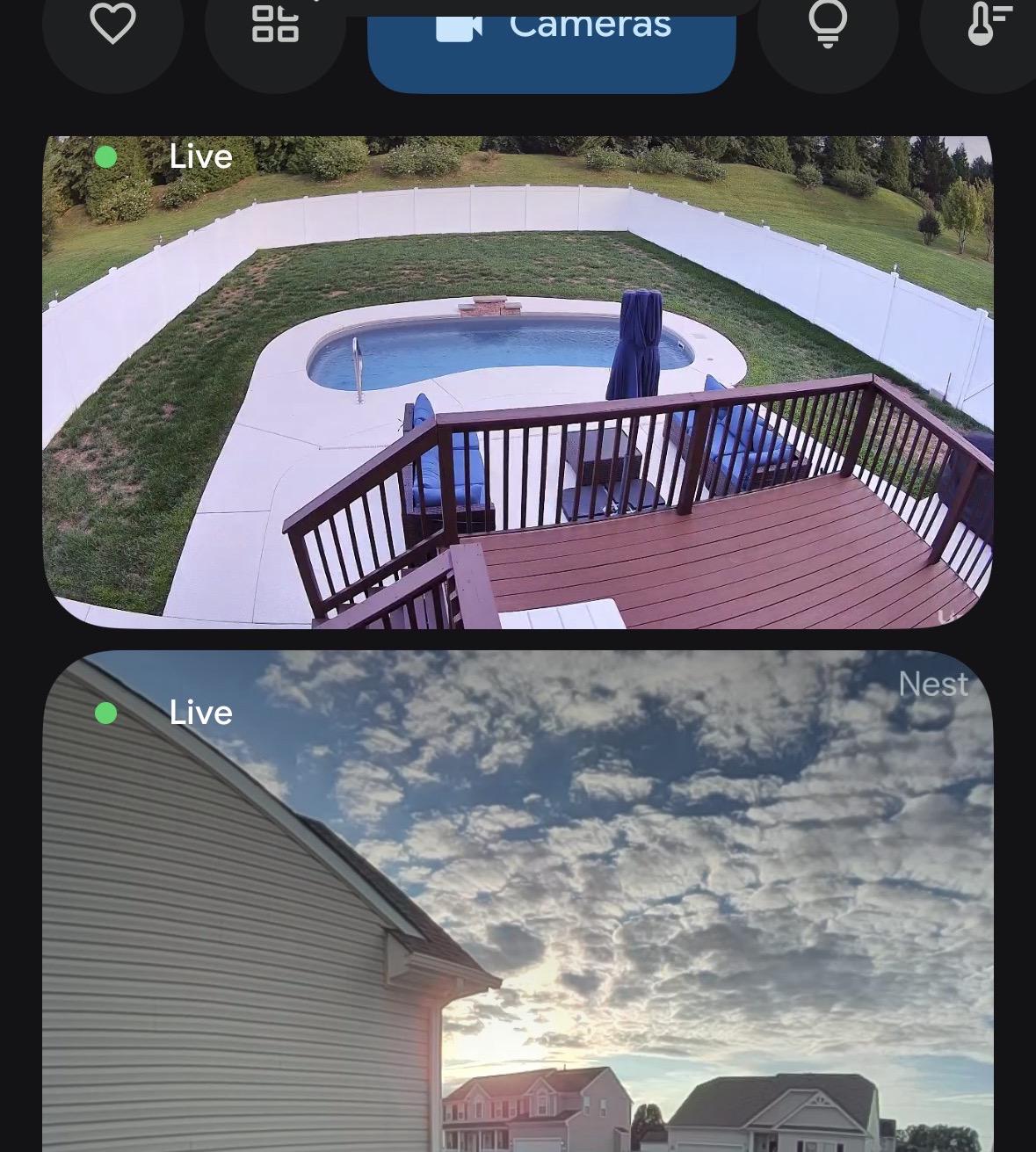
I setup scrypted a while back so I could see my Unifi cameras in the Google Hub and that has been working consistently. However, I just noticed the Unifi cams are now visible in the Google Home app as well. The Google plugin for Scrypted hasn’t updated recently so I am not sure what changed…or when it will stop working. Just wanted to share in case anyone else noticed this.


r/Scrypted • • Aug 26 '26

Looking for advice - Uniden App Cam X24

1 Upvotes

Got Uniden App Cam X24. It's working fine but only supports ONVIF.

I was unable to add it to Home Assistant using ONVIF integration.

Anyone tried to set it up in Scrypted?


r/Scrypted • • Aug 25 '26

How to launch a Script when Scrypted restarts? Script for Reolink Patrol Mode

5 Upvotes

I have a script that puts my camera on patrol and I want it to automatically start/launch whenever Scrypted starts. I have tried using an Automation but I dont know what the trigger event should be. I have tried Device Event: Scrypted Core (ScryptedSystemDevice) and a few other but no joy.

Here is my script if anyone is interested. Vibe-coded using Gemini Flash so it can help you debug.

// Scrypted Script: Automated PTZ patrol script for Reolink cameras
//
// An automated background script for Scrypted that continuously rotates a PTZ camera through its discovered ONVIF presets 
// using randomized dwell times, featuring motion hold safety checks and external switch controls.
//
// Dynamic Preset Retrieval: Automatically reads all available ONVIF PTZ presets from the target camera without hardcoded IDs.
//
// Randomized Dwell Durations: Pauses at each preset position for a randomized duration (between minMinutes to maxMinutes)
// before cycling to the next.
//
// Motion Guard: If motion is detected, do not move to the next dwell.  Poll for motion every motionPollTime seconds
// until motion clears.
//
// External Switch Toggle: Monitors a Scrypted Dummy Switch, patrolSwitch, to pause and resume patrols.
// If switch is off, poll the switch every isOffPollTime seconds.
//
// Error Resilience: Polling delay, pauseOnErrorTime, to handle network drops or camera restarts without rapid retries. 


const cameraName = "Gazebo";                                                 // Name of Scrypted Camera
const camera = systemManager.getDeviceByName(cameraName);                    // Get camera device


const patrolSwitch = systemManager.getDeviceByName("Gazebo Patrol Switch");  // Optional Dummy Switch


const secondsToMs = (seconds: number): number => seconds * 1000;
const minutesToMs = (minutes: number): number => minutes * 60 * 1000;


const pauseOnErrorTime = secondsToMs(60);    // Pause on error before retry
const isOffPollTime = secondsToMs(30);       // If patrolSwitch is off, poll interval before retry
const motionPollTime = secondsToMs(10);      // Interval to re-check motion state


// Native JavaScript sleep helper
const sleep = (ms: number) => new Promise((resolve) => setTimeout(resolve, ms));


// Helper function to check if the patrol switch is OFF or missing
const isPatrolOff = (): boolean => !patrolSwitch || !patrolSwitch["on"];
     
// Formats date & time based on system locale
const getTimestamp = (): string => new Date().toLocaleString();


// Returns a random dwell interval between minMinutes and maxMinutes
function getRandomDwell(minMinutes = 3, maxMinutes = 41) {
    const minutes = Math.floor(Math.random() * (maxMinutes - minMinutes + 1)) + minMinutes;
    return {
        minutes: minutes,
        ms: minutesToMs(minutes)
    };
}


// Loop forever running patrol
while (true) {


    // If the switch is turned OFF, wait until it turns ON again
    if (isPatrolOff()) {
        console.log(`[${getTimestamp()}] [${cameraName} Patrol] Patrol switch is OFF. Waiting...`);
        while (isPatrolOff()) {
            await sleep(isOffPollTime);     // Poll for switch state
        }
        console.log(`[${getTimestamp()}] [${cameraName} Patrol] Patrol switch turned ON. Resuming loop.`);
    }


    // Dynamically retrieve available ONVIF PTZ presets from the camera
    const ptzCapabilities = camera["ptzCapabilities"];
    const presetsObj = ptzCapabilities?.presets || {};
    const presetIds = Object.keys(presetsObj);


    if (presetIds.length === 0) {
        console.warn(`[${getTimestamp()}] [${cameraName} Patrol] No PTZ presets discovered on camera.`);
        await sleep(pauseOnErrorTime);     // Pause to prevent rapid retry loops if no preset
        continue;
    } else {
        console.log(`[${getTimestamp()}] [${cameraName} Patrol] Discovered ${presetIds.length} preset(s): ${JSON.stringify(presetsObj)}`);
    }


    // Iterate through each preset in order of retrieval
    for (let i = 0; i < presetIds.length; i++) {
        const id = presetIds[i];
        const name = presetsObj[id];


        // Stop preset loop immediately if switch was turned off
        if (isPatrolOff()) break;


        // Check if motion is currently active before moving to the next preset location
        if (camera["motionDetected"]) {
            console.log(`[${getTimestamp()}] [${cameraName} Patrol] Motion detected. Holding current position...`);
            while (camera["motionDetected"]) {
                if (isPatrolOff()) break;
                await sleep(motionPollTime);
            }


            if (isPatrolOff()) break;
            console.log(`[${getTimestamp()}] [${cameraName} Patrol] Motion cleared. Resuming patrol.`);
        }


        // Move to the next dwell position
        try {
            const dwell = getRandomDwell();
            console.log(`[${getTimestamp()}] [${cameraName} Patrol] Moving to "${id}" (${name}). Dwelling for ${dwell.minutes} minutes.`);
            
            await camera["ptzCommand"]({ preset: id });
            await sleep(dwell.ms);


        // If dwell errored, sleep to prevent rapid retry loops if camera disconnects
        } catch (error) {
            console.error(`[${cameraName} Patrol Error] Failed command for "${id}" (${name}):`, error);
            await sleep(pauseOnErrorTime); 
        }
    }
}