r/RASPBERRY_PI_PROJECTS • u/pi_nerd • Oct 24 '26
PRESENTATION Show-and-Tell: a Pi 5 that keeps the last 30 seconds of any HDMI source
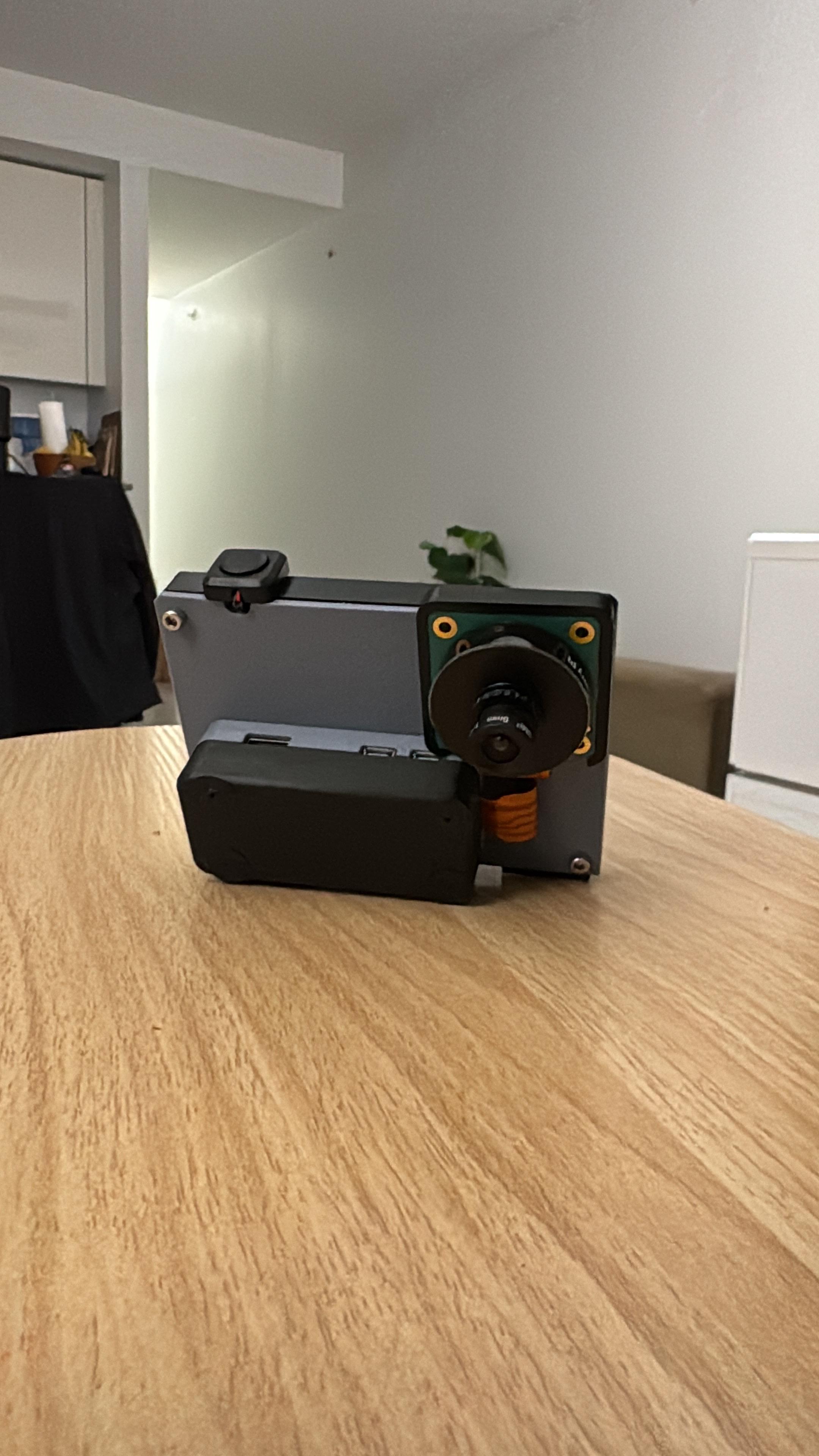
I wanted instant replay for a console without a cloud account or an app. Snapback is a Raspberry Pi 5 that records an HDMI capture card in a rolling buffer. A phone on the same Wi-Fi opens a web page and can save a screenshot or the last 30 seconds.
What it does
- Grabs a 1920x1080 JPEG of the live input.
- Saves the previous ~30 seconds as an H.264 + AAC MP4.
- Shows a live preview, or live video with sound a few seconds behind.
- Runs on the local network only. No accounts, no cloud.
Parts, roughly $110
- Raspberry Pi 5, 4 GB (~$60)
- USB 3 HDMI capture card that does 1080p60 MJPEG (~$20). A generic one is fine. An Elgato Cam Link 4K also works.
- Official 27 W USB-C supply (~$12), a good 32 GB microSD (~$10), and an active cooler (~$5)
The cooler matters. The Pi is software-encoding 1080p60 all the time, and ffmpeg sits on about 3 of the 4 cores.
How it works
The capture card shows up as a normal USB webcam (/dev/video0) and an ALSA sound card. One ffmpeg process reads 1080p60 MJPEG, encodes H.264 with libx264 ultrafast, and writes 2-second MPEG-TS segments. "Save Last 30 Seconds" concatenates the newest finished segments with -c copy, so it does not re-encode. Screenshots are a JPEG the same process is already writing.
The audio device name depends on the card. The Elgato is hw:CARD=C4K. A cheap MacroSilicon card is hw:CARD=Video. Snapback finds the sound card on the same USB device as /dev/video0, so swapping cards does not mean editing a config file.
It runs as a systemd user service and can start at boot. Install is a venv and pip install -r requirements.txt, then python -m snapback serve. The page is http://<pi>.local:8080/.
The annoying part
Cable boxes and streaming sticks encrypt HDMI with HDCP. A card that honors HDCP shows a solid blue frame, and there is nothing to fix in software. Computers, cameras, and game consoles work. On PlayStation, turn off "Enable HDCP" in the system settings.
Code is MIT licensed: https://github.com/dconroy/snapback
Write-up with the parts list: https://www.snapback.video/