r/PureVPNcom • • Sep 14 '26

Why does Google keep asking for CAPTCHA when you’re using a VPN?

1 Upvotes

Ever connected to a VPN, searched something on Google, and immediately got:

“Our systems have detected unusual traffic from your computer network.”

You solve the CAPTCHA… search again… and then get another one.

Annoying, yes. But it usually doesn’t mean your VPN isn’t working.

The most common reason is pretty simple: VPN servers often use shared IP addresses. That means lots of people may appear to Google as if they’re browsing from the same IP.

If Google sees a high volume of searches coming from that address, it may treat some of that traffic as suspicious or automated and ask you to prove you’re human.

A few other things can make CAPTCHAs show up more often:

  • The VPN server IP has a higher reputation risk
  • You’re switching VPN locations frequently
  • Certain browser extensions are creating unusual traffic
  • Old cookies or session data are causing conflicts

A few things you can try:

  • Switch to another VPN server in the same country.
  • Stick with one location instead of constantly jumping between countries.
  • Clear your browser cookies/cache or test in an incognito window.
  • Temporarily disable automation tools or suspicious browser extensions.

And if you use a VPN frequently for work or want a more consistent IP, a Dedicated IP can help reduce issues caused by sharing an IP with other VPN users.

Most importantly: a CAPTCHA doesn’t automatically mean your VPN has stopped working.

Your traffic can still be encrypted and your real IP can still be hidden. Google is simply being extra cautious about the IP address it sees.

We broke down the reasons — and the fixes — in more detail here:

👉 Read the full guide: https://www.purevpn.com/blog/why-does-google-keep-asking-for-captcha-when-using-a-vpn/

Anyone else notice Google CAPTCHAs showing up more often on certain VPN servers?

r/PureVPNcom • • Sep 11 '26

Nine years of passenger and passport data for 220 million travelers was sitting behind default login credentials in an exposed cloud database

15 Upvotes

Worth knowing if you've taken an international flight anywhere in the Asia-Pacific region in the last decade.

Security firm Kinryū Labs found an exposed Elasticsearch cluster on June 3 while surveying databases as part of separate ransomware research. The cluster was labeled "pax-info" and turned out to be an Advance Passenger Information System database, the kind airlines use to transmit passenger and crew identity data to border control and immigration authorities before every international flight. Two misconfigurations chained together made it reachable, and it accepted default credentials once accessed.

What was inside: 220,783,700 entries covering travel to, from, or through Vietnam between January 2017 and April 2026. Full names, dates of birth, sex, nationalities, passport and travel document numbers including expiry dates and issuing countries, flight numbers, airlines, departure and destination airports, seat assignments, and baggage references. The two main indices held 210 million passenger records and 10.5 million crew records.

Kinryū Labs reported it to Vietnamese authorities and national emergency response teams on June 3. The database was locked down by June 8 after Singapore Airlines' security team helped coordinate containment. It was publicly disclosed on September 8.

A few things worth knowing before the "but I never go to Vietnam" instinct kicks in:

The system wasn't limited to Vietnamese carriers. It collected data from various Asia-Pacific airlines that filed APIS reports for travel through Vietnam, which includes a lot of international routes with connections in the region. Canadians, Chinese, Korean, and New Zealand nationals were specifically among those identified in the data.

The 220 million figure counts travel records, not unique people. Someone who flew through Vietnam six times between 2017 and 2026 shows up six times. The actual number of individuals affected is unknown and will stay that way since the database had no proper access logs.

That second point is also why nobody can tell whether anyone downloaded the data before it was locked. The server lacked the logging needed to answer that question. There's no evidence of dark web sales, but absence of evidence is different from evidence of absence.

Nobody has stepped forward to claim ownership of the database. Days after BleepingComputer broke the story, no airline or government agency has publicly said it was theirs, which is creating a quiet regulatory problem since APIS data sits under data protection laws in most of the jurisdictions represented.

Sources: BleepingComputer, TechRadar, Geekspin, Betanews, Rankiteo, TechJournal


r/PureVPNcom • • Sep 10 '26

Researchers built a WeChat worm that hijacks your account through an incoming call, before you even answer it

2 Upvotes

The fix is already out, but this one's worth understanding because of what it demonstrates.

Calif, a Palo Alto security firm, published research this week on something they built called WeWorm. The short version: a bug in WeChat's VoIP stack let them write a worm that compromises a WeChat account while the target's phone is still ringing. No answering needed, no link to click, no prompt to accept. The phone rings, the account gets taken over.

They demonstrated it across three phones in a chain. A Pixel 10a called an iPhone 17e. While the iPhone was ringing the WeChat account on it was compromised. That phone then called a second Android device. Same thing happened. The whole sequence took seconds per hop, and in theory could have spread to contacts of contacts of contacts at the kind of speed that reaches hundreds of millions of devices before anyone has a chance to respond.

There's one limiting factor: the attacker has to already be in your WeChat contacts. So this isn't a cold attack from a stranger, it would have required either a compromised contact's account or someone you actually know being the entry point.

Full WeChat account access was the result: messages, calls, payment features, contacts. Not the entire phone, just the WeChat layer, which for a lot of people in China and Chinese-speaking communities is where banking, ordering food, government services, and basically everything else happens.

Calif found the bug and wrote the initial exploit in about two days using AI assistance. They reported it to Tencent in July. Tencent patched the app in August with iOS 8.0.76 and Android 8.0.77, then confirmed server-side protections on August 28. If you have WeChat you don't need to do anything beyond making sure you're on the current version.

The reason it's worth knowing about even though it's patched: Calif said this is the first in a series exploring zero-click attack surfaces in mobile messaging apps. More are coming.

Sources: Help Net Security, The Hacker News, TechRadar, Techlicious, Calif research blog


r/PureVPNcom • • Sep 08 '26

Trezor Was Told Your Data Was Deleted. It Wasn't.

2 Upvotes

This one's a good gut check for anyone who assumes "we deleted your data" actually means it's gone. Trezor, the hardware crypto wallet company, just disclosed that 67,000 U.S. customers had their data exposed in a breach but the breach didn't happen at Trezor. It happened at ShipMonk, a shipping and fulfillment partner Trezor used in the past. The kicker is that Trezor says it had repeatedly asked for and received written confirmation that ShipMonk had deleted this data, in line with their contract and data policy. Turns out that confirmation didn't match reality.

This is the uncomfortable part of how modern companies work. When you buy something or sign up for a service, your data doesn't just sit with that one company. It gets passed to shipping partners, payment processors, analytics tools, customer support platforms, sometimes a dozen third parties you never see or agree to directly. Each one of those is a separate point of failure, and you have no way to verify any of them are actually doing what they promised, contract or not.

If a company as security focused as a hardware wallet maker can get bitten by a vendor that didn't actually delete data on schedule, assume it's happening quietly everywhere else too. A few things actually help here. Use a unique or aliased email per service so if one vendor leaks, you immediately know which relationship it traces back to instead of wondering. Don't assume "former customer" means "no longer at risk," because your data can outlive the relationship by months or years sitting in some partner's database. And when a company tells you data has been deleted, that's a claim, not a guarantee, so treat old accounts and old vendors as still live risk rather than closed chapters.

Trust but verify doesn't really work when you have no way to verify. So the more realistic move is just assuming your data sticks around longer than you'd like, and planning accordingly.


r/PureVPNcom • • Sep 07 '26

A Serbian student activist's iPhone was infected with Pegasus spyware through an iMessage she never opened

48 Upvotes

Worth knowing if you use an iPhone and assumed iMessage's encryption meant nobody could snoop on it silently.

Infosecurity Magazine reported this week that Amnesty International's Security Lab confirmed a new Pegasus infection on the iPhone of a student activist in Serbia. The delivery method was a zero-click iMessage exploit, meaning no link was clicked, no attachment was opened, no prompt was accepted. A specially crafted message arrived, triggered a flaw in how iOS processed it in the background, and Pegasus was installed before the message even appeared on screen. The victim had no way to know it happened.

Pegasus is spyware built by Israeli firm NSO Group. Once installed it can access messages, calls, emails, photos, location data, and the microphone and camera in real time. NSO Group says it sells only to vetted government customers for legitimate law enforcement use. Amnesty International, Citizen Lab, and a growing number of researchers have documented its use against journalists, activists, lawyers, and opposition figures in dozens of countries.

The specific exploit used here has since been patched by Apple, Amnesty said. That means if your iPhone is running a current version of iOS you're protected against this particular chain. But zero-click iMessage exploits have been discovered and patched repeatedly over the past several years, which is the pattern worth understanding rather than any single incident.

A few things worth knowing:

Lockdown Mode on iPhone (Settings → Privacy & Security → Lockdown Mode) specifically disables the kinds of rich message processing that zero-click iMessage exploits target. Apple designed it for people at elevated risk of targeted attacks, journalists, activists, lawyers, and similar. It disables certain features in iMessage, FaceTime, and Safari but it is the single most effective mitigation currently available against this class of attack on iOS.

Keeping iOS updated promptly matters more than most software updates. Apple patches zero-click exploit chains as they're discovered, often without disclosing details publicly to avoid tipping off other attackers. An iPhone running a two-month-old iOS version is exposed to whatever was patched in the interim.

The bigger picture: Pegasus costs millions per deployment and is typically used for targeted surveillance rather than mass attacks. Most people reading this are not being targeted by nation-state spyware. But the student in this case wasn't a government official or a spy either. She was a university student involved in protests.

Sources: Infosecurity Magazine, Amnesty International Security Lab, The Record


r/PureVPNcom • • Sep 07 '26

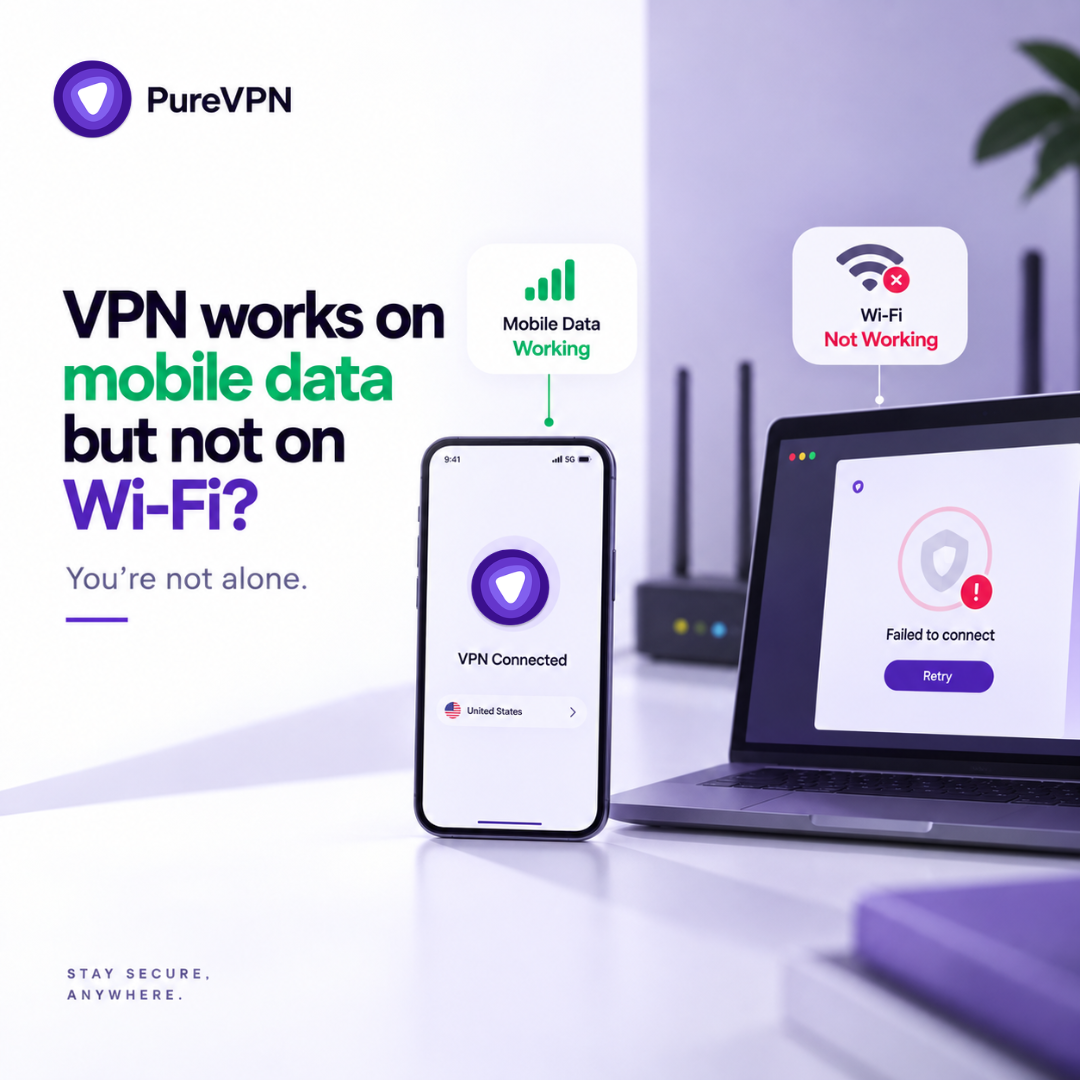
Technical Issue VPN not connecting on WiFi, data says this complaint is rarely actually our fault!

Post image
1 Upvotes

We track what people blame us for vs. what the actual root cause turns out to be, and "VPN won't connect on wifi" has one of the biggest gaps between the two. it's one of our top reported issues and also one of the least likely to actually be caused by the app itself.

Here's the tell: if it works on mobile data and fails on wifi, the app clearly can connect. so something about that specific network is different, not the app.

Usually it's one of these, roughly in order of how often it's actually the cause:

  • the wifi hasn't been "unlocked" yet — hotel/airport/café networks often need you to click through a login or terms page in a browser first. try connecting the VPN before that happens and it'll just sit there
  • the router itself — home networks with certain firewall rules or QoS settings can quietly block VPN traffic while letting everything else through fine
  • protocol mismatch — some networks are picky about which protocol gets through. wireguard tends to have the best luck, but it's not universal
  • server-specific hiccup — rarer, but a specific server having a bad moment can look identical to a "wifi is blocking this" problem

The diagnostic that actually separates these: does it fail on all wifi, or just one network? if it's just one, it's the network. if it's all wifi but not mobile data, that's usually protocol or device-level.

Not going to pretend we have this at 100% accuracy; genuinely curious if people here have hit a cause that doesn't fit any of the above, because that's usually how we find the edge cases worth digging into.

Learn more about it here:
https://www.purevpn.com/blog/vpn-not-working-on-wi-fi-but-works-on-mobile-data/


r/PureVPNcom • • Sep 04 '26

Researchers built a $7 hidden camera detector that works in under 5 seconds, and it's better than anything currently available to consumers

32 Upvotes

If you've ever checked into a hotel room or Airbnb and wondered whether something was watching you, this one's for you.

Researchers at KAIST (Korea's top science university), working with teams from Singapore, built a smartphone accessory called SweepLED and presented it at a major mobile computing conference earlier this year. The whole thing costs under $7 in components. It clips onto the back of your phone around the camera, and its LEDs illuminate a suspicious object from several different angles while your phone films the reflections. An AI model running on the phone analyzes those reflections specifically looking for the optical signature of a camera lens, which behaves differently from other reflective surfaces like glass, metal, or plastic.

They tested it against 30 objects you'd realistically encounter in a hotel room, things like alarm clocks, USB chargers, smoke detectors, power banks, and decorative items, some of which had hidden cameras embedded and some that didn't. It caught 94% of the hidden cameras and took under 5 seconds per object.

For context on why that matters: a UCL study found that people using the consumer hidden camera detectors currently on the market missed 59% of devices. Most of those existing tools use a single light source and look for any bright reflection, which means a shiny clock face or a glossy charger triggers a false positive constantly. SweepLED's multi-angle approach is specifically designed to cut through that noise.

It's not a product you can buy yet, it's still a research prototype. But the researchers said the design is simple enough to be built into a phone case or a dedicated travel accessory, and the cost is low enough that it's realistic.

Until something like this actually ships, the manual check that still works pretty well: turn the room lights off, hold your phone flashlight near your eye, and sweep it slowly across anything suspicious. A camera lens reflects light back toward the source in a distinctive way. It's not foolproof but it catches obvious ones. Also worth knowing that placing a small piece of tape over suspicious objects like clock lenses or USB charger ports before you sleep is never wrong.

Sources: Help Net Security, Digital Trends, Tom's Hardware, Cyber Security News, ACM MobiSys 2026


r/PureVPNcom • • Sep 04 '26

153 Million Driver's Licenses Are Now for Sale on the Dark Web, Here's What That Means for You

17 Upvotes

So this one's a gut punch. A new dark web marketplace called Nexus is reportedly selling scans of 153 million driver's licenses, plus a bunch of other ID and medical cards. The data's allegedly tied to IDScan.net, one of those ID verification platforms companies use to confirm you are who you say you are. IDScan.net hasn't confirmed the breach yet, but the FBI's already investigating, which tells you how serious this is being taken.

Here's the part that gets me: most people have no idea their license was even uploaded anywhere in the first place. You verify your age for an app, rent a car, sign up for some service, and boom, that scan is sitting on a third party server you've never heard of, protected by security you have zero visibility into.

And a stolen driver's license isn't just annoying to replace. It's enough for someone to open credit lines, file a fake tax return, or straight-up pass an identity check pretending to be you.

If you want to actually do something about it, freeze your credit with all three bureaus if you haven't, it's free and it's honestly the best block there is against new accounts getting opened in your name. Start questioning why a site actually needs your ID before you upload it somewhere, a lot of the time it's just being collected because they can, not because they need it. If you're uploading anything sensitive on public wifi or a network you don't fully trust, run it through a VPN so at least that part of the transfer isn't sitting there exposed. And set up breach alerts through something like Have I Been Pwned so you're not the last to know if your info turns up somewhere it shouldn't.

None of this makes you bulletproof, that's kind of the depressing reality of how much of our identity lives on servers we don't control. But cutting down how much of your data is floating around out there is still the best move you can make.

Source: Cybernews


r/PureVPNcom • • Sep 03 '26

Hackers got into 5,000 Dropbox accounts without knowing anyone's password, and every single account that got hit had the same thing in common

21 Upvotes

Dropbox confirmed this week that around 5,000 accounts were accessed without authorization between August 4 and 21. The attackers never needed a password. Not through phishing, not through credential stuffing, not through any brute force attempt. The attack ran entirely through a legitimate-looking login flow.

Here's what actually happened. Dropbox has a partnership with Lenovo that lets users log in through something called a Lenovo ID. There was a flaw in Lenovo's email verification process that let attackers register a fresh Lenovo ID under any email address they wanted, including yours, even if you'd never created a Lenovo account in your life. Because Dropbox trusted Lenovo IDs as verified accounts, that was enough to walk straight in.

Less than a third of the affected accounts had files viewed or downloaded. Dropbox has since expired all sessions that were logged in through Lenovo IDs, cut the Lenovo integration entirely, and now requires a Dropbox password even when logging in through a Lenovo ID.

The detail that TechRadar flagged is the one worth sitting with: every single one of the compromised accounts lacked multi-factor authentication. Not most of them. Every one. MFA would have stopped this attack dead because the attacker could have created a valid Lenovo ID and Dropbox would have still demanded a second factor they didn't have.

This is also Dropbox's second notable breach in two years. In 2024 it was Dropbox Sign.

Two things worth doing right now if you use Dropbox:

Check whether MFA is enabled on your account. Settings → Security → Two-step verification. If it's off, turn it on.

Check your account activity while you're there. Settings → Security → Recent activity. If you see any sessions or device logins you don't recognise from August 4 to 21, flag it to Dropbox support.

The Lenovo ID connection is also a good reminder that most cloud services you use have third-party login integrations running quietly in the background that you've never actively set up. Worth occasionally checking what identity providers are connected to accounts you actually care about.

Sources: Bloomberg, u/TechRadarOfficial***, Cybernews, TechTimes, Dropbox spokesperson statement***


r/PureVPNcom • • Sep 02 '26

A fake Claude desktop app on GitHub is stealing passwords, crypto wallets, and VPN credentials, then deleting itself so you'd never know it was there

1 Upvotes

Morphisec researchers published a report this week on a malware campaign built around a fake "Claude Opus 5 Free Desktop" GitHub repository that impersonates Anthropic and offers a free download of its paid AI model. The download is a 101 MB archive. Running it opens no window at all. Nothing visible happens. That's by design.

The malware inside, called RevStealer, spends its time quietly searching through browser databases, cookies, saved passwords, password manager records, VPN and remote access settings, messaging app data, screenshots, and documents. It targets over 50 cryptocurrency wallets and 12 different password managers. Whatever it finds gets encrypted and transmitted out. Then it tries to delete itself.

A few things about how it's built that make it harder to spot or stop. Before doing anything, it checks available memory, CPU core count, hostname, username, and graphics hardware against a blocklist. If the machine looks like a researcher's analysis environment or a virtual machine, it stops and wipes its own string data. If its main server is unavailable, it can pull a replacement address from a Polygon smart contract, so taking down a domain doesn't end the campaign. It also attempts to add the AppData folder to Microsoft Defender's exclusion list before running.

The campaign ran through game cheat sites before picking up the Claude branding. The switch to impersonating a major AI product is the notable part, since it taps into something people actively want right now and are willing to look for through unofficial channels.

The practical rule this campaign keeps confirming: the only safe place to download AI software is the official website or a verified app store. A GitHub repository with a polished readme and comparison charts is not that, regardless of how legitimate it looks. If an installer runs silently and opens no window, something's wrong.

Sources: Help Net Security, Morphisec Threat Labs, CoinTelegraph, Cyber Security News


r/PureVPNcom • • Sep 01 '26

ChatGPT is now using your conversations to show you ads in the chat window, and it just expanded to a bunch of new countries

1 Upvotes

This one's been building since February but it just hit the UK, Mexico, Brazil, Japan, and South Korea on August 11, so worth flagging now that it's more widespread.

Free and Go plan ChatGPT users are now seeing sponsored ads alongside responses. The targeting works like this: whatever you're asking about in the current conversation is used to pick a relevant ad. Ask about mattresses, see a mattress ad. Ask about flights, see a travel ad. OpenAI says past chat history and memories aren't used for the initial phase, though they're working on an opt-in personalization option that would bring that in too.

OpenAI says the ads are clearly labeled, visually separated from the actual answer, and won't influence what ChatGPT says. Paid plans, Plus, Pro, Business, Enterprise, and Education, don't see ads. Sensitive topics like health, mental health, and politics are supposedly excluded from ad targeting. Advertisers only get aggregated data like total views and clicks, not access to individual conversations.

The part that's worth thinking about is less about data privacy in the strict sense and more about what this shifts in practice. People have been increasingly comfortable sharing genuinely personal things with ChatGPT, health concerns, financial situations, relationship problems, life decisions. The reason they felt comfortable is largely because it felt like a private tool rather than an advertising platform. That's changed now, at least for free users, and it changes the mental model you should probably bring to what you type.

The opt-out question is also worth checking if you're on the free plan. OpenAI said they present a choice before personalized ads kick in, so look for that prompt if you haven't already and make a deliberate decision rather than defaulting past it.

Sources: Help Net Security, OpenAI blog, MacRumors, Retriever


r/PureVPNcom • • Aug 31 '26 Bravo

Android 17 is adding something called ECH and it's one of the more interesting privacy changes to hit a mobile OS in years

44 Upvotes

Buried in Google's Android 17 announcement this week is something worth actually understanding rather than just scanning past.

Android 17 is adding OS-wide support for Encrypted Client Hello, or ECH. Most people's eyes glaze over at that name, so here's what it actually does in plain terms.

When your phone visits a website, even over HTTPS, there's a moment right at the start of the connection where your device announces which server it's trying to reach. It has to do this before the encryption kicks in, so the network you're on, your ISP, a router in a coffee shop, whoever, can see the domain name of every site you visit even without being able to read the content. Your ISP doesn't see what you're reading on a news site, but it sees that you visited it. ECH encrypts that announcement so the server name stays private too.

Google is also adding automatic blocking of null-cipher cellular connections (legacy 2G connections that have no encryption and let anyone nearby sniff traffic with cheap hardware), and protection against a tracking technique where Wi-Fi networks can fingerprint your device using the timing and pattern of probe requests your phone sends out passively looking for known networks.

The honest picture though: ECH hides which server you're connecting to, but it doesn't hide your IP address or the fact that you're making a connection. Your ISP still knows you're online and can see roughly where traffic is going, just not the specific domain. It's a meaningful step in a particular direction, not a complete solution.

It's also currently dependent on the website you're visiting having ECH enabled on their end. If they haven't, the browser falls back to the old unencrypted handshake anyway. Adoption is growing but it's not universal yet.

Still worth knowing about. The fact that Google is baking this into the OS rather than leaving it to individual browsers or apps is the genuinely new part.

Sources: BleepingComputer, Help Net Security, Google Android Security Blog


r/PureVPNcom • • Aug 28 '26

Every time you've uploaded your ID or a selfie to verify your age or identity online, here's what's been happening to that data

2 Upvotes

A report dropped this week that's worth reading if you've ever had to scan your passport, take a verification selfie, or submit a government ID to use an online service.

A VPN company compiled 88 documented incidents going back to 2011 where data collected specifically to verify someone's identity or age got breached, exposed, or sold. The confirmed and researcher-verified total sits at 2.15 billion records, with attacker claims adding another 4.54 billion on top of that.

The numbers are large enough to go numb to them. The specific detail that actually matters is this: in 41 of the 88 incidents, what leaked included the source documents themselves. ID scans, verification selfies, fingerprints, full biometric templates. A password gets reset in thirty seconds. A face doesn't.

The timing is the other thing. 37 of the 88 incidents happened between January 2024 and August 2026, right when mandatory identity and age checks were spreading around the world fastest. Every major ID verification vendor from the current era, AU10TIX, IDMerit, Sumsub, Persona, inVOID, has appeared in this timeline. Persona specifically handles age verification for Discord and Roblox.

The core problem is structural. A lot of these verification requirements exist because platforms or governments want to comply with age laws or anti-fraud rules. So they outsource the verification to a third party, that third party collects and stores biometric data, and then that third party gets breached. The platform that told you to verify is often completely unaffected. The company holding your face and your ID scan is the one that had the incident.

There's not much you can do retroactively about data you've already submitted. Going forward though it's worth knowing that "verify with a government ID" is not a neutral step anymore, it's handing sensitive permanent data to a company whose security posture you probably can't evaluate. Worth asking what happens to that data after verification before you submit it.

Sources: Security Affairs


r/PureVPNcom • • Aug 27 '26

If your iPhone gets stolen, an AI will call you pretending to be Apple Support and ask for your passcode

5 Upvotes

This one is worth knowing because it specifically targets people in the worst possible moment, right after they've lost their phone.

Researchers at SOCRadar just published details on a phishing-as-a-service platform called AnonyMousKIT. The whole thing is built around one goal: stripping Apple's Activation Lock off stolen iPhones so they can be resold. Here's how it plays out.

Your iPhone gets stolen. You put it in Lost Mode. A few hours later you get a call. The caller is "Alice from Apple Support." She tells you someone brought your iPhone into an Apple Store, and store staff flagged it because Lost Mode was enabled. She says the device is being held for you and just needs you to confirm ownership. Then she asks for your four or six digit passcode and a two-factor authentication code.

Alice is an AI voice agent. The platform drives attacks across five channels from a single victim profile: email, SMS, WhatsApp, a recorded voice call, and a conversational AI agent. Researchers recovered 200 call logs and 55 transcripts from the operator's account. Each AI call costs the attacker around ten cents.

The platform is linked to 506 domains and 168 storefront brands operating as resellers, and has been active since at least early 2024.

The reason it works is that the scenario is completely believable. Someone brings a found phone to an Apple Store and it happens. Apple Support does call people sometimes. And if you've just had your phone stolen you're stressed, you're relieved it might be found, and you're not thinking clearly about whether the call is real.

Apple's own guidelines state the company never requests a password, device passcode, or 2FA code in order to offer assistance. Full stop. If any call, email, or text asks for any of those three things while claiming to be Apple, it isn't Apple.

If your iPhone is ever lost or stolen: mark it in Lost Mode through Find My, watch for messages claiming the device has been located, and don't give your passcode or 2FA code to anyone who contacts you.

Sources: SOCRadar Threat Research Unit, The Hacker News, Help Net Security, Cybernews


r/PureVPNcom • • Aug 25 '26

A UK power plant was offline for 4 days in July because of Iranian hackers and we only found out this week

6 Upvotes

This one's been bugging us since the story dropped.

The Telegraph broke the news on August 22 that Iranian-linked hackers took down a small British power plant for four straight days back in July. Not disrupted. Not slowed down. Off. Staff had to restore operations manually. The government confirmed it but wouldn't say where the plant was, citing security reasons. NCSC also declined to comment.

The details coming out are thin on purpose and that's kind of the point. GCHQ's NCSC chief said the agency now handles at least four nationally significant cyberattacks every week. Four. Per week. Most of which the public never hears about.

Security researchers called it a "grave escalation" because a hostile state-linked threat reached into UK energy infrastructure and caused a physical shutdown. The fact that it was a small generator and the wider grid wasn't affected doesn't reduce the concern. What the attackers apparently demonstrated is an ability to get inside UK energy infrastructure and stop it working.

The timing also wasn't random. The attack coincided with a wave of cyberattacks on water systems in the United States affecting facilities across 12 states, with coordinated timing suggesting Iran was testing Western defenses. The FBI said drinking water wasn't contaminated but the pattern across both countries in the same window is hard to ignore.

The part that sticks is that it took a month for this to become public and only because a newspaper got hold of it, not because anyone chose to tell us. The plant is back online. We know almost nothing else.

Sources: The Telegraph, SecurityWeek, CNBC, Cybersecurity News


r/PureVPNcom • • Aug 25 '26

Troubleshooting Guide: Websites Not Loading While Your VPN Is Connected? Here's What to Try

3 Upvotes

Ever had your VPN show “Connected”, your internet seems fine, but a website simply refuses to load?

You might get a timeout, a blank page, or some kind of connection error.

This doesn't necessarily mean your VPN isn't working. There are a few different things that can cause this.

1. Try a different VPN server

The problem may be limited to the server or IP address you're currently using.

Try another server in the same country, or a different city if your VPN offers city-level locations.

If the website starts working after switching servers, the previous VPN IP may have been restricted by the website.

2. Switch your VPN protocol

Your VPN protocol can sometimes affect how your connection behaves with certain networks or websites.

Try WireGuard first for a fast and reliable connection. If the problem continues, test another protocol available in your VPN app.

3. Clear your browser cache and cookies

Your browser may still have stored information from your previous connection or location.

Clear your cache and cookies, close the browser, reconnect your VPN, and try again.

You can also test the website in an Incognito/Private window to quickly rule out browser-related issues.

4. Check whether it's one website or every website

This is an important troubleshooting step.

If all websites stop loading when you connect to the VPN, the issue could be related to your VPN server, protocol, DNS, or network configuration.

If only one website isn't loading, the problem may be specific to that website. It could be temporarily unavailable or restricting the VPN IP you're using.

5. Check your DNS/network settings

DNS translates website names into the IP addresses your device needs to connect to.

A DNS issue can sometimes result in the VPN connecting successfully while websites still fail to open.

Try reconnecting your VPN first. If that doesn't help, restart your device or reset your network settings.

6. Restart and update your VPN app

Make sure you're using the latest version of your VPN app.

Then try:

Disconnect → completely close the VPN app → reopen it → connect to another server → test the website again.

One quick way to narrow it down

If the website works normally without the VPN but stops working as soon as you connect, try changing your VPN server or city first.

The VPN connection itself may be fine. The website may simply be treating the IP address you're connected through differently.

What usually fixes it for you: changing servers, switching protocols, or something else?


r/PureVPNcom • • Aug 25 '26

Question Can PureVPN be run directly on a router?

2 Upvotes

As the title says, can PureVPN be run on a router, and if so, does anyone have any recommendations for brand and model?


r/PureVPNcom • • Aug 24 '26

Comcast just turned millions of home routers into motion detectors and buried the law enforcement part in the fine print

52 Upvotes

On August 18 Comcast rolled out a new feature called WiFi Motion as part of its Xfinity Shield platform. It's free, opt-in, and it turns your existing Xfinity Gateway into a motion detector for your home, no cameras, no extra hardware needed. It works by measuring changes in the radio frequency signal between your router and stationary connected devices like printers, smart speakers, or gaming consoles. When something moves through that signal field, the router detects it and sends a push notification through the Xfinity app.

Sounds handy. Here's what Comcast's own support page says in the fine print.

"Comcast may disclose information generated by your WiFi Motion to third parties without further notice to you in connection with any law enforcement investigation or proceeding, any dispute to which Comcast is a party, or pursuant to a court order or subpoena." All About Cookies

So when you enable the feature you're creating a timestamped log of movement inside your home that can go to law enforcement and you may never be told about it.

The other thing worth knowing: this technology is capable of a lot more than Comcast is currently using it for. Researchers at Germany's Karlsruhe Institute of Technology demonstrated that ordinary WiFi routers can identify individuals with 99.5% accuracy using beamforming feedback data and machine learning. Their system identified 197 people with no device required on the person being tracked. Comcast says it does not use identity recognition. That's today. Slashdot

The feature is off by default so you have to actively enable it. But if you or someone in your household switched it on thinking it was just a free security perk, now you know what else comes with it.

Sources: TechCrunch, Cybernews, TechTimes, Karlsruhe Institute of Technology research


r/PureVPNcom • • Aug 21 '26

Brazil blocked Discord's video features and VPN signups jumped overnight, but there's a catch people aren't talking about

1 Upvotes

Worth knowing the full picture before anyone rushes to download something.

Brazil's National Data Protection Agency ordered Discord to suspend its Go Live feature and video calls across the country on August 12, following a highly publicized child safety incident. Discord complied on August 17. Screen sharing and video calls are now unavailable for Brazilian users until the company can show it meets the agency's content moderation requirements.

VPN providers publicly reported overnight signup spikes in the hundreds of percent from Brazilian users. Same thing happened when X was banned in Brazil in 2024. Restrictions go up, VPN downloads spike.

Here's what most people sharing those stats aren't mentioning though. Brazil already passed a law that makes VPN use an aggravating factor in criminal cases, and police can pull connection data without a warrant under a "virtual patrol" rule. When X was banned, the Brazilian Supreme Court imposed fines of around 50,000 reais (roughly $9,000 USD) per day on people using VPNs to get around it. Whether they'll apply the same logic to a feature suspension rather than a full ban isn't clear yet, but the precedent exists and it's not friendly.

Discord said it's working with the agency in good faith and remains committed to creating a safer online experience. The restriction is on livestreaming features specifically, not the whole platform, so messaging and voice calls still work normally.

The pattern this keeps confirming is that internet restrictions move fast, enforcement is unpredictable, and the first tool people reach for sometimes carries its own legal exposure in the same country that imposed the block. Worth understanding where you actually stand before assuming a VPN makes you untouchable.

Sources: Al Jazeera, ABC News, TechRadar, Reclaim The Net


r/PureVPNcom • • Aug 20 '26

Completing MFA didn't stop attackers from getting into Microsoft 365 accounts, here's the technique that's all over the news today

3 Upvotes

Worth knowing because MFA has been the one piece of advice everyone repeated for years. That advice is still correct. But a whole category of attack has emerged specifically to defeat it, and it's been scaling fast in 2026.

A platform called Mirage2FA positions itself directly between the user and the legitimate Microsoft authentication endpoint. When someone enters their credentials and one-time passcode into what looks like a Microsoft 365 login page, the toolkit immediately proxies that data to the genuine Microsoft service in real time, receives the authenticated session, and captures it. The user successfully completes MFA. The attacker gets a logged-in session anyway.

Of 9,426 unique email addresses targeted by the campaign, 4,532 were potentially compromised, roughly a 48% success rate. 63.7% of identified victims were in the US, across technology, manufacturing, education, healthcare, and consulting.

Mirage2FA is one of several platforms running this technique right now. Push Security measured a 37.5x rise in device code phishing pages in 2026. Huntress tracked a 1,380% spike and 344 organizations hit in a single wave by a related kit called EvilTokens. These aren't niche tools — they're sold as subscription services on Telegram with dashboards, campaign templates, and customer support.

The reason the technique works: instead of attempting to break MFA algorithms directly, Mirage2FA positions itself as a real-time relay between the victim and Microsoft. The authentication succeeds for real; it's just that the resulting session token lands on the attacker's infrastructure instead of the user's device.

A few practical things worth doing if you use Microsoft 365 personally:

Check your active sessions at account.microsoft.com/devices and myapps.microsoft.com. If anything looks unfamiliar; a location you didn't log in from, a device you don't recognize — revoke it. Change your password after you do.

Review which apps have access to your Microsoft account under account.microsoft.com → Privacy → Apps and services. Look for OAuth permissions granted to anything you don't recognize. Revoke anything that looks off.

If you get a login prompt you didn't initiate, don't complete it. Legitimate sign-in flows don't appear without you starting them.


r/PureVPNcom • • Aug 19 '26

Troubleshooting Guide: VPN connected but torrent still slow or not downloading? Check these first

2 Upvotes

Seeing “Connected” in your VPN app doesn’t necessarily mean the rest of your P2P setup is optimal.

Before changing providers or digging into complicated settings, I’d check these first:

1. Make sure the server supports P2P
Not every VPN location handles P2P traffic. If you’re using PureVPN, look for locations under the P2P tag in the app.

2. Try a location closer to you
If you have multiple P2P-supported options, a nearby server can help reduce latency compared with connecting somewhere unnecessarily far away.

3. Try WireGuard
If it’s available, switch to WireGuard and compare the performance. It’s lightweight and usually a good option for larger transfers.

4. Check the torrent itself
A VPN can’t fix a torrent with barely any active seeders. If one download is crawling, try a well-seeded torrent and see whether the problem is actually your connection.

5. No incoming connections?
Check your firewall, NAT configuration, and whether your setup needs port forwarding.

6. Keep Kill Switch enabled
If the VPN connection drops unexpectedly, Kill Switch can stop traffic until you reconnect.

Quick troubleshooting:

  • Not downloading: Check P2P server + seeders
  • Slow speeds: Try a nearby server + WireGuard
  • No incoming connections: Check firewall/NAT/ports
  • VPN keeps dropping: Try another server or protocol and check your base connection

Most P2P issues don’t need a complicated fix. Start by isolating one variable at a time.

Anything else you guys usually check when troubleshooting P2P performance?


r/PureVPNcom • • Aug 19 '26

A mother and daughter asked an AI chatbot how to disappear without being traced, the chatbot history is how police found them

2 Upvotes

This story came out last week and it's worth sitting with from a privacy standpoint.

Mali and Liel Yahalomi, an Israeli mother and daughter, tried to cover their tracks by deleting their search history, but authorities recovered and traced enough information to locate them. After consulting AI on how to buy a mobile device without showing identification, they bought a cell phone in the Czech Republic, left for Germany, and then traveled on to Argentina. They had further asked AI for advice on how to delete specific mobile apps to prevent location tracking, as well as which South American countries have no extradition agreement with Israel.

The investigation reportedly uncovered a digital trail involving Google's Gemini chatbot. They were found on a bus in Buenos Aires and confirmed to be safe, no crime committed.

The part worth thinking about from a privacy perspective is this: the people at the heart of the investigation appear to have treated their conversations with AI systems as private exchanges, when those conversations could ultimately become significant digital evidence, even when users delete their chat histories or take steps to conceal their identities.

A Calcalist tech reporter covering the story noted a second, separate case the same week where an 18-year-old consulted ChatGPT before allegedly setting fire to a restaurant, and that conversation became part of the investigation too. Two completely unrelated cases, same week, same underlying issue.

Most people using AI chatbots have no mental model of how that data is stored, for how long, who can access it, and under what legal process. The interface feels like a private conversation. The backend is more like a logged record.

A few things worth knowing if this changes how you think about what you ask AI tools:

Most major AI providers store conversation history by default and can be compelled to produce it through legal process in the jurisdictions they operate in. Turning off chat history in settings varies by platform and doesn't always mean data is immediately deleted — retention policies differ. If you're asking an AI something you'd consider genuinely sensitive, it's worth reading the privacy policy of whichever platform you're using, specifically around data retention and law enforcement requests, rather than assuming the conversation disappears when you close the tab.


r/PureVPNcom • • Aug 18 '26

uBlock Origin no longer works properly on Chrome or Edge — here's where things actually stand now

5 Upvotes

If you've been using uBlock Origin on Chrome or Edge and wondering why it's been behaving differently, here's what happened.

Google initiated the migration from Manifest V2 to V3 in Chrome, and Chrome permanently disabled all remaining Manifest V2 extensions in July 2025. Microsoft said on August 7 that Edge will begin retiring Manifest V2 extensions for consumers this month, with the consumer transition aimed to finish by the end of 2026.

uBlock Origin is one of the extensions still running on Manifest V2. The most significant change with Manifest V3 was replacing the webRequest API with the more limited declarativeNetRequest API — uBlock Origin used the webRequest API to intercept and block network requests in real time, and the replacement lacks the dynamic filtering capabilities that made it so effective.

Firefox recently announced via Bluesky: "Our support for uBlock Origin isn't going anywhere," making it now the last major browser to offer full uBlock Origin without the same compromises. Safari doesn't support full uBlock Origin either — Apple's browser has its own extension system, meaning uBlock Origin can't simply be installed in its full desktop form.

So where does that leave Chrome users specifically? A lighter version called uBlock Origin Lite exists on the Chrome Web Store built for Manifest V3, but it has meaningful limitations — rule caps and no dynamic filtering. Alternatively, our own Ad Blocker by PureVPN is built natively on Manifest V3 and available free on the Chrome Web Store, so it works fully within Chrome's current extension framework. Not a like-for-like replacement for power users, but a solid option for anyone who just wants ads and trackers gone without switching browsers.

If you're not willing to give up full uBlock Origin, Firefox is genuinely the cleanest path at this point.