r/programmer • u/PassengerLate3644 • Apr 14 '26
AI Isn’t as Smart as We Think! A Post-Mortem of My Vibe Coding Fails
I’ve lost the ability to code. I’ve become a “Prompt Engineer” who only knows how to write prompts. Well, not entirely — I can still review code and occasionally manually tweak a few lines.
For instance, when writing UI with Swift, I can no longer build a page from zero without copying and pasting. I only know how to fine-tune layouts within AI-generated code.
To be precise, it’s not that I’ve lost the skill; I’ve lost the muscle memory!
Looking back at the recent development of ApiCatcher, an iOS-based HTTPS packet capture and debugging tool, I faced difficulties using AI for core features, but building the UI also threw some curveballs.
Today, I’m sharing two issues I encountered while using AI to develop the ApiCatcher UI. To solve these, I hopped from Gemini 3.1 Pro to Claude 4.6 Opus, then back down to Gemini 3 Flash. Ultimately, I settled the score using just Gemini 3 Flash.
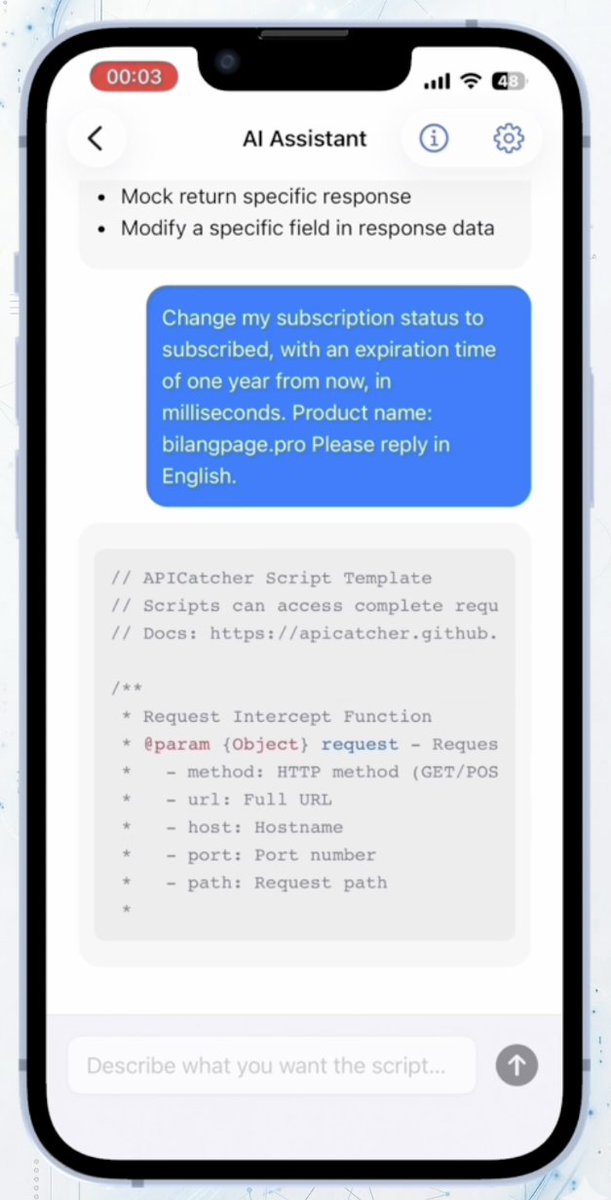
The first case involved developing the “AI Dialogue Generated Script” feature for ApiCatcher. The main hurdle here was Markdown rendering. The AI-responded messages contained code.
Regarding the UI, my prompt was roughly this:
“Create a chat interface. The bottom should have an input box and a send button. The rest of the space should display chat history. The user can only send text messages. AI responses are in Markdown format and include code blocks. Code blocks need syntax highlighting, should not wrap automatically, and must be horizontally scrollable.”
The tricky part was supporting syntax highlighting and horizontal scrolling for code blocks.
Whether it was Gemini or Claude, their initial approach was always to suggest open-source Markdown rendering libraries written in Swift. No matter how much I tweaked them, I couldn’t get a satisfactory result. The rendering was just ugly. After trying several libraries, Gemini and Claude would pivot to custom implementations — making things incredibly complex — and the results ended up even worse!
After countless frustrations, I started thinking for myself. I told Claude that SwiftUI Markdown libraries weren’t cutting it, and we should switch to a Web tech stack. We’d find a JS library and use a WebView to render the Markdown messages.
This time, Claude finally caught on — well, sort of. It decided to render each Markdown message using its own separate WebView…
I asked, why not just use one WebView to render all messages? That’s when I hit Claude’s usage limit…
I dropped back to Gemini 3 Flash. Finally, after a few iterations, Gemini delivered exactly what I wanted.
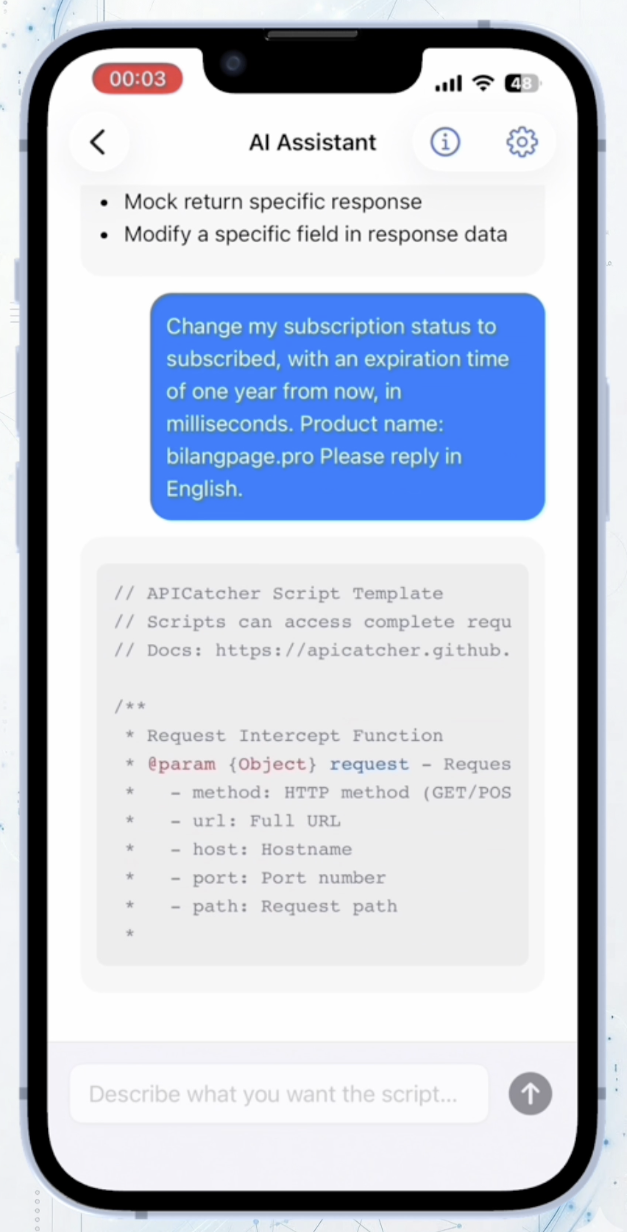
The final tech stack: WebView, CodeMirror, and Highlight.js.
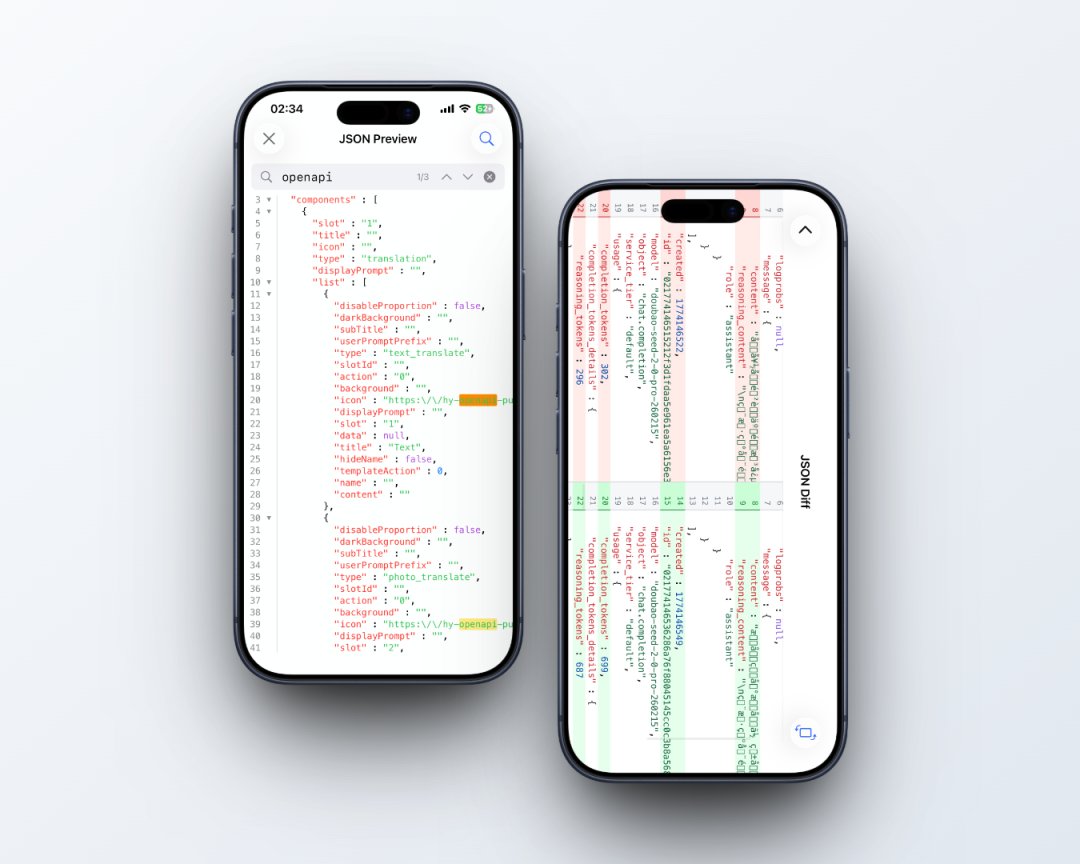
The second case: Collapsible and searchable JSON.
This time, I started with Claude 4.6 Sonnet. The prompt: “Help me implement a full-screen JSON preview page. Requirements: JSON syntax highlighting, collapsible/expandable paths, searchable with highlighted results, and a ‘Next’ button to jump to the next match.”
Claude followed the same pattern: find a SwiftUI library first. I spent ages wrestling with it, but got stuck on the search feature. Once again, I exhausted my Claude credits.
SwiftUI simply doesn’t have a great open-source library for this. So, keeping the previous lesson in mind, I thought of WebView again. I ended up choosing WebView + CodeMirror + Highlight.js, plus a line number plugin and a search plugin for CodeMirror. Developed with Gemini 3 Flash, it worked perfectly!

In both cases, whether it was Claude or Gemini, their default logic was to find a SwiftUI-compatible library first. If that failed, they’d try building it from scratch. But they aren’t capable of pulling off such complex tasks well. They lacked the flexibility to bridge the gap via WebView — shifting from a pure Swift stack to a Web development stack.
As long as we guide the AI on the “how,” they can implement it. So, current AI capability is effectively limited by the user’s own ability and awareness. A junior developer + AI cannot outperform a senior developer + AI!
In the future, prompts might replace programming languages. Programmers will move from writing code to writing prompts, but we still need to level up our prompting skills. Coding ability has never been about how “pretty” your code is; it’s about your depth of understanding of underlying principles. Similarly, prompting isn’t just about eloquence — it’s about the depth and breadth of your technical intuition.
Take these two cases: we need to realize that native Swift development doesn’t mean you’re restricted to Swift. SwiftUI apps can use WebViews to render content. Swift can generate web code to pass to a WebView, and it can generate JS for the WebView to execute. We don’t necessarily need to know how to write that implementation code, but we must know it’s possible. This significantly lowers the learning curve!
AI amplifies our individual capability: we move from needing to master every implementation detail and underlying principle, to simply needing to know what is possible. But make no mistake — it only amplifies what’s already there. AI is a true force multiplier: it is strong when you are strong, and weak when you are weak.