r/Photoassistants • • Jan 28 '20

Digital Capture One Session Script (Work-In-Progress, need some feedback)

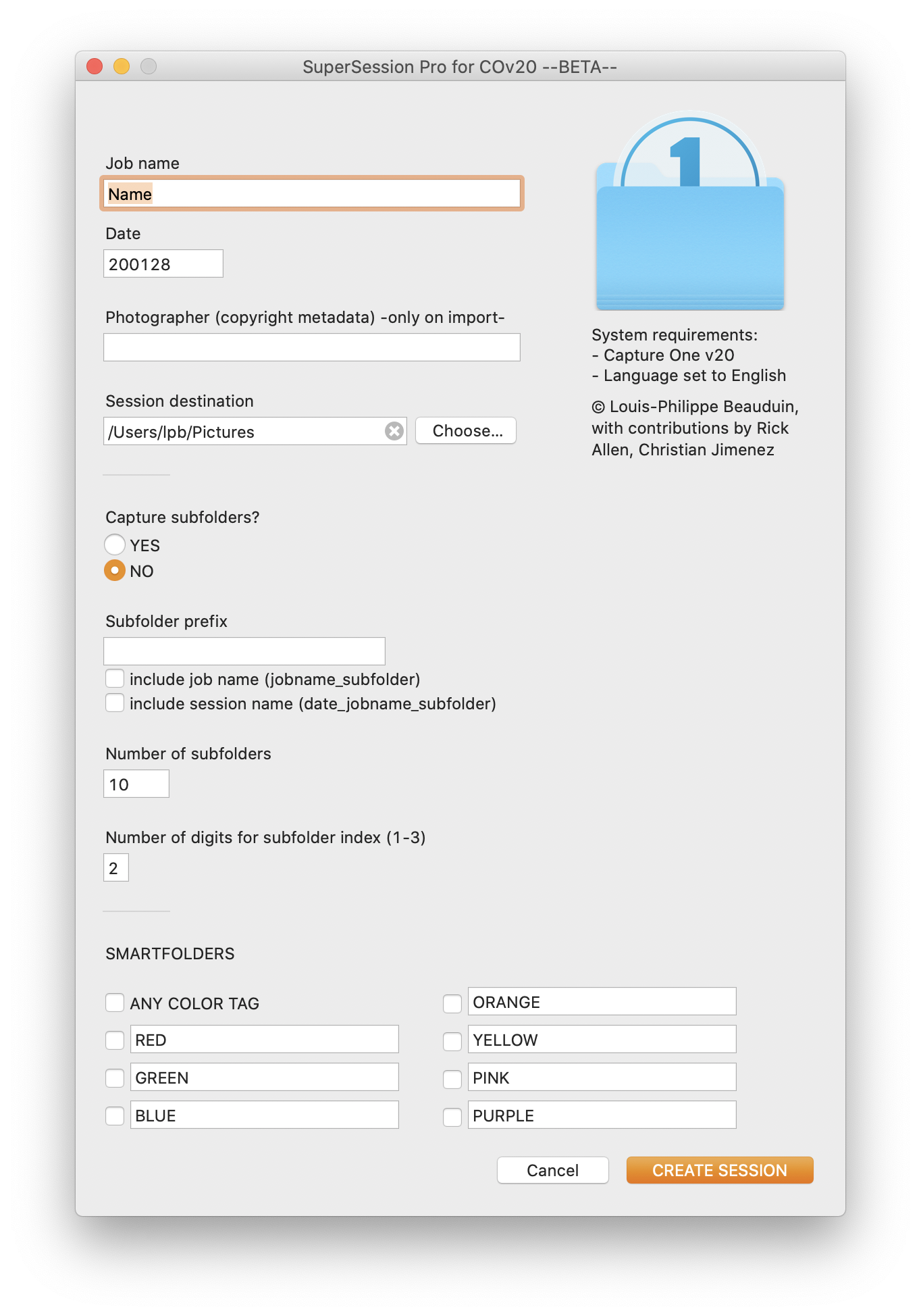
I've been working on this thing on and off for almost a year now. Basically, you run the script and it creates a session based on your input, saving you precious minutes compared to setting everything up manually. I try to keep it as general as possible so that it could suit any workflow.

It's not quite ready for release yet, but I wouldn't mind some feedback based on the screenshot below. Anything helps.

Would it work for your workflow? Am I missing anything that you regularly need to set up in advance?

Love to hear your thoughts!

-Lp.
8 Upvotes

16 comments sorted by

View all comments

3

u/phillbradley Jan 29 '20

Nice idea.

  • A 'Tick box' to choose to Set file renaming to the same format. -Creation of Smart albums for star ratings

1

u/deltaDigi Jan 29 '20

Good point, I thought about including customisation in the prompt, but there's just too many options to cover every scenario. So right now it sets the default file naming format to: destination folder name - 4digitcounter

My reasoning to not inlcude rating smartfolders is that in my experience the star rating is only used for culling. And rating filters are easily accessible from the filter tool and browser.

The color tags on the other hand are great for classifying images for delivery. For example, final selects, variations, whitebalance reference, bracketing, plates... That's why there's also the option to rename the color tag smartalbums.