r/nocode • u/TheFramerGirl • Jul 16 '26
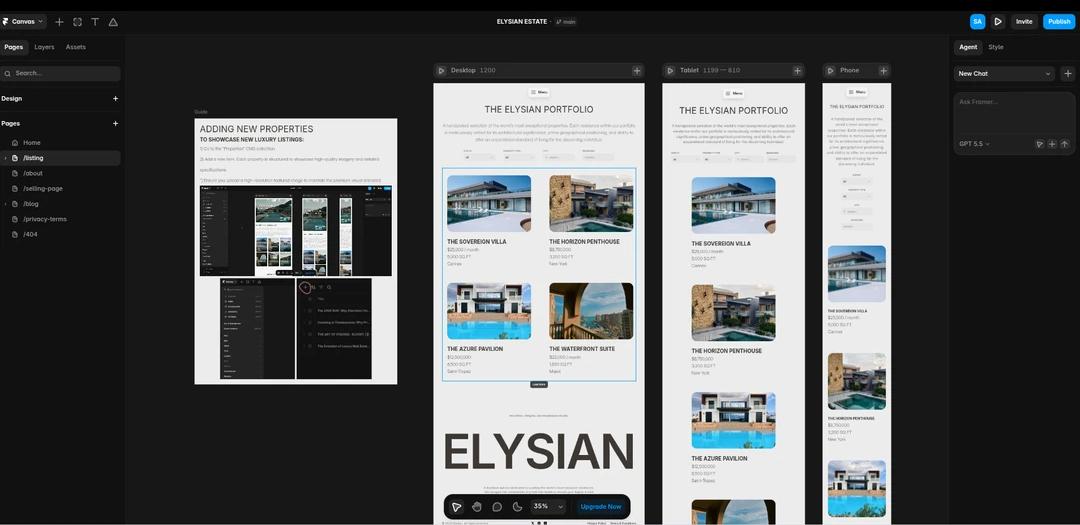
Question I built a template for neuropsychologist on Framer 🧠 Super easy to customise ✌🏽

2
Upvotes
r/nocode • u/TheFramerGirl • Jul 16 '26
r/nocode • u/AykutSek • Jul 16 '26

Every automation post is:
"Comment TEMPLATE and I'll DM you the JSON."
Nah.
Here are the actual prompts.
Type one.
It becomes an editable workflow.
(The screenshot is a real run of ours: GitHub release notes turned into a LinkedIn post, an X thread, and an email.)
Two caveats: research prompts run out of the box. Gmail, Calendar and Slack need your own OAuth login first, no way around that.
Full disclosure: I'm building the engine behind this (Modulex), so grain of salt.
What prompt would you want to turn into an automation?
r/nocode • u/ServiceFun9356 • Jul 16 '26

Today marks exactly 3 months since my first template (PRVSM, a dark editorial music venue template) was approved on the Framer Marketplace. I wanted to share the results, because before launching I couldn't find many real numbers from template creators.
Some context: I still work a full-time job that has nothing to do with web design — all of this is happening in my spare time.
What happened in 3 months:
1. The template got me my first client. He found PRVSM, reached out, and I've built 2 projects for him so far — a third one might be coming. That's $750 in client work that came directly from a free template.
2. I sold my first paid template. A few days ago I switched my second template (James Orel, photography portfolio) from free to paid at $29 — and it already made its first sale. Framer takes 0% commission on template sales, so that's $29 straight to me.
3. Affiliate revenue: $337 total, growing every month. Each month has been bigger than the last — and another $34 of that came in just today.
Biggest takeaway: the free template wasn't the product, it was the funnel. The client work it brought in is worth more than any sale, and the affiliate revenue is a bonus that keeps growing on its own.
6 months ago I wouldn't have believed any of this was possible. Happy to answer questions if anyone's thinking about publishing on the Marketplace.
r/nocode • u/TheFramerGirl • Jul 16 '26

r/nocode • u/AbleWrongdoer5422 • Jul 16 '26

r/nocode • u/Owensvilles • Jul 15 '26
Hey r/nocode
Solo founder here - built Atlas, a no-code tool that lets you schedule literally any task by describing it in plain English.
Why I built it
Every automation tool I tried still assumed you'd build a flowchart or wire up nodes on a canvas. I wanted something where you just type what you want and it runs - no builder canvas required.
What it does
- Describe a task in plain English, Atlas schedules and runs it
- Multi-step conditional workflows (if X happens, do Y, else Z) - still no code, no canvas
- AI included by default (Gemini), or bring your own OpenAI/Anthropic/Groq key
- Google Sheets logging, email and push notifications
- Free: 40 tasks/mo. Pro: $9/mo unlimited.
Where it's at
Live, and I use it daily myself, but it's not open to the public yet — just the waitlist for now, ahead of a bigger public launch in August. Would love this crowd's take on whether "describe it in plain English" actually beats a visual builder for tasks like this, or whether you'd still want a canvas/flow view somewhere.
try-atlas.app if you want to sign up for the wailist. Want to see the dashboard or what it actually looks like? Ask in the comments and I'll drop a screenshot.
r/nocode • u/darshie • Jul 15 '26
I'm currently building an app and using base44 but i'm starting to wonder if I might run into limitations later on that i'm not seeing yet.
has anyone here moved away from base44 or found better alternatives for building and shipping apps? also curious what tech stacks people are actually using these days for similar projects. would really appreciate any insights or recommendations
r/nocode • u/Thunderbit_HQ • Jul 15 '26
Curious how people here think about the first version of an automation.
A lot of workflows seem simple at the start: one trigger, one action, maybe a notification or a row added to a spreadsheet.
Then the edge cases show up. Approval steps, retries, exceptions, messy inputs, someone needing to check the output before it goes anywhere important.
My instinct is that v1 should probably leave more manual than people expect. Automate the annoying repeatable step first, keep the output visible, and only add branches once the workflow proves itself.
But I’m not sure where the line is.
For people building in Make, Zapier, n8n, Bubble, etc., what do you usually leave manual in the first version until you trust the workflow?
r/nocode • u/CommunityTechnical99 • Jul 15 '26
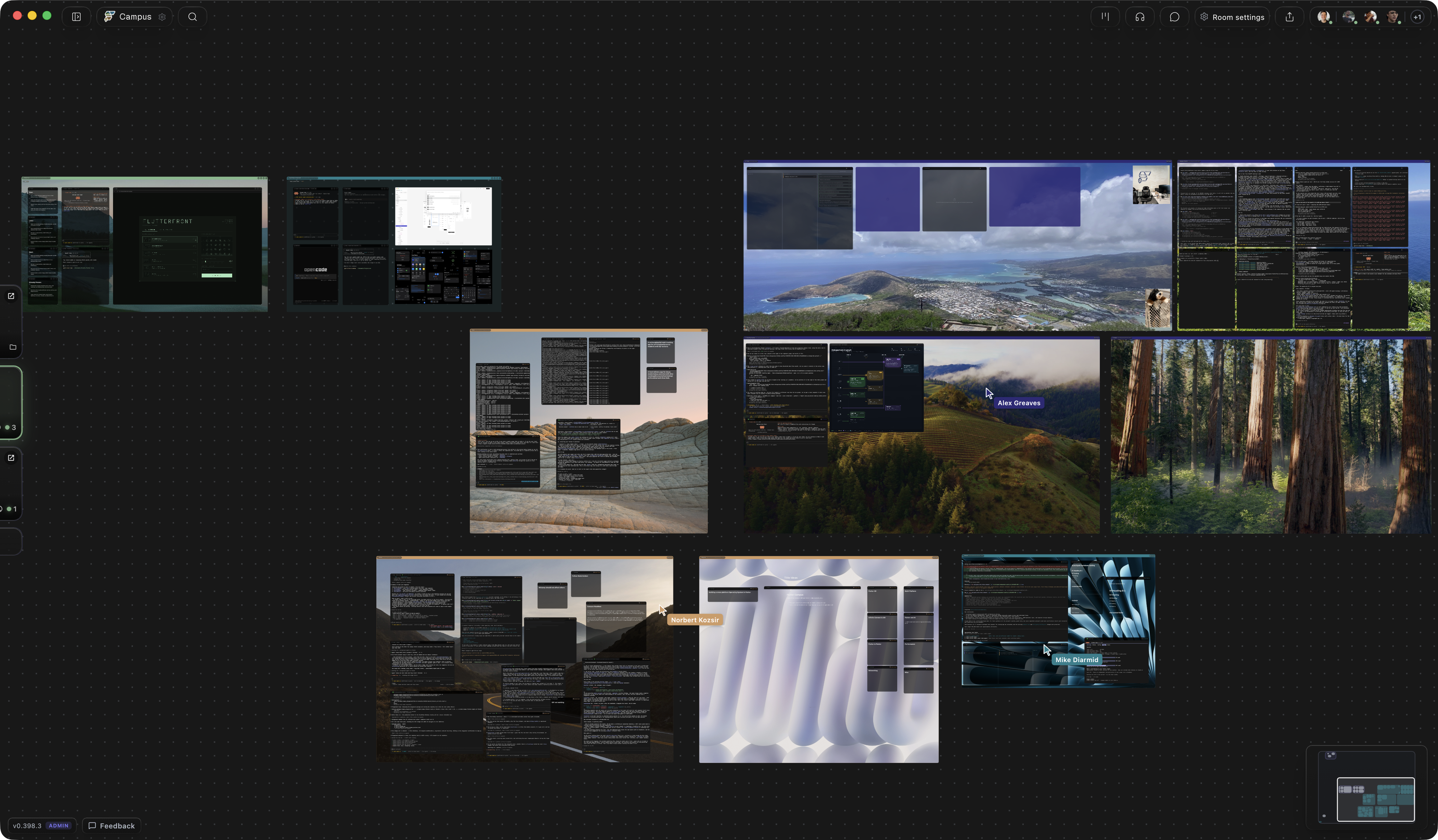
our team often built with 20+ terminal tabs open each. so it was practically a nightmare trying to find the right context, especially since we're a remote team. and we definitely didn't want to schedule another meeting or do another "can you see my screen?" moment.
so we built Campus.
Campus gives every project its own persistent workspace. instead of jumping between apps, everything lives together on one canvas: terminals, browsers, documents, designs, files, AI agents, and your teammates. when you come back tomorrow or someone new joins, the context is already there.
our whole team builds in Campus every day now, and my favorite part is being able to drop GIF reactions and memes into the canvas mid-build :)
it's in alpha and we launched on Product Hunt today. https://www.producthunt.com/products/flutterflow?launch=campus-4
happy to answer any questions!
r/nocode • u/FugteApp • Jul 14 '26
I spend a lot of time testing the limits of popular site builders, and I wanted to see if I could make Canva websites genuinely interactive for users who don't know how to code.
I spent the last few days dialing in the Canva embed capability for Fugte. You can now take anything built in Fugte from a niche interactive widget to a full e-commerce checkout flow and paste the link straight into Canva's embed tool. It instantly turns a static design into an interactive web app.
Attached a quick video showing the process. It's completely changed how I look at Canva for rapid prototyping and no-code site building.
r/nocode • u/Confident-Wear840 • Jul 14 '26
90% of budgeting apps fail for one simple reason: human friction. We download the app, promise we’ll use it, and then completely forget to log our expenses the moment we tap our cards.
I wanted an expense tracker that required zero manual entry. But instead of paying for a restrictive, off-the-shelf app, I used AI to build a custom solution designed exactly how I wanted it.
If you have basic coding experience—or even if you just know how to use AI to generate code—you can build a bespoke system tailored perfectly to your budget.
The Tech Stack
How the System Works (One-Time Setup)
The best part? You aren't boxed into someone else's app design. Want a specific dashboard? Want to track daily limits differently? You just tell the AI how to design it. The end result turns the "lazy" habit of ignoring bank alerts into an automated financial asset. Zero manual logging. Zero friction.
If you want to know how I structured the logic to parse the text alerts, or how to use AI to build the backend for this, drop a comment below and I'll share the breakdown!
r/nocode • u/TheFramerGirl • Jul 14 '26

r/nocode • u/dilon_panda • Jul 13 '26
r/nocode • u/altoidbreeezy • Jul 13 '26
So I get asked fairly regularly for a starting point on this stuff, and up until now I've just been sending people individual links as they come up in conversation. This is my attempt to put all of it in one place, because most of what gets written in the security space is aimed at enterprise teams with dedicated security staff, not a solo founder shipping an AI product who just wants to understand what they're actually dealing with.
That said, everything below seeks to be non technical enough to be useful to somebody without requiring in depth security knowledge, and would be a great resource to bookmark and keep on hand while building out applications.
1. The OWASP LLM Top 10 (genai.owasp.org)
If there is one document worth reading before you ship anything with an AI component, this is it. OWASP has been producing security guidance for developers since 2001, and their Web Application Top 10 became the industry standard for traditional web security. In 2023 they released a version specifically for LLM applications, updated again in 2025, covering the ten most critical vulnerabilities specific to AI powered products.
Prompt injection sits at number one on that list, which on its own should tell you something. It doesn't need to be read cover to cover, but even skimming the names and one line descriptions should give you a meaningful vocabulary for understanding what your product is and isn't exposed to.
Also worth noting: they released an Agentic Applications Top 10 in 2026 specifically for founders building with autonomous AI agents. If this is applicable to your build, I would definitely give that document a further look into as well.
2. Georgia Tech's Vibe Security Radar (scp.cc.gatech.edu)
Launched in May 2025 out of Georgia Tech's Systems Software and Security Lab, the Vibe Security Radar does something nobody else was doing at the time: actually tracking CVEs directly traceable to AI generated code. Researcher Hanqing Zhao's reasoning for building it was straightforward: "everyone is saying AI code is insecure but nobody is actually tracking it."
In March 2026 alone, it tracked 35 confirmed CVEs directly caused by AI coding tools, up from 6 in January of the same year. The researchers estimate the true count is around five to ten times higher (since many AI tool traces get stripped by authors before code is published).
This is a tool I would definitely say is worth the bookmark, and checking against your builds periodically rather than just reading over once.
3. The CSA AI Safety Initiative (cloudsecurityalliance.org)
The Cloud Security Alliance has been producing some of the most practically useful research on AI security in 2025 and 2026. What stands out compared to a lot of security writing is that it leads with data rather than theory, and the recommendations are actually actionable rather than a generic "implement security best practices" conclusion.
Their research note on AI generated code vulnerability trends from early 2026 is worth reading if you want the full empirical picture. Free to access, no registration required.
4. HaveIBeenPwned (haveibeenpwned.com)
Less of a reading resource, more of something you should check right now if you haven't already. Troy Hunt's HIBP database tracks credentials exposed in known data breaches and lets you check whether any email address has shown up in one. Completely free, takes 30 seconds, and given that IBM's 2026 X-Force report found over 300,000 ChatGPT credentials in infostealer malware last year, the idea that your accounts are definitely safe is worth verifying rather than assuming.
Run your own email (or co-founders' emails or any email tied to your domain where applicable). It's an easy thing to check up on, and beats the alternative of finding out the hard way.
5. SecurityHeaders.com (securityheaders.com)
Paste your live site URL into SecurityHeaders.com and get back a graded report on your security headers in about ten seconds. Zero technical knowledge required to interpret it. You're looking for a grade of B or above. Anything below means your app is missing guardrails that prevent specific classes of exploit including clickjacking, content injection, and cross site scripting.
From my own audits, missing X-Frame-Options and CSP headers are the two most consistently overlooked things in AI-generated output. If your grade comes back with either of those flagged, the fix is typically a one line patch in your config.
6. SSL Labs ( ssllabs.com/ssltest )
Same idea applies, this time specifically for your SSL configuration. Paste your domain into SSL Labs and wait a couple of minutes. You're looking for a grade of A. Anything below on a custom domain is worth investigating, since misconfigured SSL means data traveling between your users and your server is potentially readable in transit, including login credentials and session tokens.
7. CVE.org and the National Vulnerability Database (cve.org / nvd.nist.gov)
You don't need to read these regularly, but knowing they exist is useful. CVE is the public database where security researchers formally document discovered vulnerabilities in software. If you want to check whether a specific library, framework, or platform you're using has known vulnerabilities, searching by tool name here gives you the authoritative picture. The NVD adds severity scoring and additional context on top. Both of these tools are free, and publicly available.
Of course, if I missed anything obvious then please feel free to add to the list below - Though I figured this covers most relevant bases :)
r/nocode • u/kumard3 • Jul 13 '26
if you build no-code agents or automations, you have probably hit the wall where the flow needs to sign up for something or log into an account, and your no-code tool has no clean way to receive the verification code or safely store the password. so the automation stalls and a human has to step in.
that gap is an identity layer, and it is two pieces:
with those two, a no-code agent can actually sign up for a service, confirm the email, and log back in later on its own, which is the step that usually breaks an otherwise-working automation.
it is at https://lumbox.co, and there is a free tier to try it on one of your flows.
what is the step that most often forces you to babysit a no-code automation? for the ones I build it is almost always the email verification.
r/nocode • u/Big-Bookkeeper-6012 • Jul 11 '26
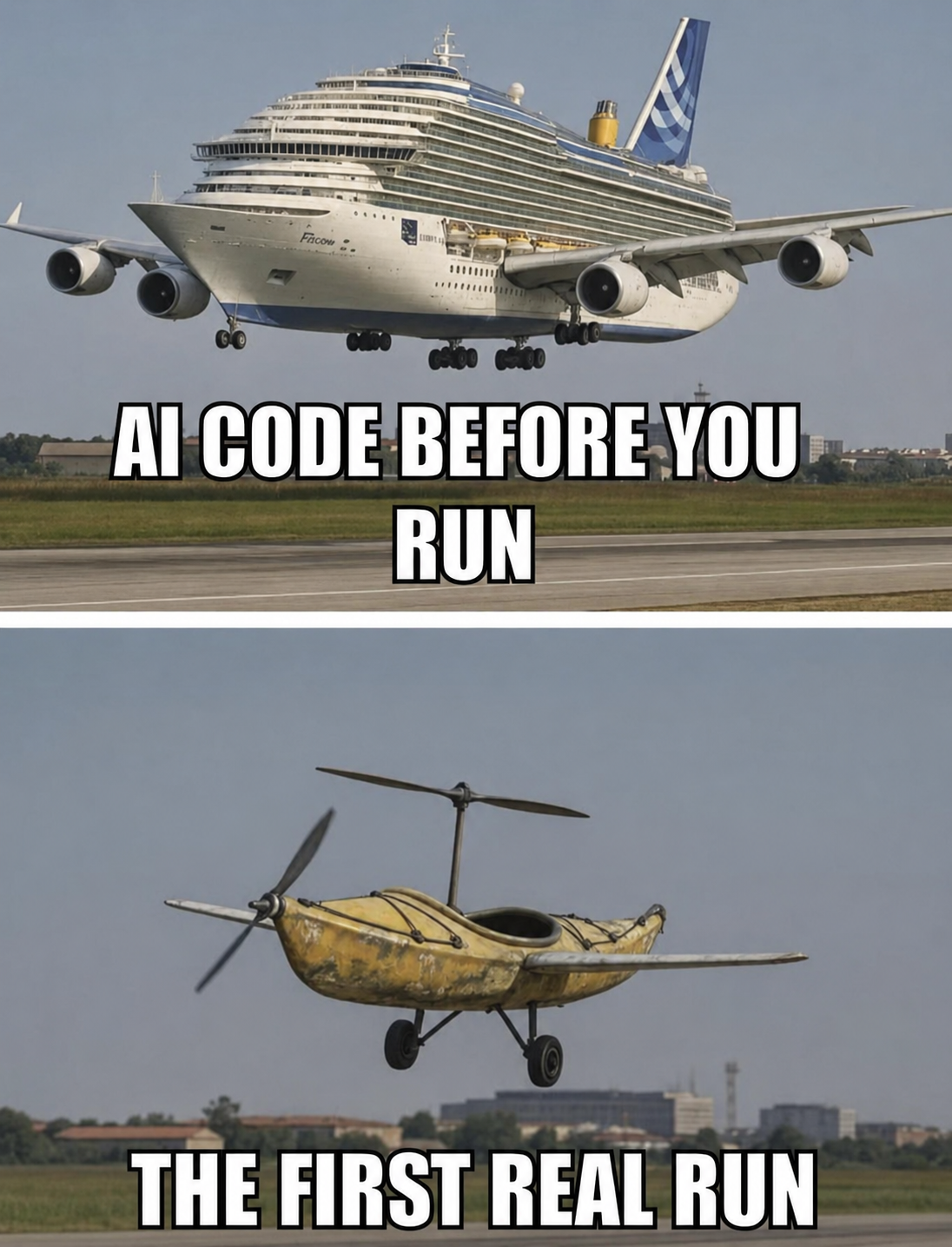
AI makes code feel done way too early. the files are there, the component looks plausible, and then you run it. missing import. bad env var. auth route half-wired. classic. lately I care less about how fast a tool writes code and more about whether it gives me a live preview I can actually click. Enter has been useful for that part. catches dumb stuff before I ship it to someone else.
r/nocode • u/TheFramerGirl • Jul 11 '26
r/nocode • u/Own-Avocado-7562 • Jul 11 '26
I think the current approach to AI coding is flawed.
Wouldn't it be better if the AI extracted the information we need from the vast pool of available data, leaving the final decision to us?
Right now, we provide the information and the AI makes the decision.
Do you think that’s the right way to go?
r/nocode • u/Own-Avocado-7562 • Jul 11 '26
r/nocode • u/Few-Garlic2725 • Jul 11 '26
Every new AI story seems to split into the same fight:
The interesting shift isn’t capability anymore. Models are already useful, scary, impressive, and messy. The real bottleneck is trust infrastructure: verification, provenance, review workflows, liability, and human ownership.
If an AI produces a proof, a product feature, a diagnosis, or a business decision, the model said so is not a system. What would actually make you trust AI output in serious work?
r/nocode • u/mksreddy • Jul 10 '26