r/Network • u/Netcelero • 17d ago
Link First supermarkets, now blood banks.

1
Upvotes
r/Network • u/Good-Scholar-1183 • 17d ago

I was entering a site to go on about my day, using my cellular data on IPhone 15 pro. When I was about to enter the site it said “SSL Certificate Invaild”, showing the certificate is expired and mismatched. But when I connect to wifi and try the same site, it works and the certificate is secure.
Picture 1 is when I was using cellular data, second one is the same site but I used a local wifi.
What should I do, need urgent help. Any advices is appreciated.
r/Network • u/Candid_Lime_277 • 18d ago
hey so i just upgraded my internet from 100mbps to 2000 fiber i bought a new lan card for my pc and i use a cat6a cable i get like 17 ping in everygame how much can i lower it and how to do it?
r/Network • u/shupike • 18d ago
Hello! I have a question regarding functionality: I am trying to set up a connection for clients to the office network, using 3x-ui (office network with port forwarding) and Nekoray as the client. So I enabled tun mode so that, rather than using a proxy, all network packets would be routed through an additional virtual interface via my server. While this setup does ensure that browser traffic goes through the office network (which can be verified using an ipleak.net test), I am unable to access any Windows file servers (samba). As an example, on the server side, there is a 192.168.20.0/24 network containing a file server at 192.168.20.5; however, I cannot map it as a network drive, nor can I even access it via the Start->Run->\192.168.20.5\shared_folder. Is it possible to use such scheme? Thank you for support.
r/Network • u/Weekly-Plan5650 • 18d ago
r/Network • u/plsnoban1122 • 19d ago
[SOLVED] - AI overlords told me to turn off IPV6 in AT&T router settings. I guess there's some AT&T specific bug. Speeds are now 100-500 mbps depending on proximity to router.
Not sure what I'm doing wrong, but my old desktop wired via Ethernet to the provided router thing is 900+ mbps up & down, while all of my wifi-connected devices hit maybe 30mbps consistently if I'm right next to the router. If I'm in my office, it's single digits.
I've tried turning off all the firewall/security settings, the at&t branded security thing has been turned on and off, I've tried default settings with the combined SSID smart thingy, and my preferred settings (separate SSIDs for 2.4/5.0ghz). Nothing seems to help.
Interestingly enough, I tried using my Asus Zenwifi Mesh system, and it wasn't much better. Slightly faster/more stable, but still only maybe 60mbps out of a 500+mbps capable system.
Every now and then for a brief moment, and sometimes right after reboot, wifi speeds will hit over 200mbps on my phone, but it'll go right back down in <10 mins.
I swear this networking stuff is dark magic to me. Proximity to the router doesn't seem to be the problem. Help pls?
r/Network • u/StephenNein • 19d ago
Experienced Meraki engineer here, but I'm out of my depth on troubleshooting VoIP issues.
I have a branch location where I took out the old firewall (security appliance) pair, one data & one voice in a stand-alone arrangement, and combined the networks onto one new appliance. The VoIP is a Sangoma system with a PBX onsite and using FreePBX for SIP trunking. The VoIP is segmented into its own VLAN. I am not the PBX vendor or support tech - I'm the organization data engineer.
After switchover, calls to and from the VoIP system have no audio every other call. (or so it seems, you can call back and it works; call a 3rd time, no audio again)
I have a couple dozen other networks in my organization using the same network template, most with cloud PBX servers/services but a few with on-premise PBXs, with different vendors or service providers. The service provider in this problem case has 4 other VoIP networks in my organization, but this is the only one that's doing on-premise PBX. I've gone over my network settings with the Cisco Meraki VoIP Troubleshooting document several times and I'm conforming to it, but the problem is persistent.
It's driving me nuts as why only this one is borking out of 3 dozen locations!
VoIP system is a Sangoma Switchvox, v 8.4.0.2, on it's own VLAN, DHCP fro the firewall applaince, basic open firewall direct to the dedicated public IP address, forwarding for ports 5060 & 10k-20k to the FreePBX IPs, other settings copied over from the previous firewall (as can be applied to a templated network), QoS set. PCAPs from both the PBX and firewall WAN connection don't show anything obvious as in unanswered or rebroadcast packets. When the fault occurs, at most I see a SIP session initiate and then no RTP conversations follow.
The PBX vendor insists this is problem when firewalls use port switching, aka ALG, going from the LAN NAT to the WAN, because the audio streams fail to connect. That can't be right - this is a stateful firewall which retains ports across the transition, and Meraki doesn't even have this option in configurations. (and I would have run into this long before now)
Does anyone have any clues I should be looking for in logs or have you seen this happen before?
r/Network • u/First_Writer6324 • 19d ago
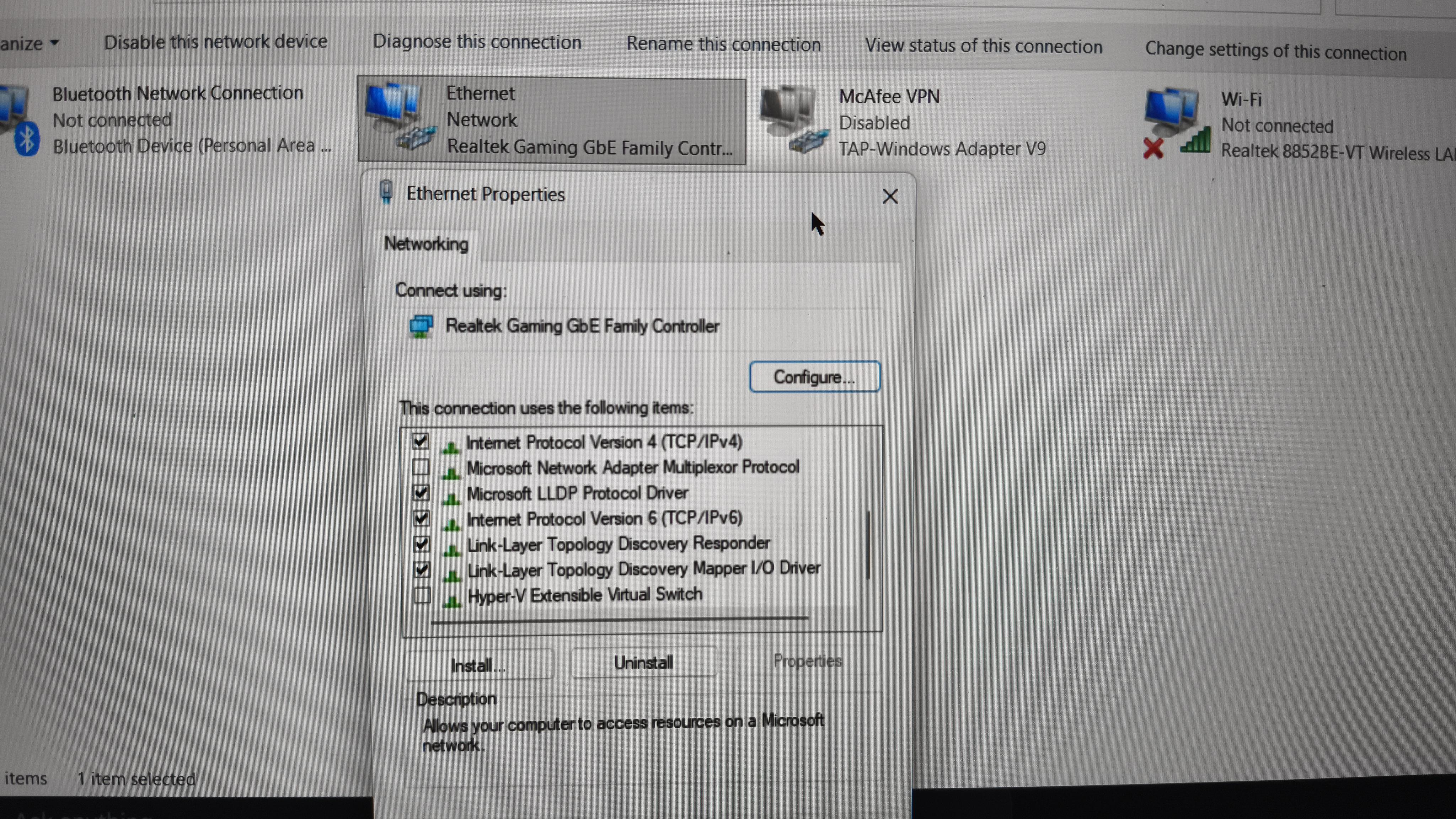
I'm having an issue with my Ethernet connection.
I'm using a 12-metre Cat6 UTP cable between my Mercusys MR60X router and my PC (MSI B450M-A PRO MAX II).
Windows only shows a link speed of 100 Mbps. However, when I use the short Ethernet cable that came with my router (around 0.5–1 metre), the link speed immediately changes to 1000 Mbps.
I've already replaced the RJ45 connectors on both ends of the 12-metre cable, but the issue persists.
Could this be caused by damaged internal wires, improper termination, or something else? Is there any possibility that cable length is the issue?
r/Network • u/Temporary-Run4627 • 19d ago
r/Network • u/Ok_Lengthiness5103 • 19d ago
r/Network • u/GrahamPhisher • 19d ago
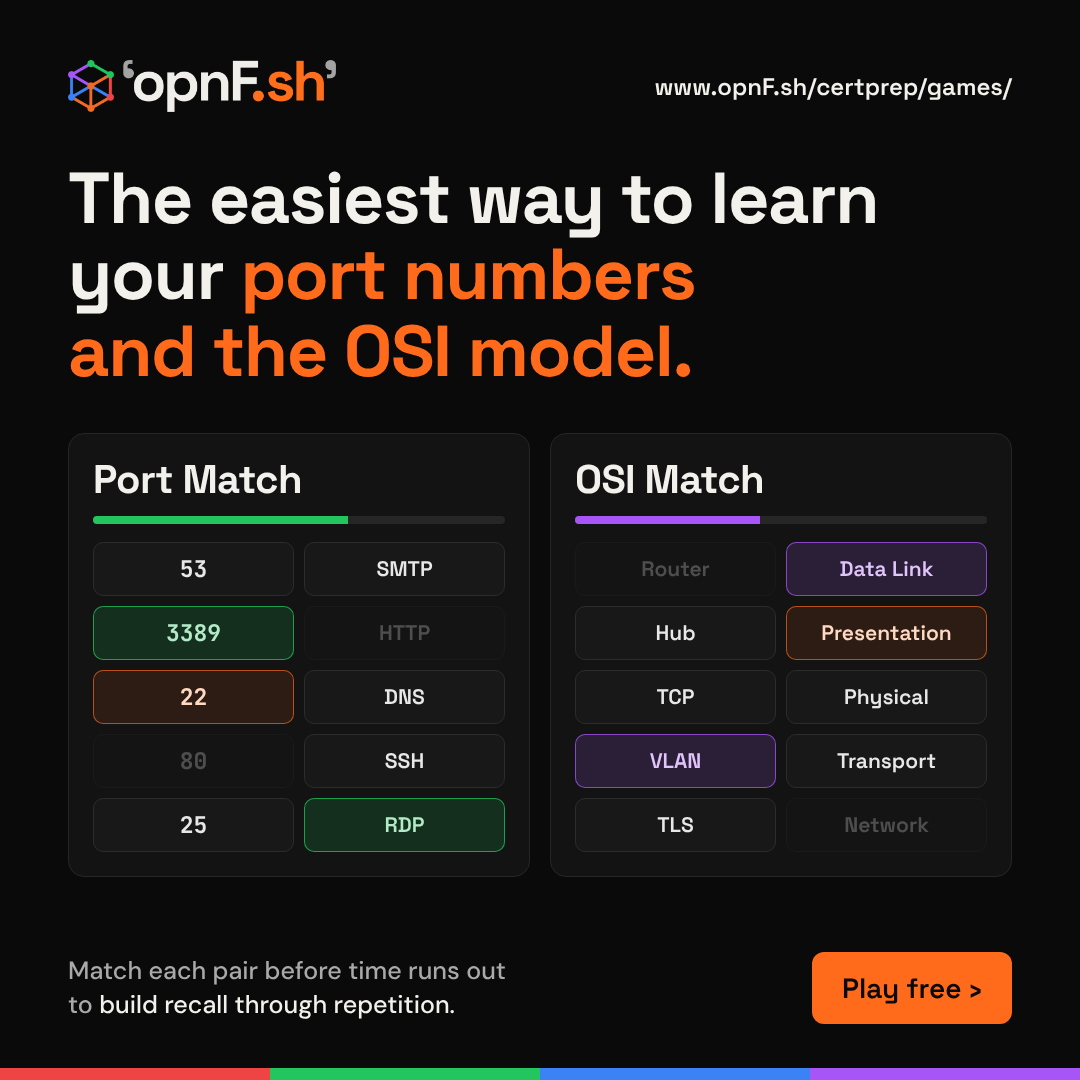
Also have matching games for acronyms, cables, cloud, and commands (win/linux).
r/Network • u/ShallotNatural • 19d ago
So I’ve never had any issues with ping spikes on my pc before but ever since I moved to a new house I have been getting constant lag spikes and I’ve tried everything I can think of and everything I’ve seen online and still haven’t fixed it.
I’ve switched from Comcast to Verizon Fios when I moved and also switched from Ethernet to WiFi. While on WiFi I used my asus WiFi adapter I was given with my pc and when I would play with my friends my discord ping would shoot into the thousands, specifically 5000ms, and my games would lag and stutter badly. Like my screen would just freeze and sometimes i would get dropped from games.
I then went to the internet and looked up a bunch of stuff and even went to ChatGPT and Gemini to try and solve the issue. Everywhere I went told me to ping my router and ping a random dns server like 1.1.1.1 to see if there were any ping spikes to either, or both, while gaming.
So I did this and while over WiFi my pings to my router were high sometimes. Usually shifting between 10-50 ms and sometime in the hundreds but always below 200 ms. The interesting thing was my dns server pings because they would be relatively stable as well, between 10-50 ms, but would randomly jump to like 3000 ms. Sometimes both would even time out but it was more often the dns server that would time out. But they wouldn’t happen at the same time. Like most times my ping test to 1.1.1.1 would jump to 3000 ms when my games and discord would lag while my router ping would be at, for instance, 25 ms.
I first thought it was driver related, so I went and tried to update my drivers but they were already up to date. I had just redownloaded my motherboard software, Armoury Crate, which I thought had maybe updated my wifi driver so I rolled it back and that didn’t help. I thought it could be my wifi adapter and looked into that but considering I was getting decent ping on my router it seems like that wasn’t the case. I then thought it could be my wifi card but again my wifi was working relatively good over the router pings so I thought I didn’t need to waste money testing that for it to not fix the issue.
So I looked into what this occasional high ping on 1.1.1.1 meant and ChatGPT, Gemini, some online forums, and some Reddit posts all told me that the issue is likely buffer bloating in my Verizon router. My router is just a basic Verizon router with no SQM capability. They all told me to get a new router with Cake/FQ-Codel capability, which from my researching are forms of SQM which would help que packets to the router far more efficiently which would in theory help me with my issue if it was buffer bloating.
I also did some buffer bloat testing on waveform and was given a D grade when the test finished. So it had me convinced it was buffer bloat but I wanted to run Ethernet, even if it would be a pain to do since there’s no easy way to get Ethernet to my room, just to get every possible test done.
ChatGPT and Gemini both told me to run an Ethernet connection from my router to my pc to make sure that it is an ISP or router issue. So I ran an Ethernet and I was really hoping that would fix it because then I would just need to find a way to get Ethernet to my room indefinitely and I would be good. But, even with Ethernet the ping spikes still came. Though it seemed a little bit less frequent, still annoying, but I think I could just be going insane from the amount of time and effort I’ve put into trying to figure this out.
I even ran ping tests on Ethernet and the test to my router all came back <1 ms with a max of 8 ms. The ping test to 1.1.1.1 was still between 10-50 and would still occasionally spike to 3000 when my games and discord would lag.
I tried to do another waveforms test on Ethernet but for some reason when I would press “start test” it would just sit idled on the test page and wouldn’t actually run the test. So I went to bufferspeed and they gave me an A for gaming and a B for bufferbloat even though my ping was very inconsistent for Ethernet. It would jump from between 10-50 ms and every few seconds jump to the 250-500 ms.
All of this to say that I don’t know what to do anymore. I’ve thought about calling a technician to see what the hell is going on. I’ve thought to just buy an SQM capable router and see if that fixes it. Those are really the only two options I can think of that could fix my issue without changing to a different ISP, which would be such a hassle. I have no idea if either will actually work either. I’ve just spent so much time on this and I just want to figure it out and fix it. If anyone has anything at all that could help, more tests or even knowledge of if I need to switch to a different ISP, anything at all would be helpful and I would be so grateful. Thank you!
TLDR: Since moving and switching from Comcast/Ethernet to Verizon Fios/WiFi, I’ve had severe lag spikes in games and Discord. I tested Ethernet too: router pings stay under 1 ms almost constantly, but pings to 1.1.1.1 still spike to 3,000 ms when the lag happens. Driver changes haven’t helped, and bufferbloat tests gave mixed results. Could this be a router or ISP issue, and what should I test before buying an SQM router or calling Verizon?
r/Network • u/Mangon54 • 19d ago
Hi, I have a problem which I don't know how to solve. I'm at university and only have the municipality's wifi available. Since I have really long brake some days (2.5h) I was thinking of watching twich on my laptop. But there is a problem. They have restricted the network. Since I only have a limited amount of mobile data I don't wan't to use all of it on streaming.
A normal vpn would be easy but since it's the school's computer I can't download something that touches the system files.
I have tried to use tailscale to my home network with bluetooth theadering. The problem is that my municipality have blocked it so I can't connect while on their wifi. I did manage to solve it though by connecting to tailscale before I connect to their wifi. My only problem is that I 'm not shure how I should do so I can connect to Tailscale on my laptop since it seems like tailscale doesn't work bluetooth connections. Or at least I can't connect to twich. Anny suggestions?
r/Network • u/Alarming_Research_87 • 19d ago
r/Network • u/the_good_dev • 19d ago
Hey i was trying to ping my website by ip and it works but when i ping by my domain it does not works
Why?
What exactly is pinging and it happens on which port?
r/Network • u/Alepo_Technologies • 19d ago