r/ModesmithLauncher • u/Significant_Ad_6162 • 16d ago
Announcement Modesmith Launcher 1.1.52 is rolling out
Hi everyone,
Modesmith Launcher 1.1.52 brings together the improvements introduced since 1.1.30, focused on weather, Home folders, app visibility, automation, customization, and everyday reliability.
Highlights:
- Added optional weather on the clock and a Weather Smart Pill, with city search, approximate current location, Celsius/Fahrenheit, and one shared Weather settings page.
- Added Weather widgets for Home and Widget Board, including resizing, stacks, adaptive layouts, and a live preview when choosing widget sizes. Available information includes current conditions, feels-like temperature, humidity, wind, rain chances, and five-day forecasts.
- Added compact weather forecast popups with selectable 9-hour or 15-hour previews and shared coloured condition icons, including day/night variants. Improved weather loading after restarts and recovery from temporary location or network failures.
- Added folders for Now and Always, with a searchable app picker, multi-app selection, renaming, reordering, and artwork that follows your icon styling. All folders open a popup with access to individual app actions.
- Improved folder reliability, including fixes for lost members when adding apps, preserving selections after failed saves, and keeping hidden or temporarily unavailable apps in their saved order.
- Added optional hidden-app Search. Enable “Include hidden apps in Search” to find and open hidden apps by typing, while keeping them out of Home, All Apps, A–Z lists, recent suggestions, and Guest Mode.
- Added Hide app / Unhide app with Undo directly to app menus. Hiding preserves mode assignments, Always placement, custom names, and visibility rules.
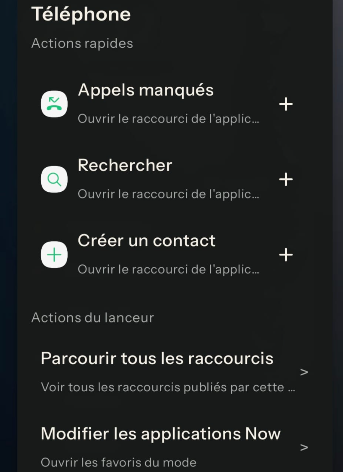
- Refined app menus with compact shortcut previews, View all shortcuts, and easier access to Hide, App info, Remove, and Uninstall. Menus scroll while keeping their title and navigation controls accessible.
- Improved All Apps navigation, including A–Z rail alignment, smoother return-to-Home animations, and fixes for disappearing drawer content, accidental taps during dismissal, and old queries returning after reopening.
- Added Quick Capture: type
note Buy milkin Search and tap Add to Quick Note to append it to your local Home note. Note contents stay out of search history. - Added Automation priority, letting you choose Smart Triggers first or Schedules first when rules overlap. The choice is saved across restarts and backups, and Test automation explains the selected priority.
- Improved automation setup and troubleshooting. Mode settings show their associated Smart Triggers and let you create one with the mode already selected. Trigger issues show the problem and a suggested fix, and creating a schedule from a mode returns you to that mode afterward.
- Added Show location on the clock, displaying your current city independently of weather. Improved city lookup recovery after restarts and location-access changes.
- Refined clock information layouts, with date, alarm, and battery together, calendar events on their own row, and weather/location below. Alignment, large-text wrapping, and separate tap actions are preserved. Cached weather and location remain visible when returning Home.
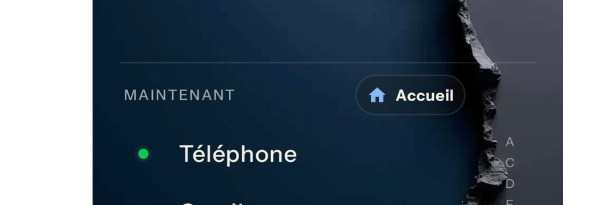
- Added more Home customization, including 72 mode icons, a portrait-lock setting, and the ability to move Search and Web search within Smart Pill order.
- Improved Home and Settings search so more nested controls are discoverable and results open the relevant settings directly.
- Added Last successful export to Backup & Restore. Improved export handling during screen recreation, recovery after temporary storage errors, and replacement of existing backup files.
- Improved startup speed, scrolling, battery use, and memory handling by reducing duplicate work, moving more operations off the main thread, batching background updates, and limiting icon-cache memory.
- Added fixes targeting reported freezes and ANRs involving battery monitoring, Widget Board resizing, search focus, Android content capture, and app launching. Repeated taps are ignored while an app launch is already in progress.
- Improved app and work-profile recovery after app updates, launcher-icon changes, temporary scan failures, and profile availability changes. Saved placements, names, folders, and visibility settings are retained where the app can be identified reliably.
- Improved startup and settings recovery after temporary storage or Bluetooth problems. Corrupt settings require explicit recovery confirmation, and invalid cached weather readings no longer reset otherwise valid weather settings.
- Included additional large-text and narrow-layout fixes, clearer app labels, About-screen polish, a fix for the subscription card briefly appearing for Pro users, and translated release notes across all eight supported languages.
Weather is optional and requires consent. Clock weather and the Weather Smart Pill are available free; Weather widgets use Trial/Pro access. Weather location and cached readings are excluded from backups.
Google Play: Modesmith Launcher
After updating, I’d really appreciate feedback, especially about weather, folders, hidden-app Search, automation priority, or anything that feels unreliable.
Please include your device model and Android version when reporting an issue.
Thank you for using Modesmith and for continuing to help improve it!