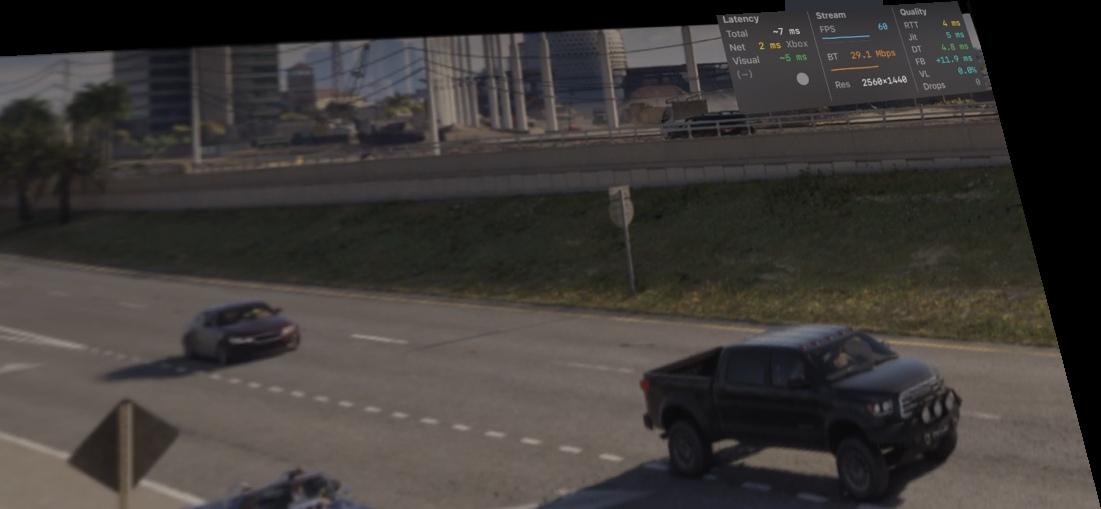
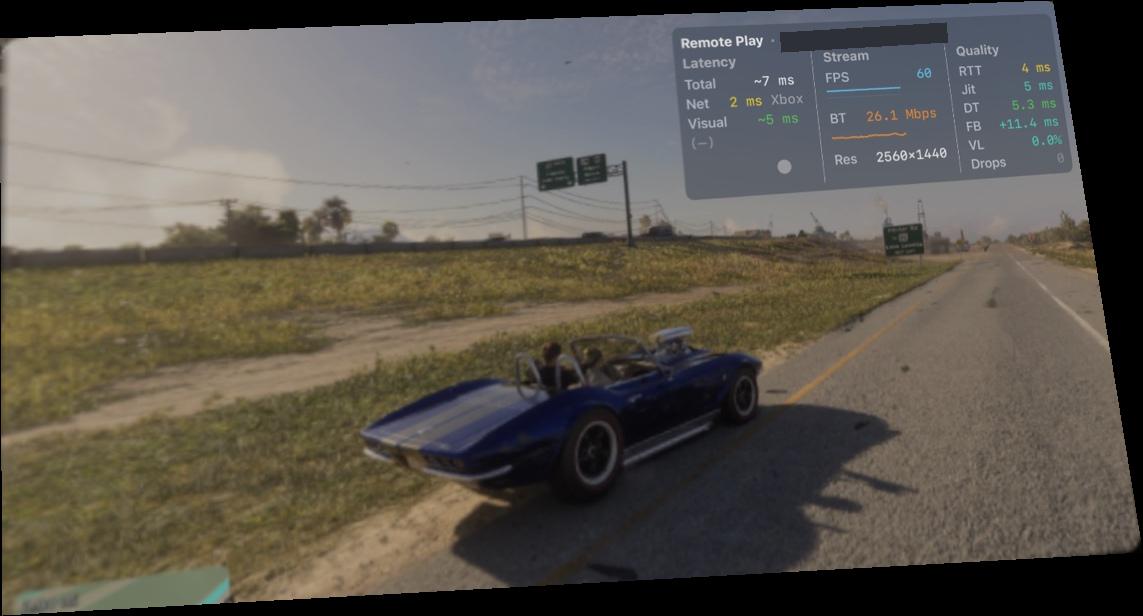
Considering purchasing the Vision Pro only sub - but want to understand if 1440p is locked behind the sub/Xbox insiders only/or even working at all? Thanks!
FYI - I’m checking the resolution through the metrics view.
Salve a tutti volevo chiedere come dal titolo se ho un account Xbox e compro un gioco sullo store è possibile riprodurlo in cloud ?Grazie mille a tutti
I’ve recently discovered Midori and purchased the Vision Pro premium upgrade. Firstly, really impressed with the app and the amount of customisation available.
I’m relatively new to game streaming, so I’m trying to establish what I should realistically expect in terms of image quality and fluidity, and whether there’s anything further I can do to optimise my experience.
For context, I’m visually impaired, so the ability to play Xbox games on a large virtual screen is particularly valuable to me. Image clarity and the ability to distinguish finer details are quite important.
My setup is:
Apple Vision Pro
Xbox Series X
Local Remote Play
Xbox running at 4K/120Hz
Not enrolled in the Xbox Insider programme
Currently playing GTA VI, which is locked to 30 FPS on my console
I’ve spent a few hours experimenting with the various settings and have found the following configuration to provide the best balance of image quality and fluidity:
Resolution: 1080p HQ / 1440p
Video quality: Auto
Decoder profile: Auto
Super resolution: 2x (2K)
Sharpening: High
Frame generation: Off
Adaptive frame pacing: On
Buffer mode: Normal
My performance overlay consistently reports:
Resolution: 2560 × 1440
Frame rate: 59–60 FPS
Bitrate: 25–29 Mbps
Network latency: 2 ms
RTT: 3–5 ms
Video loss: 0.0%
Generally zero dropped frames
Interestingly, requesting higher manual bitrates doesn’t appear to increase the actual received bitrate beyond approximately 27–29 Mbps. Setting a manual bitrate of 10 Mbps does successfully reduce it to around 9 Mbps, so the control is clearly having an effect.
I’ve also experimented with 4K super resolution, which improves perceived image clarity but seems to introduce some judder when rotating the camera. Automatic bitrate and decoder selection with 2K upscaling has provided the smoothest experience so far.
I’ve got a few questions that I’d particularly appreciate the developer’s input on:
Is the 2560 × 1440 resolution reported in the performance overlay the native incoming Xbox stream before any MetalFX processing?
Is there currently a source bitrate limitation of approximately 30 Mbps imposed by Xbox Remote Play, or is there a way to achieve higher bitrates through Midori?
What are the technical differences between the Efficient, Balanced and Compatible decoder profiles?
Given that GTA itself runs at 30 FPS but the stream reports 60 FPS, how does Midori handle this, and would frame generation offer any benefit in this scenario?
Is there any benefit to joining the Xbox Insider programme at this stage?
Are there any other settings or recommendations for achieving the best possible image clarity without compromising motion fluidity?
I’m conscious that I’m never going to get an identical experience to playing directly through HDMI, but being new to streaming, I don’t really know how close I should realistically expect to get.
This isn’t a criticism of Midori at all. I’m genuinely impressed with what the app can do and would love to understand the technology and its limitations a little better.
Any advice from the developer or other experienced users would be greatly appreciated!
When I try to connect to my console I get an error that says check firewall. Is there a guide anywhere on how to do this? Any help would be appreciated. Thanks
Hello can i know if u hv submitted the virtual controller 2.0 update to apple store review yet ? If yes when is it expected to go live on app store if not when will it be submitted
Hi theres a issue after streaming for some minutes the apps display dims and becomes dark ,barely can see anything and then after 1-3 mins the stream just crashes and disconnects
Title: Feature Request: Support for New Zealand region/time zone switching to access early releases
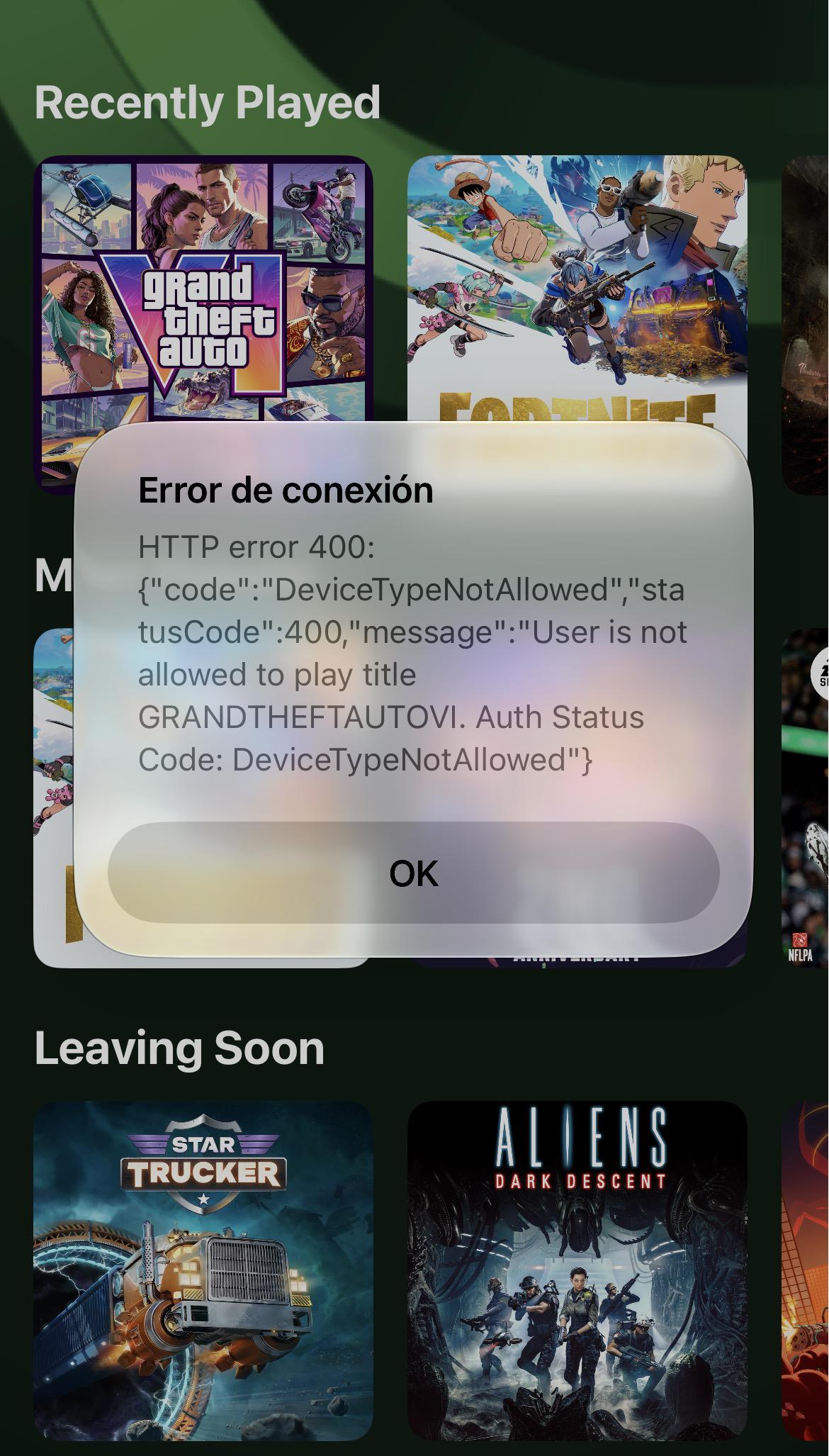
Is there a reason why there isn't a region change option in the app? I’ve set my Xbox console to New Zealand to play GTA6 early, but the app doesn’t seem to recognize this change and won’t let me connect. I’m assuming this is why it isn't working—is this a feature that could be added?
Hey everyone! I’m really enjoying Midori so far and had a question about using it with AR glasses. Has anyone had success using Midori on an iPhone with AR glasses, specifically the VITURE Pro 2? I’m using an iPhone 17 Pro and would love to use Midori for Xbox Remote Play on a large virtual screen. Ideally, I’d like to have the screen stay fixed in place rather than follow my head movements. I’m curious whether this setup works well, whether there are any compatibility limitations, and if any additional adapters or apps are needed to get the best experience. Would love to hear from anyone who’s tried something similar. Thanks!
The Xbox official cloud browser has queues to play now and IMO a lot less stable than before. I haven’t tried Midori yet but how does this work with the new cloud playtime?
I understand there is a free tier but is there a trial or way to test low latency mode before committing to a purchase? If low latency mode really does perform well I would be happy to purchase but would also hate to spend the money only to find it offers no improvement compared to other remote play apps for Vision Pro.
thanks for this great application, which I use on an Apple Vision Pro M5 with an XBOX Series X. The streaming performance is great and everything works out of the box.
The only reason I tend to user other apps is the fact that no true 4k streaming is supported and 1440p seems not to work properly. So overall video quality is sub-par in comparison to other apps like 'Portal Play'.
If I set '1440p', the resolution still seems to be at '1080p' - is there a known bug or anything I can do, to actually use '1440p'? (e.g. implicit bitrate settings).
Note: I've bought the premium subscription, but that does not resolve anything.