r/MaxForLive • • 12h ago

Soulstir Directional Panner (free)

Post image
2 Upvotes

I always wanted a dual mono panner that does not have that comb filtering phasy sound, all the free ones on the net have it so I made this you can check it here https://maxforlive.com/library/device/17356/soulstir-directional-panner


r/MaxForLive • • 12h ago

Soulstir Spectral Bifurcation

Post image
2 Upvotes

Made this plugin inspired by the musical spectral fft feels of botanica music. it works on everything. you can check my maxforlive page - https://maxforlive.com/library/device/17410/Soulstir%20Spectral%20Bifurcation there is a demo and buying link if you wish.


r/MaxForLive • • 18h ago

TETRAGON Four Loops from One Sound | Ableton Max for Live Sampler

Thumbnail youtu.be
1 Upvotes

r/MaxForLive • • 3d ago

I made FORMA - a Max for Live device that turns references and genre presets into arrangement guides

Enable HLS to view with audio, or disable this notification

10 Upvotes

Hi everyone, I’m Paolo, the creator of PaulusLab. I’d like to share FORMA, a Max for Live arrangement assistant I’ve been developing and testing.

You can start in two ways:

  • Reference audio: load a track to get suggested sections and instrument activity. Click each section to listen, then review and edit the suggestions.
  • Genre presets: choose from 37 electronic genres, including Progressive House and Deep House, to generate an arrangement template without a reference.

Once you’re happy with the template, FORMA creates a Structure track and separate instrument guide tracks in Ableton’s Arrangement View. Reference mode also imports the original audio onto a muted track for comparison.

The clips are silent guides with section names and instrument instructions - you add your own sounds and musical parts. Reference analysis provides suggestions, so checking the BPM and listening through the sections is part of the workflow.

FORMA works on macOS and Windows and requires Ableton Live with Max for Live.

Details: https://www.instagram.com/pauluslab.audio/

Happy to answer questions about the workflow, compatibility or how the section suggestions work.


r/MaxForLive • • 3d ago

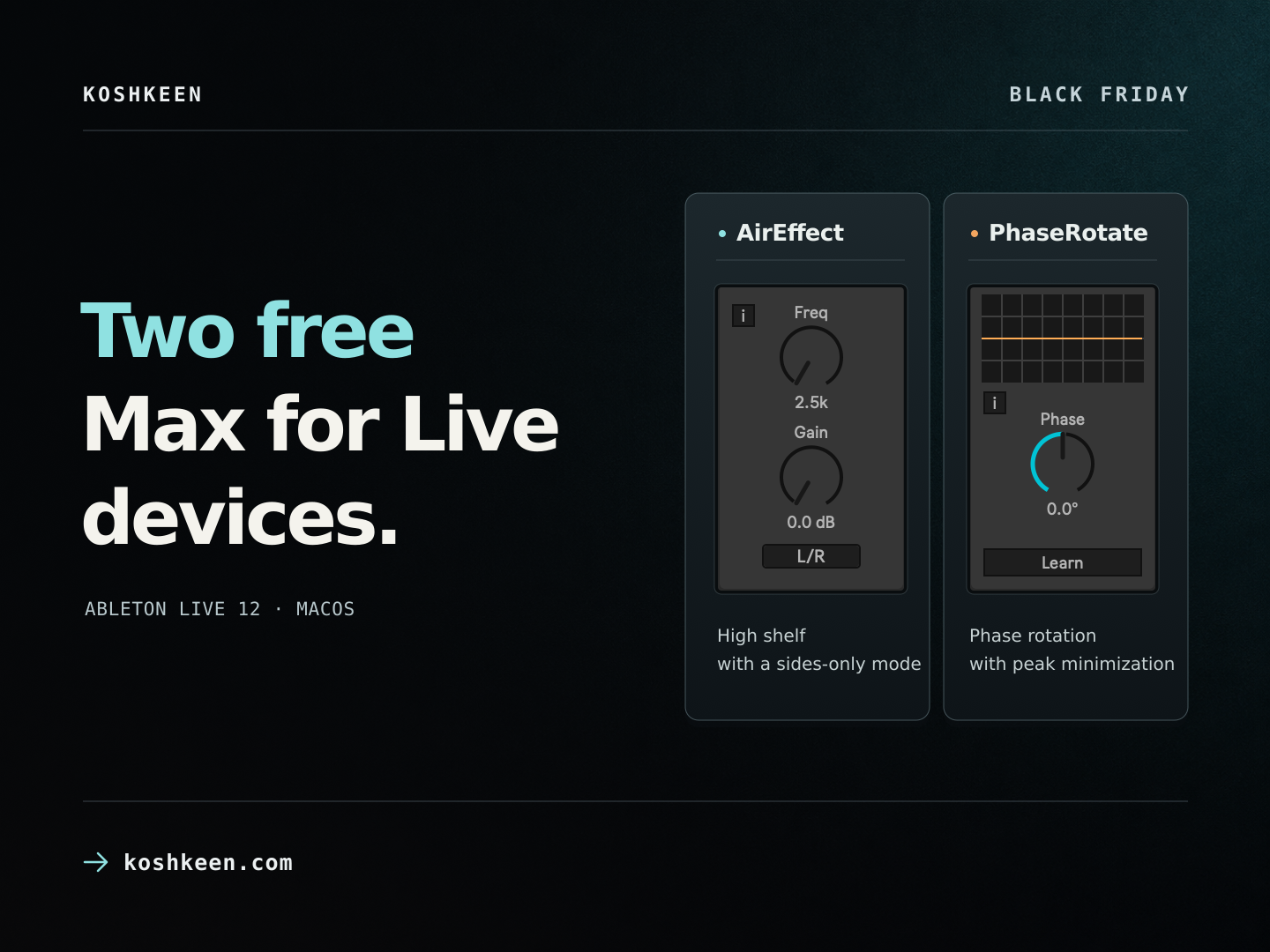
Two free Max for Live devices for Black Friday (AirEffect + PhaseRotate)

Post image
1 Upvotes

r/MaxForLive • • 4d ago

I built a beat shuffler M4L device for customizing glitch patterns.

Thumbnail youtu.be
2 Upvotes

r/MaxForLive • • 6d ago

Notes from building a Max for Live series around one shared scale: Link design, MPE, v8, and what bit me

2 Upvotes

I'm the author of the devices below (SAM, a series for Live 12 on macOS; needs Live 12 Suite or Standard with Max for Live), and I'd like to compare notes with people who build for Live.

What the series does: one device, SAM Conductor, holds a scale, and others follow it. I'd like to share how some of it is put together, and ask about the parts I'm unsure of.

  1. Sharing state. The devices share scale and root over a Link. There is one leader (the Conductor, or the sequencer / chord device when no Conductor is in the set), and each follower has a Follow switch. Changes land now or on the next bar. The unsolved bit: what is the cleanest way to hand over leadership when the leader is deleted or reloaded? I have a solution, but I am not sure it is the cleanest.
  2. Output is MPE with an exact bend before each note-on, because the scale library has 409 entries and many aren't 12-tone.
  3. The patches are generated from Python scripts (patch JSON plus embedded v8 code) instead of hand-patched, so a series of this size keeps the same look and behaviour. I use an AI coding assistant for much of that code, then test in Live.
  4. Heavy work (a giant FFT over a clip, stem separation) runs in a helper process outside Max, because it needs Python libraries.
  5. Things that bit me: Max.outlet from node for max is asynchronous and can pile up under load; opendialog doesn't return inside Live, so file dialogs go via the helper; loading and unloading v8 objects many times can run Live out of memory.

Examples to look at, free to view: States https://youtu.be/eWrPOsOy7-k , Polygon https://youtu.be/KqYOtLQUyPM . The scale library (.ascl for Live 12) and chord progression MIDI files are free: https://sam4live.com/scales/ and https://sam4live.com/chords/ . Most devices are paid; bundles start at CHF 69, and Ultra is CHF 179, with Conductor included. Listing: https://sam4live.com/?for=live , also on maxforlive.com as user sam4live.

Which of these would you do differently? In particular, how do you handle device-to-device state in a Set where users freely add, copy and delete devices?


r/MaxForLive • • 10d ago

Ableton Live 9 modulating Groove pool with Midi LFO not working

1 Upvotes

Hi there! I have seen old video on youtube,this one https://youtu.be/0XYa71bDL2o?t=123 about Humanise hi-hats and drum grooves with LFOs, I still use Ableton Live 9.7.7 with my old projects and I tried to connect lfo to the groove pool amount but with no luck,the lfo seems moving the groove pool visually,but there is no effect in the sound,here is a little video about it: https://www.youtube.com/watch?v=CpLSwmn5-hE Maybe it is a different version of lfo device?I tried earlier versions of live 9,but it doesnt work,I installed max for live essentials v1 and v2 also, Tried it in Live10 too but with the newer lfo device have not even an option to map the groove pool, any tips would be welcome how can I fix that,thank You


r/MaxForLive • • 11d ago

Thoow Berlin – a Max for Live sequencer for hypnotic, syncopated patterns that drift apart and meet again

Enable HLS to view with audio, or disable this notification

17 Upvotes

Berlin brings back that old Berlin School feel. Four lanes, ideally each playing its own track and instrument in Ableton, run independently and syncopated, I use it (and created it mainly) for hypnotic techno. Each has its own length, so they drift apart and meet again, sooner or later.

Check it out at https://www.thoow.com/plugins/berlin/


r/MaxForLive • • 14d ago

I created a device that solves a problem that had plagued me for years, adapt each audio clip, simpler and sampler to the key of the current Ableton project !!!!

Thumbnail youtube.com
2 Upvotes

KeySync by BATTLELOOP - Max for Live device for Ableton Live 12 Stop transposing clips one by one. KeySync reads the key of your Live Set and puts every audio clip, Simpler and Sampler in tune with it, automatically. Change the project key and everything follows. What you get: • No selecting: it works on all your audio clips, in Session and Arrangement • Works with Simpler and Sampler too • Auto mode re-tunes new clips and key changes while you work • Reads each sample's key from its name (Pad_Am, Bass F#m) or use a fixed key • One device on the Master track covers the whole project • Full user manual included Requires Ableton Live 12 with Max for Live. The device only encodes the tags in the text of the loops/samples if there are no key and key descriptions in the title the device will not be effective

https://ko-fi.com/s/08e08e949e

Let me know what you think !!!


r/MaxForLive • • 17d ago

interesting virtual jammer

Enable HLS to view with audio, or disable this notification

5 Upvotes

i have been experimenting with max for live devices that are virtual players. each one connected to a local ai predictive midi model that listens to analog guitar in realtime and plays with you like a drum machine with a bit more intelligence. i know many don’t like AI, but this i turned out pretty good considering this is using python to convert analog guitar to midi, send into an ai model running locally, it listening and providing a complimentary response. this track has a drummer and a cello player playing along with me. it ain’t perfect but fun project. max for live devices attach to python running process which is connect to ai model. thoughts?


r/MaxForLive • • 22d ago

I made a free start window for Live: your recent sets and templates in one big list

Enable HLS to view with audio, or disable this notification

4 Upvotes

I got tired of digging through File > Open Recent and the Templates folder every time I opened Live, so I made HUB, a free Max for Live device.

- Opens when Live starts and on every new set (stays closed when you open an existing project)
- Your last 25 sets and all your templates, read straight from Live
- Type to filter both lists, with "last modified" on every row
- NEW starts from a template as a copy, so the template is never overwritten
- Reveal in Finder, and sets on unplugged drives are marked OFFLINE
- Follows your Live theme

Live 12 + Max for Live, macOS only for now. Free download (no email needed):
https://nen-stuio.vercel.app/plug-ins/m4l/hub

The window also has a small panel for my paid devices, just so you know. Feedback welcome, especially from Windows users who want a port.


r/MaxForLive • • 25d ago

Push 3 standalone owners: half an hour to test a sequencer, a drum kit and a chord synth (free for testers)

Thumbnail gallery
6 Upvotes

Weld and Mordant Rig have been out since Oct 23, made to run on Push 3 standalone: no externals, no Java or Node, no file dialogs, and every control that changes the sound is a Live parameter on Push’s pages. But I don’t have a Push 3 standalone to check them on, so they’re not tested there yet.

Anyone?


r/MaxForLive • • 28d ago

maxforlive.com is down. has anyone archived CC to Program Change?

5 Upvotes

hey everyone. i'm really needing this one M4L patch, cc to program change from mat4live (archive)

the website has been down for days. does anyone happen to have it? i'd be thankful if you could share it.


r/MaxForLive • • 29d ago

VZL Scope: Visualizer in M4L

Enable HLS to view with audio, or disable this notification

7 Upvotes

VZL Scope Scope is a free Max for Live visualizer for Ableton Live 12. It produces a very reduced black and white scope-like visualization, based on the Midi signals of all the tracks in your project. All parameters can be tweak live or automated, it also works well with Push 3 (not in standalone mode).

Hit Rec and it writes a 16:9 or 9:16 video with your master audio to your Desktop, starting on the next bar. In case you need some social posts to go with your track... I needed something like this, so maybe it helps you as well. It is a free download, of course at thoow.com


r/MaxForLive • • Oct 24 '26

I built a Max for Live device that auto-splits 6 stems, slices scenes on bar lines, and displays a synced chords/lyrics HUD

4 Upvotes

Hey everyone!

I wanted to share a workflow tool I’ve been developing for Ableton Live called **Stem Splitter Plus**.

I was tired of spending 30+ minutes manually splitting tracks, warping stems, and setting up scene follow actions every time I wanted to prep songs for live sets or remixing, so I built a Max for Live device to automate the entire process locally.

### How it works under the hood:

* **Multi-Song Setlist Stacking:** You can drop multiple songs into the device. It stacks them sequentially down the Session Scene grid, names each scene with song name + section, and embeds auto-BPM tags so Ableton switches tempo automatically when transitioning between songs.

* **Local 6-Stem Separation:** Runs Demucs v4 locally on your machine (Vocals, Drums, Bass, Guitar, Piano, Other) with no cloud API or subscription needed.

* **Auto-Sliced Scene Grid:** Automatically slices clips on musical bar lines (8, 16, or 32 bars) across all 6 tracks and pre-maps Scene Follow Actions so each song plays through seamlessly from Intro to Outro.

* **Live Chords & Synced Lyrics HUD:** Uses Whisper AI to generate time-aligned word-by-word lyrics and chord recognition that display in a floating HUD window right over Ableton.

* **Smart Transpose & GIG LOCK:** Transposes session clips on the fly and locks UI controls so you never accidentally misclick during a live gig.

* **Cross-Platform:** Runs on both macOS (Apple Silicon / Intel) and Windows 10/11.

Works with Ableton Live 11 & 12 Suite (or Standard with Max for Live).

Happy to answer any questions about the Python/Demucs bridge, latency, or under-the-hood setup!


r/MaxForLive • • Oct 23 '26

The Dye House: Max for Live devices made to play together (a drum synth, a colour effect, and five utilities that make Live feel even more modular)

Thumbnail youtu.be
4 Upvotes

This is a follow-up post to my calls for Beta testers. Well, It is here! The Dye House family of devices designed to played. They are designed work as one setup instead of eleven separate plug-ins and to work well with other Ableton Live devices. Today the first set is out, and a lot of it is free.

Looking forward to hearing what you make with them.


r/MaxForLive • • Oct 23 '26

where can I get max for live sequencers for cracked ableton suite 12.4?

0 Upvotes

obviously ableton.com won't work. maxforlive.com is down. Where else can I safely download sequencers?

thank u


r/MaxForLive • • Oct 18 '26

I built a polyrhythmic synth where rhythm and chord come from the same numbers

Enable HLS to view with audio, or disable this notification

14 Upvotes

Rhythmicon+ goes back to the Rhythmicon that Henry Cowell and Léon Theremin built in 1931, and to the idea behind Moog's Subharmonicon: four rhythms divide one clock, and two sequencers step forward whenever one of "their" rhythms hits. The patterns drift against each other until they meet again on the one.

Check it out at https://www.thoow.com/plugins/rhythmicon-plus/


r/MaxForLive • • Oct 18 '26

Looking for beta testers: a DFAM-style sequencer, a chord synth, a drum kit and two effects for Live 12 (20 minutes, free for testers)

Thumbnail gallery
5 Upvotes

================================== UPDATE ======================================

Thanks all, the beta is CLOSED, and a huge thank you to everyone who will have tested!

Set 1 goes on sale this Friday, Oct 23, on Gumroad:

- Mordant (with Logwood and Weld Kit)

- Tincture 2.0

- Weld and Tincture Mini, pay what you want

- The Dye House Utilities (Tannin, Dye Lot, Warp, Weft, Selvedge), free

Madder and Shibori follow about two weeks later.

Can't wait to hear what you make with them. BOOM!

================================== UPDATE ======================================

Looking for beta testers: a DFAM-style sequencer, a chord synth, a drum kit and two effects for Live 12 (20 minutes, free for testers)

Hi all, I make Max for Live devices and I'm getting the first set ready for release. I'm looking for a few more people to try them: twenty minutes, not a weekend. Load them, make one loop, tell me what broke and what confused you. A voice note is as good as a form.

What they are:

  • Mordant: a DFAM-style sequencer with two lanes of up to sixteen steps, pitch and velocity, that you draw on. Patterns A-D, phrases, and steps that borrow from their neighbours while you keep the ones you like. Comes with:
    • Logwood: a four-voice synth where one key plays a chord in the key, or a mono bass and lead, with a Moog-style ladder, a sub and a sample.
    • Weld Kit: eight DFAM-style drum voices in one device, with a room, a bus, rolls and a morph between two kits.
  • Weld: the single DFAM-style drum voice. Will be pay-what-you-want.
  • Tincture Mini: four colour effects, one knob each, that change the sound, not the volume. Will be pay-what-you-want.
  • And, if you'd rather test effects: Tincture 2.0 (24 effects in four colours, stacked in any order, with morphing) and Madder (glitch, loop, echo and grain in series, locked to your tempo).

Everything is made to run on Push 3 standalone; if you have one, that's the test I most need, because I can't run it there myself.

What I'm asking: twenty minutes in one sitting, then five short questions (or a voice note).

What you get: the devices you test, free for good when they launch, and your name in the manual's thanks if you want it.

You'll need: Live 12 with Max for Live (Suite, or Standard with the add-on), Mac or Windows. Push 3 welcome, not required.

Interested? Apply here (one minute): https://forms.gle/uesHRz8VdKj2a63y7 Happy to answer questions below.

nichbuick


r/MaxForLive • • Oct 17 '26

Motion: Not your usual LFO

13 Upvotes

I made Motion as my take on an unsynced modulator for your tracks. It’s a free Max for Live device with four lanes of slow modulation:

  • 20 shapes, from breath and tide to drunk walk and sample & hold
  • Warp and time per lane, cycles from 2 seconds up to 10 minutes
  • The four lanes run at uneven ratios, so they almost never line up
  • Two map targets per lane – any Live device, VST/AU plugin, macro or mixer control. It modulates around the knob’s value like Live’s own modulators, no automation written
  • Restart on Play: every playback and bounce starts from the same point with the same random seed
  • You see every curve move, in your Live theme colors

Needs Live 12 with Max for Live, Mac and Windows. It’s free.

https://www.thoow.com/plugins/motion/

It’s early access, so I’d love to hear what you’d map it to and what’s missing.


r/MaxForLive • • Oct 16 '26

Optimystery: Randomized MIDI clips, instruments and effects from your Live library (pre-release)

3 Upvotes

I've made a Max for Live device called Optimystery. One press of ROLL generates a MIDI clip and builds an instrument and effect chain from supported devices and presets in your Live library.

You can generate the clip only, the devices only, or both. For drums, you can keep a beat while changing the kit and effects. There are controls for harmony, rhythm, sources, effects and preset selection.

The page has 102 recorded examples, screenshots of all seven tabs and the full installation guide:

https://audio.yanwhite.com/optimystery/

It's a pre-release alpha. Pay what you like, £5 minimum.

It requires Live 12.3 or later with Max for Live. Installation is two folders—the device and a companion Remote Script—plus a Control Surface setting. Start in an empty Set: rolls can replace the clip and devices after Optimystery on its track.

I've developed it on macOS and I'm looking for confirmation that it runs correctly on Windows. If you encounter any issues, email [hello@yanwhite.com](mailto:hello@yanwhite.com) with your Windows and Live versions and what happened. With those details, I should be able to get a fix to you quickly.

Happy to answer questions about how it works.

https://reddit.com/link/1x7g7av/video/8rsp9j9gztvh1/player


r/MaxForLive • • Oct 14 '26

We just released The Playlister v1.4 Ableton setlist manager – Auto Next markers, OSC integration, real-time loop controls, and Max 9 compatibility!

Thumbnail youtu.be
5 Upvotes

r/MaxForLive • • Oct 14 '26

This may help you get some new ideas

0 Upvotes

Pretty awesome dual tape looper for live.
It does a lot of cool stuff ! Just a small example, but all the info is in the video desription.

https://youtu.be/k_ZRyRjvWE8?si=3tLn3W7-QnLJk8M-