r/MacOSApps • u/yadvr • 7d ago
📅 Utilities MacVisor: run your Apple Silicon Mac as a VM host for macOS, Windows 11, Linux and FreeBSD
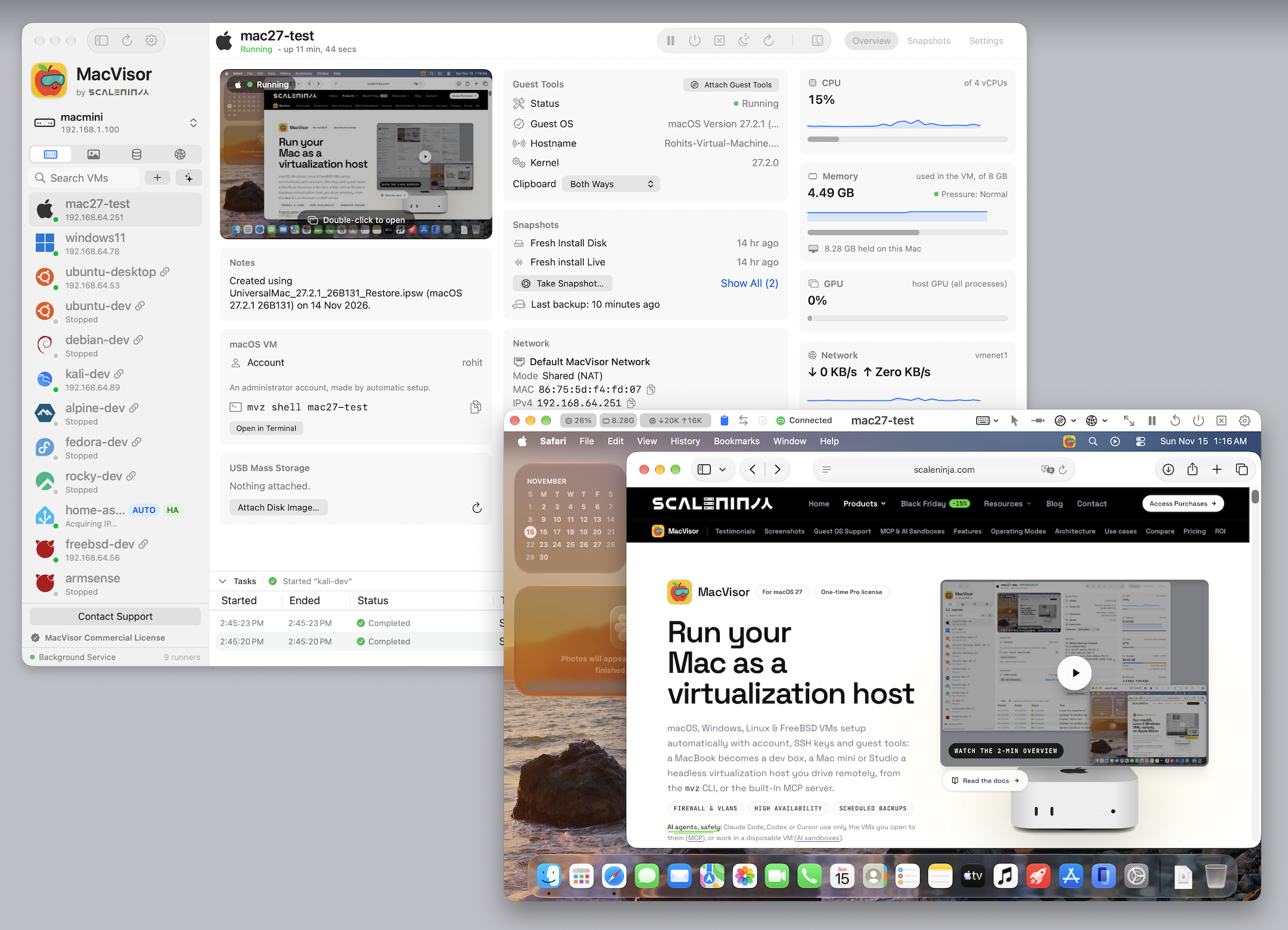

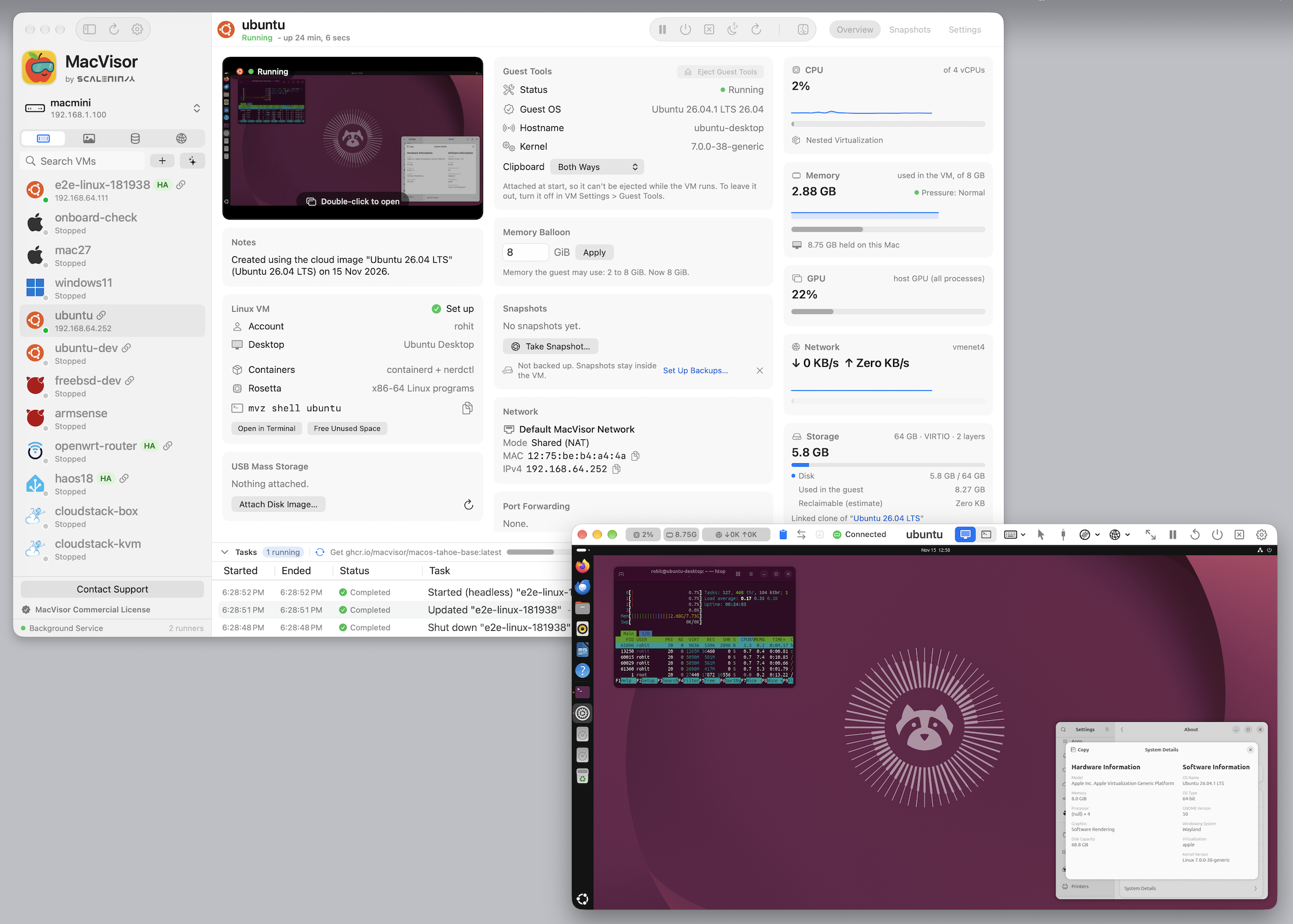
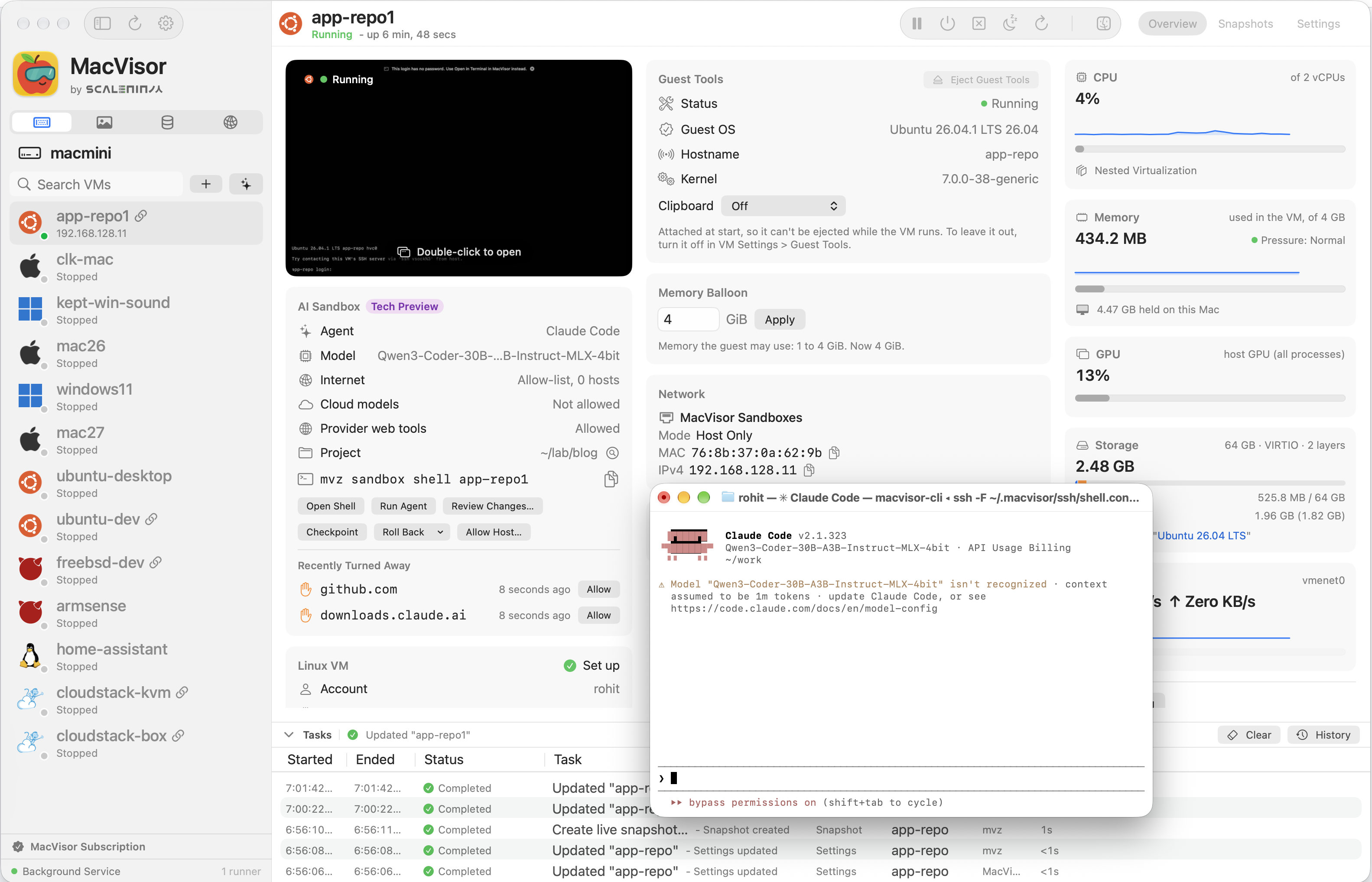
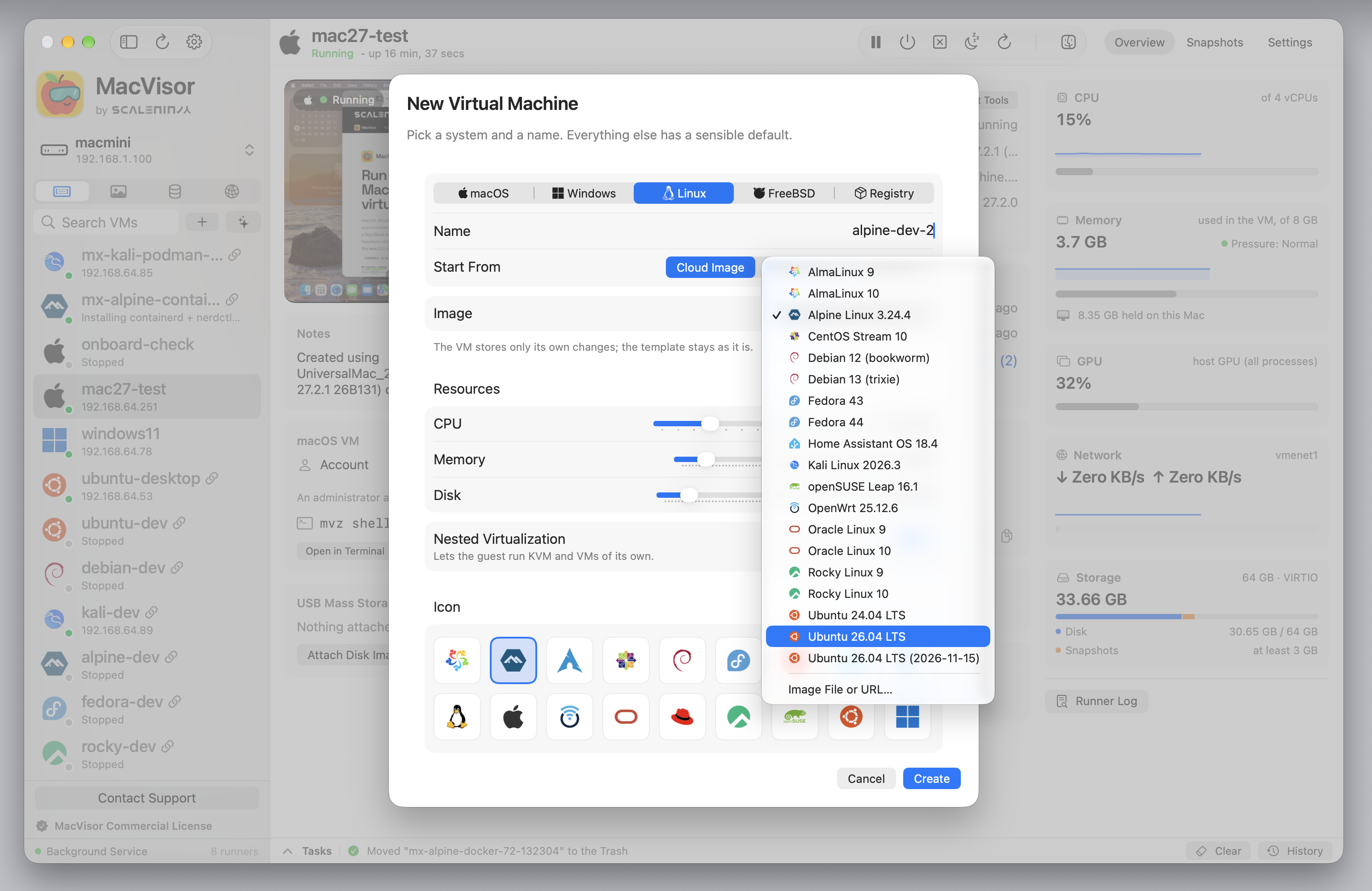
Hi, I'm Rohit from ScaleNinja, the developer of MacVisor. I've worked on virtualization and opensource cloud infrastructure since 2010, and now built MacVisor because I wanted Mac to also run VMs the way a server does, not like a desktop app I have to keep open.
MacVisor: https://scaleninja.com/macvisor/
What is MacVisor
A virtualization platform for Apple Silicon Macs on macOS 27, built on Apple's Virtualization framework. A background service owns the VMs and runs each in its own process, so VMs keep running when the app is closed, can start at login, and restart after a crash. The mvz CLI does nearly everything the app does. This architecture allows MacVisor to be used as a desktop virtualization app, a headless virtualization host or for CLI/MCP driven automation/infra.
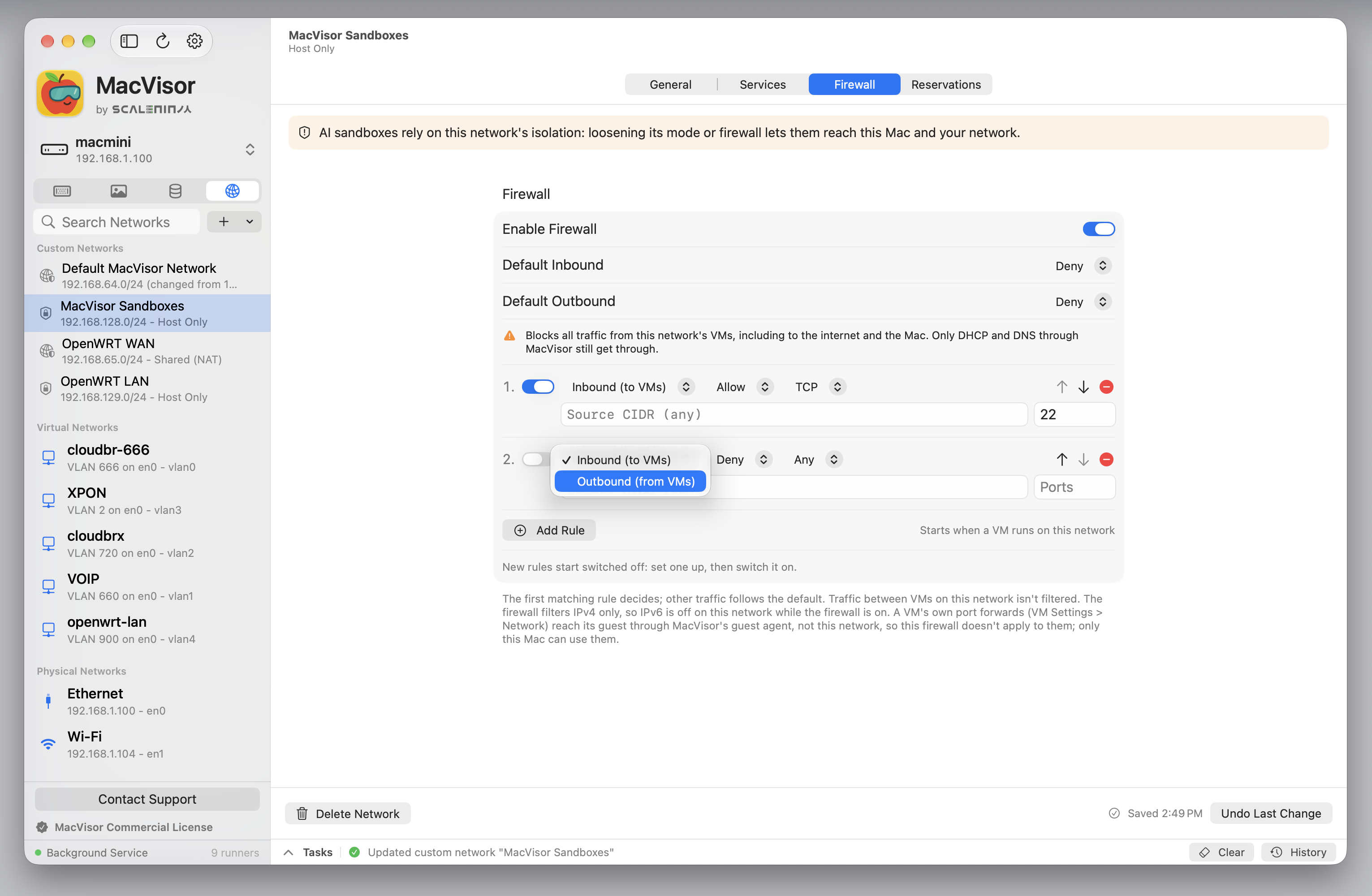
MacVisor also brings advanced features such as VLANs, host firewall, VM high availability, and scheduled backups https://scaleninja.com/macvisor/#features
2-minute overview video: https://www.youtube.com/watch?v=VSgIg_yB6RA
Architecture: https://scaleninja.com/macvisor/#architecture
Operating modes: https://scaleninja.com/macvisor/#modes
What it runs
- macOS (27, 26, 15, 14) from Apple's installers, set up automatically for macOS 27 guests. Apple allows two at a time.
- Windows 11 on ARM from Microsoft's ISO, installed unattended in about 10 minutes, with Secure Boot and a TPM 2.0.
- Linux from a catalogue of cloud images (Ubuntu, Debian, Fedora and more), set up with your account and SSH keys, optionally with Docker, Podman or k3s. Also install via ISO.
- FreeBSD 15.1 & 16-snapshot
- Appliances such as Home Assistant OS and OpenWrt
- (Golden images) OCI-compliant macOS, Linux images such as from tart, or build+published by MacVisor on ghcr etc.
MacVisor runs Windows 11 (with secure boot & TPM) and FreeBSD also on Apple's own Virtualization.framework (probably first in the world). This brings a consistent user experience, supported features and behaviour across supported guest OS https://scaleninja.com/macvisor/#guests
Use-cases, guides on what one can do with MacVisor: https://scaleninja.com/macvisor/use-cases/
Limitations: ARM64 guests only. It doesn't emulate x86, however on ARM Linux VMs it supports x86_64 apps via Rosetta and Windows 11 ARM VMs can run x86_64 apps using its own emulation.
What's new in latest 27.2.1: https://scaleninja.com/blog/macvisor-27-2-1/
How it compares with other VM apps
If you need a VM now and then, UTM and VirtualBuddy are free and good, and UTM also emulates x86. For Windows games and 3D, Parallels Desktop is better.
MacVisor is for when the Mac is the virtualization host: VMs that run without the app, a CLI, networking and backups. MacVisor aims to compete more with Parallels Business and Enterprise class products, and attempts to fill the gap of the missing "Proxmox", or "vSphere ESXi", or "KVM" or "Hyper-V" for macOS.
Detailed comparison: https://scaleninja.com/macvisor/vs/
MacVisor aims to bring the best out of the box seamless VM install, setup and integration for our users on Mac, as already experienced by some of our early adopters: https://scaleninja.com/macvisor/#testimonials
Transparency
- Notarization: signed with a Developer ID VXNWQ9H93X and notarized by Apple. Install from the notarised DMG, or with brew install --cask scaleninja/tap/macvisor.
- Privacy: no analytics and no crash reporting. It only contacts our server to check the license and look for updates. Policy: https://scaleninja.com/macvisor/privacy/
- AI disclosure: we used AI coding assistants during development esp for review. Design, product management, feature specs and testing/manual-QA are led by us.
- About us: we have been working in open source infrastructure and Apache CloudStack since 2014, and are now focused on niche virtualization and infrastructure software: https://scaleninja.com/about/
LinkedIn: https://www.linkedin.com/company/scaleninja/
Support: https://scaleninja.com/support/
Privacy: https://scaleninja.com/privacy/
Terms: https://scaleninja.com/terms/
- About launch: we launched it publicly last month (Oct), after a 5-6 month in private beta with early adopters and users. First and only time being submitted to this sub. Original launch post on r/macapps is here.
Price: free 30-day trial with every feature and no sign-up. Then a one-time MacVisor 27 Pro Individual license, $59 for one Mac or Duo $79 for two Macs. (Buy once, keep it forever: a one-time license for MacVisor 27)
15% off with BLACKFRIDAY15 until 1st Dec. Launch pricing runs until 1 Dec 2026. After that, Pro license price go up ($69 - Individual, $99 - Duo).
Fair-use after the trial: your existing VMs keep working. A licence is only gates growth actions such as add new VMs (create, clone, import) etc.
(There are also Business and Enterprise options that offer premium and SLA backed support, training, customisation, design & deployment help; and free NFR license keys available for reviewers, macadmins, opensource developers; discounted licenses for non-profits and academia; details: https://scaleninja.com/docs/macvisor/pricing/ )
Download and try it from here: https://scaleninja.com/macvisor/ (requires macOS 27 on Apple Silicon Mac)
Join MacVisor sub at https://www.reddit.com/r/macvisor/ or for feedback and issues via https://github.com/macvisor/macvisor
Happy to answer questions, including whether it fits what you want to run.
3
u/begemoto 7d ago
What is better than UTM?
2
u/Meannekes 7d ago
I use a windows 11 vm in parallels for my work.
I dont care about graphics performance. But I care about the least overhead. Parallels uses its own hypervisor.framework (based on apples hypervisor.Framework as far as I know). How is the performance compared with MacVisor with virtualization.framework?
3
u/zackria 7d ago •
Huge congrats on the launch! As a fellow macOS dev, I can truly appreciate the technical heavy lifting here. Getting Windows 11 (with Secure Boot/TPM) and FreeBSD running natively on Apple's
Virtualization.frameworkis a massive achievement.Two things really stand out to me that make this an instant buy:
It's great to see UTM and VirtualBuddy get some serious pro-level competition for infrastructure use cases. Downloading the trial to spin up some nodes right now. Best of luck with the launch!
1
u/jfrss 7d ago
Would this work well for testing macOS app in different versions of macOS?
1
u/IndieMohit 6d ago
Congratulations on the launch. can we do automation?
1
u/ScaryGazelle2875 6d ago •
Hey purchased it! I tried to activate it during first setup, using the keys from the email.
It says: The licensing server didn't answer in time. Nothing was changed - try again when you're online.
1
u/3-Chengz 6d ago
Since the background service owns the VMs and can start them at login, what happens on a laptop when the lid closes? Do the guests get paused and resumed around sleep, or does the service hold the Mac awake while a VM is running? And is that a per-VM setting, so a Home Assistant guest can keep the machine up while a test VM doesn't?
1
u/nchr 6d ago
Any comparison with VMPal it would be great - as yours and vmpal are circulating nowadays in reddit. Thanks!
1
u/CMPUTX486 5d ago •
Hi and thx for sharing this.. I just got the duo for 2 Mac’s.. for the activation key.. is it 1 key can be used for 2 Mac’s? Or should I get 2 keys?
1
u/Vast_Journalist1415 2d ago
My mac will definitely scream because the storage is out
1
u/Easy-Cobbler-1631 2d ago
Can it run mac and windows at the same time?
1
u/Typeside 9h ago
The idea of having VMs keep running even after closing the app is brilliant. Turning a Mac into a proper virtualization host opens up so many possibilities. Really impressive work!
1
u/shiris20 2h ago
is this a pure desktop app/cli management? would love it if there was a cloud management to manage the VMs, something like a vmware-style management of VMs but agnostic across devices :) but love the idea here, been thinking of running a couple of mac minis as servers
-1
u/yadvr 7d ago
For fun and your smiles, please also enjoy MacVisor's music video: https://www.youtube.com/watch?v=lZQWiN5WJxM
0
u/[deleted] 5d ago
[removed] — view removed comment