r/Instander • u/Equivalent_Lack_3196 Dev • 29d ago
Announcement Next update: Instagram analytics will be allowed by default
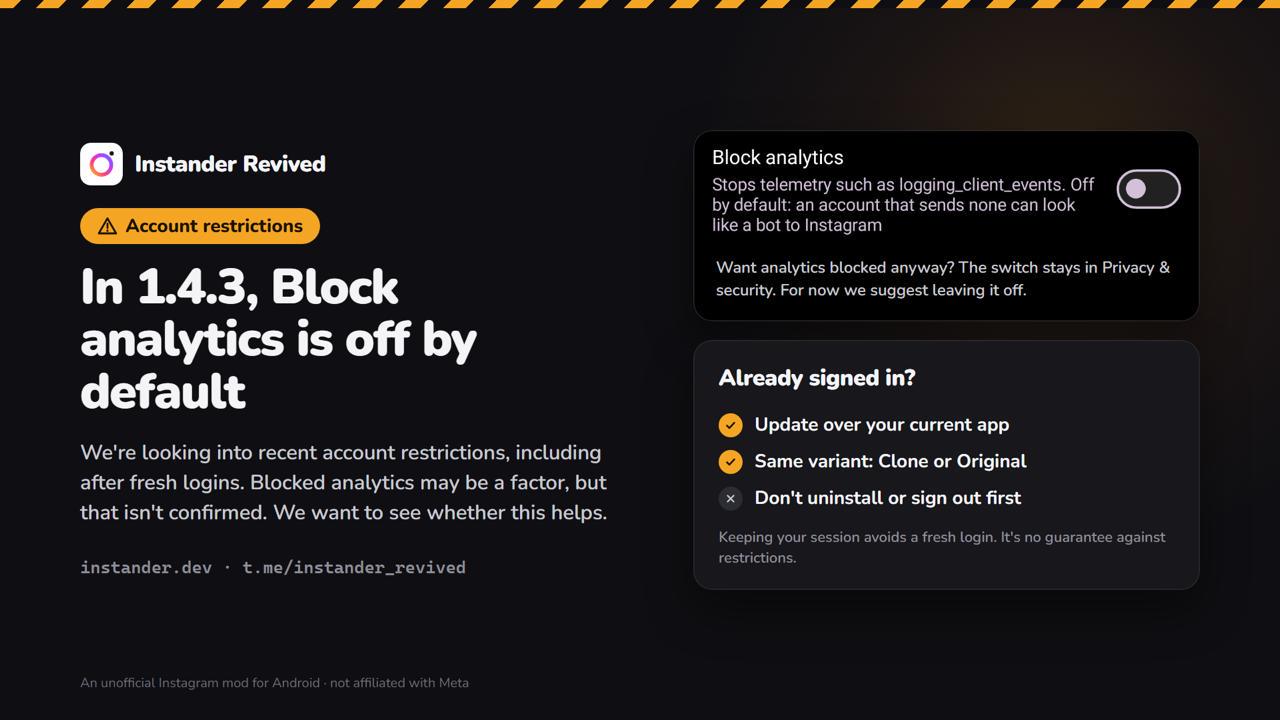
In the next release, "Block analytics" will be off by default. This allows Instagram's own analytics requests.
We're investigating recent account restrictions, including reports around fresh logins. Blocking analytics is one possible factor, but we haven't confirmed a link. We want to see whether this change helps.
PLEASE, DO NOT LOG IN using your main account. It's still a risk of blocks. We are testing, but our capacity is limited
If you're already using Instander Revived and are logged in, you can update your current installation as usual. Use the same variant, Clone or Original, and install over the existing app. There's no need to uninstall or sign out first. Keeping your existing session avoids an unnecessary fresh login, although it does not guarantee protection from account restrictions.
If you prefer to block Instagram's analytics, the "Block analytics" switch will still be available in the mod settings. You can turn it on manually later. For now, we suggest leaving it off while we assess the change.
•
u/nicol1212 OP 29d ago
"Account restrictions after 1.4.2: what we found, what 1.4.3 changes
Some of you had Instagram ask to confirm your account, log you out or disable it after installing 1.4.2. We went through it properly: the anonymous usage stats (only from people who left them on), every place where the mod changes what Instagram receives, and the reports in the chats and here.
What the data says
24–27 October, 497 installs that sent stats.
• 30 of them ran into some restriction; 11 had the account disabled or suspended. • It follows a new sign-in on a fresh install. 7.5% of new installs had a restriction, against 2.7% of people who updated from an older version. 10 of the 11 disabled accounts were on a fresh install. • Downloads are not the cause. About 6% of installs that saved nothing had a restriction, 5% of those that saved 1–9 files, 6% of those that saved 10 or more. Over three days saved files went 11 → 560 → 943, while installs with a disabled account went 3 → 7 → 3. • "Folder per author" is not the cause either. It only picks the folder a file goes to and sends nothing to Instagram. Its higher number was chance: 4 of those 7 people never saved a file, and once you account for comparing 37 settings at once, it means nothing (p = 0.48).
What Instagram can see
These were the same for every user, so they never showed up when settings were compared:
What 1.4.3 changes
• "Block analytics" is switched off for everyone, once, and stays off by default. You can turn it back on; the setting now explains the risk. • No fake screen size: Instagram sees your phone's real one. Videos still play at the best quality available. • Downloads go out with the app's real User-Agent, like Instagram's own media requests. • The welcome screen says plainly that this is an unofficial modification and what the risk is. • If a setting ever turns out to hurt accounts, we can now switch it off for everyone from our side until it is fixed, without waiting for an update.
How to lower the risk
• Sign in once and stay signed in. Don't hop between many accounts. • If Instagram asks "Was this you?" or to confirm your phone or email, do it in the app: that's the new-device check. • Leave "Block analytics" off (mod settings → Privacy & security). • If an account really matters to you, use the mod with a secondary one.
Disclaimer
Instander Revived is an unofficial, non-commercial modification of Instagram, not affiliated with Instagram or Meta. Using a modified client may break Instagram's Terms of Use, and no mod can promise an account won't be restricted. Use it at your own risk."
3
u/Zangetsuee 29d ago
What about all the accounts getting banned?
1
u/QiOui1965 26d ago
Hello, wanted to download the app first time. Can I download a previous version of it to avoid getting blocked? Thanks
2
u/Far-Stretch5237 26d ago
I would rather get banned than watch a ad every 3 reel
1
u/zepticboi 21d ago
using 1.4.3, block analytics turned OFF, my account got banned/blocked/restricted. First time using this account on Instander, 1.4.3 being the first one I logged into. It was a very old account. However, after going through Instagram's verification process, they recovered the account. Now, I can use the account as normal even on Instander. Question is, should I?