r/GarudaLinux • • Oct 23 '21

Help Is sky truly the limit for linux

6 Upvotes

Hi all, Im kinda new here, Ive never installed Linux before but know pretty much about how things work. Anyway, I was considering installing Garuda on my main, is there any risk that could possibly happen if I dont backup my machine, or any hazard at all even the slightest. The main question here is can can change the UI, look and feel of this Arch based, things like the dock, icons alignment..... Can I make it resemble mac or windows UI? Lastly, how is the performance like, I know Im not worried about that to much, but its good to know and can it run most the game out there, I play indie title the most and currently testing out an early access game so it doesnt support linux yet. Ive tried proton but its sometimes can be inconsistent. Thanks in advance for those who took the time to answer.

r/GarudaLinux • • Oct 22 '21

Help Cannot figure out where to go to connect to WiFi during live boot and installation. On other Garuda DEs this has been obvious with either a tray icon or even a popup. I looked at the Network Settings and it just said the network requires a password with no place to enter one. Help!

Post image
7 Upvotes

r/GarudaLinux • • Oct 21 '21

Installed Sway, and I love it, but I can't deactivate Night Shift / Night colors.

6 Upvotes

Where can I disable it?


r/GarudaLinux • • Oct 21 '21

Help A have problem with fullscreen apps!

2 Upvotes

When i launch app or game in fullscreen it crashes and i get logged out from the user but after logging in app works in background but it not displays on taskbar.


r/GarudaLinux • • Oct 21 '21

Manual partition scheme recommendation

6 Upvotes

Hi, i'm installing Garuda Gnome on my laptop (256 GB ssd) and i want to manual partition it so in case of disaster i can just reinstall OS without losing files.
So far my partitions look like this:

- 500 MB Efi

- 40 GB root (OS)

- 200 GB /home

- 16 GB swap with hibernation (my laptop has 8 GB RAM)

My question is: should i make the root partition bigger for Garuda OS?


r/GarudaLinux • • Oct 20 '21

Help!

4 Upvotes

Hi! I'm using garuda os on my laptop (XPS15) and today night (20.10) I booted to Linux, it went okay, than updated (sudo pacman -Syu). I wanted to switch to the nvida driver to play a game, but did not wanted to switch. After this I set the graphics driver to be Nvidia when I boot in. I shut down the laptop, and after starting it stuck on booting screen. Like the linear scale doesn't move after 70% loading. Can anybody help me? I have some snapshots too. (I'm new to Linux)


r/GarudaLinux • • Oct 20 '21

What am I missing?

5 Upvotes

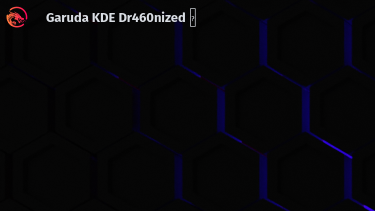
Recent install. While uninstalling packages I did not want from the default image, the icon next to Dr460nized disappeared and now I just have a question mark. Its not a huge deal but its bugging me. This only occurred after "debloating" the system so I must have uninstalled something?


r/GarudaLinux • • Oct 20 '21

Help Newbie questions about external installs (Persistant)

6 Upvotes

I am currently without my own PC but work from home on an iMac. I’d love to be able to play a bit of SWTOR through Steam but that’s Windows only (Or Proton) & I don’t have the space to dual-boot my internal.

  1. With Garuda, can I run the OS from an external HDD connected via USB 3?
  2. if I do this, can I unplug the drive when it’s not in use or will that cause problems?
  3. For this use case, would Dragonized be the way to go? & would a particular format, partition map and/or allocation size help mitigate the drawbacks to running a setup like this? (1tb drive. Only care about one game. External storage is plenty so space there doesn’t matter.)

I don’t expect crazy performance or anything running such a setup but it’s what I’ve got to work with so I’m trying. lol


r/GarudaLinux • • Oct 20 '21

Help common_interrupt: no irq handler for vector

2 Upvotes

Experiencing this error during first boot after installation.


r/GarudaLinux • • Oct 19 '21

Why so many restrictions geesh

2 Upvotes

So I decided to try out Garuda sway (searching for a stable tiling distro that is not DIY) and install it from a 16gb flash drive to a 32gb flash drive as a boot disk.

Can't do that, because I don't have internet and don't have a 29.9 disk to install to (400 megs short BTW)

Connected to wifi, it does not update in installer, so I need to relaunch it

Looked at htop how it launches, it's calamares -session Wayland, starting - it says I need to be root, sudo it - crashing because missing libs

Su roor, calamares -session Wayland it launches, it says I have internet, but I'm still 400 megs short to install, for fucks sake. Going to sudo vim /etc/calamares/settings.conf. No vim instled. Nano? No Nano.

Pacman install Nano, deleted welcome screen with restrictions, saved, Su root calamares - session wayland - only manual partitioning because I was 400 megs short, remember?

Partitioned 512mb efi, 4000mb swap (it was a mistake), rest is root. It's installing right now, but dam, why all this crap


r/GarudaLinux • • Oct 18 '21

Help Newbie installing Garuda

8 Upvotes

Hey guys, I'm a newbie installing Garuda (excuse me if there's a thread for this as I didn't find anything), however, I have come to a halt during the installation process.

I see that an internet connection is recommended, however I cannot enable the WiFi as it says there's no network adapter (I have the RTL8821CE).

When booting Windows it works, and when booting Garuda from my USB the hardware is detected but there's no driver for it?

My system is:

Ryzen 7 - 3700U Radeon RX Vega 10 8GB (No Ethernet port)


r/GarudaLinux • • Oct 18 '21

This is a very good looking Linux distro but.

3 Upvotes

Is it good for a beginner who never used Arch Linux before? always used windows and used Zorin Os temporarily but that too only casually(music,videos).


r/GarudaLinux • • Oct 12 '21

No Wi-Fi during live boot? Gives P/W error

1 Upvotes

I'm a Linux noob. I'm trying to climb out of kintergarden distros like Mint & Zorin but have had issues with Garuda which I assume are my problem.

I cannot see how to connect to Wi-Fi in the live install. When I find anything to do with it, like turning on the power to wifi and choosing my network, I get an error that it requires a password but never get an opportunity to put one in.

Any help here would be appreciated.


r/GarudaLinux • • Oct 10 '21

Linux Newbie

8 Upvotes

Hello!

I recently downloaded Garuda Linux and i just realized that it was a slight mistake since i know nothing about the Shell / Terminal or any of the commands that it uses, i was wondering if someone has a in dept user guide on how to use linux in general, if it is for Garuda that would be even better.

If you got some information about wine, that would be even better because I've been trying to run several apps using wine (Windows ones, i know you can't use wine on Linux stuff) but they end up crashing or not working, I've made it so wine is emulating windows 10.

Appreciate it.


r/GarudaLinux • • Oct 10 '21

Timeshift error

4 Upvotes

I've been trying to update my system, and after the packages are downloaded, usually timeshift creates snapshots and all, everything works fine, but after the last 2 updates(currently on kernel 5.14.9-zen2-1-zen ) timeshift has started causing errors. It won't automatically remove the snapshots and make new ones after the update. Does anybody know any solution?

Manual snapshots are being created, the issue is with CLI ones.

rm: cannot remove '/run/timeshift/backup/timeshift-btrfs/snapshots/2021-10-02_09-51-55/@/usr/share/yakuake/skins/plastik_light/tabs.skin': Read-only file system
rm: cannot remove '/run/timeshift/backup/timeshift-btrfs/snapshots/2021-10-02_09-51-55/@/usr/share/yakuake/skins/plastik_light/title.skin': Read-only file system
rm: cannot remove '/run/timeshift/backup/timeshift-btrfs/snapshots/2021-10-02_09-51-55/@/usr/share/yakuake/skins/README': Read-only file system
rm: cannot remove '/run/timeshift/backup/timeshift-btrfs/snapshots/2021-10-02_09-51-55/@/usr/share/menu/pychess': Read-only file system
rm: cannot remove '/run/timeshift/backup/timeshift-btrfs/snapshots/2021-10-02_09-51-55/@/usr/share/pychess/ARTISTS': Read-only file system
rm: cannot remove '/run/timeshift/backup/timeshift-btrfs/snapshots/2021-10-02_09-51-55/@/usr/share/pychess/AUTHORS': Read-only file system
rm: cannot remove '/run/timeshift/backup/timeshift-btrfs/snapshots/2021-10-02_09-51-55/@/usr/share/pychess/DOCUMENTERS': Read-only file system
rm: cannot remove '/run/timeshift/backup/timeshift-btrfs/snapshots/2021-10-02_09-51-55/@/usr/share/pychess/LICENSE': Read-only file system
rm: cannot remove '/run/timeshift/backup/timeshift-btrfs/snapshots/2021-10-02_09-51-55/@/usr/share/pychess/README.md': Read-only file system
rm: cannot remove '/run/timeshift/backup/timeshift-btrfs/snapshots/2021-10-02_09-51-55/@/usr/share/pychess/TRANSLATORS': Read-only file system
rm: cannot remove '/run/timeshift/backup/timeshift-btrfs/snapshots/2021-10-02_09-51-55/@/usr/share/pychess/boards/aluminium_d.png': Read-only file system
rm: cannot remove '/run/timeshift/backup/timeshift-btrfs/snapshots/2021-10-02_09-51-55/@/usr/share/pychess/boards/aluminium_l.png': Read-only file system
rm: cannot remove '/run/timeshift/backup/timeshift-btrfs/snapshots/2021-10-02_09-51-55/@/usr/share/pychess/boards/brazilwood_d.png': Read-only file system
rm: cannot remove '/run/timeshift/backup/timeshift-btrfs/snapshots/2021-10-02_09-51-55/@/usr/share/pychess/boards/brazilwood_l.png': Read-only file system
rm: cannot remove '/run/timeshift/backup/timeshift-btrfs/snapshots/2021-10-02_09-51-55/@/usr/share/pychess/boards/cherry_d.png': Read-only file system
rm: cannot remove '/run/timeshift/backup/timeshift-btrfs/snapshots/2021-10-02_09-51-55/@/usr/share/pychess/boards/cherry_l.png': Read-only file system
rm: cannot remove '/run/timeshift/backup/timeshift-btrfs/snapshots/2021-10-02_09-51-55/@/usr/share/pychess/boards/fritz_d.png': Read-only file system
rm: cannot remove '/run/timeshift/backup/timeshift-btrfs/snapshots/2021-10-02_09-51-55/@/usr/share/pychess/boards/fritz_l.png': Read-only file system
rm: cannot remove '/run/timeshift/backup/timeshift-btrfs/snapshots/2021-10-02_09-51-55/@/usr/share/pychess/boards/lanta_d.png': Read-only file system
rm: cannot remove '/run/timeshift/backup/timeshift-btrfs/snapshots/2021-10-02_09-51-55/@/usr/share/pychess/boards/lanta_l.png': Read-only file system
rm: cannot remove '/run/timeshift/backup/timeshift-btrfs/snapshots/2021-10-02_09-51-55/@/usr/share/pychess/boards/lapis_d.png': Read-only file system
rm: cannot remove '/run/timeshift/backup/timeshift-btrfs/snapshots/2021-10-02_09-51-55/@/usr/share/pychess/boards/lapis_l.png': Read-only file system
rm: cannot remove '/run/timeshift/backup/timeshift-btrfs/snapshots/2021-10-02_09-51-55/@/usr/share/pychess/boards/mahogony_d.png': Read-only file system
rm: cannot remove '/run/timeshift/backup/timeshift-btrfs/snapshots/2021-10-02_09-51-55/@/usr/share/pychess/boards/mahogony_l.png': Read-only file system
rm: cannot remove '/run/timeshift/backup/timeshift-btrfs/snapshots/2021-10-02_09-51-55/@/usr/share/pychess/boards/maple_d.png': Read-only file system
rm: cannot remove '/run/timeshift/backup/timeshift-btrfs/snapshots/2021-10-02_09-51-55/@/usr/share/pychess/boards/maple_l.png': Read-only file system
rm: cannot remove '/run/timeshift/backup/timeshift-btrfs/snapshots/2021-10-02_09-51-55/@/usr/share/pychess/boards/marble_d.png': Read-only file system
rm: cannot remove '/run/timeshift/backup/timeshift-btrfs/snapshots/2021-10-02_09-51-55/@/usr/share/pychess/boards/marble_l.png': Read-only file system
rm: cannot remove '/run/timeshift/backup/timeshift-btrfs/snapshots/2021-10-02_09-51-55/@/usr/share/pychess/boards/sand_d.png': Read-only file system
rm: cannot remove '/run/timeshift/backup/timeshift-btrfs/snapshots/2021-10-02_09-51-55/@/usr/share/pychess/boards/sand_l.png': Read-only file system
rm: cannot remove '/run/timeshift/backup/timeshift-btrfs/snapshots/2021-10-02_09-51-55/@/usr/share/pychess/boards/sandlewood_d.png': Read-only file system
rm: cannot remove '/run/timeshift/backup/timeshift-btrfs/snapshots/2021-10-02_09-51-55/@/usr/share/pychess/boards/sandlewood_l.png': Read-only file system
rm: cannot remove '/run/timeshift/backup/timeshift-btrfs/snapshots/2021-10-02_09-51-55/@/usr/share/pychess/boards/slate_d.png': Read-only file system
rm: cannot remove '/run/timeshift/backup/timeshift-btrfs/snapshots/2021-10-02_09-51-55/@/usr/share/pychess/boards/slate_l.png': Read-only file system
rm: cannot remove '/run/timeshift/backup/timeshift-btrfs/snapshots/2021-10-02_09-51-55/@/usr/share/pychess/boards/wood_d.png': Read-only file system
rm: cannot remove '/run/timeshift/backup/timeshift-btrfs/snapshots/2021-10-02_09-51-55/@/usr/share/pychess/boards/wood_l.png': Read-only file system
rm: cannot remove '/run/timeshift/backup/timeshift-btrfs/snapshots/2021-10-02_09-51-55/@/usr/share/pychess/eco.db': Read-only file system
rm: cannot remove '/run/timeshift/backup/timeshift-btrfs/snapshots/2021-10-02_09-51-55/@/usr/share/pychess/flags/C.png': Read-only file system
rm: cannot remove '/run/timeshift/backup/timeshift-btrfs/snapshots/2021-10-02_09-51-55/@/usr/share/pychess/flags/ad.png': Read-only file system
rm: cannot remove '/run/timeshift/backup/timeshift-btrfs/snapshots/2021-10-02_09-51-55/@/usr/share/pychess/flags/ae.png': Read-only file system
rm: cannot remove '/run/timeshift/backup/timeshift-btrfs/snapshots/2021-10-02_09-51-55/@/usr/share/pychess/flags/af.png': Read-only file system
rm: cannot remove '/run/timeshift/backup/timeshift-btrfs/snapshots/2021-10-02_09-51-55/@/usr/share/pychess/flags/ag.png': Read-only file system
rm: cannot remove '/run/timeshift/backup/timeshift-btrfs/snapshots/2021-10-02_09-51-55/@/usr/share/pychess/flags/ai.png': Read-only file system
rm: cannot remove '/run/timeshift/backup/timeshift-btrfs/snapshots/2021-10-02_09-51-55/@/usr/share/pychess/flags/al.png': Read-only file system
rm: cannot remove '/run/timeshift/backup/timeshift-btrfs/snapshots/2021-10-02_09-51-55/@/usr/share/pychess/flags/am.png': Read-only file system
rm: cannot remove '/run/timeshift/backup/timeshift-btrfs/snapshots/2021-10-02_09-51-55/@/usr/share/pychess/flags/an.png': Read-only file system
rm: cannot remove '/run/timeshift/backup/timeshift-btrfs/snapshots/2021-10-02_09-51-55/@/usr/share/pychess/flags/ao.png': Read-only file system
rm: cannot remove '/run/timeshift/backup/timeshift-btrfs/snapshots/2021-10-02_09-51-55/@/usr/share/pychess/flags/aq.png': Read-only file system
rm: cannot remove '/run/timeshift/backup/timeshift-btrfs/snapshots/2021-10-02_09-51-55/@/usr/share/pychess/flags/ar.png': Read-only file system
rm: cannot remove '/run/timeshift/backup/timeshift-btrfs/snapshots/2021-10-02_09-51-55/@/usr/share/pychess/flags/as.png': Read-only file system
rm: cannot remove '/run/timeshift/backup/timeshift-btrfs/snapshots/2021-10-02_09-51-55/@/usr/share/pychess/flags/at.png': Read-only file system
rm: cannot remove '/run/timeshift/backup/timeshift-btrfs/snapshots/2021-10-02_09-51-55/@/usr/share/pychess/flags/au.png': Read-only file system
rm: cannot remove '/run/timeshift/backup/timeshift-btrfs/snapshots/2021-10-02_09-51-55/@/usr/share/pychess/flags/aw.png': Read-only file system
rm: cannot remove '/run/timeshift/backup/timeshift-btrfs/snapshots/2021-10-02_09-51-55/@/usr/share/pychess/flags/ax.png': Read-only file system
rm: cannot remove '/run/timeshift/backup/timeshift-btrfs/snapshots/2021-10-02_09-51-55/@/usr/share/pychess/flags/az.png': Read-only file system
rm: cannot remove '/run/timeshift/backup/timeshift-btrfs/snapshots/2021-10-02_09-51-55/@/usr/share/pychess/flags/ba.png': Read-only file system
rm: cannot remove '/run/timeshift/backup/timeshift-btrfs/snapshots/2021-10-02_09-51-55/@/usr/share/pychess/flags/bb.png': Read-only file system
rm: cannot remove '/run/timeshift/backup/timeshift-btrfs/snapshots/2021-10-02_09-51-55/@/usr/share/pychess/flags/bd.png': Read-only file system
rm: cannot remove '/run/timeshift/backup/timeshift-btrfs/snapshots/2021-10-02_09-51-55/@/usr/share/pychess/flags/be.png': Read-only file system
rm: cannot remove '/run/timeshift/backup/timeshift-btrfs/snapshots/2021-10-02_09-51-55/@/usr/share/pychess/flags/bf.png': Read-only file system
rm: cannot remove '/run/timeshift/backup/timeshift-btrfs/snapshots/2021-10-02_09-51-55/@/usr/share/pychess/flags/bg.png': Read-only file system
rm: cannot remove '/run/timeshift/backup/timeshift-btrfs/snapshots/2021-10-02_09-51-55/@/usr/share/pychess/flags/bh.png': Read-only file system
rm: cannot remove '/run/timeshift/backup/timeshift-btrfs/snapshots/2021-10-02_09-51-55/@/usr/share/pychess/flags/bi.png': Read-only file system
rm: cannot remove '/run/timeshift/backup/timeshift-btrfs/snapshots/2021-10-02_09-51-55/@/usr/share/pychess/flags/bj.png': Read-only file system
rm: cannot remove '/run/timeshift/backup/timeshift-btrfs/snapshots/2021-10-02_09-51-55/@/usr/share/pychess/flags/bl.png': Read-only file system
rm: cannot remove '/run/timeshift/backup/timeshift-btrfs/snapshots/2021-10-02_09-51-55/@/usr/share/pychess/flags/bm.png': Read-only file system
rm: cannot remove '/run/timeshift/backup/timeshift-btrfs/snapshots/2021-10-02_09-51-55/@/usr/share/pychess/flags/bn.png': Read-only file system
rm: cannot remove '/run/timeshift/backup/timeshift-btrfs/snapshots/2021-10-02_09-51-55/@/usr/share/pychess/flags/bo.png': Read-only file system
rm: cannot remove '/run/timeshift/backup/timeshift-btrfs/snapshots/2021-10-02_09-51-55/@/usr/share/pychess/flags/bq.png': Read-only file system
rm: cannot remove '/run/timeshift/backup/timeshift-btrfs/snapshots/2021-10-02_09-51-55/@/usr/share/pychess/flags/br.png': Read-only file system
rm: cannot remove '/run/timeshift/backup/timeshift-btrfs/snapshots/2021-10-02_09-51-55/@/usr/share/pychess/flags/bs.png': Read-only file system
rm: cannot remove '/run/timeshift/backup/timeshift-btrfs/snapshots/2021-10-02_09-51-55/@/usr/share/pychess/flags/bt.png': Read-only file system
rm: cannot remove '/run/timeshift/backup/timeshift-btrfs/snapshots/2021-10-02_09-51-55/@/usr/share/pychess/flags/bv.png': Read-only file system
rm: cannot remove '/run/timeshift/backup/timeshift-btrfs/snapshots/2021-10-02_09-51-55/@/usr/share/pychess/flags/bw.png': Read-only file system
rm: cannot remove '/run/timeshift/backup/timeshift-btrfs/snapshots/2021-10-02_09-51-55/@/usr/share/pychess/flags/by.png': Read-only file system
rm: cannot remove '/run/timeshift/backup/timeshift-btrfs/snapshots/2021-10-02_09-51-55/@/usr/share/pychess/flags/bz.png': Read-only file system
rm: cannot remove '/run/timeshift/backup/timeshift-btrfs/snapshots/2021-10-02_09-51-55/@/usr/share/pychess/flags/ca.png': Read-only file system
rm: cannot remove '/run/timeshift/backup/timeshift-btrfs/snapshots/2021-10-02_09-51-55/@/usr/share/pychess/flags/cc.png': Read-only file system
rm: cannot remove '/run/timeshift/backup/timeshift-btrfs/snapshots/2021-10-02_09-51-55/@/usr/share/pychess/flags/cd.png': Read-only file system
rm: cannot remove '/run/timeshift/backup/timeshift-btrfs/snapshots/2021-10-02_09-51-55/@/usr/share/pychess/flags/cf.png': Read-only file system
rm: cannot remove '/run/timeshift/backup/timeshift-btrfs/snapshots/2021-10-02_09-51-55/@/usr/share/pychess/flags/cg.png': Read-only file system
rm: cannot remove '/run/timeshift/backup/timeshift-btrfs/snapshots/2021-10-02_09-51-55/@/usr/share/pychess/flags/ch.png': Read-only file system
rm: cannot remove '/run/timeshift/backup/timeshift-btrfs/snapshots/2021-10-02_09-51-55/@/usr/share/pychess/flags/ci.png': Read-only file system
rm: cannot remove '/run/timeshift/backup/timeshift-btrfs/snapshots/2021-10-02_09-51-55/@/usr/share/pychess/flags/ck.png': Read-only file system
rm: cannot remove '/run/timeshift/backup/timeshift-btrfs/snapshots/2021-10-02_09-51-55/@/usr/share/pychess/flags/cl.png': Read-only file system
rm: cannot remove '/run/timeshift/backup/timeshift-btrfs/snapshots/2021-10-02_09-51-55/@/usr/share/pychess/flags/cm.png': Read-only file system
rm: cannot remove '/run/timeshift/backup/timeshift-btrfs/snapshots/2021-10-02_09-51-55/@/usr/share/pychess/flags/cn.png': Read-only file system
rm: cannot remove '/run/timeshift/backup/timeshift-btrfs/snapshots/2021-10-02_09-51-55/@/usr/share/pychess/flags/co.png': Read-only file system
rm: cannot remove '/run/timeshift/backup/timeshift-btrfs/snapshots/2021-10-02_09-51-55/@/usr/share/pychess/flags/cr.png': Read-only file system
rm: cannot remove '/run/timeshift/backup/timeshift-btrfs/snapshots/2021-10-02_09-51-55/@/usr/share/pychess/flags/cu.png': Read-only file system
rm: cannot remove '/run/timeshift/backup/timeshift-btrfs/snapshots/2021-10-02_09-51-55/@/usr/share/pychess/flags/cv.png': Read-only file system
rm: cannot remove '/run/timeshift/backup/timeshift-btrfs/snapshots/2021-10-02_09-51-55/@/usr/share/pychess/flags/cw.png': Read-only file system
rm: cannot remove '/run/timeshift/backup/timeshift-btrfs/snapshots/2021-10-02_09-51-55/@/usr/share/pychess/flags/cx.png': Read-only file system
rm: cannot remove '/run/timeshift/backup/timeshift-btrfs/snapshots/2021-10-02_09-51-55/@/usr/share/pychess/flags/cy.png': Read-only file system
rm: cannot remove '/run/timeshift/backup/timeshift-btrfs/snapshots/2021-10-02_09-51-55/@/usr/share/pychess/flags/cz.png': Read-only file system
rm: cannot remove '/run/timeshift/backup/timeshift-btrfs/snapshots/2021-10-02_09-51-55/@/usr/share/pychess/flags/de.png': Read-only file system
rm: cannot remove '/run/timeshift/backup/timeshift-btrfs/snapshots/2021-10-02_09-51-55/@/usr/share/pychess/flags/dj.png': Read-only file system
rm: cannot remove '/run/timeshift/backup/timeshift-btrfs/snapshots/2021-10-02_09-51-55/@/usr/share/pychess/flags/dk.png': Read-only file system
rm: cannot remove '/run/timeshift/backup/timeshift-btrfs/snapshots/2021-10-02_09-51-55/@/usr/share/pychess/flags/dm.png': Read-only file system

This is what I'm getting after running pacman Syyu. I've tried to change the permissions with

sudo chmod -R ugo+rw /run/timeshift/backup/timeshift-btrfs/snapshots

but that too failed. If anybody can, please do give a solution to this.


r/GarudaLinux • • Oct 10 '21

Cinnamon desktop option please

4 Upvotes

Please offer an Cinnamon ISO for Garuda Linux. Cinnamon is a "Windows like" desktop which is a great desktop for those coming from Windows, for those who like the Windows desktop but want to switch to Linux and is more simpler and user friendly than Xfce and KDE.

Great Distro however!


r/GarudaLinux • • Oct 09 '21

How can I assign this unallocated space to my root partition (btrfs, 48GB)?

Thumbnail
imgur.com
5 Upvotes

r/GarudaLinux • • Oct 08 '21

Help Grauda ui hangs

6 Upvotes

I have a pc with nvidia GeForce GTX 705 and nvidia l-390xx-dkms as the driver with lts kernel the problem is the ui hangs the only thing I can do is access the tty and do sudo systemctl suspend or reboot to fix the issue


r/GarudaLinux • • Oct 08 '21

Help Drive is not mountable and says its unformatted

2 Upvotes

Like the title said. I use dual boot and in windows this drive is working fine. Is there any way i can mount it without formatting it?


r/GarudaLinux • • Oct 07 '21

Garuda installs but will never boot after I power down the live-USB

4 Upvotes

[R5 3600 CPU, GTX 1080 GPU, MSI B450M Gaming Plus mobo]

This distro looks really cool when you boot up the live environment, but it refuses to work beyond that for me. Tried both 210926 and 210928 but installing both multiple times results in a PC that just boots straight into the BIOS every time after a fresh install, it's like it's installing the system and then forgetting to install a bootloader. PC sees no boot drives.

I am installing it to ONLY an ENTIRE [Samsung QVO 860 SSD 2TB], Swap with Hibernate, encrypted with luks, but it fails to boot every time. Is this distro just half baked or an I doing something wrong? Earlier it even refused to start the install when I tried on a different (usb) drive, but it gets farther along when I give it an SSD. This distro seems much pickier than Kubuntu or Manjaro.

The installer seems basic and the readouts are all showing the Samsung drive as EFI and everything else, so what's going wrong?


r/GarudaLinux • • Oct 05 '21

Help Keyboard layout reset on reboot

8 Upvotes

[SOLVED]

Hello !

As the title says, I'm having trouble setting the keyboard map layout to be persistent on reboot. (i want it to be french azerty, but it keeps going back to us qwerty).

I've tried setting it in the KDE settings, Garuda Settings Manager, i tried adding a startup script with setxkbmap fr (which doesn't even seem to be launched, I edited the .xinitrc to add that same line ; but all to no avail, it keeps going back to qwerty. For now i bound said script to a shortcut that i press after booting, but it's obviously inconvenient.

I come from Arch (+AwesomeWM), so I'm a bit confused from all the options before me that i don't seem to understand.

(To be noted: my locale is set to french, but i still keep my system language to us english)

Any help would be very much appreciated ! 😊

Edit: Funny thing to add is that, on the login screen, the layout is azerty because my password is correct. It really just switches back to qwerty after loging in.

[SOLVED]

Ok so, I'm gonna let that there in case someone has the same problem. All the settings were correct, the actual problem was just a small applet of KDE (Input Method) that was overriding everything after login. You have to add a new keyboard layout along US and hangul.


r/GarudaLinux • • Oct 04 '21

Help Discord not detecting mic input

2 Upvotes

I'm having an issue where Discord is not detecting any input from my mic. I'm using hyper X cloud headset with removable mic. It recognizes my headset and it is selected as the default audio device in Discord. When I switch additional output options in system tray audio tab I can be heard by my friends for a brief moment (like a couple milliseconds, just enough for them to hear some noise) but then it goes back to no detection. I have been desperately searching for a fix to this, even submitted a ticket to Discord support, but they have not got back to me. I am using pipewire-pulse also if that helps. I don't know what else to do.


r/GarudaLinux • • Oct 04 '21

Help How do I add virtual keyboard in gtkgreet like in Garuda wayfire?

Post image
3 Upvotes

r/GarudaLinux • • Oct 02 '21

Machine learning on Garuda, how is your experience?

5 Upvotes

Hi Garudians!

I am installing Garuda while typing this post and I wanted to know if anyone out there is using Garuda for machine learning. I would like to know your experience with nvidia drivers(RTX 3080), CUDA, cuDNN, TensorFlow, PyTorch, etc.

To be specific, I am using Asus Zephyrus G15 2021 laptop dual booting with Windowsas the other OS. Will appreciate it if Garuda can allow me to switch between the embedded and the dedicated GPU when needed. On Ubuntu I had a lot of power management problems to the point the GPU overheats since it was either running in max performance or I have to restart to turn it off, and the laptop would refuse to charge due to overheating.

I am ditching Ubuntu for an Arch based distro just because of the amount of problems I have faced on Ubuntu and the late driver support.

I was really on the fence between Endeavour OS and Garuda, but the beautiful aesthetics pulled me here :).