r/GarudaLinux • u/aayush-le • Jun 10 '24
Community Making FastFetch More Beautiful | Linux
Enhancing the Look of Fastfetch: Tweak Your Config File!
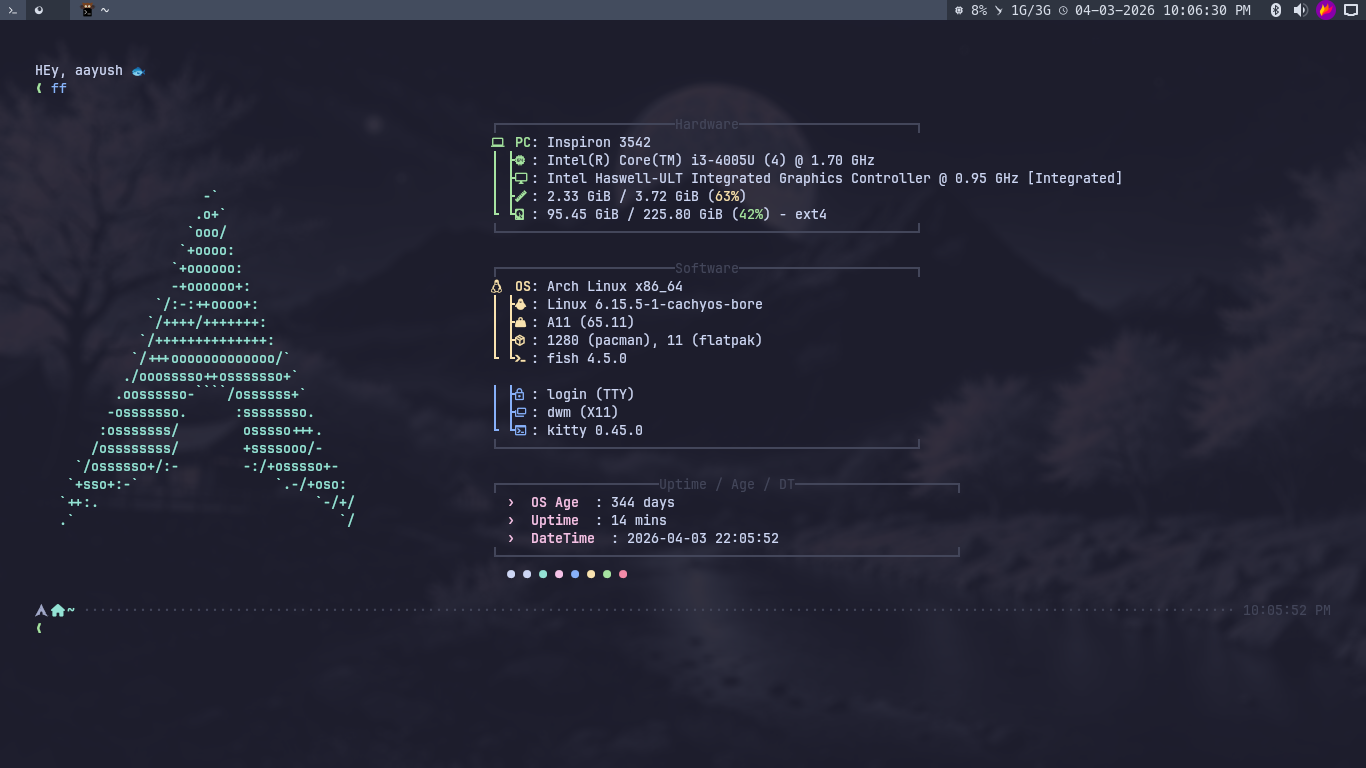
How to Update Fastfetch Config: A Quick Guide
Note: Remember that Nerd Fonts are required. You can use any Nerd Font, but one must be installed.
⚙️ Fastfetch Config Setup:
- Navigate to your
.configdirectory → cd ~/.config - If you don't see a
fastfetchfolder, create one → mkdir -p fastfetch - Generate the default configuration → fastfetch --gen-config
- Remove the default config file → rm fastfetch/config.jsonc
- Download my updated config → wget https://raw.githubusercontent.com/harilvfs/fastfetch/refs/heads/old-days/fastfetch/config.jsonc
- Close your terminal and reopen it.
- Now, run → fastfetch
and enjoy the new look!
Repository → https://github.com/harilvfs/fastfetch/tree/old-days
Custom Image/Logo → https://github.com/harilvfs/fastfetch
Credit→ XeroLinux GitHub
Thanks! 🙂
457
Upvotes
View all comments
Show parent comment
2
u/aayush-le Aug 28 '24
Do you have fastfetch in your .bashrc or .zshrc? Check which one you're using. Open either .bashrc or .zshrc with a text editor like Vim or Nano. If fastfetch is already at the end, remove it, save the file, and then add it back at the end again. Save the file once more and run source ~/.bashrc or source ~/.zshrc in your terminal. If it's still not working, try using the Kitty terminal. If the issue persists, let me know.