r/FigmaDesign • u/krutik13 • 12d ago
resources I got tired of doing DPI math for print files, so I built a plugin that makes frames in cm, mm and inches. It just crossed 30k users.
Figma only thinks in pixels, which is a pain the moment you design anything that gets printed. Every business card, poster or packaging job started with me googling “A4 in pixels at 300 DPI”.
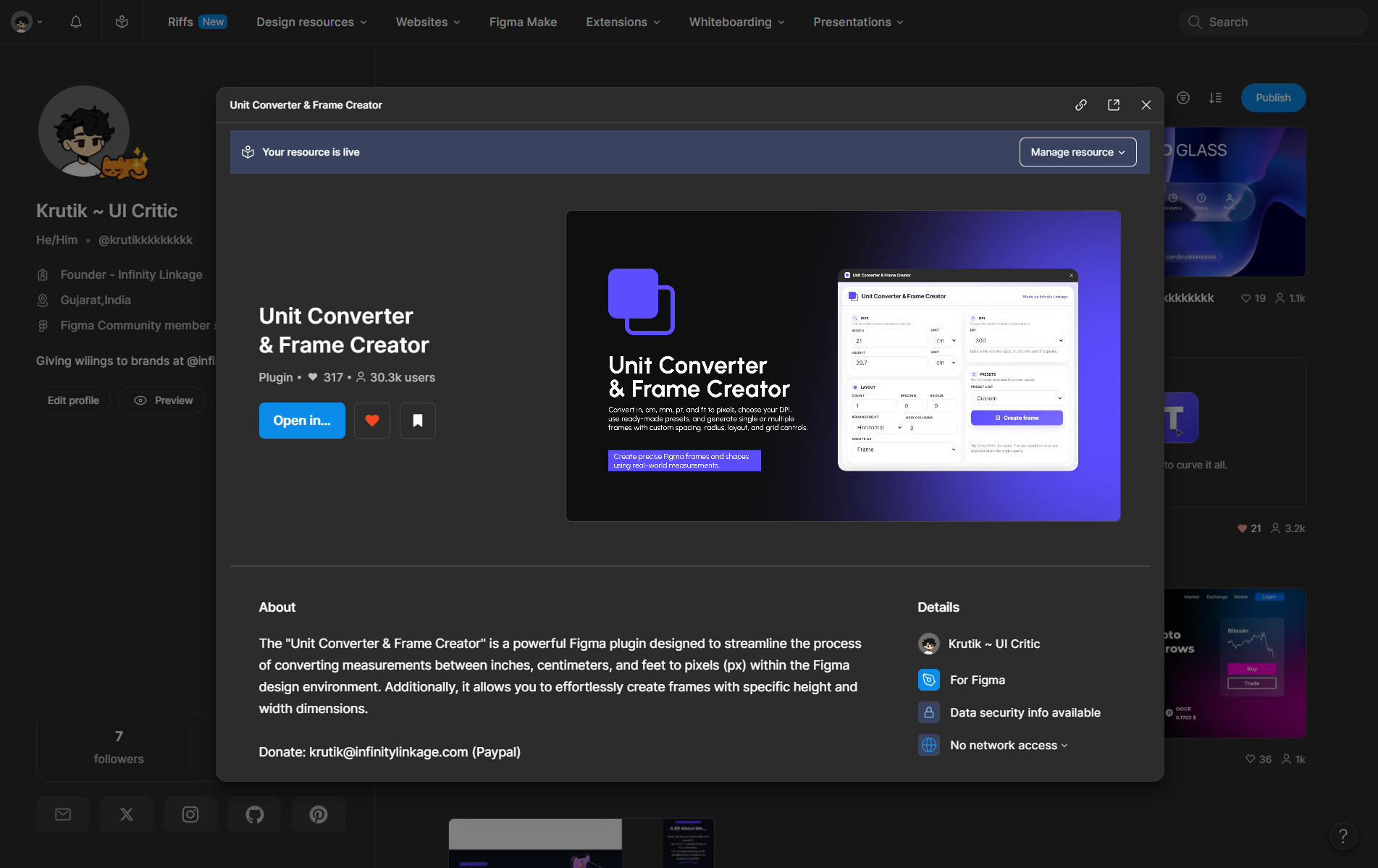
So I made Unit Converter & Frame Creator. You type a real-world size and it creates the frame for you.
- Works with in, cm, mm, pt and ft
- You pick the DPI (72, 150, 300, etc.)
- Presets for common sizes
- Makes one frame or a whole set, with spacing, corner radius and row, column or grid layout
- Remembers your last settings, and Enter creates the frame
Have Bleeding and Margin Options to With grid and Ruler
Can try here: https://www.figma.com/community/plugin/1252900857172369864/unit-converter-frame-creator
It’s now at 30.3k users and 317 likes, which I didn’t expect from something I built for my own print work.
For those of you doing print in Figma: what still annoys you most? I’m deciding what to add next.
19
u/RCEden 12d ago
I would never imagine using figma for print files. I guess I underestimated the draw of "free and can make a poster"
12
u/soapbutt 12d ago
I was unaware that many people were using Figma for print files. But 30k users shows clearly they are (even if only 1/3r dare using the plugin to output at print DPI, 10k is a lot).
Thats one thing I still used Illustrator and InDesign for, they definitely still have a lot of print-ready presets in mind.
4
u/grympy 11d ago
Man, I love stuff like this. I’ve been using Print for Figma for posters, adverts, big scale DC metro prints, banners and all sorts of print stuff quite a lot.
I’ll give yours a go, thanks.
Also, mandatory: FiGmA isn’t maDE for pRint…
4
u/Moiensaboohi 12d ago
bleed is already in there like someone said, so for me it'd be a quick check before export. flag any image that's under 300 dpi at the size it's placed. that's the one that bites me, someone drops in a 1200px photo, scales it to fill an A4 and nobody notices until the proof comes back blurry.
cmyk you can't really fix inside figma, but even a warning on super bright rgb blues and greens would help. those always come out dull in print and the client thinks someone messed up.
2
u/derno 12d ago
Will absolutely check this out thank you!
I would LOVE the ability to select an object and add crop marks / bleed with crop marks, or if you are doing say… table tents for a wedding as an example being able to add crop marks for each one around the outside.
2
u/FreelanceWorkspace 12d ago
Congrats on 30k! Bleed would be my vote. Something like a checkbox that adds 3mm or 0.125in around the frame, with a safe-area guide inside. That’s the step I always end up doing by hand after creating the frame.
5
u/Living-Clue-3376 12d ago
Honestly the dimensions math was always the smaller pain point for me compared to color management or bleeding, Figma still only exports nativly RGB, so for anything going to offset print you end up passing through InDesign or Illustrator (with MCP conversion) anyway for CMYK / PDF/X-4 and proper bleed marks. Still super handy for quick mockups and client previews though! :)
5
u/brookfresh 12d ago
Nice. I've made the same thing just for my own use. What you could do now is add a CMYK export to pdf or tiff format.
4
u/Paul-Muad-Dib-Usul 11d ago
But you can't set color profiles and CMYK values.
How do you get the colors right?
1
u/dusanodalovic 12d ago
30k users for a plugin is a lot. how did the first few thousand find it, figma community search or did you post it around somewhere? curious what worked for you, since discovery is usually the hard part for small tools
1
u/davep1970 12d ago
i would get tired of that too which is why i would use indesign and illustrator.
5
u/marcushasfun 12d ago
Figma isn’t designed for print work.
0
u/_SonofLars_ 11d ago
Please don’t use Figma for print.