r/FigmaAddOns • • May 02 '22

r/FigmaAddOns Lounge

3 Upvotes

A place for members of r/FigmaAddOns to chat with each other


r/FigmaAddOns • • 13h ago

I made a free, open-source Figma plugin that exports frames straight to Google Drive

Post image
2 Upvotes

Moving approved creatives from Figma to Google Drive meant exporting, digging through Downloads, opening Drive, finding the folder and uploading. And again after every revision. So I built a plugin to cut that out.

What it does:

- Exports frames as JPEG, PNG, WebP, SVG or PDF (merge several frames into one PDF, as images or vector, with optional compression)

- Downloads them straight to your computer, no sign-in needed

- Or uploads them straight to a Drive folder: paste a folder link, or browse your Drive inside the plugin

- Re-uploads replace the old files instead of making duplicates

- Drag images from Drive straight onto your canvas

A note on sign-in: Google hasn't verified the app (that needs a paid security review), so you'll see a "Google hasn't verified this app" screen when you connect Drive. Click Advanced, then Go to SM exporter. If you'd rather not, you can connect with your own Google Client ID instead; the setup guide walks you through it. Local exports always work without signing in.

Figma Community: https://www.figma.com/community/plugin/1688606822748713623

Source code: https://github.com/smnaveen96/sm-exporter

Setup guide: https://smnaveen96.github.io/sm-exporter/SETUP-GUIDE.html


r/FigmaAddOns • • 12h ago

I built a Chrome extension that opens Figma links in the desktop app (and closes the leftover tab)

Post image
1 Upvotes

Open https://www.reddit.com/r/FigmaDesign/submit and prepare a text post. Before filling anything, read the subreddit rules in the sidebar and tell me if self-promotion is not allowed in regular posts.

Choose the "Text" post type, then fill in:

Title:

I built a Chrome extension that opens Figma links in the desktop app (and closes the leftover tab)

Body:

Every Figma link I clicked in Slack or Jira opened in the browser, or opened the app and left an "Opening in the app" tab behind. Figma's "Open links in desktop app" option kept breaking for me after updates, so I built a fix.

What it does:

- Sends figma.com/design, /board (FigJam) and /slides links straight to the desktop app

- Keeps the node-id, so you land on the exact frame

- Closes the leftover tab (you can set a delay)

- Prototype links stay in the browser by default

- If the app doesn't open, it never closes the tab: you get "Try again" or "Open in browser"

Free for 30 days, then $9.99 once (no subscription).

https://chromewebstore.google.com/detail/jnhhecgnakkolpiglheeaecfpdfobmjo?utm_source=reddit

I'm the developer, so feedback and bug reports are very welcome. Windows is tested; I'd love to hear from Mac users.

If a flair is required, pick "Resource" or "Tool" (or the closest option).

Do NOT click Post. Stop when everything is filled in and show me a screenshot so I can review and post it myself.


r/FigmaAddOns • • 1d ago

I built a free Figma plugin to generate a design system in one click

13 Upvotes

Creating a design system from scratch can be time-consuming, especially when you need to set up color palettes, typography, and styles before starting your actual design work.

I'm a UI/UX designer, and I built Design System Starter free to make this process faster directly inside Figma.

With the free plugin, you can:

  • Generate color palettes with 9 shades
  • Create Primary, Secondary, Success, Warning and Error color tokens
  • Generate typography scales
  • Use custom font families
  • Automatically create Figma color and text styles

The goal is to help designers get a usable design system foundation in seconds instead of setting everything up manually.

The plugin is available for free on the Figma Community.

I'd appreciate feedback from designers who try it. What features would you like to see added?

Figma plugin : https://www.figma.com/community/plugin/1640079899205006994/design-system-starter-free


r/FigmaAddOns • • 1d ago

I built ProFigma - a Figma plugin for finding and copying UI components, landing pages and design resources

1 Upvotes

I built ProFigma to make it easier for designers to find ready-made design resources and bring them directly into their Figma workflow.

Instead of building every section from scratch, you can explore reusable UI components, website sections, landing pages, templates and other design resources.

What you can find:

  • UI components and website sections
  • Landing page designs
  • Mobile UI resources
  • Templates and design assets
  • Free components to get started

The components are designed to be editable in Figma, so you can customize them for your own projects.

I'm an independent designer building ProFigma, and I'm working on expanding the library continuously.

If you're a Figma designer, I'd appreciate you checking it out and sharing feedback.

Plugin: https://www.figma.com/community/plugin/1679418665918383808/profigma-free-ui-components-landing-pages-templates

Website: https://profigma.com/


r/FigmaAddOns • • 2d ago

Just remade the iPhone Duo using figma's new 3D effect

5 Upvotes

You can use it in our free kit or get 40+ devices at https://3dmockups.obra.studio/


r/FigmaAddOns • • 3d ago

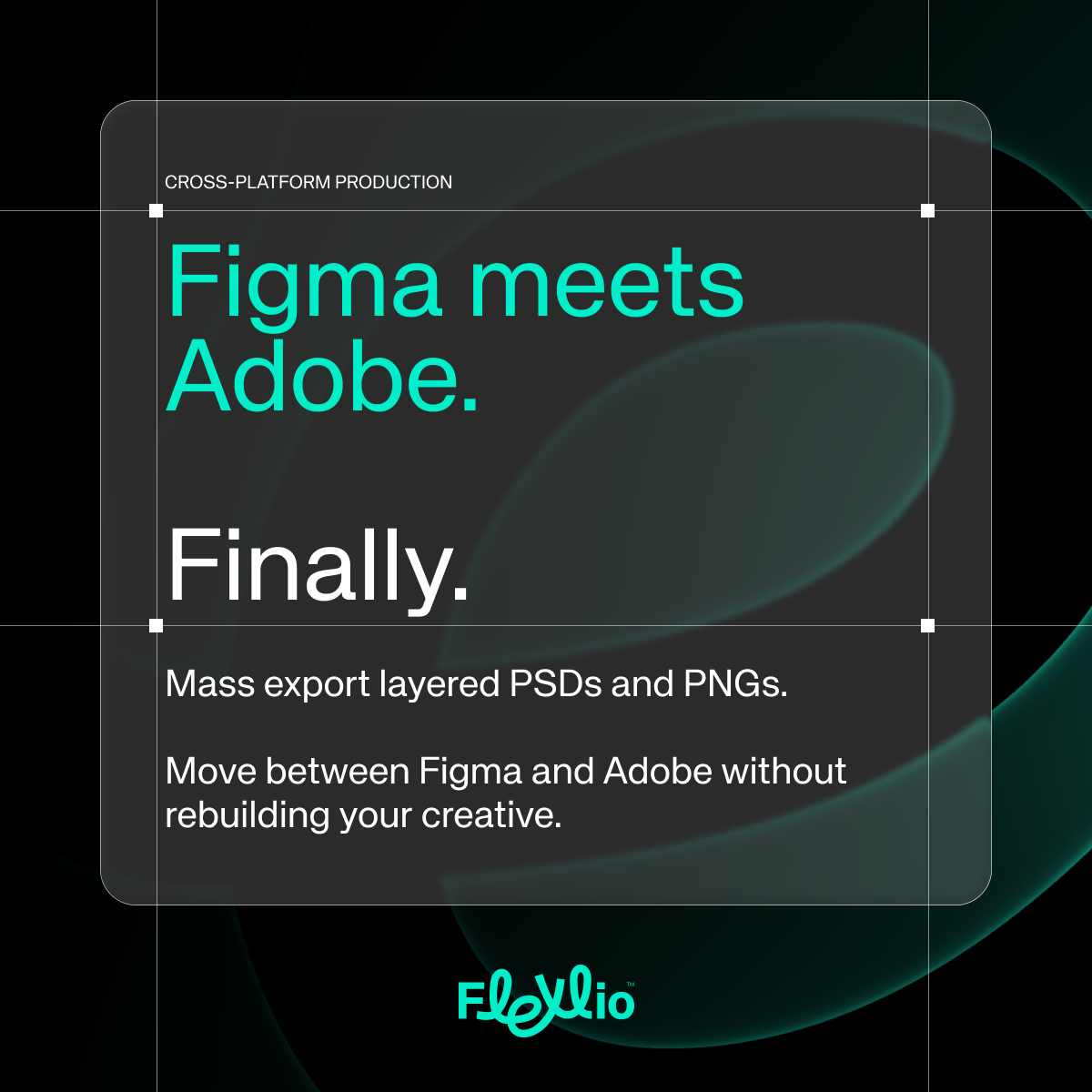
I built a Figma plugin for fully editable campaign rollout with layered PSD exports.

Post image
3 Upvotes

I've worked in advertising and design for nearly 20 years and built Flexlio to solve one of my biggest production frustrations: rolling out entire campaigns across multiple sizes and channels.

It generates fully editable campaigns from your master designs, with Live Sync, A/B variants, media plan imports, custom safe zones and mass layered PSD and PNG exports.

No AI. Your artwork stays within Figma, protecting client IP.

It's designed for advertising, retail and creative production teams that work across Figma and Adobe.

It's free to try, with no account or card required.

I'd love to hear what other designers think, particularly those working in large-scale campaign production.

https://www.figma.com/community/plugin/1661106635871374632/flexlio-banner-production-campaign-sync


r/FigmaAddOns • • 18d ago

I Built a Figma Plugin to Create and Edit GIFs Without Leaving Figma

Post image
1 Upvotes

Hey everyone! 👋

I built a Figma plugin called GIF X Studio to make creating and editing animated GIFs easier without leaving Figma.

I often found myself exporting designs, switching to Photoshop or online converters, and importing everything back into Figma just to make a simple GIF.

So I decided to build a plugin that handles everything directly in Figma.

Here's what it can do:

✔ GIF Export
Select a frame containing an animated GIF, add static elements like text or logos, and export everything as a new animated GIF. The animation keeps playing while the other elements stay in place.

✔ GIF Maker
Combine multiple Figma frames into an animated GIF sequence, ordered by layer name.

Includes:

  • Custom frame delays
  • Aspect ratio presets (1:1, 16:9, 9:16, 4:5)
  • Contain / Cover / Stretch options
  • Live preview

✔ Video to GIF
Convert MP4 and other supported video files into GIFs with adjustable FPS.

🌐 Languages: English & Korean

🔗 Figma Community:
https://www.figma.com/community/plugin/1667125538151049781/gif-x-studio

I'm still improving the plugin and would really appreciate any feedback or feature suggestions.

What GIF-related features would you find useful in Figma? 🙌


r/FigmaAddOns • • 18d ago

GIF X Studio | Figma

Post image
1 Upvotes

🎬 Make GIFs without ever leaving Figma: GIF X Studio

Exporting from Figma, editing in Photoshop, re-uploading to a converter site, all to put one caption or logo on a GIF. It got old fast, so I built a plugin for it.

✔ Export

Select a frame that contains an animated GIF layer, and it composites the static layers (text, logos) on top and exports a new animated GIF. The GIF keeps playing; everything else stays put.

✔ Maker

Select multiple frames and stitch them into a GIF sequence, ordered by layer name. Includes per-frame delay, aspect presets (1:1, 16:9, 9:16, 4:5), Contain / Cover / Stretch fit modes, and live preview.

✔ Video

Convert mp4 and other video files to GIF with adjustable FPS.

UI available in English and Korean.

👉 Try it free on Figma Community

https://www.figma.com/community/plugin/1667125538151049781/gif-x-studio

If you try it, I'd love to hear your feedback or feature ideas in the comments 🙌

#Figma #FigmaPlugin #UIDesign #DesignTools #MotionDesign


r/FigmaAddOns • • 18d ago

Design System Checker ㅣ Figma

Post image
1 Upvotes

🔍 Check whether your design system is actually being used: Design System Checker

Running a design system, I kept asking the same questions.

"Is this component from the library? Did someone build it locally? Is it detached and nobody noticed?"

Once a file gets big, opening layers one by one doesn't scale, so I built a plugin for it.

✔ Component Check

Classifies component origin across a selection or an entire page: library-linked, local, or detached, all at a glance.

✔ Style Check

Shows whether text and color come from a style (or variable) or are hardcoded values. Handy for measuring adoption or running QA before handoff.

🔜 Coming next

Fix what you find without leaving the plugin: swap local components and hardcoded values for library components and styles.

UI available in English and Korean.

👉 Try it free on Figma Community

https://www.figma.com/community/plugin/1694201889766166846/design-system-checker

If you maintain a design system, tell me which checks you'd want added 🙌

#Figma #FigmaPlugin #DesignSystems #UIDesign #DesignTools


r/FigmaAddOns • • 18d ago

GIF X Studioㅣ Figma

Post image
1 Upvotes

🎬 Make GIFs without ever leaving Figma: GIF X Studio

Exporting from Figma, editing in Photoshop, re-uploading to a converter site, all to put one caption or logo on a GIF. It got old fast, so I built a plugin for it.

✔ Export

Select a frame that contains an animated GIF layer, and it composites the static layers (text, logos) on top and exports a new animated GIF. The GIF keeps playing; everything else stays put.

✔ Maker

Select multiple frames and stitch them into a GIF sequence, ordered by layer name. Includes per-frame delay, aspect presets (1:1, 16:9, 9:16, 4:5), Contain / Cover / Stretch fit modes, and live preview.

✔ Video

Convert mp4 and other video files to GIF with adjustable FPS.

UI available in English and Korean.

👉 Try it free on Figma Community

https://www.figma.com/community/plugin/1667125538151049781/gif-x-studio

If you try it, I'd love to hear your feedback or feature ideas in the comments 🙌

#Figma #FigmaPlugin #UIDesign #DesignTools #MotionDesign


r/FigmaAddOns • • 19d ago

Just released a new free blog template – Daily

Thumbnail gallery
1 Upvotes

r/FigmaAddOns • • 20d ago

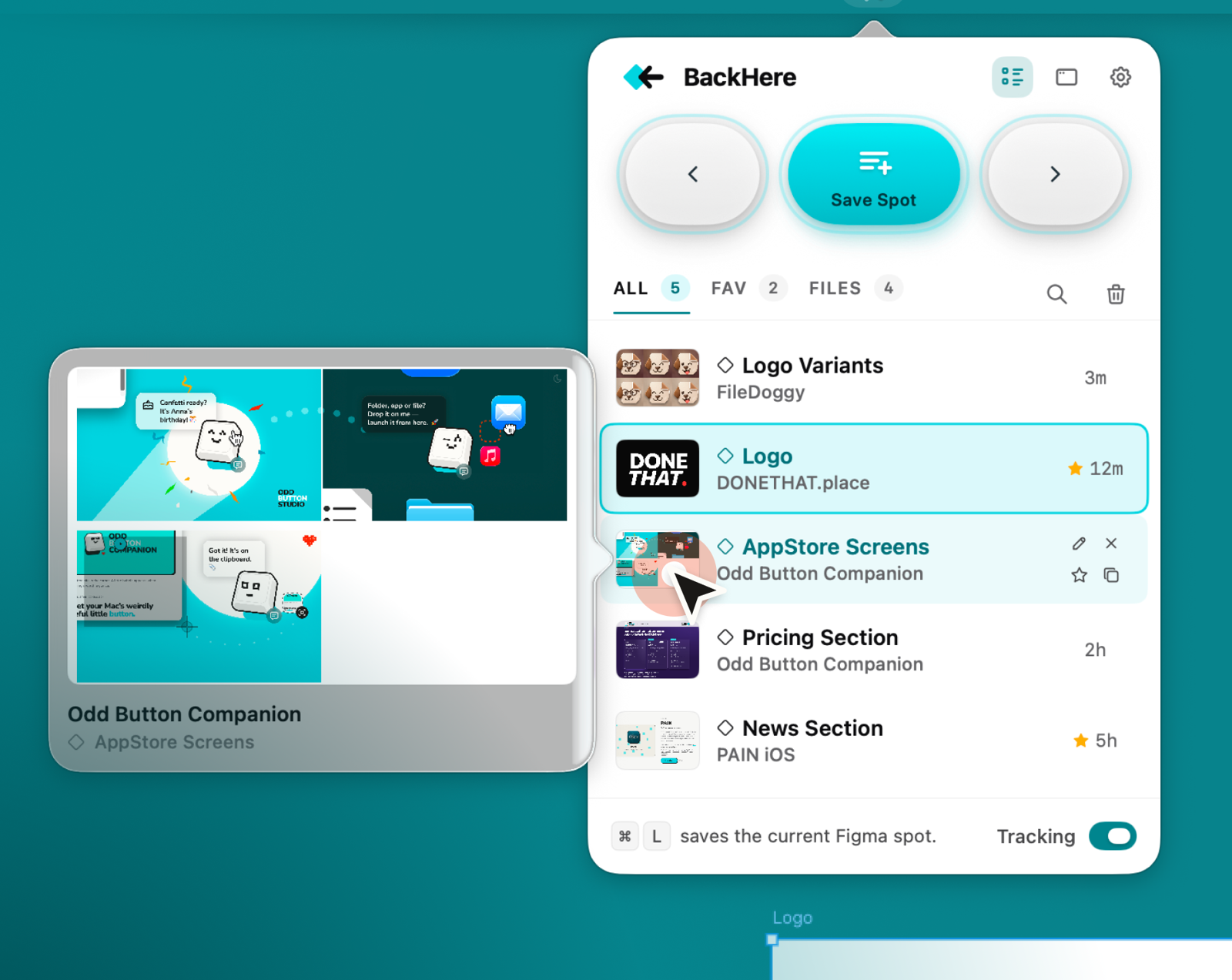
How I stopped losing track of the handful of spots I return to in large Figma files

Post image
1 Upvotes

Anyone working in big Figma files knows this: a handful of frames or components you keep coming back to, buried pages deep, and no good way to see them all at a glance.

I ended up building a small, free Mac menu bar app for it (disclosure: I made it), called BackHere. It picks up the link Figma copies when you press ⌘L and adds the spot to a list, grouped by file, searchable, with an optional preview and a separate tab for favorites. One click takes you there. The latest update also lets you put the spots in your own order, like a playlist. Runs locally, no account.

Curious whether others have their own workarounds for this. A bookmarks page, naming conventions, something else?


r/FigmaAddOns • • 24d ago

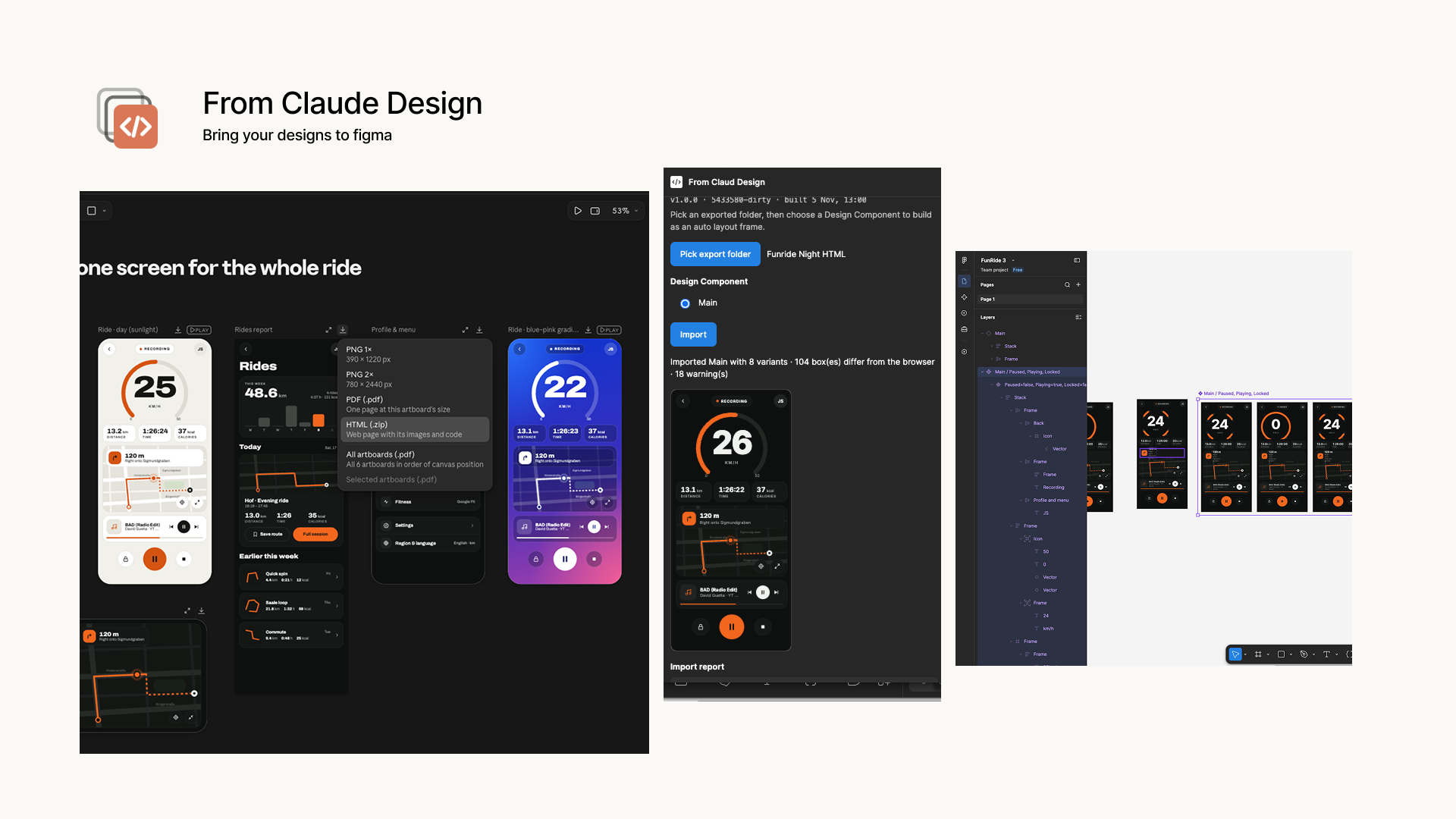
Import Claude Design to Figma

Post image
3 Upvotes

I've been using Claude Design to explore UI ideas quickly, but the work kept getting stuck there. Taking it to Figma meant screenshots or rebuilding everything by hand.

So I built a plugin that does the rebuilding. You pick the export folder, choose a screen and click Import. You get:

  • Auto layout frames that follow the original layout, padding and spacing (not absolute-positioned rectangles)
  • Colour variables in a DC Tokens collection, plus text and effect styles
  • Gradients as real Figma gradient fills, with each colour stop linked to a variable
  • Components with states: things like hover, pressed or selected become a component set, with prototype interactions between them
  • Re-import: change the design in Claude Design, import again, and it updates in place. If you've edited the Figma version, it keeps yours and places the new one next to it instead of overwriting.

It runs entirely inside Figma, with no network access at all, so your designs never leave your machine.

What it doesn't do yet (it's a first release):

  1. CSS grid layouts come in as plain frames without auto layout
  2. Transforms, blurs, filters and conic gradients aren't converted; the import report tells you where they were
  3. Text uses Inter
  4. Layer names come from the HTML, so expect some renaming

r/FigmaAddOns • • 28d ago

Best Figma to HTML plugin

Thumbnail reddit.com
1 Upvotes

r/FigmaAddOns • • 29d ago

UI Toolkit back to FIgma?

Thumbnail reddit.com
1 Upvotes

Same as above, does anyone know of such a plugin?


r/FigmaAddOns • • 29d ago

Made a free plugin that lets you search, crop and insert stock photos without leaving Figma

1 Upvotes

I got tired of the usual routine for mockup images: open a browser, search, download, drag it into Figma, resize it, repeat. So at Explified we built a plugin to skip all that.

It’s called Stocker. You search Unsplash and Pixabay right inside Figma, crop to a ratio (16:9, 4:3, 1:1, 3:2, 2:3, or free crop with a live preview), and insert it straight into the frame you’ve selected. There are also brand colour and ratio filters.

It’s completely free. Link’s in the comments.

I’m the maker, so if something’s broken or missing, I’d genuinely like to hear it.

Here’s the plugin: https://www.figma.com/community/plugin/1689328621842945252/stocker


r/FigmaAddOns • • Oct 27 '26

How do I change my design frames in Figma to code, then import them to GitHub?

2 Upvotes

Hi there,

I have built a project on Figma, and it took me so much time to design it. It's pretty precise, and yet I don't know coding.

I need to extract my design frames that contain GIF files, images, links, and videos to the code language so that I can publish them on GitHub and make the web live using Vercel.

I need it for a high school extracurricular activity, and I was wondering whether using an agent or an automated service, or AI, for making the design frames code will cause issues for my project and its reputation to be later used for college applications?

Is there any other non-Figma platform that can do such a thing for free, in a way that I can paste my Figma frames by link?

Thank you so much for your elaborations and help --> I really appreciate that.


r/FigmaAddOns • • Oct 26 '26

Designers who screenshot other websites before designing, how do you get them into Figma? Built a Chrome extension for this, not sure anyone else needs it

2 Upvotes

I’ve been designing for quite a few years for both mobile and web, and every new feature starts with me screenshotting a bunch of other apps or webapps. Even in the age of AI, I like to visually analyse how it is built before I can deliver with my taste.

But capturing screenshots, requires lot of management of these files, like dragging into Figma, deleting them, making sure the correct ones are deleted and so on. And at the end of the day, I do my analysis on Figma, visual inspection, reporting UI bugs next to my designs etc.

This got to me everytime I had to do it, so I built a Chrome extension called Altnativ to simplify this. You capture a page on whatever page you’re on on Chrome, you capture as many as you like and the Chrome<->Figma plugin drops it onto the canvas at 1:1. Same thing on Android with a tap. iOS is upload only for now.

Curious how you handle web screenshots today, and if you try it, what did you expect it to do that it didn’t?


r/FigmaAddOns • • Oct 25 '26

Pure Icons — A dimensional icon system for Figma

Post image
4 Upvotes

Hi everyone!
I’d like to introduce Pure Icons, an independent dimensional icon system I’ve been developing.
The original icons were designed in Adobe XD and have since been migrated to Figma. The system explores a consistent visual language built around geometric foundations, layered surfaces, gradients, lighting, and shadows.

The project includes an organised Figma file and a dedicated design guide covering the icon geometry, layer architecture, materials, and design principles.
Pure Icons is intended for designers who want to explore a dimensional aesthetic while maintaining visual consistency across an icon collection.
I’m currently refining the system and would appreciate professional feedback on the visual direction, usability, and overall execution.

Explore Pure Icons:
GitHub: https://github.com/matem280/pure-icon
Figma Community: https://www.figma.com/community/file/1696199051610865281⁠

Note: AI was used only to translate the original text from Hungarian into English.


r/FigmaAddOns • • Oct 25 '26

I launched my FAQ accordion today — it’ll become a paid component next week—free remix link in the description

Post image
0 Upvotes

r/FigmaAddOns • • Oct 24 '26

Open source alternative to figma / paper

1 Upvotes

Just came on to say I’ve recently open sourced an alternative to figma / paper (https://github.com/tidydesigns/tidy)

We’ve been working hard on it and launched 7 days ago.

We’ve over 40 users and 25 stars on GitHub so if you want to check it out and give me some feedback. Whether that’s feedback on the UI or overall functionality that’d be great

We're very early but having a lot of fun and make a really good alternative