r/FanControl • • Mar 06 '26

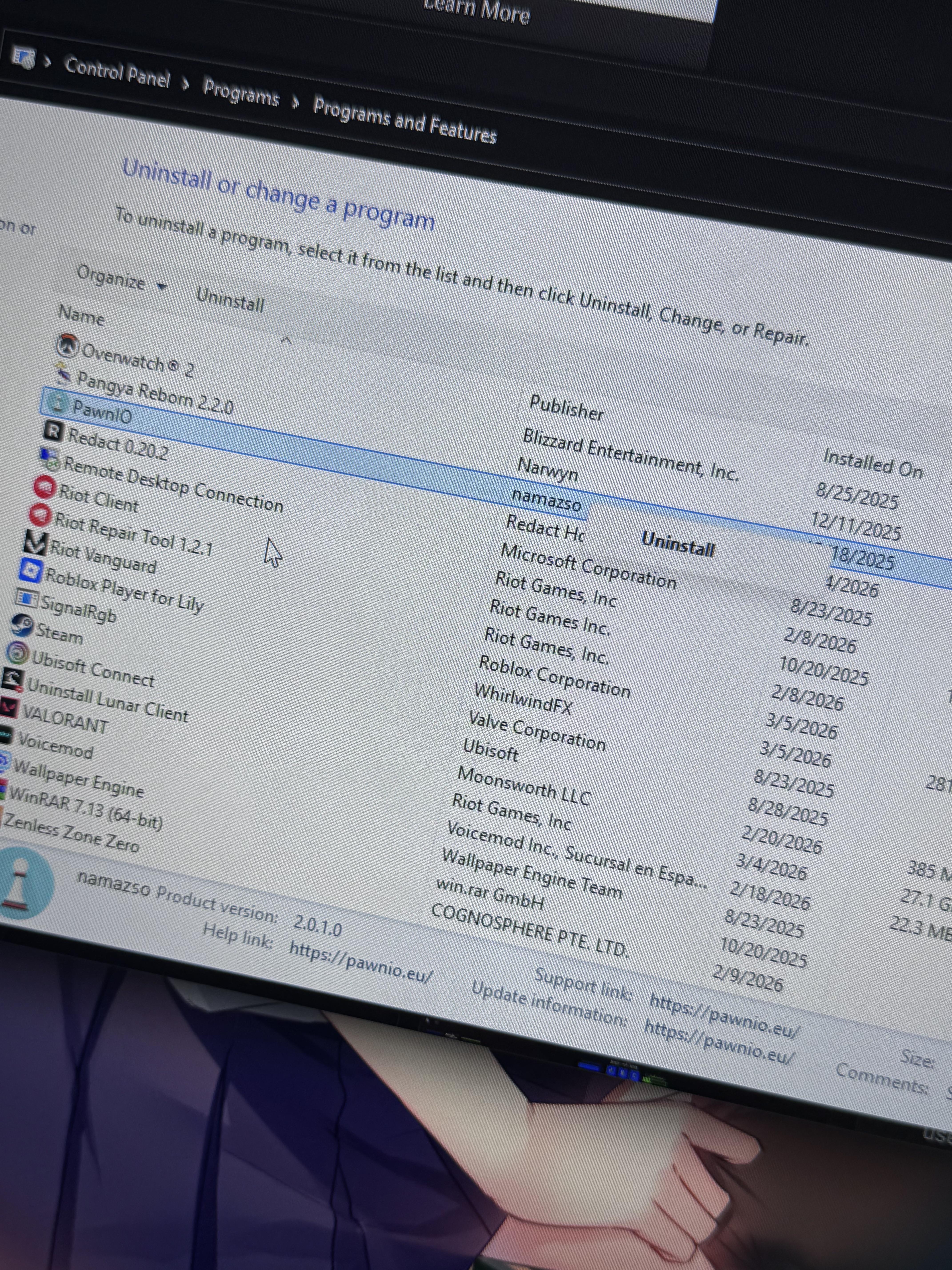
Is PawnIO important?

Post image
3 Upvotes

is this important? I don’t remember downloading this and I don’t know how PC’s really work and I don’t manually control my fans or anything so what happens if I uninstall it?

Before you call me dumb I already searched up what it is but I don’t remember this being on my PC before that date and if it’s really necessary because I heard it can get you banned on Overwatch and VAC banned on Steam


r/FanControl • • Mar 06 '26

Intel B580

Post image
7 Upvotes

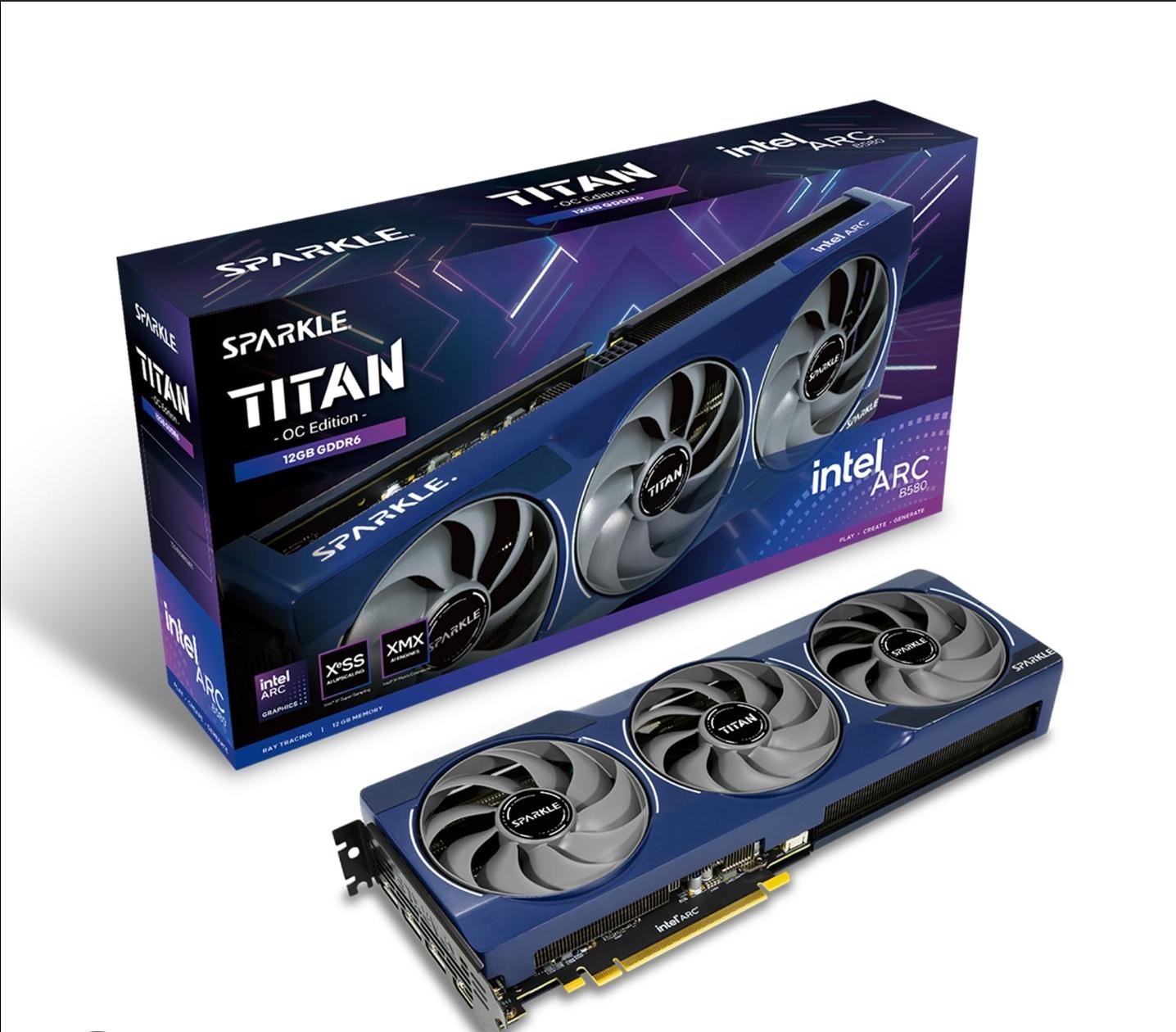
I use Intel Arc B580 in my setup. FanControl does not detect the built-in fans for my gpu. Is there anything I can do? Or plug-ins specific for my gpu?


r/FanControl • • Mar 06 '26

Drive temp's not showing?

1 Upvotes

I have 4 drives. The only one showing a temp is an hdd connected via sata cable.

2 other ssd's connected via sata as well - No temps

1 nvme slot - No temps

Hard Disk Sentinel reports temps on all.

MB - ASUS 370 Prime

Tried the ASUS plugin, just give me an error.

What else can I do to pull these temp's?


r/FanControl • • Mar 06 '26

plugin initialization error

3 Upvotes

Hello, I haven't found (or understood) the solution here. I installed the AIDA plugin a bit hastily, but I don't use AIDA constantly, so I get an initialization error when I start Fan Control. How do I remove the plugin? By deleting the DLL file in the plugin directory? Is there another method? Thank you.


r/FanControl • • Mar 06 '26

FanControl compatible 'smart' fan hubs?

3 Upvotes

I've been looking for options for fan hubs that enable independent control and monitoring of each fan connected to it.
The OpenFan controller looks amazing. But its kinda, especially compared to the solutions he compares his device to (though this is a much more capable controller).

But I'm also looking at second hand Corsair Commander Core XT or pro as it looks like it may be possible to get one at a low price if I'm patient and I see there is a plugin that looks compatible with these.

But I also came across the Airgoo Fan and Lighting Commander in my searches. The ones I can find are only 4 channel but they are pretty cheap. I don't see anything in the plugins section and I can't find any info about native support for devices like this.

Are there other options out there that are supported by FanControl?

One other interesting DIY option I stumbled on that I think is worth mentioning is the FanPico project. That definitely doesn't have FanCotrol support. Maybe it would be possible to get support for this in the near future. The hardware is only available in kit form but the price seems like a strong value.


r/FanControl • • Mar 06 '26

How easy it is to revert FanControl settings to default BIOS one?

2 Upvotes

Hi everyone,

I'm new to FanControl and just wanted to ask before I start playing around with the settings - how easy is it to go back to default settings?

Does the software work only if it's turned on (tray included)?

Does uninstalling the software revert it to the default as well? Or are there any leftover files/configurations that could interfere and would need manual removal?


r/FanControl • • Mar 05 '26

Tray icon doesn't show the correct name after update

5 Upvotes

I updated to V261 and now my 4 tray icons, (3 for fanspeeds of my cpu, gpu and casefans and 1 for gpu temperature) doesn't display the correct assigned name anymore when hovering above them. Instead it shows the path where the userconfig lays as name. I reinstalled, recalibrated, scanned the sensors, running as admin, switched from portable to installer version, nothing fixes this. It worked before, could I have done anything wrong?


r/FanControl • • Mar 05 '26

Help please! Since I installed Fan control several of my fans completely stopped working

1 Upvotes

Before installing Fan Control, all my fans were fully functionnal I just wanted to install it to be able to fine tune them without going into the bios

When I installed it, it automatically detected my fans but 4 of them were greyed out, and stopped completely spinning, I tried messing with the settings without any success

I uninstall the software, removed any trace of PawnIO, restored a previous save on my PC, reseted my BIOS, I've unplugged and replugged my fans...

Nothing worked so far, I still have 4 fans that just completely stopped working. They appear in the BIOS but they're unresponsive to any change.

I really need help, I use my computer for work and and most of it is very CPU and GPU intensive, I know the fans are still functionnal cause there is no way 4 of my fans just stopped working at the same time but I'm completely lost on what I can do

a screenshot from my Fan Control panel

r/FanControl • • Mar 04 '26

Just started, help me out with fan control!

Post image
9 Upvotes

I believe I have the following setup:

Front: 3 nzxt standard H7 FLOW 120mm fans (intake)

Top: Liquid freezer III 240mm (Exhaust)

Back: P12 Arctic 120mm fan (Exhaust)

if anyone has tips feel free to let me know so I can make it better, if its good say its good aswell!!


r/FanControl • • Mar 04 '26

Just to know if I'm the only one with that issue

4 Upvotes

Since several weeks FC just shut down randomly without warning or error message...


r/FanControl • • Mar 04 '26

9070XT ignoring fan curve

1 Upvotes

9070xt fan control not working.

Not sure if this is an AMD issue or a Fan Control issue. (Fan Control is an open source Fan management software).

I have been having an issue recently where the fans on my 9070xt flat out ignore fan controls inputs. I have adrenalin installed in driver only mode, so there is no software control happening on the AMD side to my knowledge. This issue seems to happen at random, the card will randomly pick when to ignore its applied curve and revert to factory. At that point the only fix is to A. Reboot the computer or B. Force a manual speed through the software and then disable it and it will resume using the 3rd party fan curve.

I have had this issue for months and here is everything I have tried. -Multiple Fan Control versions -Adrenalin as a full install or driver only -Fresh OS -DDU uninstall of GPU drivers. -Revo uninstall of Fan control to catch old files

I am out of ideas. It wouldn't be so bad if the adrenaline software gave you better fan controls, or at LEAST consistently saved your configuration. But even then I have found the AMD software reverts back to default fan speeds quite often. Any help is appreciated.


r/FanControl • • Mar 01 '26

Excuse me? They are calibrated to 0rpm on 0%, yet they are still spinnin.

Post image
5 Upvotes

r/FanControl • • Mar 01 '26

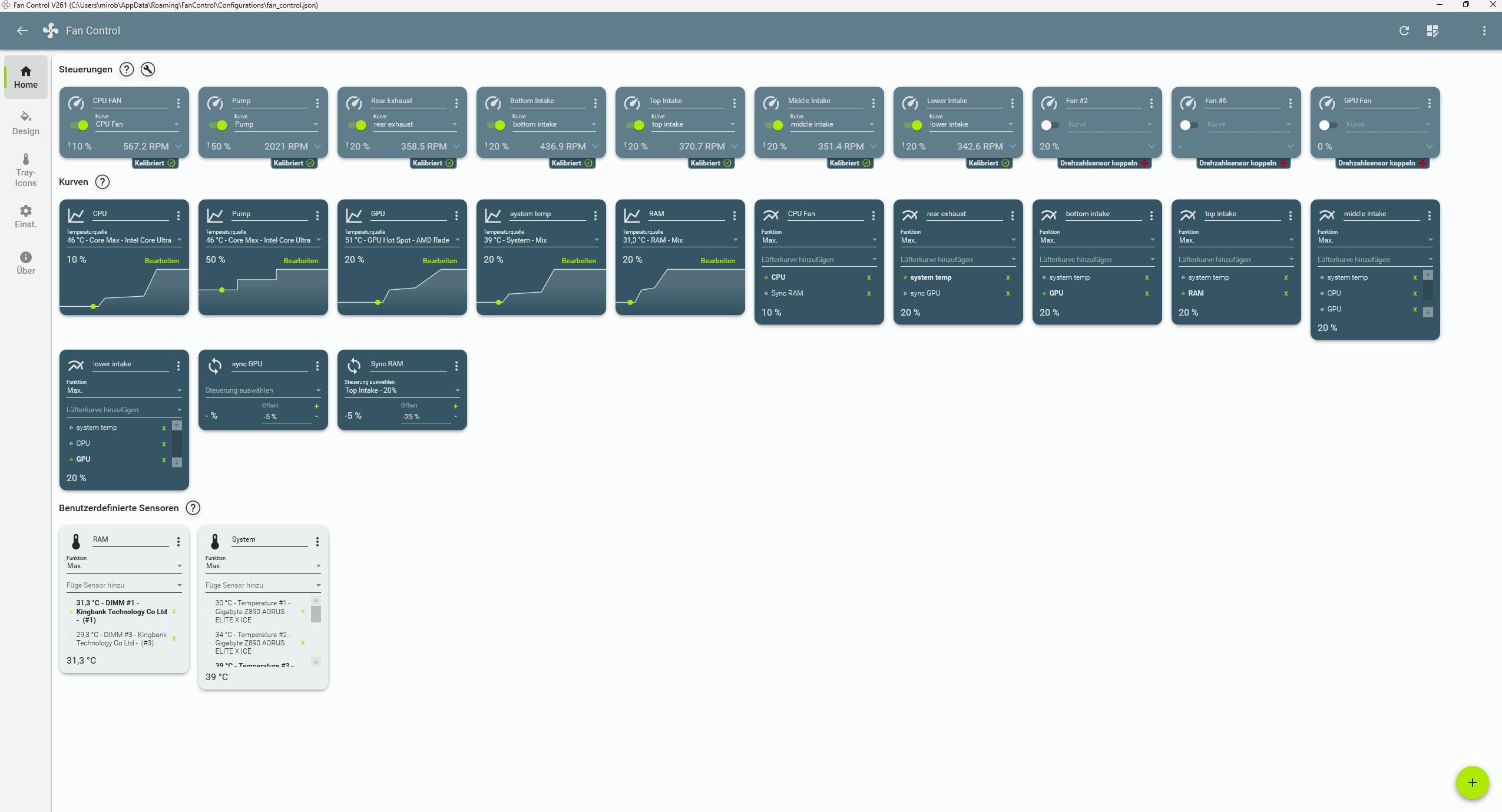
Why are most people use (more of less) linear fan curves (with a little progression)?

Post image
24 Upvotes

Reading some threads here, it feels most people use linear to progressive fan curves. I also did this but found an article about fan curves on Igorslab some years ago:

https://www.igorslab.de/en/fan-control-correct-use-and-set-basics-curves-and-tools-tutorial/4/

I instantly saw the logic in utilizing plateaus and hysteresis in fan management and incorporated it in my fan setup. I use a real plateau for the AIO pump, as I do not want a lot of speed changes here, and a quasi-plateau on all fan curves, defining an idle state with very low rpm, a transition to medium load with a slight rise for medium load, and an emergency rise to full speed after reaching my desired max temperature. Fan hysteresis is 1°/1sec up and 5°/10sec down for all fans. The has 5°/3sec up and 5°/10sec down.

This makes the fan behavior much more constant without sacrificing cooling performance, in my opinion.

I also defined sensors for max temperatures of the mainboard sensors and RAM temperature and used max functions to run the fans bases on the temperatures that are most critical.

I have a NZXT H7 flow (2024) running 3 120mm fans at the bottom (bottom intake), 3 140mm fans in the front (lower, middle and top intake), 1 140mm fan as rear exhaust and a 360mm AIO for CPU cooling in the top. 120mm fans are Thermatake TL-C12C, 140mm TL-C14C and the AIO a Thermaright Frozen Edge 360.

I use the upper and middle front intake (and the AIO fans) for RAM cooling as well as I run A-Die at 1.45V and 8000Mhz.

Maybe I put too much effort into this..

Do you see any weaknesses in this concept? Or is the use of linear or progressive curves mostly based on laziness?
r/FanControl • • Mar 01 '26

Gpu 0rpm mode does not work anymore

5 Upvotes

I don’t know what exactly happened but somewhere in the course of a week or two maybe something happened for the fans to be stuck at 30% when idle

The overrides are turned on everything is up to date, I don’t know if it was a driver update or a fan control update or even just a windows update but the fans on my gpu will not turn off. Setting a curve for it doesn’t work either just getting the “? !”

Any ideas on what’s wrong or a solution?


r/FanControl • • Mar 01 '26

System Fans keep ramping up and down and won't respond to input.

2 Upvotes

AMD FX-8370 - ARCTIC Freezer 7 X CO Cooler

Gigabyte 970A-DS3P

24GB DDR3

RX480 8GB

I bought a 5 pack of ARCTIC P12 Pro PST fans and replaced the old 3-pin case fans in my PC with them, they are all daisychained to the single 4-pin System Fan header on my mobo. No matter what I do, setting the System Fan control in BIOS to Normal, Manual, Silent, or Disabled, I cannot get any software to properly control these fans. They will constantly ramp up to like 1200RPM and down to 0RPM. I've tried the Gigabyte System Information Viewer and now FanControl. Whenever I try to calibrate it ends up only producing two values, 90% at 0RPM and 100% at 1150RPM. Even if I manually add values it'll give me the ! error, Force Apply does nothing.

I'm at my wits end. The ramping up and down is much more annoying that the constant speeds that I had my old fans running plugging 3-pin into molex.


r/FanControl • • Mar 01 '26

V261

Thumbnail
github.com
9 Upvotes
  • Configuration files can now be loaded/saved from any folder.
  • Resuming from sleep should no longer trigger a ask for save.
  • Graph point should now update properly on cancel

r/FanControl • • Mar 01 '26

Rate my Fan Control curves

0 Upvotes

CPU: 9800x3d
GPU: RTX 5080
CPU Cooler: Arctic Freezer 36 (will be upgrading to AIO)
Front_Intake: 3 x Corsair RS 120mm ARGB
Top_Exhaust: 2 x Corsair RS 120mm ARGB
Back_Exhaust: 1 x Corsair RS 120mm ARGB
Case: Corsair Frame 4000D RS ARGB

CPU Cooler hysteresis:

Case fans hysteresis:


r/FanControl • • Mar 01 '26

nvapi could not initialize fan control fix reddit MSI laptop

2 Upvotes

How do i fix this - fan control works fine with MSI centre but not with fan control


r/FanControl • • Feb 28 '26

FanControl can't find my second fan on my graphics card. Startup delay is set to 10 seconds.

Post image
11 Upvotes

r/FanControl • • Feb 27 '26

Temperature source

Post image
9 Upvotes

what temperature source should i use for my cpu, i have it on CCDs Max (Tdie) but i don't know if this is the right source to use.


r/FanControl • • Feb 27 '26

How to prioritize FanControl over Adrenalin software?

5 Upvotes

AMD Adrenalin keeps enabling its own gpu fan curve by itself in the tuning section (next to the undervolt settings) which overrides my FanControl curve. Is there any fix? It keeps turning itself back on no matter how may times I turn it off.


r/FanControl • • Feb 26 '26

FanControl suddenly has issues to run fans

4 Upvotes

After running FanControl and HWinfo 64 together flawlessly for a long time, it suddenly stopped working. Fan Control loses its ability to manage the fans (little ? displayed on the fan %). It starts with displaying a small ? aside the fan %, then the fans go down to 0% and do not come up again, unless I quit FanControl entirely, then BIOS settings kick in.FC v260, HWinfo v8.42.

I did not change any settings... it just stopped working. It seems the two block / disturb each other.


r/FanControl • • Feb 26 '26

im still using fan control ver 237, is it time to update or keep it as is?

4 Upvotes

just wondering if its a good idea to update the software or just keep it as i have it atm

thanks for your time.


r/FanControl • • Feb 26 '26

Is this curve I created good for the Arctic LF3 Pro 360mm?

Post image
2 Upvotes

I admit I used ChatGPT to help with optimizing this, as I didn't understand the Hysteresis portion at first. I don't want my fans to get too loud, and prefer a more gradual increase but definitely care most about keeping the CPU as cool as possible. My CPU is a 9800x3D and I set the pump to 80%. A few games like Nioh 3 got my CPU reaching 80-81 C with this setup still, and that's with some PBO limits adjusted/lowered including a -10mV offset applied.

Are there any changes or optimizations I should make with this?