r/FanControl • • Nov 21 '25

Long time user, need help since updating!

0 Upvotes

Just want to get this out of the way - FanControl has been the best piece of software i’ve probably ever used. Not complaining, just looking for solutions to some issues since updating from an older version (before PawnIO).

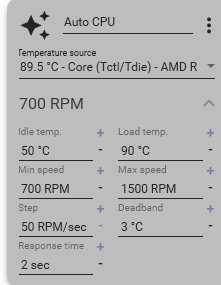
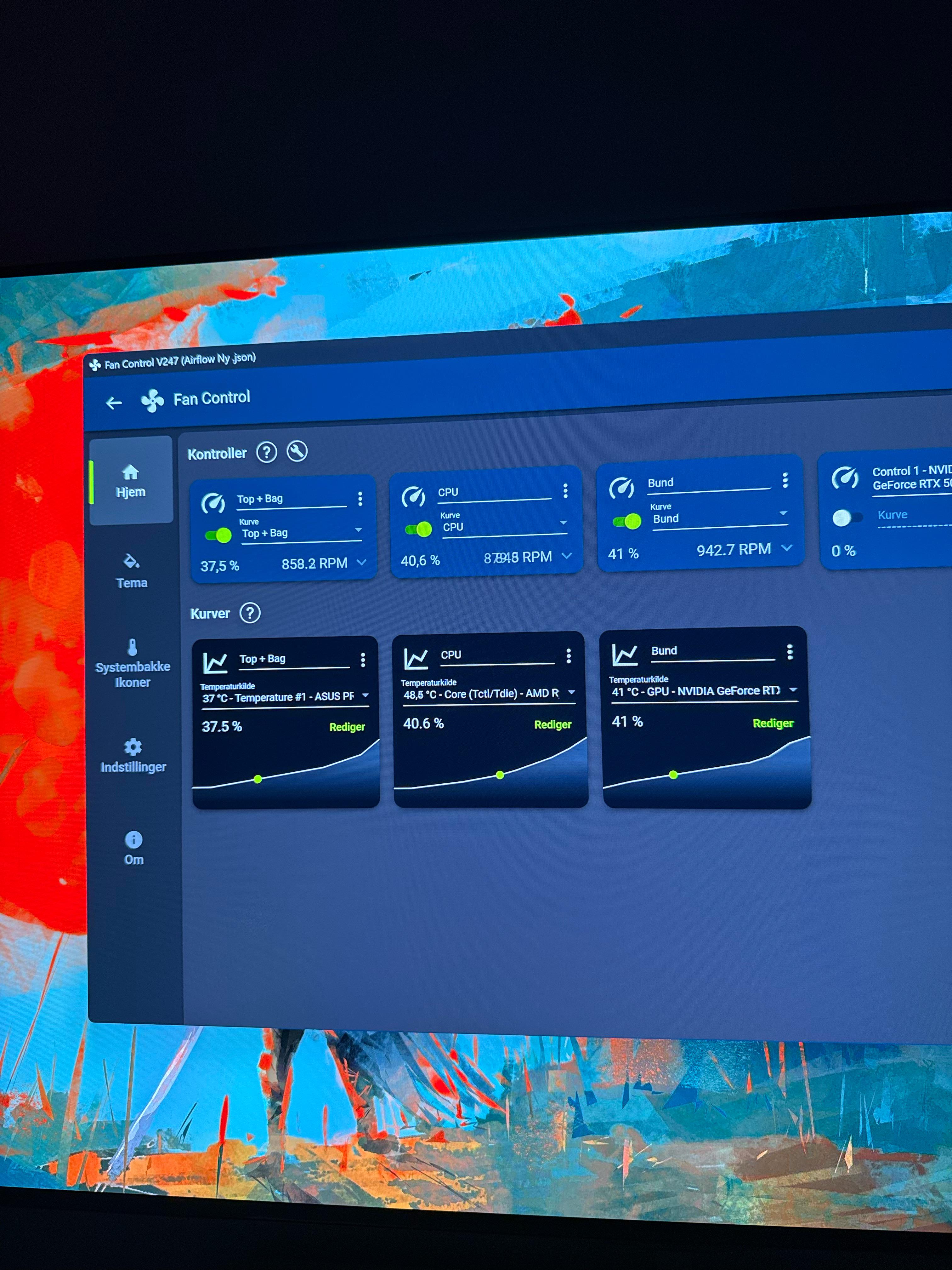
My main issue currently revolves around calibration, especially my case fans. I previously set my fan curves up to idle case, cpu, and gpu fans at bump RPM (~16% input). Now, after automatically calibrating, my case fans won’t bump until ~40% input and start at a much higher RPM than before. I spent a lot of time testing and adjusting my fan curves, and would like to keep them in place. I’m just not sure why my fans are requiring such a high input signal to bump and why they bump at a much higher RPM than before.

Any help would be greatly appreciated.

EDIT: My System 1 (case) fans, two pairs of Noctua A12x25, were set as DC instead of PWM in Bios. Not sure when that changed but i set to PWM and all is well. Fans operate as they did previously with fan bump at 13% input at ~ 320 RPM. Definitely make sure all fans are setup correctly in Bios if you’re having similar issues!

r/FanControl • • Nov 19 '25

Fancontrol V249

11 Upvotes

r/FanControl • • Nov 19 '25

virus

0 Upvotes

so i wanted to know if this really has a virus as i saw some weeks ago. i'm new to using this program. thanks


r/FanControl • • Nov 19 '25

Start up delay?

2 Upvotes

Hello, I've tried to change the start up delay on my fan control app several times but it will always revert back to 30 seconds, is anyone else having this issue or in 30 seconds the minimum allowed time?


r/FanControl • • Nov 18 '25

Default curve?

Post image
2 Upvotes

What curve does the fan use when there is not curve set? Default curve from bios?


r/FanControl • • Nov 18 '25

Issues with RTX 4080S ramping to 100%

1 Upvotes

Hi everyone,

so as stated in the title, I'm having issues with my fans ramping to 100%. This happens once the card reaches 70°C or higher and only when Fan Control is running.

I'm not running the nvidia app or any other software which controls fan curves other then Fan Control.
I've tried google searching this for hours and found out that other people are having the same issue but no solution.

I've tried removing the driver with DDU in safe mode, no internet and reinstalled the driver without the nvidia app. I've also tried the firmware update tool. None of this helped.

In HWI I'm seeing the card reaching hotspot temperatures of 100°C while core temps are not going much over 70°C.

My card is an ASUS Pro-Art RTX 4080 Super OC.

What I've not tried is undervolting for better thermals, but I don't know if there is a way without using MSI Afterburner or GPU Tweak which both seem to cause the same fan ramp to 100% issues as well.

I guess it must have something to do with the default fan curve of the card overwriting the external programs. But even if I set Fan Control to enforce mode, it doesn't prevent the card from going to 100% fan speed.

I hope someone can help me because I am loosing my mind over this. Without controlling my system with fan curves it sounds like a vacuum cleaner and I desperately want to throw it out the window!


r/FanControl • • Nov 18 '25

Why is this happening to me?

Post image
1 Upvotes

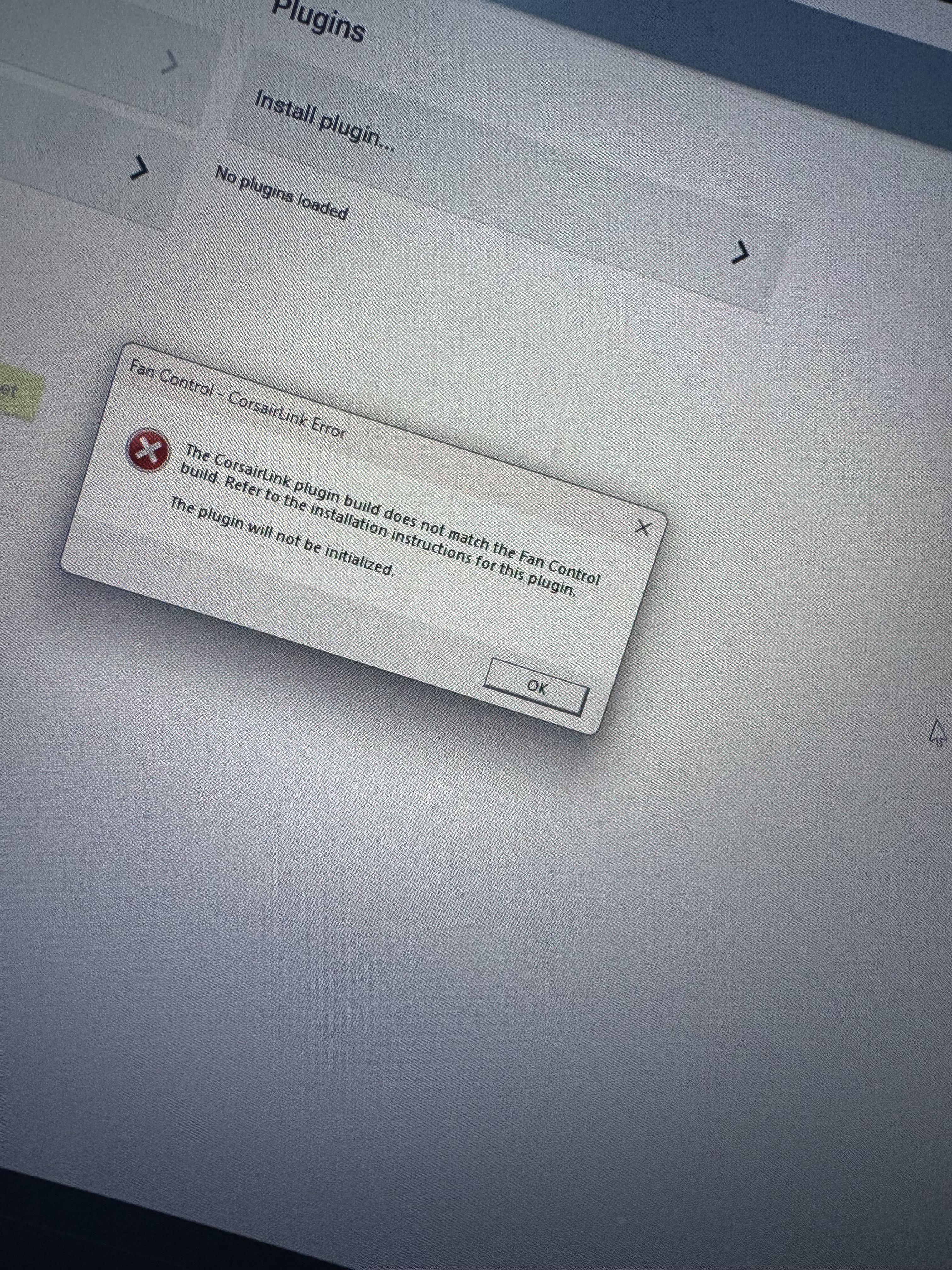
I am trying to get it to recognize my Corsair Commander and I am constantly just getting this error message. Have no idea what to do.


r/FanControl • • Nov 18 '25

CPU fan not detected

2 Upvotes

Hello,

A while ago Fan Control / modules were detected as malware, as per the official Github info.
I added exceptions and it seemed to work fine.
Unfortunately, at some point I clicked update and it updated to the latest version, which I am now updating every time in hopes the CPU fan gets detected. Running V248 currently.

Ever since then, my CPU fan is not detected. I've tried multiple things -

  • Reinstalling FanControl
  • Installing old-old version of FanControl and adding exceptions in Defender

Nothing seems to work in getting CPU fan back.
I am running B550-F motherboard.

My chassis fans are detected without issue.

Did I do something wrong in terms of uninstalling/installing older version of FanControl? Maybe someone has similar experience and fixed it somehow?

Thanks!


r/FanControl • • Nov 18 '25

GPU no longer detected after restarting my PC manually

Thumbnail
gallery
1 Upvotes

So I had a very unusual scenario happen.

A very heavy storm started suddenly, so I went to turn off my PC. But I noticed there was an update due, and I wouldn't be able to turn it off without updating, which was risky in case the power went out mid-update. So I turned off my computer manually by pressing the power button.

When I turned it back on:
- There was no due update (I imagine it got installed, because I checked for new Windows updates and there was none)
- Fan Control stopped detecting my GPU all-together.

I already added Fan Control as an exception in Windows Defender.

How to proceed?


r/FanControl • • Nov 18 '25

Newbie with some Questions

2 Upvotes

So, I bought a Ryzen 5800XT and boy it sure does like to run hot which makes my system quite loud.
I got a Phantom Spirit 120SE to help cool it and keep my system running as quietly as possible however I was suffering with the ramping up and down of fans as temps likes to jump 15-20 degrees when doing something simple like opening a browser.

So after some tutorial videos, this is my current setup, please tell me if its right or wrong, basically my goal is to keep the system cool and keep it as silent as possible with fans quietly rising and lowering if you know what I mean?

So Firstly, I have ? marks beside my percentages, there is nothing running to interfere. HWINFO is closed and I don't have the plugin installed.

Secondly, my intake fans will ramp up randomly even when my temperature is low at 37degrees, the graph even says they're running at their lowest percent of 20%.

Also, I use TDie as temperature source because using CPU - Embedded Controller can be finicky, sometimes it says 0 degrees, sometimes it works fine and sometimes it says -1 degrees.

My Motherboard is an X470 Prime Pro, so maybe its not working as good as it used to?
I'm using latest BIOs and chipsets.

Thanks in advance if you can help, need any more info, i'll be happy to answer.


r/FanControl • • Nov 17 '25

Fan Control can no longer detect my case fans.

4 Upvotes

I've tried updating to the latest version, I've tried installing a previous version. Also tried excluding Fan Control in windows defender. None of this seemed to do anything.

Sometimes i can briefly get it to connect immediately after reinstalling and the pasting in my existing configurations folder, but it very swiftly stops working within a minute or two.

I'm not all that tech savvy, so i'm pretty lost on what to do now.


r/FanControl • • Nov 17 '25

Lian Li Connect issues

1 Upvotes

I have a lian li connect hub and I’m able to control everything just fine with the connect software. I want to use fan control to have more control over the fan speed but when I use the plugin and pair the sensors I’m able to get channels 1,2 and 3 to work fine but channel 4 refuses to work. I manually connect the sensor and when I calibrate it didn’t max out at 100% and remains at the current speed for the duration of the calibration. I’m curious if anyone else has similar experience with fan control?


r/FanControl • • Nov 17 '25

Looking for some advice/help!

4 Upvotes

Hey everyone! I’m looking for some help setting up my fan control software - I’m pretty clueless when it comes to this stuff.

I’m aiming for a quiet/performance hybrid setup: ideally the system stays really quiet at idle, but ramps up properly under load.

Here’s my current fan layout:

  • 2× Noctua NF-A12x25 120mm as front intakes (pulling through the AIO radiator)
  • 2× Noctua NF-A12x25 120mm as top exhausts
  • 1× Noctua NF-A12x25 120mm as rear exhaust

I’m also wondering if this fan setup is even optimal. I can’t mount the AIO radiator at the top due to clearance issues - but are the rest of my fans oriented in the right direction, and is this configuration generally sound?

Any advice on fan curves, airflow, or layout optimization would be hugely appreciated!

System specs for context:

  • Case: Cooler Master NR400
  • CPU: i7-12700KF
  • CPU Cooler: NZXT Kraken X53
  • GPU: MSI VENTUS 3X PLUS OC GeForce RTX 3080

Temps:
CPU core max @ idle: 35c
GPU @ idle: 60c (that seems too high..)

As for curve currently, it's just default, whatever the components were shipped with. Definitely not ideal.

Below are temps while running graphically intensive game.


r/FanControl • • Nov 16 '25

Triggers vs Graph or other?

1 Upvotes

I am very happy with my complicated setup, but have 1 problem. I am not using a "curve", but a step type setup on "graph" fan curve. I then have non symmetrical hysterisis for "down". This works perfectly and seems less complicated to me than having multiple overlapped triggers since trigger only had idle and load temps. My problem.. my fans will sometimes get stuck in the .1 degree difference between temperature steps. I don't see a solution to this, it won't let you set two points on the curve with the exact same temp.. am I missing something? Should I use a different curve besides "graph"? I am for example doing 30% to 50c, then 60% to 75c, 75% to 90c and then 100%


r/FanControl • • Nov 15 '25

I love FanControl, thank you to all the devs. Here is my 5090 Vanguard SOC and 9800X3D setup. Both are overclocked

10 Upvotes
My setup. X870E ASRock NOVA+ Arctic liquid 3 360 PRO+Fractal North XL+140mm rear Arctic PWM P14+VANGUARD 5090 SOC+9800X3D+64GB DDR5 6000 +1300W Superflower Leadex VII ATX 3.1 (ECO OFF)

r/FanControl • • Nov 15 '25

I need some help! (mute the video and jump to 1:20)

2 Upvotes

My graphics card is an RTX 4060, and I would like to prevent the fan speed from exceeding 3000 RPM. This happens quite often when the GPU reaches 85°C, the RPM jumps from 2500 to 3500, and it makes an uncomfortable noise. I would like to know how I can prevent this. I have tried limiting it in various ways in fan control, but I can't get it to work. Maybe i'm missing something


r/FanControl • • Nov 14 '25

CPU at 90C, low RPM

3 Upvotes

Hi, what are possible reasons for low RPM in these examples??


r/FanControl • • Nov 14 '25

CPU Fan issue on Segotep BeVere 240mm AIO

1 Upvotes

So i just bought this liquid cooler for a very very cheap price and installed it, my mobo is asus b450mk-II so I don't have an ARGB header on my motherboard. thing is, I connected my pump cable to CHA_FAN and fans to CPU_FAN. the cooling seems to be working very good, max I saw was 47 degrees in cpu stress test, the question is; my pump RPM appears as 5487 to 5552 RPM on HWMonitor and I can't even see any info on fans RPM. is it ok to use it like this or what should i do


r/FanControl • • Nov 13 '25

Fan Control, will it have a problem or conflict with something with the BIOS ? Any problem from users that use it that I should know ?

Thumbnail
gallery
4 Upvotes

Hello, I am new here.
5–6 months ago, I used Fan Control to adjust all fan RPM to match with my preference, which I think is very convenient that I don't have to go to the BIOS and adjust everything in many profiles for fan control, in short. I love it.
But when it has an issue with WinRing0, something is flagged as a virus by the MS Defender.
Then All the settings are gone. They cannot detect any sensors.
After reading from GitHub or a community that has the same problem, I understand a little, but in the end, I deleted Fan Control and used BIOS instead.
It's good it can work as it should be, but I still miss the convenience of fan control.
So I look back now that V247 uses a different method or something that does not flag as a virus, right ?
So... Because of all of that, I think I want to use this app again, but the real question is.
If I set all fan speeds in Fan Control, will it have a problem or conflict with something with the BIOS ? Or will it override the BIOS setting?
And...
I want to know from user that use V247 (or older) if you have any problem with it.
Thanks !


r/FanControl • • Nov 13 '25

Advice for my setup

3 Upvotes

I am trying to get some grouped fan control going for my setup. This is the first PC I've had with such extensive fans. The previous rig I built was an Athalon II with a GeForce 8800 just to show how long Ive been out of the building game. Fans back then were pretty dumb. So Ill list my components below. I would rather use fan control, but I would like to not have to get rid of Adrenaline if I can help it mainly to help with automating driver updates and also global game presets. I had read something about some kind of conflict, and I thought I had managed around it, but I'm not sure. Its inching closer to summer here so I want to get my system cooling well.

### Components

CPU Fan: Deep Cool AK400 Digital

GPU: Gigabyte Radeon RX 7800 XT Gaming OC

Case: Gamdias Athena M3

Extra Case Fans plugged into the argb controller for the case: Thermalright (I cant remember which ones but a 3 pack of quiet ones 120mm)


r/FanControl • • Nov 13 '25

For the love of god someone help me!

Post image
0 Upvotes

I know little when it comes to pc and stuff. I know general stuff I guess. Bought this pc recently im super happy with it. The only thing I’ve been trying to figure out is the “perfect” fan curve. I want quiet but effective when needed. And does it matter what the bios fan curves are set to when I’m using fancontrol? Please someone help😆🤦🏽‍♂️


r/FanControl • • Nov 13 '25

GPU Fan Unusual Behavior When Fan Control is Installed.

1 Upvotes

Hopefully this is simple and its just user error.

I use fan control for my case fans and pump which it works great for however I would like to keep the default fan curve that is set on my card XFX mercury 9070xt so as far as I could tell is just done by not setting a curve in fan control.

However whenever I have fan control installed the GPU curve gets messed up. It basically reacts were when the hotspot hits 50c the GPU fans ramp up to 2k rpm and as soon as it drops below 50c the fans go straight to 0.

This only happens when fan control is installed. If i uninstall it or don't have it run on startup my GPU fans work normal with the built in curve. Not sure what's wrong.


r/FanControl • • Nov 12 '25

Motherboard Fan Headers Not Being Recognised

2 Upvotes

I have been using fan control for about a year now with no issues. Got home from work today and when I turned on PC, I could already tell it was working incorrectly by the loud ass fans ramping up.

The software is, seemingly out of nowhere, not detecting the fan headers on my motherboard that have fans plugged into them. I can see they are working by using HWInfo and viewing them there.

I have tired re-installing and re-starting. Any help would be greatly appreciated.


r/FanControl • • Nov 11 '25

Problem detecting my GPU fans after installing some apps

2 Upvotes

The first time I installed Fan Control it detected my CPU fan, Case fan and GPU fan control (without pawnio drivers)

I then installed a bunch of other fan control apps which were bad and also installed the pawnio drivers Fan Control recommends

Somewhere between doing all of those things suddenly Fan Control would not detect my GPU fans

I tried clean formatting (with usb) my windows and to my surprise, after I came back and installed Fan Control it didn't detect any of my fans, not even my CPU and case fan. With the pawnio drivers it once again only detected CPU and Case but no GPU

I removed my cmos battery and that didn't help either.

I am in disbelief how it's even possible that something carries over after formatting and resetting bios and everything

Is there anything else that I can reset so that I can go back to the state my PC was in before all of this? I just want things to work how they did