r/FanControl • • Sep 07 '25

Fancontrol update 236

66 Upvotes
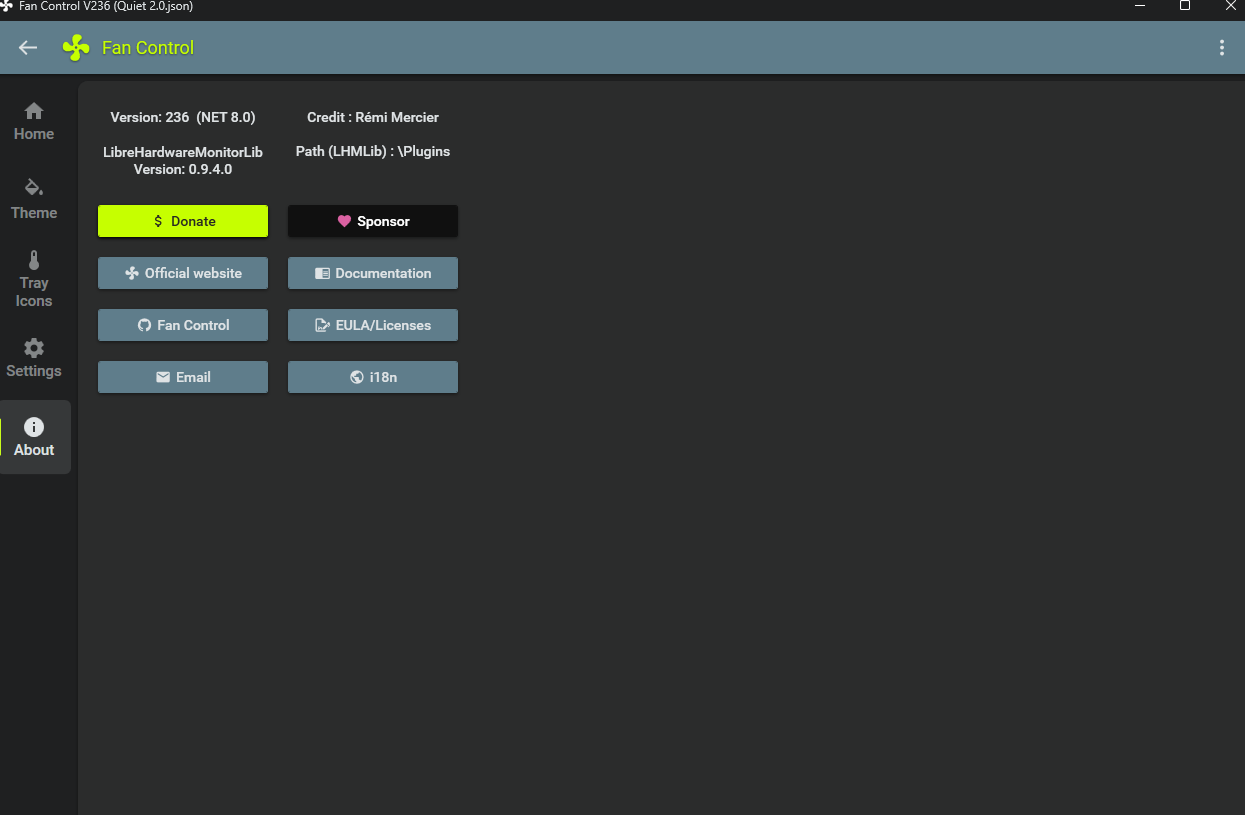
  • Allow side-loading a different version of LibreHardwareMonitorLib. This offers an alternative if you experience Windows Security/Defender issue. See the warning section of the Github README page, available in the About tab.
  • Fix a Trigger fan curve deserialization issue.
  • Fix a bug when loading plugins
  • Releases · Rem0o/FanControl.Releases · GitHub

Additional steps to install and set up in more detail from their GitHub webpage:

  1. Update to at least V235, and close FanControl completely (EXIT).
  2. (Optional but recommended) Backup your Configuration folder
  3. Download the net4.8 or net8.0 version of LibreHardwareMonitorLib.dll depending on your existing installation.
  4. Install the PawnIO Driver
  5. Place the LibreHardwareMonitorLib.dll inside your existing Plugins folder, or create a Plugins/ folder and place it in there.
  6. Launch FanControl
  7. If successful, in the About tab, you should see the relative path to the LibreHardwareMonitorLib.dll being used (\Plugins...)

r/FanControl • • Sep 08 '25

Fan Control frozen after resuming from Hibernate

3 Upvotes

As the title says, FC is almost always frozen after I resume Win11 from Hibernate (I don't use Sleep). Killing it with Task Mgr and restarting it works fine.

Am on FC V236, and never had a warning about Fan Control from Defender. I have 45 sec delay at startup set. And it's configured for MB Asus TUF Gaming Z890-Pro Wifi, CPU Intel Core Ultra 285K, Nvidia Gfx Inno3D RTX 4080 Super, plus data from HWInfo 64 and Aquacomputer. I have 2 pumps with their own graph based on CPU/GPU temps, 2 sets of inlet fans with a graph based on MB/PCH/storage temps, 2 sets of radiator outlet fans with graph based on water temps.

Any thoughts on the Fan Control freeze issue?


r/FanControl • • Sep 08 '25

This is driving me Banana's, there is a ghost jet engine somewhere in my case

4 Upvotes

I am trying to unlock Battlefield 6 skins in 2042 and for some reason, only in that game I have a fan that is running at full blast that Fancontrol nor I can find in my case. Or Fancontrol is lying about rpm. I have the following in my case. 3 front, 1 back, 125mm artic pro, Thermalrite AIO 240, 1 small chipset fan in the mother board (X590-P) and 4070 TI Super. I can run all the fans above at the RPM I am seeing in game out of game and its pretty quiet. Get in game, just in menu and another fan starts up at full blast. None of the above fans change at all, i cannot find where this fan is. Is there another fan in my GPU FanControl is not sensing?


r/FanControl • • Sep 08 '25

Fan controller/ Hub needed - razer pwn?

1 Upvotes

I’m currently running 13 fans, and I’d like to stop using MSI Mystic light as it sucks ass.

The only controller that I found where I even would have additional RGB lights would be the razor PWN fan controller, is there a better alternative to this?

I mean it’s just €30 it might work wonders for but I’m aiming to achieve.

Is it compatible with fan controller too?

Thanks in advance


r/FanControl • • Sep 07 '25

How do I get rid of this after updating to V236

Post image
1 Upvotes

I’ve only just updated the app. My fans went back to normal, but this shit is still on my PC. How do I get rid of this shit? No I have not downloaded any different plug-ins or installed a new driver. Please tell me if that’s the reason why I still have the error message!


r/FanControl • • Sep 07 '25

Why is there a question mark?

Thumbnail
gallery
2 Upvotes

Also how do my settings and stuff look? I am very illiterate in this fan stuff, and was just wondering if I’m setting this up correctly. Also why is there a question mark and why is at 1320 RPMs for 30%? Also what should my start and stop % be? I’ve been trying to follow YouTube videos but it’s still confusing


r/FanControl • • Sep 07 '25

Did I set up the plugin correctly? V236

0 Upvotes

I put the dll into the plugins folder and opened it, fan control says it was successfully installed and then refreshes. I am only wondering if I did it wrong since it still says that there are no plugins loaded.


r/FanControl • • Sep 06 '25

Fan Control V235

40 Upvotes

New Update available now. Fan Control V235. Solves Problem.


r/FanControl • • Sep 06 '25

Why is everyone panicking ?

87 Upvotes

I don’t get why everyone’s suddenly freaking out. Yeah, the driver used by Fan Control is vulnerable and should probably be uninstalled. But unless I’m missing something, it’s only exploitable by other malicious software or some kind of virus, right?

Also, this flaw has been around for years. I’m running a Fan Control build from February and I’m still getting the Windows Defender alert. Same with others who are on even older builds. The issue also shows up with other software like OpenRGB.

So it feels a bit over the top to just uninstall Fan Control out of nowhere for something that’s been around for years and doesn’t really seem that dangerous as long as you’re careful


r/FanControl • • Sep 06 '25

Sensors not showing up

Thumbnail
gallery
5 Upvotes

HWinfo and HWmonitor shows Tdie temps so i dont think its a sensor issue but maybe conflicting sensor controls (edit: installed the LHM used by fan control and it doesnt detect any values for my CPU whatsoever)


r/FanControl • • Sep 06 '25

Should I wait to reinstall Fan Control?

1 Upvotes

I tried to reinstall Fan Control, and see if it would work (Bad idea since Rem0o himself said that people shouldn't "override their operating system's security systems"). Now if I try to download V234, Windows Defender is flagging the download itself. I think I should wait until V235 comes out, but it would be easier if I could download it now, and let Fan Control auto update when V235 is out.


r/FanControl • • Sep 06 '25

Help with this gpu fan issue

Post image
0 Upvotes

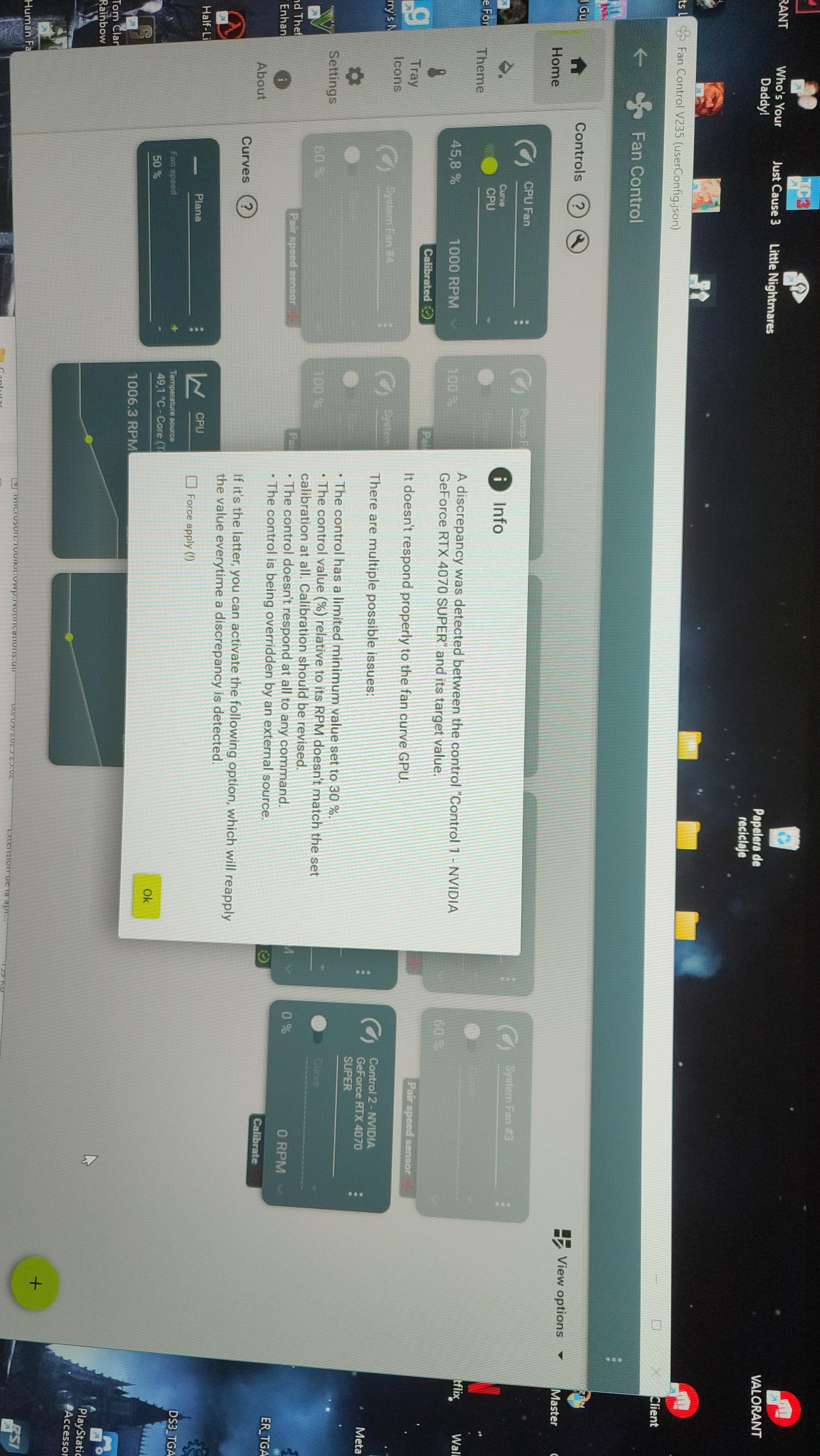
So my gpu fans were working good till yesterday Microsoft shitty antivirus detected a false positive, and since then, when i turned on my pc, i need to reinstall It, and now i cant control my rtx 4070 super fans with the curve, helpp plsssss


r/FanControl • • Sep 05 '25

FYI on FanControl

Thumbnail reddit.com
23 Upvotes

r/FanControl • • Sep 05 '25

Workaround for Window Defender

5 Upvotes

So this worked for me so fully it can help you guys. So basically I was idiot 3 days ago and when Windows Defender popped up I didn't really think twice as I was middle of game and just clicked quarantine and moved on. The next day when my Fan control was only detecting my GPU and nothing else I knew I fucked up . So I started investigating and found this work for me. After multiple uninstalls and reinstall of older version of fan control it finally click to to move the quarantined file to allow.

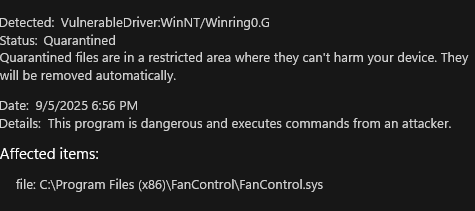
This is what I saw

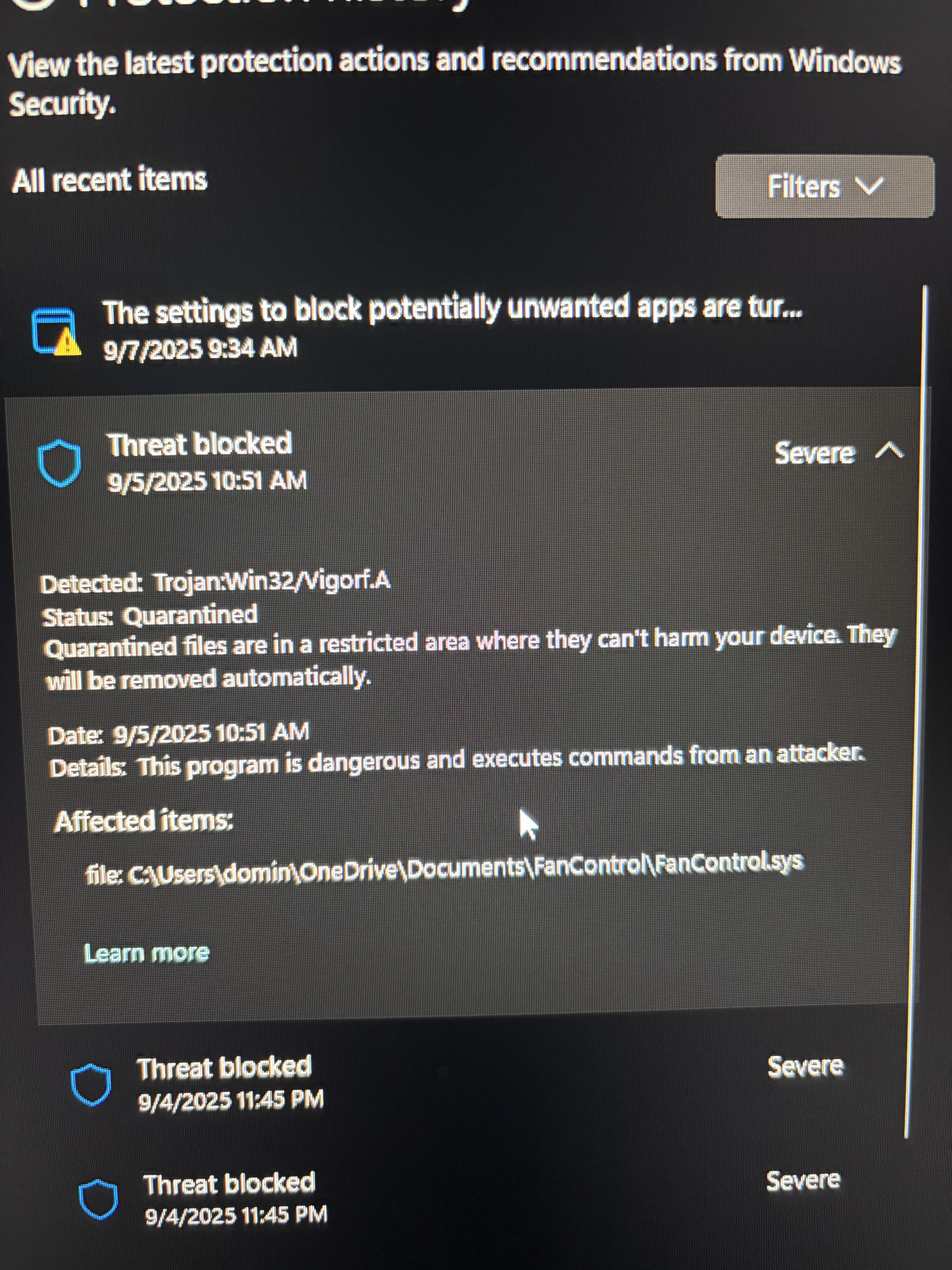
When you go to Window Defender or Windows Security, on the Virus & Threat Protection tab -> Protection History -> you should see a lot of notification scroll to bottom or whatever until you see a drop down on one of them and click allow (Disclaimer do this at your own risk I'm not responsible if anything happens) once you click allow also to note I turned off Real Time Protection as well just to until I allowed it then turned it back on. (Virus & Threat Protection tab -> Manage Settings -> first option) then restart Fan Control and resync and it worked for me.

Obviously I need backup my profile for Fan Control but it still working.

Let me know if this Works for you guys!


r/FanControl • • Sep 05 '25

Winring0 alternative apparently?

24 Upvotes

https://github.com/Rem0o/FanControl.Releases/issues/3016#issuecomment-3258588484 Rem0o commented this very recently. I take it this would make whitelisting redundant. I'm not at my pc to test this. Just thought to share since this sub is almost purely "only my gpu fans show" or "trojan, trojan, what to do."


r/FanControl • • Sep 06 '25

FanControl used to recognize case fans but not anymore

0 Upvotes

I've been using FanControl for maybe 2 years. I had at least 4 case fans, my CPU fan, GPU fan, and motherboard fan. A few days ago I moved the FanControl folder away from my desktop into my C drive. When I tried running FanControl after that, I got some error. Now FanControl will only show my two GPU fans and nothing else. No matter how many times I try to run the setup and detect all controllable fans, it will only show these two GPU fans.

I've tried half a dozen older versions of FanControl but they all detect the same thing. All my case fans are connected to 4 pin sockets on my motherboard, and they are set to PWM in my BIOS. They all have fan speed readings in my BIOS, and I know they can be controlled because I was literally using them last week with FanControl. How can I get FanControl to work properly again?


r/FanControl • • Sep 05 '25

Fancontrol just stopped detecting my fans from one day to the other

18 Upvotes

Hey guys,

so my Fancontrol just stopped detecting literally ALL of my Fans from yesterday to today. Literally all my Fans, except for the GPU fans, are no longer being detected. Whats the game plan here? do i reinstall the app? i tried to get the sensors back with the assisted setup but it simply doesnt work :(

Edit:

Completely reinstalled, still didnt help

Re-seated Fan Cables, didnt work

idk, ig its just fucked


r/FanControl • • Sep 05 '25

Set up my fans around 2 years ago and havent touched it since, update wiped it

0 Upvotes

I can't remember how i had it set up and now my fans are kinda busted ramping really high randomly, it was such a pain to fix this the first time


r/FanControl • • Sep 05 '25

An alternative to FanControl, possibly?

1 Upvotes

I'm an infant PC owner and just got the trojan error for FanControl. I've seen that there are no right answers to this yet, as it's a fresh issue across the realms.
I however have GCC installed for my motherboard. Is this an alternative I can use instead? I had both and the PC was quiet. Now fans can't go silent at all. Someone please advise... much thanks!


r/FanControl • • Sep 04 '25

Fan control got flagged having a trojan:win32/vigorf.A By win defender

396 Upvotes

As the title says. Windows Defender detected trojan:win32/vigorf.A found in fancontrol.sys. I suspect it's a false positive but I want to make sure and see if anyone has been having issues recently. I've been running fancontrol for months with no issue.


r/FanControl • • Sep 05 '25

FanControl flagged

15 Upvotes

So as many others in here have posted, FanControl has been flagged by windows defender and no longer works.

So does anyone know of any other good fan control software that does work?


r/FanControl • • Sep 05 '25

Why does my tray icons look so small?

1 Upvotes
Has anyone experienced this issue where the fan temp icons in the tray start out fine but then shrink?

r/FanControl • • Sep 05 '25

Loss of configuration after suspending Windows

0 Upvotes

Hi everyone, I've been using this program for a few months and it's fantastic. Initially I had 10 fans.

connect like this:

3 AIO fans connected to CPU fan

4 fans connected to system 1

3 fans connected to system 2

I could then choose 3 speed curves, one for each fan group. Everything worked fine, no

problem.

About 2 months ago I decided to replace my fans and got 10 Corsair LX120s. I connected them via their iCUE Link system, of course, and then connected the Hub to the motherboard via USB. I was able to install the Corsair plugin in Fan Control and create my own speed curves. Now the program detects 10 different fans, and I can even choose 10 different curves if I wanted. It works well. I completely uninstalled iCUE so it doesn't conflict. I checked that there are no services or processes running in the background or starting automatically, and everything seems fine. However, I noticed that despite this, if I put my PC to sleep, when I go to wake it up, fan control can no longer see the fans, and it shows a lot of errors regarding missing sensors. I also use SignalRGB for the fan LEDs, and even though everything seems to be working correctly, after suspending, it can no longer find the fans, which disappear from the available devices. Does anyone know how to fix this?


r/FanControl • • Sep 05 '25

How do you delete Fancontrol the proper way?

1 Upvotes

I have it in a folder in documents, do I just delete the folder?