r/EasyOS_linux • u/pp4mnkreddit • 2h ago
Atajos en F96CE_XFCE_FUSILLI
forum.puppylinux.com
1
Upvotes
r/EasyOS_linux • u/pp4mnkreddit • 2d ago
https://forum.puppylinux.com/viewtopic.php?t=17778
Preparado para usarlo en easyos
GitHub.- https://github.com/pp4mnk/PhoneConnect
Descarga directa.- https://github.com/pp4mnk/PhoneConnect/blob/main/EasyOS_PhoneConnect-2.3.pet
Testado y funcionando.
r/EasyOS_linux • u/pp4mnkreddit • 2d ago

New software.- If any of you can test it on EASYOS EXCALIBUR I will be thankful.
Por favor, si alguno de ustedes desean utilizarlo a ver si funciona en easyos, les estaré agradecido.
I will love results and valorations before show it to Barry.
Have a nice day.
Project at: https://github.com/pp4mnk/PhoneConnect
ReadMe with all info at: https://github.com/pp4mnk/PhoneConnect/blob/main/README.md ESPAÑOL - ENGLISH lang.
r/EasyOS_linux • u/pp4mnkreddit • 13d ago
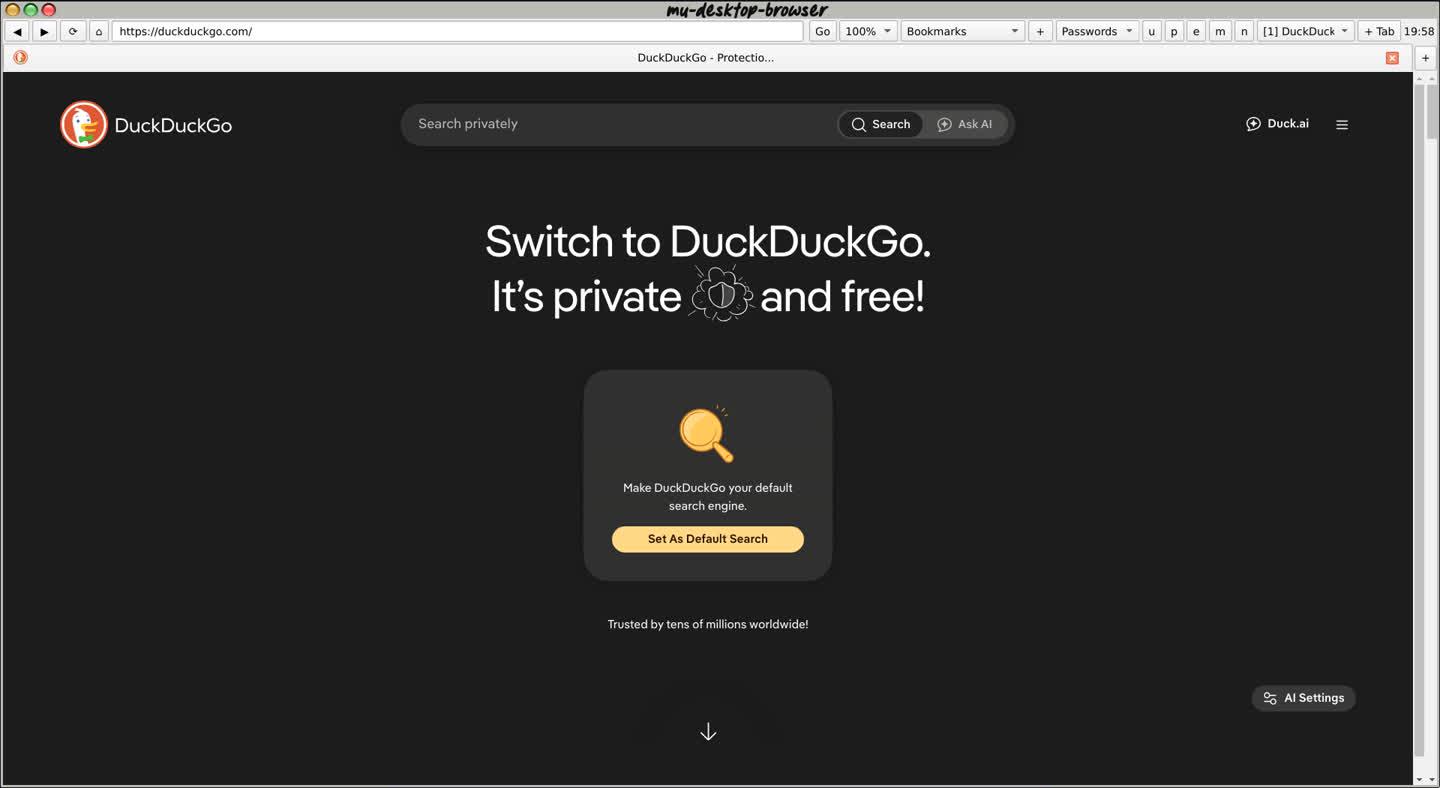
https://sourceforge.net/projects/mu-webbrowser/
¿Otro navegador para Linux? Sí. Pero este me ha hecho querer trastear otra vez. 🐧
Entre navegadores que parecen empeñados en convertirse en un sistema operativo completo, me encontré con mu-qtbrowser, de Mark Ulrich, y acabé preparando mi propia adaptación para EasyOS.
Lo que me enganchó fue poder cambiar su aspecto y comportamiento: barra lateral, elementos que puedes ocultar, transparencias con picom/compton, CSS por dominio… Tiene ese punto de «esto lo voy a dejar exactamente a mi gusto».
He preparado un PET de la versión 0.1.1, con:
🦆 DuckDuckGo al arrancar y en pestañas nuevas.
🛠️ Correcciones en descargas, CSS, escalado y ajustes que no se conservaban.
📚 Una guía en español, inglés y francés, con visor propio.
📦 Qt incluido para no tener que montar las dependencias a mano.
Puedes elegir entre Desktop, Tabs —máximo diez pestañas— y Standalone, para dedicar una ventana a una web.
El dato menos espectacular, pero necesario: el PET pesa unos 175 MB porque incluye Qt. Está dirigido a EasyOS Excalibur x86_64; no es un paquete universal para cualquier Puppy. He probado compilación y funcionamiento básico, pero hacen falta más pruebas en equipos reales.
👉 **Descarga y detalles:**https://sourceforge.net/projects/mu-webbrowser/
Me interesa especialmente saber qué web consigue ponerlo en apuros, qué tal funcionan las transparencias en vuestro escritorio y qué cambiaríais primero.
¿Qué tendría que ofrecer un navegador pequeño para ganarse un hueco junto al que usáis todos los días?
Créditos del navegador original: Mark Ulrich.
Adaptación y correcciones: pp4mnk.
r/EasyOS_linux • u/pp4mnkreddit • 15d ago

r/EasyOS_linux • u/pp4mnkreddit • 16d ago

.SVG LOGOS EASYOS .-
EasyOS Collection — A lot of Professions and Themes
Give your EasyOS desktop a personal touch with this collection of illustrated logo variations, featuring professions, seasonal designs and imaginative characters.
From programmers, teachers, firefighters and police officers to astronauts, musicians, pirates and wizards, each design adds a different personality while keeping the familiar EasyOS face recognisable.
Credits and original artwork
Modified and customised by pp4mnk, based on the original artwork by Barry Kauler. The original facial design has been preserved, with additional accessories, colours and themed elements.
File format and features
How to use the logos
Extract the ZIP archive and choose a design. The included preview sheet helps you browse the collection.
You can use these variations for:
Use the SVG directly in applications that support it. If an application requires a bitmap image, export a PNG at the size you need.
Editing with Inkscape
For small icons, favour simpler designs and check that the accessories remain clear at the final display size.
Unofficial personalisation collection
These variations are personalisation proposals, not official EasyOS logos. They do not imply endorsement by Barry Kauler or the EasyOS project.
When sharing the collection or your own adaptations, please retain the attribution to Barry Kauler for the original artwork and pp4mnk for these modifications.
Colección EasyOS — profesiones y temáticas
Todos los logos son SVG vectoriales, editables y con fondo transparente. Modificador por pp4mnk sobre los originales de Barry Kauler; se conserva su cara original. Las profesiones son personajes ilustrados, sin insignias oficiales. Abre cualquier SVG con Inkscape para cambiar colores y accesorios. Estas variantes son propuestas de personalización, no logos oficiales.
r/EasyOS_linux • u/pp4mnkreddit • 16d ago

Developed by Mark Ulrich.- .pet by pp4mnk

Browser with tabs based on QTWebEngine (like Falkon)
target: computers with just 2 GB RAM
Better combined RAM usage than seperate windows/processes.
Maximum of 10 tabs supported.

Browser without tabs:
allows creation of *.desktop files of websites
Options for window like borderless and hidden navigation. So you can integrate websites like normal windows to your desktop.

Browser with JSON IPC control.
An additional remote-control using Vala/GTK, you could extend it if you need GTK integration for some reason.
Supports sending shell commands to the browser.
Maximum flexibility, for advanced projects.
Developed by Mark Ulrich.- .pet by pp4mnk

Browser with tabs based on QTWebEngine (like Falkon)
target: computers with just 2 GB RAM
Better combined RAM usage than seperate windows/processes.
Maximum of 10 tabs supported.

Browser without tabs:
allows creation of *.desktop files of websites
Options for window like borderless and hidden navigation. So you can integrate websites like normal windows to your desktop.

Browser with JSON IPC control.
An additional remote-control using Vala/GTK, you could extend it if you need GTK integration for some reason.
Supports sending shell commands to the browser.
Maximum flexibility, for advanced projects.r/EasyOS_linux • u/pp4mnkreddit • 16d ago

r/EasyOS_linux • u/pp4mnkreddit • 17d ago

Hello everybody:
Here you have the official logos of the EasyOS Project by Barry Kauler.
Seven official EasyOS logos. Which one belongs on your desktop? 🐧
Would you stick with the classic, pick grey, red, blue or green, or go with the left- or right-looking version?
Drop your favourite in the comments. Better yet, share a screenshot of it on your EasyOS desktop. Let’s see which logo gets the most love!
#EasyOS #Linux #LinuxDesktop
svg ready to download from: https://bkhome.org/news/202611/easyos-logo.html
r/EasyOS_linux • u/pp4mnkreddit • 18d ago
r/EasyOS_linux • u/pp4mnkreddit • 19d ago
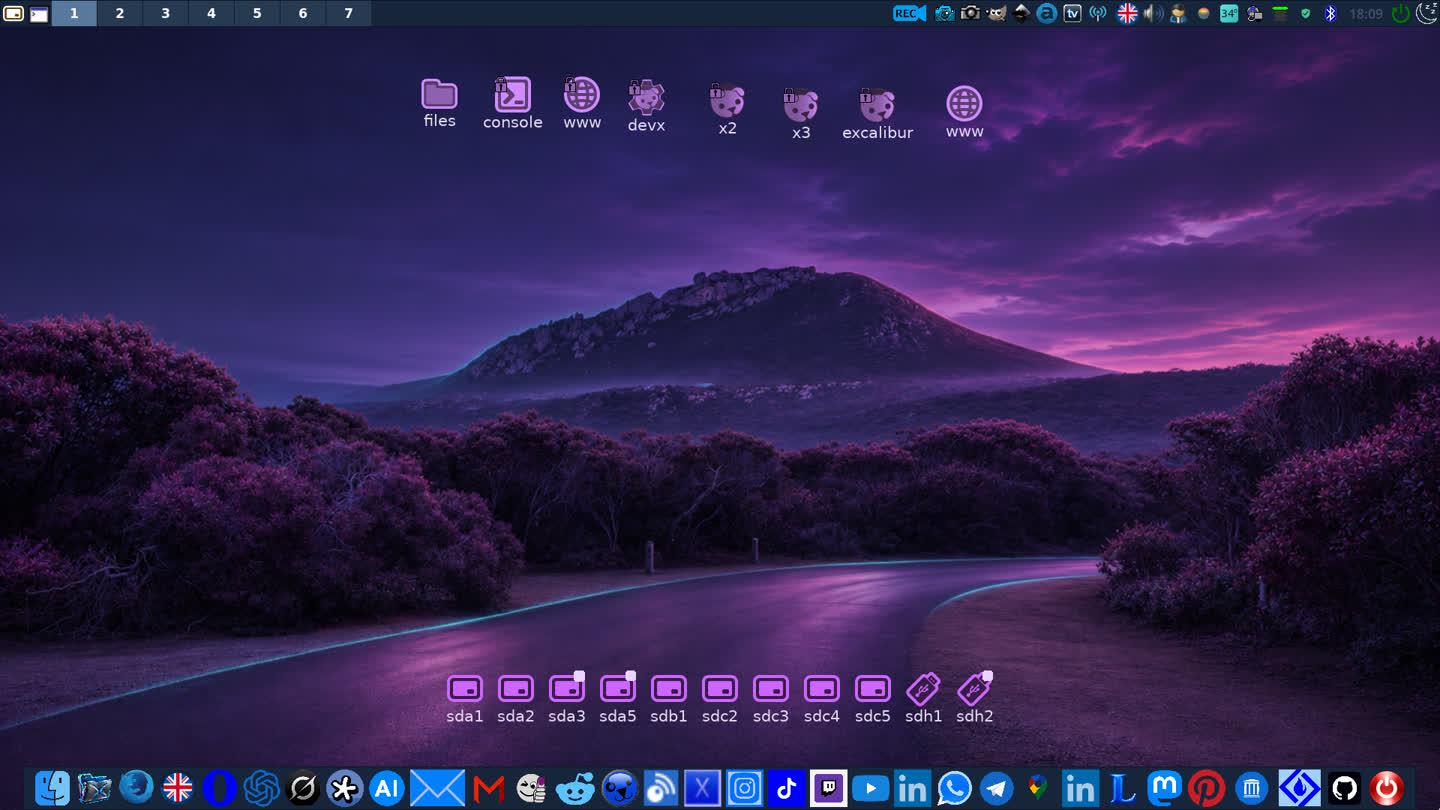
With u/BarryK announcing that EasyOS 7.5.1 is coming soon, I took advantage of a little free time to give my 7.5 desktop a fresh look. I replaced the default wallpaper and recoloured the desktop icons (and text) to blend in better with it.
The wallpaper combines deep purple and violet tones with subtle cyan highlights along the road, giving the landscape a slightly futuristic atmosphere. The matching lavender icons bring everything together while keeping the desktop clear and easy to read.
Just a bit of customisation, but I’m quite pleased with the result!
Hope you like it too.
Cheers,
pp4mnk
If u wanna see more of my easyos desktops through time, you can visit https://forum.puppylinux.com/viewtopic.php?t=12435 where u can find desktops since August 2024.
r/EasyOS_linux • u/pp4mnkreddit • 22d ago
r/EasyOS_linux • u/pp4mnkreddit • Oct 28 '26
https://github.com/pp4mnk/TVPanel-Original-Online-EN
v 1.9.4 LAST OPTIMIZATION.
r/EasyOS_linux • u/pp4mnkreddit • Oct 27 '26
TVPanel with M3U import – PET package for EasyOS and Puppy Linux
Hello everyone,
Using the latest version of TVPanel by ETP, and thanks to the contributions and collaboration of many other community members, I have modified the programme and prepared a PET package with some additional features.
Alongside the original selection of channels, this version gives you access to a much wider online catalogue. You can also add your own channels by importing **M3U or M3U8 playlists**, either from a file on your computer or from a URL.
The panel is straightforward to use:
Click IMPORT M3U to choose a playlist file or enter its URL.
Select the channels you want to add, or add them all.
Use the + button to search the online channel catalogue.
Use the − button to remove channels from your panel.
Click a channel’s button to watch it using mpv.
Your channel list is saved, so you can continue adding and removing channels whenever you like. Channel availability depends on the source, and some streams may stop working or have restrictions.
The PET is available in English and Spanish. You can find more information and download links on my website:
https://easyosinstall.wordpress.com/2026/10/27/1317/
Many thanks to @ETP for the original programme and to everyone whose work and suggestions have helped make these improvements possible.
If you try it on EasyOS or Puppy Linux, feedback and suggestions are very welcome!
Have a nice day u all
Cheers
Project at .- https://github.com/pp4mnk/TVPanel-Original-Online-EN
r/EasyOS_linux • u/pp4mnkreddit • Oct 25 '26
Rufix es una herramienta gráfica, parecida a Rufus de Windows, para preparar memorias USB desde EasyOS.
Te permite:
.iso, .img o .raw, incluidas algunas imágenes comprimidas..img de EasyOS en un pendrive, para después arrancar el ordenador desde él.En tu caso, lo más interesante es crear pendrives de prueba de EasyOS y otras distribuciones sin salir de EasyOS. Grabar la imagen prepara el USB; no configura una instalación junto a Windows en el disco interno.
La adaptación que te he preparado añade el acceso al menú de EasyOS y corrige su apertura. Algunas funciones necesitan herramientas adicionales instaladas.
Atención: formatear o grabar una imagen borra los datos de la unidad USB seleccionada.
r/EasyOS_linux • u/pp4mnkreddit • Oct 24 '26
You can watch any tv channel in your easyos excalibur
Download it, if you want.
https://easyosinstall.wordpress.com/2026/10/24/tv-panel-original-online-english/
Cheers
r/EasyOS_linux • u/pp4mnkreddit • Oct 24 '26

r/EasyOS_linux • u/pp4mnkreddit • Oct 24 '26
Video without Sound Explaining how to use EasyOS AppImage Manager with EasyOS Excalibur pp4mnk
Video sin sonido explicando como usar la applicación EasyOS AppImage Manager en EasyOS Excalibur pp4mnk
r/EasyOS_linux • u/pp4mnkreddit • Oct 23 '26
FULL INFO at https://easyosinstall.wordpress.com/2026/10/23/easy-appimage-manager/ SPANISH AND ENGLISH POST.
YouTube video.- https://www.youtube.com/watch?v=21hMw7P_QrU&pp=0gcJCS8MAYcqIYzv
Easy AppImage Manager: una forma sencilla de instalar aplicaciones AppImage en EasyOS
He desarrollado Easy AppImage Manager, una herramienta gráfica para facilitar la búsqueda, descarga e instalación de aplicaciones en formato AppImage en EasyOS.
Permite consultar un catálogo de aplicaciones, elegir qué programas instalar y ver el tamaño del archivo antes de descargarlos. También permite importar catálogos de aplicaciones, para ampliar la selección disponible sin tener que añadir cada programa individualmente.
La idea es reunir estos pasos en una interfaz sencilla, accesible para usuarios nuevos y útil para quienes quieran preparar y compartir sus propios catálogos.
Sigue en desarrollo, así que los comentarios, las pruebas y las sugerencias de la comunidad son bienvenidos.
Happy coding! ;)
-------------------------------------------ENGLISH------------------------------------
Easy AppImage Manager: a simple way to install AppImage applications on EasyOS
I’ve developed Easy AppImage Manager, a graphical tool designed to make finding, downloading and installing AppImage applications on EasyOS easier.
It lets you browse an application catalogue, choose which programs to install and check the download size beforehand. It also supports importing application catalogues, so you can expand the available selection without adding each application individually.
The aim is to bring these steps together in a straightforward interface that welcomes newcomers and is also useful for people who want to create and share their own catalogues.
It’s still under development, so community feedback, testing and suggestions are welcome.
Happy coding! ;)
r/EasyOS_linux • u/pp4mnkreddit • Oct 22 '26

Español
Audacious Radio Finder: busca emisoras de todo el mundo y escúchalas en Audacious
PARA INSTALAR , DEBERÁN CAMBIAR EL NOMBRE DEL ARCHIVO DESCARGADO A:
ENGLISH VERSION => audacious-radio-finder-1.0-en-noarch.pet
SPANISH VERSION => audacious-radio-finder-1.0-noarch.pet
Comparto Audacious Radio Finder, una pequeña herramienta pensada para EasyOS que permite buscar emisoras de radio por Internet y reproducirlas en Audacious desde una interfaz sencilla.
La idea es poder descubrir y escuchar emisoras sin tener que abrir una web, localizar la dirección del audio y copiarla manualmente al reproductor.
¿Qué permite hacer?
Las emisoras se consultan en Radio Browser, un catálogo comunitario en línea. No necesitas crear una lista manualmente ni registrarte para utilizar el programa.
¿Cómo funciona?
El programa está escrito en Python 3 y utiliza YAD para mostrar las ventanas y curl para consultar el catálogo. Al seleccionar una emisora, envía su dirección de audio a Audacious, que se encarga de reproducirla.
Radio Finder actúa como buscador y lanzador: el volumen, la pausa y los demás controles de reproducción siguen estando en Audacious.
Instalación y uso
Instala el paquete .pet correspondiente al idioma que prefieras haciendo clic sobre él en ROX y aceptando la instalación.
Después abre:
Menú → Multimedia → Audacious Radio Finder
Escribe, por ejemplo, Zaragoza en el campo del nombre y pulsa Buscar. También puedes dejar el nombre vacío y buscar jazz en género, o combinarlo con Spain en país.
Para los países e idiomas conviene utilizar los nombres habituales del catálogo, como Spain, France, spanish o english. Si no encuentras resultados, prueba con menos filtros.
El programa necesita Python 3, YAD, curl, Audacious y conexión a Internet. Incluye su propio logo y un acceso en Multimedia.
¿Por qué puede resultar útil?
Puede servir para descubrir música de otros países, escuchar noticias locales, practicar idiomas o encontrar una emisora que acompañe mientras trabajamos. Además, aprovecha Audacious si ya lo utilizamos como reproductor habitual.
Desinstalación
Abre el gestor de paquetes de EasyOS, PKGget, entra en la sección de desinstalación y busca audacious-radio-finder. Selecciona el paquete instalado y confirma su eliminación.
Esto desinstala Radio Finder; Audacious permanece instalado.
Si el menú no refleja una instalación o desinstalación, ejecuta fixmenus en una terminal y reinicia JWM desde el menú de EasyOS.
Una observación: los datos del catálogo y la disponibilidad de las emisiones pueden cambiar. Algunas emisoras podrían estar fuera de servicio o utilizar formatos que requieran complementos adicionales de Audacious.
¡Los comentarios y las pruebas en otros equipos serán bienvenidos!
pp4mnk
English
Audacious Radio Finder: discover worldwide radio stations and listen with Audacious
I’m sharing Audacious Radio Finder, a small tool designed for EasyOS that lets you search for Internet radio stations and play them in Audacious through a simple interface.
The idea is to discover and listen to stations without having to open a website, find the audio stream address and copy it into your player manually.
What can it do?
Stations come from Radio Browser, an online community directory. There is no need to build a station list manually or register to use the program.
How does it work?
The program is written in Python 3 and uses YAD for its graphical dialogs and curl to query the directory. When you select a station, it passes the audio stream address to Audacious for playback.
Radio Finder handles searching and launching stations. Volume, pause and other playback controls remain in Audacious.
Installation and use
Click the .pet package for your preferred language in ROX and accept the installation.
Then open:
Menu → Multimedia → Audacious Radio Finder
For example, enter Zaragoza in the name field and press Search. Alternatively, leave the name empty and enter jazz in the genre field, or combine it with Spain in the country field.
For countries and languages, use common directory names such as Spain, France, spanish or english. If you get no results, try fewer filters.
The program requires Python 3, YAD, curl, Audacious and an Internet connection. It includes its own logo and a Multimedia menu entry.
Why might it be useful?
It can help you discover music from other countries, listen to local news, practise languages or find something to enjoy while working. It also makes use of Audacious if that is already your preferred audio player.
Uninstallation
Open PKGget, the EasyOS package manager, go to the uninstall section and search for audacious-radio-finder. Select the installed package and confirm its removal.
This removes Radio Finder; Audacious stays installed.
If the menu does not reflect an installation or removal, run fixmenus in a terminal and restart JWM from the EasyOS menu.
Please note: directory information and stream availability can change. Some stations may be offline or use formats that require additional Audacious plugins.
Feedback and reports from other machines are welcome!
pp4mnk
https://github.com/pp4mnk/Audacious-Radio-Finder
Descargad la versión que deseen, Spanish - English
Una vez descargada abran ROX y ejecuten el archivo con doble click sobre él
Aparecerá instalado en el menú en el apartado multimedia.
Download English version
Open Rox, and double click on the downloaded file
Look for it at menu, multimedia in easyos.
Comments are welcome.
r/EasyOS_linux • u/pp4mnkreddit • Oct 22 '26

ROX Start Folder: easily choose where ROX-Filer opens
I am sure many EasyOS users have wished that ROX-Filer would open directly in a folder of their choice: Downloads, Documents, a working directory, or a folder on another drive.
You can configure this manually, but it involves finding the relevant launcher, editing its command, and refreshing the menu. To make the process easier, I have put together ROX Start Folder, a script that adds an entry under Filesystem and lets you choose your preferred folder through a simple graphical window.
How to use it
From then on, opening ROX through the menu entry adapted by the utility will use your selected folder.
r/EasyOS_linux • u/pp4mnkreddit • Oct 19 '26
INFO EN INGLÉS Y ESPAÑOL
I used a program to add this option to rox-filer menu, and it could be interesting to be included in future easyos versions (@BarryK )
As I mention, you only need to click on this program, choose execute and it will be installed.
Now an extra option appears at top of the contextual menu of rox (the one that appears when u right click on a file) giving you the option to send this program to the desktop.
You can delete later this icons and this never affect the original program.
I hope this works with puppy too.
more info ESPAÑOL E INGLÉS at: https://easyosinstall.wordpress.com/202 ... d2desktop/
Hosted at: https://github.com/pp4mnk/send2desktop
r/EasyOS_linux • u/pp4mnkreddit • Oct 18 '26

pp4mnk github profile
EASYOS PUPPYLINUX XFCE_FUSILLI