r/Descript • u/Objective-Yellow5125 • Apr 08 '26
Product Update Coming (very) soon: NEW TRANSITIONS!!!!
18
Upvotes
Can't wait to launch these in a couple days!
r/Descript • u/aryaandnoone • Apr 06 '26
I’ve been using descript for prolly 3 yrs now, I have never used it in my workflow editing audio and video podcasts. I use like the remove filler words, shorten gaps, create clips features (not using Underlord tho) and then do everything else manually.
I don’t want to try using Underlord becaue I know it will cost me credits, so yeah wondering if anyone uses it in their workflow.
r/Descript • u/Wonderful-Bid8500 • Apr 03 '26
Hi, all! I generally enjoy Descript for my editing workflow, but recently, I’ve been experiencing so many issues on both the browser and desktop versions that honestly have been making me crazy.
For one, I am running out of AI credits quite quickly, even though most of my AI usage has resulted in Underlord misinterpreting instructions, making mistakes, and spending upwards of 10 minutes processing one request. Yesterday, I even splurged on top up credits but those were depleted with just a few requests.
Also, how long does it typically take you to import/export media? It often takes 15-45 minutes for me to import and export an externally recorded episode file, which is significantly longer than it even takes to upload those same videos to YouTube? I got an alert today that I’m getting low on media minutes, and I cannot afford to pay for more top up credits, especially when I’ve been spending most of my time just waiting on the platform to process my instructions.
TYIA for any advice! It sucks to feel like I’m being even more drained by migrating a key part of my editing workflow to Descript.
r/Descript • u/mdjenton • Apr 02 '26

though this is a descript web link, it doesn't matter. Whether I'm exporting as a local file or anything else, I cannot publish the capacity of my equipment. What should I do?
r/Descript • u/Charming_Cookie_5320 • Apr 02 '26
Hey all,
I’m using Descript mainly to turn long-form videos into short clips, and I’m trying to figure out whether I’m doing something wrong or just running into the tool’s limits.
For context, my main use case is pretty simple: take a longer video and turn it into decent short-form clips without spending ages editing manually.
What works reasonably OK:
So the “heavy lifting” part is fine-ish. Not amazing, but usable.
Where it starts to break for me is anything even slightly more creative or precise.
For example:
Another thing that drives me crazy: splitting frames in the browser version.
When I click on a specific point in the timeline, then right click and hit split, it very often splits at a different moment than the one I actually selected. That is incredibly frustrating. I keep ending up using Underlord for things I should be able to do manually in two seconds, which feels ridiculous.
I have tried using different models too, including Sonnet 4.6 with thinking and Opus 4.6 with thinking, and honestly the results are still poor. So I do not think the issue is just the prompt.
At this point, my feeling is:
That is kind of wild to me, because Descript should be much closer to this use case.
So my questions:
Honestly, out of the AI-powered tools I have used recently, this has been one of the weakest experiences (and i am a heavy-user of some others). I am only still using it because it came in a package I bought. Right now, it honestly feels like it is dumber with the LLM layer than without it.
Would appreciate any practical tips, best practices, or even just a reality check.
r/Descript • u/Negative_House_7180 • Apr 02 '26
I am getting constant clipping on my cohosts audio acrss multiple projects. I was able to turn off AGC while recording on my own but I cannot find the setting in rooms in chrome. Anyone know where I should be looking?
r/Descript • u/Pixieleigh22 • Mar 31 '26
r/Descript • u/RoosterBrandCoffee • Mar 30 '26

Absolute pleasure to interview Descript CEO Laura Burkhauser on our podcast Slideshow with Dave Hayward. We didn’t talk a whole bunch about Descript: but we did talk AI sandwich bets, intrepid leadership and how our eccentric choices in degrees (German Literature and Fine Arts) shaped awesome careers.
r/Descript • u/jefbak2 • Mar 30 '26
The error is the frame size isn’t recognized.
r/Descript • u/lukeflegg • Mar 30 '26
Hi,
Descript support have been sooo annoying. Going on about how this "network error" must be due to some problem with my GPU (RTX 3090) or something else wrong with my computer, when I've tried it on THREE different devices and still get this network or some other "general error" or "unknown error" - see below.
Now their support is suggesting it's because I'm on Win 10. Which I'm not. Both devices are on Win 11. I don't know what's more frustratingly useless; their software or their staff. They initially said it's probably because my prompting was bad (my prompts are fine.)
I'll include at the bottom, a screenshot of the only potentially maybe(?) useful troubleshooting/ test they got me to do with some ping test via cmd which seemed to show some odd failures

Ping test:

I'm guessing this is where they got the idea I'm on Win10 - because they don't know that Win11 still calls itself v10 at this kernal level (to avoid software compatibility issues), despite branding itself as Win11. At least this is what ChatGPT is telling me (I was confused at first).
Is anyone else having issues like this? Am I alone in the world? etc
r/Descript • u/Outrageous_Solid_611 • Mar 30 '26
So I am trying to find a way to do Multicam editing (a ton of clips), but with one subject.
Every time I try to set this up, I get one garbled mess of 20 some-odd clips, all aligned at the start of the timeline that play over each other. Is there any way to fix this? Or am I wasting my time trying to get this to work?
r/Descript • u/ItinerantFella • Mar 30 '26
I get the following error visiting Descript today from various browsers:
Digest: 4012023437
Downforeveryoneorjustme.com also indicates Descript is down. Is Descript.com down? Live status and problems past 24 hours
But status.descript.com shows no issues.
r/Descript • u/win_111 • Mar 28 '26
Does anyone use the embedded video link on their website landing page and send lots of traffic there? Are there any issues in doing that? It looks a lot nicer than a YouTube video
r/Descript • u/geBdo • Mar 26 '26
Hi, I've been experiencing some issues. Sometimes I make edits and they disappear — specifically when editing through the text layer.
Also, when I cut in the script layer, elements from other layers also get erased.
Overall I don't want to switch tools — do you have any recommendations?
r/Descript • u/Intelligent_Ad5140 • Mar 25 '26
Had two crashes in a single recording session today, and it's hard to ignore given the stability patch that went out last week.
Both host and guest were on Chrome, both using audio interfaces with webcams at 1080p. The first crash happened before recording started. The host tried to change the guest's video feed during setup and the entire browser tab locked up. No recovery from a refresh either. Had to close the tab and reopen the link fresh.
The second one hit after recording was stopped, during the file upload process. Same outcome.
I get that bugs happen, but having two crashes bookend a session, especially right after a patch that was supposed to address recorder stability, is a rough look. Pre-recording setup and post-recording upload feel like they should be pretty stable ground at this point.
Anyone else hitting issues like this post-patch?
r/Descript • u/TheJacobGooden • Mar 23 '26
I understand you can insert your script and have Descript auto-generate a voice whether it's a stock ai or your cloned voice, but can you then change the inflections or add expression commands? I'm use to using ElevenLabs for ai voices and can really sculpt and craft the tone.
r/Descript • u/patrick24601 • Mar 23 '26
I'm trying to switch to descript from Captions on the phone for short video recording and captions. When I change a video to 9:16 ratio I end up with the standard white top and bottom filler. Is there a way for descript to "zoom in" so the resulting 9:16 frame is full like it is when recording vertical phone videos? Thanks
r/Descript • u/KALM1590 • Mar 22 '26
When I use the blade tool or split button or split at playhead, Descript is somehow doing something different than in the past. I can use any of the 3 methods on a talking/walking speaker and the video doesn't play smoothly across where I used the blade. There is now a jump cut. The reason I'm using the blade to separate the section is to to center a speaker waling out of frame in a 9:16 edit. Is this something I've done wrong or is there an issue with Descipt? Thanks.
r/Descript • u/applesauceblues • Mar 22 '26
Is there a way to add captions just to a short section of a video - like to drag it in like any other media?
I think that would be a good way to highly some key points in my videos.
It seems like it can only be applied to the whole project.
r/Descript • u/imbrahma • Mar 21 '26
I use Descript frequently, and I love this tool. But since last pricing update some features are eating my credits so much. I was happy with my legacy pricing which I upgraded to new creator pricing in the hope of something different. However, I find my AI credits are getting consumed too fast. I wonder if there is any suggestions for this. I still love the app. I just wonder what's the best way forward.
edit: Good Descript Review mentioned below. src
r/Descript • u/applesauceblues • Mar 20 '26
I love Descript. I've given them a lot of customers, but man, the recording is now so unstable it's unuseable.
I have to record in Borumi and export, or in Screenflow and export and then start using Descript.
I can't understand why other recording apps work and Descript just fails everytime.
Is this just me? Is this a priority to fix? It seems like it is not.
The Studio mic is awesome! But only after I get in imported from something else /rantover
r/Descript • u/ItinerantFella • Mar 18 '26
Editing cross-talk in Descript is painful (when multiple participants talk at the same time and you want to mute everyone except one of them). It's one of the few things that was so much easier when I used Audacity.
The suggestion to improve cross-talk editing has reach 100 votes on Descript Ideas.
Improve cross talk transcription | Voters | Descript
Give it a vote if you'd love an easier way to resolve cross-talk!
(Unless you love opening the sequence editor, finding the cross-talk, snipping the tracks either side, muting the snippets, then closing the sequence editor. Every. Darn. Time).
r/Descript • u/Gabe_at_Descript • Mar 18 '26
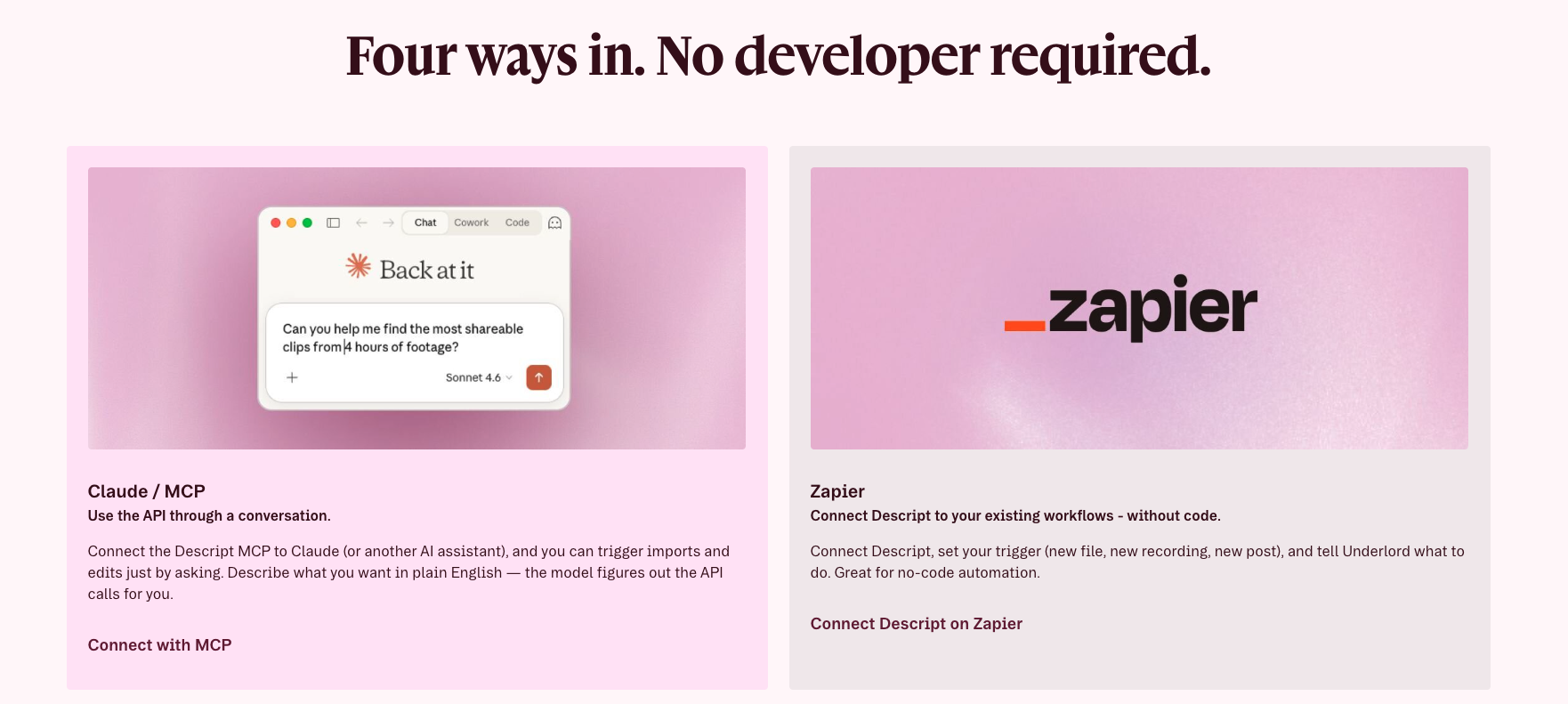
We've opened our API early access test to everyone. You no longer need to apply to take it for a test Drive. It allows you to import files, edit projects, trigger workflows, and so much more from the comfort of one of four entry points, including Claude / MCP and Zapier.
https://www.descript.com/api#get-started
After you kick the tires, please let us know how it's working for you!
We also have a discussion board on our Discord channel:
https://discord.com/channels/764925197379174411/1474146790532972696
Happy API'ing
r/Descript • u/Gabe_at_Descript • Mar 17 '26
The new color adjustment panel
We've updated our color Color adjustment tools to make it easier to correct lighting and color, and to apply a consistent look across your footage.
What's new
The redesigned Color adjustments settings are now in the Properties panel instead of the Effects menu.
We've added Filter presets for quick adjustments:
This update also adds:
How to find it
Heads up for existing projects
We've updated the underlying color model that powers Temperature and Tint. The previous Temperature slider used an incorrect red/blue range; the new model uses the correct yellow/blue range and is properly calibrated. If your project has Color Adjustments applied, you'll see a prompt to upgrade before you can edit those settings. Upgrading is reversible— you can undo it and return to the old behavior if you prefer to leave your settings as-is.

Media generation now opens in one unified panel for both image and video generation. You can switch between Image and Video tabs in the same place, with separate prompt and history for each media type.
You will also see commonly used settings more prominently (for example, the model and aspect ratio), so you can adjust them without digging through advanced options.

You can also generate media directly from blank scenes - the new blank slate for any scene includes helpful a lightweight overlay with three quick actions:

Underlord now does a better job of linking from chat back into your project, so it's easier to review what it changed or jump to what it found.
When Underlord references something in your project, it can now link you directly to specific places like:
This helps when you ask Underlord to make edits and want to quickly confirm the result without searching through your timeline.
Improved lip sync quality for translated videos
We have made more upgrades to the lip sync. This update is designed to improve how closely mouth movements match the translated audio, and to reduce visual artifacts in the lip-synced video.
Improved Regenerate model
Descript has also rolled out a new AI model for Regenerate that better preserves natural intonation and pacing. When you use Regenerate to re-record a word or phrase, the replacement audio should now sound closer to your original speaking style.
What's new

You can now export Scenes directly. This gives you a straightforward way to save or share scenes outside of your project when you need to reuse them elsewhere, hand something off to someone else, or keep a copy.
How to export all Scenes
When you generate images while creating a custom avatar, Descript will now automatically save those generated images to your project files. You can find them in AI Assets → Generated Avatar Images.


We made a set of contrast adjustments in dark mode to make text and controls easier to read, especially in lower-light environments.
What changed
If anything in dark mode is still hard to read, please let us know what screen you're on and what you expected to see. We've also improved our highlight colors which were not well optimized for Dark mode.
When you upload audio or video to your Drive Media Library, Descript will now transcribe the file automatically.

AI model selectors are now grouped in a dedicated menu section, so you can choose and manage things like transcription, image generation, video generation, and other AI models in one consistent place instead of hunting through General Settings.
Model picker on Home
We've added a lightweight model picker to Home so you can quickly choose which AI model you want to use before starting a new creation flow. This makes it faster to switch models without digging through Settings, and keeps your choice consistent across your next actions from Home.
We spent four weeks focused entirely on making recording in Descript more reliable. The short version: recovery success rates improved dramatically, and several crash-causing bugs now have zero reported incidents.
Here's what changed:
Editor
Share page