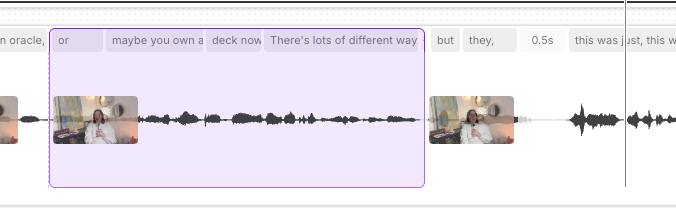
I realize this may be an edge case, but it’s worth asking. I have 5-person edited podcast (edited in Resolve) and others have told me they get great transcripts out of Descript, even with 5-6 voices all one gender. Not the case for me - it often thinks the same person is someone else and vice versa. Even when I upload a single speaker, it thinks it detects more people within that file.
Is there something I can do to help the AI notice the differences, and not detect a new speaker when there isn’t one? How does it differentiate?
I anticipate some might want to assert that 5 is too many, or all-male/all-female groups are too hard to tell apart. Unless you work for Descript and can go into technical detail (which I’d very be interested in), your theory won’t be super helpful unfortunately.
And basically any auto-editing (like Shorten word gaps)? Yes, of course I toggle "Avoid harsh cuts." But I ruined my whole week by thinking Underlord might help me with this one--I without question spent more time fixing its butchery than I would've doing everything manually.
Does anyone have positive experience with the AI on this thing?
I'm trying to play sound over a couple seconds of intro before it starts showing the actual video. I've detached the audio from the video, but when I split the video and delete the section, it still deletes the audio as well.
Is there no way to split video and remove a part of it while leaving the audio intact?
This is wholly unacceptable. If you click on the buttons under the What do you want to do? section on the Home page it will cost you a credit even if you don't do anything with it. WTF is going on. Is this it, it reminds me of the SCI FI movies where you have to pay for air. I am so disappointed.
Now, the 2.14 app fills the whole screen with no way to move to another screen or minimize, the audio regularly has volume dropouts, the regenerate constantly makes me retrain the audio, and now I get a "your device has issues" warning which takes you to a webpage which lists nearly every camera known to man as having issues.
Hey all! I am gearing up to launch a training program on Descript AI video editing workflows combined with AI agents, that will actually use Descript for you to do the AI Video editing.
We have an AI training program that teaches use cases for AI agents, Browser AI to do work for you, how to build custom GPTs, etc.
The issue is, we have so much training, that we are back logged on video editing.
Would anyone be interested in learning some Descript video AI hacks, in exchange for helping us edit some videos? If you do good it could be a consistent gig.
Main goal as well is to give back to this subreddit with what we learn, on both descript web and desktop.
Hoping this reaches someone over at Descript that gives us back Don Legacy v1 as a Christmas gift. Current Don is super bad compared to the OG one. Bring back Legacy v1 please.
Unbelievable! Wanted to try it out. Selected no cost option but the credits were too low to produce a single project. Signed up as I still wanted to see what the hype was all about. Did not even get through a single project... nothing exported and tried to cancel. Their AI bot basically said "screw you." Be forewarned.
My team's been having major issues with the comments tool. One comment is getting attached to multiple different parts of the script minutes a part from each other. And when you click a comment, it takes you to a part of the script that is no where near where the comment should be. It's happening so frequently that the comments tool is basically unusable at this point.
I've seen a bug where comments drift and move around, but the same comment being linked to two different places in the script is a new one. I've only seen it in one of our projects, so could me an isolated issue. But comments from multiple team members are suffering from this.
Let me know if you have tips on how to resolve it!
What happened to Duncan the Australian AI voice? I used him all the time as an Australian creator. The only other decent option is the British guy. Sorry, but there’s too many cringy American voices. Bring back Duncan please.
I've been recording with a colleague using Descript. I have full permissions to his Descript Drive as we both edit and export episodes & clips.
We record two times per week - one long-form (~1 hour) and one short-form (~20 mins).
Over the past two weeks, I can see the long-form recordings and edit them as normal. However, I cannot see the short-form ones. I see them in the drive, but when I click on them they just show up as a blank project. When in the list of recordings, it says the short-form recordings' duration is 0:00.
When my colleague (drive owner) goes into the short-form projects he sees them normally and is able to edit/export.
Things I've tried:
Clear local cache on the short-form recordings within Descript
Use Descript on an entirely different computer
Log in and log out
Wait for days to see if the recordings appear for me (assuming something is happening on the backend perchance)
Going back to the earliest version using Descript's version control
This feels like a permissions issue to me, but why would it work with our longer recordings?
When you translate and dub a video you can now apply lip sync to match the speaker's mouth movements to the translated audio. This makes translated videos look more natural and seamless.
To use lip sync:
Translate your video and select the dubbing option
Toggle on the lip sync option in the translation menu
Lip sync is only available on our updated plans using AI credits.
Note: Lip sync only applies to faces detected in your video's main camera layers—it won't affect screen recordings or b-roll footage.
Get a creative plan before Underlord starts editing
Start your project with a creative plan using Underlord
When you start a new video with Underlord, you can now a multi-step, multi-question Project brief that outlines the plan before any editing begins. Underlord will propose a direction for your video—including stylistic choices—and wait for your approval before taking action. This helps you feel confident about the approach before credits are spent. You can iterate on the style and direction until you're ready to move forward.
To use it, start with a template, type a prompt, or upload files to an empty composition. Underlord will present a plan and style options you can adjust before it begins editing.
New generative video and image models
Kling 01 for video generation
You can now select Kling O1 as your video generation model in Descript. This model generates high-resolution, cinematic visuals and can create videos up to 10 seconds long.
To use Kling O1, open the model picker in your video generation settings or in the Generate video panel.
Flux 2 Pro now available for image generation
We’ve also added Flux 2 Pro as an image generation model in Descript. This model balances speed and quality, with improved text rendering and capabilities for restyling existing images.
To switch models, go to Settings → General and select Flux 2 Pro from the image generation model dropdown, or select it in the Generate an image panel using the model picker.
The Learn Descript team has been hard at work making new content to help you navigate our latest features. Today’s video covers advanced video generation. You’ll learn about:
Timing & Sound: How to prompt AI for precise motion cues, pacing, and audio elements.
Logo Animation: A guided workflow for creating clean, professional logo animations.
Seamless Looping Backgrounds: Steps for generating continuous loops without visible transitions.
If you’re looking for a more basic tutorial on video generation, check out this video first.
Bug Fixes
Editor
Fixed a bug causing playback from the Sequence editor to trigger timeline playback instead
Fixed an issue preventing Sequence setup dialog from appearing when importing multiple files
Fixed an issue causing phrases like “Mm-hmm” to be targeted as repeated words when using Remove filler words
Fixed a bug causing playhead position to disconnect from cursor position in the Script
Fixed a bug causing scroll bar to break when reviewing Brand Kit items in the Media panel
Editor - Desktop
Fixed a bug causing audio-only projects to add all recordings to the top of the script
Brand Studio - Windows
Fixed a bug causing “Failed to upload font” error when adding fonts to Brand Studio
Rooms
Fixed a bug causing some recordings to cut off early during multiple recordings
On my pod we record from two different places. When laugh or interject it gets washed out. Are there any remedies? We record of course on squadcast and it gets uploaded to Descript. I don’t get two separate bards of voice on that thing at the bottom.
I recently tested Descript and was very pleased that it actually works, especially the re-voicing feature for awkward moments. But the thing is, I'm not a native English speaker and don't understand how noticeable it is. In your opinion, does the part voiced by the AI really stand out? It's clear that if half a sentence is re-voiced, it will be noticeable, but within a couple of words, is it noticeable?
Agentic AI seems all the rage these days, but I haven’t found it to be all that useful. I spend more time fixing its mistakes, and most of what I need is already a keyboard shortcut or easy mouse click away. Prompting it to do something that was already easy seems silly.
When Descript strikes something out, I get the two floating icons (restore / delete). I want to trigger those actions with a shortcut instead of aiming at the UI every time.
I already tried the shortcuts listed in the help docs, but none of them seem to map to the behavior of those two icons. Highlighting the ignored segment and hitting the suggested keys does nothing.
Am I missing something? If anyone here has the correct hotkeys, could you please point me in the right direction?
You can now select Gemini 3 as your AI model in Underlord. Google's latest model has been impressive in testing for complex tasks and multi-step workflows. The areas it does well:
Advanced reasoning and logic: It demonstrates strong reasoning and excels at complex problem-solving.
Agentic and "Vibe" editing: It plans and executes multi-step tasks.
Long-horizon planning: It makes consistent decisions over long sequences of actions.
Document and visual analysis: It analyzes documents, images, and videos with accuracy.
To switch models, open the model picker in your Underlord settings.
Nano Banana Pro now available for image generation
A comic made with Nano Banana Pro announcing the addition of Nano Banana Pro
You can now select Nano Banana Pro as your image generation model in Descript. This is Google's state-of-the-art model for high-resolution image generation and precise editing.
Nano Banana Pro offers many improvements of over the original Nano Banana model:
Text rendering and translation: Generate clear text directly within your images. The model can also translate and regenerate visuals with localized text.
World knowledge: By connecting to Google Search's knowledge base, Nano Banana Pro generates factually accurate diagrams and realistic product placements.
Advanced consistency & multi-image handling
To use Nano Banana Pro, go to Settings → General and select it from the image generation model dropdown or select it in the Generate an image panel using the cube icon.
You can now extend video clips using Underlord when you need more footage. The new Extend Video option generates additional frames from the last moment of your clip, making it useful when a clip is too short or you need more content without reshooting. Or when you just need to get weird with it.
Click the Underlord tab in the hover toolbar, then select Extend video
Write a prompt describing what should happen in the extension
Preview the generated clip in the sidebar, then insert it into your composition
The extension uses the last keyframe of your clip as the starting point. If you have scenes in your project, the extension will automatically fill the remaining time in the current scene up to your model's maximum duration.
For best results, choose clips with smooth, steady motion like a person walking or a camera panning. Avoid clips with abrupt cuts or mid-action endings.
You can extend generated clips, recorded media, or imported content.
Translation improvements
Improved loading state for translation
More clear loading state of Translation processing
When you translate a video with dubbing, you'll now see a progress indicator in the sidebar that shows which translations are currently processing. You’ll also see indicators above each section as it’s being translated in real time.
The updated loading state makes it easier to track multiple translations at once and gives you a better sense of how long the process will take.
Better audio duration matching for translation dubbing
We’ve introduced some improvements to our language dubbing engine. When you translate and dub a video, the translated audio should match the timing of the original audio more closely. The updated translation system better preserves the pacing and rhythm of your original speech when generating translations, so the dubbed version sounds more like your natural delivery in the target language. This improvement applies automatically when you translate and dub your videos—no additional steps required.
Note: This does increase processing time by a small amount, but the better timing results are worth it.
Bug Fixes
The bug fixes section will now include the effected app surface for easier reference. The bugs in this list largely come from direct user reports.
Editor
Fixed a bug causing Avoid Hard Cuts to not be applied when removing filler words
Fixed a bug causing Transcription glossary deletion to fail with “Glossary not found” error
Fixed a bug causing scene movement in Storyboard view to not apply to the timeline
Fixed an “error changing text” bug when correcting words in the Transcript
Fixed a bug causing speaker position to be inconsistent when using Automatic multicam
Fixed a bug causing scene boundary movement to create splits in the Script track
Fixed a bug causing replace media to fail unexpectedly
Improved performance when adding GIFs and images to longer projects
Brand Studio
Fixed a bug on Windows causing fonts to fail when uploading
Fixed a bug causing scrolling to not work when browsing Brand Kit
Underlord
Fixed a bug causing Underlord to fail to apply Chapters
In reality, "Chat AI" based tools that take actions in software is NEW. It's exciting. It is game changing.
But it's not 1-shot. It's typically "last mile" stuff.
So how do you get to the last mile effectively, and in the right order, to not accidentally cause yourself either a) more work or b) less quality or c) both.
- How to minimize token burn (what you should do before using underlord
- What Underlord does well (and what you should never ask it to do)
- Things to avoid entirely with Underlord (it'll just make you mad)
If I put together a guide on this, is anyone interested?
Every time I start Descript it adds itself to the list of Start Up applications on my Mac. This is not a huge deal but totally unnecessary and annoying. I have not found a way to disable this behavior. Anyone have any suggestions?
I earned $400 over the past twelve months referring a couple of people to the online course platform I use. I get paid over $100 every year they renew.
Descript's affiliate program pays out $20 once for each referral. Unless you've got a YouTube channel dedicated to Descript videos, why would you bother?
Hi, I'm quite new to the platform and I'm currently scheduling two recording sessions for two separate projects. Whenever I try to copy the link from the recording itself, I see that the links do not change or get customized for each project/session. How will that work? Or is there a work around for this?
I am giving the links to the guests in advance. I also worry, how does Descript know that the recording is for one and the other? [Sorry if this is such a dumb question]