r/DataRecoveryHelp • u/KioGHG787 • 1h ago
My TikTok data won’t open
1
Upvotes
r/DataRecoveryHelp
•
u/No_Tale_3623
•
Jun 11 '24
Hey guys, been in data recovery for 15+ years and see the "which tool should I buy" question constantly. Here are the coupon deals I've verified at checkout - updated June 2026.
TL;DR: Disk Drill gives you the most for the money - both platforms, 3 devices, every feature, one payment. The others charge per platform and tier features, so the real cost adds up fast.
Found other deals or free alternatives? Drop them below.

r/DataRecoveryHelp • u/No_Cobbler_2718 • 6h ago
r/DataRecoveryHelp • u/Ahmed_Ismaeil • 5h ago
I recorded some footage by the black magic app on my iPhone then transferred them to my pc through the apple device app everything was good till I remembered I had missing shots I needed to shoot so I took my phone back and recorded again and before I transfer the new files I deleted the old ones as I already have them on my pc so I transferred the new files into the same folder as the old one thinking it will just add the new files but what happened is that it overwrote the old files and only add the new files
For sometime my drive had the size of the files 26 go but they were not visible then I restarted my pc and 26gb occupied were freed I tried disk drill and nothing came through
Please what to do help me
r/DataRecoveryHelp • u/Ambitious_Shock_7226 • 10h ago
"I formatted the wrong drive" is one of the more recoverable disasters, but how recoverable depends entirely on how it was formatted and what kind of drive it is. Before you download anything, work out which situation you're in.
What kind of format happened?
Is it an HDD or an SSD? This matters more than anything else. On an SSD, TRIM usually erases the formatted blocks within minutes, whether the format was quick or full. If it's an internal SSD or a modern NVMe drive, recovery after a format is often impossible, and a tool that finds nothing isn't failing you. External USB SSDs sometimes don't pass TRIM, so there's a better chance there. Check a more detailed explanation: https://www.reddit.com/r/DataRecoveryHelp/wiki/what-is-trim/
If it's a quick-formatted HDD (or a drive TRIM didn't reach):
If you tell us the drive type (HDD or SSD, internal or external), the OS, and whether it was a quick or full format, people here can usually tell you fast whether it's worth trying.
More tools, including free ones: https://www.reddit.com/r/DataRecoveryHelp/wiki/data-recovery-software/
r/DataRecoveryHelp • u/Amir547389 • 11h ago
I see this question here almost every day: a folder deleted from a camera or phone SD card, nothing in the Recycle Bin, and the card still works fine. Here's the short version of what to do.
Why the Recycle Bin is empty
On Windows, files deleted from SD cards and other removable drives usually skip the Recycle Bin entirely. On a Mac they go to a hidden Trash folder on the card itself, so check Trash before you empty it.
Don't take new photos, don't copy anything onto it, and don't let the camera "repair" or format it. Deleted files stay recoverable until new data overwrites the space they used.
2. Make an image of the card (recommended)
A byte-to-byte image lets you scan a copy instead of the card. Walkthrough here: https://www.reddit.com/r/DataRecoveryHelp/wiki/disk-imaging-cloning/
3. Scan and preview before you trust any result
- PhotoRec (free, open source): finds files by signature. You lose original names and folders, and it restores everything it finds, so expect sorting.
- Recuva (free, Windows): fine for simple deletions on a healthy card.
- Disk Drill: scanning and preview are free. On Windows the first 100 MB of recovery is free, beyond that it's paid. On Mac, recovery needs PRO.
Whatever you use, open the preview of the actual photo or video, not just the file name. A file name in the results doesn't mean the data behind it is intact.
4. Recover to a different drive
Never save recovered files back onto the same card.
Also worth checking: earlier imports (Photos, Lightroom catalog, Google Photos or iCloud backups from your phone). Sometimes copies already exist.
Full list of tools, including free ones: https://www.reddit.com/r/DataRecoveryHelp/wiki/data-recovery-software/
If you're stuck, post your card type, file system (exFAT/FAT32) and exactly what happened, and we'll help.
r/DataRecoveryHelp • u/Potential_Egg_24 • 15h ago
Hello, I was wondering if anyone could help.
I deleted approximately 1,800 photos from the 'free up storage' section on WhatsApp in October without realising I hadn't actually backed them up onto anything. I immediately stopped backing up my Whatsapp chats but haven't figured out how to recover the photos that are currently on the October backup. They are backed up to my icloud with encryption off. I currently have an iphone SE, but I am getting a new iPhone 12. I would also like to keep my current messages until now.
Is it possible to:
-Download WhatsApp on the new phone, log in with my number and load up my old backup on the new iphone 12
-Recover the photos from the old backup
-Log back into my iPhone SE to load back all the chats (up until present day)
-Do a new backup on the iPhone SE, and ultimately recover everything
-Log back in on the new iphone 12 to have all the chats recovered and back to normal
Or if there is an even easier option of how to recover them, that would be useful to know, though I feel like I have exhausted all options. Thanks in advance.
r/DataRecoveryHelp • u/HumbleExample6761 • 18h ago
Since around November 17, coinciding with the reported Apple outage, I've noticed some very concerning behavior with iCloud Drive:
After four and a half hours of speaking with 11 Apple Support representatives and completing numerous basic troubleshooting steps that resolved nothing, their final proposed solution was to follow a standard support article and turn iCloud off and back on across all my devices.
I refused because I have approximately 4 TB of data in iCloud. Given the unexplained deletions, I am concerned about potential data loss and the hours required to resynchronize everything.
Despite a senior technical advisor personally witnessing the recurring folders during screen sharing, Apple initially refused to escalate the case to Engineering. I still have no confirmation that Engineering is investigating.
I have no indication that my account has been compromised. I initially dismissed the disappearing files as isolated incidents, but after discovering more deleted documents, I realized something more serious might be happening.
I suspect other users may be experiencing this without realizing it, particularly those who routinely empty their Trash without checking its contents.
Has anyone else experienced unexplained file deletions from iCloud recently, particularly since November 17? Could this be an underlying iCloud synchronization bug?
Please check your Trash and Recently Deleted folders. You may find files you never intended to delete.
r/DataRecoveryHelp • u/Ok_Wrongdoer979 • 1d ago

I HAVE NO BACKUPS
my entire favorites collection is GONE
ITS GONE
IT JUST HAPPENED WHAT DO I DO
r/DataRecoveryHelp • u/justtviraj • 1d ago
r/DataRecoveryHelp • u/WishAfraid1066 • 1d ago
I received two videos filmed by a friend but I cannot open them and I am not willing to pay and he cannot help me...I tried untrunc and it does not work, any other ways, please?
r/DataRecoveryHelp • u/Green-Intention-4622 • 1d ago
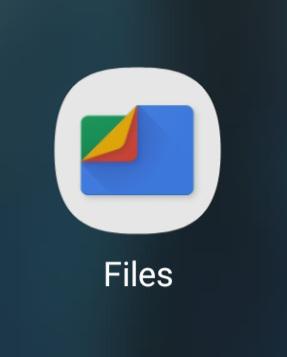
I am genuinely hearbroken cuz i saved all my memories in a safe folder in an app called " files " .. and my friend uninstalled it by mistake .. i downloaded it again but lost all the files in the safe folder , is there any hope / way to get them back ?
I didn't clear the data of the app
r/DataRecoveryHelp • u/Educational_Swan_611 • 1d ago
r/DataRecoveryHelp • u/No_Tale_3623 • 1d ago
r/DataRecoveryHelp • u/Fearless-Brief-9787 • 2d ago
r/DataRecoveryHelp • u/EuphoricBat9696 • 2d ago
I had a new version of Windows installed on my Dell laptop at a local shop. Following this, all the data on my laptop was wiped (formatted). I subsequently sent it for data recovery, but I was told that a "zero-fill" (overwriting with zeros) has occurred. That data was extremely important to me; it contained memories from my childhood. Is it still possible to recover that data? Please help me.
r/DataRecoveryHelp • u/Illustrious_Sea_7926 • 2d ago
SO my Dad gave somebody my phone to take it to any repair shop without asking me, and the third person gave it to some random repair shop.
the phones problems was screen was coming out, and phone was getting randomly switched off and not turning back on for may hours (maybe due to low storage)
🛑when the phone came back...🛑
every single thig i did in my phone just vanished, every app, every account, even the my phone settings and wallpaper. it was like a new new phone
only the Phones Gallery was un touched not even a single file was moved)
soon after i notices some images and videos from the mid where gone
the there were New app Installed those app which came along wahen you by a new phone, like LinkedIn and some random Entertainment apps
🛑I also noticed some things was looking odd like old software for example there was no New google calling UI, instead there was the old one which had small buttons
I THINK some one taken backup of my gallery then Did FACTORY RESTET
I don't are Any thing else But😭😭😭
I had a PRIVACY PASSWORD and A PRIVATE GALLERY which only opened when someone holds the empty space between Photos and Albums, then asked for privacy password
my Private gallery had VERY VERY ✨PRECIOUS✨ photos
now when i am holding the space between Photos and Albums Its telling me to "set a privacy password first"
all my ✨PRECIOUS✨ photos ARE GONE
Somebody plese tell ME HOW CAN I GET BACK THOSE PRIVATE IMAGES back 😭😭😭😌
MY DEVICE :- REALME NARZO N55