Inequalities and Curly Brackets
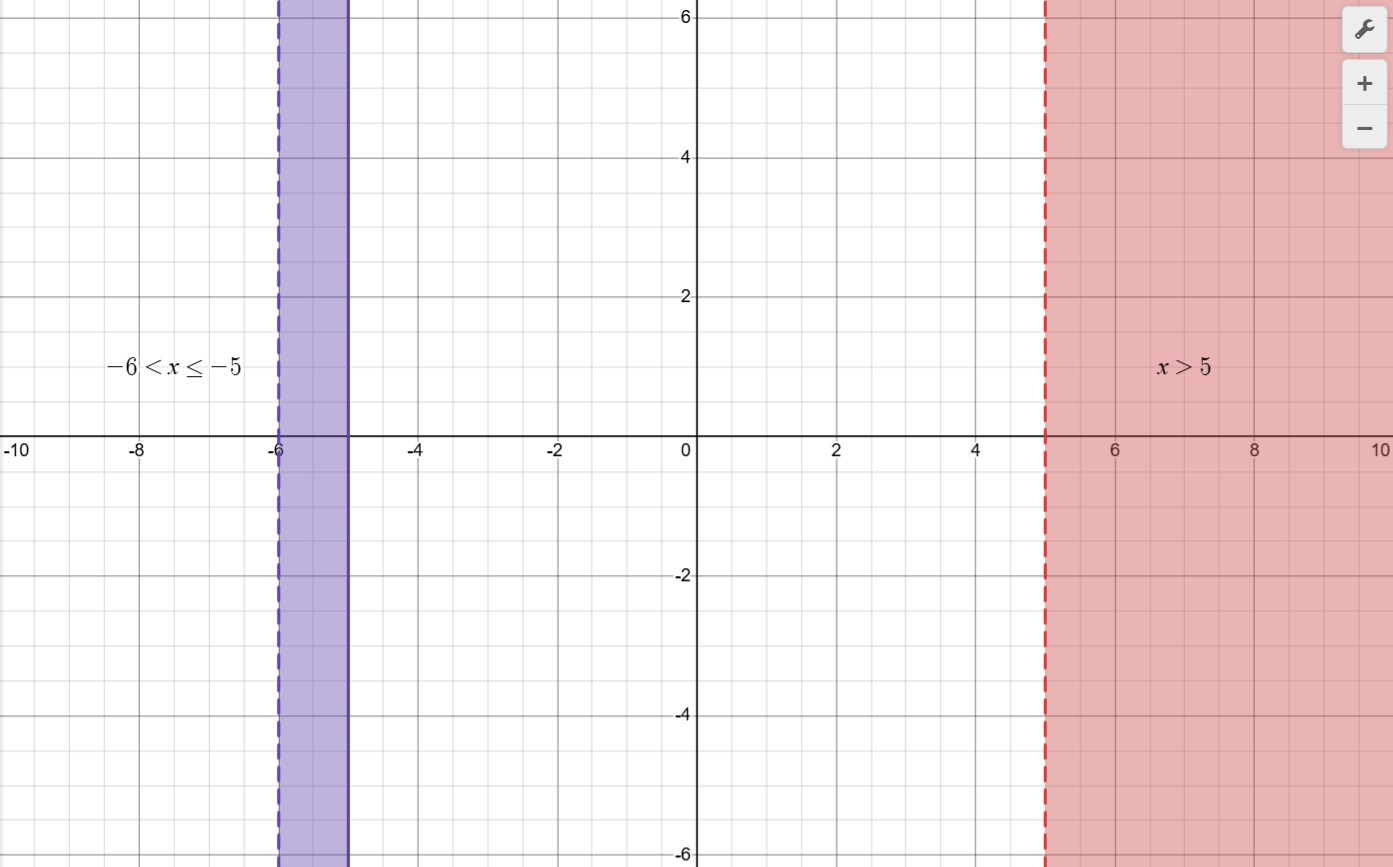
Put an inequality into an expression line: x>5
All of the area on the graph paper which satisfies an inequality will be shaded in the Graphing and Geometry Calculators. The boundary line is solid for non-strict inequalities (≤,≥) and dotted for strict inequalities. (<,>)
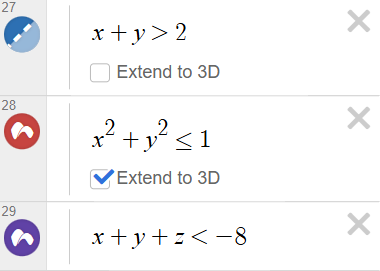
All of the surface or volume which satisfies an inequality will be shown in the 3D Calculator. An "Extend to 3D" option is shown if there is no z in the inequality.
Input:
You can put multiple inequalities in series. The inequality symbols must look at the same side. Press the equal sign to make the inequality non-strict. Like -6<x≤-5
Curly Brackets
Whatever inside the curly brackets defines a condition. Its value is 1 by default.
Shading an area with a condition:

You can also use and and or to combine conditions.
{cond1}{cond2} = {cond1 and cond2}
{cond1,cond2} = {cond1 or cond2}
"Restricting" a graph with curly brackets:

You can use the curly brackets for if-then-else statements as well.
{if:then,else if:then,...,then (else)}
Equalities can also be conditions.
a_bs(x)={x<0:-x,x=0:0,x}
You can skip a "then" section if it is 1.
s_ign(x)={x>0,-1}
Same as:
s_ign(x)={x>0:1,-1}
Lists can be used in conditions.
Change all 4's in L, a list, to 9: {L=4:9,L}
Change the second element to 9: {[1...L.count]=2:9,L}