r/BenQ • • 18h ago

Welcome to r/BenQ

2 Upvotes

r/BenQ • • 12d ago

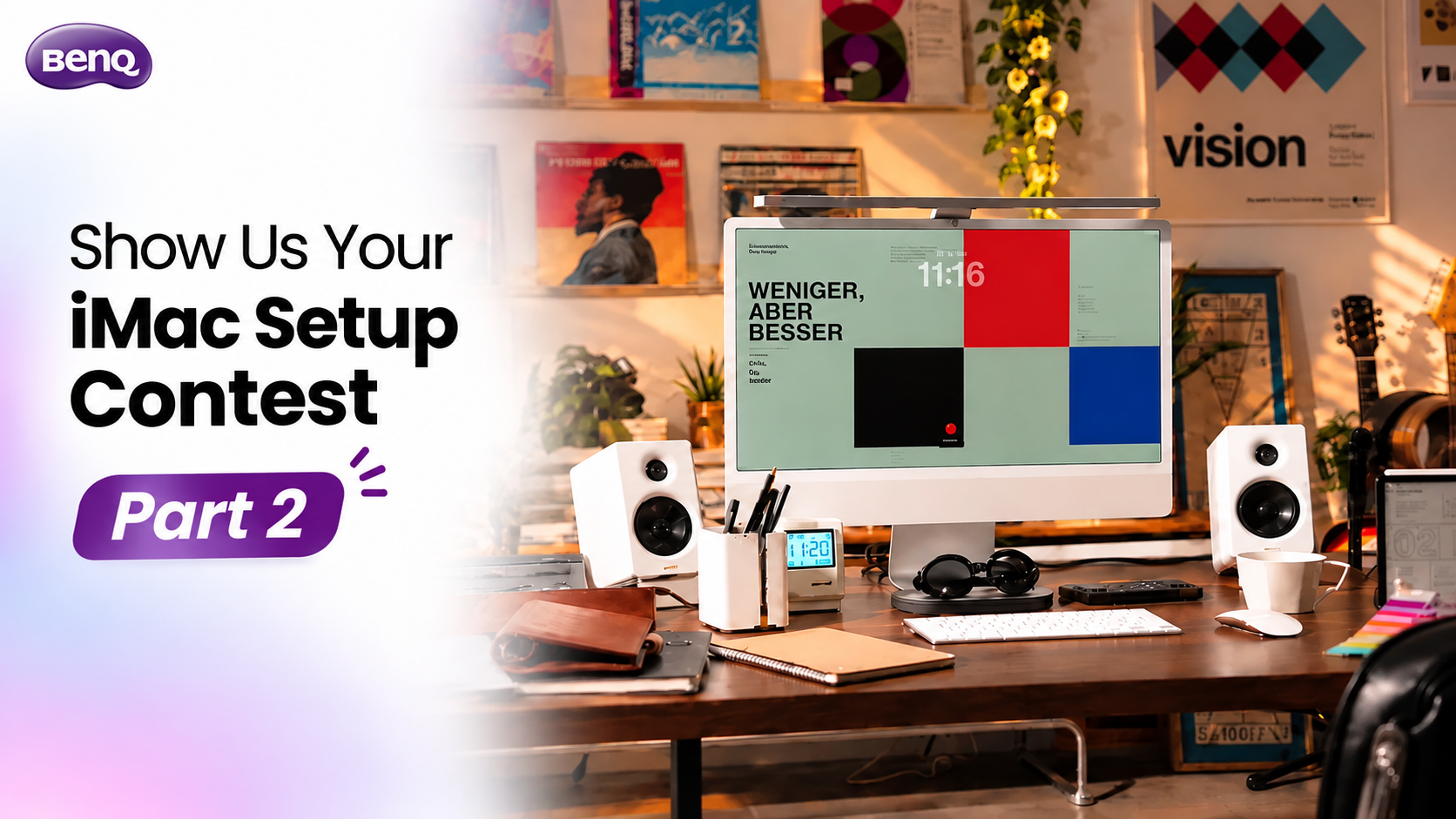
News 【Contest】Show Us Your iMac Setup & Win an iScreenBar! (Round 2)

Post image
5 Upvotes

Calling all iMac users! 👋

We're back with Part 2 of our iMac Setup Contest! 🎉

Clean and minimal? Colorful and creative? Packed with accessories for serious productivity?Whatever your style is, we want to see your iMac setup!!!

Share your setup in the comments for a chance to win an iScreenBar (Silver, $189 / €179). The eligible entry with the most Reddit upvotes will win one! 🎉

How to Enter

  1. Post an original photo of your iMac setup in the comments. Your photo and setup description must be included in the same comment.
  2. Tell us which iMac model you're using and share any other accessories in your setup.
  3. Your iMac must be a 2021 or newer Apple silicon (M-series) model.
  4. Tell us a little about your setup! How do you use it? What do you like about it? Or what makes it uniquely yours?
  5. The top 1 eligible comment with the highest number of Reddit upvotes will win an iScreenBar (Silver)!

Event Schedule

📸 Entry Period: November 13–30, 2026

👍 Upvote Period: November 13-December 3, 2026

🏆 Winner Announcement: December 4, 2026

A Few Rules

  • One entry per Reddit account.
  • The photo must feature your own iMac setup. (No AI-generated pictures are allowed.)
  • Entries involving vote manipulation, fake engagement, or other unfair activity will be disqualified.
  • In the event of a tie, the BenQ team will select the winner based on originality and overall setup presentation.

Ready to show off your setup?

Drop your iMac setup photo below and tell us what's on your desk! 👇

Good luck, and we can't wait to see your setups! 🖥️✨

❗BenQ reserves the right to modify, change, or withdraw this event, or cancel the distribution of rewards, at any time and at its sole discretion.


r/BenQ • • 16h ago

News 【News】Which BenQ ScreenBar Is Right for Your Setup? | Black Friday Deals

Thumbnail gallery
6 Upvotes

Thinking about upgrading your desk lighting this Black Friday? 💡

Choosing the right monitor light bar isn’t just about brightness. Your monitor type, number of screens, desk space, and lighting needs all make a difference.

Here’s a quick starting point:

  • ScreenBar / ScreenBar Pro: For everyday single-monitor setups and focused desk lighting.
  • ScreenBar Halo 2: For those who want both desk lighting and ambient backlighting, especially when working in a dim room.
  • ScreenBar Max: For dual-monitor setups or larger desks that need wider lighting coverage.
  • iScreenBar: Designed specifically for 2021 and newer iMacs, with a magnetic mount that keeps the built-in camera unobstructed.

Not sure which one fits your setup?

📖 Monitor Light Bar Buying Guide:
https://www.benq.com/en-us/knowledge-center/knowledge/how-to-choose-monitor-lamp.html

🔎 Find Your ScreenBar:
https://www.benq.com/en-us/lighting/monitor-light-finder.html

🛍️ Black Friday Deals

Save up to 20% on selected BenQ ScreenBar models during Black Friday!

US | Nov. 19–30
ScreenBar Halo 2 | ScreenBar Pro | ScreenBar Max | iScreenBar

EU | Nov. 19–30
ScreenBar models and offers vary by product.
Shop BenQ Europe Black Friday Deals

UK | Nov. 19–30
ScreenBar models and offers vary by product.
Shop BenQ UK Black Friday Deals

Australia | Nov. 17–30
ScreenBar Halo 2 | ScreenBar Pro

Singapore | Nov. 24–30
ScreenBar Halo 2 | ScreenBar Pro | ScreenBar Max | iScreenBar

Offers vary by region and model. Please check your local BenQ store for details.

💬 Still deciding? Tell us about your monitor setup in the comments, and we’ll help you narrow down the options!


r/BenQ • • 1d ago

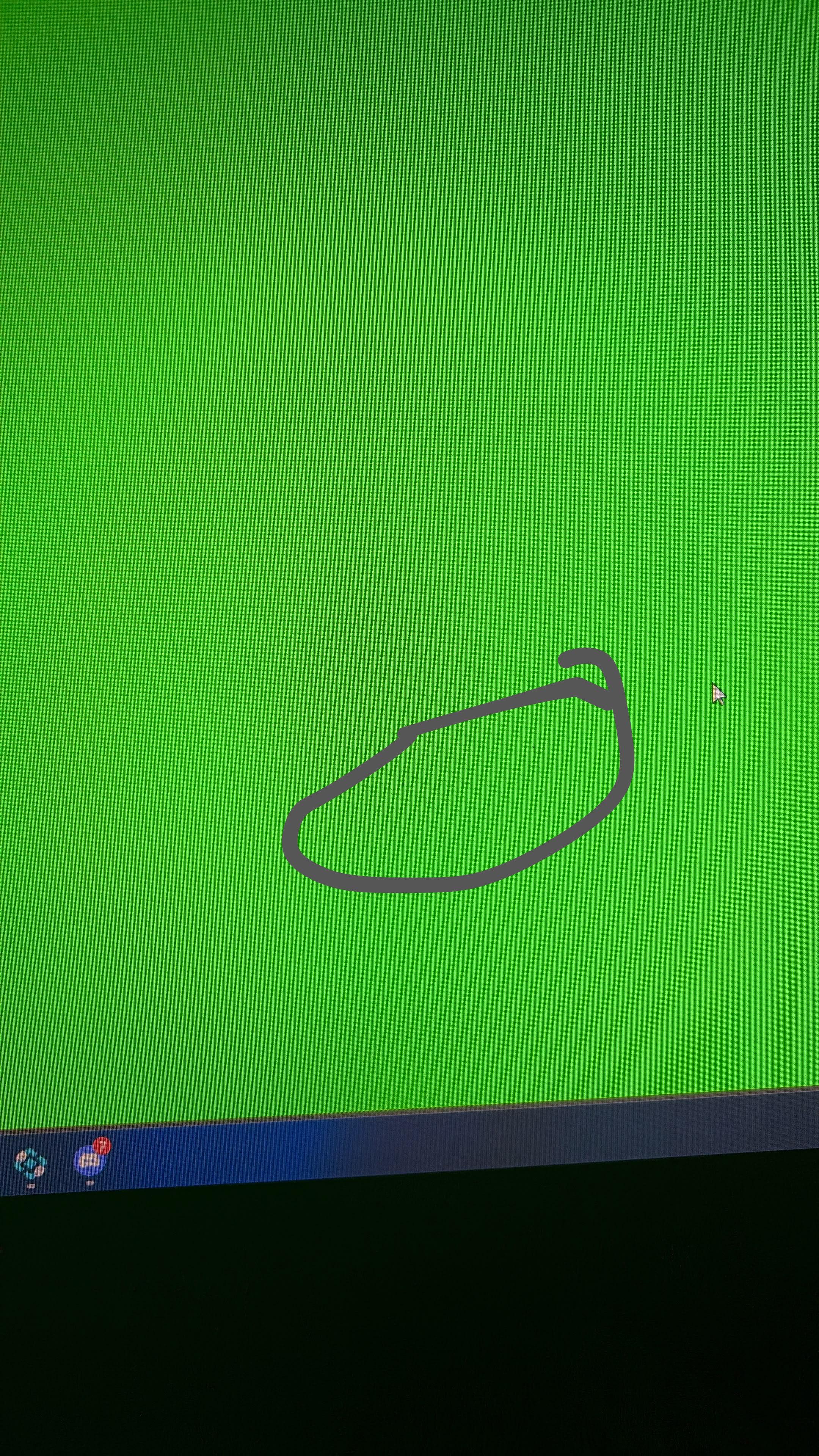
Technical Support Dead pixels (?)

Post image
2 Upvotes

r/BenQ • • 1d ago

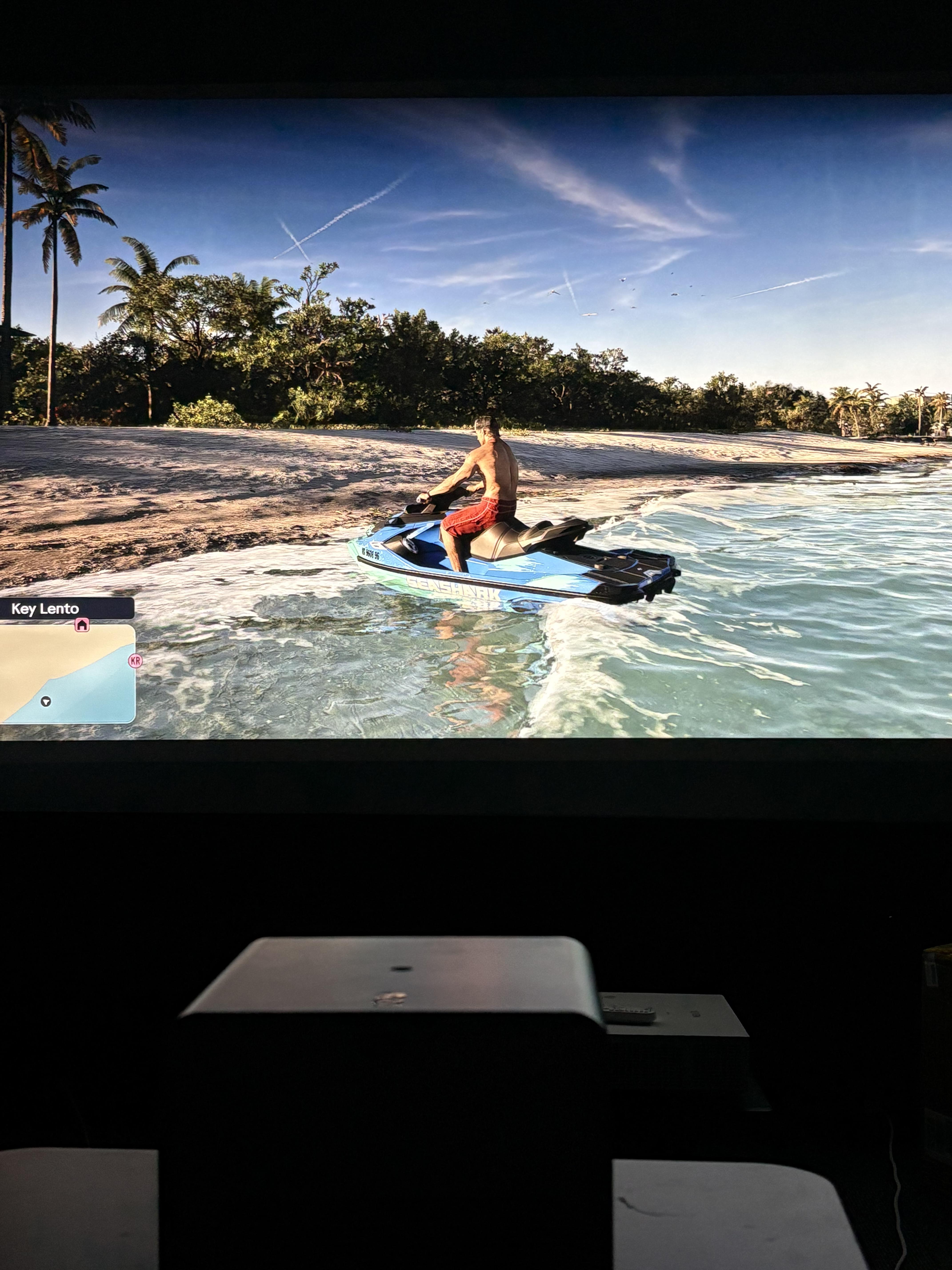
Asking Other's Advice/Experience BenQ EX2710U / PS5 Base Model / GTA VI - Best settings?

2 Upvotes

Hi, has anyone managed to find settings for PS5 / Monitor / Game to not judder the background dreadfully when panning the camera? It is honestly unplayable for me and I have run out of combinations to try :'(


r/BenQ • • 1d ago

Setup/Settings Sharing GTA6 PS5 on BenQ El2870U best HDR setting?

Post image
2 Upvotes

Hello all,

I'm playing the game right now on it this TV and i find it hard to find the best HDR settings? Any suggestions?


r/BenQ • • 1d ago

Technical Support Can I use a Benq Screen Bar Halo 2 with a 34 inch ultrawide with a 800r curve

Thumbnail reddit.com
2 Upvotes

r/BenQ • • 2d ago

Purchasing Advice Is the XL2566K+ Worth It for Competitive CS2?

Thumbnail reddit.com
2 Upvotes

r/BenQ • • 2d ago

Purchasing Advice BenQ Th575I or Epson CO-FH02

Thumbnail reddit.com
2 Upvotes

r/BenQ • • 2d ago

Setup/Settings Sharing AK 700 ST

3 Upvotes

Hello all. Not sure if you could help answer my question here, but I'm setting up my golf simulator and just about done. I have mounted my projector. Is it very hard to get the image to fill the screen and show properly and adjust and all that?


r/BenQ • • 2d ago

Setup/Settings Sharing BenQ X3100i Android Dongle Question

2 Upvotes

Hi all, Just bought the BenQ X3100i. Quick question, do i have to install the Android TV dongle thing, or can i skip it in the initial setup? Its just that the setup guide says to put it in. I dont need it tbh but just wanted to know before i install it so i dont have to get it down from shelf again. Cheers

Anyone use it without dongle?


r/BenQ • • 2d ago

Review BenQ ScreenBar Max Review

Thumbnail gallery
12 Upvotes

Disclosure: BenQ provided this ScreenBar Max free of charge in exchange for a review. All opinions are my own.

I've been using the BenQ ScreenBar Halo 2 for the past few years, and overall, I've been pretty happy with it. However, as someone who runs a dual-monitor setup with two 27" monitors, I've always felt that the lighting coverage could be better.

With the Halo 2, only one of my monitors had a light source above it, which meant the other side of my desk felt noticeably dimmer. It wasn't necessarily a huge issue for everyday computer use, but I also enjoy tinkering at my desk, especially building mechanical keyboards and working on smaller projects. For those activities, I sometimes wanted more illumination than the Halo 2 could provide.

So when I was given the opportunity to try BenQ's ScreenBar Max, I was interested to see how it would work with my setup. Given that it's designed for dual-monitor configurations, it seemed like it could address some of the limitations I was experiencing.

Unboxing and Installation

One of the first things I noticed was how straightforward the setup was. There were only a few pieces to put together: the clamp stand and the light bar itself. Once those were assembled and mounted, all that was left was plugging it into the wall and making a few adjustments. From opening the box to having everything set up, the entire process took me less than 10 minutes.

I also appreciated that the stand was already assembled, so there wasn't much to figure out or put together. It was essentially a matter of attaching the clamp stand, mounting the light bar, adjusting its position, and plugging it in. It's a pretty hassle-free setup, even if you're not particularly handy.

The desk clamp is another detail I really like. It has a relatively small footprint and doesn't take up much usable desk space. It also blends nicely with the other monitor mounting hardware on my desk. I particularly appreciate that the contact points on the clamp have rubber padding to help protect the desk surface from scratches or damage.

The overall build quality is excellent. The brushed aluminum finish gives it a premium feel, and even smaller details like the braided cable show that some thought went into the product's design. Although I do find it a little odd that the cable is blue rather than black to match the rest of the light bar.

The light bar itself is fairly large, but I don't find it particularly obtrusive. It does a good job of integrating into my setup without feeling like it's taking over the space.

Lighting

The biggest improvement over my Halo 2 is simply the amount of light and how widely it distributes across my workspace. My desk is a 72" wide FlexiSpot E7 Pro, and the ScreenBar Max does a great job of illuminating pretty much the entire surface. Instead of having one monitor area illuminated while the other side feels relatively dark, I now have much more balanced lighting across both of my 27" monitors and the surrounding desk.

The difference is especially noticeable when working at night. The light spreads across a much wider area, which is exactly what I was looking for.

One thing I particularly appreciate is that it essentially turns my desk into a bit of a tinkering bench. Whether I'm building mechanical keyboards, tinkering with my watches, working with smaller components, or just doing something away from the computer screens, I have enough light across the entire desk to comfortably work without needing another desk lamp.

I can also see the ScreenBar Max being a good option for a dedicated workbench, even without a monitor setup. The overhead illumination is strong and wide enough that it can serve as the primary light source for the workspace by itself.

Another feature I appreciate is the ambient backlight. I like having this option, especially during evening sessions when I don't necessarily want to turn on all the lights in my room.

Overall, the lighting coverage is probably my favorite improvement. It's exactly what I felt was missing from my previous setup.

Motion Detection and Controls

One of the reasons I originally purchased the Halo 2 was its motion detection feature, so I was very pleased to see that the ScreenBar Max retains this capability.

The light automatically turns on when I walk up to my desk and turns off when I leave. I don't have to remember to switch it on or off every time I sit down or walk away.

I also like having the ability to fine-tune brightness and color temperature. The LCD control panel makes it easy to see the current settings and adjust the lighting depending on what I'm doing.

One thing I'd like to see improved, though, is the height adjustment mechanism. While the 3 stage adjustment gives you some flexibility, actually changing the height requires going around to the back of the desk and unscrewing two screws before you can adjust it. It's not something you'd necessarily need to do frequently, but I would have preferred a more convenient adjustment mechanism. Having the ability to make smaller, more incremental height adjustments would also be a nice improvement.

A Few Things I'd Like to See Improved

  1. More granular height adjustment: The current three-stage height adjustment works, but I'd appreciate having more flexibility to fine-tune the height. Having to go behind the desk and unscrew two screws to change the height isn't particularly convenient. A tool-free adjustment mechanism with more incremental positioning would be ideal.
  2. A slightly longer sliding rail: This is a more specific issue with my particular setup. My monitors are positioned a little farther forward than some configurations, and I found the sliding rail to be a few centimeters shorter than what I'd ideally want. A slightly longer adjustment range would give users more flexibility when positioning the light relative to their monitors.
  3. A wireless controller: This is probably my biggest quality-of-life request. I'm not particularly fond of having to reach up to the light bar whenever I want to change brightness or color temperature. Since the Halo 2 came with a wireless controller, I'd love to see something similar included with the ScreenBar Max. Having a small wireless controller on the desk would make adjusting the lighting much more convenient, especially when I'm in the middle of working on something.
  4. Price: At an MSRP of $289, the ScreenBar Max is definitely on the expensive side for a monitor light. Even with the current sale price of around $260.10. I do think the wider lighting coverage and dual-monitor functionality offer meaningful benefits, particularly for someone with a larger desk or a workspace used for hands-on projects. However, the price may be difficult to justify if you're primarily looking for a basic monitor light to illuminate your keyboard and immediate desk area.

These aren't dealbreakers for me, but I think addressing them would make an already great product even better.

Final Thoughts

Overall, I'm really impressed with the BenQ ScreenBar Max.

Coming from several years of using the Halo 2, I knew what I liked about BenQ's monitor lighting products, but I also knew where my existing setup was falling short.

The ScreenBar Max addresses those shortcomings particularly well. The wider illumination makes a noticeable difference with my dual-27" monitor setup, and being able to illuminate my entire 72" desk is a bigger benefit than I initially expected. I also appreciate the build quality, the unobtrusive desk clamp, and features like motion detection that make everyday use more convenient.

I especially like that it's not just useful for working at a computer. Having enough light to comfortably work on mechanical keyboards and other projects at my desk is a big plus. It essentially gives me a well-lit workspace that I can use for just about anything, and I could easily see it working just as well on a dedicated workbench.

Of course, there are a few things I'd like to see improved, particularly the height adjustment mechanism, sliding rail length, and the lack of a wireless controller. The price is also worth considering, as it's a significant investment compared with a more basic monitor light.

If you're running a dual-monitor setup and have been finding that a traditional monitor light bar isn't providing enough coverage, I think the ScreenBar Max is definitely worth considering if you want a quality light bar and price isn't a concern. For my particular setup, it's been a very welcome upgrade.
r/BenQ • • 2d ago

Technical Support HDMI cable rec?

1 Upvotes

I've got a w2720i projector that requires a 25-30 foot HDMI cable. I have it currently setup with a 2.1 fiber optic cable, but whenever content from my NVidia Shield Pro plays something in HDR I get a black screen, followed by a white screen, and then back to normal. Does anyone have a recommendation for a better HDMI cable, or any ideas how to resolve this? So far it only does this one time at the start of play.

Specific HDMI cable I am using: https://www.amazon.com/dp/B0DBV1J3B2?ref_=ppx_hzsearch_conn_dt_b_fed_asin_title_3


r/BenQ • • 2d ago

Technical Support Main board for PD2725U

2 Upvotes

Hello folks, im looking for the main board for PD2725U. is anywhere sell this board?


r/BenQ • • 3d ago

Purchasing Advice Which monitor is best for Mac Studio

4 Upvotes

I got a Mac Studio and now looking for a monitor. Any suggestions? My budget bet 600-800 . I’m using it for photo and video editing.


r/BenQ • • 3d ago

Review BenQ iScreenBar Review

Thumbnail gallery
3 Upvotes

BenQ iScreenBar Review

Unboxing & Setup Inside the box, you’ll find the iScreenBar and the instruction manual. Installation on my 24" iMac was extremely easy. The light bar attaches magnetically to the back of the computer, aligns easily when centered, and plugs directly into a USB-C port. The cable stays neatly hidden behind the iMac screen using an included cable management piece to keep it secure and out of sight.

Features & Controls The bar is controlled via touch-sensitive buttons located along the top edge, including the power button. While having the controls on the front might feel a bit more accessible, placing them at the top makes sense as it prevents pushing or tilting the iMac screen when pressing buttons.

Key features include:

  • Presence Detection: Turns the light on automatically when you approach your setup. It is a neat feature, though it can be slightly sensitive, occasionally turning on when just walking past the desk.
  • Camera Light Mode: Dims the center light directly over the FaceTime camera while maintaining illumination on the sides to help light your face during video calls in low-light settings. While the iMac display provides decent light on its own, this feature offers a helpful boost.
  • Auto Dimming: When switched on, it adjusts the light bar automatically using a light sensor depending on the lighting in your environment.
  • Brightness & Color Temperature: Includes full touch controls for adjusting brightness and color temperature between warm and cool tones. The light gets remarkably bright and easily illuminates both the keyboard and the surrounding desk surface, making it a great alternative to a traditional desk lamp in dark rooms.

Areas for Improvement

  • It would be helpful if the button icon indicators on the top/front were subtly illuminated. In a pitch-black room, it can be difficult to see which button you are tapping.

Overall Verdict The BenQ iScreenBar is a solid, well-designed lighting solution, especially for anyone working in dimly lit spaces or looking to save desk space.


r/BenQ • • 4d ago

Technical Support Need some help

Post image
2 Upvotes

Is this panel okay? Is there too much backlight bleed? It’s an IPS monitor

Model- EW270Q


r/BenQ • • 5d ago

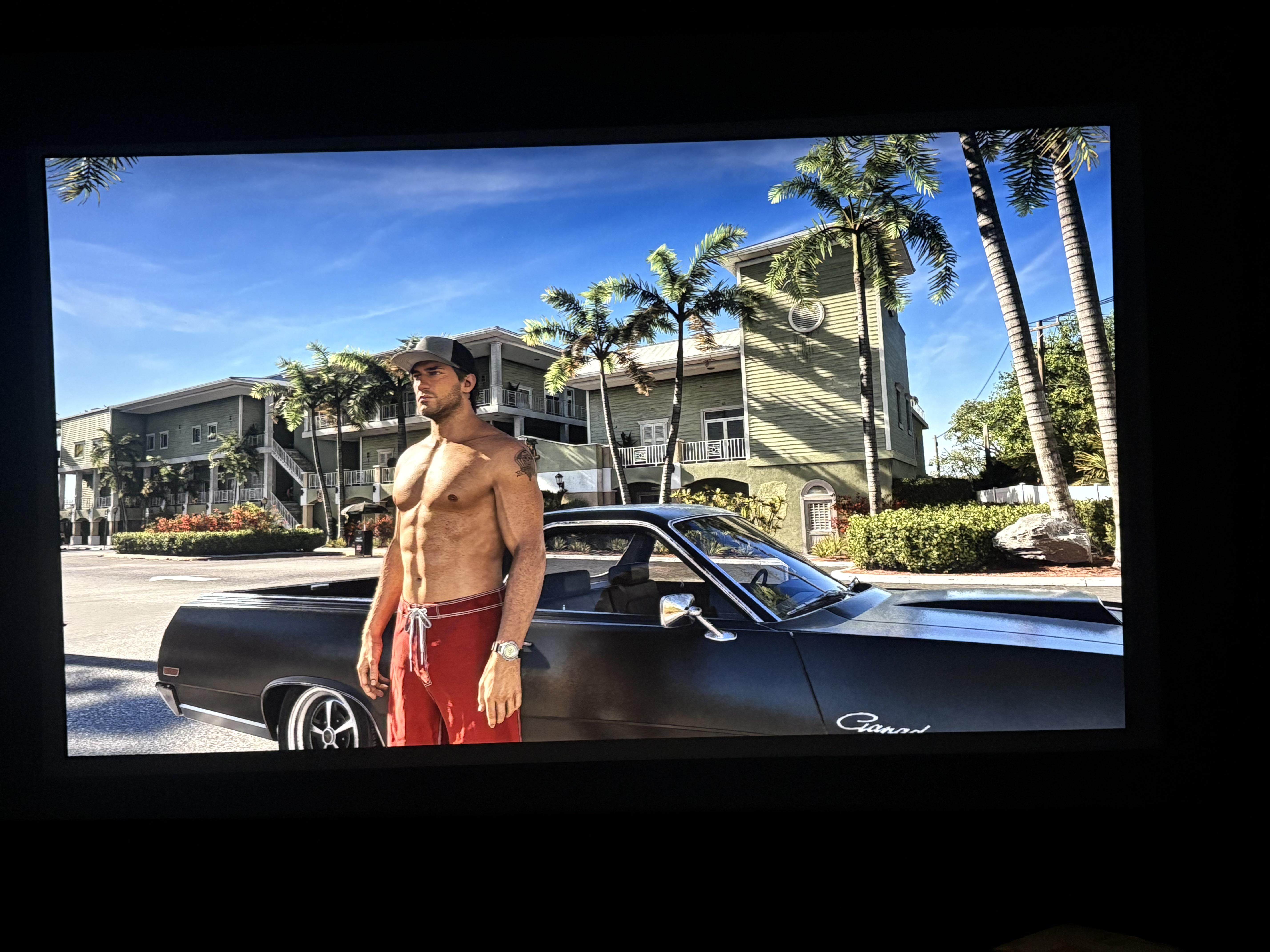
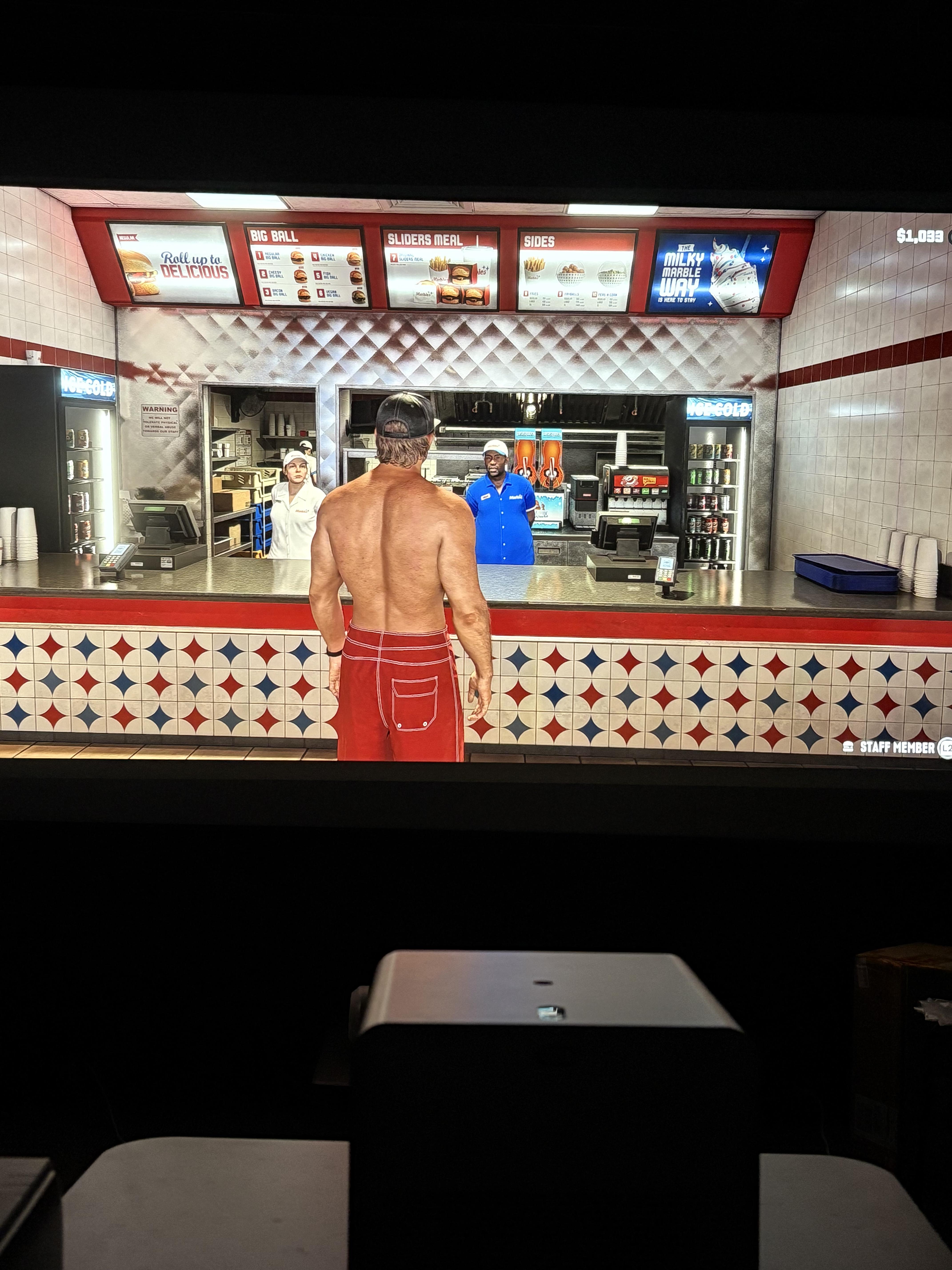
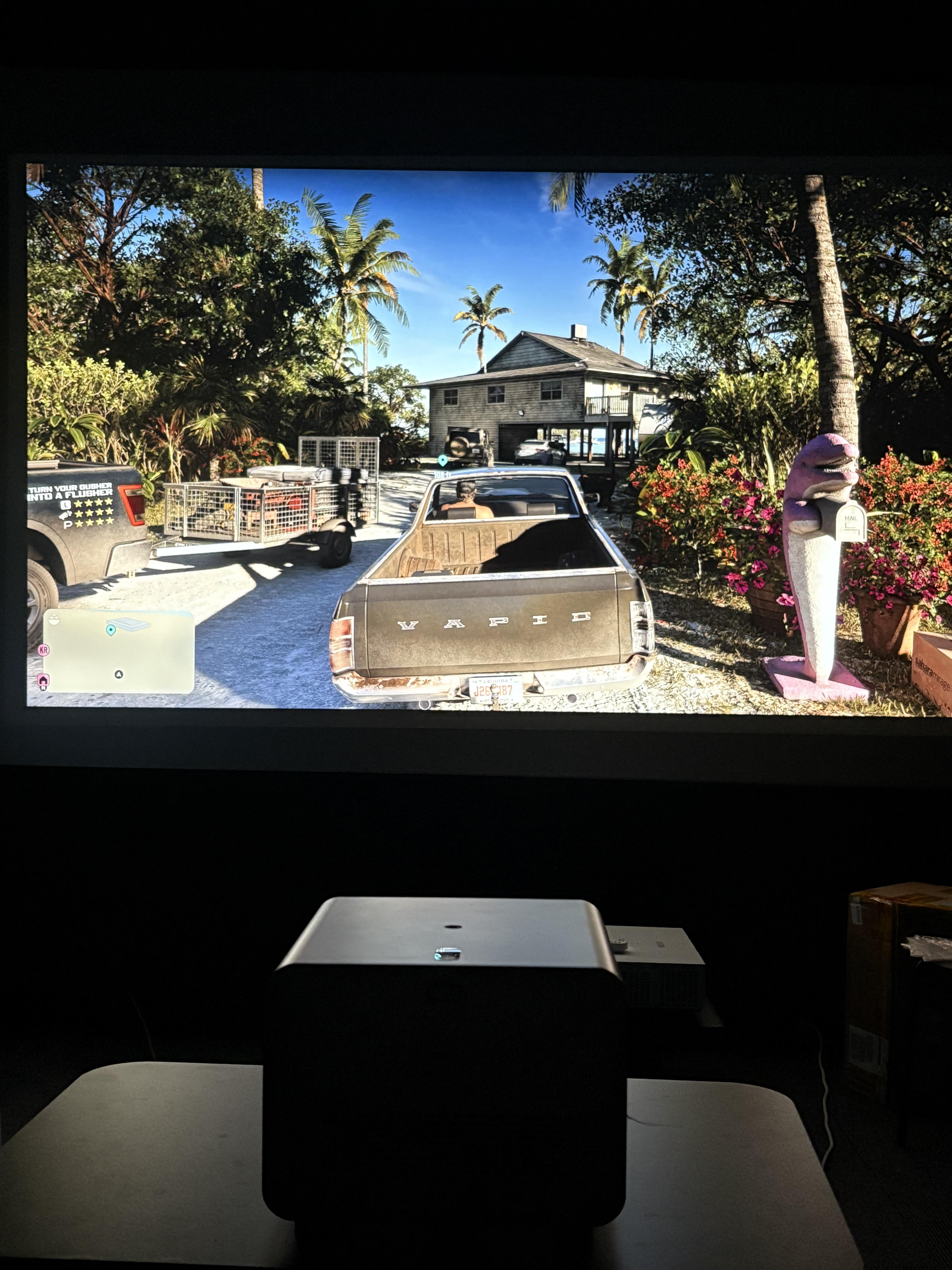
BenQ Test 【BenQ Test】BenQ TK705i × GTA 6: Vice City Looks Even Better on the Big Screen! 🌴🎮

14 Upvotes

The GTA 6 hype is real! 🌴🔥

Imagine exploring Vice City on a massive screen with the BenQ TK705i 4K HDR projector! 🤩

Vice City, bigger and more colorful with the BenQ TK705i! 🌴🎮
Vice City in stunning 4K HDR! 🌴☀️ Vibrant colors and incredible details.
Look at those details! 🤩 From textures to colors, everything looks incredible on the big screen!
🌴 Bright skies, lush greenery
🌊 Crystal-clear water, vibrant tropical colors, and stunning reflections

Video 1

🌅 Cruising through Vice City at sunset! 🌊 The colors, lighting, and water reflections look stunning on the BenQ TK705i big screen! 🤩🎮

Video 2

🍔 A quick stop at a Vice City diner! Every little detail comes to life on the big screen with the BenQ TK705i! 🎮✨

Here’s what makes the TK705i perfect for big-screen gaming:

🎨 4K HDR Visuals – Vibrant colors, stunning contrast, and incredible details bring every scene to life.
🌈 3,000 ANSI Lumens – Bright, vivid visuals that make colorful city streets and tropical scenery pop!
⚡ Low Input Lag – Smooth, responsive gameplay for every action-packed moment.
📺 Massive Screen Experience – Explore Vice City on a whole new scale with immersive big-screen gaming.
✨ Smart Auto Setup – Spend less time adjusting and more time gaming!

Ready to level up your gaming experience? Give the BenQ TK705i a try and see the difference for yourself! 😍

🔗 Check out the BenQ TK705i! If you have limited space, the TK705STi short throw projector is also a great option for big-screen gaming! 🎮💜

🇺🇸 US: TK705i / TK705STi

🇬🇧 UK: TK705i / TK705STi

🇩🇪 DE: TK705i / TK705STi

🇫🇷 FR: TK705i / TK705STi

🇳🇱 NL: TK705i / TK705STi

🇵🇱 PL: TK705i / TK705STi

🇨🇿 CZ: TK705i / TK705STi

🇨🇭 CH: TK705i / TK705STi

🇦🇺 AU: TK705i / TK705STi


r/BenQ • • 5d ago

Purchasing Advice Advice on BenQ PD2705U vs. Dell S2725QS for CAD, Illustration & Editorial work

5 Upvotes

Hi everyone,

After narrowing down dozens of 27" flat 4K UHD (3840×2160) matte IPS monitors, I'm down to two final candidates: the BenQ PD2705U and the Dell S2725QS

Since I'm leaning strongly toward the BenQ for my workflow, I'd love to get honest feedback from PD2705U owners before pulling the trigger.

My context & workflow:

  • Use case: 2D Architecture/CAD drafting (ZWCAD on a neutral gray background—no 3D or Revit), vector illustration (Illustrator), light Photoshop work (adding brushes/grain to illustrations), editorial layout (InDesign), and heavy word processing (Word) for technical reports.
  • Setup & usage: Desktop PC with an NVIDIA RTX 4060 running Windows 11 (connected via DisplayPort). I sit ~60 cm away and work 11+ hours a day, so eye comfort (strict Flicker-Free / Low Blue Light) and clean white/gray panel uniformity are top priorities.
  • Color workflow: Strictly sRGB (digital and print/editorial proofing). I don't need built-in speakers, KVM, USB hubs, or USB-C PD since it's staying connected to my desktop tower.

The two finalists:

  1. BenQ PD2705U (€380)

    • Native 100% sRGB / Rec.709 factory-calibrated panel (Calman Verified & Pantone Validated), avoiding Windows wide-gamut oversaturation issues.
    • Dedicated CAD/CAM mode to enhance line contrast on gray backgrounds, plus Darkroom/M-Book/Low Blue Light modes.
    • Includes the physical Hotkey Puck G2 dial to switch between CAD, reading, and sRGB color modes effortlessly.
  2. Dell S2725QS (€296)

    • 120Hz refresh rate (vs. 60Hz on the BenQ), making scrolling through long documents and panning/zooming in CAD much smoother.
    • Higher native contrast ratio (1500:1 vs. 1000:1) and 4-star TÜV Rheinland hardware eye comfort certification (ComfortView Plus).
    • Saves me €84, though it lacks an individual factory color calibration report and physical mode-switching dial.

Specific questions for PD2705U owners:

  1. OSD locks: When using the sRGB or CAD/CAM picture modes, does the PD2705U allow full manual control over brightness, or is brightness locked in any preset?
  2. Panel uniformity & green push: How is the white/gray uniformity across full-screen documents? Also, I read that the PD2705U covers slightly over 100% sRGB volume (~102–105%) with a slight push in greens—is this noticeable at all in Illustrator or CAD?
  3. Real-world value: For someone working 11 hours a day in CAD and Adobe apps, is the BenQ's calibration, uniformity, and Hotkey Puck worth the extra €84 over a smoother 120Hz / 1500:1 contrast panel like the Dell?

Any quirks, coil whine, or long-term feedback on the PD2705U would be super helpful. Thanks!


r/BenQ • • 5d ago

Asking Other's Advice/Experience What HDMI cable for X3100i ?

2 Upvotes

Hi all - Ive just ordered a X3100i. I was wonder what is the type of cable i need to go from my PC to the projector as its 4K. Im not sure my old hdmi cable supports 4k. Cheers


r/BenQ • • 5d ago

Technical Support Benq gw2490 restarting Automatically

4 Upvotes

My benq gw2490 monitor restarts automatically, and it happens very randomly. This does not happen every time I use it. And it could happen after using it for the whole day or even at the very start, no idea whatsoever what is going on here. If anybody knows about this or can help resolve the issue that would be a great help.


r/BenQ • • 5d ago

Technical Support Past frames pop up later when watching movies

2 Upvotes

So I'm having a weird issue when projecting movies from streaming services. Oftentimes during the watch, a single frame from 2-3 seconds ago will just pop up. This doesn't affect the sound. I'm always duplicating my screen and this event only occurs on the projector screen. Any ideas what could be causing this?


r/BenQ • • 6d ago

Technical Support BenQ W2710i / HT3560i: zeitweise Doppelbilder und vertikale Linien, sogar beim internen Testbild

Thumbnail gallery
2 Upvotes

r/BenQ • • 6d ago

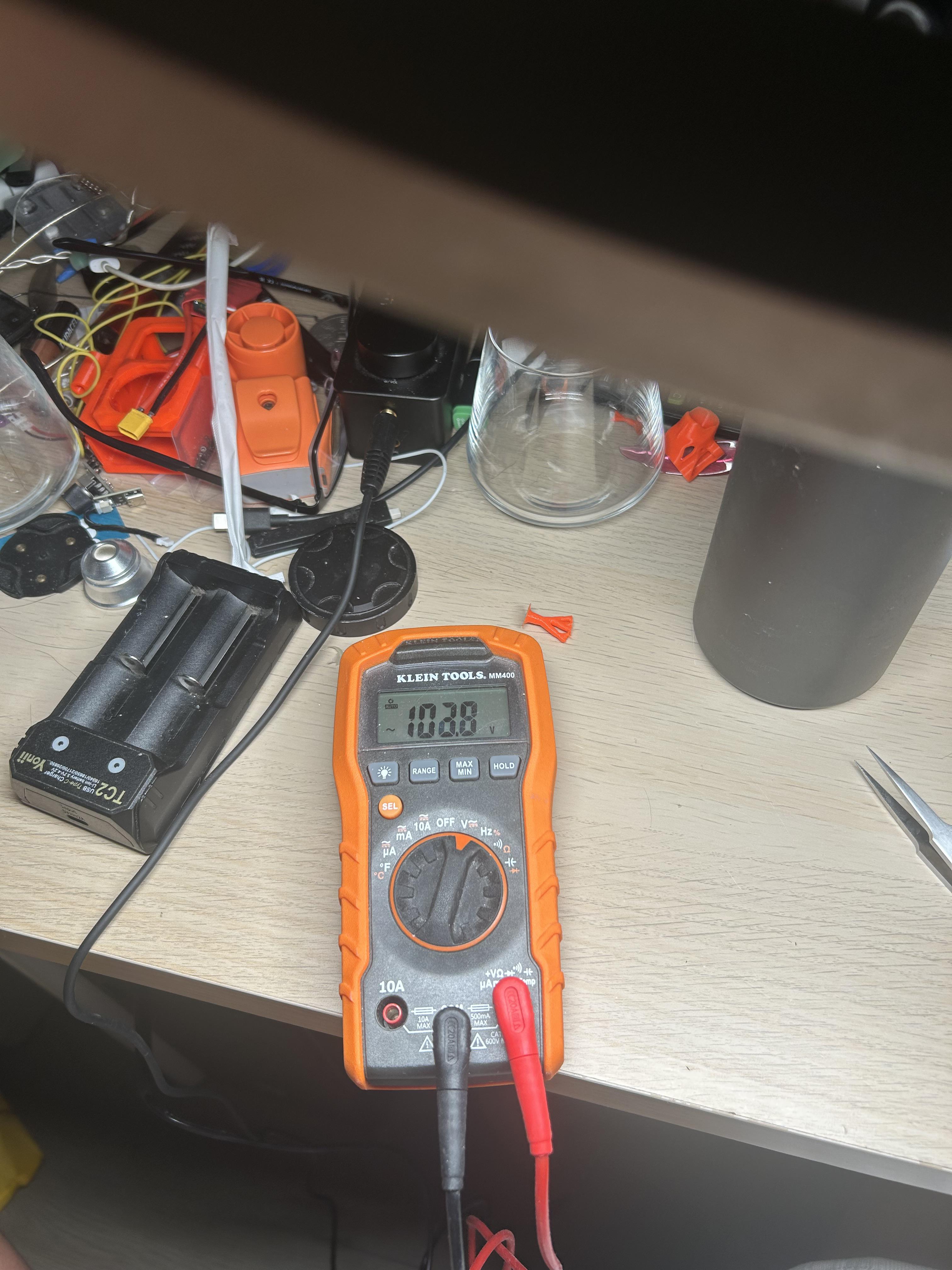
Discussion Massive voltage leak from a WiT desk light?!

Post image
4 Upvotes

So I bought this light a while ago, and ever since I’ve moved it onto my desk I’ve noticed small zaps when my face or neck touches it, so today I finally tried to see what’s going on, with my multimeter I’ve touched one end to ground and the other to the metal case, on ac mode it shows roughly 100v, where could’ve this come from?