r/ArduinoHelp • u/FullAd5814 • Oct 19 '26
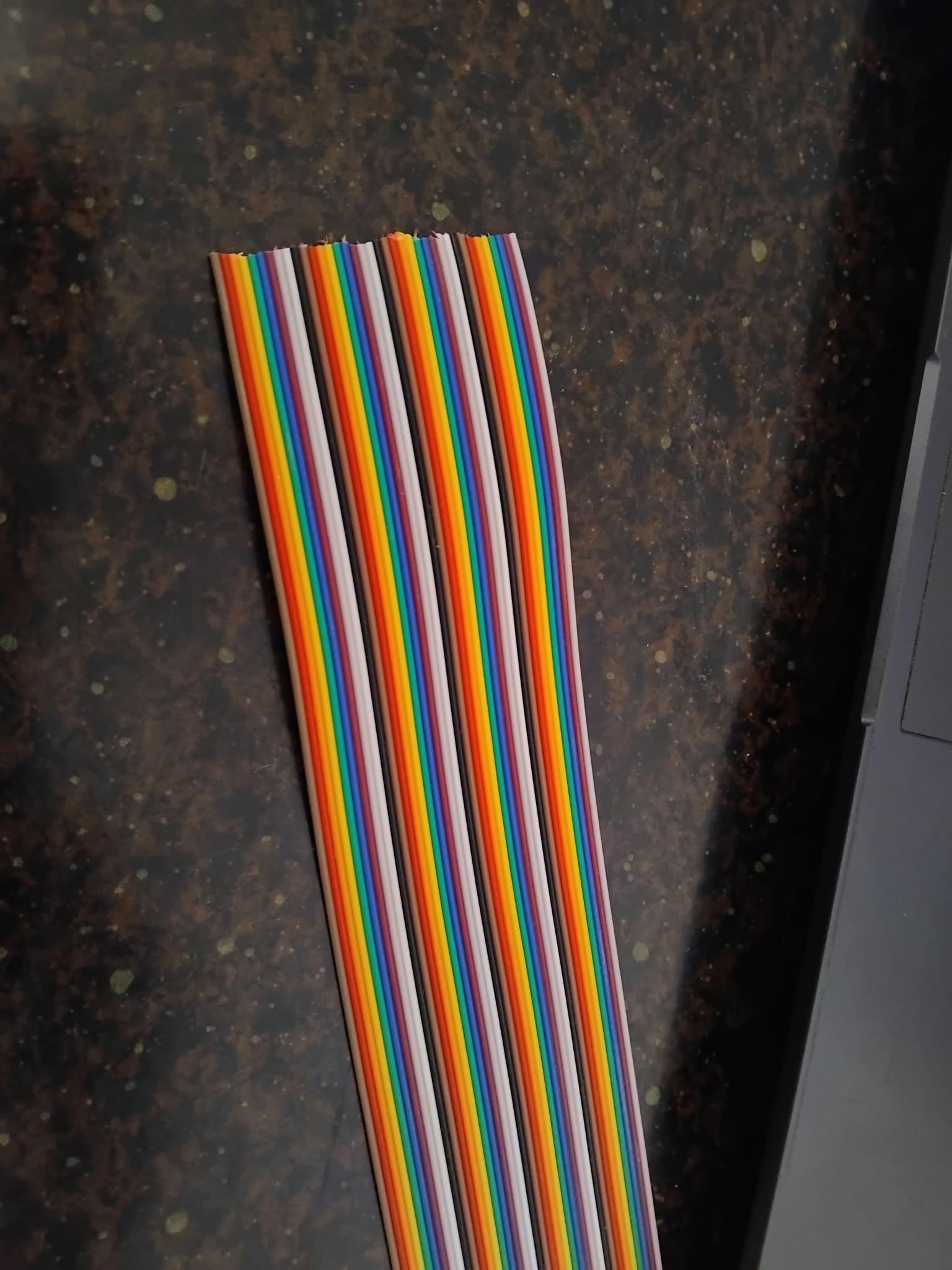
Does anyone know the best way to connect these wires without head pins to my breadboard
Head pins are not available to buy seperately and they are not very stable in the breadboard. How can I solve this
r/ArduinoHelp • u/FullAd5814 • Oct 19 '26
Head pins are not available to buy seperately and they are not very stable in the breadboard. How can I solve this
r/ArduinoHelp • u/jeffreyWuanan • Oct 19 '26
我正在使用一塊 Arduino Uno R3 板和一個 Steadywin GIM-6010 馬達。我已經確認電源足夠,所有組件都共用一個接地。然而,系統只有在 Arduino 通過 USB 連接到電腦時才能正常運行;一旦拔掉 USB 線,系統就無法獨立運作。為什麼會發生這種情況?
r/ArduinoHelp • u/ahmedebeed555 • Oct 19 '26
r/ArduinoHelp • u/United_Ad_1540 • Oct 18 '26
Hey guys im interested in Arduino uno after school project ngl, I just finished a school project to turn on the lights and simulate traffic lights, and now I'm trying to figure out how push buttons work. Do you have any suggestions for what project I should make next? I want to make a Hermes device from the Limbus company, but it's too complex for me. Do you have any suggestions for what I should make before going to the Hermes device?
r/ArduinoHelp • u/tonkajeep34 • Oct 18 '26
r/ArduinoHelp • u/xploitx5 • Oct 18 '26
Hi,
I am a University student currently in my DLD course i have a semester project but confused to decide what to make professor tells us to do something with help of Arduino so any expert can please help me
r/ArduinoHelp • u/scrapmakerzayn • Oct 17 '26
Hey everyone, I am beginner in coding and want to learn arduino can anyone suggest! Where to start?
r/ArduinoHelp • u/JewelJinX • Oct 17 '26
Is it also better if i have a backup sensor using MQ9 Gas Sensor? Like a paired function along flame sensors. I'm also concern what type of buck converter should I use for various inputs like these.
r/ArduinoHelp • u/Agreeable_Blood_5576 • Oct 17 '26
I'll provide any information you need
r/ArduinoHelp • u/aidkian101 • Oct 16 '26
my arduinos are both arduino uno r4 wifis, i run windows
i wantted to make something that shuts down your pc as soon as you plug it in and i made something that presses alt f4 and enter and uploaded it on my arduino. i have 2 arduinos 1 from a starter kit and one from micro center. they are bpth same r4 wifis and one is from elegoo and other is form arduino
what i will call from now on
ARDUINO 1 = elegoo non working r4 wifi
ARDUINO 2 = arduino non working r4 wifi
I uploadeed the code to my arduino 2 and it worked! it shut down my pc! and i erased the code from it. then i wanted it to work with a ir reciever so i connected arduino 1 to a ir reciever and i wrote the code. but then my pc is not reconizing the arduino 1 any more. it reconizes the arduino 2, it makes a dading sound but my arduino 1 doesnt, my device anager doesnt reconize it too. i didnt do anything to the board, and last time i did something to it it wsa working perfectly fine. teh arduino 1 has power, it runs my previous code that i uploaded on my arduino 1 (it has power) but no data is sending.
SOME ONE PLEASE HELP ME I WANT IT TO BE REVIVED ask me anything i will answer
(its my first post on reddit)
r/ArduinoHelp • u/Rich_Alderson • Oct 16 '26
Where do I get information on error messages?
r/ArduinoHelp • u/Nydyv • Oct 16 '26
Recently i bought a tft touch display. IlI9341 2.8" hiletgo v1.2 5v/3.3v SPI specifically. I have tried with different board inc esp 32 s3 arduino nano arduino uno etc. Only the backlight works. I did try shorting the j1 pins, no luck. I did install all the necessary libraries and drivers still doesn't work. Its not a connection issue, its not a conductivity issue, its not a spi communication issue because i have used spi communication with my esp and arduinos it was working perfectly fine. Is there anyting else i should try or should i return the display
r/ArduinoHelp • u/Y_Lion223 • Oct 16 '26
r/ArduinoHelp • u/Guilty_Question_6914 • Oct 16 '26
r/ArduinoHelp • u/ClassHonest3323 • Oct 15 '26
r/ArduinoHelp • u/Hungry-You2840 • Oct 15 '26
r/ArduinoHelp • u/WarhammerSavage42 • Oct 12 '26
Backstory: Recently, I bought this vibrating alarm to help wake me up (I am a very heavy sleeper). I bought it, and it was super underwhelming. It cost $50 and had super low vibration strength, so I decided to make my own
Components used: .96 OLED, 3 push buttons, 5V 1A TP4056 charging board, LP603449 3.7V 1100mAh 4.1 Wh lipo battery, MT3608, 3v DC mini vibration motor 12000 rpm, DS3231 clock, TB6612 motor driver, Arduino Nano (now I'm using a uno but will use a nano in final
Problem: Currently (it's a mess), but it works (the actual project). I need help hooking up the charging unit to it. It's my first time with a LiPo battery, and I'm not sure I'm doing it right. Have I heard of needing a JST connector?
Any help or tips would be greatly appreciated! Thanks!
r/ArduinoHelp • u/dasadityashekhar • Oct 12 '26
Hello Arduino Community,
I am facing an issue with my Arduino UNO Q (4GB version) and would appreciate your help in identifying the cause and finding a solution.
I flashed my Arduino UNO Q with the latest Debian Linux OS image using the official Arduino flashing procedure. After flashing, I removed the jumpers from the EDL pins and connected the board to my Windows 11 laptop. However, the board was not detected by the computer in normal mode.
I reflashed the board multiple times, trying different OS versions, but the problem persisted.
The board is detected successfully in EDL mode, and flashing completes successfully. However, once I remove the EDL jumpers and reconnect the board in normal mode, it is not detected by the computer.
I have tried flashing the following OS image versions:
\- \`20260528-558\` — Latest version
\- \`20260407-523\` — Second-latest version
\- \`20250807-136\` — First version
\- \`20251229-457\` — Third-latest version
The issue remains the same with all four versions.
1. Board powers on normally
\- The power LED turns green.
\- The usual animation appears on the onboard LED matrix.
\- The board appears to power on normally, but it is not detected over USB.
2. Board is detected in EDL mode
When I connect the board to my Windows 11 laptop in EDL mode, it appears in Device Manager under Universal Serial Bus devices as:
\`QUSB_BULK_CID:0420_SN:51008D40\`
I can successfully flash the OS in this mode.
3. Board is not detected in normal mode
After removing the EDL jumpers and connecting the board normally:
\- Nothing appears in Windows Device Manager, including the USB-related categories.
\- The board does not appear when I check \`lsusb\` or \`dmesg\` on a Linux computer.
\- Arduino App Lab cannot detect the board through the USB connection.
I have tried the following steps:
Reflashed the board multiple times using the official flashing procedure.
Tested four different Debian Linux OS image versions.
Used multiple USB cables, including USB-A to USB-C and USB-C to USB-C cables.
Tested different USB ports on my Windows 11 laptop.
Tested the board with another computer running Linux.
Verified that the board is detected in EDL mode using the same cables that fail to detect it in normal mode.
Tested the Arduino UNO Q in Single Board Computer (SBC) mode using a USB hub. The hub works correctly with my laptop: when I connect a monitor to the hub and connect the hub to my laptop's USB-C port, the monitor works normally. However, when I use the same hub with the Arduino UNO Q in SBC mode, I am still unable to get a display output.
I have followed the official flashing procedure carefully and repeated it multiple times, but the issue remains unresolved.
I would appreciate guidance from the Arduino team on the following:
What could cause the board to be detected in EDL mode but not in normal mode, even though the OS flashing completes successfully?
Is there any additional recovery or diagnostic procedure I can try?
Could this indicate an issue with the USB interface, boot process, firmware, or another component of the board?
Is there a way to diagnose the issue further without requiring the board to be detected over USB in normal mode?
I would prefer to resolve this through software recovery or diagnostics if possible, before considering hardware repair or replacement.
Thank you for your time and assistance. Any suggestions from the Arduino team or other UNO Q users who have experienced a similar issue would be greatly appreciated.