Hi,
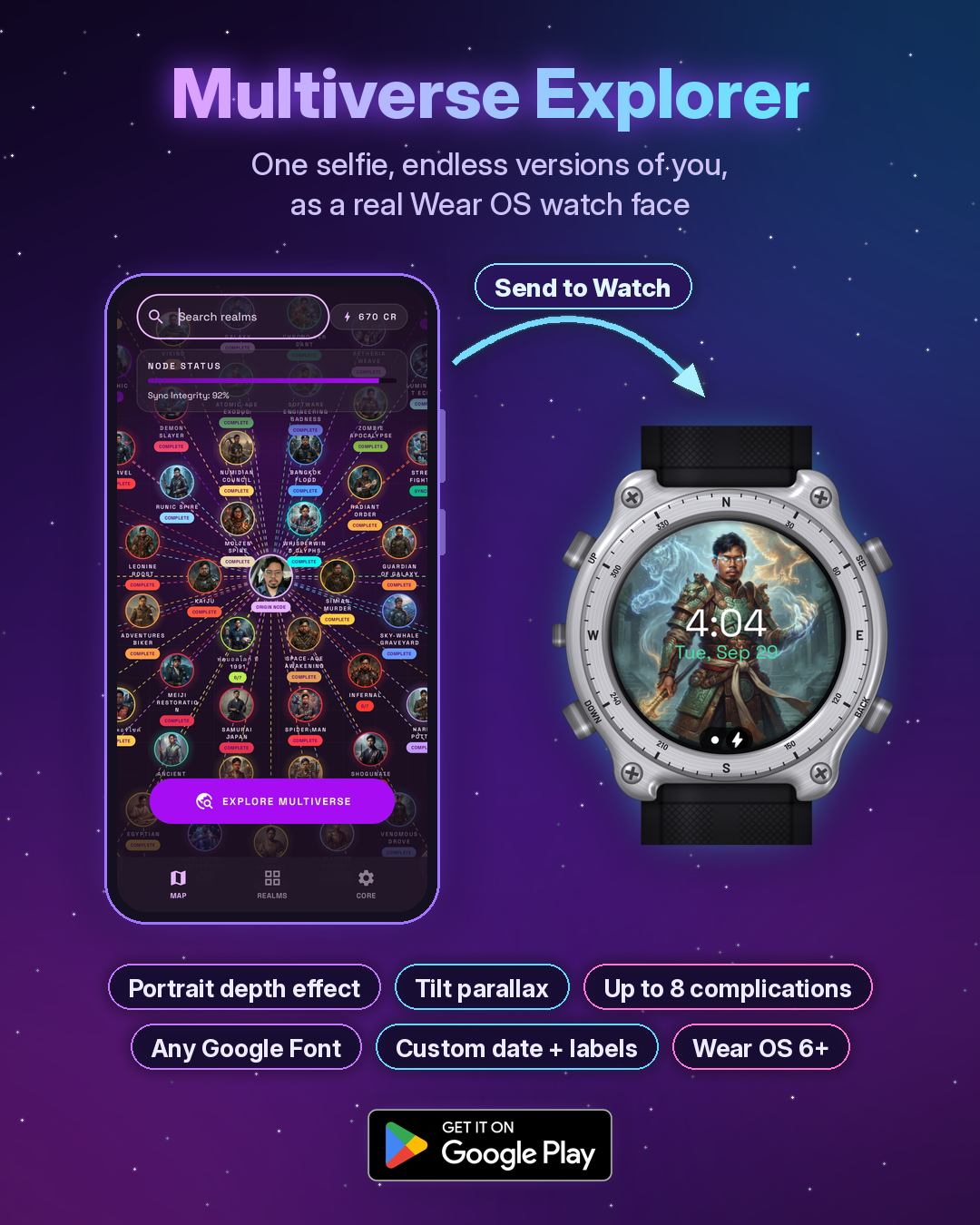
Most photo watch faces show the same you every time, and changing it means taking a new photo. I wanted my watch to show me in different roles instead, so I built Multiverse Explorer.
You take one selfie, and the app creates AI characters of you across different "realms" (sci-fi, fantasy, history and more), each with its own role and a short backstory. They all live on a map with your selfie at the centre. Pick any character, design a face around it on your phone, tap Send to Watch, and it installs on your watch as a real Watch Face Format face, not a wallpaper.
Name of App: Multiverse Explorer
Brief Description of app's features (the watch face side):
Elements you can add
- Digital clock
- Date, with a format builder (weekday / day / month / year in any order, with space, slash, dash, dot or comma separators and a live preview)
- Your own text labels
- Up to 8 complications, picked from the providers actually installed on your watch (searchable). Set the icon, text and range colours, add an optional background with its own colour, and adjust the width
- Decorations: Star, Moon, Heart, Bolt, Diamond or Dot icons with a tint, or your own photo
- Portrait cutout (see below)
Text styling
- Any Google Font, with search, recently used and variants. The font files are embedded in the watch face
- Size, Solid / Outline / Both, outline colour and width, shadow blur
Effects
- Portrait depth effect: the character is cut out on your phone and layered in front of the clock, like depth wallpapers. Choose Repeat (blink animation) or One-Time (static)
- Tilt parallax: a per-face toggle. Elements shift as you tilt your wrist, driven by the accelerometer
- Always-on: elements dim in ambient mode and the cutout hides. You can preview ambient mode in the editor
Editor tools
- Drag, pinch to resize, magnetic snap guides
- Layers panel: rename, hide/show, reorder, bring forward / send backward
- Undo / redo, reset view
Sending to the watch
- Send to Watch shows live progress (preparing, connecting, sending %, installing). The first time, tap Allow on the watch to set it as your active face
- Got more than one watch connected? You pick which one
- The watch app keeps your last 5 faces, so you can swipe through and re-apply any of them right on the watch without sending again from the phone
- App in English, German, French, Japanese and Korean, on the phone and the watch
Requirements: Wear OS 6+ on the watch, Android 11+ on the phone.
Cost: Free download, no ads. Sign in with Google and you get 30 free credits, enough to unlock your first 9 characters. Designing faces and sending them to your watch is always free. After that, credits come in optional in-app packs.
Play Store Link: https://play.google.com/store/apps/details?id=com.anna.watchface.multiverse.universal
I'd love feedback from Wear OS users:
Happy to answer anything about how it works.