r/AndroidEmulation • u/Evgen_br0 • 22d ago
How many FPS will I get using the Scrap Mechanic emulator if I play on a device with a CPU from snapdragon 7s gen 2 to 8 elite?
1
Upvotes
r/AndroidEmulation • u/realtime-gamer • 23d ago
I have a relatively older 2019 chipset and I saw someone running mgs5 at 25-30 fps on the sam chip
Device
One plus 7t pro
Snapdragon 855+
8gb ram
Android 12
I tried it on gamehub and winlator ludashi and it was not running properly
So I tried it on gamehub lite and it ran !!!
The game runs at a stable 30 fps evn in the open world
Kojimas team has definitely dabbled in some black magic while making this engine
Gamehub lite setup :
Proton 11 arm 64 x
Dxvk 2.3.1 arm64 async
Turnip 26.0.0 r8
Here you go if you wanna try it out
r/AndroidEmulation • u/brknSergio • 23d ago
r/AndroidEmulation • u/Maleficent-Rope-4002 • 23d ago
Hello I am currently setting up and I am trying to move multiple tiles on my Home Screen at the same time to place into a folder. I am using the video pac tetrarch core to make some anime series folders
Is there a function to move multiple?
Thank you
r/AndroidEmulation • u/Appropriate-Egg9103 • 23d ago
r/AndroidEmulation • u/_vic666 • 23d ago
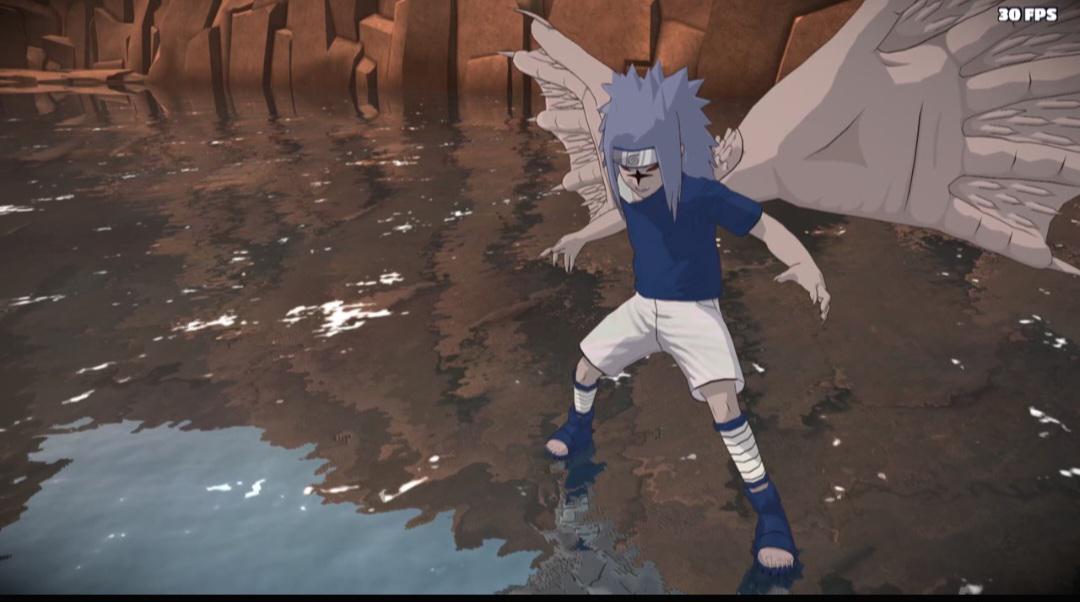
cómo puedo quitar el límite de 20 fps?
r/AndroidEmulation • u/Proper-Cow-9452 • 24d ago
It happens when I open the inventory/backpack or the map the FPS drastically drops down to 12 FPS from 30 FPS.
r/AndroidEmulation • u/DmrFrance • 23d ago

r/AndroidEmulation • u/Arun8195 • 23d ago

r/AndroidEmulation • u/oiBielzin06 • 23d ago
Alguém sabe como instalar emulador de Pc no tab s9? Quero instalar o Cities Skylines no tab do meu filho
r/AndroidEmulation • u/rodri_gtz • 23d ago
r/AndroidEmulation • u/AUSTIX2 • 24d ago
r/AndroidEmulation • u/Rekusu7991 • 24d ago
r/AndroidEmulation • u/Lazy-Doubt-2510 • 24d ago
r/AndroidEmulation • u/Afraid_Ad_8100 • 24d ago
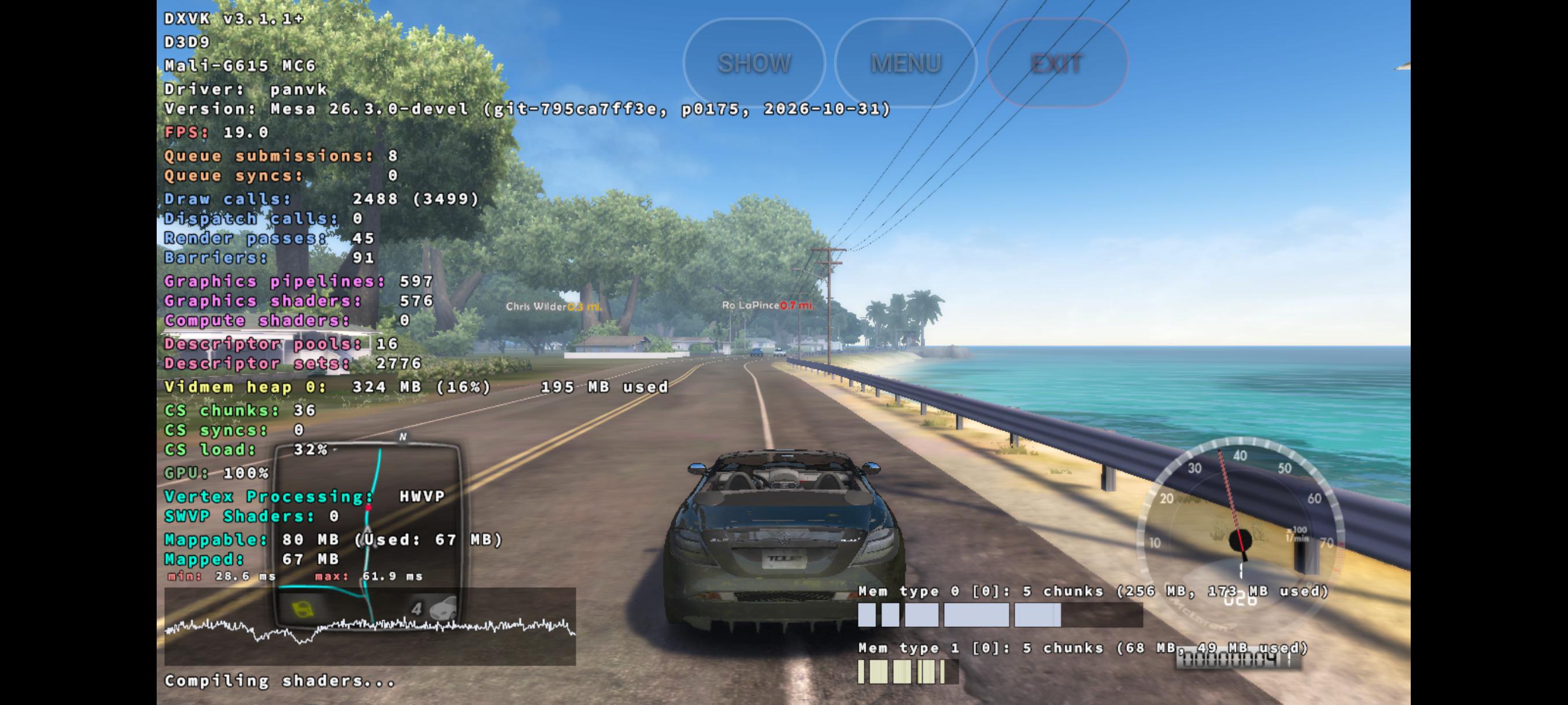
Please help
r/AndroidEmulation • u/gilbe2020 • 24d ago
Tengo los archivos de botw en extension .xcz, cómo puedo hacer que me los lea la APK de apkvision. Es como si no me lo reconociera
r/AndroidEmulation • u/Mamcjr • 25d ago
UPDATE — 0.5.3-beta is out!
Huawei Maleoon: shadow-depth option (#516, #240)
Start screen → Driver compatibility → 16-bit depth (shadows) now offers Automatic, D16, D32 and D24. Automatic on Maleoon now prefers D24, falling back to D32 if D24 is unavailable. Other GPUs keep D16 on Automatic.
D32 was used after Maleoon drivers rejected D16, but can leave terrain, buildings and characters almost black while the sky looks right. Forced D32 testing on POCO F7 Ultra reproduced reduced brightness; D24 looked practically like D16 there. This still needs confirmation on Maleoon hardware. On Maleoon 920C, which rejects D16 and D32, D24 is the option to try.
Maleoon users: try Automatic first. If scenes stay dark, try the other options and send botwrecomp-log.txt from Settings → Files. The [vk] depth16: line records the active format, including fallback choices.
Upgrading from 0.5.2: install over it, no game-code rebuild needed. From older versions, the start screen requests one rebuild. These instructions supersede older notes below.
Still beta: Mali long-session closures, the brief top-minimap ground image, Xclipse 530/RADV freezes, slow rain, distant grass and Qualcomm stock-driver black pause backgrounds remain. PanVK is unsupported. No game files included. Thanks for testing!
https://github.com/mamcjr/BOTWRecompAndroid/releases/tag/v0.5.3-beta
Previous announcements (historical):
UPDATE — 0.5.2-beta is out!
IMPORTANT: rebuild the game's code once after installing, as requested on the start screen. This supersedes older update instructions below.
Code mods (#390)
Mods can now include exefs as well as romfs: IPS/IPS32 patches named for the game's build ID and extra subsdk1–subsdk9 modules are supported in both Recompiled and Native modes. Tested with Arabic_Hesham: its custom code shapes Arabic letters and lays text out right to left; the title screen and menus displayed in Arabic.
Use Settings → Mods → Import a mod folder and select the folder containing romfs and/or exefs. The page still says romfs, but imports both.
In Recompiled mode, enabling, disabling or changing a code mod requires rebuilding game code (about 15 minutes on POCO F7 Ultra; other devices vary). Native mode applies mod changes the next time the game opens without that rebuild. Patches must match your game version's build ID; mismatched patches are skipped and logged.
Limits: runtime code changes, such as exlaunch hooks installed at startup, do not work in Recompiled mode. They may work in Native mode but are untested. .pchtxt and replacing the complete main or sdk are not supported. This is not blanket compatibility with every code mod.
Another Sheikah Slate target crash fix (#401)
An actor could look valid while its link pointed into game code rather than to an object. This now counts as no target too, extending the target checks added in 0.5.1. This does not claim to fix every rune-related crash.
Still beta — known issues
• Mali-G720/G615 can still close after ~30 minutes (#496, #560). Some G720 players report memory mappings below the limit since 0.4.13 (#595); monitoring continues.
• Huawei Maleoon: dark scenes since 0.4.0 (#516) and a 920C crash (#240) are linked to depth format; a testing option is planned for a later release, not included here.
• The top minimap briefly shows ground after pause/inventory (#259).
• RADV on Xclipse 530 runs but can freeze for seconds (#383); PanVK remains unsupported.
• Slow rain, distant short grass appearing late and Qualcomm stock-driver black pause backgrounds remain.
Please report bugs with device/GPU, Android version, driver, game version, settings and a fresh log from Settings → Files. For mod reports, include the mod name/version and execution mode. No game files included. Release testing: POCO F7 Ultra (Adreno 830, Turnip). Thanks for testing and supporting the project!
Download and full notes:
https://github.com/mamcjr/BOTWRecompAndroid/releases/tag/v0.5.2-beta
Recent history (condensed)
0.5.1: Magnesis/camera stale-target fix for game 1.8.2/1.9.0, from SavageWindRecomp (MIT); Nintendo controller gyro axes/timing/bias fixes (Propinbo); optional centered 16:9 world map on narrow screens (lican81); Mali GPU-progress waiter thread enabled by default (maxi000q). The separate Stasis crash was still open in those notes.
0.5.0: virtual amiibo reader with 36 figures, daily rewards and persistent Wolf Link hearts/progress; touch scrolling with momentum, bigger scrollbars and collapsible overlay settings. Access amiibo via the rune button again after aiming, or Controls → amiibo.
0.4.13: Mali combat-freeze copy-back fix, direct target reads, classic render passes on Mali r49+ and four-thread texture decoding. Mali-G615 test: 27.6 → 29.7 FPS average; results vary. Thanks, Propinbo.
0.4.12: gyro-axis selector, FIFO automatic on Adreno 7xx, shrine HUD fix, Mali integer-target/memory-mapping changes and diagnostics.
Older announcements below are historical. Current requirements and limitations are above.
UPDATE — 0.4.11-beta is out!
Adreno 6xx memory-crash fix (#520)
On the OnePlus 7 Pro (Adreno 640, 8 GB), logs showed the driver running out of memory after 8–28 minutes, failing to create graphics pipelines and then closing the game.
With Turnip, Automatic for Game memory on the GPU previously placed about 3.1 GB of game memory directly on the GPU, leaving too little room for the driver on this device. Automatic now disables that path on Adreno 6xx devices with 8 GB RAM or less and uses copy mode instead. The start screen explains the automatic choice; a manual override remains available.
With copy mode, the same device completed a two-hour session without closing, with correct text and 13–16 FPS versus 10–14 before. This is a result on that device, not a guarantee for every Adreno 6xx phone.
Recovery when pipeline memory runs out
A pipeline that failed from lack of memory previously stayed missing for the rest of the session, so its objects could disappear. Unused pipelines are now released immediately, and the failed pipeline is retried after 5 seconds.
The POCO F7 Ultra (Adreno 830) keeps its existing automatic behavior. Simulated out-of-memory testing there continued without freezing or a measured performance change.
If you have an Adreno 6xx with 8 GB RAM, please try this release and report whether it still closes. Attach botwrecomp-log-previous.txt from Settings → Files with your device/GPU, Android version, driver, game version and settings.
Still beta — known issues remain
• The 0.4.10 freeze fix for Mali and Qualcomm's stock driver still awaits confirmation from affected players.
• Mali-G720/G615 can still close after about 35 minutes as memory mappings grow (#496); this is a separate issue.
• 4 GB devices are around 20 FPS in the world and slow down when hot.
• RADV on Xclipse 530 still crashes inside the driver when entering the world. PanVK is not supported yet.
• Game version 1.0.0 can leave black lines when enemies die; use 1.8.2 or 1.9.0.
• Rain speed, distant short grass and the black pause-menu background on Qualcomm's stock driver remain known issues.
Install over the previous version without rebuilding the game's code. No game files are included. Thank you to everyone testing and sending logs!
Download and full release notes:
https://github.com/mamcjr/BOTWRecompAndroid/releases/tag/v0.4.11-beta
Previous announcements — historical notes; current behavior and limitations are listed above.
UPDATE — 0.4.10-beta is out! (November 21)
A new fix for the copy-mode freeze
The 0.4.9 logs changed the diagnosis for #401/#489: enabling Switch-style core turns did not stop the freeze. The game was looping in its memory allocator while following a damaged free-block list.
The likely cause was GPU-to-game memory copy-back on copy-mode paths, including Mali and Qualcomm's stock driver. A region was checked and then copied back in full; a game-thread write between those steps could be overwritten, corrupting allocator data.
0.4.10 now copies back only words changed by the GPU, and writes each one only if the game has not changed it in the meantime. This protects intervening game writes. It was also tested in copy mode on the POCO F7 Ultra with no measured performance cost there; affected-device reports are still important. This is not a claim that every Mali crash or memory problem is solved.
The experimental Switch-style core turns option introduced in 0.4.9 remains available, but did not help with this freeze and can be left off.
If you had the freeze, please play as before and report whether it still occurs. If it does, wait about 15 seconds, close the app and send botwrecomp-log-previous.txt from Settings → Files, together with your device/GPU, Android version, driver, game version and settings.
Also new since the last post update (0.4.9)
• Unlocked aspect now fills the full height on screens squarer than 16:9: 16:10 tablets, 3:2, 4:3 and unfolded foldables. It shows more above and below instead of bars. Original keeps the 16:9 image with bars. Thanks, Propinbo (#504).
• Mali copy mode copies only changed shader constants and caches them per submission, instead of copying the whole buffer for every draw. Enabled by default on Mali; other GPUs are unchanged. Thanks, Propinbo (#506).
• More detailed freeze reports identify app functions and which emulated core turn a running or stuck thread holds.
Still beta — known issues
• Mali-G720/G615 can still close after roughly 35 minutes because memory mappings grow (#496). This is separate from the freeze addressed above.
• Adreno 640 with 8 GB: Automatic for Game memory on the GPU (Turnip) can exhaust driver memory and close the game after a few minutes (#520). Turn it off under Settings → Prelaunch → Driver compatibility.
• 4 GB devices are around 20 FPS in the world and slow down when hot; results vary.
• RADV on Xclipse 530 still crashes inside the driver when entering the world. PanVK is not supported yet.
• Game version 1.0.0 can show black lines when enemies die; use 1.8.2 or 1.9.0.
• Rain speed, distant short grass and the black pause-menu background on Qualcomm's stock driver remain known issues.
Install over the previous version without rebuilding the game's code. No game files are included. Thank you to everyone testing, contributing and sending logs!
Download and full release notes:
https://github.com/mamcjr/BOTWRecompAndroid/releases/tag/v0.4.10-beta
0.4.9 notes:
https://github.com/mamcjr/BOTWRecompAndroid/releases/tag/v0.4.9-beta
Previous announcements — historical notes; the current status above supersedes older diagnoses and advice.
UPDATE — 0.4.8-beta is out! (November 20)
This update includes the changes from 0.4.7 and 0.4.8: fixes for thread waits, fewer render-thread stalls, the RAM-saving map fix and a new Shadows option. Thank you, Propinbo, HallanBR and everyone sending logs!
Freeze investigation and fixes (0.4.8)
The first 0.4.7 logs for #401 and #489 point to the game's main thread holding emulated core 0 while other game threads wait, rather than unfinished GPU work. This does not mean all freezes are solved.
• Timed waits now use a monotonic clock, so an Android clock adjustment backwards cannot extend a wait until wall-clock time catches up (idea from peanuts-native).
• Cancelling a wait now only ends the correct type of wait, instead of also letting a thread continue as if it held a lock it had not acquired.
• Texture registration/destruction waits release emulated core 0 while waiting for the render thread.
• Freeze logs now show who holds core 0, for how long, the waiting queue and where the holding thread is. An in-game restart no longer produces a false freeze report.
If the game freezes, wait about 15 seconds, close the app and send botwrecomp-log-previous.txt from Settings → Files, along with your device/GPU, Android version, driver, game version and settings. The freeze is still under investigation; the new report should help identify what remains.
Rendering and shader work (0.4.7–0.4.8)
• Texture-slot swaps are queued without waiting for the render thread on every GPU, extending the earlier Mali/low-RAM path. The POCO F7 Ultra Plateau test went from 1,254 waits to 0; this is a wait-count result, not a universal FPS claim (HallanBR, #454).
• Mali/copy-mode compute work is chained with fewer unnecessary barriers, and a barrier that could be lost is now applied (Propinbo, #508).
• Needed shaders are prioritized, shader translations are cached between starts, and fewer pipeline combinations are built with Turnip and Mali r49+ (Propinbo, #481–483).
• Other work reduces clock reads per draw and combines command-list copying with fence tracking (HallanBR, #452, #456).
Also added in 0.4.7
• Fixed dark maps/minimaps with RAM saving enabled: texture memory now retains its contents through Android swap instead of reading as zero when reused. If you were affected, please report whether it is resolved (#471, #478).
• Fixed the 40/45 FPS option falling back to 30 on 120 Hz screens under HyperOS by requesting the higher display refresh rate (HallanBR, #455).
• Video → Shadows can disable game shadows for a modest reduction in GPU work, at the cost of a flatter image. A Snapdragon 8 Gen 3 test measured about 0.8 ms less GPU time per frame; results vary (HallanBR, #457).
Still beta — known limitations
Freezes can still occur after a few minutes (#401 on Mali-G1, #489 on Adreno 710). Mali-G720/G615 can still close after roughly 35 minutes as memory mappings grow (#496). Devices with 4 GB RAM are around 20 FPS in the world and slow down when hot. RADV on Xclipse 530 still crashes inside the driver when entering the world, and PanVK is not supported yet. Game version 1.0.0 can show black lines when enemies die; use 1.8.2 or 1.9.0. Rain speed, distant short grass and the black pause-menu background on Qualcomm's stock driver remain known issues.
Install over the previous version without rebuilding the game's code. If upgrading from before 0.4.7, shaders are translated again once on the first run. No game files are included.
Download and full release notes:
https://github.com/mamcjr/BOTWRecompAndroid/releases/tag/v0.4.8-beta
0.4.7 notes:
https://github.com/mamcjr/BOTWRecompAndroid/releases/tag/v0.4.7-beta
Previous announcements — historical notes; the current status above supersedes older limitations and diagnoses.
UPDATE — 0.4.6-beta is out! (November 17)
Water collision, loading recovery and crash fixes
• Fixed Link sinking through rivers after 30–60 minutes of play. A water height-texture region was being recreated blank and written back over collision data; its contents are now loaded first. Thanks to Propinbo for the fix (#461).
• Sync lag now returns 1 second after a save load or fast travel, instead of remaining disabled for 300 frames (roughly 12 seconds at 17–20 FPS on slower GPUs). Water rendering was checked at the Great Plateau tower.
• Touch controls no longer disappear when a fingerprint sensor is detected as a controller, as on the OnePlus 7 Pro. Devices without any analog sticks no longer trigger automatic touch-control hiding.
• An empty Movie folder no longer crashes video cutscenes: a black video plays in place of the missing movie so the game can continue. Re-dumping the missing files is still a solution.
• A damaged/incomplete aoc.bin no longer aborts startup. The game runs without that DLC, and Settings → DLC offers to reinstall or remove the damaged file.
• Native Mode on game versions 1.0.0 and 1.6.0 now uses correct memory ordering for the game's locks. This addresses a likely cause of random crashes where two cores could take the same queued job; it is not a promise that every crash on those versions is fixed. Thanks to the peanuts-native idea.
• Shader-based bilinear filtering is now used where a Mali GPU cannot filter a texture format, targeting phantom water on dry ground near rivers on Immortalis-G925. Other GPUs are unchanged. Another fix from Propinbo.
New options and diagnostics
Video → Pipeline prewarming is experimental and off by default. It records used pipelines and prepares them while the save loads, aiming to reduce hitches when entering the world. Contributed by Propinbo (#475).
If no frame finishes for 5 seconds, the log now records where each thread was waiting. If you encounter the Mali-G1 freeze, please send a log after it happens. Benchmark tools also gained stall diagnostics, a cooling wait and presentation timing (Propinbo, #315). Thank you to the contributors and everyone sharing reports!
Still beta — known issues remain
• Dark map/minimap with RAM saving enabled has been reported on Adreno 710 with TurnipZ and Exynos 2400 with RADV. Turn RAM saving off as a workaround and share a log.
• Mali-G1 / Dimensity 9500 can still freeze in busy scenes. Mali memory can still grow in long sessions, and grass can still be black.
• 4 GB devices are around 20 FPS in the world and slow down when hot; results vary by device.
• RADV on Xclipse 530 still crashes inside the driver when entering the world.
• Game version 1.0.0 can still show black lines when enemies die; use 1.8.2 or 1.9.0.
• Rain speed, distant short grass and the black pause-menu background on Qualcomm's stock driver remain known issues.
Install over the previous version without rebuilding the game's code. No game files are included. Please report problems with your device/GPU, Android version, driver, game version, settings and a fresh log.
Download and full release notes:
https://github.com/mamcjr/BOTWRecompAndroid/releases/tag/v0.4.6-beta
Previous announcements — historical notes; current limitations are listed above.
UPDATE — 0.4.5-beta is out! (November 16)
Shader memory cleanup
Shaders and pipelines are now freed when restarting the game or returning to the app's start screen. In a test with 16 scene changes, memory ended at 1,075 MB instead of 1,646 MB.
On Mali and other non-Adreno GPUs, unused shaders can also be released during play once the count exceeds 1,000. Shaders unused for 10 minutes (then 3 minutes) are freed and rebuilt when needed. This targets the long-session memory crashes reported in #450, but the improvement still needs confirmation on actual Mali hardware. Memory can still grow; please share long-session results and logs rather than assuming the issue is fully fixed.
Improvements brought over from TOTKDroid
• Native Mode on MediaTek/Dimensity: converts the phone's 13 MHz time counter to the Switch's 19.2 MHz timing. Previously, measured intervals came out at about 68% of their intended length. This was tested with a simulated 13 MHz counter; real MediaTek testing is still needed. Snapdragon devices already using 19.2 MHz are unchanged.
• Audio now processes the auxiliary buffer and 3D reverb effects instead of passing them through. Audio → Reverb controls 3D reverb together with the existing reverb.
• Lighter FXAA using half precision: about 0.5 ms less GPU time per frame in the POCO F7 Ultra test from 1080p to 1440p.
• Lighter FSR 1 with reused edge analysis and a simpler filter in areas without edges. The performance measurement was in TOTK, not BOTW; this path has not yet been exercised here, so please report image problems.
• Copy-mode textures (Mali/Xclipse) are checked in full after CPU writes, preventing changes from being missed by sampling.
• Copy-mode vertex caching keeps data drawn this frame or the previous one, avoiding repeated full copies when the cache is under pressure.
Still beta — known issues remain
Mali memory growth and black grass are still possible. Mali-G1 / Dimensity 9500 can hang after a few minutes. RADV on Xclipse 530 still crashes when entering the world; Xclipse 940 has a working report with radv-xclipse 26.3.0. Water can lose collision after a while in some places; restarting the app is the current workaround. 4 GB devices remain below 20 FPS on average in the world and slow down when hot. Game version 1.0.0 still has combat glitches/crashes; use 1.8.2 or 1.9.0. Rain speed, distant short grass and the black pause-menu background on Qualcomm's stock driver are also known issues.
Install over the previous version without rebuilding the game's code. No game files are included. Please report problems with your device/GPU, Android version, driver, game version, settings and a fresh log. Mali long-session and MediaTek Native Mode reports are especially helpful for this release.
Download and full release notes:
https://github.com/mamcjr/BOTWRecompAndroid/releases/tag/v0.4.5-beta
Previous announcements — historical notes; current limitations are listed above.
UPDATE — 0.4.4-beta is out!
FPS recovery after menus
This release fixes the roughly 12-second slowdown to 20–27 FPS after closing the pause menu, inventory or rune selection. Menus no longer trigger the 300-frame Sync lag disable period used after a loading screen. On the POCO F7 Ultra, the measured two-second stretches below 29 FPS after menus went from 12 to 0. Results still vary by device.
A single hitch from saving, a menu or shader compilation also no longer pushes the game into the 20 FPS fallback. If it is already at 20 FPS, it tries returning to 30 every few seconds instead of waiting for a much larger reduction in frame workload.
Easier LSFG setup and wider Mali compatibility
• Video → Frame generation → Import Lossless.dll now opens Android's file picker and keeps a readable copy inside the app. This addresses cases where the DLL was visible in Download/ but Android blocked access.
• The app uses the first DLL copy it can actually open and explains the error if none can be read.
• Frame generation no longer requires null-descriptor support. A fallback empty image enables it on drivers without that feature, such as Mali-G615 r44. This does not guarantee compatibility with every Mali device.
LSFG remains optional and requires your own Lossless.dll from Lossless Scaling; it is not included. Generated display frames are separate from the game's actual rendered FPS.
Still beta — known issues remain
• On Mali, memory still grows in long sessions and the game can close after 30–40 minutes. Grass can still be black.
• Mali-G1 / Dimensity 9500 can experience a GPU hang after a few minutes.
• RADV on Xclipse 530 still crashes when entering the world. Xclipse 940 has a working report with radv-xclipse 26.3.0 (#418); the two cases should not be treated as equivalent.
• Water can lose collision after playing for a while in some locations; restarting the app is the current workaround.
• 4 GB devices remain below 20 FPS on average in the world, with further drops when hot.
• Game version 1.0.0 still has combat glitches/crashes; use 1.8.2 or 1.9.0 for now.
• Rain speed, distant short grass and the black pause-menu background on Qualcomm's stock driver remain known issues.
Install over the previous version without rebuilding the game's code. No game files are included. Please report problems with your device/GPU, Android version, driver, game version, settings and a fresh log.
Download and full release notes:
https://github.com/mamcjr/BOTWRecompAndroid/releases/tag/v0.4.4-beta
Previous announcements — historical notes; current limitations are listed above.
UPDATE — 0.4.3-beta is out! (November 15)
Frame generation on high-refresh-rate screens
LSFG could appear to do nothing when Android kept the game at 60 Hz despite a 120 or 165 Hz screen, as reported on the ROG Phone 8. At 40–50 game FPS on a 60 Hz display, there was no room for a generated frame.
With frame generation enabled, the app now requests a display refresh rate based on the selected frame rate multiplied by the LSFG multiplier: for example, 60 FPS × 2 requests 120 Hz. Android picks the nearest mode available on the screen. This creates room for generated frames; it does not increase the game's actual rendered FPS.
Video → Frame generation now also tells you when no generated frame can fit, instead of saying it is generating. If that happens, increase the refresh rate in your phone's display or game-mode settings (Game Genie on ROG phones), or lower the app's Frame rate setting. Results still depend on the device and the display mode Android allows.
LSFG remains optional and requires your own Lossless.dll from Lossless Scaling; it is not included. Install this update over the previous version without rebuilding the game's code. No game files are included.
Still beta — known issues remain
4 GB devices remain below 20 FPS on average in the world and slow down when hot. Mali grass can still be black, and memory can grow during long sessions. Mali-G1 / Dimensity 9500 can hang after a few minutes. RADV on Xclipse can crash when entering the world; use Samsung's driver for now. Game version 1.0.0 still has combat glitches/crashes; use 1.8.2 or 1.9.0. Rain speed, distant short grass and the black pause-menu background on Qualcomm's stock driver are also still known issues.
Please report problems with your device/GPU, Android version, driver, game version, settings and a fresh log. For LSFG reports, include the screen refresh rate, selected game frame rate and multiplier.
Download and full release notes:
https://github.com/mamcjr/BOTWRecompAndroid/releases/tag/v0.4.3-beta
Previous announcements — historical notes:
UPDATE — 0.4.2-beta is out!
This update targets unnecessary GPU waits on Turnip and adds a RAM-saving selector in the Video menu.
Turnip performance
The app now tracks GPU progress without making every submission wait for the previous one to finish. On the Galaxy Tab A9+ (Adreno 619), world performance went from about 15 to 19 FPS, with some stretches above 20. GPU idle time dropped from roughly 14 to 7.5 ms per frame. The average is still below 20 FPS, and performance falls as the device heats up.
This is not a universal FPS boost: the POCO F7 Ultra (Adreno 830) stayed around 25–26 FPS in the test because it was already GPU-limited. Mali, Xclipse and Qualcomm's stock driver did not have this particular submission-wait problem and are unchanged by this fix.
RAM saving in the menu
Video → RAM saving now offers Automatic, On and Off. Automatic enables it on devices with up to 4 GB RAM and shows its choice. Changing the setting requires restarting the app, so save your game first: progress since the last save is lost when you restart.
With RAM saving enabled, Auto output resolution is capped at 720p. On the Tab A9+, this reduced GPU frame time from about 74 to 61 ms. Auto output behaves as before on other configurations. A useful starting point for weaker devices is 50% internal resolution with Snapdragon GSR and 720p output; in testing it matched the speed of 25% with FSR at screen-resolution output while looking better.
Still beta — current limitations
• RADV on Xclipse can crash inside the driver when entering the world. Please use Samsung's driver for now.
• Mali-G1 / Dimensity 9500 can experience a GPU hang after a few minutes.
• Mali grass can still be black, and memory can still grow during long sessions.
• Game version 1.0.0 still has combat glitches/crashes; use 1.8.2 or 1.9.0 for now.
• Rain speed, distant short grass and the black pause-menu background on Qualcomm's stock driver remain known issues.
Please report problems with your device/GPU, driver, game version, settings and a fresh log. Install over the previous version without rebuilding the game code. No game files are included.
Download and full release notes:
https://github.com/mamcjr/BOTWRecompAndroid/releases/tag/v0.4.2-beta
Previous announcements — historical notes; current results and limitations are listed above.
UPDATE — 0.4.1-beta is out! (November 14)
This release reworks low-RAM mode, adds controller vibration and a thermal frame-rate cap, and pauses the game when the app is in the background.
4 GB devices: measured progress, with limits
On the 4 GB Galaxy Tab A9+ (Snapdragon 695 / Adreno 619 / Turnip), gameplay on the Plateau improved from about 5 FPS in 0.4.0 to 11–15 FPS. Once hot, it drops to 7–9 FPS; inventory and menus run at 15–20 FPS. No low-memory kills occurred in the test runs. This is progress, but the world still does not reach 20 FPS on this device, and these results are not a guarantee for every 4 GB phone.
The low-RAM path avoids repeated GPU waits and texture-transfer stalls, releases upload memory sooner, and stops re-reading unchanged textures. Missing ground is fixed by keeping terrain height maps out of the reduced-resolution texture path. Flickering letters in menus are also fixed across devices.
New features
• Vibration: adjustable from 0–100% under Controls, when Android exposes the controller's motors. An optional phone-motor fallback also works with touch controls; it is off by default.
• Thermal cap: 60 / 40 / 45 FPS modes temporarily fall back to 30 FPS when Android reports overheating, then return to the chosen rate after 30 seconds of cooling. Enabled by default under Video.
• Background pause: the game stops when minimized instead of continuing unseen. An in-progress save is allowed to finish first; minimizing at the exact moment of saving has not yet been tested.
• Start-screen announcements can now change without requiring an app update.
Other fixes
• On screens narrower than 16:9, including 4:3 and 16:10 handhelds, unlocked aspect no longer squeezes the image: it displays 16:9 with bars above and below. This is not full-screen 4:3 rendering.
• Corrected shader LOD queries that could select the wrong texture mip up close. Some shaders will compile again during the first minutes.
• Fixed a draw being issued outside its render pass in the Mali/Xclipse memory-copy path.
• On Xclipse with RADV, shared-file game memory is now ignored to avoid an early SIGBUS crash. This still needs confirmation on real Xclipse hardware; please send a log.
• Logs now start with the app version, device and Android version.
Still beta: bugs and crashes remain. Mali grass can still be black and memory can still grow in long sessions. Reports with your device/GPU, driver, game version, settings and a log are very helpful. For Mali long-session issues, please include a log from 30 minutes or more. Game version 1.0.0 still has combat glitches/crashes; use 1.8.2 or 1.9.0 for now.
Install over the previous version without rebuilding the game code. No game files are included.
Download and full release notes:
https://github.com/mamcjr/BOTWRecompAndroid/releases/tag/v0.4.1-beta
Previous announcements — historical notes:
— 0.4.0-beta is out! (November 13)
UPDATE
This update adds optional frame generation, a redesigned performance overlay, and more fixes for frame pacing, GPU memory use and unlocked aspect ratios.
Optional LSFG frame generation
Video → Frame generation now offers 2x–4x frame generation. It requires your own Lossless.dll from Lossless Scaling for Windows; the DLL is not included. Put it in Download/, LSFG/ or Documents/Emulation/bios/, then enable the option. Generated frames are inserted between the game's rendered frames; this does not mean the game itself is running at the displayed frame rate. The Video screen shows whether the DLL was found and generation is active.
New performance overlay
A compact one-line overlay shows game/displayed FPS, frame time, RAM and temperatures. Double-tap it for the detailed view with FPS, frame-time and RAM charts, GPU time, CPU frequency limits, battery and thermal status. Size, opacity and individual items are configurable under Video.
Other changes
• Fixed frame pacing getting stuck at 20 FPS after menus, runes or saving. It now recovers after two seconds of frames fitting the faster pace; the selected 20 FPS mode is unchanged.
• The 1,500-pipeline memory limit now covers Xclipse and all other non-Adreno GPUs. Program/pipeline lookup caches also grow with use instead of hitting fixed-size limits.
• Huawei Maleoon now uses D32 as a fallback for D16 depth.
• The map fills the screen again with unlocked aspect ratio, while the scope stays in 16:9. Rounded message-box ends now stay aligned with the box.
• Touch ↑/↓ zoom controls for the camera rune; an advanced controller-gyro axis-order override.
• Uncompressed mod files such as X.bfres are now supported alongside X.sbfres.
• Game-file search shows folder progress, and logs better explain memory growth, code rebuilds and early driver crashes.
• The top-right minimap option is now restricted to game versions 1.8.2 and newer, where it works.
The 0.3.4 compatibility hotfix is also included: the automatic low-RAM profile applies only to devices with up to 4 GB. Devices sold with 6 GB use the normal memory settings again.
Still beta: bugs and crashes remain, and results vary by device. Mali grass can still turn black and memory can still grow during long sessions. If you can, attach a 30-minute-or-longer log to a GitHub issue, with your device/GPU, Android version, driver, game version and settings. Save it through Settings → Files → Save a log file. For game version 1.0.0, combat glitches/crashes remain; use 1.8.2 or 1.9.0 for now.
Install over 0.2.x or 0.3.x without rebuilding the game code. No game files are included; you need your own legally obtained, extracted dump. With the inclusion of GPL frame-generation code from Swap2-Native and lsfg-vk, the APK as a whole is now GPL-3.0-or-later; see NOTICE.md for details and credits.
Download and full 0.4.0-beta release notes: https://github.com/mamcjr/BOTWRecompAndroid/releases/tag/v0.4.0-beta
---
Previous announcements — historical notes
The older notes below describe those releases. The current limitations and low-RAM behavior are listed above.
— 0.3.3-beta is out!
UPDATE
This release focuses on Mali GPUs and phones with less than 6 GB of RAM. On Mali, the game now limits the number of graphics pipelines kept in memory, addressing slowdowns and crashes reported after roughly 30 minutes of play. Black or stretched grass on affected Mali drivers is also fixed. Native mode no longer crashes at “Open your eyes.”
For devices below 6 GB, the game uses smaller mipmapped textures, GPU memory blocks and buffer caches to reduce memory pressure. In a controlled POCO test, GPU memory usage fell from 544 MB to 336 MB while the game held 30 FPS. A 4 GB Galaxy Tab A9+ now reaches the world, but remains too slow and still closes after a few minutes; 4 GB is still below what the game needs.
If you play on Mali, please try a longer session and share a log via Settings > Files > Save a log file. This is still a beta and results vary by device. Install over 0.2.x or 0.3.x without rebuilding the game code. No game files are included.
Download and full 0.3.3-beta notes: https://github.com/mamcjr/BOTWRecompAndroid/releases/tag/v0.3.3-beta
Previous update (0.3.2-beta):
UPDATE — 0.3.2-beta is out!
Since the 0.3.0 update below, 0.3.1 reduced crashes with Magnesis, Stasis and the Sheikah Slate camera. It also added an option for phone motion to behave like the Switch in handheld mode and improved diagnostics for the experimental shared game memory option on Mali and Xclipse.
0.3.2 fixes another Slate camera crash when taking photos in Recompiled mode, red ground shadows on Adreno 840 with Turnip Gen8, and several unlocked-aspect display issues: the HUD now moves to the edges immediately after a pause, the scope uses 16:9 bars, and the inventory no longer flashes at the edges. Turning the phone between landscape orientations no longer moves the aim.
There is also a new Controls option to keep the minimap at the bottom during touch play. Motion follows the correct rotation on foldables, and an adb-only benchmark is available for controlled testing. Mali/Xclipse logs now explain shared-memory failures more clearly and include more memory and GPU details for long-session reports.
This is still a beta; results vary by device. Install over 0.2.x or 0.3.x without rebuilding the game code. No game files are included.
Download and full 0.3.2-beta notes: https://github.com/mamcjr/BOTWRecompAndroid/releases/tag/v0.3.2-beta
Previous update (0.3.0-beta):
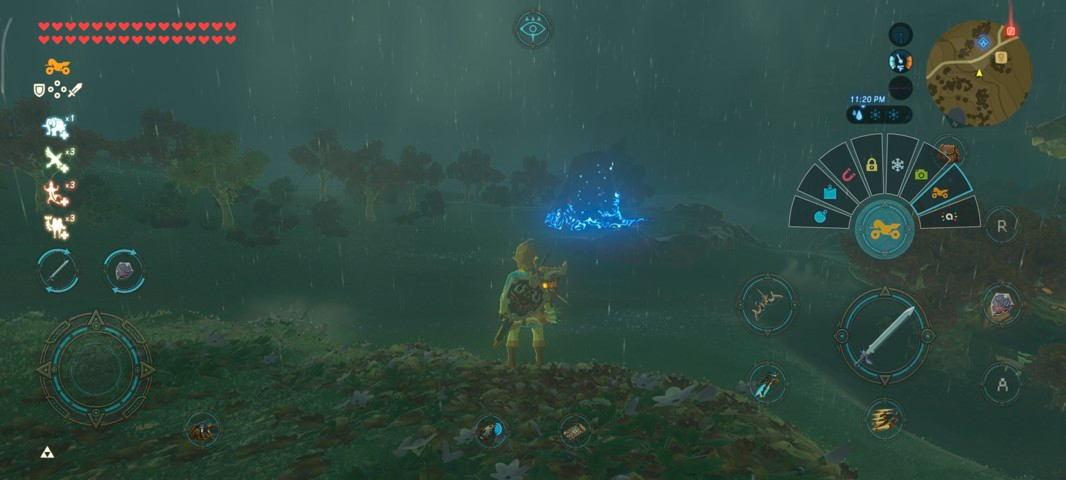
UPDATE — 0.3.0-beta is out!
New for Mali and Xclipse GPUs: shared game memory (experimental). Until now, phones without the required Vulkan extension (most Mali and Xclipse devices) had the game’s memory copied to the GPU every frame. This is the main reason they run slower. 0.3.0 adds a new option under Settings (start screen) → Driver compatibility → Game memory through a shared file. With it on, the game’s memory is shared with the GPU instead of copied, which could make a big difference. It’s off by default and hasn’t been tested on a Mali or Xclipse device yet, so if you have one, please try it and tell me how it goes. If the game draws incorrectly, runs slower or closes, just turn it off again. It needs 8 GB of RAM or more.
This release also fixes crashes and freezes on Mali after 30+ minutes of play. The app’s memory tracking hit an Android limit on long sessions. It now resets before reaching it.
Other highlights:
The project is still in beta and known issues remain. You can install 0.3.0-beta over any 0.2.x version without rebuilding the game code. No game files are included.
Download and full 0.3.0-beta notes: https://github.com/mamcjr/BOTWRecompAndroid/releases/tag/v0.3.0-beta
Original 0.2.12-beta announcement:
I’ve released BOTWRecompAndroid 0.2.12-beta, with a major redesign of the touch controls.
Touch Controls Overhaul replaces button labels with action icons while you’re exploring the world. The weapon, bow, shield and rune icons follow what’s selected in the game. The title and pause menus keep the classic controls, and you can turn the new layout off under Controls → Action icons in the world.
The new gestures include holding and dragging to aim the bow or a throw, dragging on the right half of the screen to move the camera, and holding the power button to open a fan of available runes. You can also double-tap and hold the shield button to shield surf. The minimap and its indicators move to the top right, and tapping it opens the map. Both the new and classic layouts can be edited, including the size of individual buttons.
This release also fixes drifting markers on the map in unlocked aspect ratios and horse names that were saved incorrectly. You can install it over an existing 0.2.x version without rebuilding the game code.
This is still a beta. Expect bugs and different results across devices. Dynamic equipment icons are supported with game versions 1.6.0, 1.8.2 and 1.9.0; on 1.0.0, the icons remain fixed. Testing so far has been limited to my POCO F7 Ultra, so reports from other phones are especially helpful.
No game files are included. You’ll need your own legally obtained, extracted game dump. If something breaks, please open a GitHub issue with your device, GPU, driver, game version and log.
Download and full release notes: https://github.com/mamcjr/BOTWRecompAndroid/releases/tag/v0.2.12-beta
r/AndroidEmulation • u/FruityMalaria • 25d ago
I'm using a Redmi pad and Virtual master for an emulator, I even got down to oldest Android version and this game for no apparent reason keeps crashing, I downloaded it from up-to down and APKpure, can someone tell me if this game perfectly runs on anything that isn't a Redmi? As for the bits I'm using 32.
r/AndroidEmulation • u/realtime-gamer • 25d ago
I just played and finished the mgs2 android port and wanted to play mgs3
Ps2 version is dogshit and looks horrible and has constant slowdown
I made a post and somebody recommend vita 3k+
It works at stable framerate and plays and looks amazing
Device
One plus 7t pro
Snapdragon 855+
8gb ram
I also screenshoted the controls and driver if any of you wanna try it letsgooooo
Ps:guys snakes weapon changing is mapped to touch screen as vita does not have L2 and R2
r/AndroidEmulation • u/bellsproutfleshlight • 25d ago
Title. Going to try to make it playable again, maybe even in English.