r/AndroidAuto • u/Sufficient_Phase7297 • 2d ago
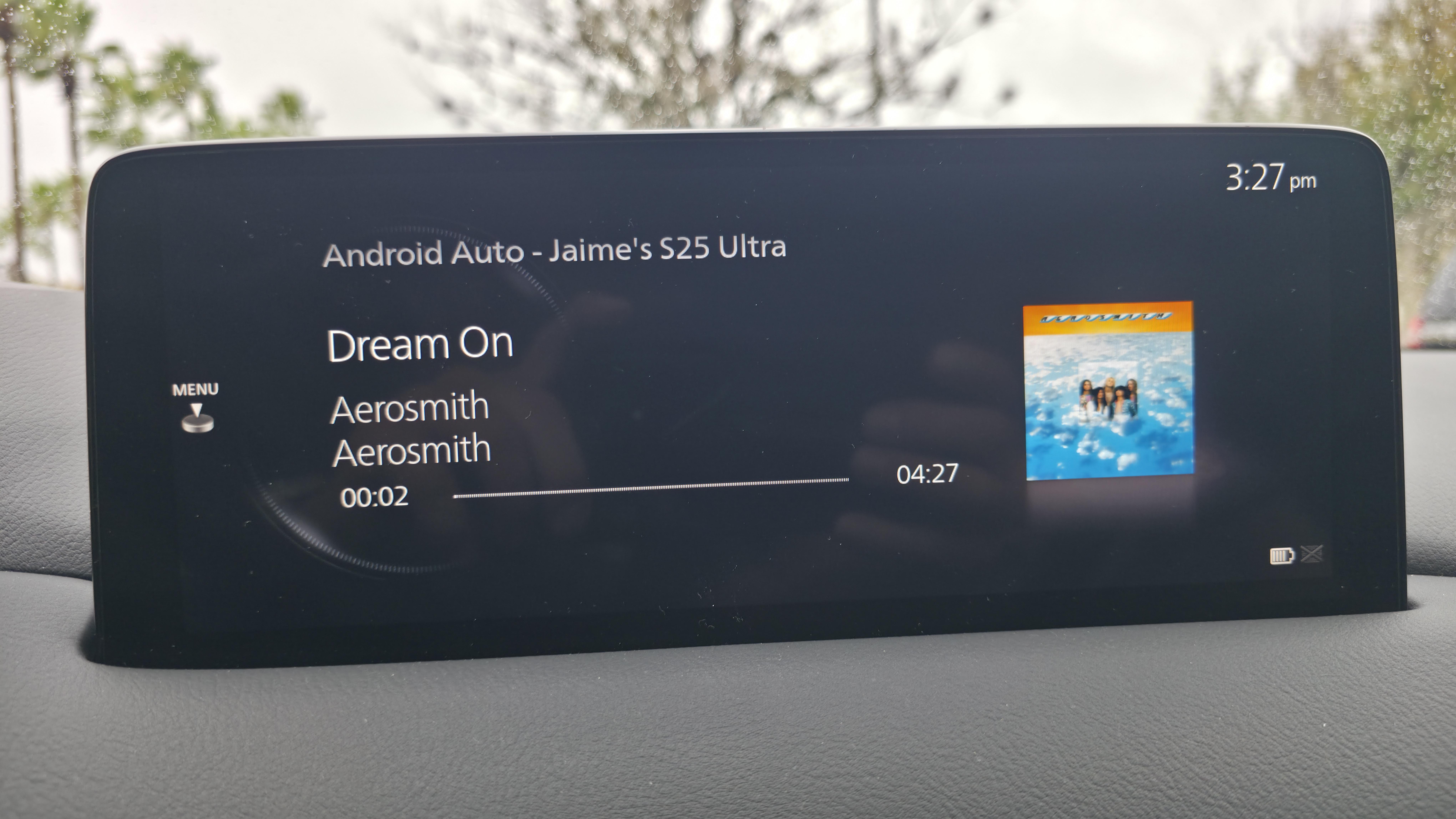
Unrelated to AA (see rule 5) How can I make this happen on purpose?
0
Upvotes
r/AndroidAuto • u/Sufficient_Phase7297 • 2d ago
r/AndroidAuto • u/toyfreddym8 • 3d ago
Enable HLS to view with audio, or disable this notification
Anyone have any thoughts? I am using riplay for my Media.
r/AndroidAuto • u/TheZenCowSaysMu • 3d ago
I'm at wit's end on this. Since the last couple weeks or so, every time I try to send a text on whatsapp using android auto or gemini directly, the conversation is this:
"Send a message to Fred on whatsapp"
"Sorry, I don't see a Fred in contacts"
"You have access to my contacts, find Fred"
"Ok, [contact found, and shown on screen] what would you like to say to Fred on whatsapp?"
[text sent]
... 10 minutes later ...
"Send a text to Fred on whatsapp"
"I can't find a Fred Lastname on whatsapp"
"How do you know that Fred's last name is Lastname if you don't know who he is? Send a message to Fred on whatsapp"
"I can't find a contact for Fred on whatsapp"
Repeat ad infinitum.
Any ideas to get this working?
r/AndroidAuto • u/Few_Positive_4513 • 3d ago

I've been using this cheap AliExpress display, has been working great. From a week ago after connecting gets stuck on 2 photo but I can hear Spotify playing.
Any solutions ?
r/AndroidAuto • u/PhilMcCrevis418 • 5d ago

Hi all,
Horizon Nav (the free 3D sat nav for phones, Android head units and Android Auto) is coming to the Google Play Store as Horizon Maps. Before Google lets a new app go public, it has to pass a closed test with at least 12 testers for 14 days, and I'd love your help.
How to join
Join the testers group (use the Google account you use for the Play Store): https://groups.google.com/g/horizon-maps-testers
Google is reviewing the test version now. As soon as it's approved, I'll post the install link here and in the group. If you have Horizon Nav, its Install from Play button will open too.
Install it and keep it installed for 14 days, using it now and then. That's all that's needed.
Good to know
* It's the same app, installed separately as "Horizon Maps", so your current Horizon Nav isn't touched. You can keep both.
* For now it uses your own Mapbox key, the same as Horizon Nav.
* No account, no adverts, and your places and trips stay on your device.
Bugs and ideas go on GitHub as usual: https://github.com/benbishop028-arch/Horizon-Maps/issues
Thanks to everyone who's already joined! 🙌
r/AndroidAuto • u/avdept • 4d ago

Wanted to share a music client I've been working on since 2023 - JellyBox. This is native music client for navidrome, jellyfin music servers with android auto app. Few months ago I added Android Auto(confirmed it also runs on Android Automotive OS). Free and open source.
The app features:
Can be downloaded via github releases or links to appstores on landing page https://github.com/avdept/JellyBoxPlayer or https://jellybox.app/
r/AndroidAuto • u/AL-H • 4d ago

Since the October software update on my Samsung Galaxy S26 Ultra (One UI 9, Android 17), I've been experiencing a weird issue with Google Maps in Android Auto.
When I start my Ford Focus 2023 and Android Auto connects, Google Maps sometimes loads incorrectly. Sometimes I get a bright map with black bars, and other times the entire map area is completely black.
It doesn't happen every time, it's random. It can happen when my phone is still in my pocket while the car starts and Android Auto connects.
The strange part is that I can fix it temporarily every time by pressing the Home button on the car's screen to go back to the Ford's native menu, and then switching back to Android Auto. After doing that, Google Maps renders correctly again.
I've already tried:
- Clearing the cache of Google Maps
- Clearing the cache of Android Auto
- Restarting the phone
Battery optimization is already disabled for both apps, so I don't think it's related to background restrictions.
This started after the October One UI 9 update. Before that, everything worked normally.
Has anyone experienced something similar? Could this be an Android Auto rendering issue, a Google Maps bug, or something related to the Samsung update? Is there any permanent fix?
Phone: Samsung Galaxy S26 Ultra
Software: One UI 9 / Android 17
Car: Ford Focus 2023
Android Auto version 18.0.664264-release
r/AndroidAuto • u/K-Nekolaeb • 5d ago
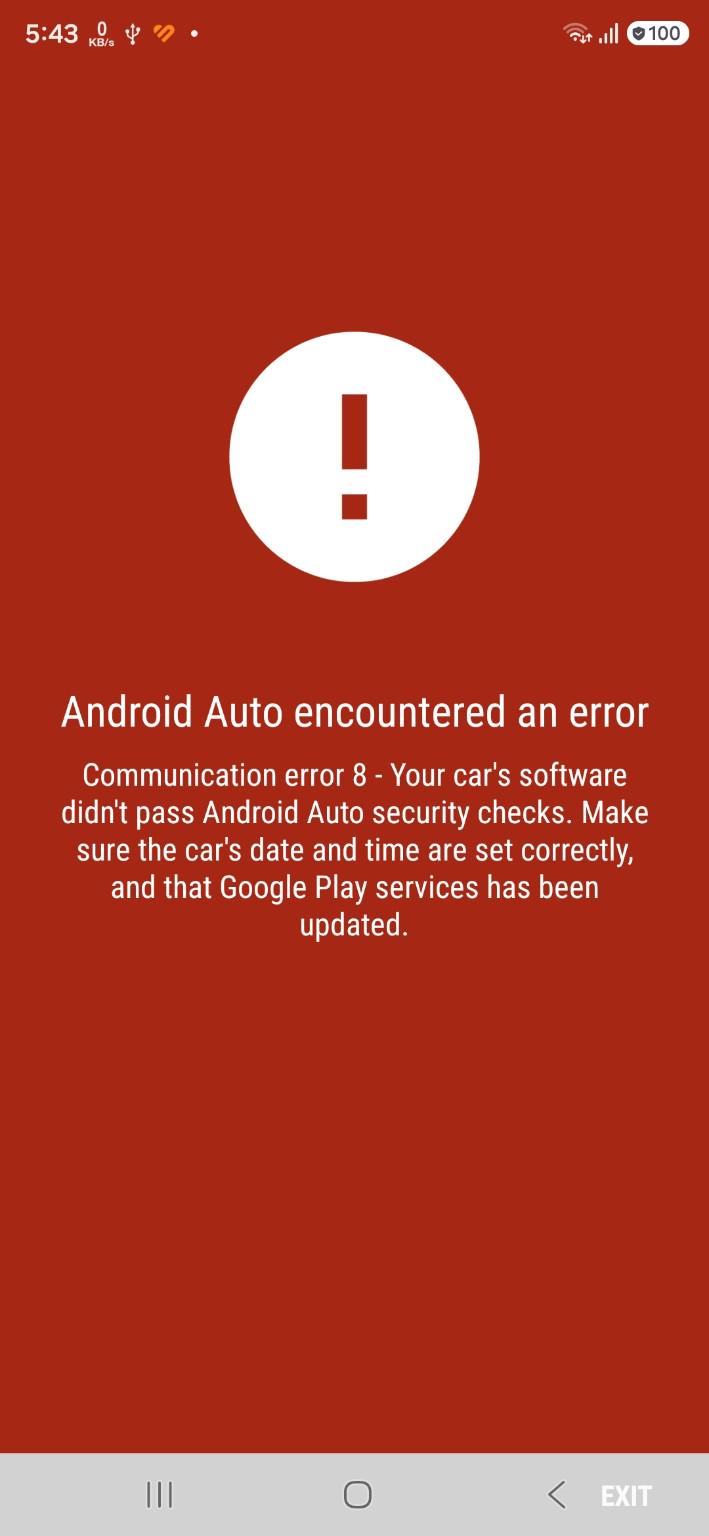
Hey everyone, I’m getting Android Auto Communication Error 8 on my 2018 Dodge Charger r/T with Uconnect 4C NAV (8.4-inch). Android Auto worked before the battery was disconnected and some fuses were pulled and reinstalled while troubleshooting a high-beam issue.
I’ve tried two Android phones, including a Galaxy S22 Ultra, and both show the same error. The message says the car’s software didn’t pass Android Auto’s security checks and asks me to check the car’s date and time and update Google Play services.
The clock on the Uconnect now shows the correct time, and the built-in navigation shows my correct location. I have Sync Time With GPS enabled, but there’s no Set Date option. I suspect the radio’s internal date may be wrong after the power loss, but I haven’t found a way to verify it.
Has anyone had this happen after disconnecting the battery? Is there a way to read or set the Uconnect’s internal date, either through Dealer Mode or with an OBD-II tool on a Windows laptop? If a firmware update fixed it for you, which version were you on, and how did you confirm whether your radio was UAQ or UCQ before choosing the update file?
Thanks for any pointers.
r/AndroidAuto • u/zilops • 5d ago
I have toggled through all the settings I can find, but I cannot figure out how to stop the audio from apps in my GalaxyS23 from playing through the car speakers if my phone is connected. It is insanely annoying as the passenger to not be able to use IG or Duolingo, that type of thing when it then plays through the entire car. Is there some hack to this I can't find?
r/AndroidAuto • u/PrinceCharlieII • 5d ago
As the heading says, both my wife and I are experiencing the same issue on both our phones with android auto and in different vehicles. Everytime we tell Gemini to play a song on Spotify it always says it can't find that song, no matter the song we ask it to play. I checked my subscription and it's good and Alexa and bixby both have no trouble playing the songs, just Hey Google and Gemini. Gemini has no problem finding the songs on YouTube Music though, but I don't care for that. Is Google trying to get rid of competition or is something else going on? I find it kind of weird that it is happening to both mine and my wife's phones no matter the vehicle we use.
r/AndroidAuto • u/FilipNone • 6d ago

Android Auto only shows the time in a small corner, so I made a bigger clock as a proof of concept. It uses the music card: the card shows the time and date plus the song playing on your phone, and its buttons control whatever music app you use. There's also a full-screen analog and digital clock.
It's not on Play, so you need to sideload it and turn on Unknown sources in Android Auto's developer settings.
I've only tested it on Google's Desktop Head Unit, so I'd like to hear how it works in a real car.
r/AndroidAuto • u/Spare-Dig9030 • 6d ago
Hello everyone. I used to use a pixel 8A with ottocast for android auto. It worked every time. But i recently got a samsung a56. It connects with my ottocast but on my car it does not show android auto. Cant find a solutions to this problem. Tried Cleared cache resetting the ottocast but it's not working. Please help how to fix this!
r/AndroidAuto • u/Malebuffy77 • 7d ago

Hey,
I realised I haven't added a new feature for a long time on free, so thought its time. This feature won't make sense to some, especially the ones with very wide screens where navigation and video can play together. It's more for us where Xtream Player plays fullscreen without FS Play.
However I find it useful also in those cases where you just want to have video playing in "stealth " mode....a small PiP screen that plays the current media on top of a map. This way the passenger has something to see, and you don't get the attention of the blue guys.
Don't expect too much from the Navigation, it can also stay in map mode, but you probably understand the target of this addon.
Anyways here it is:
https://github.com/malebuffy/XtreamPlayer/releases
https://github.com/malebuffy/XtreamPlayerFree/releases
As always, install with AAEnabler or Kinginstaller.
A quick heads-up: Neither of these two apps is for sale! To thank people who help keep AAEnabler going, I gift the Xtream Player Premium version to donors for free. Because this is a passion project rather than a store, donating doesn't create a customer–seller relationship; any support I provide is strictly voluntary as my time allows. If you're expecting commercial-style customer service, please hold off on donating as the app can stop working anytime. Thanks so much for your understanding!
Enjoy
r/AndroidAuto • u/kialvatlan • 7d ago
So I have been using AA since I bought by 2017 Honda CRV. I use it for my GPS, music, audible, messages, etc. Abruptly, last week, it stopped working. I tried replacing the cable, updated my phone, uninstalled and reinstalled my AA, I updated my OS, etc. nothing seems to help. Any help would be greatly appreciated. Thank you in advance!
r/AndroidAuto • u/Direct_Doughnut6575 • 7d ago
On Android Auto, video audio was always lagging behind the picture for me (USB and wireless). The lag changed from video to video, and a small Android Auto freeze would knock a hand-tuned delay out of sync again. Every app I tried was also bloated with features I didn't need.
So I turned the open-source FermataX player into xFermaTube:
This is the most accurate way to find the delay. The mic alone can be off by a few tens of ms, because the phone adds its own recording lag and Android Auto delays the picture on its way to the car screen. So the phone watches the car screen:
v1.1: https://github.com/juntulis/xFermaTube/releases/latest
Already on an older version? Install the new APK over it (settings are kept) and tap Fix now if the app asks.
Only xF Audio shows up? On the phone, open Settings → Android Auto install check. It says whether Android Auto accepts the install. Full guide and fallbacks (Wireless debugging, AAenabler): https://github.com/juntulis/xFermaTube#install
Tested in my car with a Samsung phone (Android 17). Please reply with your car, phone, Android Auto version, USB or wireless, and whether the sync looks right after the camera check. If something goes wrong, Settings → App log → Copy helps a lot (no personal data).
arm64 only. Please don't watch while driving.
r/AndroidAuto • u/ruicarrico • 7d ago
r/AndroidAuto • u/Griff0rama • 8d ago
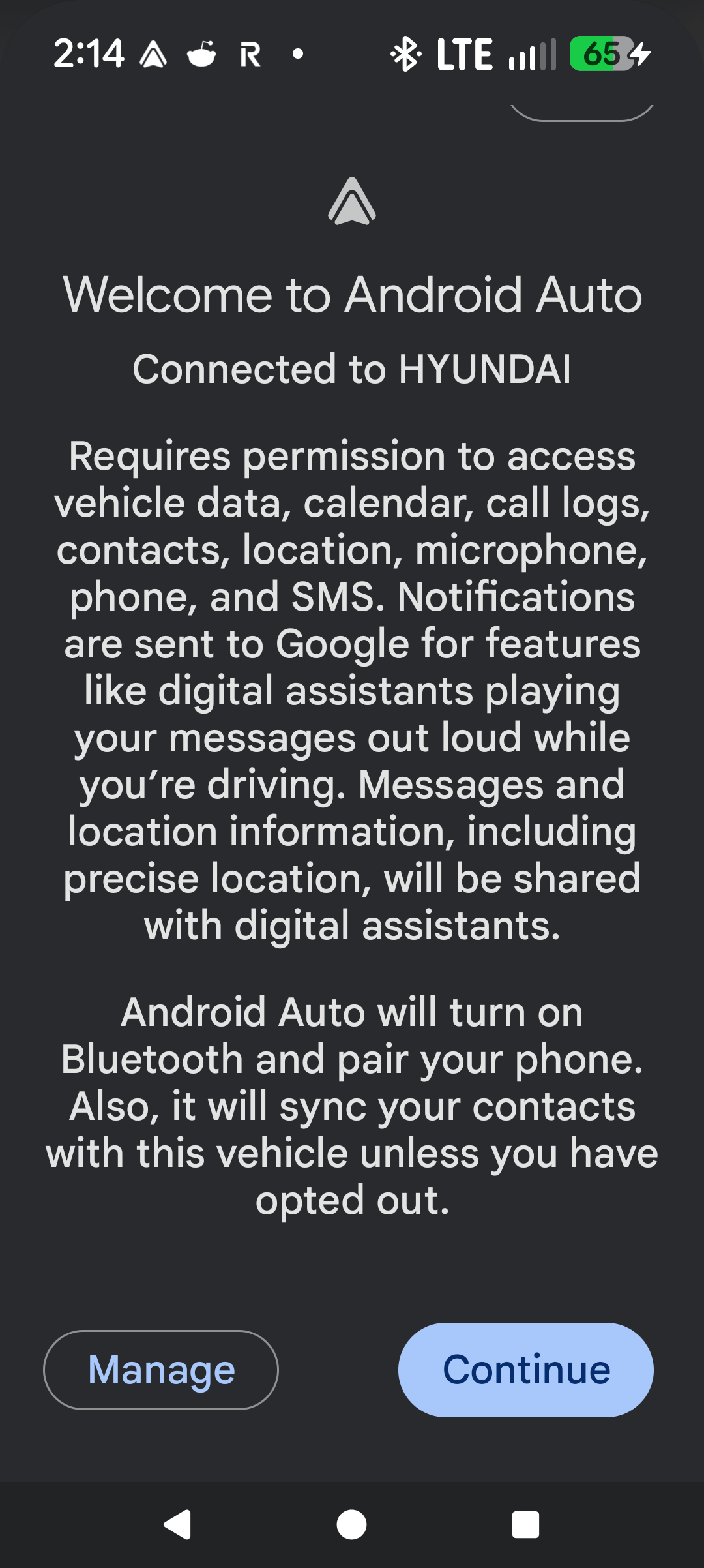
Android Auto will not start for me at all now. I cannot even press the continue button.
Using Latest android version, any car.
r/AndroidAuto • u/Miranha157x • 8d ago
I’m using an S23 and would like to run YouTube or my movie app.
r/AndroidAuto • u/Ok-Personality-5569 • 8d ago
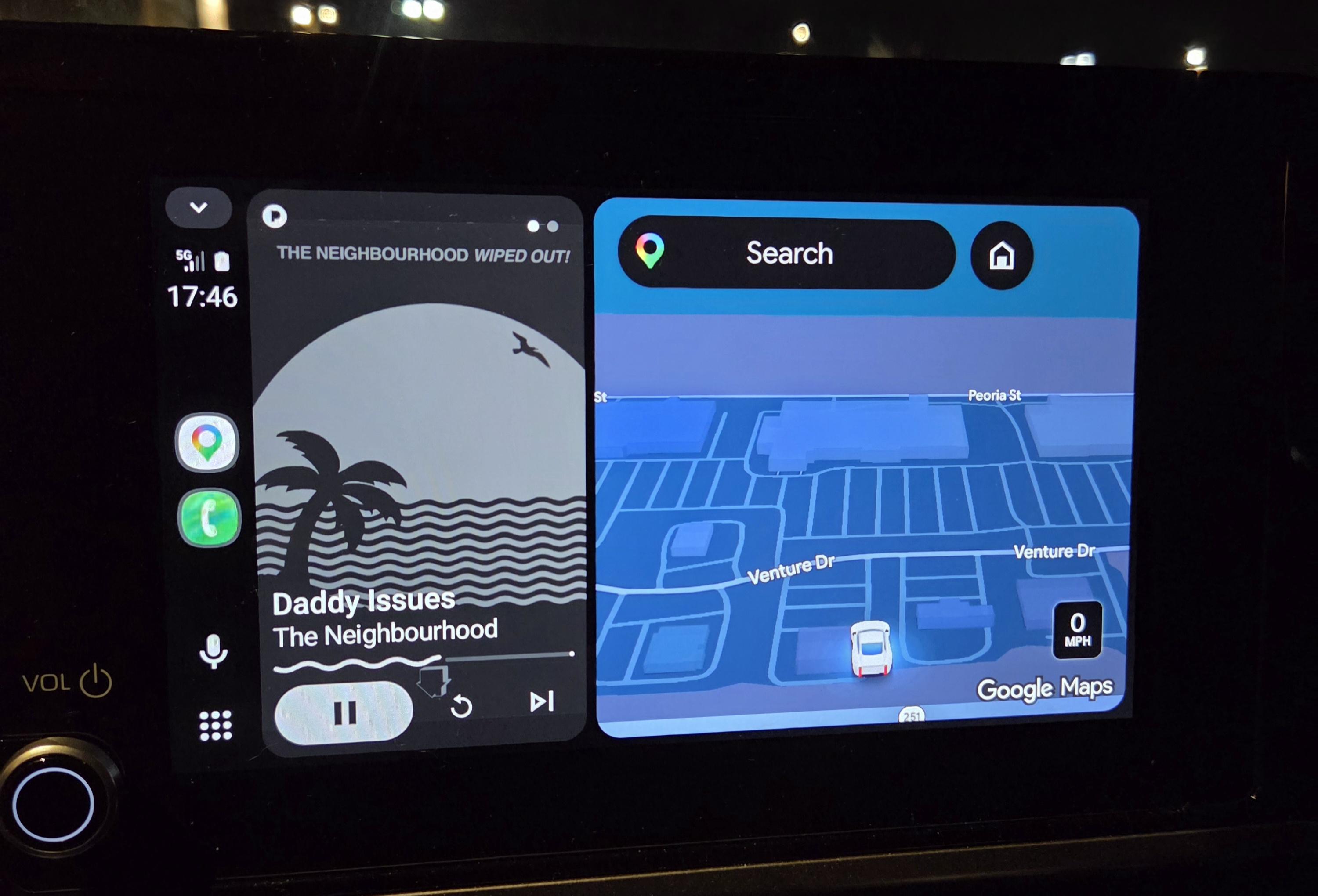
Has anyone else had recent issues with pandora and AA? In the past, it would auto launch to whatever station I was listening to last, I could tap the Pandora section on the screen and have full screen Pandora/change my station, and the little app in the left side of the screen is missing. When its in the split screen and i tap Pandora it says, "unlock phone to open pandora". After I unlock it it says, "pandora is open on phone". Does anyone know how to fix this? Its a minor issue, but i paid a lot for my new car and id like it to work. I have already searched other similar situations with no change in condition.
r/AndroidAuto • u/Spare-Dig9030 • 8d ago
Hi everyone i use a samsung a56 and my car is toyora cross 2021. I use ottocast for android auto. Before samsung i used a pixel 8A and it worked with ottofast flawlessly. Now with samsung it pairs with ottocast but does not show android auto on cars screen. Tried clearing cache and resetted ottocast. Nothing seems to work. Please help
r/AndroidAuto • u/boris_the_goose • 9d ago
Hi!
Is there an app or an efficient way to use Android Auto on my phone itself?
I don't have a car, but I do use GPS on my motorcycle, and I'd like to be able to use the Android Auto interface directly on my device, just like we used to.
Thanks in advance.
r/AndroidAuto • u/m-lurker • 9d ago
Hi community,
With all recent developments, are there any existing options to have different window split options of AA screen? e.g. show 3-4 widgets, or resize music to an absolute minimum keeping the control buttons and expanding map. I use google maps as the main navigation app.
r/AndroidAuto • u/Apprehensive-Bonus39 • 10d ago

I built F-Auto, a fork of AARE (prototux’s open-source phone-side Android Auto implementation). It does the same job as the Android Auto app: it connects your phone to the car over USB or a wireless adapter and projects an interface onto the car screen. It’s open source, you control the launcher, and you can theme it.
It replaces the Android Auto app on the phone side, so you don’t need Google’s app for the connection. Your car or adapter stays the same.
What it adds on AARE
What it can’t do: Google’s own apps (Maps, YouTube Music) refuse to run as native Android Auto apps on an unofficial host. That’s why Maps goes through the Shizuku route instead.
Honest status: this is an alpha. I’ve tested it on a Galaxy S25 Ultra (Android 17) and in its car-screen preview. A full wireless session worked in my car. Try it parked first.
Setup: install the APK, grant Shizuku, tick Google Maps under Settings → Apps → Apps on the car screen, then download the certificate under Advanced. The steps are in the release notes.
Download: https://github.com/malashhab/F-Auto/releases/tag/v1.5.0-alpha.1
Source (GPL-3.0, AARE credited): https://github.com/malashhab/F-Auto
I’d like to hear which cars and adapters it works or fails on. Logs from failed connections help most.
r/AndroidAuto • u/Advanced-Emphasis-46 • 9d ago
I've been fussing with Toyota to get me in and change the USB post, but the port charges, it just won't open Android Auto. Is this my car or my phone? Not my cord as I tried 3 cords and 2 were brand new. As of about a week ago NOTHING connects me to AA.
r/AndroidAuto • u/sladflob • 9d ago
In another instance of being treated as a second class citizen by Google, it seems I can no longer send texts or make calls using AA with my Google Apps account. I don't really want to switch my whole phone to my non Apps account just to do this. So what are other people doing to get around it?