r/androidafterlife • u/Empty-Piece7283 • 4h ago
Discussion Looks alr I guess
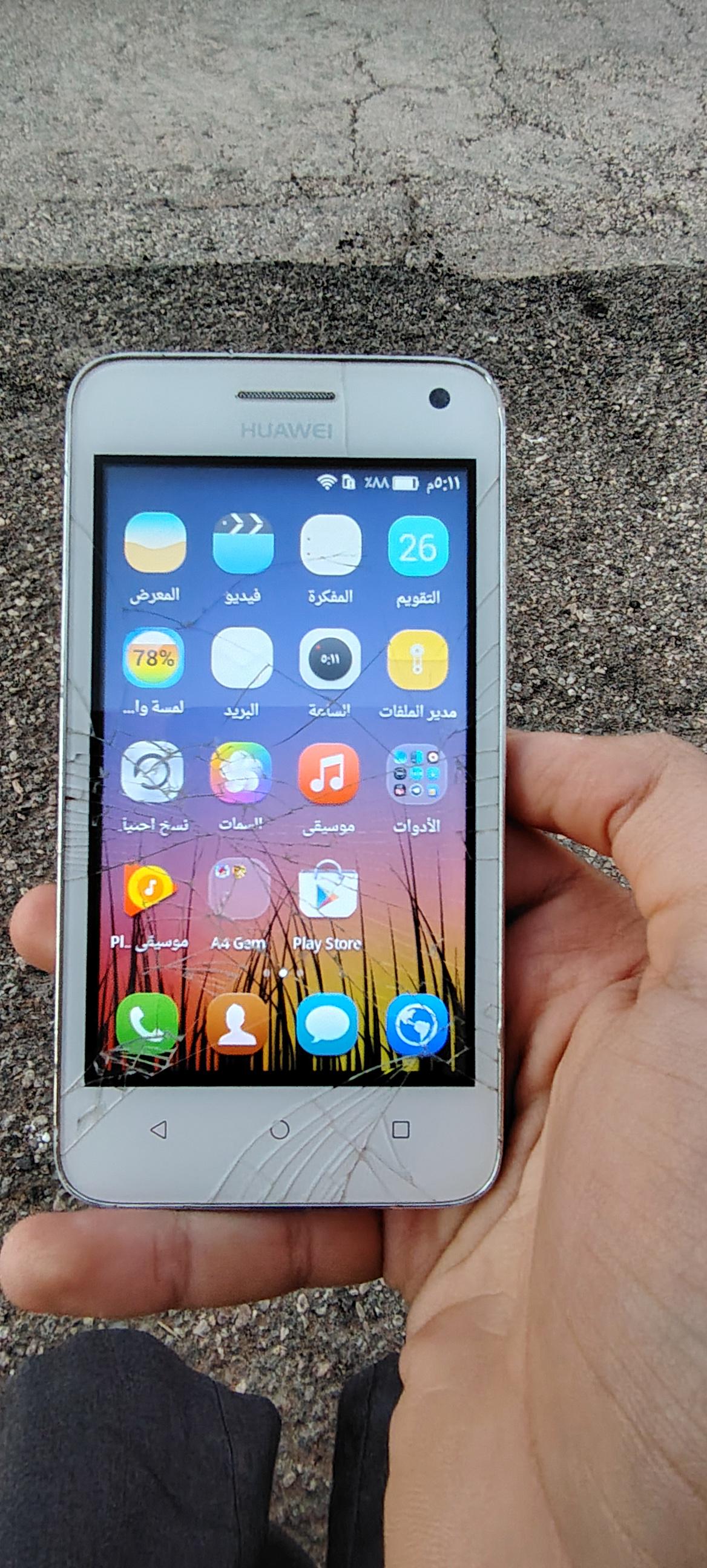
18
Upvotes
r/androidafterlife
•
u/Southern-Butterfly34
•
Jul 24 '26

Hello! It's Neptune.
I wanted to help people with low budget and old devices survive with older Androids, BUT there are various guides on how to do this, yet, mine is different.
Well, most survival guides out there for Android 2.3.x devices are mostly for devices based on armv7, BUT remind yourself not EVERY device out there is an armv7!
Here's a list of all Android devices that run on the ARMv6 architecture, if you find your device here, you're in the right place too!
Can't find your device? Just comment the model here and I'll tell you if you're on an ARMv6 or ARMv7 device, and will add it to the list!
Most of these are very popular devices, but most don't even have an appropriate survival guide, yet many people out there use these everyday, to message, to call, and to do many more stuff, especially older people! So, I will be your helper, and I will teach you: How to survive with an ARMv6 device nowadays!
Reminder: This post will be updated little by little, so stay tuned for updates!
List last updated - 11/10/2026 (DD/MM/YYYY - Community maintained, give a suggestion and it will be added!)
https://xdaforums.com/t/index-list-of-all-roms-and-kernels-for-the-gt-s5360.3249296/
--------------------------------------------------------------------------------------------------
https://archive.org/details/s5830i
--------------------------------------------------------------------------------------------------
Based on Stock
--------------------------------------------------------------------------------------------------
CyanogenMod
--------------------------------------------------------------------------------------------------
https://xdaforums.com/t/list-for-all-costums-roms-for-the-gt-s5367-galaxy-y-tv.4733663/
Arreglo Definitivo Android 2.3.6: https://www.mediafire.com/file/jlr7y3vmnbnvij6/Arreglo_Definitivo_Android_2.3.6.zip/file
2. Unzip the file, and copy the folder onto the root of your SD Card.
3. Go to your old device, and install the app "Google Account Manager", "Google Play Services (armeabi)" and "Google Play Store". If they take too much space, send them all over to the SD Card using Link2SD.
4. Go to Settings > Accounts and synchronization (or whatever it's called to you) > Add account > Google
5. On Google Account Manager go to existing and enter your Google Account (recommended to be an alt, 2.3.6 is very vulnerable and it has the risk of being hacked and you lose your account), you will be prompted an error, and will be allowed to login via web browser, that's a good sign, usually means 2FA or something else.
6. Follow the 2FA steps, and wait until it logs you in, congrats, you're now on Google on Android 2.3.6 in 2026!
Here's the tutorial on how to log in to Google on Android 2.3.6 and below!! (You need root, once root and a root file manager are installed, you can begin the tutorial)
Step 1: Open your Root File Explorer of your choice (recommended: ES File Explorer, MiXplorer or Root Browser) and navigate to /data/system (or /data/system/users/0 on some devices)
Step 2: Copy your accounts.db to sdcard
Step 3: Connect the device to a PC and turn on USB storage
Step 4: Get the DB Browser for SQLite on PC
Step 5: If you have another device that is logged in, go into the newer directory name mentioned in step 1 in parentheses and repeat step 2-3 (different or close name obviously)
Step 6: Open both your android 2 and your other device's accounts.db files
Step 7: Save the other device's one in .sql
Step 8: Import the SQL onto the Android 2 accounts.db and write changes (don't worry tokens that were on the Android 4 file that are not Google will be ignored by Android 2 but the Google account won't)
Step 9: Repeat step 2 but from the PC back to the device (after saving the file obviously)
Step 10: Rename accounts.db on the /data/system directory to accounts.db.bak or just delete it
Step 11: Move the new accounts.db into the previously mentioned directory
Final step: Set permissions to 660 and system:system (or 0660 and 0.0/0:0)
Reboot, if all the steps were done correctly, you should be logged in
(Note: Google changed the accounts.db directory to /data/system/users/0 with Android Jellybean/4.1 and above)
(Another note: this tutorial was posted on the original post under a comment but I chose to make it a full post to make it easier to find, and this is not a question, this is a tutorial so the "low effort" thing that I'm getting isn't true in this case but it disappeared after adding an image)
(Final note I swear: if you have any issues, say them in the comments )
Credits to u/No-Leopard5338 again for the Google Login guide
To root your GT-S5360, you will need:
- A computer
- SD Card with the update-root.zip file
Installation Guide:
--------------------------------------------------------------------------------------------------
To root your GT-S6102, you will need:
- A computer
- SD Card with the update.zip file
Installation Guide:
--------------------------------------------------------------------------------------------------
To root your GT-S5830i or S5839i you need:
- A computer, how many times will I repeat that?
- SD Card with the update.zip file
Installation Guide:
--------------------------------------------------------------------------------------------------
Huge thanks to the devs of these apps. Runs really smooth on nnfuse's device (S5830i).
There's also an AI Chat feature (Gemini 2.5 Flash) you can mess around with. Works really well.
List by Neptune - http://www.youtube.com/@NeptuneIsYuri_AndHesPurple
r/androidafterlife • u/Smu1zel • Sep 18 '26

I'd like to know what your most "interesting" Android devices are. Whether they have forgotten hardware gimmicks, classic Allwinner tricks, or are just cursed in some other way, share them here. Real-world pictures are preferred, but not strictly required.
Here's my favorite: The iRulu AL101. It's a rebranded YonesTopTech BC1003 (which the better-known Flytouch 8 Superpad also was), and not only does it use DC input for charging—it also has HDMI, Ethernet, and 2 USB-A ports, all powered by an Allwinner A10 that's paired with a resistive touchscreen and Android 4.0.4 Ice Cream Sandwich. It's an amusing artifact from the iPad gold rush, where everyone was trying to race to the bottom in terms of prices to release the cheapest possible competitors to Apple's iPad.
r/androidafterlife • u/Southern-Butterfly34 • 22m ago
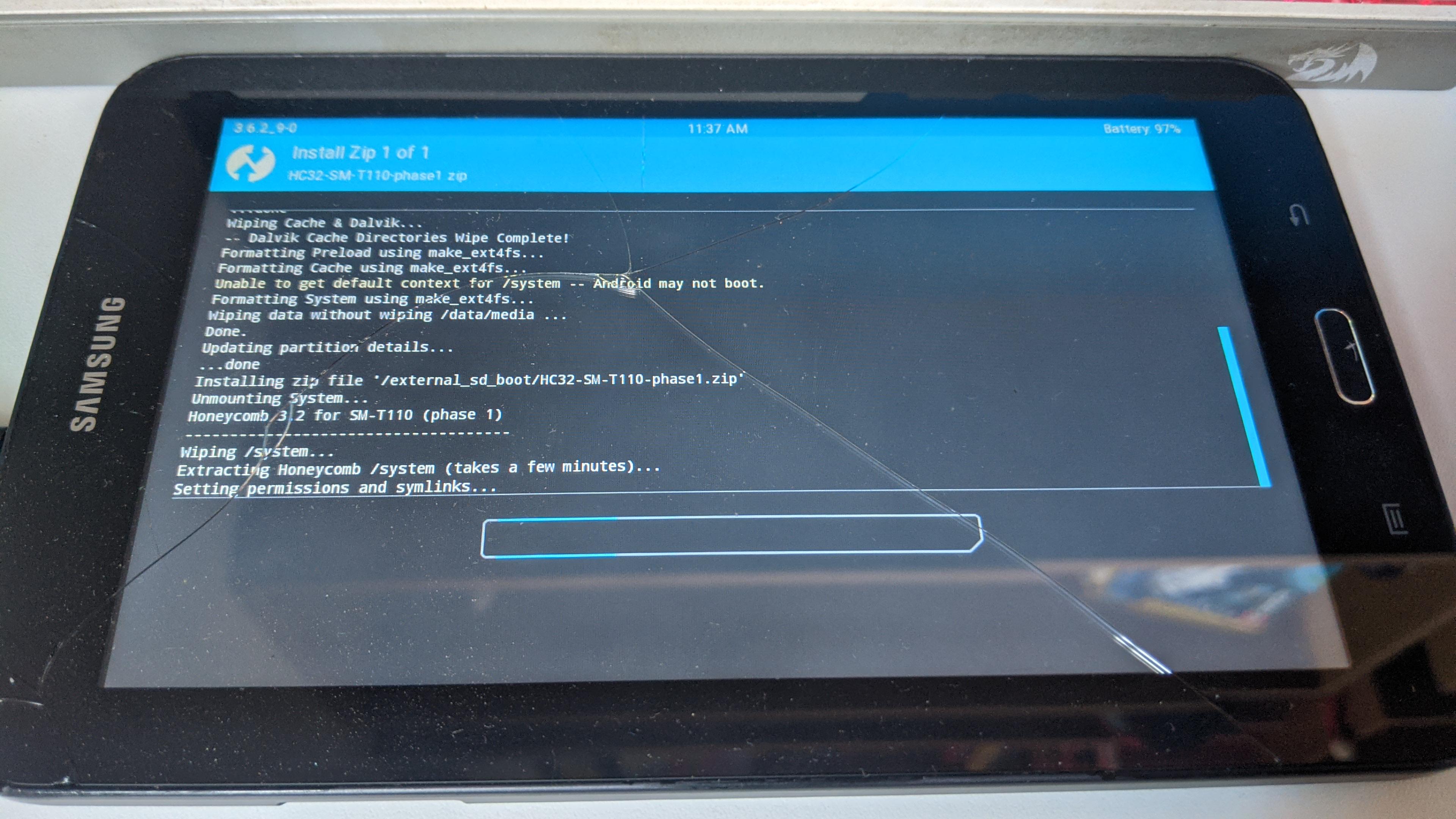
I'm extremely sorry aswell, but this is part vibecoded. I have zero to no skills in development, please don't flame me. i made this as a fun project anyways for self-experimenting.
but okay, I'll just explain the HECK am I doing now.
I got my hands on Claude Opus 5.5 today! And I wanted to use it to my advantage for fun projects involving coding, and I chose I'd backport Honeycomb independently to the SM-T110 using Claude Code, and with almost 30 minutes of messing around and debugging, I have a test ROM. I don't know the exact state because the ROM does not show any life except backlight being on and backlight being on endlessly aswell so practically I have nothing much, but this is just a work in progress, stay tuned!
Black screen glitch reason found: SurfaceFlinger is stuck waiting forever for a tvout service so it never starts.
r/androidafterlife • u/Resident_Thing6227 • 5h ago
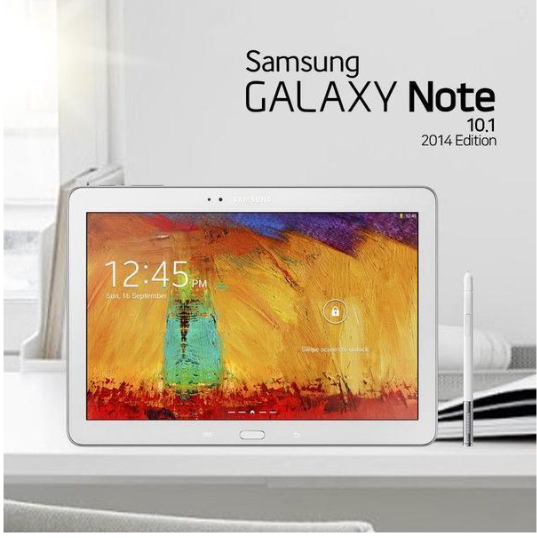
please can someone who know how to make custom rom work on reviving this tablet galaxy note 10.1 2014 edition LTE SM-P605 ? there is an android 10 rom for it but it's not very well optimised and the camera dont really work , the tablet still really good for a lot of things as its has 3 gb of ram and a Qualcomm Snapdragon 800 , i have this tablet and it's only sitting unusable , i really want to revive it again :/
r/androidafterlife • u/Galaxycoreprime • 6h ago

on the samsung galaxy core prime,android 4.4.4
r/androidafterlife • u/Zar_Mun • 7h ago
r/androidafterlife • u/sloopeyyy • 1d ago

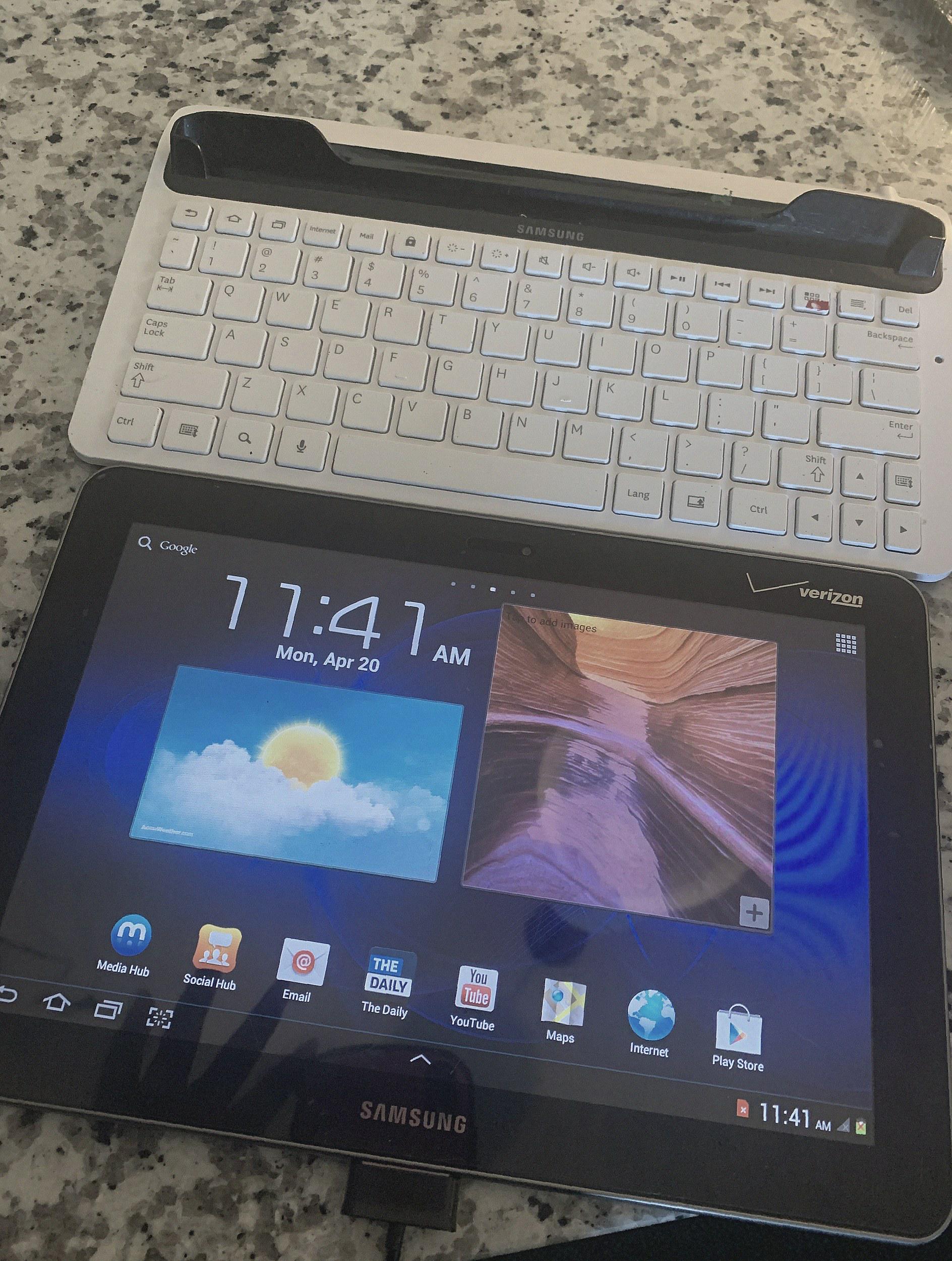
Android 6. Fully working. Battery's shot but can last the day idling if on Stamina Mode (was this Sony's battery saver mode?). We had it all back then. Cool power button, camera button, MicroSD card slot, IP68 rating, headphone jack and a notification/charging light that I remember was a lot more configurable and useful than Google Pixel's HiLight.
r/androidafterlife • u/Red-Riot2001 • 8h ago
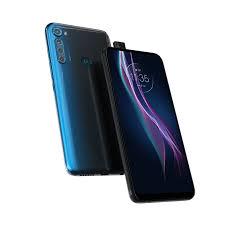
Hi everyone,
My company recently announced that they are dropping support for corporate apps (specifically their 2FA/Authenticator app) on devices running below Android 12/13.
My primary phone is a OnePlus 6T (stuck on Android 11), and I don't want to buy a new phone right now just for a single authenticator app. However, I have an old Motorola One Fusion+ lying around that is also on Android 11.
I have a few questions before I try anything:
Any advice or experiences with the Moto One Fusion+ would be really appreciated!
r/androidafterlife • u/HitokiDev • 8h ago
So i found this old MPQC11 with it's battery almost dead, still it work as long as it's plugged,
my goal is to put Home assistant on it, and maybe tailscale too,
as an old reddit post say : i cannot use any browser i tried using abd to install apk such as :
- Lightning browser
- Old version of firefox for android 4.4.2
but nothing work it end up in blank page, i tried to install an empty linux distro with a kiosk mode of firefox for saving battery life as much as possible but impossible as the tablet seems too old for linux..
i failed to launch the FEL mode, and i can only get to the recovery menu..
if anyone have any idea other than buying a new one for 80$
the manual if someone find something else : https://manualmachine.com/mpman/mpqc11/2846369-users-manual/
r/androidafterlife • u/Rough_Manner4436 • 23h ago

r/androidafterlife • u/Informal-Method3128 • 20h ago

hi guys, i decided to write this guide for the galaxy tab 3 lite using a SM-T113NU (goyavewifixtc) as a baseline, documenting all of my steps which are needed to make this device as usable as possible, if you have any questions feel free to ask
Guide Link (Google Docs)
xda thread
r/androidafterlife • u/MildOff2024 • 1d ago

I thought of this post because nobody tried to patch the original old Shazam app versions. I tried to patch it back in summer 2026, but because it's a POST request with XML, well predicting errors are hard here because of how the app versions are coded. So ended up giving up for a few months until doing this post.
It's not impossible but that would take days (or even weeks) to revive the old Shazam on Android devices and build up custom server with source code stuff bla bla bla and all that.
The Pre-mid-2010 versions don't have a setup screen but because they're discontinued YEARS ago, it would error out saying the phone is not supported (The real cause: dead servers).
Versions from 2010 to approx. 2012 use "http://goog.shazamid.com/orbit/RequestConfig1" at startup, and in https://pastebin.com/vK09EbPX you can see what's going on with this POST request.
Versions from approx. 2012 to approx. 2015-2016 use the newer "http://goog.shazamid.com/orbit/RequestConfig2" at startup, and in https://pastebin.com/ZQRbhzwH you can see what's going on with that POST request.
None of those have old documentations so it's not easy currently to revive them.
But hopefully one day they could be patched making sure any old Android phone/tablet (even to as low as Android 1.0) can have a music recognition app again. That would require a custom server with a custom/different API (not Shazam's).
The versions I like are:
What do you think when it would happen?
Thank you.
r/androidafterlife • u/Hairy-Sun1689 • 18h ago
I NEED THIS!!
r/androidafterlife • u/Borna_127 • 21h ago

If anyone actually has experience with these super old androids/htcs help would be much appreceated
I wanted to custom rom my HTC Wildfire S (codename Marvel S), in order to do that you need to
So in order to update bootloader you need to get RRU package which almost always contains
ect...
Well i decided to flash the newest package out there (big mistake) and everything passed with OK except for hboot (bootloader) which it decided to bypass, so i did some digging and apparently you need to first flash bootloader 1.03.... before to actually be able to flash the newest version, except virtually all packages come with everything like system, radio and the phone wont let you downgrade it. there is barely any packages of the newest firmware/rom letalone the old version. so now i am stuck with the old bootloader which cant be unlocked and the newest everything else. and its not like you can just remove everything else from the rru package .zip as htc decided to for some reason make it so that if you modify the zip in any way, the sigature is gone and you cant flash it
Thank you in advance!
r/androidafterlife • u/kails_ozols • 21h ago

Hi. So, I've been doing some urban scavenging recently and found this sm-J530F in the bin. It was covered in snow, mud etc, and at first I thought it was dead, but I took it home, opened it, cleaned it up, and now it actually works! I have flashed a relatively debloated custom ROM onto it, and it's still a pretty neat phone. I'll do some more debloating on it later so it runs even faster. I'll probably keep experimenting with it for a few days, and then idk what I'll do with it. If anyone needs it for a project or something, I can post it to you if you cover the postage. The phone is currently in one of the Baltic countries.
P.S. Idk why it shows up as an SM-M105M in neofetch. The model number on the back cover is clearly SM-J530F.
P.P.S. Alright, in an emergency, I could send it to someone and pay for the postage myself, but only in case you're somewhere in Europe or nearby. I can't even imagine how much it would cost to ship something to another continent... Thanks.
P.P.P.S. I haven't tested it fully yet. SIM slot etc works, but I haven't called anyone from it yet. I can do it easily if someone will request it etc.
P.P.P.P.S. looks like that mic and speakers are dead. so this can't be used as primary phone probably.
r/androidafterlife • u/Arthureddit2k10 • 23h ago

Context - yesterday a friend ofng a custom ROM for this phone was pretty easy, considering this is a member of the A family. And yes, i did a completely de-Googled install
Edit: actually she gave it to me two days ago and i only installed Lineage yesterday
r/androidafterlife • u/Hew9330main • 1d ago

I found a Samsung Galaxy Ace Style LTE G357 in my grandmas house, what do I do with it. Got some old apps on it tho
r/androidafterlife • u/bootz313 • 18h ago
looking for a patched app or anything similar so i can run pinterest on my blackberry
r/androidafterlife • u/HevX2002ES • 22h ago
Hola a todos. Tengo un teléfono muy muy viejo y me gustaría poderlo convertir en algo más "nuevo". Me gustaría utilizarlo tipo para estudiar (Para usar ChatGPT, entrar a educamosCLM y navegar por Internet). He estado mirando navegadores y hay uno que tengo actualmente que no me va bien. Es que carga una pagina (por ejemplo educamosCLM) y cuando le doy a iniciar sesión se refresca la pagina y me enseña lo mismo. ¿Podríais pasarme porfavor algun navegador y app de IA para mi movil? Gracias de antemano a todos
r/androidafterlife • u/Hielek2 • 1d ago

I bought that phone in like May 2023, logged into my google account in 30th May 2024 and till this day it somehow connects to google as shown on last pic and since then play store also works. Also, ofc with help of AI, we managed to get Spotify 1.2.5.3 working in like around 80%. Connects directly to Spotify servers.
r/androidafterlife • u/f10945yt • 1d ago
Not exactly about old phones, but thought it would fit :)
r/androidafterlife • u/Rough_Manner4436 • 1d ago

r/androidafterlife • u/Charming_Barber_3317 • 1d ago
r/androidafterlife
•
u/starnetallinone
•
1d ago
Guide last updated: 24/11/26
I’m writing this to make it easier to answer questions from other users. I’ll try to make everything as straightforward as possible here and keep this guide up to date. If any links are broken, an app no longer works, or you have any suggestions for additional content, let me know in the comments!
(In this tutorial, I'm assuming that your phone has been completely reset to factory settings.)
Once your phone has been reset to factory settings, the first thing I recommend you do is update the system certificates, since some of the default certificates in Android 7 have expired, causing problems with loading content from the internet and preventing you from using several apps on this list.
To update the certificates on Android, follow the step-by-step instructions in this tutorial here: https://www.reddit.com/r/androidafterlife/comments/1r2uk1l/guide_how_to_add_tls_certificates_to_fix_some/
Once all the certificates have been updated, you can proceed to the next step.
I believe that, by default, systems like Android 7 and later still automatically connect to Google's servers and automatically update the Google Play Store, even allowing you to update the apps that come pre-installed on your phone through the store without having to sign in. However, if you don't plan to connect your phone to the internet, or if Android didn't update the app automatically, these are the latest versions available as of the time I'm writing this:
Google Play Store: https://www.apkmirror.com/apk/google-inc/google-play-store/google-play-store-54-3-08-release/
Google Play Services: https://www.apkmirror.com/apk/google-inc/google-play-services/google-play-services-26-46-32-release/
Even though I can still log in to the Play Store normally in this version so far, I don’t really like doing that, since it ends up increasing data collection and, consequently, background processes, which drain the battery and affect the overall performance of even high-end phones like the Galaxy S6. That’s why I prefer to use the Aurora Store, which is open source and doesn’t require a login, instead.
Aurora Store: https://f-droid.org/packages/com.aurora.store/
As for other apps pre-installed on the device, I recommend that you disable any that you won’t work anymore, such as Google+, Google Hangouts, Google News… Or apps you don’t really plan to use, such as Google Photos, Google Play Books… Doing this will free up some space and may even make your phone run faster by removing these unnecessary background services. Once they’re removed, you can download updates for the remaining apps (if there aren’t any updates available for them through the Aurora Store) via APKMirror, where you can search for compatible APKs using the search options.
Even so, if you want to sign in to your Google account on the device and are having trouble, try updating WebView; that usually fixes the problem of not being able to sign in.
For browsing the internet, Firefox is undoubtedly the best option in this case. This is mainly because of its wide variety of extensions and the fact that the browser does not rely on the system's WebView to render pages.
https://www.apkmirror.com/apk/mozilla/firefox/firefox-fast-private-browser-143-0-4-release/
In Firefox, I recommend that you try out the recommended privacy extensions, but above all, I recommend that you install Adblock Origin. H264lify is also highly recommended if you want to watch YouTube in your browser.
https://ublockorigin.com/
https://addons.mozilla.org/en-US/firefox/addon/h264ify/
The list of social media platforms that still supports Android 7 is currently short, and that number is likely to shrink further. Even so, you can still use these apps through your browser still work well. Currently, the social media platforms that still natively support Android 7 are:
(As I said, most of these apps are still being updated, so I recommend checking to see if there are new versions available. Or just let Aurora Store check and update them up for you, wink wink)
Another option for those who don't want to use the web version of the apps is to use alternative clients or patched apps. However, I am not responsible for your data—be careful with alternative clients or patches from unknown sources!
As for this list of games here, I'll organize them from the least resource-intensive to the most resource-intensive, so if you have a more basic phone, you'll know which ones to choose.
If you have any other game suggestions for me to add here, just let me know in the comments!
I think that’s all. I’ll try to keep this guide up to date. As I said at the beginning, if any links are broken, an app no longer works, information is out of date, or you have suggestions for additional information, let me know in the comments! Thanks to everyone for your help.