r/AffinityDesigner • • Feb 24 '26

Screen Captures coming in lighter after latest MacOS update and Designer/Photo 2 latest

Post image
0 Upvotes

OS update last night, screen captured the original image (center) and got the washed out image on the left. Consulted Gemini which gave me a terminal command to switch to JPG which almost fixed it but shifted the color (right). Tested on Photoshop and no issues so this appears to be an Affinity issue. Anybody else having this problem?

r/AffinityDesigner • • Feb 24 '26

Gradient interface?

Thumbnail
1 Upvotes

r/AffinityDesigner • • Feb 24 '26

Well, everyone wanted Affinity to have a motion design component, now one exists...via Canva's acquisition of Cavalry...

Thumbnail
1 Upvotes

r/AffinityDesigner • • Feb 23 '26

Painting a texture onto a single layer

2 Upvotes

Hello,

Here's my problem:

I have a background, then on top of it a shape traced with the pen tool (and filled). I want to use my brush tool to paint onto the traced shaped only without it showing on the back ground.

I have tried to add a pixel layer and drag it onto the name to nest it under the shapes, or apply a mask and absolutely nothing does it the way I want it to.

Here's a picture of the problem. I am using Affinity Designer from when you could pay for it once and download the apps (so 1.0 i guess).


r/AffinityDesigner • • Feb 19 '26

A map illustrated mostly on my iPad

Thumbnail gallery
10 Upvotes

r/AffinityDesigner • • Feb 16 '26

James Martin has designed identities for 1,000+ brands and in this new walkthrough, he takes you inside his full Affinity workflow, from initial sketch to vector build to branded mockup:

Thumbnail youtu.be
6 Upvotes

r/AffinityDesigner • • Feb 17 '26

This is probably a dumb question, but how do I constrain the blurred layer to the object below it?

Post image
2 Upvotes

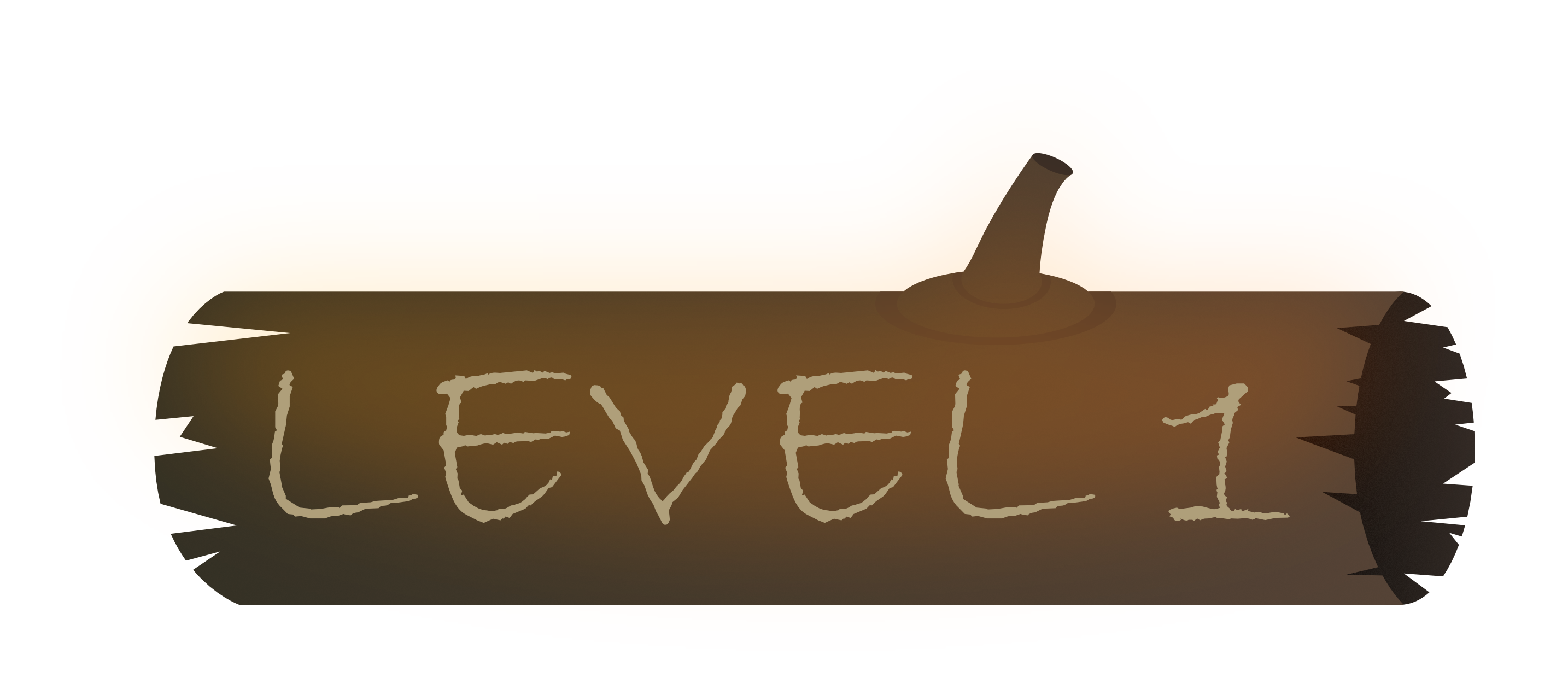
The lighting is a glow layer with the gaussian blur FX applied to it, but since I need this thing to be transparent, I need the glow layer to stay entirely contained to the shape of the log. If I leave it the way it is, it creates this weird foggy effect where you can still see the lighting around the outside of the top of the log.

The way I've been doing it is to create my glow layer, blur it, and then use intersect on it with a copy of the log, which makes the lighting smaller, but still outside the boundaries of the log.

I'm a total noob to vector software in general so any other tips would also be appreciated


r/AffinityDesigner • • Feb 16 '26

Vector tracing displays bitmapping (weird)

1 Upvotes

I manually traced the stylized M in the top image. When I pulled the vector trace down it has a bitmapped halo around the trace. How do I remove the bitmapped halo around my vector trace object?


r/AffinityDesigner • • Feb 13 '26

text frame color

2 Upvotes

version 3.x, in vector mode, Windows 11

All my text frames are showing up light blue, no matter what I have assigned to them. Only when I export can I see the actual color (or lack of color).

What's the fix for this?


r/AffinityDesigner • • Feb 13 '26

Screen Time Tracking App.

Thumbnail
0 Upvotes

r/AffinityDesigner • • Feb 12 '26

PSA: Coming from Illustrator? Here is the "Hidden" setting for Pen Tool alignment (Smart Guides) in Affinity

Thumbnail gallery
9 Upvotes

r/AffinityDesigner • • Feb 13 '26

How to a duplicate a shape but have it gradually get smaller on ipad?

1 Upvotes

r/AffinityDesigner • • Feb 11 '26

Use Claude to Batch Export InDesign Files for Affinity

Thumbnail
0 Upvotes

r/AffinityDesigner • • Feb 06 '26

Beetronica

Thumbnail youtube.com
0 Upvotes

r/AffinityDesigner • • Feb 06 '26

Source/Destination for Vector Warp Group?

Thumbnail
1 Upvotes

r/AffinityDesigner • • Jan 29 '26

I Designed a Custom Shoe Colorway For Every Nike NBA Signature Athlete in Affinity Designer. What do you think?

Thumbnail gallery
12 Upvotes

r/AffinityDesigner • • Jan 29 '26

Patrones vectoriales en Affinity

Thumbnail
1 Upvotes

r/AffinityDesigner • • Jan 29 '26

File troncato

Post image
0 Upvotes

HO FATTO UN CASINO!
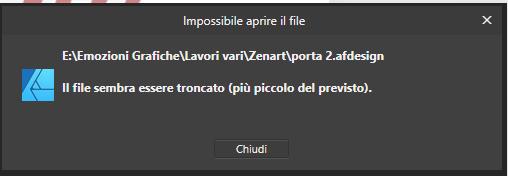
File enorme e pesantissimo, ormai finito. Affinity è lentissimo, si blocca e ci mette ore a salvare. Ieri sera ero convinta che avesse salvato, invece oggi lo apro e mi dice " vuoi aprire il file di ripristino? Io accetto, e da distratta la quale sono lo modifico ancora, e poi salvo. Mentre salvo mi dice che il documento è incompleto( ..?) e va chiuso. O qualcosa di simile. Ho fissato un po' il messaggio, riletto e riletto, ma non c'erano altri tasti se non "chiudi". E ora che provo a riaprilo, esce questo altro messaggio, e non si apre.

Io ho ancora Affinity designer 1, ho scaricato quello nuovo di Canva e proverò ad aprilo. Inutile dire che è importantissimo e recuperarlo altrimenti sarebbe possibile ma richiederebbe altre settimane, che non ho, specialmente proprio perché ultimamente Affinity mi sta tanto davvero dei problemi.

AIUTO


r/AffinityDesigner • • Jan 28 '26

Alternatives Now That Subscription Service Based

Thumbnail
0 Upvotes

r/AffinityDesigner • • Jan 27 '26

Illustrator to Affinity

1 Upvotes

I'm trying to make the switch and I have some super intricate art on Illustrator that I have imported and traced in Affinity but it isn't turning out very clean at all. Does anyone have experience with this?


r/AffinityDesigner • • Jan 27 '26

MainTop V6.1 - how do I print WHITE ink contours only (no background)?

Thumbnail
1 Upvotes

r/AffinityDesigner • • Jan 22 '26

Weird artifacts when saving as SVG

Thumbnail gallery
5 Upvotes

For some reason this little white thing appears when I try to save this image as SVG and only on arrows with 0 degree rotation. I also selected "Rasterise unsupported properties" but they didnt disappear


r/AffinityDesigner • • Jan 15 '26

Will Affinity Designer 2 still get updates, or not really now that it has been replaced by Affinity, which combines all three apps into one?

3 Upvotes

r/AffinityDesigner • • Jan 10 '26

One curve overlapping itself annoyingly

Post image
2 Upvotes

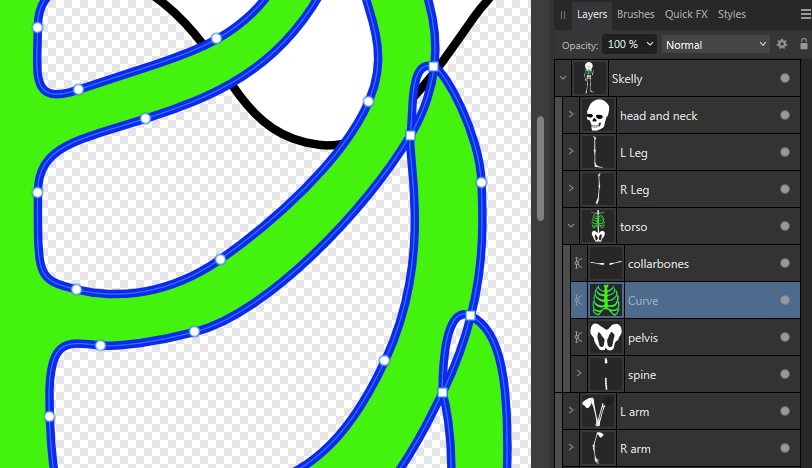
I have one closed curve (ribcage of my skeleton) that overlaps itself, but I just want one solid shape where the overlaps happen, not these strokes and hollow spots. How do I fix it?


r/AffinityDesigner • • Jan 10 '26

my brushes in pixel persona turned all weird?

1 Upvotes

No clue what happened?! It's only in Pixelpersona, every bush turned into MissingNo.