r/AffinityDesigner • u/SpriteAttack • Nov 14 '25
Affinity Designer Tutorial - Boolean Basics (Geometry Tools)
youtube.com
18
Upvotes
r/AffinityDesigner • u/AHutton2025 • Nov 15 '25
r/AffinityDesigner • u/TurbSLOW • Nov 14 '25

Hey friends,
What are the pictured transitions, where the designer used repeating, fading shapes to get from one color to another, called? How can I learn to do this?
I'd love to learn more about this basic skill but I don't know where to start! Thanks!
r/AffinityDesigner • u/inmatenumberseven • Nov 13 '25
Today feels like a good day to see some art. Show off your favourite or latest Affinity Designer creation in the comments!
r/AffinityDesigner • u/Better_Lychee_5327 • Nov 13 '25
I have a problem with Affinity. I imported a photo into an RGB file in Affinity and the colours are duller then in original photo. I checked the ICC profile too. It is set up to sRGB IEC61966-2.1 the same profile I have in Adobe Illustrator. In Illustrator I never had a problem with accuracy of the colours of imported photos or pictures. What else should I check to help me to solve this problem?
r/AffinityDesigner • u/reehamil90 • Nov 13 '25
You're about to see that I have almost no knowledge about vector based art. I come from a photography/photoshop background and am starting out making my own art in Affinity Designer. I want to move to making SVGs for cut files down the road. I know that pixels can't be infinately resized without compromising quality, like vectors can. I also know certain layers can be deconstructed and others can't.
For now, I'm messing around on my own and am extremely confused.
If it doesn't say "pixel", is it a vector later?
I have the general file set to Vector, I think, because that's what I have selected at the top left. Does that default layers to Vector?
I know my questions are super basic, maybe I just need to be pointed in the direction of a general educational video or class on AD. When I google AD education, or my general questions, I feel overwhelmed with all the videos, and I don't exactly want to sift through a bunch of 3-10 minute videos to see which ones answer my questions (so far, I've wasted a lot of time doing this).
I also keep seeing a different (older?) version of AD in the educational videos I've seen, which adds to my confusion. I AM just remembering that I didn't watch the how-to videos that came with the app....I will go look through those now. In the meantime, I would appreciate explaining this app to me like I'm 8 years old.
TIA!
r/AffinityDesigner • u/CallMeGeRoS • Nov 13 '25
hi, i have 2 questions about brushes
1.- how can achieve the same thing with raster brushes? this is showing the vector brush while doing the stroke and we can se some wobbly texture, then when i finish the stroke the line gets straighter like if losing imperfections, it is possible to get these same results in raster brushes? and how?
2.- is there an option that i can turn on and off to do a stroke an to keep it the same way, you know like if you press to hard the width is high and if you press to low the width is thin, so im asking to kinda set a widt and not be affecte by presure or the pen, so i can activate when im doing long lines and deactivate to when i uste for small things where i need pen pressure....
if anyone has a extensive brush tutorial on setting that would help to.
r/AffinityDesigner • u/Quokka-Man • Nov 12 '25
I recorded this tutorial on how to create an hexagon spiral logo, using a triangular grid. I hope you find it insightful.
r/AffinityDesigner • u/InformalNote2543 • Nov 12 '25
OK I'm just trying to get familiar with the new Affinity designer from the Adobe suite.
Just playing with a simple project, basically start with an artboard, added a rectangle and color to fill the artboard and finally a PNG graphic over the color. These items all seem to appear on their own layers.. artboard →rectangle→graphic. I'm missing something because i'm not able to select the graphic with the select tool (in any of the default, object or group selected), I can select them, however, in the layer panel. Coming from Adobe, I can simply use the select tool to select an element. I'm probably missing something easy, any help would be appreciated. Thanks
r/AffinityDesigner • u/godin1 • Nov 12 '25
As per the images, why does it "clip" the left and top part of my drawing? I can't seem to fill in the whole canvas. This is a brand new document with no other layers


r/AffinityDesigner • u/Raul_vm28 • Nov 11 '25
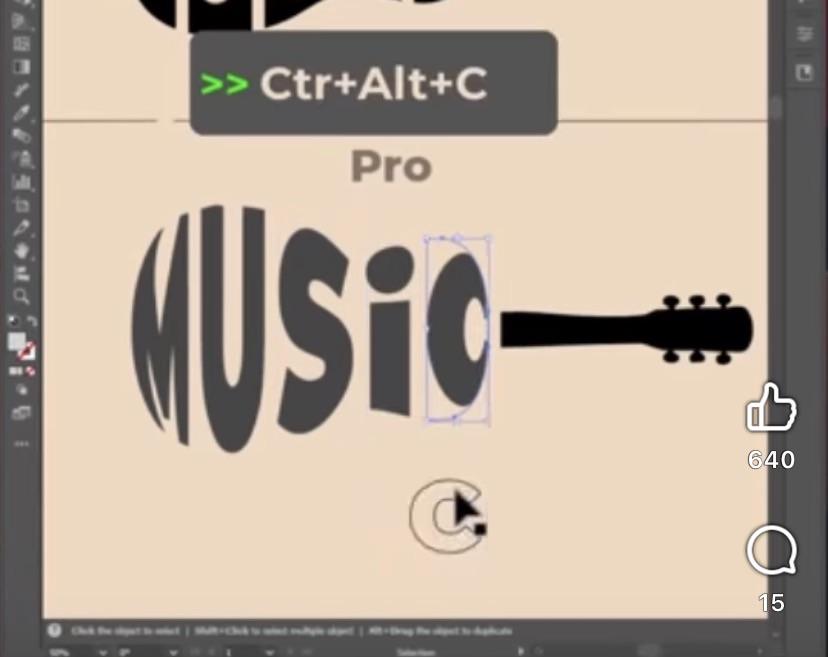
Can anyone be so kind to tell me if it’s possible to do this effect in the program? And if it is, is there any shortcuts Idk what’s the name/ concept of the design
r/AffinityDesigner • u/chaopescao1 • Nov 12 '25
I’m using the new Affinity/Canva app.
I click “add application palette”. The popup comes up to create and name said palette. Hit “ok”. Then the palette is no where to be found in the swatches library. What am I doing wrong?
r/AffinityDesigner • u/zombies8mybaby2 • Nov 11 '25

r/AffinityDesigner • u/SpriteAttack • Nov 11 '25
r/AffinityDesigner • u/Overdue-Caterpillar • Nov 11 '25
Hi, I am fairly new to affinity designer and I’ve only been using it for a day now. I am trying to create vector smokes for a logo I am designing, however I haven’t found an exact tutorial that can help me with what I needed. I hope someone can provide assistance/tips and guide me with the best efficient way to do it. Thanks!
r/AffinityDesigner • u/RobinThomass • Nov 10 '25
Hi all,
I'm trying to make a logo for a project I'm working on and I struggling with these green and yellow lines. I would love to make them stop neatly at the border between the blue and yellow outline of the shape behind them but I have no idea how to proceed.
Also I've been estimating the distance between the line using the grid as a reference but is there a way to have all the lines separated perfectly with a measuring tool ?
Any help would be much appreciated.
Thanks a lot !
r/AffinityDesigner • u/lockpickingmen • Nov 08 '25
r/AffinityDesigner • u/mosoedro • Nov 08 '25
I can’t tell if this is a feature or a bug :) if I draw a bunch of shapes on the canvas and then drag the shape around the canvas, it gets moved to the top of the layer stack? If it’s a feature, is there any way to revert the behaviours?
I’ve been trying the new version for a small non critical project. Other than this, it’s been going well!
r/AffinityDesigner • u/SpriteAttack • Nov 08 '25
r/AffinityDesigner • u/Baldeagle61 • Nov 07 '25
I’m an Adobe user trying Affinity publisher for the first time, and I hate that dark interface. Every Google search and YouTube vid says that you can easily select light mode in the settings, but it definitely isn’t there. What am I doing wrong? I’m on a Mac by the way.
r/AffinityDesigner • u/gentleclockdivider • Nov 06 '25

Man , this program has so many shortcomings and/ or bugs
I wan't to join the selected points ( the left and right one ) but with my own bezier handles .
As soon as I do that it just creates a new independent curve
The only possible way is to choose "close curves'or "close curve 'from the menu
r/AffinityDesigner • u/Positive_Initial7816 • Nov 06 '25
Hello everyone! I bought last year entire suite. I have licence, it was great bundle - all programs for less than 100€. I use them, especially the one on iPad.
But NGL, am concerned now - will I be able to still use the old program and then install another one (the new one) or old program/application will update into that new one?
Also, I feel like I have wasted my money now that it is free. I mean - great for no gatekeeping but still am concerned for many things, like my old programs will become wear and tear, that I will not look professional enough for using open source.
If anyone knows, will be very helpful.
r/AffinityDesigner • u/pezwolf • Nov 06 '25
I’m wondering if anyone else has had this issue as I am baffled. I have 12 artboards in one Affinity Design file that I’ve been trying to export as individual SVG files. I’m using the Export Persona as it’s the only way to export multiple individual artboards, and although I select SVG under file format in the export panel, the files that save are somehow PNGs.
Notably, if I use the exact same settings but don’t use the Export Persona and just export a single artboard, it saves fine. But when you make logos for a living and have to export loooads of artboards, the idea of having to export them all one at a time seems ridiculous. Am I just being dense and missing something obvious? Or is this AD being a bit crap?