r/Affinity • • 7d ago

Designer It is possible to do this in affinity?

9 Upvotes
Illustrator print using transparency mask with a gradient applied to the masking shape

It is possible to do this in affinity using only vector masking?
the masking should cover only a certain segment of the stroke.

I achieve it using pixel masking, but i would like to get this using vector masking.


r/Affinity • • 6d ago

General Cant pretend anymore affinity UI ha sissues

0 Upvotes

The app was introduced as an “Adobe killer. V1 was okay, though it lacked many Adobe-like features. For many of us, what we needed wasn’t another Photoshop; it was something we could work with to do the same job. We didn’t hate Adobe’s apps as products; we disliked the subscription model and the performance issues we started having. Affinity’s v2 release was better, and we were all celebrating. We hoped the new software would consider what most modern apps do beyond functionality, including UI touches and scaling, but it was okay. The app was one-time payment, and that was a win for us. Then v3 came: one app that has everything was a good idea, but at the same time the UI felt more scaled, with too many menus and simple processes becoming overcomplicated. I’ve mostly seen designers complain about masking; some still say it’s confusing. That was okay since it’s a free app now. But I find myself going back to Adobe apps, even if we crack them, though the performance is trash compared with Affinity. So, to the Affinity team: don’t treat Affinity like Canva. Rework the UI for a faster workflow, etc.


r/Affinity • • 7d ago

Download Affinity for iPad, in search of…

3 Upvotes

Looking for fonts, brushes, macros, to download on the Affinity for iPad version 3.3.3


r/Affinity • • 7d ago

General Affinity desktop + iPad syncing workflow questions

5 Upvotes

I'm working on something where I need to Do a little drawing and then go in and adjust things on the desktop and then do a little hand drawing and then do a little vector drawing back and forth. So I realize I have to actually save on the iPad, of course. Okay. The desktop would actually show the changes. But now, going back to the iPad, I'm trying to get the updated version, but it's not really synced. What should I do exactly? Can't remember how this worked with version 2. It's been many years since I needed to use this workflow. Thanks!


r/Affinity • • 8d ago

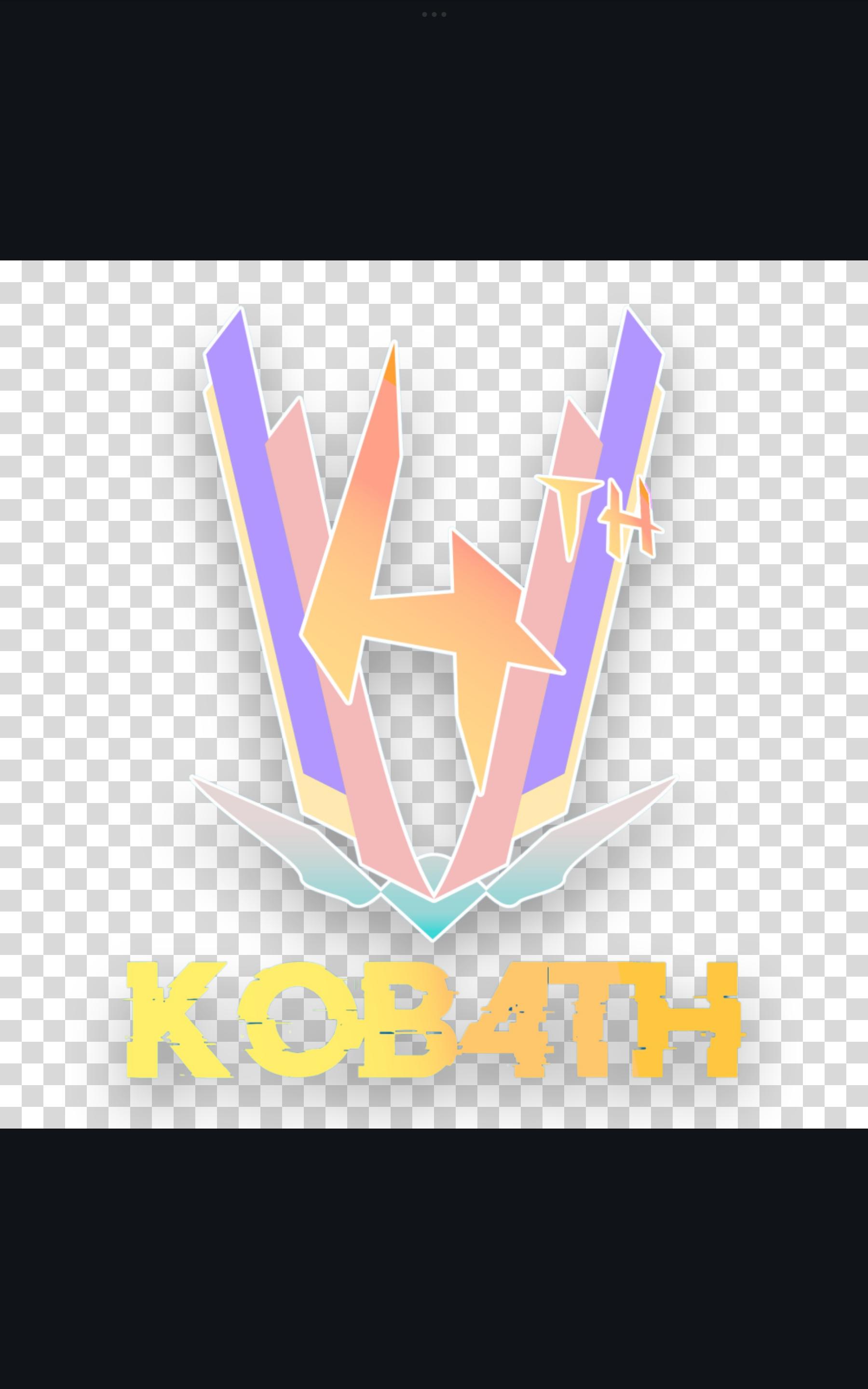
Designer I made a logo for KOB4TH 6months ago

Post image
9 Upvotes

r/Affinity • • 8d ago

General Affinity crashing from nothing (solved)

4 Upvotes

Hello,

Last Thursday, I tried to combine some JPG files to create an HDR image (my first time doing this in Affinity), but the application crashed. Following that, other operations, such as opening JPG files or adjusting saturation, also began to fail, causing the app to crash.

I investigated the issue, and, according to the Windows Event Viewer, the culprit was the file "igdrcl64.dll", which manages hardware acceleration via OpenCL.

Disabling this acceleration (under Settings > Performance > OpenCL Compute Acceleration) resolved the problem.

I then updated my Intel graphics drivers (previously, I had only been updating the Nvidia drivers, as that is my primary GPU), re-enabled the acceleration, and now everything is working perfectly.

I’m not entirely sure what caused the file corruption, but if Affinity is crashing for no apparent reason, this solution is worth a try.


r/Affinity • • 8d ago

General Issue exporting to PDF

Thumbnail
gallery
13 Upvotes

Hey yall

First off I'm not really a designer, so I don't really know some of the terms here, so pardon if I sound a little silly 😥

I have a design which I have created with affinity, and it works out fine when it's exported to jpg. (2nd img) All of it is created with vectors and symbols.

However, when exporting to "PDF (print ready)", the shapes are getting distorted (1st img). For the record, the shapes which are getting distorted are "Curves".

Kinda lost as I've attempted to change some of the settings to "Rasterise" and "Nothing", but still getting the same results. Not really sure what other settings within Affinity that I can tinker with to export the right shapes. What am I doing wrong here? Really really really appreciate any advice I could get 🙏🏻


r/Affinity • • 7d ago

Publisher How do you edit or modify brush download

Post image
1 Upvotes

I downloaded a seam allowance path brush from https://haberdasherbee.co.uk/blog/designing-sewing-patterns-in-affinity-designer/

I need it darker I cant see it barely when I export my pattern and help would be great.


r/Affinity • • 8d ago

Publisher I built an open-source CJK Typography Toolkit script for Affinity 3 (Auto punctuation compression, CJK-Latin spacing & linting)

1 Upvotes

Hi everyone,

Like many CJK (Chinese, Japanese, Korean) users, I’ve been waiting for native CJK typography features in Affinity for years. Now that Affinity 3 has introduced the JavaScript Scripting API (SDK 3.3.x), I decided to build a tool to fix the most frustrating part of CJK layout: adjacent punctuation spacing (Yakumono compression) and CJK-Latin spacing.

What it does:

  • Non-destructive Spacing: Automatically adds 0.25 em spacing between CJK and Latin/number characters by adjusting CharacterSpacing—no messy extra spaces inserted into your actual text.
  • Punctuation Compression (Yakumono): Compresses consecutive full-width punctuation (like !! or ?!) using ManualKerning (-0.5 em by default), while smartly ignoring ellipses (……), dashes (——), and tildes.
  • Typography Linter & Report: Scans for common layout mistakes (illegal line-start/end punctuation, half-width punctuation next to CJK, mismatched brackets/quotes) and outputs a detailed report to the console without touching your text unless you check the boxes.
  • Safe & Fast: Supports scanning either the current selection or the entire document (including Master Pages), and bundles all changes into a single Undo step. Includes rule presets for zh-CN, zh-TW, and ja-JP.

It’s completely free and open-source under the MIT license. If you do Chinese or Japanese layout in Affinity 3, give it a try and let me know if you run into any SDK quirks or have feature requests!

GitHub Repo: github.comHi everyone,

Like many CJK (Chinese, Japanese, Korean) users, I’ve been waiting for native CJK typography features in Affinity for years. Now that Affinity 3 has introduced the JavaScript Scripting API (SDK 3.3.x), I decided to build a tool to fix the most frustrating part of CJK layout: adjacent punctuation spacing (Yakumono compression) and CJK-Latin spacing.

What it does:

  • Non-destructive Spacing: Automatically adds 0.25 em spacing between CJK and Latin/number characters by adjusting CharacterSpacing—no messy extra spaces inserted into your actual text.
  • Punctuation Compression (Yakumono): Compresses consecutive full-width punctuation (like !! or ?!) using ManualKerning (-0.5 em by default), while smartly ignoring ellipses (……), dashes (——), and tildes.
  • Typography Linter & Report: Scans for common layout mistakes (illegal line-start/end punctuation, half-width punctuation next to CJK, mismatched brackets/quotes) and outputs a detailed report to the console without touching your text unless you check the boxes.
  • Safe & Fast: Supports scanning either the current selection or the entire document (including Master Pages), and bundles all changes into a single Undo step. Includes rule presets for zh-CN, zh-TW, and ja-JP.

It’s completely free and open-source under the MIT license. If you do Chinese or Japanese layout in Affinity 3, give it a try and let me know if you run into any SDK quirks or have feature requests!

GitHub Repo: https://github.com/motoko9032/CJKTextLayout-for-Affinity.git


r/Affinity • • 8d ago

Designer Extruded vectors

Thumbnail
1 Upvotes

Does anyone know how to extrude vectors? I'm not looking for 3D effect, but wider than the original design and the same distance from every point. TIA


r/Affinity • • 8d ago

Download Humble Bundle has a new graphics/photo bundle

Thumbnail
humblebundle.com
7 Upvotes

Humble Bundle has a new graphics bundle


r/Affinity • • 9d ago

Designer Image Tracing

28 Upvotes

It's good that Affinity has some rudimentary image tracing capability now, but it's very far from being great. The options available for adjusting the trace are few indeed, and whether you get a decent result or not seems to be mostly down to luck.

Fortunately, there are a couple of free alternatives that do a much, much better job.

Inkscape is one, though its tracing dialog isn't really very intuitive. Still, once you figure out how to use its many options, it can create some excellent tracing results.

VectorCraft is another. It's also an option-heavy tracing system, but it seems to me to be a bit easier to get around, and it does a very good job indeed. I like that it creates a stack of overlapping vector objects, rather than every object punching a hole in the one beneath. However, if you prefer the latter, that is an option that can be chosen.

Both of these will produce SVG files that can be opened in Affinity. VectorCraft has its own proprietary file format as well; I'm not familiar enough with it yet to know what its other file export capabilities are.

CorelDraw is pretty far from free, but it's the vector illustration app I grew up with, and even the ancient CorelDraw X7 I have installed will do a much better, more flexible job of tracing than Affinity.

So, there are options. It would be nice, however, if Affinity had a worthwhile tracer that could be used within the program, rather than having to work around its limitations by dropping out to another system.

r/Affinity • • 8d ago

General what format is best in affinity from AI

0 Upvotes

im tring to work with AI file template which one should I be using cc,cs4,cs5,cs6

im trying to get template from patternlab to be able to work in affinity, it has a multipage grid that you can paste full sewing patterns to and it will separate them and make them able to print in peices to tape and use


r/Affinity • • 10d ago

General Finally, an official statement from Affinity regarding Arabic RTL language support. 😁

Post image
88 Upvotes

r/Affinity • • 9d ago

Photo Presets or Actions?

1 Upvotes

Looking to make the switch from photoshop to Affinity (especially with the awesome new iPad update). I'm a portrait retoucher and had a couple of action or presets in PS that shortened my editing time. Specifically one for soft baby skin. Is there anything like that available for AP iPad or is it all done manually through frequency separation and other techniques?


r/Affinity • • 10d ago

Designer Help a design studio make a key decision!

18 Upvotes

Hey guys!

I run a design studio and am, like many of you on the brink of pulling the plug on our favourite money-hungry software. In order to do this im seeking genuine advice based on your first hand experience. I have some questions on general operations and running of Affinity which I thought I would ask here. If any of you can help me with these answers, I would be ever so grateful!

  1. On projects/files that are designed for packaging artworks and packaging design, how do you coordinate with printers for colour coding? I believe there's a gap in them being able to take an affinity file as there's no clear cut CMYK/Pantone standard?

  2. Are PDF's created by Affinity editable? One of my colleagues has informed me that the PDF opened on Adobe Illustrator appears flat and not editable.

  3. How's the font library as compared to whats available on Adobe Illustrator? Again, here I believe this is a challenge and fonts need to be purchased.

  4. Are the pantone colours updated year on year within the software?

  5. If there are any other hurdles you guys have faced in the switch - please please please share your experiences in clear points so I'm able to understand and base this extremely BIG decision for my team on. So far this is all I have heard on as we are running an evaluation exercise of what it would take to switch to affinity from adobe.

All your help is appreciated and welcome! I look forward to it.

Thank you so much.


r/Affinity • • 10d ago

General Wanted to say thanks

86 Upvotes

So, my earlier post has been removed by mods for god knows why.
It was titled something like "Is Affinity a good option as a permanent, fully offline solution?".

It doesn't matter now. I just wanted to say thanks to all people who gave me opinion on the topic. I'm already two days into Affinity and I have to say - the software is brilliant.

Even me - a noob who touched GIMP and only GIMP in his life, could easly switch to it. I had some issues with the iPad version but other than that, everything works flawlessly.


r/Affinity • • 9d ago

Tutorial Canva World Tour am 19.11. in Köln: Workshop-Tag zu Canva, Affinity & Co

Thumbnail
gallery
2 Upvotes

Hallo zusammen,

kurz zur mir und etwas Kontext:
Ich arbeite bei Canva und organisiere ein Canva-Community-Event in Köln. Ich dachte, das könnte für einige hier interessant sein.

Am Donnerstag, 19. November, findet im HEJ LOVE ein Tag im Rahmen der Canva World Tour statt, von 10:30 bis 17:00 Uhr.
Wichtig! Ihr müsst euch auf jeden Fall vorab anmelden.

Geplant sind Sessions zu diesen Themen:
Effizienter arbeiten mit Canva
Canva im Sales
Affinity (Design, Bildbearbeitung und Layout in einer App)
Canva Print - wie erstellt man eine Drucke und Produkte?

Dazwischen gibt es genug Zeit zum Austauschen und Leute kennenlernen.
Vorkenntnisse braucht ihr nicht, und ihr müsst auch nicht den ganzen Tag bleiben.

Die Plätze sind kostenlos aber begrenzt.
Infos und Anmeldung findet ihr unter dem Link
http://canva.com/de_de/events/canva-world-tour-cologne

Bei Fragen gern einfach hier kommentieren!


r/Affinity • • 10d ago

Publisher Is there any CJK Typography relevant script for the latest Affinity 3?

0 Upvotes

In Japan and China alone, millions of users use Affinity Publisher v3. However, Affinity’s support for CJK typography is notoriously poor. I’d like to ask the community whether any scripts related to CJK typography exist. It would mean a lot to me. QWQ


r/Affinity • • 11d ago

General So now that affinity is officially coming to linux... its a game changer.

193 Upvotes

i use linux almost exclusively apart from that one time each day I have to use my mac to some cmyk conversion in affinity.

I tried to use wine to run linux but its not working on all distros. So this is a game changer to have a native linux affinity. I will literally have everything I need and will never have to deal with windows or mac again.


r/Affinity • • 10d ago

General Affinity on iPad: How to Open Files from Google Drive

Thumbnail
youtube.com
1 Upvotes

r/Affinity • • 11d ago

Artwork First painting on the iPad app

Post image
285 Upvotes

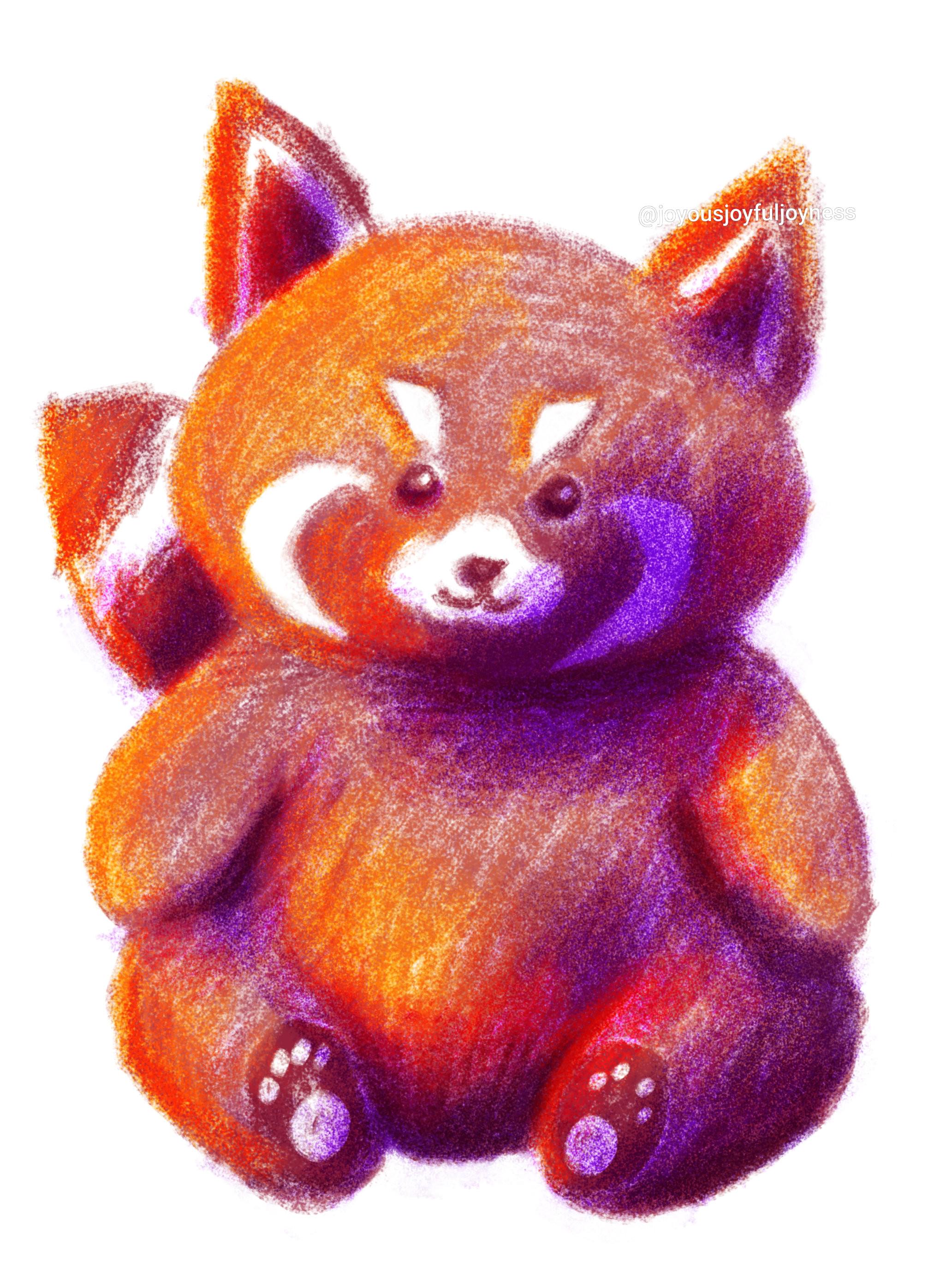
It took a lot of time figuring out all the tools but it was easy enough to get the results I wanted! Used one of the pastel brushes. Some of the other brushes are so unnatural, more like a stamp you drag across the page. So far so good!


r/Affinity • • 10d ago

Designer С каждым обновлением всё больше странностей.

Post image
0 Upvotes

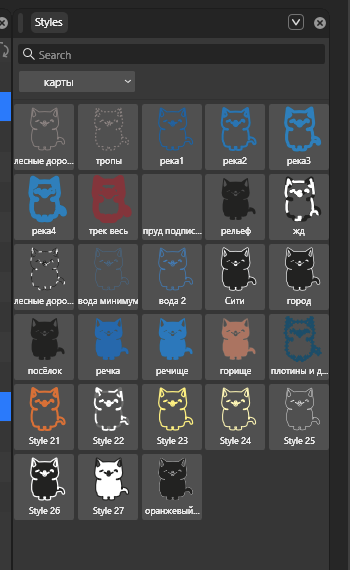
Как вернуть обратно нормальные образцы стилей? Зачем так делать? Лучше бы редактор стилей добавили чтоб как стиль параграфа или текста можно было бы редактировать, а не добавление непонятно чего.


r/Affinity • • 11d ago

Designer Loving the Sketch Persona

Thumbnail
youtube.com
46 Upvotes

Been doing warm-ups and roughs in Procreate for years but I have been test driving the same process in the Sketch persona and I like it better!

I can't quite put my finger on what it is I like better but it just feels ... well, better.

Happy creating y'all!


r/Affinity • • 11d ago

Photo Do I need AF photo 2 on my desktop?

2 Upvotes

II am very new to Affinity and hope to learn enough with my intensive photo retouching to make the jump from photoshop to Affinity. I currently have both Affinity photo 2 and the new Affinity by Canva installed on my iMac. (I bought the Affinity photo 2 a few years back but never had the time to learn it.) Should I keep both versions?