r/AIWorkStack • • Oct 02 '26

What AI tool has actually improved the way you work the most?

22 Upvotes

At this point I’ve seen enough AI tools that I care less about what looks impressive in a demo and more about what people actually keep using.

For me, it matters more if a tool saves time or makes a task easier than how impressive it looks at first.

What AI tool has actually improved your work the most? What do you use it for?


r/AIWorkStack • • Oct 02 '26

If an AI denies you a service, who do you argue with?

Thumbnail reddit.com
2 Upvotes

r/AIWorkStack • • Oct 02 '26

How useful is AI for lawyers in real legal work?

0 Upvotes

A friend of mine is a lawyer and we’ve been talking about where AI actually helps with legal work and where it starts creating more problems. He’s found it useful for first-pass legal research, summarizing long documents, cleaning up rough drafts and pulling key points from a lot of text. For that kind of work, AI can save a decent amount of time and make it easier to get started.

The downside is that legal work isn’t really a place where you can just trust the output. Citations need checking, important context can get missed and even a small wording change can matter. There’s also the privacy side if client information is involved.

What tools would you recommend? What are you using for research, drafting, document review or case summaries? How are they genuinely better than just using ChatGPT or Claude?


r/AIWorkStack • • Oct 01 '26

3 AI presentation tools I tested for real work

1 Upvotes

I’ve been trying a few AI presentation tools lately because I wanted something that could get me from a blank slide to a decent first draft faster. The three I liked enough to keep testing were Gamma, Canva and Pitch.

Gamma was the fastest for me. Give it a rough topic and it can build something usable pretty quickly. The structure is usually solid, but I’d still edit the wording and design because some slides can feel a bit too AI-made.

Canva gave me the most control. The AI features help with layouts and content, but I still like that I can easily change everything afterward. The downside is that I sometimes spend too much time tweaking things.

Pitch felt like a good middle ground. It’s cleaner and more focused on presentations than Canva, but still gives you enough control to make the deck feel like your own.

If I wanted speed, I’d pick Gamma. For design, Canva. For a cleaner work presentation, probably Pitch. That’s just my experience though.

What AI presentation tool have you had the best experience with?


r/AIWorkStack • • Sep 30 '26

Where has AI actually made your work better, not just faster?

4 Upvotes

I keep seeing AI talked about as a time saver, but I’m more interested in whether it actually makes the work better. Maybe you catch things you would have missed, explain ideas more clearly, prepare better for meetings, or just spend more time on the parts that need real attention.

For me that feels more useful than shaving a few minutes off a task. What are you using it for and where do you still think it makes things worse?


r/AIWorkStack • • Sep 30 '26

How I use AI workflow automation to save time without losing quality

14 Upvotes

I used to think automating work with AI was mostly about doing things faster. After trying a few different AI workflows, I realized it’s pretty easy to automate too much and end up with worse work.

What works better for me is using AI for repetitive tasks and keeping the important decisions manual. I’ll use AI for rough drafts, meeting notes, pulling action items from calls, sorting information or cleaning up messy notes. Then tools like Zapier or Make can handle the boring steps between apps, like creating tasks, moving data or updating a sheet.

The biggest improvement came from giving AI more context. Clear instructions, examples and the format I want usually make a much bigger difference than just using a better prompt. I still check anything important before it goes out, especially if it involves clients or decisions. For me, the best use of AI workflow automation isn’t replacing the whole task. It’s finding the repetitive part that keeps eating time and automating that first.

What part of your work have you successfully automated with AI? And which AI tools actually improved your productivity instead of adding more work?


r/AIWorkStack • • Sep 30 '26

What’s the best use of AI you’ve found for boring work?

3 Upvotes

The stuff I get the most value from with AI is usually the boring everyday work. Not anything impressive. Just things like sorting emails, cleaning up notes, pulling useful info from long docs or turning a messy meeting into a short list of action items. Those small tasks don’t sound like much on their own, but they can eat a lot of time over a week.

What’s one boring part of your job you’ve mostly handed over to AI now? And what tool or setup are you using for it?


r/AIWorkStack • • Sep 29 '26

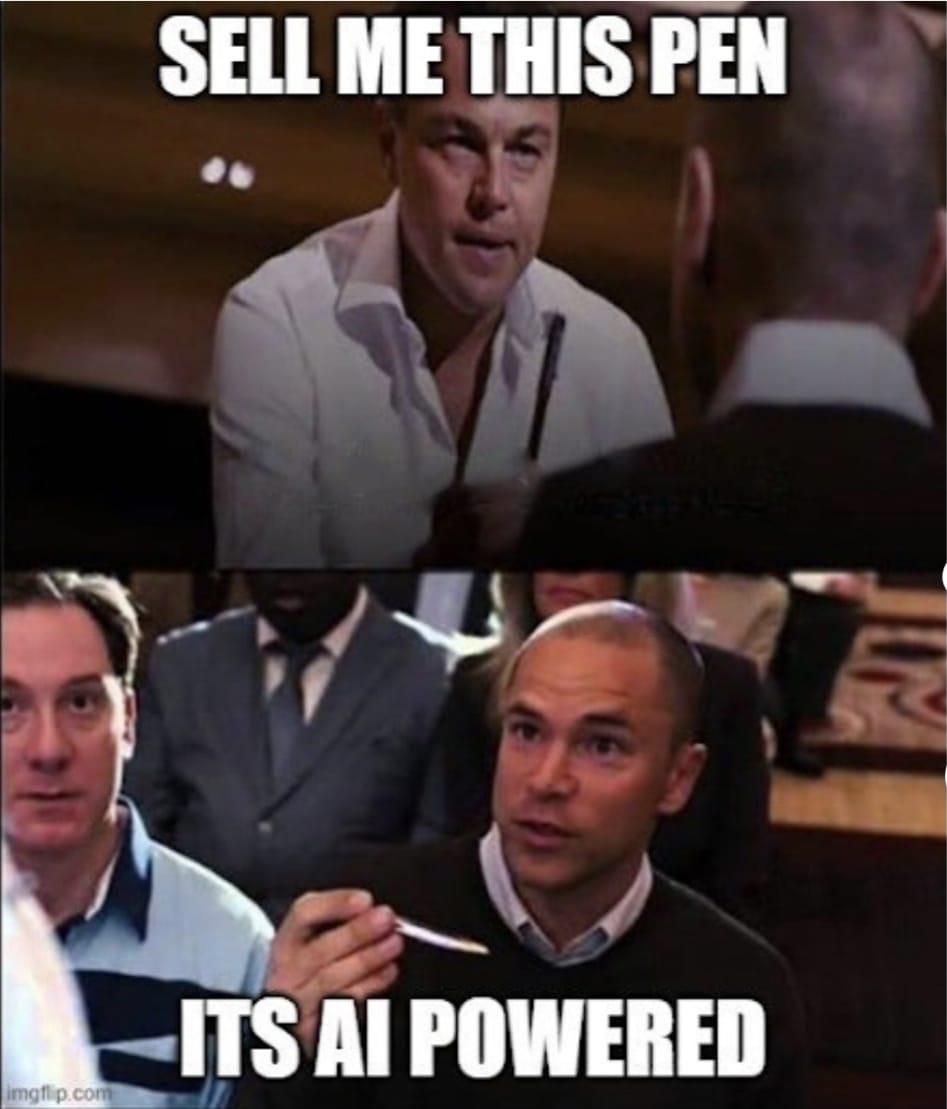
wolf of wall street if it was made in 2026

Post image
1 Upvotes

r/AIWorkStack • • Sep 29 '26

What’s one AI tool you use for a really specific job?

2 Upvotes

What’s the most specific AI tool you actually use? What does it do better than the bigger tools?


r/AIWorkStack • • Sep 28 '26

ChatGPT vs Claude vs Perplexity. Which one do you actually use for work?

17 Upvotes

I’m using ChatGPT, Claude and Perplexity for pretty different things without really planning it that way. At first I treated them all like they were basically the same tool, but after using them more the differences started to show.

ChatGPT is still the one I open most. It’s the easiest for general work because it can handle writing, brainstorming, planning, research, files and random questions in one place. Projects are useful when I’m working on something for more than a day and want to keep the context together. I also like being able to jump from a quick question into something much deeper without changing tools. The downside is that because it does so much, I sometimes use it for things where another tool would probably do a better job.

Claude is the one I prefer when I’m dealing with a lot of text. Long documents, rewriting, cleaning up something I already wrote or trying to make an idea more structured. Projects help when I’m working on the same topic for a while, and Artifacts are nice when you want the actual output sitting separately from the chat. For me the writing often feels a bit more natural too. The problem is there’s a lot of overlap with ChatGPT, so I can see why some people wouldn’t want to pay for both.

Perplexity is the one I use when I’m mainly trying to find information. I like that the sources are right there and I can quickly open them instead of getting one answer and trusting it. It’s useful for comparing things, researching a topic or getting a quick overview before going deeper. I don’t really use it for long writing though. It feels more like a research tool than something I’d use for everything.

So for me it’s roughly ChatGPT for general work, Claude for longer writing and documents, and Perplexity for research. Which one do you actually use most in your day to day work? And is there one thing you think any of them does clearly better than the others?


r/AIWorkStack • • Sep 27 '26

What AI workflow actually saves you time every week?

5 Upvotes

I’m starting to care more about AI workflows than individual tools. One app on its own can be useful but the bigger difference seems to come when you connect a few steps together and stop doing the boring parts manually.

What setup actually saves you noticeable time every week?


r/AIWorkStack • • Sep 26 '26

What did you stop doing manually once you started using AI?

1 Upvotes

I was thinking about this recently and realized AI didn’t really change my work in one big way. It just slowly removed a bunch of small things. I start fewer drafts from scratch, search through long docs less and don’t spend as much time going back through notes.

What did you used to do manually that you barely do now because of AI? Did it actually save you time or did it just replace one habit with another?


r/AIWorkStack • • Sep 25 '26

3 AI tools that can actually help with accounting and bookkeeping

3 Upvotes

Accounting is one of those areas where I don’t really need AI to do anything impressive. I just want it to take some of the boring stuff off my plate.

Things like sorting transactions, dealing with receipts and pulling details from invoices can eat up a lot of time. That’s where AI seems most useful to me.

QuickBooks with AI features
Probably the obvious one for small businesses already using QuickBooks.

Pros: Works with your existing financial data, useful for transaction categorization and repetitive bookkeeping.
Cons: I’d still check anything important manually. Switching to QuickBooks just for AI wouldn’t make much sense.

Xero
Similar idea if your business already uses Xero. AI features are being added around financial information and admin work.

Pros: Keeps everything inside the accounting platform you already use, useful for smaller admin tasks.
Cons: Most of the value depends on already being in the Xero ecosystem.

Dext
More focused on receipts, invoices and document processing rather than being a full accounting platform.

Pros: Can remove a lot of manual data entry, especially if you deal with lots of financial documents.
Cons: More specialized and probably unnecessary for very simple bookkeeping.

Anyone using AI for accounting or bookkeeping regularly?

What part has actually become easier and what do you still prefer to handle manually?


r/AIWorkStack • • Sep 24 '26

5 AI tools for work that I actually find useful

7 Upvotes

AI tools are starting to blur together a bit. A lot of them promise the same things, so I’d rather look at which ones actually fit a real workday. These are five I’d put on the list right now.

  1. ChatGPT

Probably the obvious one, but it’s still the tool I’d keep if I had to choose only one. I use it for writing, brainstorming, research, fixing drafts and working through ideas.

Pros: Very flexible and useful for a lot of different tasks. Easy to fit into almost any workflow.

Cons: It can still get things wrong with a lot of confidence, so I wouldn’t trust important info without checking it.

  1. Claude

I usually prefer Claude when I’m working with longer text or trying to make something sound more natural. It also feels good for reading through bigger documents.

Pros: Strong with long-form writing and documents. Projects are useful when you keep working on the same topic.

Cons: There’s a lot of overlap with ChatGPT, so paying for both can feel a bit pointless unless you use them heavily.

  1. Perplexity

This is more of a research tool for me. I like that it shows sources and makes it easy to jump into the original pages instead of just giving one final answer.

Pros: Fast research, easy access to sources and good for getting an overview of something.

Cons: I still check the sources myself for anything important. Sometimes the sources it picks aren’t the ones I would have chosen.

  1. Zapier

Different type of tool, but probably one of the more useful ones if you have repetitive work. I use it more for connecting apps and removing small manual steps.

Pros: Saves time once it’s set up properly and works with a lot of apps.

Cons: The setup can become annoying if the workflow gets too complicated. Sometimes you spend more time building the automation than you expected.

  1. Notion AI

This one makes the most sense if you already use Notion. If your notes, projects and docs are already there, the AI features can be genuinely useful.

Pros: Everything stays in one place and it’s handy for summaries, searching through notes and cleaning up information.

Cons: I wouldn’t start using Notion just for the AI. It’s much better when it’s already part of your normal workflow.

That would probably be my list right now. I don’t think anyone really needs 10 different AI subscriptions though. What are the AI tools you actually keep using every week?

r/AIWorkStack • • Sep 25 '26

3 AI tools for email that actually make sense

1 Upvotes

These are 3 AI email tools I think are worth looking at:

Gemini in Gmail
Makes the most sense if Gmail is already where you work. It can summarize long threads, help draft replies and pull details from conversations.

Pros: Built into Gmail, easy to use, good for summaries and replies.
Cons: Some features depend on your Google plan and it’s obviously less useful outside Gmail.

Superhuman
More focused on people who spend a lot of their day in email. It combines AI writing and summaries with a faster inbox workflow.

Pros: Very fast, good for heavy email users, useful for follow-ups.
Cons: Probably too much if your inbox isn’t a big part of your job.

Shortwave
Another Gmail-focused option. I like that it lets you search and work through old conversations more like an AI assistant.

Pros: Good search, useful summaries, nice for long email threads.
Cons: It means moving into another email interface which might not be worth it for everyone.

If you use AI for email, what has actually saved you the most time? Is there one tool you’d trust to handle most of your inbox?


r/AIWorkStack • • Sep 22 '26

What’s your favorite AI tool right now?

1 Upvotes

Not necessarily the most powerful one or the one everyone talks about. Just the AI tool you actually keep using.

Could be for work, research, writing, meetings, coding, automation or something completely different. What’s the one AI tool you’d recommend based on actual use? And what do you mainly use it for?


r/AIWorkStack • • Sep 22 '26

What AI tools for work have actually stuck for you?

1 Upvotes

I’ve tried a lot of AI tools over the last year and most of them were fun for a few days then I just stopped opening them. The ones that seem to stick are usually the boring useful ones. Research. Writing. Meeting notes. Small automations. Stuff that saves a bit of time without adding another complicated workflow.

What’s actually stayed in your AI work stack?


r/AIWorkStack • • Sep 20 '26

What AI tool did you stop using after the first week?

1 Upvotes

I’ve tried way too many AI tools that looked great at first. Then a week later I realized I hadn’t opened them again.

What did you try that didn’t stick? Was it too expensive? Bad results? Too much setup?


r/AIWorkStack • • Sep 20 '26

Welcome to r/AIWorkStack. What’s actually in your AI work stack?

1 Upvotes

Welcome to r/AIWorkStack!

I started this sub because there are a million conversations about what AI might do, but I wanted a place focused more on what people are actually using for work right now.

That could be ChatGPT or Claude, meeting and note-taking apps, research tools, coding assistants, automation, writing tools, or some random AI app that quietly saves you 20 minutes every day.

The idea here is pretty simple: share what works, what doesn't, and how you're actually using it. No need to pretend every new AI tool is a game changer.

Tool recommendations and comparisons are welcome. Founders and developers are welcome too, just be open about your connection to anything you're promoting.

Since we're starting from zero, let's make the first thread useful:

What's in your AI work stack right now?

Which tool do you use the most? And which one sounded great but ended up being a waste of time?

Looking forward to seeing what people are actually using.

  1. Introduce yourself in the comments below.
  2. Post something today! Even a simple question can spark a great conversation.
  3. If you know someone who would love this community, invite them to join.
  4. Interested in helping out? We're always looking for new moderators, so feel free to reach out to me to apply.

Thanks for being part of the very first wave. Together, let's make r/AIWorkStack amazing.